
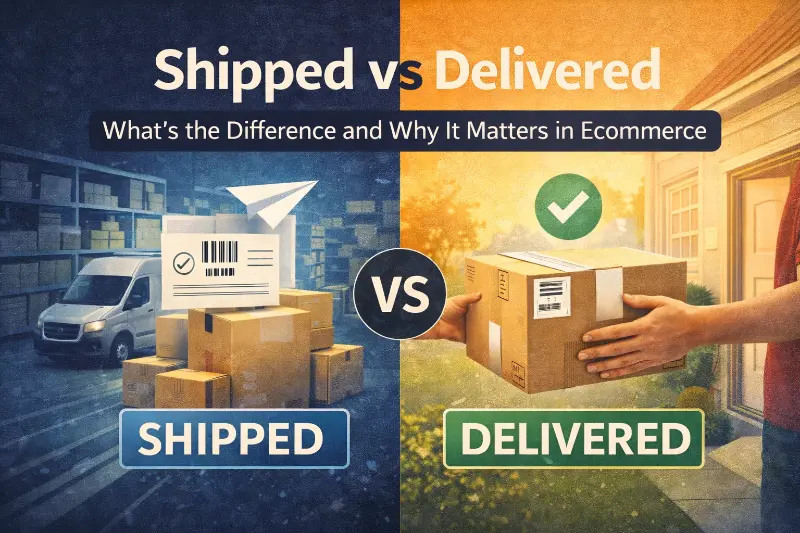
Shipped vs Delivered: What’s the Difference and Why It Matters in Ecommerce

Last updated on February 02, 2026
In this article
 19 minutes
- Shipped means the carrier took possession, not that delivery started
- Delivered means the carrier marked their job complete, not that the customer received it
- The journey between shipped and delivered contains multiple status checkpoints
- Customer confusion stems from misaligned expectations about timing and responsibility
- Operational implications affect support volume, returns, and customer satisfaction
- Strategic approaches treat status updates as signals requiring operational response
- Frequently Asked Questions
“Shipped” and “delivered” are carrier status updates, not customer truth. Most customer support tickets and delivery frustration happen when brands treat these scan events as definitive outcomes instead of probabilistic signals in the shipping process. ‘Shipped’ and ‘delivered’ have different meanings in the logistics process, each representing a distinct stage in the journey of a package. A package marked “shipped” simply means a carrier scanned a barcode confirming they took possession of it. A package marked “delivered” means a carrier scanned a barcode indicating they completed their final delivery attempt. Neither status guarantees the customer actually has the product in hand, and the gap between these two events creates the majority of post-purchase anxiety and operational complexity for ecommerce brands.
For mid-market Shopify brands processing hundreds or thousands of orders monthly, understanding this distinction directly impacts customer support volume, return rates, and operational efficiency. Customers often assume ‘shipped’ and ‘delivered’ are interchangeable terms, which leads to misunderstandings about order status and timeline expectations. Industry data shows that delivery-related inquiries account for 30-40% of all customer support tickets, with the majority stemming from confusion about what order fulfillment “shipped” and “delivered” actually mean versus what customers expect them to mean.
Shipped means the carrier took possession, not that delivery started
When a package status changes to “shipped,” it indicates that a carrier has scanned the tracking barcode and accepted responsibility for the shipment. Shipping refers to the process of sending items from the seller to the customer, including packaging, dispatch, and transit. This scan typically happens at one of several points: when the carrier picks up packages from the warehouse or fulfillment center, when packages arrive at the carrier’s first sorting facility, or when packages are loaded onto a delivery vehicle for the first leg of transit.
The shipping process begins much earlier than this scan event. It starts when warehouse staff pick items from inventory, pack them into shipping containers, apply shipping labels with tracking numbers, and stage packages for carrier pickup. The shipping process can start even before payment is finalized, as it includes planning based on delivery date options. Often, the process begins at the supplier’s warehouse, and if the supplier’s warehouse is local to the customer, the shipping process is more straightforward. From an operational perspective, orders transition to “fulfilled” status when labels are created, but customers don’t receive shipping notifications until the carrier’s first scan confirms physical possession. Many e-commerce businesses dispatch orders within four business days after shoppers place their orders.
This creates the first source of confusion. Customers receiving a “shipped” notification often assume their package is actively moving toward them. In reality, packages frequently sit at carrier facilities for 12-48 hours between the initial “shipped” scan and meaningful transit progress. Weekend and holiday timing compounds this gap, as packages picked up Friday afternoon may not show movement until Monday or Tuesday. The shipping date, which is when the product leaves the supplier’s warehouse, is important to distinguish from the delivery date, as it helps set accurate customer expectations.
The shipped status also doesn’t indicate which delivery method is being used or where the package currently sits in the carrier network. There are various shipping methods, such as air freight, cargo ships, trains, and trucks, each affecting delivery speed and costs. Air freight is often used for fast international shipments. Shipping small items is typically handled by the local postal service and post office, while larger items may require freight carriers. A package shipped via ground service might take 5-7 business days to reach its destination, while expedited service could deliver in 1-2 days. Shipping charges can vary depending on the method chosen. Both show identical “shipped” status immediately after carrier acceptance, creating misaligned expectations when customers don’t understand the selected shipping method. The shipping timeline, or the expected period from order dispatch to delivery, is usually communicated to customers to help manage these expectations.
For ecommerce operations, the shipped scan serves as confirmation that liability transferred from the brand to the carrier. Before this scan, lost or damaged packages remain the seller’s responsibility. After the scan, claims must go through carrier insurance or reimbursement processes. This legal and financial distinction matters more to operations teams than customers, who simply want to know when their order will arrive. The process involved in shipping includes everything from the moment shoppers place their order, through order processing, packaging, carrier pickup, and handoff to the local postal service or post office for final delivery.
Let AI Optimize Your Shipping and Boost Profits
Cahoot.ai software selects the best shipping option for every order—saving you time and money automatically. No Human Required.
See AI in ActionDelivered means the carrier marked their job complete, not that the customer received it
When tracking shows “delivered,” it means a carrier scanned the package as successfully delivered to the specified address. Delivery refers to the process of transferring the package from the carrier to the recipient, including the estimated shipment date, actual arrival date, and any associated delivery charges. This scan happens when the delivery driver completes what they consider a successful delivery attempt: leaving the package at the customer’s doorstep, handing it to someone at the address, placing it in a mailbox or parcel locker, or completing delivery to a building’s mail room or front desk.
The delivered scan does not verify that the intended recipient actually received the package. It confirms only that the carrier followed their delivery protocol for that address type. For residential deliveries, this typically means leaving the package at the front door, side entrance, or garage. For apartment buildings, delivery might mean the lobby, mailroom, or package room. For businesses, it could mean reception, loading dock, or mail room. The delivery company is responsible for the final leg of the journey, ensuring the package reaches the customer’s home.
This gap between “delivered per carrier protocol” and “received by customer” creates the second major source of confusion and support tickets. Common scenarios where delivered status doesn’t match customer reality include packages left at incorrect addresses due to driver error, packages stolen after delivery (porch piracy), packages delivered to building common areas where the customer doesn’t check, packages marked delivered but actually still on the truck (premature scanning), and packages delivered to neighbors when the primary address isn’t accessible.
Industry research indicates that 1.7 million packages are stolen or lost daily in the United States, with theft occurring after the delivered scan in the majority of cases. From the carrier’s perspective, these shipments completed successfully. From the customer’s perspective, they never received their order. This creates a liability and resolution gap that falls on the ecommerce brand to manage.
The delivered scan also doesn’t account for delivery quality. Packages thrown over fences, left in rain without protection, or placed where they’re easily visible to thieves all receive the same “delivered” status as carefully placed, protected deliveries. Delivery service options, such as white glove delivery for major appliances, can help ensure a higher quality experience. Examples of major appliances include refrigerators, washing machines, and stoves, which often require specialized delivery service. Some deliveries, especially for large items, require installation upon arrival. Carriers optimize for scan completion rates and deliveries per hour, not for delivery experience quality.
For operations teams, delivered status triggers automated systems: order completion emails, review request campaigns, potential reorder marketing, and closure of the order in fulfillment systems. When customers haven’t actually received packages marked delivered, these automated touchpoints generate negative brand experiences and support ticket escalations. Delivery charges can vary based on distance and service level. Delivery is the final stage in the supply chain when a shipped item arrives at its final destination.
The journey between shipped and delivered contains multiple status checkpoints
Between the initial shipped scan and final delivered scan, packages move through a series of carrier facilities and status updates. The delivery process starts at a local warehouse or distribution center where the final delivery is scheduled. Understanding these intermediate stages helps operations teams set accurate customer expectations and diagnose delivery issues.
In transit status appears when packages move between carrier facilities. This indicates active movement through the logistics network but provides limited specificity about location or progress. Packages might show “in transit” for 2-3 days while moving across the country, or for 6-8 hours while moving between local facilities.
Out for delivery means the package loaded onto a delivery vehicle and is scheduled for delivery that day. At this point, the package is en route to the recipient, indicating it is in the final phase of the delivery process. This status typically appears early morning when drivers load trucks, though actual delivery might happen anytime during the driver’s route (often 8am to 8pm). Customers seeing this status often expect delivery within hours, but afternoon and evening deliveries are common.
Delivery attempted indicates the driver tried to deliver but couldn’t complete delivery for some reason: no one available to sign for signature-required packages, access issues at gated communities or locked buildings, or address problems preventing the driver from locating the delivery point. After delivery attempts, packages typically return to local facilities for redelivery the next business day.
Exception or delay statuses signal problems: weather disruptions, transportation issues, incorrect address information, or damaged package labels. These statuses often lack specificity about the actual problem or when resolution might occur, creating customer anxiety and support inquiries.
Arriving late notifications appear when carriers detect packages won’t meet original delivery estimates. These preemptive updates help manage expectations but often arrive too late to prevent customer concern, particularly for time-sensitive orders like gifts or event-related purchases.
Each status transition represents a physical scan event by carrier personnel or automated scanning systems. The last scan event represents the final stage of the delivery process, marking the completion of the package’s journey to its destination. Scan reliability varies by facility, shift, and carrier workload. During peak seasons, scan compliance can drop, leading to packages that move through the network without status updates, creating the appearance that shipments stalled when they’re actually progressing normally.
Providing clear delivery tracking information to customers is essential, as it helps them understand the shipping and delivery process and improves transparency about when their order will arrive.
ShipStation vs. Cahoot: 21x Faster, Real Results
Get the inside scoop on how a leading merchant switched from ShipStation to Cahoot—and what happened next. See it to believe it!
See the 21x DifferenceCustomer confusion stems from misaligned expectations about timing and responsibility
The most common customer misunderstanding treats “shipped” as synonymous with “on the way to me right now.” Customers expect immediate transit progress after shipping notifications, not recognizing that first-mile pickup, sorting, and network injection can take 1-3 days before meaningful movement occurs. This expectation gap generates “where is my order” tickets within 24-48 hours of shipping notifications. Providing clear communication and tracking can make the process simpler for customers and help reduce confusion about shipping and delivery terms.
The second major confusion point occurs when delivered status doesn’t match physical receipt. Customers checking tracking see “delivered” but don’t have packages, leading to immediate support contacts. Operations teams must then diagnose whether the issue is theft, misdelivery, delivery to alternate location (neighbor, building office), or premature scanning where the package will arrive later that day.
Estimated delivery dates compound confusion when they’re treated as guarantees rather than projections. Carriers provide delivery windows based on service level and distance, but weather, volume surges, and operational disruptions regularly push deliveries beyond estimates. Accurate delivery times are crucial for managing customer expectations and preventing misunderstandings. Customers viewing estimates as commitments create support volume when actual delivery falls on the later end of projected windows.
The responsibility boundary between carrier and seller creates additional friction. Customers reasonably believe they purchased from the brand, not from the carrier, and expect the brand to resolve delivery issues regardless of where fault lies. From an operations perspective, issues after the carrier’s first scan fall under carrier responsibility, requiring brands to file claims, request investigations, or seek reimbursement rather than simply reshipping. Providing two dates—the shipping date and the delivery date—can improve clarity and help set realistic expectations for customers. The delivery date is especially important as it represents the final step in the shipping process and is often communicated after the item has been dispatched.
Carrier communication quality varies significantly. Some carriers provide detailed tracking with facility-level updates and realistic delivery windows. Others offer minimal information with vague status descriptions. Brands using multiple carriers create inconsistent customer experiences where tracking quality depends on which carrier handled the shipment, a variable customers don’t control or understand.
Operational implications affect support volume, returns, and customer satisfaction
Customer support teams spend disproportionate time on delivery-related inquiries despite having limited ability to influence carrier performance. Support ticket analysis across ecommerce brands shows 30-40% of contacts relate to shipping and delivery, with common inquiries including “where is my package” after shipped notifications, “tracking says delivered but I don’t have it” scenarios, “why hasn’t my package moved in 3 days” during transit gaps, and “will my package arrive by [date]” for time-sensitive orders. In e-commerce, especially for an e commerce business, efficient shipping and delivery processes are crucial for maintaining customer satisfaction and operational efficiency.
Each inquiry requires support time to investigate tracking, contact carriers, and manage customer expectations, often without ability to actually accelerate delivery. Brands typically implement policies for delivery issues: immediate replacement shipment for packages showing no movement for 7-10 days, replacement or refund for packages marked delivered but not received after 48-72 hours, carrier claims for lost or damaged shipments when tracking confirms issues, and proactive refunds or replacements for packages showing repeated delivery exceptions. The supply chain plays a vital role in managing these shipping and delivery processes, ensuring goods move efficiently from warehouses to customers. Shipping and delivery processes can involve complex logistics, especially for cross-border shipments, which can further complicate support and resolution.
These policies create cost exposure. Reshipping products for carrier failures, processing refunds for delivered-but-not-received packages, and writing off lost inventory when carrier claims don’t cover full value all flow to the brand’s P&L. High-volume brands can see delivery-related costs (replacements, refunds, support labor) reach 2-5% of revenue, with higher percentages during peak seasons when carrier performance degrades. In fulfillment models like drop shipping, where sellers do not hold inventory and rely on third-party suppliers to ship directly to customers, delivery timelines and control can be affected, sometimes leading to a negative customer experience due to limited oversight and potential quality issues.
Returns and exchanges also intersect with shipped versus delivered confusion. Customers who receive damaged products or wrong items often check tracking to understand when the issue might have occurred. “Delivered” status provides no information about package condition, leading customers to assume delivery damage rather than warehouse picking errors or packing problems. This misattribution can lead to carrier claims for issues that originated before shipping.
Customer lifetime value takes hits from poor delivery experiences even when the brand executed perfectly. Research consistently shows that delivery experience significantly influences repeat purchase likelihood and brand perception. Customers experiencing delivery problems often reduce purchase frequency or switch to competitors offering more reliable delivery options, even when delivery failure wasn’t the original brand’s fault.
Proactive communication reduces support volume but requires operational investment. Brands implementing order tracking pages, SMS delivery notifications, and proactive delay alerts see 15-25% reductions in delivery-related tickets. However, these systems require integration with carrier APIs, real-time data synchronization, and thoughtful customer communication design to avoid creating more confusion through excessive notifications.
Cut Costs with the Smartest Shipping On the Market
Guranteed Savings on EVERY shipment with Cahoot's AI-powered rate shopping and humanless label generation. Even for your complex orders.
Cut Costs TodayStrategic approaches treat status updates as signals requiring operational response
Operations leaders at high-performing ecommerce brands shift from reactive delivery problem management to proactive delivery experience design. This starts with carrier performance monitoring: tracking delivery success rates, average transit times by service level and destination zone, exception rates and common exception types, and scan reliability throughout the carrier network. In the context of shipping vs delivery, it’s important to clarify that shipping refers to the process of moving a package from the seller to the carrier, while delivery is the final handover to the customer.
This data informs carrier selection and service level decisions. Brands shipping to similar destination zones repeatedly can analyze which carriers consistently deliver faster or more reliably to those areas. Service level choices (ground versus expedited) can be optimized by calculating whether faster delivery costs justify reduced support tickets and higher customer satisfaction scores. The difference between shipping and delivery is crucial here: shipping is the stage where the package leaves the seller and enters the carrier’s network, while delivery is the stage where the package reaches the customer’s address. For brands looking to streamline these processes, national fulfillment services can play a key role in improving efficiency and reducing costs.
Address validation and delivery instruction capture at checkout prevent many delivery issues. Implementing address verification services that flag incorrect addresses, collecting delivery preferences (safe place to leave packages, gate codes, access instructions), and offering alternative delivery locations (package lockers, retail pickup points) give customers control over delivery outcomes.
Post-delivery verification provides certainty about delivery completion. Photo confirmation of delivered packages (many carriers now offer this), signature requirements for high-value items, and delivery confirmation emails with specific delivery location details reduce “delivered but not received” disputes. However, these features often cost extra or slow delivery, requiring cost-benefit analysis.
Strategic inventory positioning reduces transit time and delivery uncertainty. Brands using distributed fulfillment networks (multiple warehouse locations) can ship from facilities closer to customers, reducing average transit times from 4-6 days to 1-3 days. Shorter transit windows mean fewer days where packages can encounter problems and less time for customer anxiety to build.
Customer communication frameworks acknowledge uncertainty rather than creating false precision. Instead of promising specific delivery dates, communicate delivery windows. Instead of treating shipped status as definitive progress, explain that initial processing takes 1-2 days. Instead of deflecting delivery problems to carriers, own the customer relationship and resolve issues regardless of technical responsibility. This customer-centric approach builds trust even when delivery experiences fall short. Historically, these terms originally referred to different parts of the logistics process, with ‘shipping’ describing the dispatching of goods and ‘delivery’ referring to the final distribution to the recipient.
Frequently Asked Questions
What does “shipped” actually mean when I see it in order tracking?
“Shipped” means a carrier has scanned your package’s tracking barcode and taken possession of it from the warehouse or fulfillment center. This is the carrier’s confirmation that they have your package and accepted responsibility for delivery. However, shipped status doesn’t mean the package is actively moving toward you yet. Packages often sit at carrier facilities for 12-48 hours after the initial shipped scan while being sorted and routed through the logistics network. The shipped status also doesn’t indicate which shipping method was used or when delivery will occur.
What does “delivered” mean and why might I not have received my package?
“Delivered” means a carrier scanned the package as successfully delivered to your address according to their delivery protocol. This typically means leaving the package at your doorstep, handing it to someone at the address, or placing it in a mailbox or building mail room. However, delivered status doesn’t verify that you personally received the package. Common situations where tracking shows delivered but you don’t have the package include theft after delivery, delivery to the wrong address, delivery to neighbors or building common areas, premature scanning where the package arrives later that day, or placement in locations you don’t regularly check.
How long does it typically take between “shipped” and “delivered” status?
Transit time between shipped and delivered depends on the shipping method and distance. Ground shipping typically takes 3-7 business days, expedited shipping takes 1-3 business days, and overnight shipping delivers the next business day. However, the first 1-2 days after shipped status often show little tracking progress as packages move through initial carrier sorting facilities. Weekend and holiday timing can extend these windows by 2-3 days since most carriers don’t deliver on Sundays or holidays. Peak seasons like November and December often add 1-2 days to normal transit times due to increased package volume.
What should I do if tracking says delivered but I don’t have my package?
First, check all possible delivery locations including side doors, garages, mailboxes, and building mail rooms or package rooms. Ask neighbors if they accepted delivery on your behalf. Wait 24-48 hours as premature scanning sometimes occurs where tracking updates before actual delivery. Contact the carrier directly to request delivery confirmation details including specific delivery location and time. If these steps don’t locate the package, contact the seller to report a delivered-but-not-received issue. Most ecommerce brands will replace or refund orders when tracking shows delivered but customers confirm non-receipt, typically after a 48-72 hour investigation window.
Why does my package tracking show “in transit” for days without updates?
Packages showing prolonged “in transit” status without updates usually indicate one of several situations. The package is moving between carrier facilities without intermediate scans, particularly common on long-distance shipments. Scan compliance issues mean facility workers didn’t scan packages at expected checkpoints. Weather or transportation disruptions delayed movement but carriers haven’t updated status to reflect delays. Weekend or holiday timing creates gaps since tracking doesn’t update during non-business days. Peak season volume overwhelms carrier scanning systems. If tracking shows no updates for 5-7 days, contact the carrier or seller for investigation as the package may be lost or misrouted.
Who is responsible when delivery problems occur?
Responsibility depends on when and where the problem occurs. Before the carrier’s first scan (shipped status), the seller is responsible for lost or damaged packages. After shipped status, carriers hold legal responsibility for lost, damaged, or delayed packages according to their service agreements. However, from a customer perspective, you purchased from the seller, not the carrier. Most reputable ecommerce brands will resolve delivery issues regardless of technical responsibility by reshipping products, processing refunds, or filing carrier claims on your behalf. Contact the seller first for fastest resolution rather than trying to navigate carrier claim processes directly.
Written By:

Indy Pereira
Indy Pereira helps ecommerce brands optimize their shipping and fulfillment with Cahoot’s technology. With a background in both sales and people operations, she bridges customer needs with strategic solutions that drive growth. Indy works closely with merchants every day and brings real-world insight into what makes logistics efficient and scalable.

Turn Returns Into New Revenue
Related Articles
Seller Fulfilled Prime Works — But Only With the Right Operating Model
Seller Fulfilled Prime is attractive for very rational reasons.
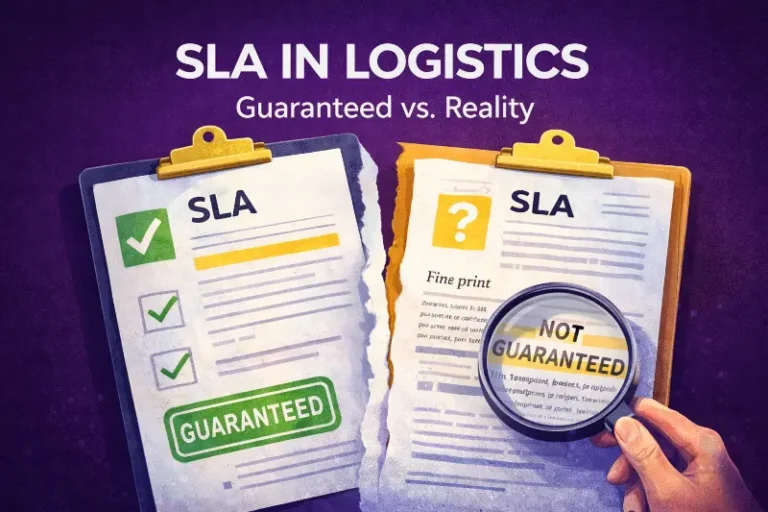
SLA Meaning in Logistics: What Service Level Agreements Actually Guarantee (and What They Don’t)
The gap between what 3PL providers promise in SLA marketing (“99.
HTS Code Explained: What It Is, Why It Matters, and How Ecommerce Brands Use It
HTS codes (Harmonized Tariff Schedule codes) are standardized numerical classifications that identify imported products for U.