
Prime Day 2026 Results: What Ecommerce Sellers Should Learn from the Numbers

In this article
 16 minutes
- Prime Day 2026 proved that summer deal events are now cross-channel
- The headline sales number was strong, but the basket data showed a cautious consumer
- Deal satisfaction fell, which means sellers had to earn the order
- The sales spike is only valuable if fulfillment can keep up
- FBA is useful, but it is not a complete risk-management strategy
- Fast fulfillment is now part of the promotion
- Prime badge strategy matters more when shoppers are comparing
- BNPL growth showed that strong sales do not automatically mean a strong consumer
- Prime Day 2026 should be treated as a rehearsal for Q4
- Key takeaways: What ecommerce sellers should do with the Prime Day 2026 results
- Frequently Asked Questions
Prime Day 2026 started on June 23 at 12:01 a.m. PDT and ran through 11:59 p.m. Pacific Time on June 26, and the prime day 2026 results were strong on the surface and more demanding underneath: U.S. online shoppers spent $26.4 billion over the four-day event, up 9.3% year over year, but the bigger lesson for ecommerce sellers is that performance came down to margin control, inventory placement, fulfillment speed, and cross-channel competition—not just deeper discounts. Amazon captured roughly 68% of online spending during the event, the average household spent $143.45, and average order value fell to $47.66 from $53.34 in 2025, pointing to broad demand but smaller baskets.
Prime Day 2026 was not just another Amazon shopping event. It was a Prime-member-exclusive Prime Day event, with about 84% of shoppers coming from Prime members, deals dropping every five minutes, and Prime Day offers spanning more than 35 categories from tech and home to fashion, beauty, toys, sports, fitness, and everyday essentials, including back-to-school season purchases. It also doubled as a four-day stress test for ecommerce sellers, operators, and brands preparing for major retail events, along with retail competitors, fulfillment networks, and consumers who are still willing to spend when the deal is compelling enough, especially as programs like Amazon Buy with Prime for DTC brands blur the lines between marketplaces and direct channels.
According to Adobe Analytics, Day 1 alone reached $8.3 billion in U.S. online spending, making it the biggest U.S. ecommerce day of 2026 so far, underscoring why sellers need robust Prime Day preparation and fulfillment strategies. Overall, the event outpaced the combined online totals from Black Friday and Cyber Monday, while mobile commerce hit a record $14.2 billion during the event, reinforcing the value of ongoing educational webinars on peak season ecommerce and fulfillment.
Those headline numbers look strong. But the seller lesson is more complicated than “Prime Day worked”: deal satisfaction fell to 59% from 68% in 2025, 69% of items purchased were priced under $40, and Buy Now, Pay Later climbed to 6.6% of total orders, or $2.1 billion. Shoppers bought early, compared prices across retailers, leaned into low-cost essentials, used financing more often, and spread their attention across Amazon, Walmart, Target, Best Buy, brand sites, and other channels, while mobile devices drove just over half of total sales at 51.2% to 54.2%. Electronics sales rose 120% during Prime Day 2026, and the live discount intensity was hard to miss: Google Nest Wifi Pro was up to 57% off, Samsung Frame TV was up to 36% off, and Echo Show 11 was available for up to 32% off.
For ecommerce sellers and operators planning for the next major retail event, especially Q4, Prime Day has become an operating model problem, not just a promotional calendar event, and many of the same pressures resurface during the peak holiday season. AI-sourced traffic grew nearly 89% and converted 40% to 50% better than traditional channels, adding another channel-mix variable to how brands compete and capture demand. The brands that win are not necessarily the ones that discount the most. They are the ones that can protect margin, place inventory intelligently, fulfill quickly through merchant fulfilled Prime alternatives to FBA, and recover after the sales spike without creating stockouts, late shipments, or profitless revenue. That is what this analysis breaks down: the Prime Day 2026 sales data, shopper behavior, pricing and promotion lessons, fulfillment pressure points, inventory planning decisions, cross-channel signals, and how those insights apply to future event strategy.
Prime Day 2026 proved that summer deal events are now cross-channel
Amazon still anchors the event, but Prime Day is no longer contained inside Amazon. In 2026, Walmart Deals, Target Circle Deal Days, Best Buy, and many brand sites competed for the same shopper attention during the same week.
Numerator found that 49% of Prime Day shoppers shopped or planned to shop Walmart Deals, while 32% shopped or planned to shop Target Circle Deal Days. Forrester also reviewed 116 retail and brand websites during the June 23–26 period and found that nearly three out of five participated in the timing or spirit of Prime Day, while four out of five had some form of sale running. During that event period, Amazon Prime Day 2026 ran from June 23 to 26 across 200+ countries.
This matters because the operational requirements of Prime Day are no longer limited to Amazon sellers. A merchant running a sale on Amazon, Walmart, Shopify, Target Plus, TikTok Shop, or a brand-owned storefront may be competing in the same shopping window, even if only one of those channels technically calls it Prime Day.
That is why Cahoot has argued that sellers need to prepare for cross-channel Prime Day demand spikes, not just Amazon order volume. The 2026 results made that point harder to ignore. The event has become a summer retail moment, and sellers need a fulfillment strategy that follows the customer wherever the order is placed.
The headline sales number was strong, but the basket data showed a cautious consumer
The $26.4 billion headline suggests a healthy shopping event. But average order and household-level data tells a more cautious story.
Numerator reported that the average Amazon Prime Day order was $47.66, down 11% from $53.34 in 2025. Average household spend fell to $143.45, down from $156.37 last year. At the item level, 69% of products purchased were under $20, while only 3% were above $100. Numerator also found that 45% of purchases were items shoppers had been waiting to buy, and 46% of surveyed shoppers waited specifically for Prime Day discounts before buying, underscoring the focus on savings. Two thirds of households placed two or more separate orders during the event.
In other words, Prime Day got bigger while the average Amazon basket got smaller. That is an important distinction for sellers. Consumers were willing to shop, but many were still acting carefully. They stocked up on household goods, pet products, drinks, snacks, personal care items, and discounted essentials while selectively buying higher-ticket products when the deal felt strong enough.
For sellers, that means a Prime Day plan built only around aggressive discounting can backfire. A brand may generate volume but still damage contribution margin if it discounts too broadly, spends heavily on ads, fails to account for fulfillment costs during the spike, or ignores how marketplaces like Amazon can undercut DTC pricing and delivery in the Shopify vs Amazon competition for brands.
Deal satisfaction fell, which means sellers had to earn the order
Prime Day shoppers were not passive. Numerator found that 59% of shoppers reported high satisfaction with deals in 2026, down from 68% last year. It also found that 93% of shoppers knew it was Prime Day before ordering. And 89% of Prime Day shoppers had shopped a previous Prime Day, pointing to informed shopper behavior. More than half of shoppers also compared prices across retailers before buying.
That changes the seller playbook. A discount by itself is not enough if competitors have similar pricing, better availability, faster delivery, or a clearer value proposition. When shoppers are comparing across Amazon, Walmart, Target, Best Buy, and DTC sites, the winner may be the seller that combines a good enough price with reliable inventory and a delivery promise the shopper trusts.
This is where ecommerce operators need to think beyond the promotion. Prime Day demand is compressed. The shopper may be ready to buy immediately, but they are also ready to leave immediately if the offer looks weak or the shipping date is not competitive.
The sales spike is only valuable if fulfillment can keep up
A sales spike is good only if the seller can fulfill profitably and reliably. Otherwise, Prime Day can create the wrong kind of growth: late orders, oversold SKUs, support tickets, stranded inventory, canceled shipments, higher labor costs, and damaged account health.
That is why sellers need to evaluate Prime Day order fulfillment options before the event, not during the event. FBA, MCF, Buy With Prime, FBM, Seller Fulfilled Prime, 3PL fulfillment, and distributed fulfillment each solve different problems. None of them is automatically right for every SKU, channel, or margin profile.
The operational question is not “Which fulfillment method is best?” The better question is: which fulfillment model gives this product the best chance of being profitable, in stock, and delivered on time during a compressed demand window?
For some sellers, that may mean leaning heavily on FBA for Amazon-native Prime demand. For others, it may mean using a hybrid model, thoughtfully balancing FBA versus FBM fulfillment on Amazon, or leveraging third-party logistics (3PL) ecommerce fulfillment alternatives, where Amazon inventory, non-Amazon marketplace inventory, and DTC inventory are planned together instead of managed in silos.
FBA is useful, but it is not a complete risk-management strategy
FBA is still one of the most powerful fulfillment systems in ecommerce, especially for Amazon conversion. But Prime Day 2026 showed why sellers should not treat any single fulfillment channel as a complete risk-management strategy.
When demand spreads across multiple channels, inventory locked into one network may not be available where the order actually happens. When FBA capacity, placement, receiving speed, or quantity restrictions become a constraint, sellers can find themselves overstocked in one place and understocked in another.
Cahoot has covered this risk in the context of FBA inventory limits. The same logic applies to Prime Day planning. If a seller cannot send enough inventory into FBA before a major event, or if they also need to support Walmart, Shopify, TikTok Shop, or wholesale demand, then a single-channel inventory plan may leave money on the table.
A stronger model is to think in terms of inventory flexibility. Which units need to be inside Amazon, potentially supported by Amazon AWD bulk storage for FBA sellers? Which units should remain available for other channels? Which SKUs need backup fulfillment? Which products should not be promoted because the margin or replenishment profile is too weak?
Fast fulfillment is now part of the promotion
Prime Day has trained shoppers to expect speed. That expectation does not disappear when the shopper leaves Amazon. If a brand runs a Prime Day-adjacent sale on its own site, the offer is still being mentally compared against Amazon-like delivery standards, and prime members increasingly expect fast options such as same-day delivery for everyday essentials.
That means fast fulfillment is part of the promotion. A 25% discount looks less compelling if the delivery date is vague, slow, or unreliable. A smaller discount can still convert if the shopper trusts the delivery promise and the product is available immediately.
Cahoot has written about why fast fulfillment requirements matter for Amazon sellers, but the lesson is broader. Innovative models such as peer-to-peer fulfillment networks and Buy with Prime alternatives are reshaping how merchants meet these expectations. During tentpole events, every hour of handling time can affect conversion, customer experience, and marketplace performance.
For operators, this creates a practical test: if Prime Day demand doubled tomorrow, would the fulfillment operation still ship on time without emergency labor, expensive workarounds, or customer-facing delays, perhaps by relying on specialized Amazon FBM shipping and fulfillment services?
Prime badge strategy matters more when shoppers are comparing
When consumers compare prices across retailers, the Prime badge, Prime membership, and other prime exclusive delivery benefits can act as trust signals that shape which offer feels safer to buy. If two sellers offer similar prices, the one with faster, more reliable delivery may win the order, which is why many operators are exploring using Amazon SFP to offset rising FBA fees while still meeting fast-shipping expectations and preparing for stricter SFP and Premium Shipping requirements taking effect in 2025.
This does not mean every seller should chase Seller Fulfilled Prime. The updated Seller Fulfilled Prime (SFP) program requirements are operationally demanding, and sellers also need to understand how to sign up and comply with Amazon’s latest SFP guidelines. But for sellers that can execute, Seller Fulfilled Prime can offer more control over inventory and fulfillment than a pure FBA-only model.
The key is to make the Prime badge part of a real fulfillment capability, not just a conversion tactic. If the operation cannot support the promise, the badge becomes a liability, which is why many brands vet the best 3PL companies for Amazon Seller Fulfilled Prime before scaling their Prime badge strategy.
BNPL growth showed that strong sales do not automatically mean a strong consumer
Adobe reported that buy now, pay later orders rose 9.5% year over year and accounted for $2.1 billion during the Prime Day period. Electronics still surged, with sales up 120% versus the previous month’s daily average, even as shoppers stayed budget-conscious. That is another sign that sellers should be careful when interpreting gross sales as pure consumer strength.
Shoppers are still spending, but many are doing so selectively, comparing deals, prioritizing essentials, and using financing to manage cash flow. For sellers, that reinforces the need to protect margin and watch how budget is allocated. A promotional event can look successful in top-line revenue while still being weak after discounts, ad spend, return risk, fulfillment cost, and post-event demand softness are included.
The right question after Prime Day is not only “How much did we sell?” It is also “Which sales were profitable, which SKUs created operational drag, and which channels produced customers worth serving again?”
Prime Day 2026 should be treated as a rehearsal for Q4
Prime Day happened in June this year, but the lessons carry directly into back-to-school, fall deal events, Black Friday, Cyber Monday, and holiday fulfillment.
Sellers should treat Prime Day as a diagnostic and, where possible, reinforce those learnings by engaging with logistics and fulfillment industry events or revisiting multichannel ecommerce strategies across DTC and marketplaces. The typical Prime Day 2026 shopper was a suburban woman aged 45–64, a brand-aware, high income buyer with strong intent in discretionary categories. It reveals which SKUs can handle promotional demand, which fulfillment nodes are weak, which channels create margin pressure, which ad campaigns scale profitably, and where inventory planning breaks down.
That is also why Cahoot’s Amazon Q4 playbook is relevant here. Artificial intelligence-driven traffic increased 89% year over year during Prime Day 2026, which is another cue to prepare for AI-assisted discovery on devices tied to Google Gemini ahead of Prime Big Deal Days and Q4. The same operating questions that determine Q4 performance also show up during Prime Day: how to avoid stockouts, how to protect profit, how to maintain delivery speed, and how to keep backup fulfillment options available when demand exceeds the plan.
The sellers that learn from Prime Day have a better shot at a profitable Q4. The sellers that only celebrate the revenue number may repeat the same mistakes at higher stakes.
Key takeaways: What ecommerce sellers should do with the Prime Day 2026 results
Prime Day 2026 gave sellers a useful signal: ecommerce demand is still there, but it is concentrated, comparison-driven, and operationally unforgiving.
Before the next major sales event, sellers should review these key takeaways from Prime Day 2026 results through an operator lens: apparel was the most purchased category, and different product categories showed very different upside across categories.
- Which SKUs produced profitable sales after discounting, advertising, fulfillment, and return risk?
- Which products sold well but created operational strain?
- Health and wellness products saw significant sales during the event.
- Beauty products ranked high in household penetration.
- One natural hair color brand saw a 280% revenue lift, showing the category-specific upside available with strong demand and positioning.
- Which channels captured incremental demand versus shifting demand from another channel?
- Which inventory positions caused stockouts, delays, or missed sales?
- Which fulfillment promises were easy to keep, and which required expensive workarounds?
- Which products should be promoted again during Q4, and which should be excluded?
The best sellers will not respond to Prime Day 2026 by simply discounting harder next year. They will build a better operating model around the event.
That means planning inventory across channels, using fulfillment methods intentionally, protecting margin at the SKU level, and making fast delivery part of the offer. Prime Day is no longer just about winning a four-day sales spike. It is about proving whether the ecommerce operation is ready for the promotional calendar that now defines modern retail.
Frequently Asked Questions
How much did shoppers spend online during Prime Day 2026?
U.S. online shoppers spent $26.4 billion from June 23 through June 26, 2026, according to Adobe Analytics data cited by Retail Dive. That represented a 9.3% year-over-year increase. Prime Day usually happens in July, but 2026 was an earlier summer event.
Was Prime Day 2026 only an Amazon event?
No. Amazon anchored the event, but Prime Day 2026 became a broader retail moment. Walmart, Target, Best Buy, and many brand sites ran competing promotions during the same period, and many shoppers compared prices across retailers before buying.
What was the biggest seller lesson from Prime Day 2026?
The biggest lesson is that sales volume alone is not enough. Sellers were also competing with some of the best Prime Day and best deals shoppers saw, including Google Nest Wifi Pro at up to 57% off and Samsung Frame TV at up to 36% off. Other visible examples included the iRobot Roomba Max 705 at 45% off and Apple Watch Series 11 at 28% off. The Dyson V8 vacuum at 36% off was another example of the best prices shoppers could compare across retailers. Sellers need to evaluate Prime Day through margin, inventory, fulfillment speed, channel mix, and post-event recovery. A strong revenue spike can still be operationally weak if it creates unprofitable orders, stockouts, or late shipments.
Why does Prime Day matter for fulfillment strategy?
Prime Day compresses demand into a short window. Sellers need inventory in the right places, enough capacity to ship quickly, and backup fulfillment options when one channel or network becomes constrained, including merchant-fulfilled Prime and other FBA alternatives. Fulfillment strategy can directly affect conversion, customer experience, and profitability during the event.
How should sellers use Prime Day results to prepare for Q4?
Sellers should use Prime Day as a stress test before Q4. The event can reveal which SKUs are profitable under promotion, where inventory planning breaks down, which fulfillment methods scale, and which channels create the best post-discount economics. Sellers should also track when the event ends and how new deals may keep appearing throughout the sale window, sometimes every five minutes, because that affects pacing and post-event planning.
Written By:

Rinaldi Juwono
Rinaldi Juwono leads content and SEO strategy at Cahoot, crafting data-driven insights that help ecommerce brands navigate logistics challenges. He works closely with the product, sales, and operations teams to translate Cahoot’s innovations into actionable strategies merchants can use to grow smarter and leaner.

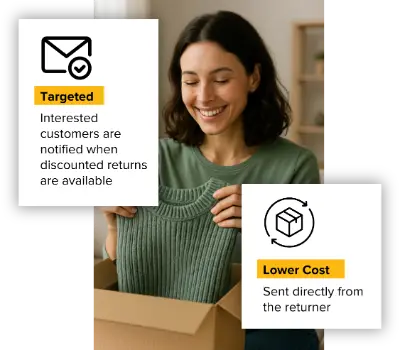
Turn Returns Into New Revenue
Related Articles

The Warehouse-Centric Return Loop (And Why It Can’t Be Fixed)
The ecommerce returns crisis is not a process failure — it is an architecture failure.

Failed Your Seller Fulfilled Prime Trial? Fix the Root Cause Before You Retry
If you failed a Seller Fulfilled Prime trial, do not restart it until you know exactly which metric failed and what caused it.

Subscription Box Fulfillment: Why Recurring Orders Break Traditional 3PL Models
Subscription box fulfillment looks deceptively simple until you try to run it through a traditional 3PL built for one-off ecommerce orders.
The Warehouse-Centric Return Loop (And Why It Can’t Be Fixed)

In this article
21 minutes
- The Single Assumption That Broke the Ecommerce Reverse Logistics Process
- What the Traditional Warehouse Loop Actually Looks Like in Supply Chain Management
- Why the Warehouse Becomes the Bottleneck at Scale
- The Cost Stack That Builds Inside the Loop
- Why Optimization Preserves the Loop and Impacts Operational Efficiency Rather Than Removing It
- How the Failure Emerges Non-Linearly
- The Environmental Impact of the Warehouse-Centric Loop
- What This Means for Operators Evaluating Their Returns Management Architecture
- In recap
- Frequently Asked Questions
The ecommerce returns crisis is not a process failure — it is an architecture failure. At the center of that architecture sits a single, inherited assumption that every return must travel backward through a centralized warehouse before it can move forward again, and that assumption is what makes reverse logistics so structurally expensive at scale. Reverse logistics refers to the process of moving goods from consumers back to the manufacturer or along the supply chain, with a focus on returns management and cost reduction. Reverse logistics is a type of supply chain management that moves goods from customers back to sellers or manufacturers, and it is important for maintaining an efficient flow of goods. The objectives of reverse logistics are to recoup value from returned items and ensure repeat customers.
This article is not about making the warehouse loop faster or cheaper. It is about understanding why the loop itself is the constraint, why software and automation cannot remove it, and why the problem compounds non-linearly as volume grows. Rising consumer expectations for hassle-free returns and increased customer demand for easy returns have driven the need for more advanced reverse logistics strategies. If you are evaluating returns management software, operating a mid-market Shopify brand, or running fulfillment for an enterprise retailer, this is the analysis that should precede those decisions.
The Single Assumption That Broke the Ecommerce Reverse Logistics Process
Early ecommerce returns policy was built for a different operational reality. Order volumes were modest, SKU counts were manageable, consumer purchasing decisions were deliberate, and reverse logistics flows were episodic enough that warehouse teams could absorb them without dedicated infrastructure. In that environment, routing every return back to a central warehouse made complete operational sense. The warehouse was the inventory source, and the warehouse was the logical recovery point.
That assumption worked when returns were episodic. It became structurally fragile when they turned industrial.
By 2024, U.S. retail returns hit $890 billion — nearly double the total from four years prior, according to the National Retail Federation. Online return rates reached 19.3%. The growth of online purchases has driven up the rate of product returns, putting increased pressure on margins as ecommerce return rates erode profit through reverse logistics, restocking, and lost sales. What had been a manageable inbound trickle became a sustained, high-volume inbound flow that the warehouse-centric model was never designed to absorb. The reverse supply chain is utilized when there are product returns, repairs, or recycling needs. The assumption was never updated. The architecture was never reconsidered. The loop just kept turning, at greater cost and with greater congestion, because the design premise went unexamined.
That is the inherited design flaw of ecommerce returns: not that warehouses are bad at processing returns, but that routing every return through one was accepted as the only option when it was only ever the default.
What the Traditional Warehouse Loop Actually Looks Like in Supply Chain Management
To understand why the constraint is structural rather than operational, it helps to walk through the physical flow that every warehouse-centric return produces.
Customers initiate the return process, triggering the company’s return management system. This is the first step in the common reverse logistics process, which is a structured series of steps for efficiently handling product returns and exchanges. The item ships back to a distribution center, which often functions as a fulfillment center or a reverse logistics center—specialized facilities designed to process returns efficiently. At the DC, it enters an intake queue and waits for receiving. A warehouse associate physically opens the package, inspects the item, determines its condition, and assigns it a disposition code. Items requiring repairs are quickly directed to the repair department to maintain efficiency and reduce waste. Depending on the disposition code, the item is either repackaged for restock, rerouted to a liquidation channel, or disposed of. If it qualifies for restocking, it moves through a repackaging workflow before being put away in inventory. Only then is the refund typically finalized and the item available for resale.
Reverse logistics includes activities like returns management, refurbishment, recycling, and disposal. The reverse logistics process also involves managing returns and buying surplus goods and materials.
Every one of the following realities is unavoidable within this model:
- Two shipping legs — one outbound to the customer, one inbound back to the warehouse
- Labor at intake for receiving, sorting, and queue management
- Inspection and grading time for every returned unit
- Repackaging materials and labor for resellable items
- Restocking delay between receipt and inventory availability
- Markdown or liquidation risk on items that sit idle while demand erodes
These are not inefficiencies that better warehouse management can eliminate. They are structural consequences of routing goods backward through a fixed physical node. The node creates the cost. The routing creates the node.
Why the Warehouse Becomes the Bottleneck at Scale
Warehouses are finite, fixed-cost physical structures. Their capacity — dock doors, floor space, labor headcount, receiving equipment — scales linearly with capital investment. Ecommerce return volume, by contrast, scales unpredictably with consumer behavior, seasonal cycles, product category trends, and policy decisions.
That mismatch is the bottleneck.
Consider what happens operationally during peak return windows. Post-holiday return volumes spike 25–35% above normal daily averages. A facility designed to run at 80% utilization for stable fulfillment suddenly absorbs an inbound surge that pushes it to or past its throughput ceiling. Receiving docks congest. Inspection queues lengthen. Labor — which is already 2–3 times more expensive per unit for returns processing than for outbound fulfillment — runs out of trained capacity before it runs out of volume.
Partnering with logistics companies and logistics providers can help businesses manage returns more efficiently by integrating transportation and shipping partners within warehouse management systems and ERP solutions, streamlining returns and improving overall supply chain efficiency. Optimizing reverse logistics operations is essential as part of broader supply chain operations to enhance efficiency, speed, and cost-effectiveness, and many operators now look for comprehensive strategies to optimize reverse logistics with technology and process improvements. Companies can also improve their reverse logistics processes by automating returns management to enhance efficiency and reduce operational costs.
Adding more labor sounds like the answer. It is not, for several reasons. Warehouse labor in the sector carries annual turnover above 40%. Training new intake associates takes time the peak season does not provide. And the math of labor scaling does not match the math of returns volume: because returns processing demands 2–3x the handling time of outbound, a 10% increase in return volume requires a 20–30% increase in labor capacity. The relationship is not linear.
This is not a staffing problem. It is a node-capacity problem. The warehouse is a finite processing point, and as the volume directed to that point grows, the bottleneck deepens regardless of operational improvements within the four walls.
The Cost Stack That Builds Inside the Loop
Every return routed back to a warehouse accumulates cost at each step, and those costs compound in ways that average metrics routinely obscure.
Start with transport. A return label costs money immediately, often $8–12 per unit in domestic parcel. That is just to move the item back to the warehouse. Labor for intake, inspection, repackaging, and restocking adds another $10–15 per unit. Distribution costs, including storage and product movement, further increase the total expense, but effective reverse logistics — often supported by specialized returns management software that automates and analyzes the returns lifecycle — can help minimize these costs and improve overall profitability. When items sit in the reverse pipeline waiting for processing, their resale value degrades on a time curve that is steepest in fashion and apparel, where a new season arrives every three months and a return received at the end of a 30-day window may already be unmarketable at full price. Fewer than half of returned items are ultimately resold at full price. Many are liquidated at 20–30% of original value. Poor sales often prompt retailers to utilize secondary markets, such as discount stores or liquidation channels, to manage excess inventory and unsold products. Approximately 44% of apparel returns never reenter inventory at all.
The average fully loaded cost per return across multiple industry analyses lands around $40–45 per unit. Against a median sale price in the range of $60–80 for many apparel and home goods categories, that is a margin destruction event, not a rounding error. However, effective reverse logistics can turn returned products into additional revenue streams, contributing to future sales and overall profitability. The reverse logistics process can also help companies recoup value from returned items by directing them to be refurbished or resold.
Time is the hidden multiplier here. A winter coat returned in late December, processed and restocked within days, has a realistic full-price resale path. The same coat processed in February goes to clearance. The warehouse loop creates that delay because inspection, grading, disposition, repackaging, and putaway are sequential, labor-dependent steps that cannot be parallelized or eliminated — only executed faster or slower. For items that are not resold, considering the useful life of products is important; items at the end of their useful life can be recycled or resold to promote sustainability and circularity.
Why Optimization Preserves the Loop and Impacts Operational Efficiency Rather Than Removing It
The returns technology industry has produced genuinely capable tooling. Returns Management Systems streamline the customer-facing experience with branded portals, policy automation, exchange incentives, label generation, and analytics. These platforms have meaningfully improved return initiation rates, exchange capture, and customer satisfaction scores. Reverse logistics refers to the process of moving goods from the end consumer back to the seller or original source, and reverse logistics involves managing these returns efficiently to reduce costs and improve the returns experience. Reverse logistics policies are an important part of comprehensive reverse logistics strategies, helping companies manage environmental issues, regulations, and technology in the reverse supply chain.
What they have not changed is where inventory flows.
In almost every deployment, returns management software sits on top of the warehouse-centric loop. The portal experience is cleaner. The approval workflow is faster. The analytics dashboard is more informative. The item still goes back to a distribution center, enters an intake queue, moves through inspection, and requires human grading and disposition. The back-end cost structure — two shipping legs, labor at intake, markdown risk, restocking delay — remains fully intact. This highlights the distinction between forward logistics, which is the standard movement of goods from manufacturer to customer, and reverse logistics, which manages the backward flow of goods — a flow that many Shopify brands initially handle with lightweight return management solutions like Return Prime focused on software, not physical logistics.
Faster processing accelerates flow into the same constrained node. Better analytics surface insight about why items are returned without changing the physical consequence of those returns. Automation investments like conveyor-based sortation and autonomous mobile robots improve transport throughput within the warehouse, but every robotics deployment eventually hits the same ceiling: physical inspection and grading of returned goods requires human judgment that no broadly deployed system has yet replaced at scale. Items arrive in non-standard packaging, in mixed condition, with varied defects that require contextual evaluation. Robots move bins efficiently. Humans still open them and assess what is inside.
After automation, artificial intelligence is increasingly being used to automate and optimize reverse logistics processes. AI can enhance the tracking and processing of returned goods, making reverse logistics more efficient. Analyzing reverse supply chain data helps businesses understand return trends and optimize their reverse logistics operations. The reverse supply chain plays a crucial role in managing returns, repairs, and recycling, and reverse distribution is essential for handling unsold, damaged, or recalled goods by moving them backward through the supply chain. Companies must continually optimize reverse logistics through data analysis and process improvements to improve efficiency and customer satisfaction, often turning to global returns management platforms like ZigZag that automate rules, carrier selection, and customer-facing portals.
The critical operational insight is this: the most successful features in modern returns management are the ones that bypass the loop entirely. Returnless refunds skip it. “Keep item” policies skip it. Instant exchange flows that ship replacements before returns arrive are celebrated precisely because they reduce warehouse inbound volume. The industry’s most celebrated innovations are, functionally, workarounds for the architectural problem — not solutions to it.
Optimizing a loop does not remove the loop. True structural change would require changing routing, not improving what happens after the item arrives at the dock.
How the Failure Emerges Non-Linearly
The most operationally dangerous characteristic of the warehouse-centric return loop is that its failure mode is not gradual. Returns look manageable until they suddenly are not.
A facility operating at 75% utilization handles normal return volumes without visible strain. Add a 10% increase in return rate. Inbound volume rises, inspection queues lengthen slightly, restock timelines stretch by a day or two. Margins compress but the system holds. Add another 10% increase. The dock becomes the bottleneck. Labor runs short. Inspection backlogs build. Seasonal items begin missing their resale windows. Markdown decisions that were previously made with data now get made under time pressure, at worse rates. Add a third incremental increase — a policy change, a bracketing trend in apparel, a post-holiday surge — and the system does not degrade smoothly. It congests.
This non-linearity is why brands that felt they had returns under control in 2021 found themselves overwhelmed by 2023 and 2024. The volume did not triple. The architecture crossed a threshold.
The congestion compounds through interconnected effects. Slower inspection creates longer restock delays. Longer restock delays create greater markdown pressure. Greater markdown pressure forces lower recovery rates. Lower recovery rates increase the net cost per return at exactly the moment volume is highest. What began as a throughput problem becomes a margin collapse. Streamlining reverse logistics processes at this stage is critical, as it can directly improve customer satisfaction and customer loyalty by making returns easier and more efficient, especially when brands design a balanced e-commerce returns program that manages bracketing behavior and rising return rates.
Scale was supposed to solve this. Larger warehouses, bigger 3PL networks, more drop-off locations, greater carrier integration. The industry’s instinct was that enough volume concentrated in the right facilities would eventually bend the cost curve. It has not. Cost curves in reverse logistics flatten — they do not bend — because the physical inputs of space, labor, time, and handling are not eliminated by scale. They are concentrated. Concentration increases throughput. It does not remove structural waste.
Efficient reverse logistics and returns management are essential for customer retention and building customer loyalty. When customers experience hassle-free and professional returns, it encourages repeat business and strengthens long-term relationships, especially when supported by an exceptional, customer-centric returns program that turns returns into a loyalty driver. Improving customer satisfaction through streamlined returns processes is now a key differentiator in today’s competitive e-commerce environment.
The Environmental Impact of the Warehouse-Centric Loop
The warehouse-centric return loop is more than just a logistical challenge—it’s a critical component of the reverse logistics process with far-reaching environmental consequences. As supply chain management evolves, the environmental impact of reverse logistics operations has become impossible to ignore. Every time a product is routed back through a centralized warehouse, it sets off a chain of events that can increase waste, drive up carbon emissions, and undermine sustainable business practices.
At the heart of the issue is the movement of goods from customers back to a centralized processing center. This reverse logistics system, while necessary for returns management, often results in excess inventory accumulating in warehouses. Excess inventory not only ties up capital and storage space but also increases the risk of products becoming obsolete or unsellable, leading to unnecessary waste and environmental degradation. For supply chain professionals, optimizing inventory management is essential—not just for operational efficiency, but for reducing the environmental footprint of the entire supply chain.
Transportation is another major factor. Each leg of the return process—shipping products from the customer to the warehouse, and potentially onward to secondary markets or recycling centers—adds to the logistics process’s carbon emissions. Efficient reverse logistics processes can help minimize these transportation costs and emissions, but the warehouse-centric model inherently requires more movement than necessary. By rethinking the reverse flow and exploring alternative return strategies, including eco-friendly returns practices that cut waste and emissions across the reverse supply chain, companies can reduce their carbon footprint and contribute to a more sustainable supply chain.
A solid reverse logistics plan also addresses the management of raw materials. Returned products often require repair, refurbishment, or recycling. Without sustainable practices in place, these activities can generate significant waste and increase demand for new raw materials. By implementing a reverse logistics strategy that prioritizes recycling, reuse, and responsible disposal, companies can reduce waste, conserve resources, and support a circular economy. This not only benefits the environment but also helps optimize operational efficiency and reduce costs across the value chain.
There are multiple types of reverse logistics—returns management, repair, recycling, and even packaging management—each with unique environmental implications. For example, sustainable packaging materials can reduce waste at every stage of the product life cycle, while efficient returns management can ensure that products are quickly assessed and either restocked, resold, or properly recycled. The Reverse Logistics Association and other industry groups offer valuable guidance on best practices for sustainable reverse logistics management.
What This Means for Operators Evaluating Their Returns Management Architecture
If you are a mid-market brand or enterprise retailer currently evaluating returns management software, or weighing broader fulfillment decisions such as which Shopify order fulfillment model best supports your returns strategy, the analysis above has a direct operational implication: the tooling category you are evaluating optimizes the front end of returns. It does not change the back end.
That is a useful distinction before making a purchasing decision. A returns portal that improves customer experience and exchange rates delivers real value. If your goal is also to reduce the cost per return in ways that compound at scale, the portal is necessary but insufficient. The constraint is architectural, and architectural constraints require architectural responses.
To illustrate the impact of optimized reverse logistics, consider some reverse logistics examples: major retailers have implemented systems that streamline returns, enable recycling of products, and reduce waste throughout their supply chains. Some leverage Happy Returns-style drop-off networks that centralize intake through convenient return bars. Companies like Amazon and Best Buy use reverse logistics centers—specialized facilities where returned products are inspected, repaired, or processed before being restocked or discarded—to enhance efficiency and manage inventory effectively. Additionally, offering in store returns provides customers with greater convenience and flexibility, allowing them to return online purchases at physical locations. Implementing a customer-centric returns policy can further simplify the return process and improve customer understanding of how to return products.
Asking whether your returns management software reduces warehouse intake load is the right diagnostic question. If the answer is that it improves the experience of initiating a return and routes the item more intelligently once it arrives at the warehouse — but the item still arrives at the warehouse — the loop is intact.
The warehouse-centric return loop is not broken because it is poorly executed. It is broken because the conditions that made it viable — low volume, cheap labor, high consumer patience, invisible sustainability costs — no longer exist. What persists is the assumption it was built on.
That assumption is the root constraint. And root constraints are not fixed by optimizing around them.
In recap
Reverse logistics becomes structurally expensive when every ecommerce return is forced back through a centralized warehouse before it can be inspected, restocked, resold, liquidated, or disposed of. That traditional warehouse-centric model creates unavoidable cost layers, including a second shipping leg, receiving labor, inspection and grading, repackaging, restocking delays, and markdown risk. These are not simply warehouse inefficiencies. They are direct consequences of routing every returned product backward through the same physical node.
As return volume grows, the problem becomes more severe because warehouse capacity does not scale at the same rate as ecommerce returns. Dock space, labor, inspection capacity, and floor space are finite, while seasonal peaks and changing consumer behavior can cause inbound returns to rise rapidly. Once utilization crosses a critical threshold, slower inspection leads to longer restocking delays, greater markdown pressure, lower recovery values, and higher cost per return. In this environment, improving reverse logistics requires more than adding labor, automation, or better returns software.
Returns management platforms, analytics, automation, and AI can make return initiation and warehouse processing more efficient, but they generally preserve the same physical routing model. The item still travels back to the warehouse and must move through intake, inspection, disposition, and inventory recovery. The more important strategic question is whether every return needs to enter that loop at all. For a closer look at when centralized processing remains appropriate, read When Warehouse Returns Still Make Sense. For a broader view of why returns are increasingly affecting executive decisions around margins, working capital, fraud, and sustainability, see Why Returns Are Becoming a Board-Level Topic.
The future of reverse logistics depends on changing routing architecture, not simply optimizing the warehouse-centric loop. Ecommerce brands should evaluate which returns genuinely require centralized inspection and which can bypass unnecessary transportation and handling. By focusing on routing, recovery speed, resale value, warehouse capacity, and total cost per return, operators can reduce structural waste while preserving traditional reverse logistics for products that truly need warehouse processing.
Frequently Asked Questions
What is the warehouse-centric return loop in ecommerce reverse logistics?
The warehouse-centric return loop is the standard architecture of ecommerce returns processing, in which every returned item travels backward from the customer through a carrier to a centralized warehouse or distribution center before it can be inspected, dispositioned, restocked, or liquidated. In broader terms, reverse logistics manages goods moving back through the supply chain after sale, and in some models after rental or lease return. The loop introduces two shipping legs, labor at intake, inspection queues, repackaging steps, and restocking delays — all of which are structural consequences of routing goods through a fixed physical node rather than operational inefficiencies that can be eliminated through better warehouse management.
Why does the warehouse become a bottleneck as return volumes grow?
Warehouses are finite, fixed-cost physical structures whose processing capacity scales linearly with capital investment. Return volumes scale unpredictably with consumer behavior, seasonal cycles, and policy decisions. When inbound return surges exceed the warehouse’s throughput ceiling — its available dock space, labor headcount, and inspection capacity — the node congests. Because distribution centers often prioritize outbound volume first, returns processing can slow even further. Because returns processing requires 2–3 times more labor per unit than outbound fulfillment, even modest increases in return rate require disproportionately large increases in labor capacity, which cannot be scaled quickly in a sector with annual turnover exceeding 40%.
Can returns management software fix the warehouse-centric return loop?
Returns management software improves the front end of the returns experience — portal UX, policy automation, label generation, exchange incentives, and analytics — but it sits on top of the same warehouse-centric routing logic. The item still travels back to a distribution center and moves through intake, inspection, and disposition. The back-end cost structure remains intact. Warehouse management software can improve tracking across inbound and outbound flows and give better returns visibility, but it does not remove the physical loop. The most telling evidence is that the highest-performing features in modern returns software — returnless refunds, keep-item policies, instant exchanges — are celebrated precisely because they route goods around the warehouse rather than improving what happens inside it. An effective reverse logistics process creates value through resale, reuse, recycling, and lower storage pressure, while an effective system helps meet customer expectations at scale. Optimizing the loop does not remove it.
Why does automation not solve the reverse logistics bottleneck?
Warehouse automation investments — autonomous mobile robots, conveyor sortation, RFID scanning, computer vision — improve transport throughput and reduce some handling time within the facility. But physical inspection and grading of returned goods requires human judgment that no broadly deployed system has replaced at scale. Returns arrive in non-standard packaging, in mixed condition, with varied defects requiring contextual evaluation. Robots move inventory efficiently once it is assessed. Humans still open packages and determine what the item is worth and where it should go. The irreducible human-labor steps in the inspection and disposition workflow persist regardless of how sophisticated the transport and routing layers become.
How does time erode the value of items stuck in the reverse logistics pipeline?
Every day a returned item spends in the warehouse-centric pipeline — waiting for inspection, queued for grading, pending disposition — its resale value decays. In fashion and apparel, where new seasons arrive every three months, an item returned at the end of a 30-day window may already be unmarketable at full price by the time it clears intake. Industry data shows fewer than half of returned items are ultimately resold at full price. Many are liquidated at 20–30% of original value, and approximately 44% of apparel returns never reenter inventory at all. The warehouse loop creates this delay because inspection, repackaging, and putaway are sequential, labor-dependent steps that cannot be parallelized or bypassed within the centralized model.
Why do small increases in return rates create disproportionately large operational strain?
The failure mode of the warehouse-centric return loop is non-linear. A facility operating near its utilization ceiling handles incremental return increases through progressively longer inspection queues, slower restock timelines, and mounting markdown pressure — until it crosses a threshold at which the entire system congests rather than degrades gradually. Because returns processing requires 2–3x the labor per unit of outbound fulfillment, a 10% increase in return volume demands a 20–30% increase in labor capacity. When that labor cannot be recruited and trained fast enough — which in a 40%+ turnover sector it routinely cannot — the compounding effects of slower inspection, longer delays, and worse markdown rates hit simultaneously, turning a throughput problem into a margin collapse. Similar strain appears in the service industry when businesses must process returned parts, repairs, credits, or warranty exchanges.
Written By:

Manish Chowdhary
Manish Chowdhary is the founder and CEO of Cahoot, the most comprehensive post-purchase suite for ecommerce brands. A serial entrepreneur and industry thought leader, Manish has decades of experience building technologies that simplify ecommerce logistics—from order fulfillment to returns. His insights help brands stay ahead of market shifts and operational challenges.
Turn Returns Into New Revenue
Related Articles

Prime Day 2026 Results: What Ecommerce Sellers Should Learn from the Numbers
Prime Day 2026 started on June 23 at 12:01 a.
Failed Your Seller Fulfilled Prime Trial? Fix the Root Cause Before You Retry
If you failed a Seller Fulfilled Prime trial, do not restart it until you know exactly which metric failed and what caused it.
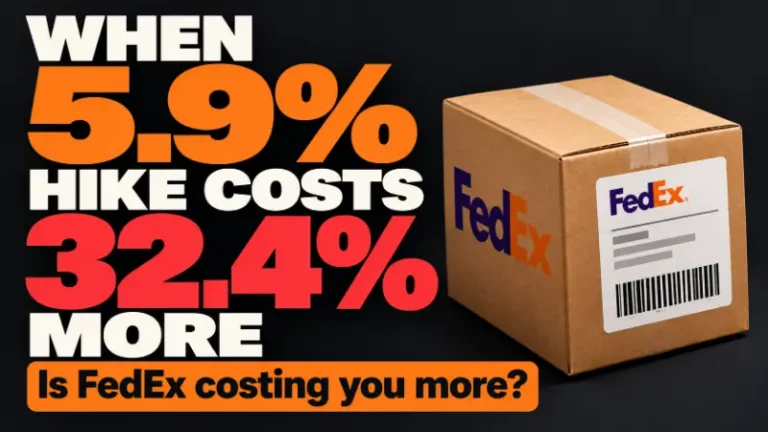
FedEx 2027 Rate Increase: How 5.9% Becomes 32.4% on One Package
FedEx’s announced 2027 rate increase averages 5.
Failed Your Seller Fulfilled Prime Trial? Fix the Root Cause Before You Retry

In this article
22 minutes
- What Should You Do After a Failed Seller Fulfilled Prime Trial?
- A Seller Can Fail the SFP Trial Even When Every Order Ships Correctly
- Why Did Your Seller Fulfilled Prime Trial Fail?
- Check the Systems That Create Amazon’s Delivery Promise
- Rebuild Inventory Placement Before Restarting the SFP Trial
- Choose the Prime SKU Pool to Support Both Performance and Page Views
- Coordinate Amazon Advertising With the Delivery Promise Window
- Do Not Blame the Carrier Until You Separate Carrier Risk From Network Design
- Build a Post-Mortem Before You Restart the Seller Fulfilled Prime Trial
- Seller Fulfilled Prime Trial Restart Checklist
- Should You Restart SFP or Reconsider the Strategy?
- The Key Lesson: Fix the Promise System, Not Just the Failed Metric
- Frequently Asked Questions About a Failed Seller Fulfilled Prime Trial
If you failed a Seller Fulfilled Prime trial, do not restart it until you know exactly which metric failed and what caused it. Amazon may let an eligible seller retry, but a second attempt with the same handling-time feed, shipping templates, inventory placement, SKU mix, carrier setup, and traffic pattern is likely to produce the same result.
The most important lesson is that an SFP trial can fail even when shipping and tracking performance are perfect. One Cahoot seller maintained clean shipping and tracking metrics but failed because its 1-day page view speed remained around 15%, below the required level for its trial. The causes were spread across its integration, Amazon shipping templates, inventory placement, SKU selection, and advertising schedule—not warehouse execution.
For Amazon sellers already in the Seller Fulfilled Prime trial—or preparing to start one—this article focuses on what to do after a failed trial, how to run a useful post-mortem, how to verify handling times and shipping templates, how inventory placement, SKU choice, advertising, and carrier decisions affect Prime promises, and when it actually makes sense to restart. Fixing those root causes is what protects you from repeated failures, improves the delivery promises customers see, and gives you a real chance to earn the Prime badge without burning another trial. Sellers preparing for their first attempt should begin with Cahoot’s Seller Fulfilled Prime trial checklist to pressure-test SKU fit, inventory readiness, warehouse coverage, and launch risk before Prime performance is on the line.
What Should You Do After a Failed Seller Fulfilled Prime Trial?
| Recovery step | What to examine | Why it matters |
| Identify the failed metric | Page view speed, on-time delivery, tracking, cancellations, weekend coverage, or another trial requirement | The visible metric determines where the investigation should begin. |
| Trace the metric to its root cause | Feeds, shipping templates, inventory location, carrier rules, cutoff times, SKU selection, and traffic timing | The SFP dashboard often shows the symptom, not the system that produced it. |
| Fix every contributing issue | Correct listing data, template assignments, inventory depth, advertising windows, staffing, and routing | Partial fixes leave the next trial exposed to the same failure pattern. |
| Rebuild the trial around suitable SKUs | Demand, margin, size, regional coverage, replenishment reliability, and page view potential | Not every SKU helps an SFP trial or belongs in SFP long term. |
| Restart only when the setup is stable | End-to-end testing from Amazon listing data through final delivery | A retry should be a controlled relaunch, not another experiment. |
After a failed trial, start with the specific metric Amazon flagged, then use the seller fulfilled prime dashboard to examine the SFP performance dashboard and identify the likely failure cause before you change settings. During the trial itself, monitor performance metrics continuously so you can catch drift early instead of waiting until Amazon records a failure.
A Seller Can Fail the SFP Trial Even When Every Order Ships Correctly
One Cahoot seller’s experience shows why a failed SFP trial requires a broader investigation than checking late shipments.
With Amazon’s Seller Fulfilled Prime, the trial period is meant to help sellers demonstrate fulfillment capabilities before Prime access is granted. The seller’s shipping and tracking metrics were perfect throughout the trial. Orders left the warehouse correctly, tracking was valid, and fulfillment execution was not the problem. Yet the seller’s 1-day page view speed remained around 15%, and the account failed to meet the trial requirement.
When Cahoot and the seller investigated, they found four causes that were not obvious from the SFP dashboard:
| Hidden problem | What happened | Effect on the SFP trial |
| Incorrect handling-time feed | The seller’s ChannelAdvisor integration was silently sending a 2-day handling time to Amazon for all listings, including Prime listings. | Amazon calculated slower delivery promises even though the warehouse could ship faster. |
| Wrong Prime shipping template | Amazon created a “Default Prime” template when the trial began, and some ASINs were assigned to it instead of the correctly configured Cahoot SFP template. | Some products did not receive the intended Prime coverage and delivery settings. |
| Inventory missing from key locations | Several Prime SKUs lacked inventory at fulfillment locations needed to serve important 1-day zones. | Shoppers in those regions did not see a fast delivery promise. |
| Traffic arrived after the promise window | A meaningful share of ad-driven page views arrived in the evening, after the relevant cutoff. | Those page views were recorded when Amazon could no longer display the same fast promise. |
The seller did not fail because its warehouse could not fulfill Prime orders. It failed because the systems surrounding fulfillment did not consistently create the customer-facing promise Amazon was measuring.
That distinction should shape every SFP recovery plan: start with the failed metric, but investigate the entire promise chain while monitoring trial status, since listings do not have prime branding or the prime badge displayed during the trial.
Why Did Your Seller Fulfilled Prime Trial Fail?
The first step is to identify the metric that failed. Sellers should download available performance and defect data, review Amazon’s notification, and compare the issue against order-level, ASIN-level, location-level, and traffic data. Check the failed result against Amazon’s required thresholds, including a 93.5% on-time delivery rate, a valid tracking rate over 95%, and a cancellation rate below 0.5%, with seller-initiated cancellations capped at 0.5%.
Do not assume the most visible problem is the root cause. Use the table below to decide where to investigate first.
| Failed SFP metric | Likely areas to investigate | Common mistake |
| 1-day or 2-day page view speed | Handling time, shipping template assignment, inventory location, Prime SKU pool, cutoff times, and advertising schedule | Reviewing shipped orders only, even though the failure occurred before an order was placed |
| On-time delivery rate | Warehouse cutoff, carrier pickup, service selection, distance to customer, late-risk lanes, and delivery scans | Blaming the carrier without examining whether the network depended on perfect carrier performance |
| Valid tracking rate | Label workflow, tracking uploads, first scans, integrations, carrier support, and data mapping | Assuming a generated tracking number is the same as valid, timely carrier tracking |
| Cancellation rate | Inventory synchronization, overselling, replenishment, damaged stock, channel allocation, and routing failures | Looking only at total inventory instead of available inventory by location |
| Weekend performance | Staffing, warehouse schedules, carrier pickup availability, cutoff configuration, and exception handling | Turning on weekend settings before the physical operation is ready |
For a broader explanation of current program rules and recovery guardrails, see Cahoot’s guide to Seller Fulfilled Prime and Premium Shipping program changes and the impact of Amazon’s new shipping and delivery policy updates. Sellers should also confirm current requirements in Amazon Seller Central because program rules and account-specific instructions can change.
Check the Systems That Create Amazon’s Delivery Promise
Seller Fulfilled Prime performance begins before the warehouse receives an order. Amazon builds the delivery promise from listing data, inventory availability, shipping settings, delivery regions, cutoff times, and other inputs, all of which must align with the updated Seller Fulfilled Prime requirements. A fast warehouse cannot compensate for inaccurate information being sent to Amazon.
Verify the handling time Amazon is actually receiving
Do not rely on what the integration or order-management system appears to show. Confirm the handling time displayed and used inside Amazon for the affected listings.
In the Cahoot seller example, ChannelAdvisor silently pushed a 2-day handling time across Prime listings. The warehouse could ship quickly, but Amazon was making its promise from slower data. Sellers using middleware, an ERP, an OMS, a marketplace connector, or bulk listing tools should verify which system controls handling time and whether another feed can overwrite it, and confirm that their order fulfillment integration and ecommerce partners are correctly passing configuration data to Amazon.
This is especially important because Amazon handling-time settings influence the promise shown to shoppers. Cahoot’s article on the Amazon handling time requirement explains why listing configuration and physical fulfillment speed must agree.
Confirm every SFP ASIN is assigned to the correct Prime template
Amazon may create or modify templates during setup, and listings can end up assigned to a template the seller did not intend to use. Export or inspect the SKU-to-template assignments instead of checking only the template that appears correctly configured.
For each SFP SKU, verify:
- the assigned shipping template;
- the Prime regions and delivery speeds enabled;
- the order cutoff and weekend settings;
- the fulfillment locations supporting the promise and the shipping services tied to the template, making sure they use approved carriers and integrated carrier options for valid tracking; and
- whether any automated rule, integration, or Amazon-created default can overwrite the assignment.
Prime eligible SKUs should be configured with shipping services that support Prime delivery promises and reliable tracking through approved carriers such as UPS or FedEx.
Test the customer-facing promise by location and time of day
The dashboard is not the only place to inspect an SFP trial. Sellers should test what shoppers actually see, especially when they fulfill orders from their own warehouse rather than Amazon’s network.
Check representative ASINs using ZIP codes near each fulfillment location and in important customer regions. Repeat the test before and after the order cutoff. The goal is to understand when and where Amazon displays a 1-day or 2-day promise—and where it does not.
This makes invisible gaps visible. A listing may look properly configured but still show a slower promise in a high-traffic region because inventory is too far away, a cutoff has passed, or the ASIN is assigned incorrectly, and this customer-facing test helps confirm whether offers meet Prime delivery speed requirements and whether prime badge display is likely to appear for those offers in each region.
Rebuild Inventory Placement Before Restarting the SFP Trial
Total inventory is not enough. The right SKUs need sufficient inventory in the locations that support the delivery promises Amazon measures.
Before restarting, the Cahoot seller analyzed its sales data, identified its best-selling SKUs, and prepared to send significantly deeper inventory of those products to every relevant fulfillment location. That decision addressed two problems: the risk of a location stocking out and the risk that a shopper would see a slower promise because the nearest node lacked stock.
The recovery analysis should answer:
- Which SKUs generate the most sales and qualified page views?
- Where are those shoppers located?
- Which fulfillment locations can support 1-day and 2-day promises to those regions?
- How much safety stock is needed at each location for the full trial?
- Which SKUs have replenishment times that make distributed stocking risky?
Inventory placement is one reason SFP should not be treated as a simple badge activation. Cahoot’s analysis of Amazon’s Prime delivery speed and inventory placement explains why proximity to demand often matters more than trying to ship every distant order faster.
Sellers that are still deciding how many warehouses they need should use the SFP trial readiness checklist to evaluate whether the current footprint supports the intended coverage and compare it with the capabilities of US fulfillment centers and ecommerce fulfillment services that can support nationwide Prime-level delivery.
Choose the Prime SKU Pool to Support Both Performance and Page Views
Not every SKU belongs in Seller Fulfilled Prime, but a trial also needs enough appropriate products and qualified traffic to create a meaningful page view base.
The Cahoot seller planned to add more suitable SKUs to its Prime pool before restarting. The goal was not to enroll the entire catalog. It was to broaden the view base with products that had demand, sufficient inventory, reliable replenishment, and sustainable fulfillment economics.
| Stronger SFP trial candidate | Riskier SFP trial candidate |
| Consistent sales and page views | Very low traffic or highly unpredictable demand |
| Healthy margin after required shipping | Low margin that depends on cheap, slow delivery |
| Inventory stocked across required locations | Inventory concentrated in one region |
| Reliable replenishment | Long or uncertain replenishment cycle |
| Standard, easy-to-ship parcel | Bulky, fragile, extra-large, or operationally complex item |
The Prime badge can improve conversion, but it does not automatically make every SKU profitable. Seller Fulfilled Prime can help sellers avoid FBA storage fees, but only if shipping costs and operational risk still work at the SKU level. Sellers should compare the required shipping cost, shipping costs exceptions, and operating risk at the SKU level. Cahoot’s Seller Fulfilled Prime profit math article explains why SFP decisions should be made product by product rather than across the entire catalog.
Coordinate Amazon Advertising With the Delivery Promise Window
More traffic does not automatically improve SFP page view speed metrics. Timing matters.
In the Cahoot seller’s first trial, a meaningful share of ad traffic arrived in the evening, outside the strongest delivery promise window. Those shoppers viewed the listing after the relevant cutoff, when Amazon could no longer display the same fast promise.
For the retry, the seller hired a dedicated person to manage Amazon marketing and actively drive page views during the delivery promise window.
This does not mean advertising should be manipulated solely to satisfy a metric. It means the marketing team must understand that the promise shown on the product page changes with time, inventory, and location, especially around major sales peaks such as Amazon Prime Day preparation and promotions. During an SFP trial, advertising and fulfillment cannot operate as separate functions.
Before restarting, compare hourly traffic against the delivery promises displayed for priority ASINs. If campaigns disproportionately send shoppers after cutoff, test whether budget scheduling, bid adjustments, or campaign timing can shift more qualified traffic into periods when the fast promise is available.
Do Not Blame the Carrier Until You Separate Carrier Risk From Network Design
Some SFP failures are caused by late delivery, and carriers do create real risk. A seller can ship on time and still receive a late delivery scan because of network congestion, weather, a missed sort, or another carrier exception. That can happen even with expedited shipping on difficult lanes.
However, the recovery analysis should still ask whether the fulfillment model allowed enough margin for normal carrier volatility. A network that depends on one warehouse, one service, one late pickup, or flawless carrier execution is fragile, and delayed shipments can also reflect insufficient operational capacity, especially when carrier shipment exceptions and their resolution are not well understood and managed.
Review:
- which carrier and service handled each failed lane;
- whether the package received a timely first scan;
- whether another fulfillment location could have shortened the zone;
- whether the order was routed before or after a safe cutoff;
- whether an alternate carrier could have protected the promise; and
- whether amazon buy shipping services were used correctly to buy shipping labels, authenticate tracking numbers, and preserve compliance protections.
Amazon customer service handles post-order support for Prime orders, but carrier relationships and fulfillment operations still determine whether delivery promises are met. Many sellers rely on specialized Amazon SFP 3PL fulfillment services to support consistent nationwide 1- and 2-day delivery.
Cahoot’s analysis of Seller Fulfilled Prime carrier on-time delivery covers how carrier performance can affect Prime eligibility and why sellers still need operational safeguards around the carrier.
Build a Post-Mortem Before You Restart the Seller Fulfilled Prime Trial
A useful SFP post-mortem should connect Amazon’s performance metrics to the operational and technical causes behind it.
| Post-mortem question | Required answer before retrying |
| Which metric failed? | The exact trial metric, affected period, size tier, ASINs, regions, or orders |
| What created the failure? | Specific feed, template, inventory, traffic, carrier, staffing, or routing causes |
| Why was it not detected earlier? | The monitoring, ownership, or data gap that allowed the issue to continue during the Seller Fulfilled Prime trial, even though metrics are reviewed weekly and drift should be caught before failure |
| What has changed? | Concrete configuration and operational fixes—not a promise to “monitor more closely” |
| How will the fix be verified? | Test orders, customer-facing promise checks, feed audits, inventory checks, and daily reporting |
| Who owns the next trial? | Named owners for Seller Central, integrations, inventory, fulfillment, carriers, and advertising |
The Cahoot seller’s recovery plan included four concrete changes:
- Send deeper inventory of best-selling SFP SKUs to every required fulfillment location.
- Add more suitable SKUs to broaden the Prime page view base.
- Assign a dedicated Amazon marketing owner to drive qualified page views during the delivery promise window.
- Fix the handling-time feed and verify every Prime shipping template assignment before reactivation.
Amazon typically notifies sellers which specific metrics were not met after a failed trial, and that notice should be turned into operational improvements before another attempt. That is the standard a recovery plan should meet. “We will watch the dashboard more carefully” is not a root-cause fix.
Seller Fulfilled Prime Trial Restart Checklist
Confirm before restart that you can complete the 30-day trial, ship at least 100 Prime orders, maintain a 93.5% on-time delivery rate, and meet the 99% valid tracking rate requirement.
| Before restarting | Complete? |
| Failed metric and affected SKUs, regions, or orders have been identified | |
| Enough expected prime order volume exists to reach the minimum 100 Prime trial orders required for evaluation | |
| Handling time has been verified inside Amazon, not only in the source system | |
| All SFP SKUs are assigned to the intended Prime shipping template | |
| Customer-facing promises have been tested by ZIP code and time of day | |
| Priority SKUs have enough inventory at every required fulfillment location | |
| The Prime SKU pool balances page view potential, operational fit, and margin | |
| Advertising timing has been compared with delivery promise windows | |
| Carrier, cutoff, weekend, and exception workflows have been tested | |
| Named owners, weekend operations readiness for at least one weekly shipping day, and daily monitoring of prime trial orders and trial performance metrics are in place |
Sellers that need to re-evaluate the full operating model before another attempt should review why Seller Fulfilled Prime only works with the right operating model and how to focus on winning on Amazon Seller Fulfilled Prime. A strong trial setup needs more than a capable warehouse; it requires aligned inventory, systems, templates, carriers, marketing, and accountability.
Watch Before You Attempt Another SFP Trial
A retry should begin only after the failed metric has been traced to its causes and the fixes have been tested. Manish’s trial-preparation walkthrough gives you a second pass through SKU selection, inventory, shipping configuration, delivery promises, and operational readiness.
The takeaway: Do not treat a new trial attempt as the test of whether your fixes worked. Verify the listing data, Prime templates, stocked locations, customer-facing promises, and carrier handoff first.
Should You Restart SFP or Reconsider the Strategy?
A failed trial does not automatically mean Seller Fulfilled Prime is the wrong program. It may reveal fixable configuration or execution problems. But sellers should still use the post-mortem to decide whether SFP makes sense for every SKU and every region.
FBA may be a better fit for some high-velocity standard items, while a high-performance ecommerce order fulfillment service that outclasses 3PLs can support Prime-level promises for others. Standard FBM may be safer for slow, bulky, fragile, or low-margin products, while SFP remains part of the merchant fulfilled network, giving sellers more control because they receive Prime orders in Seller Central, then pick, pack, and ship through their own operation while meeting Prime performance standards. Under SFP, sellers still handle pre-order customer service inquiries, while Amazon generally manages post order customer service for Prime orders. Premium Shipping may provide a useful fast-delivery option without applying SFP across the same assortment, while alternatives such as merchant fulfilled Prime and other FBA substitutes and region-specific solutions like New York order fulfillment services can diversify fulfillment risk. SFP may be best reserved for products where margin, inventory placement, and fulfillment reliability all support the Prime promise.
The decision should be economically honest. Among the main seller fulfilled prime pros is that it can eliminate Amazon’s storage and fulfillment fees, but seller fulfilled prime work still has to be executed well, so use Cahoot’s SFP profit analysis and strategies from the webinar on using Amazon SFP to fight rising FBA fees to compare the badge’s potential conversion benefit against shipping cost and execution risk.
The Key Lesson: Fix the Promise System, Not Just the Failed Metric
A failed Seller Fulfilled Prime trial is not always evidence of poor shipping. The warehouse may perform perfectly while a handling-time feed, default template, inventory gap, or after-cutoff page view prevents Amazon from showing the required delivery promise.
Before restarting, trace the failed metric across the full system: listing data, integrations, templates, SKU selection, inventory placement, traffic timing, order routing, warehouse operations, carrier delivery, and even broader changes in order fulfillment models like peer-to-peer networks and Buy with Prime, including modern ecommerce fulfillment software that can orchestrate these pieces more reliably.
Amazon may let an eligible seller retry the SFP trial. But the opportunity should not be treated as a reset button. It should be treated as a controlled relaunch built from the first attempt’s evidence.
Do the post-mortem first. Fix every root cause. Then restart with a setup designed to pass—and to keep working after the trial ends.
Frequently Asked Questions About a Failed Seller Fulfilled Prime Trial
Can you restart a Seller Fulfilled Prime trial after failing?
Amazon states that a seller who does not pass the trial may restart it when the account meets the applicable prequalification requirements outlined in the latest Seller Fulfilled Prime guidelines and signup criteria, and sellers should first check the prime trial registration page in Seller Central to confirm whether they currently qualify to restart. Amazon generally limits SFP trial attempts to three per calendar year, meaning sellers can attempt the trial a maximum of three times per year, so sellers should plan those trial attempts carefully. A failed trial uses one of those attempts, some failures can trigger an automatic reset if performance criteria are not met, and repeated failure may temporarily block re-application depending on Amazon’s current policy. Sellers should check their current Seller Central instructions before restarting because eligibility and program requirements may change. Eligibility also requires a domestic U.S. default shipping address.
Why did my SFP trial fail if my orders shipped on time?
SFP trial performance includes more than warehouse shipping. A seller can fail because shoppers did not see enough qualifying fast delivery promises. Handling time, shipping templates, inventory location, cutoff times, and page view timing can affect the promise even when fulfilled orders ship correctly. Repeated failures can also affect Prime status, so do not re-enable Prime offers until the underlying issue has been fixed.
What is Seller Fulfilled Prime page view speed?
Page view speed measures the share of eligible product page views, including prime customer page views, that show qualifying fast delivery promises rather than only what happens after an order is placed. It is influenced by where inventory is located, the shopper’s delivery ZIP code, when the page is viewed, handling time, shipping settings, and the SKU’s template assignment.
Should I immediately retry after a failed SFP trial?
No. First identify the exact failed metric, complete a root-cause analysis, make the required fixes, and verify the customer-facing delivery promise. Review your seller fulfilled prime dashboard to identify the exact cause of failure before retrying. Restarting with the same setup is likely to repeat the failure.
Can advertising affect an SFP trial?
Advertising can affect which products receive page views and when those views occur. If a large share of traffic arrives after a shipping cutoff, shoppers may see a slower delivery promise, and campaign timing during major sales events or major weather events can distort those windows and raise trial risk, so avoid launching during peak Q4 holiday traffic when possible. During the trial, marketing teams should understand how campaign timing intersects with delivery promise windows.
How do I choose SKUs for an SFP trial retry?
Favor SKUs with reliable demand, sufficient page views, healthy margin, predictable replenishment, manageable parcel characteristics, and inventory positioned across the locations needed to support fast delivery so the SKU pool can also help you maintain Prime eligibility after the retry, not just pass the trial. SKU selection should reflect what Prime customers expect from seller fulfilled prime items, especially reliable two day delivery or two day shipping where required, and shipping rules can differ for non prime customers in some expedited regions even when free standard shipping is offered more broadly. Sellers shipping Prime orders also need to be operationally ready for weekend volume and sustained seller fulfilled prime orders, not just weekday demand. Choose SKUs only if you can support the package-volume expectations for Prime packages over time. Avoid adding products only to increase assortment if they create fulfillment or margin risk, and remember that sellers can reapply after fixing operational issues when choosing SKUs with sustainable fulfillment economics that protect prime offers. The general return expectations buyers should plan for are that an eligible Prime return is return approved immediately, includes prepaid return shipping labels, and goes to the configured return shipping location. In many cases, return shipping label sellers must provide or fund applies, and the refund processing time requires issuing the refund within two business days after the item reaches the seller’s warehouse, while Amazon may still accept some prime items past the normal return window.
Written By:
Manish Chowdhary
Manish Chowdhary is the founder and CEO of Cahoot, the most comprehensive post-purchase suite for ecommerce brands. A serial entrepreneur and industry thought leader, Manish has decades of experience building technologies that simplify ecommerce logistics—from order fulfillment to returns. His insights help brands stay ahead of market shifts and operational challenges.
Turn Returns Into New Revenue
Related Articles
Prime Day 2026 Results: What Ecommerce Sellers Should Learn from the Numbers
Prime Day 2026 started on June 23 at 12:01 a.
The Warehouse-Centric Return Loop (And Why It Can’t Be Fixed)
The ecommerce returns crisis is not a process failure — it is an architecture failure.
Subscription Box Fulfillment: Why Recurring Orders Break Traditional 3PL Models
Subscription box fulfillment looks deceptively simple until you try to run it through a traditional 3PL built for one-off ecommerce orders.
FedEx 2027 Rate Increase: How 5.9% Becomes 32.4% on One Package
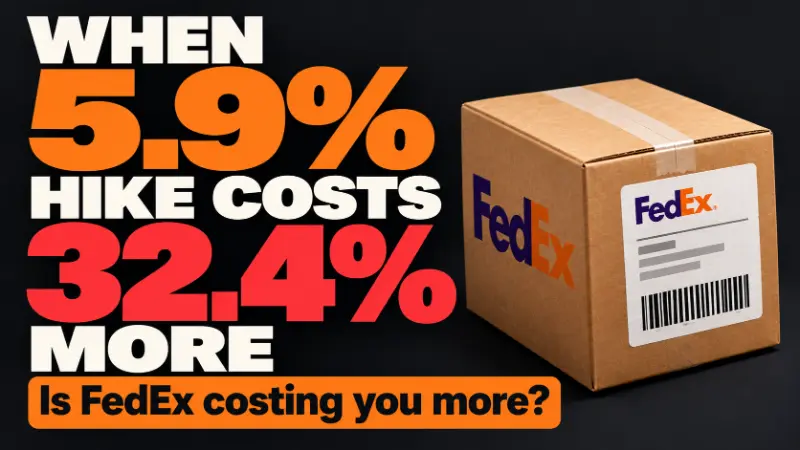
In this article
11 minutes
- FedEx 2027 changes arrive on three different dates
- Existing customer ZIP codes move into more expensive tiers
- Three shipment profiles show how the increase reaches an order
- Reducing zones can offset an increase but Remote fees remain
- The same ZIP can cost more with one carrier than another
- A leaner carrier network does not guarantee a lower shipping bill
- Reprice the orders you actually ship before setting a budget
- Match each shipping cost driver to the decision that can change it
- Cahoot connects the decisions that protect order margins
- Sources and calculation method
- Frequently Asked Questions
FedEx’s announced 2027 rate increase averages 5.9% on standard list package rates effective January 4, 2027, but an average is not a budget. In one modeled parcel, a 2 lb, fixed-Zone-8 Home Delivery package whose residential destination moves from Extended to Remote rises from $32.62 to $43.18, a 32.4% increase at standard list rates before fuel and account concessions.
Two responses address different cost drivers. A closer origin reduces transportation cost, while a carrier comparison tests carrier-specific destination fees, because FedEx and UPS can classify the same ZIP code differently on different dates. Understanding why shipping prices are so high helps explain why a carrier’s average increase can differ from the cost of a particular order. Carrier network consolidation is context here, not a proven cause of any ZIP change.
FedEx 2027 changes arrive on three different dates
| Effective date | Changes |
|---|---|
| January 4, 2027 | Average 5.9% standard list package-rate increase; minimums, fees, and delivery and pickup area ZIP lists change |
| January 18, 2027 | $25 Paper Document Fee; $5 Paper Air Waybill Fee; expanded international residential-charge applicability |
| February 1, 2027 | Zone classifications change for select US domestic origin and destination ZIP pairs |
The paper document fee concerns non-electronic trade documents that need manual processing, and the paper air waybill fee concerns manual paper airbills for US domestic and export shipments. International residential applicability depends on service and destination.
FedEx’s published domestic demand schedule runs through January 17, 2027, so January 4 to January 17 can combine the new annual rates with applicable demand charges. The published FedEx 2026 peak season surcharges continue into January, so separate those temporary charges from the annual rate changes. The comparisons below exclude demand charges and are not complete invoices for those dates.
Existing customer ZIP codes move into more expensive tiers
Comparing the official 2026 list (effective July 20, 2026) with the 2027 list (effective January 4, 2027) by five-digit ZIP, with leading zeros preserved, shows these contiguous US movements:
| Movement | ZIP count |
|---|---|
| Extended to Remote | 2,533 |
| Standard delivery area to Extended | 240 |
| Previously outside the lists to standard delivery area | 45 |
That is 2,773 upward reclassifications, which change the fee on a ZIP FedEx already served, plus 45 additions, which bring a ZIP into surcharge coverage. This comparison found no removals or downward moves. Standard, Extended and Remote counts go from 7,682, 14,378 and 3,591 in 2026 to 7,487, 12,085 and 6,124 in 2027. Only Remote grows. Alaska and Hawaii lists are unchanged.
ZIP 01245 is Extended in the 2026 list and Remote in the 2027 list. That establishes its surcharge category only, not its shipping zone from any origin. For a residential destination, the Extended-to-Remote fee goes from $8.80 to $17.75, adding $8.95 before fuel, per the FedEx 2027 fee changes. ZIP counts do not show what share of US packages, or of your order file, is affected.
Three shipment profiles show how the increase reaches an order
Assumptions for every model: US FedEx Home Delivery, fixed Zone 8 in both years, residential destination, standard list pricing and corrugated customer packaging. Fuel, seasonal demand fees, pickup allocations, optional services, discounts and account adjustments are excluded. Current published handling rules are held constant.
| Profile | Billable lb | 2026 subtotal | 2027 subtotal | Added cost | Increase |
|---|---|---|---|---|---|
| Compact, 10 x 6 x 4 in, 2 lb actual, no area fee | 2 | $23.82 | $25.43 | $1.61 | 6.8% |
| Same compact parcel, Extended to Remote destination | 2 | $32.62 | $43.18 | $10.56 | 32.4% |
| Long carton, 49 x 10 x 5 in, 10 lb actual, no area fee | 40 | $123.44 | $131.24 | $7.80 | 6.3% |
| Cost component | 2026 | 2027 | Applies to |
|---|---|---|---|
| Transportation at 2 lb in Zone 8 | $17.37 | $18.53 | Both compact examples |
| Transportation at 40 lb in Zone 8 | $76.24 | $80.59 | Long carton |
| Home Delivery residential fee | $6.45 | $6.90 | All examples |
| Delivery-area fee | $8.80 Extended | $17.75 Remote | Reclassified compact destination |
| Dimension handling fee in Zone 7+ | $40.75 | $43.75 | Long carton |
For the reclassified compact parcel, 2026 is $17.37 + $6.45 + $8.80 = $32.62, and 2027 is $18.53 + $6.90 + $17.75 = $43.18. The added $10.56 divided by $32.62 is 32.4%. At 1,000 identical modeled shipments, that is $10,560 before fuel, conditional arithmetic rather than an observed merchant result. Fuel applies to the net rate and specified fees under your agreement. At a constant percentage on the same components in both years, it raises the dollar gap but leaves the percentage unchanged.
Per the FedEx Service Guide, a divisor of 139 gives the compact carton a dimensional weight of 1.73 lb, rounded to 2 lb. The long carton’s dimensional weight is 17.63 lb, but its 49 inch longest side exceeds 48 inches, which triggers dimension handling and a 40 lb minimum billable weight.
Reducing zones can offset an increase but Remote fees remain
This tariff scenario holds the year at 2027 and changes only the origin, so the same compact parcel (10 x 6 x 4 in, 2 lb billed, Home Delivery, residential) moves from Zone 8 to Zone 3. It is not a verified route or customer outcome, and it is not attached to ZIP 01245 or any warehouse location.
| 2027 component | Zone 8 | Zone 3 | Reduction |
|---|---|---|---|
| Transportation at 2 lb | $18.53 | $14.98 | $3.55 / 19.2% |
| Residential fee | $6.90 | $6.90 | $0.00 |
| Subtotal with no area fee | $25.43 | $21.88 | $3.55 / 14.0% |
| Remote fee when applicable | $17.75 | $17.75 | $0.00 |
| Subtotal with Remote fee | $43.18 | $39.63 | $3.55 / 8.2% |
Each percentage uses the matching Zone 8 amount as its denominator, and none is an invoice saving. Against 2026, the ordinary parcel at Zone 3 ($21.88) lands $1.94, or 8.1%, below its 2026 Zone 8 subtotal of $23.82. The Remote parcel recovers 33.6% of its $10.56 increase but sits $7.01, or 21.5%, above its 2026 Zone 8 Extended subtotal of $32.62.
A distributed fulfillment network can place inventory closer to demand and reduce transportation distance, while a destination-based Remote fee may still apply. At 1,000 identical eligible shipments the pre-fuel reduction is $3,550, so added inbound freight, storage, pick and pack differences and inventory costs must together stay below $3.55 per eligible order. Allocate fixed costs across the orders actually moved. Two warehouses alone do not guarantee Zone 3. This merchant-origin change is separate from FedEx’s February 1 zone reclassification, so verify both zones against current carrier data before using a real lane.
The same ZIP can cost more with one carrier than another
Zone reduction lowers transportation cost. Carrier selection addresses a different driver: the destination-fee classification itself. “FedEx Remote” is not a universal geographic label. It is one carrier’s classification on one effective date.
| Destination ZIP | FedEx July 20, 2026 | FedEx January 4, 2027 | UPS current list |
|---|---|---|---|
| 04644 | Extended | Extended | Standard DAS |
| 01245 | Extended | Remote | Extended |
| 15778 | Extended | Remote | Standard DAS |
Under the current 2026 schedules, a residential delivery to 04644 carries an $8.80 FedEx Extended fee versus a $6.55 UPS standard DAS fee, per the UPS Daily Rate and Service Guide. That $2.25 gap is one surcharge component before fuel and concessions, not an all-in saving. Base charges, residential fees and contract terms can reverse which carrier is cheaper. Do not subtract a 2026 UPS charge from a 2027 FedEx charge and call it a 2027 saving. UPS 2027 classifications and prices were not verified.
The decision rule is to filter to services that meet the delivery promise, then compare each real origin and destination pair on each carrier’s own zone, billed weight, area classification, negotiated price, minimum charge, fees and fuel basis, plus pickup availability, coverage and volume commitments. Multi-carrier shipping software helps compare each eligible carrier’s destination-fee classification and total account-specific price while preserving the delivery promise. Diversification creates options, not a guaranteed UPS win. Evaluate the origin change and the carrier change separately before combining them, so the $3.55 zone reduction and any carrier saving are not double counted.
A leaner carrier network does not guarantee a lower shipping bill
FedEx’s Network 2.0 plan, as reported by Supply Chain Dive, calls for over 475 station closures by end-2027, about 30% of its footprint. That is a plan, not completed closures. FedEx’s 2026 Investor Day named premium B2B, specialized B2C and disciplined pricing as priorities. UPS’s Q1 2026 filing reports 23 buildings closed and 27 more identified, and its Q2 update stresses revenue quality. Leaner networks are consistent with pricing selectivity, but operating savings do not guarantee cheaper merchant invoices, and no source links specific closures to specific ZIP changes.
Reprice the orders you actually ship before setting a budget
Start with a recent representative shipment export, such as 13 weeks, including seasonal and product mix where material. Join it to invoice data and contract terms. Required fields:
- Origin and destination ZIP, residential or commercial classification, and service
- Actual and billed weight, measured dimensions, and SKU or carton
- Surcharge codes and amounts, net transportation, discounts and minimum-charge rules
- Fuel basis and ship date
Match destination ZIPs to the 2026 and 2027 FedEx lists, then reprice the same order mix using your actual concessions, minimum floors and surcharge rules. For alternative carriers, use each candidate’s own ship-date ZIP list, zone, billed weight and account pricing, keeping the service promise equivalent. Rank segments by added cost per shipment and total added dollars, and compute the portfolio percentage from summed costs, not an average of package percentages. Run fuel scenarios and seasonal fees separately. Add the February zone changes only after verifying the affected origin and destination pairs.
Match each shipping cost driver to the decision that can change it
Once you know which fees dominate your spend, apply the strategies to reduce UPS and FedEx surcharges that address those specific charges.
Packaging changes can reduce dimension handling
The long carton pays $43.75 in handling because of one 49 inch side. Automated cartonization can help select suitable packaging that reduces avoidable dimensional-weight or handling exposure while protecting the product. It does not remove destination fees.
Inventory placement can reduce transportation distance
A nearer origin lowers base transportation but adds inbound freight, storage and inventory fragmentation, and a valid Remote classification stays.
Carrier and contract choices must fit the delivery promise
Another service counts only if it meets the promise on actual account pricing. An invoice audit can catch a misapplied charge, but it cannot make a valid Remote classification disappear.
Cahoot connects the decisions that protect order margins
Cahoot is an end-to-end ecommerce fulfillment operations suite that links inventory placement, carton selection, multi-carrier service selection and billing verification. That supports three goals: Save Every Penny on each order, Scale Operations Without Adding Complexity as locations and carriers grow, and Outperform on Every Sales Channel without breaking the delivery promise. Find the orders where a change in origin, packaging or carrier protects margin while meeting that promise.
Sources and calculation method
Original research was checked October 1, 2026, and the Zone 3 scenario was added October 5. FedEx rates, fees and ZIP files were rechecked October 20, 2026, as were the UPS workbook and tariff. Sources: 2026 list rates (printed page 105), 2027 list rates (printed page 107), fee changes and the Service Guide. All models use fixed Zone 8, standard list pricing and current handling rules, and exclude fuel, demand fees, pickup allocations, optional services and discounts. The February zone change is provisional until actual ZIP pairs are verified. Confirm current rules before relying on any figure.
Frequently Asked Questions
Is every FedEx package increasing by 5.9% in 2027?
No. The 5.9% figure is an average standard-list-rate increase. Service, weight, zone, minimums, fees and contract terms determine the change for a particular shipment.
Which FedEx ZIP code changes can increase shipping costs in 2027?
Our comparison of the official lists found 2,533 Extended-to-Remote moves, 240 standard-to-Extended moves and 45 additions. Check the official ZIP lists against your own shipment file.
Can a closer warehouse eliminate the FedEx Remote surcharge?
No, not by itself. A closer origin may reduce transportation distance and base cost, but a surcharge set by the destination ZIP remains. Evaluate total fulfillment economics.
Can FedEx and UPS classify the same ZIP code differently?
Yes. ZIP 04644 is Extended in FedEx’s July 2026 list and standard DAS in the verified current UPS list. ZIP 01245 becomes FedEx Remote on January 4, 2027, while the current UPS list has Extended. Recheck ship-date rules and compare full net prices and service eligibility rather than assuming UPS is cheaper.
Do FedEx 2026 peak surcharges overlap the 2027 rate increase?
Yes, possibly. The published domestic demand schedule continues through January 17, while annual changes begin January 4. Applicability and account terms determine the additional charge.
Written By:
Manish Chowdhary
Manish Chowdhary is the founder and CEO of Cahoot, the most comprehensive post-purchase suite for ecommerce brands. A serial entrepreneur and industry thought leader, Manish has decades of experience building technologies that simplify ecommerce logistics—from order fulfillment to returns. His insights help brands stay ahead of market shifts and operational challenges.
Turn Returns Into New Revenue
Related Articles
Prime Day 2026 Results: What Ecommerce Sellers Should Learn from the Numbers
Prime Day 2026 started on June 23 at 12:01 a.
The Warehouse-Centric Return Loop (And Why It Can’t Be Fixed)
The ecommerce returns crisis is not a process failure — it is an architecture failure.
Failed Your Seller Fulfilled Prime Trial? Fix the Root Cause Before You Retry
If you failed a Seller Fulfilled Prime trial, do not restart it until you know exactly which metric failed and what caused it.
Seller Fulfilled Prime for Oversized Items: The FBA vs. SFP Math Sellers Need to Run
In this article
25 minutes
- Why Oversized Items Look Like Obvious SFP Candidates
- The Carrier Caveat: SFP Costs Are Not Cheapest-Label Costs
- The Carton Matters More Than the Category
- Real Examples: FBA vs. Modeled Zone 5 SFP Fulfillment Cost
- What the Examples Reveal
- The SKU Where SFP Wins Is the One Sellers Should Study
- The SKUs Where FBA Wins Are Just as Important
- When Seller Fulfilled Prime Can Work for Oversized Items
- When FBA Is Still the Better Answer
- Five Questions to Ask Before Moving Bulky SKUs Into SFP
- The Real Takeaway: Oversized SFP Is SKU-Level Math
- Frequently Asked Questions
Seller Fulfilled Prime can work for oversized and bulky items, but it is not automatically cheaper than FBA. That is the mistake many sellers make when they look at high FBA fees, large cartons, or awkward products and assume they should move those SKUs into Seller Fulfilled Prime.
The real answer is more specific. Some oversized products are still cheaper in FBA. Some are close enough that the decision depends on margin, control, inventory strategy, or delivery speed. And some bulky SKUs become strong Seller Fulfilled Prime candidates because dimensional weight or extra-large FBA tiering pushes Amazon’s fulfillment fee high enough that seller-controlled fulfillment can win.
That means oversized Seller Fulfilled Prime is not a category-level strategy. It is SKU-level math.
To make that math concrete, this article compares real-world bulky product examples across Amazon’s Small Bulky, Large Bulky, and Extra-Large tiers. The examples use package dimensions, package weight, dimensional weight, modeled 2026 FBA fulfillment fees, and a modeled average Zone 5 Seller Fulfilled Prime fulfillment cost using SFP-appropriate parcel services.
The goal is not to prove that SFP always beats FBA. It does not. The goal is to show when oversized items deserve a closer look and when FBA may still be the better fulfillment option.
Why Oversized Items Look Like Obvious SFP Candidates
Oversized items often look like natural Seller Fulfilled Prime candidates for a simple reason: FBA fees can feel painful.
A bulky SKU may take up more storage space, require a larger carton, have higher fulfillment fees, and create more operational friction inside Amazon’s network. Sellers looking at those costs often wonder whether they could do better through their own warehouse, a 3PL, or a distributed fulfillment partner, and some look at Seller Fulfilled Prime for cost savings because it can avoid high FBA fees, preserve full control over inventory, and avoid FBA storage limits while keeping inventory storage in the seller’s hands.
That instinct is not wrong. It is just incomplete.
FBA fulfillment fees cover more than a shipping label. Amazon’s FBA model includes picking, packing, shipping, customer service, and returns handling, along with storage-related handling inside Amazon’s system, while sellers evaluating SFP are often trying to reduce fulfillment costs by 30 to 40% on the right SKUs. Amazon describes FBA as a program where sellers outsource fulfillment to Amazon and Amazon handles storage, packing, shipping, customer service, and returns for eligible orders. So if a seller compares an FBA fulfillment fee against only a parcel label, the comparison is already distorted.
For Seller Fulfilled Prime, the seller has to model the complete cost of fulfillment. That includes the parcel label, pick and pack, packaging, operating margin, delivery promise risk, and the cost of using carrier services that are reliable enough for Prime expectations.
That is where many oversized-item calculations change.
The Carrier Caveat: SFP Costs Are Not Cheapest-Label Costs
For ordinary merchant-fulfilled orders, sellers may be able to use a wider pool of lower-cost shipping methods. Depending on the SKU and delivery promise, that may include postal-heavy services, economy consolidators, DHL eCommerce, OSM, USPS-based options, or other discount services.
Seller Fulfilled Prime is different.
When a seller puts a SKU into SFP, the seller is responsible for shipping directly to customers, and the shipment has to protect the Prime delivery promise. For oversized and bulky items, that usually means relying on Amazon-approved shipping carriers that support Prime performance, rather than assuming the cheapest possible label is usable.
This matters because a seller may look at a bulky item and say, “I can ship that cheaper.” Maybe they can for a normal FBM order. But SFP is not just about getting the package delivered eventually. It is about protecting Amazon’s delivery-speed and on-time delivery expectations while preserving the Prime customer experience, often through Amazon Buy Shipping Services and related shipping services used to keep compliant Prime shipments on track.
That is why the SFP examples below use a modeled average Zone 5 fulfillment cost, not a cheapest-label estimate.
Important caveat: The modeled Zone 5 SFP fulfillment cost used in this article includes representative Zone 5 parcel label economics using SFP-appropriate carrier services, a pick/pack component, and an operating buffer. It is not a Cahoot rate card, not a quote, and not a guarantee. Actual costs vary by SKU, carton, destination zone, carrier agreement, residential/commercial mix, surcharges, packaging, fulfillment node, and delivery promise.
The Carton Matters More Than the Category
“Bulky” is not a precise fulfillment category. A product can look bulky in the customer’s home but ship in a compact carton. Another product can be lightweight but long enough to fall into an Extra-Large FBA tier. A third product can weigh far less than its billable shipping weight because dimensional weight drives the fee.
That is why oversized SFP decisions should start with the carton, not the product description.
The key inputs are:
- Package dimensions: length, width, and height of the shipping carton.
- Actual or package weight: the physical weight of the packaged item.
- Dimensional weight: the package cube converted into a billable weight.
- Billable shipping weight: the greater of actual weight or dimensional weight, rounded according to the applicable rule.
- FBA size tier: the Amazon tier that determines the fulfillment fee, based on Amazon’s size tier definitions, and accurate classification matters because oversized SKUs can lose Prime eligibility if they are assigned to the wrong tier.
- SFP-safe fulfillment cost: the complete cost to pick, pack, and ship the order using carrier services that can support the Prime promise.
If sellers misclassify oversized products against Amazon’s size tier definitions, Amazon can pause Prime eligibility or revoke Prime status for those seller fulfilled listings.
For the FBA side of the comparison, this article uses Amazon’s 2026 non-peak FBA fulfillment fee table for non-apparel products priced above $10. Amazon’s published 2026 table lists separate rates for Small Bulky, Large Bulky, and Extra-Large tiers, and Amazon states that the 2026 fee table does not include the separate 3.5% fuel and logistics-related surcharge that applies starting April 17, 2026.
For the SFP side, this article uses modeled average Zone 5 fulfillment costs because Zone 5 is a useful stress test. It is not the cheapest nearby shipment, and it is not the most extreme long-zone shipment. It gives sellers a more realistic view of whether the SKU has enough room to work outside FBA, especially in the context of rising FBA fees and the role of SFP in 2024.
Real Examples: FBA vs. Modeled Zone 5 SFP Fulfillment Cost
The examples below use real-world package dimensions and weights to show how different bulky products behave. The point is not that these exact products should or should not go into SFP. The point is that items sellers casually describe as “oversized” can produce very different cost outcomes once the carton math is visible.
| Example product | Package dimensions | Actual / package weight | DIM weight | Billable weight | FBA size tier | FBA fulfillment fee with 3.5% surcharge | Modeled average Zone 5 SFP fulfillment cost | What the example shows |
| 30-inch folding storage ottoman | 30 × 15 × 2.5 in | 9 lb | 8.1 lb | 9 lb | Small Bulky | $10.96 | $21.41 | FBA is hard to beat when the product collapses into a compact carton. |
| 9-ft patio umbrella | 55 × 6.3 × 4.5 in | 11.18 lb | 11.2 lb | 12 lb | Large Bulky | $14.00 | $42.21 | A long and awkward item can still have a low FBA fee while being expensive to ship through SFP-safe parcel services. |
| 8 × 10 indoor/outdoor rug | 96 × 5.31 × 5.31 in | 15.23 lb | 19.5 lb | 20 lb | Extra-Large 0–50 lb | $34.72 | $42.21 | Extra-large by length does not automatically mean SFP is cheaper. |
| Narrow bathroom linen cabinet | 63.4 × 16.9 × 5.9 in | 59.5 lb | 45.5 lb | 60 lb | Extra-Large 50–70 lb | $45.61 | $55.00 | Actual weight pushes this SKU into a higher tier, but FBA may still win on pure fulfillment cost. |
| 42-inch metal dog crate starter kit | 44.09 × 29.53 × 8.27 in | 36 lb | 77.5 lb | 78 lb | Extra-Large 70–150 lb | $58.55 | $46.14 | DIM weight pushes FBA high enough that SFP can become meaningfully cheaper. |
| For oversized SFP, the standard is tied to prime customer page views and the delivery date shown for the customer’s location, not just whether the label was bought on time. |
Amazon also evaluates oversized and extra-large performance separately, including thresholds where at least 15% of Prime customer views must show a 1-day delivery date and 80% must show a 5-day delivery date for qualifying oversized offers.
This table is the heart of the oversized SFP decision. In this modeled set, Seller Fulfilled Prime does not clearly win on four of the five examples. That is not a weakness in the analysis. It is the lesson.
Oversized SFP is not a blanket savings strategy. It works when the SKU’s dimensions, weight, fulfillment network, carrier mix, and Prime delivery requirements create enough economic room. Without that room, FBA may still be the better option.
What the Examples Reveal
The folding storage ottoman is a good reminder that the customer’s perception of size is not the same as the shipping network’s perception of size. In the home, a 30-inch storage ottoman feels bulky. In fulfillment, it collapses into a 30 × 15 × 2.5 inch carton. That carton produces a Small Bulky FBA fee of about $10.96 after surcharge in this model. Once the seller has to use SFP-safe parcel services, add pick and pack, and include an operating buffer, the modeled Zone 5 SFP cost is much higher.
The patio umbrella shows a different problem. A 9-foot patio umbrella sounds like an oversized SKU, and its 55-inch package length makes it awkward to handle. But under the modeled FBA fee schedule, it still lands around $14.00 after surcharge. The SFP-safe Zone 5 modeled fulfillment cost is materially higher, and the delivery speed requirements have to be tailored to large items rather than borrowed from standard-size Prime shipping. The lesson is simple: long does not always mean expensive in FBA, but it can still be expensive to fulfill through a seller-controlled parcel network, especially because SFP requires strict adherence to delivery performance metrics for oversized items.
The 8 × 10 rug is more interesting because it crosses into Extra-Large because of length. At 96 inches long, the carton is clearly not a standard small-parcel item. But even there, SFP does not automatically win. The modeled FBA fee is $34.72 after surcharge, while the modeled Zone 5 SFP fulfillment cost is $42.21. Oversized items also face higher transit-damage risk, so SFP economics should account for freight claims, claims handling, and exception management. Extra-Large classification creates an opportunity to investigate SFP, not a guarantee that SFP is cheaper.
The narrow bathroom linen cabinet shows that actual weight can push an item into a higher Extra-Large tier. In this example, the dimensional weight is about 45.5 lb, but the actual package weight is 59.5 lb, so the billable weight is 60 lb. That creates an Extra-Large 50–70 lb FBA fee of $45.61 after surcharge. The modeled SFP cost is still higher, which means FBA may remain the better pure-cost option unless the seller has other strategic reasons to avoid FBA.
The dog crate starter kit is the SKU where the economics flip. The item weighs 36 lb, but the carton dimensions create a dimensional weight of about 77.5 lb, rounded to a 78 lb billable weight. That pushes the modeled FBA fulfillment fee to $58.55 after surcharge. In this case, the modeled Zone 5 SFP fulfillment cost is $46.14. That is where Seller Fulfilled Prime becomes interesting: not because the product is bulky in a generic sense, but because FBA’s dimensional-weight treatment creates a large enough cost gap for seller-controlled fulfillment to matter.
The SKU Where SFP Wins Is the One Sellers Should Study
The dog crate example is the most important row in the table because it shows the kind of oversized SKU where Seller Fulfilled Prime may create meaningful savings.
The product is not the heaviest item in the set. It weighs less than the linen cabinet. But the carton is large enough that dimensional weight, not actual weight, drives the billable shipping weight. That moves the SKU into the Extra-Large 70–150 lb FBA tier and pushes the FBA fee meaningfully higher.
That is the profile sellers should look for when evaluating oversized SFP candidates:
- The product is still parcel-shippable through SFP-safe services.
- The FBA fee is meaningfully inflated by dimensional weight or Extra-Large tiering.
- The seller can place inventory close enough to demand to avoid constant long-zone shipments, whether through own fulfillment in a warehouse they operate or a specialized national fulfillment services network for oversized shipments.
- The SKU has enough margin to absorb exceptions, particularly when sellers leverage peer-to-peer order fulfillment networks that can reduce parcel costs.
- The fulfillment operation can protect Prime delivery speed without frequent emergency upgrades, with strong inventory control across these SKUs.
That does not mean every dog crate, furniture panel, rug, or bulky home goods SKU belongs in Seller Fulfilled Prime. It means those SKUs deserve a serious SKU-level comparison before the seller assumes FBA is the only viable path.
The SKUs Where FBA Wins Are Just as Important
The most useful part of the table may be the rows where FBA wins.
That is because many sellers approach oversized fulfillment with the assumption that FBA must be overcharging them. Sometimes that is true. But sometimes Amazon’s fee is still a better deal than the seller can reproduce with SFP-safe parcel shipping, pick and pack, packaging, and operating margin.
This is especially true for Small Bulky and Large Bulky products where Amazon’s fee remains relatively low. A seller may have a product that looks awkward in the warehouse, takes up shelf space, or feels expensive compared with small standard-size items. But if Amazon can fulfill that product for $11 or $14, the seller-controlled SFP model has a very high bar to clear.
This is why high FBA fees should be treated as a signal, not a conclusion. A high fee should trigger investigation. It should not automatically trigger a fulfillment migration.
For a broader SKU-selection framework, sellers should also evaluate whether the item belongs in SFP at all. Some SKUs should stay out of Seller Fulfilled Prime because they cannot protect both the Prime promise and the seller’s margin. That includes products that are too large for normal parcel, too low-margin to absorb premium shipping, too low-volume to absorb delivery exceptions, or too demanding for the seller’s fulfillment network. See Cahoot’s guide to which SKUs should not be in Seller Fulfilled Prime for the broader exclusion framework.
When Seller Fulfilled Prime Can Work for Oversized Items
Seller Fulfilled Prime can work for oversized items when the product passes both the cost test and the operating test.
The cost test asks whether the complete SFP fulfillment cost is meaningfully lower than FBA after all relevant costs are included. That means sellers should compare FBA against the full SFP cost, not just the label. The SFP cost should include the parcel service, pick and pack, packaging, operating buffer, residential delivery exposure, dimensional weight, carrier surcharges, and the risk of faster-service upgrades.
The operating test asks whether the seller can actually deliver the product fast enough and reliably enough to protect the Prime promise. In amazon seller fulfilled prime, sellers fulfill Prime orders from their own facilities while meeting prime requirements for speed and reliability. That is how seller fulfilled prime work in practice: the seller keeps fulfillment control, but also takes on the responsibility of meeting Prime-level delivery expectations.
For oversized products, SFP is more likely to work when:
- The SKU is still compatible with normal parcel services such as UPS Ground, FedEx Ground, or FedEx Home Delivery.
- The FBA fee is materially higher than the complete modeled SFP fulfillment cost.
- The product has predictable packaging and low damage risk.
- The seller can place inventory close to demand instead of shipping every order across the country, often by using specialized Amazon SFP 3PL fulfillment services.
- The item has enough margin to absorb delivery exceptions and occasional premium shipping.
- The seller or fulfillment partner can support same-day processing, late cutoffs, and reliable carrier handoff, since weekend operations are generally required to protect prime shipping promises for oversized items.
That is where a distributed fulfillment partner can matter, because fulfillment operations are often the real reason network design matters. A single warehouse may be able to ship the item, but still fail the economics because too many orders travel too far. A stronger network can reduce long-zone exposure, protect delivery speed, and lower the need for expensive upgrades, especially when it doubles as an FBA alternative through merchant fulfilled Prime-style networks. Cahoot’s Seller Fulfilled Prime operating model guide explains why SFP success depends on more than finding a warehouse that says it can ship fast.
When FBA Is Still the Better Answer
FBA is still the better answer for many oversized items. That is not a failure of SFP. It is a sign that the seller is doing the math correctly.
FBA may be better when Amazon’s bulky-item fee is still low relative to the seller’s complete fulfillment cost. The ottoman and patio umbrella examples show this clearly. Both products can be described as bulky or awkward, but the modeled FBA fees are low enough that SFP is difficult to justify on pure fulfillment cost.
FBA may also be better when the seller would need frequent long-zone shipments, premium services, or expensive parcel surcharges to hit the Prime promise. Oversized packages can be unforgiving because a small change in carton size can move the SKU into a different surcharge profile. Even if the base label looks reasonable, the final delivered cost may not be, and rising shipping costs can erase oversized SFP margins.
FBA may also be better when the item is too large for normal parcel shipping. For example, a product that exceeds common parcel length limits may no longer be a normal parcel fulfillment decision at all. It may require freight, LTL, special handling, or a limited carrier setup. In that case, the seller is not simply comparing FBA against SFP. The seller is comparing FBA against a freight-like operating model.
This is why oversized SFP should not be used as a blanket alternative to FBA. Some bulky SKUs belong in FBA. Some belong in standard FBM, where the seller keeps own inventory storage without Prime status. Some may require LTL or specialized fulfillment. And some are excellent SFP candidates. The work is knowing which is which.
Five Questions to Ask Before Moving Bulky SKUs Into SFP
Before moving oversized or bulky products into Seller Fulfilled Prime, sellers should pressure-test the SKU with five questions.
1. What is the actual FBA size tier and fee?
Do not estimate based on the product category. Use the package dimensions, package weight, dimensional weight, and Amazon’s current FBA fee schedule. A product that looks bulky may still be Small Bulky or Large Bulky. A lightweight product may become Extra-Large because of length. A moderate-weight item may become expensive because dimensional weight creates a higher billable weight.
2. What is the complete SFP fulfillment cost?
The SFP comparison should include more than the label, because sellers fulfill orders themselves, manage inventory, and retain full control over warehouse operations, packaging, and shipping. Add pick and pack, packaging materials, carrier surcharge exposure, operating margin, and the cost of using SFP-safe services. If the comparison only uses the cheapest possible shipping method, it is not a realistic comparison, which is the real math behind the seller fulfilled prime program for bulky items.
3. How much of demand can be served from nearby fulfillment nodes?
Zone mix matters. A dedicated prime shipping template or shipping template for oversized SKUs can help separate regional promises from standard items, and Amazon’s view metric means the promise depends on where and when the listing is viewed, not only where the seller is shipping from. A bulky item that works from a nearby warehouse may fail when too many orders ship across long zones, so sellers often need multiple warehouses or multiple strategically located warehouses to reach more customers with affordable two day delivery speeds. Sellers should evaluate where demand is coming from and whether inventory can be placed close enough to customers to protect both speed and cost, potentially using specialized Amazon FBM shipping and fulfillment services, with warehouse locations aligned to the seller’s customer base.
4. What happens when the order is not easy?
The average shipment is not the whole story. Sellers should model exceptions: longer zones, residential delivery, carrier surcharges, missed pickups, weekend orders, inventory imbalance, and orders that require faster service. A SKU that only works in the perfect scenario is not ready for SFP, as illustrated by merchants who have switched fulfillment partners in search of better performance in real-world case studies of brands improving shipping speed and reducing costs by changing networks.
5. Can the operation protect Prime metrics?
Seller Fulfilled Prime is not just a cost model. It is a performance program, and maintaining sfp eligibility depends on meeting Amazon’s performance requirements on an ongoing basis. Sellers need the fulfillment process, inventory accuracy, cutoff discipline, carrier handoff, and tracking reliability to protect the Prime promise, including a 93.5% on-time delivery rate, cancellation rates of 0.5% or lower, and valid tracking rates of 99% as core performance metrics. These are reviewed weekly from Sunday to Saturday, not monthly, and sellers must offer free returns for Prime orders under SFP, including qualifying items under 50 lb and eligible oversized items. Missing these metrics can put Prime offers at risk. Tools such as Shipping Settings Automation can help protect shipping performance. Recent Amazon SFP guidelines effective October 2023 and the upcoming SFP and Premium Shipping requirement changes in June 2025 both raise the bar further. sfp enrollment is limited and competitive, and Amazon periodically reopens enrollment to new SFP sellers. Cahoot’s Seller Fulfilled Prime trial checklist goes deeper on the readiness questions sellers should answer before entering or expanding SFP, especially given Amazon’s ongoing performance scrutiny and the strict operational discipline required to avoid penalties.
The Real Takeaway: Oversized SFP Is SKU-Level Math
The strongest lesson from the examples is that oversized items should not be accepted or rejected as a category.
A folding ottoman, patio umbrella, rug, linen cabinet, and dog crate can all be called bulky. But the fulfillment math points in different directions. The ottoman and umbrella are hard to beat in FBA. The rug and cabinet are closer, but still favor FBA in this model. The dog crate is where SFP becomes meaningfully attractive because dimensional weight pushes the FBA fee high enough for seller-controlled fulfillment to compete.
That is the decision pattern sellers should use. Start with the carton. Calculate dimensional weight. Identify the FBA tier. Model the complete SFP cost using SFP-safe carriers. Stress-test the Prime delivery promise. Then decide SKU by SKU.
Seller Fulfilled Prime can be a smart strategy for oversized and bulky items, but only when the math and the operation both work. The Prime badge is valuable because it signals fast, reliable delivery and can lift conversion rates by roughly 20 to 25%; an enrolled seller gains prime branding only after completing the trial and meeting program standards, which can also help offers appear in prime filtered search results, but it does not fix bad unit economics. Prime members spend up to 3 times more than non-members, Prime products are more likely to win the Buy Box, and SFP listings can see over a 50% sales uplift after Prime eligibility. The best SFP candidates are the bulky SKUs where the seller can protect speed, preserve margin, and deliver reliably without turning every order into an exception.
Cahoot helps Amazon sellers evaluate Seller Fulfilled Prime readiness, model SKU-level fulfillment economics, and operate distributed fulfillment networks designed for fast, reliable delivery. But the first step is deciding which oversized SKUs actually belong in SFP. For bulky products, that decision starts with the carton, not the category.
Frequently Asked Questions
Is Seller Fulfilled Prime good for oversized items?
Seller Fulfilled Prime can be good for some oversized items, but not all of them. It gives professional sellers access to Prime customers and Prime members while they ship from their own facilities, and the Prime badge adds free shipping benefits that standard seller fulfilled offers do not automatically get. It works best when the SKU is parcel-shippable, has enough margin, can be fulfilled from the right locations, and has a complete SFP fulfillment cost that is meaningfully lower than FBA. Many bulky items are still cheaper in FBA, even as Amazon tightens new Seller Fulfilled Prime requirements and expectations, though SFP can still be a cost effective option for some oversized items when sellers can support fast shipping profitably.
Are bulky items always cheaper to fulfill outside FBA?
No. Bulky items are not always cheaper outside FBA. Some Small Bulky and Large Bulky products have relatively low FBA fulfillment fees, while seller-controlled fulfillment may require more expensive parcel services, pick and pack, operating margin, and delivery-risk coverage. Sellers should compare complete fulfillment cost, not just shipping labels. While FBA fees cover storage and SFP does not impose storage limits like FBA does, potentially reducing some storage fees, bulky items are still not automatically cheaper outside FBA.
Why does dimensional weight matter for oversized SFP?
Dimensional weight matters because bulky cartons can be billed based on the space they occupy rather than their actual scale weight. A product may weigh 36 lb but have a much higher billable weight if the carton is large. That can push the SKU into a higher FBA tier and change whether Seller Fulfilled Prime is economically attractive.
Why should SFP cost models use UPS or FedEx instead of the cheapest carrier?
SFP cost models should use carrier services that can reliably protect one- or two day delivery promises. For oversized parcel items, that usually means sellers need to offer premium shipping options through Amazon-integrated services, with two day shipping where applicable, using premium shipping options such as UPS Ground, FedEx Ground, or FedEx Home Delivery. Lower-cost methods may work for ordinary FBM orders, but they may not be appropriate for Seller Fulfilled Prime if they cannot support the required delivery speed and reliability. Strong carrier relationships can also make bulky shipments more reliable and economical.
When is FBA still better for oversized products?
FBA may still be better when Amazon’s fulfillment fee is lower than the seller’s complete SFP cost, when stronger actual delivery performance matters, when the SKU requires frequent long-zone parcel shipments, when the seller lacks enough fulfillment coverage, or when the item has high damage, return, or carrier-surcharge risk. FBA can also be better when Amazon is absorbing complexity that would be expensive for the seller to recreate, especially for sellers who would rather rely on amazon’s fulfillment centers, while SFP is better for sellers who want to keep control of packaging and customer interactions.
What should sellers calculate before moving bulky SKUs into SFP to display the Prime badge?
Sellers should calculate the SKU’s package dimensions, actual weight, dimensional weight, billable shipping weight, FBA size tier, FBA fulfillment fee, complete SFP fulfillment cost, zone mix, carrier surcharge exposure, Prime delivery risk, and the right fulfillment method when comparing FBA, FBM, and SFP. The decision should be made SKU by SKU. Sellers also need a professional selling account and a baseline of at least 100 seller fulfilled packages in 90 days before enrollment. Amazon’s fulfillment network can be useful for fba inventory and multi channel fulfillment on an own website or other marketplaces, but sellers must weigh that against inventory limits, long term storage exposure, and the control they keep when shipping orders themselves. Enrollment runs through seller central, includes a 30-day trial period, typically requires enough volume to ship 100 Prime packages monthly, and has a maximum limit of three trial attempts per year.
Written By:
Manish Chowdhary
Manish Chowdhary is the founder and CEO of Cahoot, the most comprehensive post-purchase suite for ecommerce brands. A serial entrepreneur and industry thought leader, Manish has decades of experience building technologies that simplify ecommerce logistics—from order fulfillment to returns. His insights help brands stay ahead of market shifts and operational challenges.
Turn Returns Into New Revenue
Related Articles
Prime Day 2026 Results: What Ecommerce Sellers Should Learn from the Numbers
Prime Day 2026 started on June 23 at 12:01 a.
The Warehouse-Centric Return Loop (And Why It Can’t Be Fixed)
The ecommerce returns crisis is not a process failure — it is an architecture failure.
Failed Your Seller Fulfilled Prime Trial? Fix the Root Cause Before You Retry
If you failed a Seller Fulfilled Prime trial, do not restart it until you know exactly which metric failed and what caused it.
Why Returns Look Manageable Until They Suddenly Aren’t

In this article
20 minutes
- Top
- Understanding Customer Expectations
- Returns Management Can Look Manageable Early
- Returns Do Not Fail Linearly
- Threshold Effects Change the Reverse Logistics Game
- Quiet Erosion in the Cost of Returns Can Turn Into Visible Breakage
- Fraudulent Returns
- Technology and Returns Management
- The Suddenness Is Often an Illusion
- What Looks Like an Ops Problem Is Usually a Structural Threshold Problem
- What This Means for Customer Satisfaction and How You Should Read Your Own Numbers
- Frequently Asked Questions
Returns management is the retail process of handling customer returns across reverse logistics, cost control, and customer experience—and it rarely fails the way leadership expects it to. It does not degrade in a clean, linear curve that finance teams can model a quarter ahead. It absorbs stress quietly, locally, and imperfectly, until the system crosses a threshold and the economics stop behaving the way they used to. In the retail industry, especially with the growth of online sales, high return rates have become a major challenge for businesses adapting to new consumer behaviors. Retail returns now reach hundreds of billions of dollars annually.
That is the part most operators miss. Returns can look manageable for a long time before they suddenly aren’t. The volume creeps up, individual teams absorb a little more work, a few more refunds get processed, and the dashboards keep producing numbers that look tolerable. However, customer returns can have a significant impact on profitability, with average e-commerce return rates hovering between 15% and 30%. A company’s return policy and the management of customer returns are critical to business outcomes, as returns can consume 20% to 65% of an item’s original value due to significant hidden costs and directly erode ecommerce profit margins. Then delay, labor strain, fraud, markdown drag, and visibility breakdown start reinforcing each other, and the curve bends much faster than anyone planned for. For retail leaders, finance teams, warehouse managers, customer service teams, and operations executives, the issue is not only processing returns efficiently but understanding when returns start eroding margin, straining operations, and weakening customer loyalty.
This article is about that pattern. It examines why returns problems escalate non-linearly, why the break tends to look sudden from the outside even though it had been building for months, and how customer expectations, fraud, technology, operating structure, and data shape returns performance in modern ecommerce.
Understanding Customer Expectations
Customer expectations have become a defining force in returns management. Today’s shoppers expect a seamless, hassle-free returns process—one that is as easy and transparent as the original purchase. They want clear instructions, simple return initiation (often online), and prompt refunds or exchanges. The ability to offer free returns or a straightforward process is no longer a luxury; it’s a baseline expectation that directly impacts customer satisfaction and loyalty.
A strong returns management process that prioritizes customer experience can be a powerful lever for building trust and encouraging repeat business. According to the National Retail Federation, retailers with a hassle-free returns process enjoy a distinct competitive advantage: more customers are willing to buy, knowing they can return items without friction. This is especially true in ecommerce, where the inability to physically inspect products before purchase makes an exceptional returns program a key differentiator.
Meeting or exceeding customer expectations in the returns process is not just about avoiding complaints; it’s about increasing customer satisfaction and maintaining customer loyalty over the long term. Retailers who invest in a robust, customer-centric returns management process are better positioned to turn returns from a cost center into a driver of brand loyalty and customer lifetime value.
Returns Management Can Look Manageable Early
Early-stage returns pain is almost always absorbed locally. A few extra hours in the inbound dock. A slightly longer queue at inspection. A handful of items missing their resale window. A customer service rep who learns to triage faster. None of these read as systemic problems on their own.
That is the trap. Pain that is distributed across multiple teams and multiple departments—such as suppliers, store representatives, and managers—looks like normal operational noise. Each absorption point is small enough to stay invisible at the executive level, and each team learns to compensate inside its own function. The warehouse adjusts staffing. Customer service adjusts scripts. Finance adjusts the reserve. The system flexes, and confidence builds because nothing has visibly broken.
Customer service teams also become the front line for handling customer inquiries related to returns, refunds, and product issues, ensuring customers receive guidance and support throughout the process.
Several dynamics reinforce this false confidence:
- Losses are spread across line items that no single owner sees end-to-end
- Markdown decisions happen in a different system than the one tracking return volume
- Fraud losses get coded as shrinkage or write-offs rather than return-driven cost
- Refund cycle times move slowly enough that the trend is hard to read in real time
Administrative costs—including the time and resources required to process returns, handle customer inquiries, and issue refunds or exchanges—can be significant for businesses facing rising e-commerce return rates.
The returns architecture absorbs early stress reasonably well because that is what local optimization is good at. But absorbing stress is not the same as resolving it. The pressure has to go somewhere, and in returns it accumulates in places that are slow to surface in reporting. This is part of why ecommerce returns were never designed for scale in the first place: the original assumptions about volume, velocity, and SKU complexity have been quietly violated for years before anyone formalizes the breakage.
Returns Do Not Fail Linearly
The most expensive misunderstanding in returns management is the assumption that twice the volume produces twice the cost. It does not. Returns compound. Each pressure point makes the others worse, and once enough pressure accumulates, the deterioration accelerates faster than the volume line.
Consider the actual mechanics. A traditional return carries shipping in two directions, intake labor, inspection time, repackaging, restocking, and markdown exposure. Industry analyses put the operational cost in the range of seventeen to thirty percent of the original sale price, with average per-return costs around forty dollars and shipping adding seven to nine dollars per leg. However, the average return actually costs retailers two-thirds of the original item’s price in labor, transportation, and warehousing. Shipping costs are a significant component of the overall expenses associated with product returns, directly impacting profits and inventory management. The cost of managing a return has increased approximately 75% over the past four years due to labor and freight increases. Returns can cost retailers as much as 60% of the sale price of the item due to the costs associated with transporting, processing, and reselling returned items. Those numbers describe steady-state economics. They do not describe what happens when the warehouse is operating at the edge of its capacity.
When the system gets crowded, a different math kicks in:
- Inbound queues stretch, which means items wait longer to be inspected
- Items that wait longer miss resale windows, which deepens markdown loss
- Inspection labor under pressure misses subtle fraud signals
- Missed fraud signals raise the effective cost of every cohort behind it
- Refund cycle times slow, which raises customer support contact rates
- Higher contact rates pull labor away from intake, which lengthens queues again
This crowding also disrupts inventory management, making it harder to track returns, reduce excess inventory, and integrate returns data with existing systems. As a result, the need to minimize costs becomes even more critical to maintain operational efficiency.
Each loop feeds the next. None of them are visible as a single line on a chart, which is why the curve looks deceptively smooth right up until it doesn’t. This is the same compounding logic that makes the hidden economics of a $100 return so much worse than the per-return averages most retailers track. Averages hide variance, and variance is where the damage lives.
Threshold Effects Change the Reverse Logistics Game
There is a moment in every returns system where the operating regime changes. Before that moment, returns are an annoying line item. After it, returns are a structural drag on margin, working capital, and operational throughput. The transition is rarely gradual.
What changes at the threshold is not the volume itself. It is the way the forces inside the system interact:
- Labor strain stops being a staffing question. It starts producing service spillovers. Trained intake staff become the bottleneck, and any turnover or seasonality shock cascades into refund delays.
- Delay stops being a queue problem. It starts changing economics. Items sitting four extra days in inspection during a fast-moving season can lose ten to twenty percent of their resale value before they ever hit the floor.
- Markdown drag stops being a merchandising decision. It becomes a forced response to inventory that aged in the wrong place at the wrong time.
- Fraud stops being an edge case. Fraud losses grew from twenty-seven billion dollars in 2019 to over one hundred billion by 2023, and the schemes that thrive at scale are the ones that exploit handoffs and opacity, both of which get worse when the system is stressed.
- Visibility breaks down. The dashboards that worked at lower volume start lagging reality. Leadership sees the deterioration after it has already accelerated.
Analyzing returns data can help businesses identify patterns and common return reasons, such as sizing issues, product quality, or misleading descriptions, which can inform improvements and reduce unnecessary returns. Additionally, the length of the return window can significantly affect the returns lifecycle, potentially creating operational challenges by extending the period during which returns must be managed.
This is why scale alone does not save retailers. There is a reason the [scale and consolidation playbook failed to reduce returns]: bigger networks process more items, but they do not change the underlying interactions that turn manageable stress into structural damage once thresholds are crossed.
Efficient returns operations are critical for maintaining supply chain performance, and leveraging returns data is essential for identifying operational bottlenecks and optimizing reverse logistics processes.
Quiet Erosion in the Cost of Returns Can Turn Into Visible Breakage
Some of the early pain in returns is genuinely hidden. Margin leaks across shipping, labor, repackaging, markdowns, and wasted acquisition spend, and most of it lives below the visibility line of standard P&L reporting. That kind of distributed erosion is its own problem, and it is the subject of a separate analysis on why returns became a silent margin killer.
The point that matters here is different. Hidden erosion does not stay hidden forever. Once the system crosses its threshold, the same losses that were quiet for months become loud quickly. Refund cycle times stretch into customer complaints. Inspection delays show up in inventory variance. Markdown drag stops being a quarterly footnote and starts pulling gross margin down by points. Fraud stops looking like noise and starts showing up as a category-level loss.
The transition from quiet erosion to visible breakage usually has a few markers:
- Customer service contact volume rises sharply without a corresponding change in order volume. Keeping customers informed throughout the returns process with regular updates and clear communication is essential to reduce confusion and build trust.
- Refund cycle times become a metric the executive team starts asking about by name
- Inventory write-downs accelerate in categories that were previously stable
- Returns-related fraud appears in board reporting for the first time
Providing excellent customer service and prompt responses to customer inquiries can help maintain customer loyalty and prevent unnecessary customer returns. Addressing customer questions quickly and transparently not only improves satisfaction but also helps prevent returns by resolving issues before they escalate.
When those markers show up together, the system is no longer absorbing stress. It is broadcasting it.
Fraudulent Returns
Fraudulent returns represent a persistent and costly challenge in returns management, with industry estimates suggesting that roughly 5% of approved returns are fraudulent. This can translate into significant financial losses, especially as return rates climb with the growth of online purchases. Returns fraud and refund fraud take many forms, from returning used or counterfeit items to exploiting loopholes in the company’s return policy.
To combat this, retailers are increasingly turning to data-driven strategies. Monitoring return rates and patterns, verifying the authenticity of returned products, and leveraging analytics to flag suspicious activity are all essential components of a modern returns management strategy. Step-by-step approaches to detecting and preventing ecommerce returns fraud show how effective returns management software can help identify anomalies in return requests, track exchange and refund rates, and provide early warnings of potential fraud.
By proactively addressing fraudulent returns, retailers can minimize unnecessary costs and protect their bottom line. A strong approach to managing fraudulent returns not only reduces direct losses but also helps maintain the integrity of the returns management process, ensuring that genuine customers continue to enjoy a fair and hassle-free experience.
Technology and Returns Management
Technology has become indispensable in the evolution of returns management. A modern returns management system (RMS) streamlines the entire returns process, making it easier for customers to initiate returns and for retailers to process them efficiently. These systems automate workflows, reduce manual errors, and provide real-time visibility into return rates, reasons for returns, and customer behavior.
Reverse logistics software further enhances the ability to manage the flow of returned products, optimize reverse logistics, and ensure that inventory is processed, restocked, or disposed of in the most cost-effective way. The data generated by these systems is invaluable: it allows retailers to identify trends, address product quality issues, and make informed decisions that improve both the customer experience and the supply chain.
By leveraging technology, retailers can not only reduce the cost of returns but also increase customer satisfaction and gain a competitive advantage. The insights provided by returns management software help companies adapt quickly to changing customer expectations, minimize unnecessary returns, and continuously refine their operational process. In a landscape where returns can quickly become unmanageable, technology is the key to maintaining control and driving successful business outcomes.
The Suddenness Is Often an Illusion
The most useful thing an operator can internalize about returns is this: the break never actually arrives suddenly. It only looks sudden because the system was absorbing stress quietly for too long.
Inside the operation, the buildup is usually visible to people doing the work. Warehouse managers know when intake queues started stretching. Customer service leads know when contact rates started climbing. Inventory planners know when markdowns started compressing. The information exists. What does not exist, in most companies, is a way to aggregate those signals into a single read on whether the returns system is approaching its threshold. An effective returns management system leverages valuable data—accurate and real-time information on return rates and reasons for returns—to help leadership identify patterns and trends before a threshold is crossed. Effective returns management relies on this detailed data to spot issues early and optimize processes.
So leadership sees a clean curve, then a sudden cliff. The cliff is not the failure. The cliff is the moment the failure became impossible to ignore.
This is why returns increasingly show up as a board-level topic. Boards do not get involved when a cost line drifts up two percent. They get involved when a cost line breaks the operating model, and by the time it does, the buildup that produced it has been running for a year or more.
What Looks Like an Ops Problem Is Usually a Structural Threshold Problem
When returns suddenly become hard, the instinct inside most companies is to treat it as an operations problem. Hire more intake labor. Add a returns module. Tighten the policy. Renegotiate carrier rates. Each of those moves is rational, and each of them addresses a real symptom. However, the appearance versus reality of returns management is that while these actions seem sufficient, crafting a comprehensive e-commerce returns program requires a strategic approach that goes beyond surface-level fixes.
None of them address the underlying issue, which is that the architecture was never built for the regime the business is now operating in. A warehouse-centric returns model assumes items can move backward, be inspected, be repackaged, be restocked, and be resold without losing too much value along the way. That assumption holds at low volume. It holds at moderate volume with low return rates. It does not hold once volume, return rates, fraud sophistication, and markdown velocity all start interacting at the same time. Key strategies for addressing these structural issues include improving process coordination and leveraging automation, which is critical in returns management to reduce error rates, lower labor costs, and improve customer satisfaction.
The structural answer is to stop sending recoverable inventory backward in the first place. That is the case for why returns need to go forward, not back at the architectural level, and it is the reason peer-to-peer rerouting and other reverse logistics models matter. But that is a longer argument than this piece is trying to make. The point here is narrower: Effective returns management also uses data to analyze reasons for product returns, helping to identify manufacturing or design defects and inaccurate product descriptions, which can improve product quality and reduce future returns.
When returns break, the cause is rarely that the team got busier. The cause is that the system crossed a threshold it was never designed to cross.
Treating that as an ops problem produces ops-sized fixes for an architecture-sized failure. It buys time. It does not bend the curve.
What This Means for Customer Satisfaction and How You Should Read Your Own Numbers
Returns management does not give you much warning. The system absorbs stress until it can’t, and then the deterioration moves faster than the reporting cadence most companies use to track it. Last year, 8.1% of all products purchased were returned. Monitoring the returns management process from the moment a customer submits a return request is a critical part of the cycle, as early detection of issues can prevent larger problems. Efficient processing returns—including receiving, inspecting, restocking, and refund processing—is essential to maintain operational efficiency and customer satisfaction. The practical implication is that the question worth asking is not “what is our average cost per return.” It is “where in the cycle are we, and how close are we to the point where the math stops behaving.”
That requires a different read on the data. Watch the second derivatives. Watch the variance, not just the mean. Watch the interactions between refund cycle time, inspection queue length, and markdown velocity. Watch what happens to fraud detection rates when the warehouse is at peak. Those are the signals that tell you whether the system is still in the absorption phase or whether it is approaching the threshold where compounding takes over.
Regularly reviewing and improving return policies based on return data can help businesses identify trends and areas for improvement, evaluate whether offering free returns is sustainable, and ultimately reduce return rates over time.
Returns often do not fail gradually in a way leadership can feel. They fail after the system has already been absorbing too much stress for too long. That is the part to plan around, because by the time the failure is obvious, the cheapest interventions are no longer available.
Frequently Asked Questions
What does it mean for returns to fail non-linearly?
It means that the cost of returns does not rise in proportion to the volume of returns. Once the system crosses certain thresholds in queue length, labor utilization, fraud exposure, markdown velocity, and excess inventory, those forces start reinforcing each other, and the cost curve bends sharply upward. Twice the volume can produce three or four times the cost, impacting both brand reputation and the ability to manage inventory efficiently.
Why do returns problems often look sudden when they finally surface?
Because the buildup is distributed across teams and absorbed locally for a long time before it becomes visible at the executive level. Warehouses, customer service, and finance each compensate inside their own functions, which masks the systemic stress, especially in e commerce businesses and other commerce businesses with high online-return volume. The break only looks sudden because the underlying buildup was poorly seen, not because it actually happened quickly. For ecommerce businesses and online retailers, especially in the fashion industry, these issues are amplified due to high return rates from sizing and fit challenges.
Is this the same as saying returns slowly erode margin over time?
No. Quiet margin erosion is a related but different problem. This article is specifically about the threshold pattern: returns can look manageable for an extended period and then deteriorate quickly once compounding kicks in. The hidden margin erosion question is about distributed losses that stay below the reporting line, such as costs from excess inventory and losing customers due to poor return experiences. The threshold question is about what happens when those losses stop being distributed.
Can a retailer prevent the threshold from being crossed?
Not by hiring more intake labor or adding more software on top of the existing reverse loop; even controls like return merchandise authorization, which can catch setup or installation issues before approving a return, only push the threshold out by a quarter or two and do not change the underlying architecture. Preventing the threshold failure means changing the routing logic for recoverable inventory so that compounding pressure has fewer surfaces to act on. For online retailers and ecommerce businesses, this also involves optimizing returns management to save money, reduce carbon footprint, and manage inventory more effectively.
What are the early signals that a returns system is approaching its threshold?
The most useful signals tend to be variance-based rather than average-based. Watch for stretching refund cycle times, rising customer service contact rates without matching order growth, accelerating inventory write-downs in previously stable categories, and fraud losses that start showing up as a category line rather than as noise. When those signals move together, the system is closer to the threshold than the dashboards suggest. Tracking these can help businesses manage inventory, reduce excess inventory, and protect brand reputation.
Why do scale and consolidation not solve this problem?
Because returns suffer from diseconomies of scale, not economies of scale. Larger networks process more items but also create more handoffs, more opacity, and more opportunities for compounding pressure to build. Bigger does not bend the curve. It just spreads the same broken loop across more surface area, increasing exposure to ecommerce return and refund fraud and making it harder to evaluate network-specific solutions like Happy Returns and similar reverse logistics providers, increasing the risk of losing customers and inflating the carbon footprint if not managed properly.
Written By:
Manish Chowdhary
Manish Chowdhary is the founder and CEO of Cahoot, the most comprehensive post-purchase suite for ecommerce brands. A serial entrepreneur and industry thought leader, Manish has decades of experience building technologies that simplify ecommerce logistics—from order fulfillment to returns. His insights help brands stay ahead of market shifts and operational challenges.
Turn Returns Into New Revenue
Related Articles
Prime Day 2026 Results: What Ecommerce Sellers Should Learn from the Numbers
Prime Day 2026 started on June 23 at 12:01 a.
The Warehouse-Centric Return Loop (And Why It Can’t Be Fixed)
The ecommerce returns crisis is not a process failure — it is an architecture failure.
Failed Your Seller Fulfilled Prime Trial? Fix the Root Cause Before You Retry
If you failed a Seller Fulfilled Prime trial, do not restart it until you know exactly which metric failed and what caused it.
The Economics of Peer-to-Peer Returns

In this article
23 minutes
- Market Structure
- What the Traditional Returns Model Actually Costs
- The Peer-to-Peer Returns Cost Structure
- The 1,000 Return Scenario
- Why Partial Adoption Still Moves the Needle
- Working Capital and Inventory Velocity
- Sustainability as a Secondary Economic Multiplier
- Fraud Exposure and the Margin It Protects
- What This Means for the Returns P&L
- In Summary
- Frequently Asked Questions
Traditional returns management has one fundamental flaw: it optimizes a process that should not exist in its current form. For ecommerce retailers, mid-market brands, finance teams, operations managers, and others focused on peer to peer returns economics, the core difference is simple: P2P removes entire cost layers from returns management instead of trying to process them more efficiently, and on a per-return basis, that is worth roughly $22 for every $100 in merchandise by routing returned items directly to the next buyer instead of back through warehouses.
For decades, retailers and ecommerce businesses have struggled with returns because the visible refund is only part of the cost. Shipping, labor, inspection, restocking, markdowns, fraud exposure, and slower capital recovery all compound to erode margin, which is why a different market structure matters. P2P platforms like Uber and Airbnb serve as alternatives to traditional services such as taxis and hotels, positioning themselves as viable options within the broader economy. A peer-to-peer (P2P) economy enables individuals to transact directly in a decentralized system based on personal ownership of production. The modern state of emerging P2P economies is significant and disruptive enough for regulators and companies to have woken up to it.
The peer-to-peer economy operates through a network that connects buyers and sellers, facilitating the direct exchange of goods and services. These networks enable individuals to bypass traditional intermediaries, transforming how services and products are delivered. A P2P economy can exist within a capitalist economy, co-existing with traditional capitalist firms.
This article’s focus is a financial comparison. It uses the cost structures established in Part IV of the Returns Bible to show exactly where the savings come from, why they compound across volume, and why partial adoption still changes the math in a meaningful way. It also examines the traditional versus P2P cost structure, working-capital effects, fraud and risk management, sustainability impact, and the practical tradeoffs companies need to assess before adopting a peer-to-peer returns model.
Market Structure
The peer-to-peer (P2P) economy is reshaping the landscape of commerce by creating a decentralized market structure where individuals transact directly with one another, bypassing many of the traditional intermediaries. This shift is evident across a range of industries, from peer to peer lending platforms that connect borrowers and investors, to P2P marketplaces that facilitate the resale of returned goods. In these systems, the market is largely determined by the collective actions of buyers, sellers, and investors, rather than by centralized institutions.
In the realm of peer to peer lending, for example, interest rates are set based on the perceived risk and demand, often ranging from 7% to 26% for short-term loans. This creates an attractive alternative for investors seeking higher returns compared to conventional savings or investment products. However, this same structure introduces significant challenges, such as the risk of losing money due to borrower defaults or fraudulent returns. To manage these risks, P2P lending platforms rely on credit assessment tools like FICO scores to determine borrower eligibility and set appropriate interest rates. Some platforms also implement restocking fees or penalties for borrowers who fail to meet their obligations, helping to offset the costs associated with the return process and protect investor funds.
The P2P market structure also plays a pivotal role in the retail industry, particularly when it comes to product returns. Instead of routing returned goods back through costly and time-consuming traditional channels, P2P marketplaces enable customers to sell returned products directly to other buyers. This not only increases the resale value of returned goods but also reduces the negative impact of returns on retailers’ profits. By creating a more efficient and transparent system, P2P returns help businesses recover value that would otherwise be lost to markdowns, restocking, and logistics.
For consumers, the peer to peer economy offers greater access and control over both purchases and investments. Buyers can find better deals on returned or pre-owned items, while investors can diversify their portfolios with alternative assets like P2P loans. At the same time, the system encourages the reuse and resale of goods, supporting the principles of the circular economy and reducing overall waste.
Despite these benefits, the P2P market structure is not without its risks. Fraudulent returns, defaulting borrowers, and the uncertainty of resale value all pose ongoing challenges. The effectiveness of the system depends on robust risk management, transparent processes, and the ability of platforms to quickly identify and address issues as they arise. Retailers, in particular, may face hurdles in adapting to this new model, as it requires rethinking established business practices and investing in new technology and processes.
Ultimately, the impact of the peer to peer economy on market structure will be shaped by a variety of factors, including adoption rates, regulatory frameworks, and the willingness of businesses and consumers to embrace new ways of transacting. As more industries explore P2P solutions, the potential for creating more efficient, sustainable, and consumer-friendly markets continues to grow—offering both opportunities and challenges for everyone involved.
What the Traditional Returns Model Actually Costs
For decades, retailers have struggled with the persistent challenges of returns, especially in the retail and ecommerce industries. Before comparing models, the baseline needs to be clear. Most retailers do not track the fully loaded cost of a single return. They look at average shipping costs, maybe warehouse labor, and leave it there. That partial view is how returns become a slow margin leak that never gets prioritized until it is already significant.
The traditional return process often involves shipping items back to the store or warehouse, which leads to increased costs and delays. Retailers often face significant losses due to high return rates, which can range from 20% to 40% in certain categories like apparel. Additionally, many retailers require products to be returned in their original packaging, along with manuals and accessories, to qualify for a refund or exchange.
The full cost stack on a traditional $100 return breaks down as follows:
- Shipping: ~$16 (two legs, one outbound and one inbound return)
- Labor and processing: ~$7 (intake, inspection, repackaging, restocking, systems updates)
- Markdowns: ~$10 (value lost while the item sits in the reverse logistics pipeline)
- Fraud and shrinkage: ~$4 (wardrobing, item swapping, abuse across anonymous handoffs)
- CAC erosion: implicit but material
Total average loss: approximately $37 per $100 return.
That last line item, customer acquisition cost erosion, does not appear on most returns reports. When a customer buys and returns, the marketing spend that acquired them does not come back. That $50 acquisition cost becomes deadweight the moment the item ships back. The fully loaded picture is worse than the $37, but even that figure is the operational floor.
Why Averages Lie
The problem with tracking average cost per return is that averages flatten the distribution. Returns behave more like tail risk than steady expense, and the costs associated with returns are often uncertain due to unpredictable consumer behavior and fluctuating market conditions. A high-return SKU in apparel or footwear can generate losses that double the average. Seasonal goods returned after the selling window closes are worth a fraction of what they were two weeks earlier, and the valuation of these returned goods is often unclear, further complicating cost calculations. Items that enter the inspection queue during peak season sit for days, sometimes weeks, before anyone touches them.
The $37 figure is an average. The actual exposure across a SKU catalog is almost always worse on the high end and only occasionally better on the low end. When stacked across volume, the picture becomes harder to ignore.
What $37 Looks Like at Scale
Take 1,000 returns on $100 items. Under the traditional warehouse-centric model, approximately $37,000 is lost across that cohort once shipping, labor, markdowns, and fraud are fully accounted for. Over the past few years, these losses have increased, reflecting the growing challenges in managing returns efficiently. That number does not include the cost of capital tied up in slow-moving returned inventory, or the time it takes for items to re-enter sellable stock.
For a mid-market brand processing tens of thousands of returns annually, the math compounds quickly into six-figure annual margin erosion that rarely shows up as a single line item on the P&L, but is always there.
The Peer-to-Peer Returns Cost Structure
Peer-to-peer returns do not make the warehouse-centric process faster or cheaper. They remove it from the equation for a significant portion of returns. That distinction is the entire argument. One major benefit of the peer-to-peer model is the cost savings and efficiency it brings to the returns process, along with faster processing and improved customer experience.
Peer-to-peer return models in e-commerce bypass traditional reverse logistics by enabling direct shipping from the original buyer to the next buyer. This approach also converts customers into part of a decentralized and flexible logistics network, making the system more adaptable and scalable.
When a return is eligible for P2P, the returning customer receives a label addressed not to a warehouse but to the next buyer who has already expressed demand for that SKU. The item moves forward, not backward. No distribution center. No inspection queue. No repackaging line. To maintain trust and reliability, the quality of goods is often verified through ratings, reviews, or even AI-powered quality screening, ensuring that items meet the expectations of the next buyer.
The cost structure changes completely:
- Shipping: ~$8 net (forward-only, one leg to the next buyer)
- Labor and processing: $0 (no warehouse intake, no receiving crew, no repackaging)
- Markdowns: ~$7 (intentional discount priced at listing, not erosion from pipeline delay)
- Fraud and shrinkage: materially reduced
Total average loss: approximately $15 per $100 return.
Where the Savings Actually Come From
This is the critical distinction between P2P and every other returns optimization approach on the market. Returns Management Systems (RMS) improve the portal experience, policy enforcement, and label generation. They do not change where the item goes. Carriers expand drop-off networks and consolidation hubs. They do not change how many times the item moves. Recommerce platforms add resale channels at the back end of the warehouse loop. They do not remove the warehouse from the equation.
P2P savings come from elimination, not incremental optimization.
Assume that in a typical P2P return model, eligible returns are matched directly with new buyers, and costs are distributed only between the sender and receiver, with no warehouse involvement. The inbound shipping leg disappears because the item never travels back. Warehouse labor disappears because there is no intake. Repackaging cost disappears because the item ships as-is from the returner. Markdown decay disappears because the item is not sitting in a queue while its resale window closes. Cost reduction in P2P return models can lead to shipping and processing savings of up to 70% by eliminating return legs to a warehouse. Cahoot’s Peer-to-Peer Returns model enables customers to ship returned items directly to the next buyer, bypassing the warehouse. You cannot optimize what should not exist. That is the operational logic underpinning the entire cost differential.
The Markdown Distinction
One number worth unpacking is the markdown figure. In the traditional model, $10 in markdowns represents reactive discounting. Items lose value while in the reverse logistics pipeline because time erodes resale viability. Seasonal demand fades. Consumer interest in a particular style shifts. By the time the item clears inspection and re-enters inventory, it often cannot sell at full price.
In P2P, the ~$7 markdown is intentional. The item is listed as “Like New” or “Open Box” at a slight discount, often 10 to 20 percent below original retail, on the same product detail page as the new item. That discount is a deliberate pricing decision that captures value immediately rather than surrendering value gradually. Buyers and sellers actively invest in the resale process, whether by maintaining product quality or optimizing listings, to maximize returns. The presence of a P2P market can improve consumer surplus by providing resale options for products that cannot be returned to retailers. Additionally, P2P markets can increase consumers’ willingness to pay for new products by alleviating valuation uncertainty, as buyers know they have a future resale option. The difference between a planned discount and an uncontrolled one is not just financial. It is also operational and reputational.
The 1,000 Return Scenario
The side-by-side comparison makes the economics concrete.
1,000 returns, $100 item value:
- Traditional model: ~$37,000 lost
- P2P model: ~$15,000 lost
- Difference: ~$22,000 preserved
Just as peer-to-peer lending platforms like Lending Club and Prosper allow individuals to lend money directly to others—bypassing traditional banks and using technology to match lenders with creditworthy borrowers—P2P returns route goods directly between consumers, bypassing costly warehouse and logistics steps. This direct transfer, similar to how lenders earn higher yields in P2P finance, results in higher yields for investors and potentially lower costs for borrowers in the P2P returns model.
That $22,000 swing comes from eliminating warehouse intake, removing the redundant return shipping leg, preventing markdown decay, and reducing fraud exposure. Not from better software. Not from faster processing. From routing the items differently so the costly steps never occur.
For a mid-market brand doing 20,000 returns per year on average item values in that range, the conceptual extrapolation is straightforward. The savings are not linear because P2P eligibility varies by SKU, but even partial adoption at the rates discussed below changes the annual P&L in ways that show up clearly.
Why Partial Adoption Still Moves the Needle
A common objection to P2P economics is that not every return qualifies. That objection is correct, and it does not diminish the argument.
Across most ecommerce operations, between 30 and 60 percent of returns are viable P2P candidates. These are items with stable resale value, durable packaging, clear condition standards, and active downstream demand at the time of return. Apparel, footwear, and accessories fit well. Small durable home goods fit reasonably well. Fragile items, regulated products, and defective merchandise stay in traditional flows.
The key insight is that the cost curve bends early. The first 30 to 60 percent of returns eligible for P2P represent a disproportionate share of recoverable value. These are the items that would have sold quickly on the resale market if they had gotten there faster, and the items where markdown risk is highest when they do not. Capturing those returns before they enter the warehouse loop is where most of the economic gain lives.
Retailers do not need 100 percent P2P adoption to change their returns economics. They need to identify the cohort of recoverable returns and reroute them. Everything else can continue through existing reverse logistics infrastructure. Warehouses remain necessary for damaged goods, regulated categories, and edge cases. They just stop being the default endpoint for everything.
The presence of a P2P market increases consumers’ willingness to pay for new products, as buyers are more confident they can resell or return items through peer networks. When P2P options are available, consumers are often willing to pay more, knowing that payment and returns can be handled directly between peers, which can improve trust and efficiency in the transaction process.
Working Capital and Inventory Velocity
The financial case for P2P is not limited to per-return cost reduction. There is a second-order effect that matters to finance teams and operators equally: what happens to capital when returns resolve faster.
In the traditional model, time-to-recovery is measured in weeks. An item enters the return flow, travels back to the distribution center, waits in the intake queue, goes through inspection and repackaging, re-enters inventory, and eventually sells. During that entire window, the capital tied to that item is not working. It is sitting in a reverse logistics pipeline, depreciating.
In P2P, time-to-recovery shrinks from weeks to days. The item moves directly to the next buyer. The refund issues on confirmed delivery. The inventory never leaves active circulation in any meaningful sense. P2P systems establish faster capital recovery by enabling direct transfers and minimizing idle inventory time. Capital that was previously trapped in a slow reverse logistics loop returns to working status faster. Additionally, decentralized return paths in P2P models enhance supply chain resilience during peak seasons or shipping disruptions, ensuring smoother operations when traditional channels are strained.
For a mid-market brand carrying significant return volume, that acceleration matters more than the per-return savings alone. Faster refunds reduce customer service contacts and improve net promoter scores. Faster inventory velocity reduces carrying costs and storage pressure. Faster resale captures demand before it shifts. These outcomes are connected, and they all trace back to the same routing change.
Sustainability as a Secondary Economic Multiplier
The environmental case for P2P is often treated as a separate argument. Operationally, it is the same argument stated differently.
Each P2P return eliminates one inbound shipping leg. Across volume, that reduction translates to fewer truck miles, less packaging, and a measurable decline in Scope 3 emissions attributable to reverse logistics. On one hand, the P2P process streamlines returns with minimal effort, making it both efficient and sustainable. P2P return models significantly lower the carbon footprint by cutting down shipping distances and reducing packaging waste. For brands under pressure to report on supply chain emissions under frameworks like the EU’s Corporate Sustainability Reporting Directive (CSRD) or in anticipation of U.S. regulatory movement, that reduction is not rhetorical. It is reportable.
The economic framing matters here. Sustainability improvement is a byproduct of cost elimination. When the return shipping leg disappears because the item routes forward, the emission disappears with it. No offset purchase required. No separate sustainability program to fund. The carbon reduction falls out of the operational change automatically.
For finance teams evaluating the total cost and risk picture of traditional returns, Scope 3 exposure is becoming a line item. P2P reduces it at the source.
Fraud Exposure and the Margin It Protects
Return fraud reached $101 billion in 2023 and is projected to approach $125 billion by 2025. That number does not land evenly across retail. It concentrates in systems where returns pass through multiple anonymous handoffs, where verification is delayed, and where the gap between shipment and confirmation creates opportunity.
Traditional returns create those conditions by design. Items move from customer to carrier to warehouse intake to inspection, multiple steps where condition, identity, and contents can be misrepresented. Wardrobing thrives when warehouses process too much volume to detect subtle use. Item swapping works when identical SKUs move through intake in bulk. Empty box scams persist when proof of condition lags the refund.
P2P changes the exposure profile by reducing the number of handoffs. When an item ships directly from one customer to the next, there is no anonymous warehouse queue in between. Refunds are tied to confirmed delivery, not to the return label scan at drop-off. The returner knows the item is going to another person, not into an institutional processing system. That social accountability shifts behavior.
Fewer touchpoints mean fewer attack surfaces. That is not a complete fraud solution. Guardrails, photo verification, AI risk scoring—similar to how a FICO score is used to assess borrower creditworthiness in lending—and refund gating on confirmed delivery are still necessary. Platforms also utilize AI and data analytics for real-time smart matching of return requests with existing orders, minimizing transit time. But the structural advantage of P2P is that it reduces the inherent fraud surface rather than adding detection layers on top of a system that creates the opportunity in the first place. Protected margin from reduced fraud is real margin.
What This Means for the Returns P&L
The economics of peer-to-peer returns add up across four dimensions simultaneously:
- Direct cost reduction: Shipping, labor, and markdown costs fall because the cost layers are eliminated.
- Faster capital recovery: Working capital circulates faster when returns resolve in days, not weeks.
- Reduced Scope 3 liability: Fewer shipments and less packaging reduce environmental exposure that is increasingly reportable.
- Lower fraud surface: Fewer anonymous handoffs reduce the structural conditions that enable return abuse.
The economics of peer-to-peer (P2P) returns in financial systems are driven by the elimination of traditional bank intermediaries, which allows investors to benefit from improved returns and reduced costs.
None of these require the full reversal of existing infrastructure. They require routing a meaningful portion of eligible returns differently. The 30 to 60 percent of returns that are strong P2P candidates are where the financial case concentrates. The remaining returns continue through warehouses, which become specialized handlers for the cases that genuinely require them rather than default endpoints for everything.
The $37 loss per $100 return under traditional models is not a fixed cost of doing business. It is the cost of a routing assumption that was built for a different era of commerce. The $15 loss under P2P is what happens when that assumption is replaced by one that fits how ecommerce actually operates now.
Summary
Peer-to-peer returns economics fundamentally change how ecommerce brands should evaluate the cost of returns. Traditional reverse logistics sends merchandise back through shipping, receiving, inspection, warehouse processing, restocking, and potential markdowns before inventory can generate revenue again. Peer-to-peer returns remove several of these cost layers by routing eligible products directly from the returning customer to the next buyer. This can improve value recovery, reduce logistics and handling expenses, shorten the time inventory remains unavailable for sale, and improve working capital efficiency.
The economics can remain attractive even when only a portion of returns qualify for peer-to-peer routing. Brands do not need to eliminate traditional returns completely to capture meaningful savings. The more useful approach is to identify which SKUs and return scenarios create the greatest economic benefit when the warehouse is removed from the return path. That makes eligibility, routing decisions, recovery value, cycle time, and cost per return more important than simply measuring return volume.
This shift is also changing how finance leaders evaluate reverse logistics. For a broader financial perspective, read How CFOs Should Evaluate Returns Strategy, which examines returns through gross margin, working capital, cash flow, and capital allocation. Also see Why Returns Are Becoming a Board-Level Topic for a deeper look at how return costs, trapped working capital, fraud exposure, and reverse logistics architecture are becoming strategic financial concerns.
Ultimately, peer-to-peer returns economics are about more than reducing the cost of processing a return. They challenge the assumption that every sellable product must travel backward before it can generate revenue again. By moving eligible inventory forward to the next customer instead, ecommerce brands can redesign returns around faster value recovery, lower structural costs, and stronger unit economics.
Frequently Asked Questions
What is the average cost of a traditional ecommerce return as a percentage of item value?
Based on industry analysis, the average fully loaded cost of a traditional return runs approximately $37 per $100 item, or roughly 17 to 30 percent of the original sale price depending on the category. This includes inbound and outbound shipping, warehouse labor, inspection, repackaging, markdown losses, and fraud and shrinkage. Customer acquisition cost erosion adds further untracked losses on top of those operational figures.
How does peer-to-peer returns reduce cost compared to traditional reverse logistics?
Peer-to-peer returns reduce cost by eliminating entire cost categories rather than making existing steps more efficient. In a P2P system, the return transaction occurs directly between consumers, allowing the item to be shipped from one consumer to another without passing through the retailer’s warehouse. This direct transaction can reduce logistics costs significantly by bypassing the retailer’s warehouse entirely. The P2P cost structure averages approximately $15 per $100 return versus $37 under traditional models. If a P2P market exists, the retailer may still hold some inventory of returned products.
Do retailers need to route all returns peer-to-peer to see financial benefits?
No. Between 30 and 60 percent of returns are typically viable P2P candidates, and this cohort is where the majority of recoverable value is concentrated. The cost curve bends significantly at that level of adoption. Damaged goods, regulated categories, and fragile items continue through traditional reverse logistics. Warehouses remain necessary for exception handling but stop serving as the default endpoint for recoverable inventory.
What types of products are best suited for peer-to-peer returns economics?
High-fit categories include apparel, footwear, and accessories, where resale demand is relatively predictable and packaging is durable enough for a second shipment. Medium-fit categories include small durable home goods and non-fragile consumer items. Low-fit categories include glassware, regulated products like cosmetics and medical devices, custom or made-to-order goods, and items where resale demand has effectively expired due to seasonality.
How does peer-to-peer returns affect working capital for ecommerce brands?
P2P accelerates the time-to-recovery cycle from weeks to days. When returned items route directly to the next buyer rather than through a warehouse intake process, the capital tied to that inventory returns to active use faster. Refunds issue on confirmed delivery rather than waiting for warehouse processing, which reduces customer service load and improves cash flow predictability. For brands carrying significant return volume, this velocity difference compounds meaningfully across an annual cycle.
Does peer-to-peer returns reduce return fraud exposure?
P2P reduces fraud exposure by shrinking the number of anonymous handoffs where abuse typically occurs. Because refunds are tied to confirmed delivery to the next buyer, and because items do not pass through an institutional warehouse queue, the structural conditions for wardrobing, item swapping, and empty box scams are reduced. This does not eliminate the need for guardrails like photo verification or AI risk scoring, but it changes the baseline exposure compared to a system that creates fraud opportunity at every additional touchpoint.
How does the sustainability case for P2P connect to financial outcomes?
The sustainability improvement is a byproduct of cost elimination, not a separate program. When an inbound return shipping leg is removed because the item routes forward, the associated emissions disappear automatically. For brands subject to Scope 3 emissions reporting under frameworks like the CSRD, or anticipating similar U.S. regulatory requirements, that reduction carries financial relevance. It reduces reportable liability without requiring additional investment in offsets or sustainability-specific initiatives.
Written By:
Manish Chowdhary
Manish Chowdhary is the founder and CEO of Cahoot, the most comprehensive post-purchase suite for ecommerce brands. A serial entrepreneur and industry thought leader, Manish has decades of experience building technologies that simplify ecommerce logistics—from order fulfillment to returns. His insights help brands stay ahead of market shifts and operational challenges.
Turn Returns Into New Revenue
Related Articles
Prime Day 2026 Results: What Ecommerce Sellers Should Learn from the Numbers
Prime Day 2026 started on June 23 at 12:01 a.
The Warehouse-Centric Return Loop (And Why It Can’t Be Fixed)
The ecommerce returns crisis is not a process failure — it is an architecture failure.
Failed Your Seller Fulfilled Prime Trial? Fix the Root Cause Before You Retry
If you failed a Seller Fulfilled Prime trial, do not restart it until you know exactly which metric failed and what caused it.
The Myth of “Efficient” Reverse Logistics

In this article
22 minutes
- Types of Reverse Logistics
- Reverse Logistics Can Improve the Process Without Improving the Reverse Logistics System
- Efficiency Does Not Change Where the Item Is Going in the Supply Chain
- Reverse Logistics Optimizes Handling, Not Direction
- A Faster Backward Loop in the Reverse Supply Chain Is Still a Backward Loop
- Better Warehouse Execution Does Not Remove Shipping, Delay, or Markdown Drag in Returns Management
- The Impact of Delivery Failure
- Environmental Impact
- Circular Economy
- The Myth Is Not That Reverse Logistics Cannot Improve. It Is That Improvement Solves the Wrong Problem
- The Future of Reverse Logistics
- Conclusion
- Frequently Asked Questions
Efficient reverse logistics is treated as a goal worth chasing. It is actually a better version of the wrong objective. Faster intake, cleaner sorting, and tighter disposition all reduce friction inside the warehouse, but none of it changes where the returned item is going or why it costs so much to send it there.
That distinction is the entire point of this article. Reverse logistics can absolutely improve as a process. What it cannot do, no matter how well executed, is fix a system that depends on shipping goods backward into a centralized recovery node before any value can be restored. A faster backward loop is still a backward loop, and the costs that matter most live in the direction of the flow, not in the speed of the handling. In contrast, forward logistics and traditional logistics focus on moving goods from the manufacturer or supplier to the customer, following the standard supply chain direction, while reverse logistics manages the return flow of products back from the customer for returns, recycling, or disposal.
For founders, operators, and finance leaders evaluating “optimization” claims in returns, the question worth asking is not how efficient the reverse loop has become. It is whether the loop should exist in its current form at all.
Types of Reverse Logistics
Reverse logistics refers to a spectrum of activities that extend far beyond simply handling customer returns. The most common types of reverse logistics include returns management, repair and refurbishment, recycling, and resale—each with its own operational nuances and strategic implications.
Returns management is the most visible type, encompassing the entire process of receiving customer returns, inspecting items, and determining the appropriate next step—whether that’s issuing a refund, sending a replacement, or routing the product for repair. This process is foundational to any reverse logistics strategy, as it directly impacts customer satisfaction and the efficiency of the reverse logistics system.
Repair and refurbishment involve restoring products to a sellable or usable condition. This can mean anything from minor repairs to full-scale refurbishment, allowing businesses to recover value from items that would otherwise be written off. These activities are especially relevant for high-value goods and electronic equipment, where the cost of repair is justified by the potential resale value.
Recycling focuses on breaking down products into raw materials for reuse in manufacturing. This type of reverse logistics is critical for managing end-of-life products and reducing environmental impact, as it diverts waste from landfills and supports a more sustainable supply chain.
Resale channels, such as secondary markets or outlet stores, provide a way to move returned or used goods back into the value chain. By reselling items that are still in good condition, companies can recapture revenue and reduce excess inventory.
Understanding these types of reverse logistics is essential for developing a solid reverse logistics plan that aligns with business goals, minimizes costs, and maximizes recovery across the product life cycle.
Reverse Logistics Can Improve the Process Without Improving the Reverse Logistics System
Credit where it is due. Modern reverse logistics has gotten meaningfully better at the things it actually controls. Warehouses receive returns faster than they used to. Sorting is more accurate. Disposition routing is cleaner. Returns Management Systems generate labels in seconds, automate policy enforcement, and feed data back into ecommerce platforms with a fluency that did not exist five years ago. Warehouse management systems and logistics providers now play a crucial role in streamlining reverse logistics processes by integrating inbound and outbound logistics, real-time analytics, and inventory tracking.
These are real improvements. They reduce local friction, speed up touch time, and lower the labor cost per processed unit at the margin. Key performance indicators are used to measure the effectiveness of these improvements and track progress in reverse logistics operations. None of this is fake.
But there is a category error baked into how the industry talks about these gains. Process improvement and system improvement are not the same thing. A warehouse can become more efficient at handling returns and the underlying warehouse-centric return loop can still be the wrong shape for ecommerce-scale volume. Local optimization is real. Local optimization is also bounded. The article you are reading is not anti-execution. It is anti-conflation.
Efficiency Does Not Change Where the Item Is Going in the Supply Chain
Here is the part that gets quietly skipped in most “we improved our returns” announcements. When a customer initiates a return today, that item is still going to the same kind of place it has always gone: a centralized recovery node. The end customer, as the final recipient in the supply chain, is the one who initiates the return process. A brand-owned warehouse, a 3PL intake dock, a carrier-managed reverse hub, an inspection facility. The destination is the same. Only the speed of the handoff has changed.
That matters because direction drives cost more than handling does. The structural cost of returns is built from:
- Backward shipping legs the item should not have had to take
- Centralized recovery that pools inventory away from demand
- Time delay between return initiation and resale eligibility
- Markdown drag that compounds while the item waits its turn
Distribution costs are a significant part of the overall expenses in reverse logistics, and optimizing the reverse logistics process can help reduce these costs, ultimately improving profitability.
You can speed up every one of those steps and still leave the entire structure intact. A 30% faster intake at the dock is a 30% faster on-ramp to the same destination. The endpoint did not move. The math at the endpoint did not move either. Process gains do not change the destination, and destination is where the dollars actually leak.
Reverse Logistics Optimizes Handling, Not Direction
This is the line worth underlining. Reverse logistics is genuinely good at handling. It is good at receiving, sorting, processing, consolidating, and disposing of returned goods. Vendors in this category have spent fifteen years getting better at exactly these tasks, and the good ones are very good. Logistics companies and logistics providers can also help businesses, especially smaller brands, manage complex reverse logistics operations efficiently.
What reverse logistics does not do, and structurally cannot do from inside its own boundaries, is ask whether the item should have moved backward through that chain in the first place. That question lives one level above the handling layer. It is a routing question, not a processing question.
The handling-vs-direction distinction is the cleanest way to read the entire returns technology market. Returns portals optimize the customer-facing front of the loop. Reverse logistics specialists optimize the operational middle. Recommerce platforms optimize the back end. All three optimize handling. Implementing lean principles alongside reverse logistics can further streamline operations by reducing waste and combining shipping and returns processes. None of them ask whether the loop should be running in that direction at all. That is not a criticism of any individual vendor. It is a description of the design space they all share.
A Faster Backward Loop in the Reverse Supply Chain Is Still a Backward Loop
Speed is the most seductive version of this confusion. When intake gets faster, dashboards light up, cost per touch comes down, and refund cycles shrink. It feels like the system is getting better. In one specific sense, it is.
But speed inside the wrong loop is not the same as structural correctness. A return processed in two days instead of seven is still a return that traveled backward, generated two shipping legs, sat through inspection, and waited for resale eligibility before any value could be restored. The clock got faster. The shape of the path did not change. Scheduling return shipments is an important step in efficiently handling product returns and organizing refunds or replacements, but it does not address the underlying structural issues.
This is the same logic that explains why bigger networks did not solve the problem either. The reasons scale and consolidation failed to reduce returns are direct cousins of the reasons efficient reverse logistics fails as a goal. More volume through the same loop produces more throughput, not a different shape. More carriers in the network produce more drop-off convenience, not a different endpoint. Drop off locations, supported by AI-powered technology, provide customers with convenient options for returning items and help streamline the returns process, as seen with convenient drop-off networks like Happy Returns, but they do not fundamentally change the outcome. The loop bends, but it does not break.
A better backward loop is still a backward loop. Efficiency inside the wrong loop does not make the loop structurally right.
Better Warehouse Execution Does Not Remove Shipping, Delay, or Markdown Drag in Returns Management
Strip away the process gains and look at what remains after a fully optimized reverse logistics operation runs at peak performance.
The item still ships backward. The customer ships it to a node, and the node eventually ships it forward again to a buyer or a liquidator. That is two shipping legs minimum, often three. Cleaner intake does not remove either leg. The item still passes through centralized recovery. Pooled inventory in a recovery facility waits for disposition decisions, channel routing, and resale matching. After processing through reverse logistics, outbound logistics plays a key role in delivering goods to the next customer or destination. Rental equipment is also managed through reverse logistics, with products being returned to the manufacturer for recycling or reissuing to other customers.
Markdown drag still applies. Time is the silent killer of return value. Every day an item sits in the loop, seasonal demand decays, fashion cycles move on, and the resale price drops. Better execution can shorten that window. It does not eliminate it.
Pooled inventory also means that store credit is often offered as an alternative to cash refunds during the returns process, providing flexibility for both retailers and customers. These are not edge cases. They are the structural costs that made returns expensive in the first place, and they survive almost any process improvement you can throw at them. This is part of why more automation didn’t lower return costs the way the industry expected. Automation made handling cheaper. It left direction untouched.
Warehouse execution can be improved by integrating warehouse management systems with ERP systems, which helps increase efficiency and customer satisfaction.
The Impact of Delivery Failure
Delivery failure is a persistent challenge in the reverse logistics process, with consequences that ripple through the entire supply chain. When a delivery fails—whether due to incorrect address information, customer absence, or delivery refusal—the product is typically routed back to the sender, triggering a cascade of additional costs and operational headaches.
Each failed delivery adds to reverse logistics operations by increasing transportation expenses, complicating inventory management, and requiring extra handling at reverse logistics centers. More importantly, delivery failures can erode customer satisfaction, as customers experience delays, confusion, or outright dissatisfaction with the return process. As a type of broader carrier shipment exception in ecommerce, this can negatively impact customer loyalty and future sales, especially in a market where customer expectations for seamless service are higher than ever.
To mitigate these risks, supply chain professionals are turning to strategies like real-time tracking, flexible delivery options, and improved address verification. By collecting data on delivery failures and analyzing root causes, companies can streamline operations, reduce unnecessary returns, and enhance the overall customer experience. Ultimately, minimizing delivery failure is not just about saving money—it’s about building a more resilient and responsive supply chain and reducing avoidable contributors to rising ecommerce return rates.
Environmental Impact
The environmental impact of reverse logistics is an increasingly urgent concern for both businesses and consumers. The reverse logistics process generates significant waste, from excess packaging materials to transportation emissions and the disposal of unsold goods. Every backward shipping leg and every touchpoint in the reverse flow adds to the environmental footprint.
However, reverse logistics operations also present a unique opportunity to reduce waste and support a circular economy. By adopting reusable packaging, optimizing transportation routes, and designing products for easier recycling or refurbishment, companies can significantly lower their environmental impact. Packaging management becomes a key lever—choosing materials that are recyclable or reusable not only reduces landfill waste but can also save money over time, especially when paired with eco-friendly returns strategies.
Sustainable reverse logistics practices are no longer optional; they are becoming a core expectation from customers and regulators alike. Businesses that prioritize environmental impact in their reverse logistics strategy can enhance their brand reputation, meet regulatory requirements, and appeal to the growing segment of environmentally conscious consumers while adapting to the decline of free ecommerce returns driven by cost and sustainability pressures.
Circular Economy
A circular economy reimagines the traditional supply chain process by focusing on keeping products, components, and materials in use for as long as possible. In reverse logistics operations, this means designing systems that facilitate product take-back, repair, refurbishment, and recycling—turning what was once waste into valuable resources.
By embracing circular economy principles, companies can reduce waste, lower their dependence on raw materials, and improve operational efficiency. For example, implementing product take-back programs or leveraging secondary markets for resale can extend the useful life of products and create new revenue streams. Recycling initiatives not only divert materials from landfills but also feed raw materials back into the manufacturing process, closing the loop.
The shift toward a circular economy is not just about environmental impact; it’s also about future-proofing the business. As supply chain professionals face increasing pressure to demonstrate sustainability, those who integrate circular economy practices into their reverse logistics strategy will be better positioned to reduce costs, comply with regulations, and meet evolving customer expectations.
The Myth Is Not That Reverse Logistics Cannot Improve. It Is That Improvement Solves the Wrong Problem
To be clear about what this argument is and is not: reverse logistics can improve. It already has. Reverse logistics is a specialized aspect of supply chain management, involving the movement of goods from customers back to sellers or manufacturers. Execution discipline matters. Process discipline matters. Vendors who build better intake systems, smarter sorting, and tighter disposition logic are doing real work that produces real value at the margin.
The myth is not in the improvement. The myth is in the goal.
When the industry talks about “efficient reverse logistics” as if it were the answer to expensive returns, it is treating a process metric as if it were a system outcome. Efficiency inside a warehouse-first loop tells you the loop is running well. It does not tell you the loop is right. Two different questions, two different answers, and conflating them is how brands end up several years and several million dollars into “returns optimization” projects that left their per-return economics roughly where they started.
Reverse distribution is also a related process, focusing on managing unsold, damaged, expired, or recalled goods within the supply chain by removing them from retailers and directing them back through the supply chain, a layer that platforms like Return Prime’s returns solution touch on the software side without owning the physical logistics.
The right target is upstream of handling. It is a routing question about whether eligible returns need to go backward at all, or whether the better answer is for returns to go forward, not back, directly to the next buyer. That is a different system, not a tuned version of the existing one.
To optimize these processes, companies can establish performance metrics aligned with the five ‘R’s of reverse logistics: returns and exchanges, repackaging and reselling, repairs, recycling and disposal, and replacements.
The Future of Reverse Logistics
The future of reverse logistics is being shaped by rapid technological innovation, shifting consumer behaviors, and mounting environmental pressures. As e-commerce continues to drive up return volumes, businesses are recognizing the need for more sophisticated and sustainable reverse logistics systems.
Emerging technologies like artificial intelligence, machine learning, and the Internet of Things (IoT) are set to transform reverse logistics operations. Predictive analytics can help forecast returns, optimize inventory management, and streamline the return process, while IoT-enabled tracking provides real-time visibility into the reverse supply chain. These advancements promise not only greater operational efficiency but also faster refunds and improved customer satisfaction.
At the same time, the rise of the circular economy is pushing companies to rethink their approach to returns management, emphasizing recycling, refurbishment, and product take-back programs. As customer expectations for sustainability grow, businesses that invest in optimized reverse logistics and sustainable practices will gain a competitive edge.
Ultimately, the future of reverse logistics will be defined by those who can balance cost savings, customer experience, and environmental responsibility—turning what was once a cost center into a driver of value and loyalty.
Conclusion
Reverse logistics can reduce pain inside the old system. It cannot replace the need for a different system. Faster intake, cleaner sorting, and tighter disposition are real wins at the local level, and brands should keep pursuing them. They are also not the same thing as structural correctness, and treating them as such is how the returns problem stays expensive year after year.
The question worth asking in any returns review is not “how efficient is our reverse logistics?” It is “what is the right direction for this item in the first place?” The first question optimizes the handling. The second question redesigns the system. Only one of them changes the cost curve in a way that holds up under scale. Additionally, efficient reverse logistics can help businesses win more sales by improving return policies and customer satisfaction.
Efficient reverse logistics is a better version of the wrong objective. The work that matters happens one layer up.
Frequently Asked Questions
What is the difference between reverse logistics and a structural returns redesign?
Reverse logistics handles the operational flow of returns through receiving, sorting, processing, and disposition. The most common reverse logistics process is returns management, where customers send back items due to issues like damage or incorrect fit. A structural redesign changes the direction of the flow itself, asking whether eligible returns need to travel backward to a centralized node at all. The first improves handling. The second changes routing.
Can efficient reverse logistics meaningfully reduce return costs?
It can reduce some costs at the margin, particularly labor per touch, intake throughput time, and operational costs. However, unpredictable return volumes make planning for returns difficult compared to forward logistics. It does not remove the structural costs that make returns expensive: backward shipping legs, centralized recovery delay, and markdown drag. Those costs are tied to direction, not handling speed.
Why is “a faster backward loop is still a backward loop” the central argument?
Because speed and correctness are different properties. Evaluating the condition of returned goods is time-consuming and often requires expert handling. A return processed twice as fast through the same warehouse-first loop generates the same shipping legs, the same delay-driven markdown exposure, and the same centralized recovery dependency. The loop is faster. The loop has not changed shape.
Does this mean reverse logistics vendors do not add value?
No. Reverse logistics vendors add real value at the handling layer, and brands should expect their RMS, third party logistics, 3PL, and recommerce partners to keep getting better at execution. However, reverse logistics can be expensive, especially for small businesses, as the costs of transporting, processing, and redelivering items add up, often falling on the seller due to customer expectations for free return shipping or the need to offset costs with tools like restocking fees and alternative options. The argument is narrower: handling improvement is not the same as system improvement, and treating one as a substitute for the other leads to disappointing economics.
What should operators measure if efficiency is not the right target?
Look at fully loaded cost per return broken out by shipping, labor, markdown, and returns and refund fraud, alongside time-to-resale and recovery rate. Streamlined returns processes improve customer satisfaction, and e-commerce customers expect a fast, seamless experience—84% will not shop again with a retailer after a bad returns experience. Those metrics expose the structural costs that survive process optimization, and they make it possible to evaluate whether routing changes, not just handling changes, would move the curve.
What are the different types of reverse logistics?
The different types include returns management, remanufacturing, packaging management, unsold goods handling, delivery failure management, rental equipment returns, repairs and maintenance, and end-of-life product management.
How common are customer returns in e-commerce?
Returns management is the most common type of reverse logistics, where customers return items for reasons such as damage or dissatisfaction. According to the National Retail Federation, around 30% of all products ordered online are returned, a figure that sits squarely within the average ecommerce return rate range and highlights the significance of reverse logistics practices and their impact on customer loyalty and revenue.
What is green reverse logistics?
Green reverse logistics focuses on returning products in an environmentally friendly manner, involving processes such as repair, recycling, or responsible disposal before products are resold.
How does reverse logistics handle generic customer returns?
Reverse logistics manages generic customer returns by collecting used packaging or products, optimizing cost savings and waste reduction through efficient processing and recycling.
How complex is the reverse logistics process?
Reverse logistics involves managing multiple processing channels, including inspection, testing, repurposing, repairing, repackaging, and resending, which can be overwhelming for businesses without proper systems in place. It also becomes more complex when teams are keeping track of inventory and item status across each step, especially as practices like bracketing-focused ecommerce returns programs drive up volume and create more edge cases to manage.
Can companies recapture value by refurbishing and reselling returned items?
Yes, companies can recapture value by refurbishing, repairing, or reselling returned items in secondary markets, reducing losses and preventing waste.
What role does reverse logistics play in sustainability?
Reverse logistics supports sustainability by promoting the circular economy, helping companies reduce their environmental footprint through trade-in and repair programs, and diverting products from landfills, while also forcing brands to confront whether historically popular perks like free ecommerce returns are financially and environmentally sustainable at scale.
What is the financial impact of returns?
Returns cost retailers an estimated $890 billion in 2024. In 2022, U.S. consumers returned 14.5% of purchases, costing retailers $743 billion in lost revenue and directly eroding margins, which is why operators must understand how ecommerce return rate affects profit margins and how structural redesign, not just handling efficiency, can recapture value.
Why is a seamless return experience important?
A seamless return experience is a major driver of repeat business; up to 96% of shoppers would buy again from a brand that offers smooth returns. That reflects rising consumer expectations for hassle-free returns and fast refunds, with efficient returns programs that encourage customer loyalty strengthening trust and brand advocacy.
What are the five ‘R’s of reverse logistics?
The five ‘R’s are returns, reselling, repairs, repackaging, and recycling, which serve as key performance metrics for reverse logistics operations.
How can companies optimize reverse logistics?
To optimize reverse logistics, companies should implement cohesive strategies that account for speed, efficiency, and cost, focusing on policies, partners, data, capacity, logistics, and transportation; a successful reverse logistics strategy uses clear policies, data, and centralized decision-making to determine whether returned items should be restocked, repaired, recycled, or destroyed.
Utilizing technology and automation can significantly enhance reverse logistics processes, streamlining operations, reducing costs, and improving speed and consistency in repetitive tasks.
What is the difference between traditional logistics and reverse logistics?
Traditional logistics focuses on getting a product into a customer’s hands, while reverse logistics focuses on reclaiming value or ensuring proper disposal after the sale.
What is the global scale of returns?
In 2022, worldwide returns amounted to $1.8 trillion, a figure that has more than doubled in less than a decade, highlighting the growing importance of reverse logistics in the context of e-commerce.
Why is reverse logistics important for maintaining an efficient flow of goods?
Reverse logistics is essential for maintaining an efficient flow of goods, as it helps reduce costs, create value, and complete the product life cycle by managing the return of products and materials. When handled effectively, it can also support customer retention by recovering value while keeping return outcomes reliable for buyers.
How does reusing packaging and materials benefit companies?
Reusing packaging or materials can lower raw material costs and support sustainability initiatives.
What are the benefits of optimized returns handling?
Companies can recover inventory and reduce losses tied to product defects through optimized returns handling, improving profitability and resource utilization. It also supports product recovery and helps avoid unnecessary disposal process steps when items can be repaired or resold.
Written By:
Manish Chowdhary
Manish Chowdhary is the founder and CEO of Cahoot, the most comprehensive post-purchase suite for ecommerce brands. A serial entrepreneur and industry thought leader, Manish has decades of experience building technologies that simplify ecommerce logistics—from order fulfillment to returns. His insights help brands stay ahead of market shifts and operational challenges.
Turn Returns Into New Revenue
Related Articles
Prime Day 2026 Results: What Ecommerce Sellers Should Learn from the Numbers
Prime Day 2026 started on June 23 at 12:01 a.
The Warehouse-Centric Return Loop (And Why It Can’t Be Fixed)
The ecommerce returns crisis is not a process failure — it is an architecture failure.
Failed Your Seller Fulfilled Prime Trial? Fix the Root Cause Before You Retry
If you failed a Seller Fulfilled Prime trial, do not restart it until you know exactly which metric failed and what caused it.
How to Get Cheaper Shipping Rates Without Chasing Carrier Discounts

In this article
21 minutes
- Introduction to Shipping Costs
- Why discounts alone deliver diminishing returns
- The real lever is decision-making before you print shipping labels
- Service-level discipline: the ground vs air misuse problem
- Zone avoidance via inventory placement
- Cartonization and dimensional optimization
- Flat Rate Shipping: When It Makes Sense
- International Shipping Options for Cost Control
- Automation rules and exception handling
- Returns and reshipment as hidden cost drivers
- Avoiding Extra Charges in Your Shipping Operations
- A clear framework for prioritizing savings levers
- What ecommerce operators should evaluate when comparing options
- Frequently Asked Questions
Cheaper shipping rates are usually won or lost before a label is printed. If you want to know how to get cheaper shipping rates, stop treating discounts as the main lever and start treating shipping as a set of controllable decisions. The biggest savings come from service discipline, dimensional efficiency, inventory proximity, and automation that prevents avoidable mistakes.
Many businesses now access shipping discounts and instant access to lower rates through third-party shipping platforms, but the most significant savings come from operational improvements that address the root causes of high shipping costs.
Most mid-market Shopify brands spend too much time trying to access discounted shipping rates and not enough time reducing the conditions that cause high shipping costs in the first place. Carrier discounts matter, but they deliver diminishing returns because they do not fix the upstream decisions that create unnecessary spend: choosing air when ground would arrive on time, shipping from the wrong node into high shipping zones, paying dimensional weight pricing because cartonization is sloppy, or leaking margin through returns and reshipment. This article lays out a clear framework to prioritize savings levers that actually move your average shipping cost without relying on negotiation narratives.
Introduction to Shipping Costs
Shipping costs are one of the most significant expenses for ecommerce businesses, especially for small businesses looking to stay competitive. Understanding what drives shipping rates is the first step toward finding the cheapest shipping rates and optimizing your shipping strategy. The cheapest shipping method for your business will depend on several factors, including package weight, dimensions, shipping zones, and delivery speed. Major carriers like USPS, UPS, and FedEx each offer a range of shipping services and rates, so it’s important to compare carrier rates before making a decision. By analyzing these variables and choosing the right shipping options, businesses can keep shipping costs low, improve customer satisfaction, and protect their margins. For small businesses, even small reductions in shipping expenses can make a big difference in profitability and customer loyalty.
Why discounts alone deliver diminishing returns
Carrier discounts feel like a clean solution because they are easy to understand. You compare carrier rates, you see a lower line item, and you assume you are done. The problem is that discounts apply to the spend you generate. If your shipping strategy generates the wrong spend, you just get a discounted version of the wrong spend. Shipping discounts, such as USPS discounts or volume-based rates that require minimum volumes, are helpful for reducing costs, but they do not address the root causes of high shipping expenses.
Diminishing returns show up in three ways.
First, the easy wins get captured quickly. Once you have baseline discounted shipping rates through a shipping platform or minimum volume program, incremental reductions are typically smaller than the operational mistakes you are still making daily.
Second, discounts do not protect you from the parts of shipping costs that are driven by behavior. Residential surcharges, fuel surcharges, dimensional weight charges, and FedEx and UPS surcharges that keep expanding each year are not solved by a better base rate. If your packages are oversized relative to actual weight, dimensional weight pricing will eat your discount. If your routing logic is inconsistent, you will overpay in shipping zones you could avoid.
Third, discount focus often creates the wrong incentives internally. Teams chase a cheaper shipping method on paper while ignoring the operational requirement: deliver on the promised delivery time with stable shipping costs. The result is a system that looks “cost effective” in rate tables but creates customer service load, reships, and returns, which are the most expensive shipping expenses you can incur.
If you want cheapest shipping rates at scale, treat discounts as a tailwind, not a strategy.
The real lever is decision-making before you print shipping labels
Shipping is a sequence of decisions that happen in a predictable order:
- Where the order ships from
- What service level is selected
- What packaging is used
- How exceptions are handled when something does not fit the happy path
At this stage, it is essential to compare rates and shipping carriers using shipping platforms to compare shipping rates. This helps ensure you are making the most cost-effective decisions for each shipment.
Each decision is a lever. Each lever can be systematized. Most merchants keep these levers manual or inconsistent, then try to compensate with carrier discounts.
When operators ask how to get cheaper shipping rates, the answer is usually “make fewer expensive decisions by default.”
Service-level discipline: the ground vs air misuse problem
Service-level discipline is the fastest way to reduce shipping costs without changing carriers. The mistake is not using air. The mistake is using air as a habit.
Air becomes default when teams conflate delivery speed with shipping method. The correct lens is delivery time, not service branding. If ground arrives within the delivery window, air is waste. If your shipping platform auto-selects a fast shipping option because the rules are simplistic, you will pay for speed you did not need. Shipping speed directly impacts shipping cost—the faster the delivery speed, the more you’ll end up paying. Balancing cost and speed is crucial to optimize expenses and meet customer expectations.
Service discipline is operational, not philosophical:
- Define delivery promises that match your actual fulfillment capability.
- Map service levels to delivery time targets by shipping zone, not by intuition.
- Enforce rules that prevent premium services from being selected when a ground service meets the same delivery time.
Different courier services can provide vastly different delivery lead times, so comparing options is important. For shipping heavy items such as 50-pound packages, FedEx Express Saver is often the cheapest shipping service in the U.S., providing a good balance of cost and delivery time.
This is where many merchants lose money quietly. They say they need “fast shipping,” but the real requirement is “on-time delivery.” If you understand when to use expedited shipping and faster delivery options, and when you can meet on-time delivery with ground, you have found cheaper shipping.
Service discipline also protects you from the opposite problem: choosing the cheapest way to ship that breaks customer expectations. When you miss delivery time, you pay twice: once in refunds or appeasements, and again in reshipment or returns.
Zone avoidance via inventory placement
Zone avoidance is the lever most brands underuse because it looks like a network problem. In reality, it is a decision problem.
Shipping zones are a proxy for distance. In domestic shipping, services like USPS split the United States into different shipping zones based on the distance your package has to travel. The further the destination address is from the origin shipping zone, the higher the shipping rate will be. Shipping costs can vary significantly based on the shipping zone, making inventory placement a key lever for cost control. Distance drives cost. If you regularly ship from one location to far zones, your shipping rates will be structurally high no matter how good your discounted shipping rates are.
Inventory placement solves this by reducing average shipping distance:
- Place inventory closer to where orders occur.
- Use multiple fulfillment centers when volume supports it.
- Keep popular SKUs in proximity to demand so you avoid long-haul shipments.
This is not about building a complicated network. It is about reducing the portion of orders that default into expensive shipping zones.
Operationally, zone avoidance requires discipline in how you allocate inventory. Many brands split inventory across locations without thinking about SKU velocity, then create stockouts that force shipping from a far node anyway. The goal is not “more nodes.” The goal is “fewer far shipments.”
If your order sources are concentrated, even a simple two-node strategy can reduce shipping distance meaningfully. If demand is diffuse, the leverage comes from putting the highest-velocity products in the right place and letting slower items ship from a central location.
Zone avoidance also reduces delivery time variability. That helps service-level discipline because you can confidently select ground shipping more often when proximity is engineered into the network.
Cartonization and dimensional optimization
Dimensional weight pricing is where brands bleed money without realizing it. Many operators obsess over package weight and ignore package size. To calculate shipping costs, carriers use either the actual weight or the dimensional (DIM) weight—whichever is higher. The size of the package determines how much space it occupies in transit, and carriers price many shipments based on dimensional weight, which means volume matters as much as actual weight. Dimensional weight is calculated by dividing the package’s dimensions by a specified divisor, and USPS, UPS, and FedEx each calculate shipping costs differently, so it’s important to compare options to find the cheapest way to ship a package.
Cartonization is the operational practice of choosing the right box for the order. If you ship small items in oversized packaging, you are buying air. Dimensional optimization reduces shipping costs by shrinking the package size relative to product volume. Choosing packaging that fits your product snugly and using smaller, lightweight materials can help reduce shipping costs by lowering DIM weight and avoiding unnecessary fees. Accurate weighing and measuring of packages is crucial to avoid adjustment fees, which can occur if the carrier determines the package was heavier or larger than reported.
There are three practical ways brands fail cartonization:
- Too many box sizes, creating picking errors and slow packing
- Too few box sizes, forcing oversized packaging for mixed carts
- No carton logic, so packers choose boxes by habit
Dimensional optimization is not about packing supplies aesthetics. It is about preventing dimensional weight charges that invalidate your cheapest shipping rates. Product prices can be affected by shipping costs, and pricing strategies that make free shipping profitable often integrate shipping costs into product prices to help maintain profitability and provide transparent pricing for customers. Shipping insurance can protect against losses and should be considered as part of your overall shipping cost strategy.
The operational wins come from:
- Rationalizing box sizes around your most common cart profiles
- Using mailers when they protect the product and reduce package size
- Designing packaging materials to protect product without excess volume
- Auditing dimensional outcomes so you see where package size is driving cost
A useful mental model is to treat packaging as a product decision. If your packaging inflates dimensional weight, your shipping costs become a tax on every order. That tax is often larger than any carrier discount delta you will negotiate.
Flat Rate Shipping: When It Makes Sense
Flat rate shipping can be a game-changer for businesses that want to maintain steady shipping costs and simplify their shipping process. Services like USPS Flat Rate boxes offer predictable pricing regardless of the package’s weight or shipping zone, making it easier to budget and avoid surprises. Flat rate shipping is especially cost effective when you’re shipping items of similar size and weight, or when you want to offer customers a consistent shipping rate at checkout. By using flat rate boxes, you also save on packaging materials, since the boxes are provided for free. However, it’s important to compare flat rate shipping with other shipping services to ensure it’s truly the cheapest way to ship for each order. Strategic use of flat rate shipping can help reduce shipping costs, streamline operations, and support a more predictable bottom line.
International Shipping Options for Cost Control
International shipping often comes with higher shipping costs and added complexity, but there are ways to keep international shipping costs under control. Choosing the right shipping services is key—USPS Priority Mail Express and FedEx International Economy are popular options that balance delivery speed and cost for global shipments. To find the cheapest shipping options, always compare carrier rates for each destination and consider using flat rate boxes or poly mailers to minimize packaging costs and avoid dimensional weight surcharges. Staying informed about international shipping regulations and leveraging shipping platforms with real-time tracking can help you manage shipping expenses and provide a better experience for your global customers. By taking a strategic approach to international shipping, businesses can reduce costs, avoid unnecessary fees, and support sustainable international growth.
Automation rules and exception handling
Once you have service discipline, inventory placement, and cartonization in place, the next savings lever is preventing “expensive exceptions” from becoming normal.
Using ecommerce shipping software for warehouse automation and a multi-carrier shipping rate calculator can help automate decision-making, compare rates across carriers, and save money by selecting the most cost-effective shipping options for each order. Shipping software can also streamline operations, reduce manual errors, and provide access to discounted shipping rates. Many shipping platforms offer tools to track shipping trends and costs, helping businesses identify further savings opportunities.
Automation rules should do two things, especially when you’re dealing with carrier shipment exceptions and how to fix them fast:
- Make the right decision by default
- Escalate the edge cases early so they do not turn into late shipments or reships
In practice, this means your shipping platform and order management system should encode rules like:
- If ground meets the delivery time, do not allow an air upgrade without explicit exception handling.
- If a SKU is stocked in multiple locations, route based on lowest landed cost that still meets delivery time.
- If a shipment is likely to incur dimensional weight charges above a threshold, flag it for packaging review.
- If an order has address risk or service constraints, hold it briefly for validation rather than shipping and paying correction fees later.
Exception handling matters because shipping gets expensive when you are reactive. A missed carrier pickup becomes an air upgrade. A packaging mistake becomes a damage claim. A routing mistake becomes a zone eight shipment that could have been zone three.
Automation does not eliminate exceptions. It prevents exceptions from becoming invisible cost drivers.
Returns and reshipment as hidden cost drivers
Returns are not just reverse logistics. They are a shipping cost multiplier.
The visible cost is the outbound label, including how you generate and manage return shipping labels in ecommerce. The hidden costs include:
- Return shipping label cost
- Handling labor and processing time
- Repackaging and restocking
- Damage and write-offs
- Reshipments when a replacement is needed
Reshipment is often the most expensive outcome because you pay outbound shipping twice, and you usually expedite the second shipment to protect customer experience. Using shipping insurance, especially third-party options like Shipsurance, can help save money by covering losses on high-value items, reducing the financial impact of returns and reshipments.
If you want to get cheaper shipping rates in a way that holds over time, you have to reduce the conditions that create returns and reships:
- Fit and expectation accuracy in product data and merchandising
- Packaging that prevents damage
- Service discipline that avoids late deliveries that trigger refunds and replacements
- Clear policies that reduce customer confusion and unnecessary shipments
This is why shipping strategy cannot live only in the shipping label workflow. It has to connect to product decisions, packaging materials, reverse logistics optimization, and customer experience. If your return rate is high, your shipping costs will never feel steady because you are paying for second and third movements.
Avoiding Extra Charges in Your Shipping Operations
Hidden fees and extra charges can quickly inflate your shipping costs if you’re not careful. To reduce shipping costs, start by validating delivery addresses before printing shipping labels—address errors can lead to costly surcharges and failed deliveries. Use address validation tools to catch mistakes early and avoid unnecessary delivery fees. Accurately weighing and measuring each package is also essential, as incorrect information can trigger adjustment fees or dimensional weight charges. Choosing the right packaging materials and maintaining accurate packing slips and documentation for each shipment helps minimize dimensional weight and keeps shipping expenses in check. Regularly reviewing your shipping data can reveal patterns in extra charges, allowing you to adjust your shipping strategy and optimize your shipping process. By staying proactive and detail-oriented, you can avoid hidden costs and keep your shipping operations running efficiently.
A clear framework for prioritizing savings levers
Operators often ask for the cheapest shipping method or a shipping rate calculator that compares carrier rates. That is useful, but it is not the framework. Here is the framework that prioritizes levers in the order they typically deliver durable savings:
Bulk shipping and combining multiple shipments can help you access shipping discounts and achieve significant savings, especially when you negotiate rates with carriers for high shipping volumes. By leveraging volume discounts and using third-party platforms with pre-negotiated rates, businesses can optimize cost efficiency. However, it’s important to balance cost and service quality to ensure you meet customer expectations while maximizing savings.
Start with service discipline
This is the fastest lever because it does not require physical changes. It requires rules. Optimizing shipping speed is crucial—choosing slower delivery speeds when possible can significantly reduce shipping costs without sacrificing service quality. Fix ground vs air misuse first because it directly reduces premium service spend.
Then fix packaging and dimensional weight
Dimensional optimization is the second lever because it reduces shipping costs across every carrier and every service. It is structural.
To calculate shipping costs accurately, you need to use right-sized packaging, as carriers often charge based on the greater of actual weight or dimensional (volumetric) weight. Using the right packaging can minimize shipping costs by reducing dimensional weight charges.
Then reduce shipping zones through inventory placement
Zone avoidance is powerful, but it requires inventory strategy and operational coordination. Once service and packaging are disciplined, proximity becomes the next major driver.
For domestic shipping, using regional carriers for local deliveries can help reduce costs compared to national carriers.
Then automate the decisions and manage exceptions
Automation rules lock in the gains. Exception handling prevents backsliding. This is where steady shipping costs come from: fewer surprises, fewer expensive last-minute fixes.
Shipping software can streamline shipping operations, making it easier to manage multiple carriers and services.
Finally, treat returns and reshipments as a shipping cost problem
If you ignore reverse logistics, you will misread your true shipping expenses. Reducing returns is not only about margins. It is about lowering the number of shipments per customer outcome.
Using shipping insurance, including third-party options like Shipsurance, can help save on coverage for high-value items and mitigate the costs of returns and reshipments.
Carrier discounts sit around all of this. They help, but they are not first. They amplify the system you build. If the system is undisciplined, discounts amplify waste less. If the system is disciplined, discounts become real savings.
What ecommerce operators should evaluate when comparing options
If your search intent includes evaluating options, focus less on which shipping services promise cheapest shipping rates and more on comparing final costs, including taxes and delivery fees, to choose the operational approach that makes good decisions consistently. Using a shipping rate calculator to compare shipping rates and shipping carriers for every shipment can help identify the most cost-effective options. A multi-carrier shipping strategy allows businesses to optimize costs by identifying the cheapest carrier for the specific package, destination, and speed requirement instead of assuming one carrier is always cheapest. If you sell through channels like Google Shopping, partnering with order fulfillment that’s tailored for Google Shopping delivery and shipping standards can also help you win more buy-boxes with fast, affordable delivery promises.
Ask questions like:
- Can our systems route orders based on inventory proximity and delivery time?
- Do we have packaging standards that prevent dimensional weight surprises?
- Are we using flat rate shipping only when it matches the cart profile, or as a habit?
- Do we have visibility into hidden costs like reshipments, address corrections, and damage?
- Can we maintain steady shipping costs through automation rather than manual heroics?
- Are we consistently using a multi-carrier shipping rate calculator to compare rates and compare shipping rates for every order?
The goal is not to chase carrier discounts. The goal is to make cheaper shipping the default outcome of a better system.
Frequently Asked Questions
How do I get cheaper shipping rates without negotiating carrier discounts?
Focus on decisions before labels are printed: service-level discipline, inventory placement to avoid high shipping zones, dimensional optimization, and automation that prevents expensive exceptions. You can also access shipping discounts through platforms like ShipStation or Shippo, which provide pre-negotiated discounted shipping rates without the need for direct carrier negotiations, and many also support printing labels and postage from one place.
Why do carrier discounts have diminishing returns for shipping costs?
Shipping discounts reduce the rate you pay, but they do not fix upstream waste like air overuse, oversized packaging that triggers dimensional weight pricing, and long-distance shipments from poor inventory placement. While shipping discounts can help lower costs, retail rates are often higher than USPS Commercial Pricing available when labels are purchased online, so implementing a comprehensive shipping strategy that leverages these discounted shipping rates is necessary to maintain steady shipping costs over time.
What is service-level discipline in shipping?
Service-level discipline means choosing shipping services based on delivery time requirements, not habit, and avoiding air services when ground meets the same delivery time. This involves selecting the appropriate shipping speed to match customer expectations and order urgency. Different courier services can provide vastly different delivery lead times, so comparing options is essential for cost-effective and timely shipping.
How does inventory placement reduce shipping rates?
Placing inventory closer to demand reduces average shipping distance and shipping zones, which structurally lowers shipping costs and makes ground shipping viable more often. In domestic shipping, using regional carriers for local deliveries can further reduce costs by taking advantage of lower rates for nearby destinations.
What is cartonization and why does it affect shipping costs?
Cartonization is selecting the right box or mailer for each order. It directly affects dimensional weight charges, which can raise shipping costs even when package weight is low. To calculate shipping costs accurately, it’s important to use right-sized packaging to minimize dimensional weight charges.
How do automation rules lower shipping expenses?
Automation rules standardize routing and service selection, flag packaging edge cases, and escalate exceptions early so they do not turn into late shipments, reships, or higher-cost services. Shipping software can help automate these processes and streamline operations, making it easier to manage multiple carriers and services.
Why do returns and reshipments increase shipping costs so much?
Returns add reverse shipping, processing labor, and restocking costs. Reshipments often require a second outbound shipment, sometimes expedited, which multiplies shipping expense per order. Using shipping insurance, including third-party options like Shipsurance, can help save on coverage for high-value items and mitigate the costs associated with returns and reshipments.
What is the best framework for prioritizing shipping savings levers?
Start with service-level discipline, then fix packaging and dimensional weight, then reduce zones through inventory placement, then automate decisions and exception handling, and finally reduce returns and reshipments as hidden cost drivers. After those levers are under control, high-volume shippers may also negotiate deeper carrier-specific discounts.
In addition, consider implementing bulk shipping strategies by combining multiple shipments to benefit from volume discounts. If your shipping volume is high, the smarter way is to build a disciplined shipping system first, then negotiate rates with carriers to achieve significant savings. When applying these strategies, it’s important to balance cost and service quality to ensure you meet customer expectations while optimizing expenses. Once you understand your numbers, connecting with Cahoot’s team for a tailored fulfillment and shipping quote can help you translate this framework into concrete pricing for your business.
Written By:

Indy Pereira
Indy Pereira helps ecommerce brands optimize their shipping and fulfillment with Cahoot’s technology. With a background in both sales and people operations, she bridges customer needs with strategic solutions that drive growth. Indy works closely with merchants every day and brings real-world insight into what makes logistics efficient and scalable.
Turn Returns Into New Revenue
Related Articles
Prime Day 2026 Results: What Ecommerce Sellers Should Learn from the Numbers
Prime Day 2026 started on June 23 at 12:01 a.
The Warehouse-Centric Return Loop (And Why It Can’t Be Fixed)
The ecommerce returns crisis is not a process failure — it is an architecture failure.
Failed Your Seller Fulfilled Prime Trial? Fix the Root Cause Before You Retry
If you failed a Seller Fulfilled Prime trial, do not restart it until you know exactly which metric failed and what caused it.
The Hidden Economics of a $100 Return
In this article
20 minutes
- Why Per-Return Math Lies
- The Real Cost Stack: What Actually Happens to That $100
- The $59.99 Apparel Item: Three Scenarios
- The Myth vs. Reality of a $100 Return
- Capital Timing Distortion: The Problem Nobody Talks About
- Compounding at Scale: The Architecture of Margin Erosion
- What Accurate Return Cost Accounting Actually Requires
- Frequently Asked Questions
The cost of returns is one of the most systematically underestimated figures in ecommerce finance. For most retailers, the true cost of returns goes far beyond a per-return processing fee: it includes outbound and inbound shipping, labor, inventory timing, markdown pressure, fraud leakage, lost acquisition spend, and capital delay, often landing closer to about $40.75 per return or roughly 17–30% of an item’s sale price. A $100 return is not a line item. It is a multi-stage margin compression event, and most operators are only counting the first stage.
A major driver behind the increase in returns is the rise of online shopping, which has changed consumer behavior and led to higher return rates, with the average ecommerce return rate ranging from 15% to 30%, a trend explored in depth in analyses of the rise of e-commerce return rates.
For ecommerce retailers, operations teams, CFOs, and other business leaders responsible for margin, fulfillment, and working capital, the issue is not whether returns happen but whether their full financial impact is being measured. This article maps the real cost structure behind returns—from shipping and labor to inventory timing, markdowns, fraud, customer acquisition cost, capital timing effects, and real-world cost scenarios—because the gap between perceived cost and actual cost is where margin quietly disappears. According to the National Retail Federation, returns in 2024 are expected to amount to 17% of all merchandise sales, totaling $890 billion in returned goods.
The holiday season is a peak period for returns, amplifying cost challenges for retailers.
Why Per-Return Math Lies
Ask most operations teams what a return costs, and they will give you a number: average shipping, average labor, maybe a restocking note. That figure is usually somewhere between $10 and $20, which feels manageable relative to a $60 or $100 sale.
The problem is not that the number is wrong. It is that averages are the wrong tool for measuring this kind of loss.
The returns process is a complex workflow that companies must manage and optimize, involving logistics, warehousing, labor, and cost reduction. Returns do not behave like a steady expense. They behave more like tail risk. A small percentage of returns — items that cannot be resold, items that arrive damaged, items that were fraudulently initiated — carry dramatically higher cost than the average. When you average those outcomes with a large volume of low-friction cases, the catastrophic ones disappear into the math, and the true impact of ecommerce return rate on profit margins is obscured.
The other failure of average-based cost tracking is that it treats a return as a single event with a single cost. A return is not a single event. It is a sequence of exposures that begins the moment the original order was placed, continues through the return shipping leg, warehouse processing, and inventory holding period, and does not fully resolve until the item is either restocked, discounted into resale, or written off. At each stage, value erodes. The average cost metric captures almost none of that erosion accurately.
What per-return averages actually measure is the most visible costs — usually the inbound label. What they miss is the structural loss: the outbound freight already spent, the capital tied up in limbo inventory, the markdown required to move a product that missed its selling window, and the customer acquisition cost that evaporated with the refund.
Many retailers and companies are shifting their approach to the returns process, including charging fees to offset rising costs. Many retailers are now charging restocking or returned item fees to cover the costs of processing returns, and retailers point to rising shipping and processing costs as a reason for charging return fees.
Retailers that manage returns by average cost are, in effect, making strategic decisions based on incomplete data. The result is a chronic underestimation of true return exposure — and a persistent inability to explain why gross margin keeps disappointing.
The Real Cost Stack: What Actually Happens to That $100
When a return is initiated, cost does not start at the inbound label. It started when the order shipped. Understanding the full cost of returns means accounting for every layer in the sequence.
The returns experience directly affects both customers and consumers, influencing their satisfaction, loyalty, and future purchasing decisions. In fact, 67% of consumers will not shop again after a negative return experience, making customer experience a direct driver of loyalty. Retailers who optimize their returns process can improve customer satisfaction and encourage repeat business by building an exceptional returns program that drives loyalty.
Beyond financial costs, returns have a significant environmental impact. In 2023, returns created 8.4 billion pounds of landfill waste, underscoring the environmental cost of managing returns and helping explain why many retailers are questioning whether free returns are sustainable or coming to an end. Retailers are increasingly focusing on sustainable practices and implementing sustainability initiatives to reduce the carbon footprint associated with returns, including programs that support eco-friendly returns in eCommerce.
Outbound Freight: Already Gone
The original shipment cost is spent and unrecoverable. When a return is initiated, that outbound shipping label does not disappear from the cost ledger — it simply shifts from “cost of fulfillment” to “cost of a transaction that generated no net revenue.” For most ecommerce operations, outbound freight runs $7 to $9 per leg. On a returned order, that spend is a pure loss.
Reverse Shipping: The Second Leg
Inbound return labels add another $7 to $9. Combined with the original outbound leg, you are already looking at $14 to $18 in two-way freight before a single person has touched the item in the warehouse. This dual freight exposure is one of the most consistently undercounted costs in returns analysis, because most teams only track the return label they issue — not the outbound label they already paid.
Intake Labor: The Hidden Labor Cost
Once the item arrives at a distribution center, the clock starts on warehouse labor. Intake requires receiving, inspection, condition grading, SKU verification, repackaging or rebagging, and system updates. Across multiple industry analyses, this labor runs $10 to $15 per unit when fully loaded — meaning after accounting for benefits, overhead, and supervisor time, whether the brand is handling returns in-house or using third-party solutions like Happy Returns reverse logistics.
That labor cost assumes the item is in acceptable condition. Items that require additional processing, partial repair, or disposition routing cost meaningfully more. The $10 to $15 range is the floor, not the ceiling.
Inspection, Sorting, and Repackaging
Separate from basic intake, inspection involves a human judgment call on every item: is this resellable at full price, resellable at a discount, or unsellable? Verifying that returned items are in perfect condition is crucial to maximize resale value and prevent unnecessary refunds. High-quality product visuals and detailed product information can also reduce returns caused by unmet expectations. Repackaging — replacing polybags, applying new stickers, re-boxing — adds materials cost on top of labor. For apparel, this might be minor. For boxed goods or electronics, it is materially more expensive.
Restocking Delay and Markdown Risk
Time is the silent cost multiplier in returns. A returned item that takes two to three weeks to flow back through the warehouse and reappear in available inventory has lost time it cannot recover. In seasonal categories, that delay can mean the item misses its selling window entirely. In non-seasonal categories, inventory that sits drives holding cost and reduces working capital efficiency.
When inventory does reenter the active catalog after a delay, it often does so at a discount. Either the brand has aged the SKU down in price, or the item is routed to a secondary channel at a fraction of full retail. That markdown represents the difference between recovery and loss.
Fraud Leakage
Fraud is not an exceptional event in high-volume returns operations. It is a predictable, recurring percentage of the return stream. Return fraud — wardrobing, item swapping, empty-box claims — adds a direct financial loss that is invisible in average cost calculations because it is typically measured separately, if at all, and behaviors like wardrobing and how to minimize it deserve dedicated attention from loss prevention teams. According to NRF and Appriss Retail data, return fraud reached $101 billion in 2023. That is not a rounding error. It is structural leakage that compounds on top of every other cost in this stack, making returns fraud and refund fraud a silent profit killer in many programs.
The Fully Loaded Average
When these layers are assembled, industry analysis puts the average total cost per return at approximately $40.75. That figure — drawn from analysis of more than one million returns by ReturnLogic and corroborated by studies from Alexander Jarvis and ReverseLogix — includes shipping, handling, repackaging, and secondary costs. ReverseLogix further estimates that returns cost 17 to 30 percent of an item’s original sale price when fully accounted for.
On a $100 item, that is a $17 to $30 loss before any consideration of customer acquisition spend or capital timing effects.
The $59.99 Apparel Item: Three Scenarios
Abstract ranges are useful. Concrete examples are more useful. The following worked example, derived directly from Part I of the Returns Bible analysis, illustrates what cost exposure actually looks like at the SKU level.
The item: A hooded sweatshirt, medium, retailing at $59.99. Shipped from Ohio to Georgia. Item cost (landed): $22.32. Outbound shipping label: $9.58. Outbound shipping supplies: $1.22. Outbound labor: $2.99.
Fashion, clothing, and footwear have return rates frequently exceeding 20% to 30%, primarily due to fit and sizing issues, including customers ordering the wrong size, which makes crafting the perfect e-commerce returns program especially critical in these categories.
Scenario A: No Return
Total margin on a clean sale: approximately $17.88. This is the reference point — what the transaction is worth when no return occurs.
Scenario B: Returned and Unsellable
The customer initiates a return. The item comes back damaged, worn, or otherwise unresellable. The brand issues a full refund of $59.99, pays the inbound return label ($9.58), absorbs inbound labor and processing ($2.99), and retains the item with zero resale value.
The fully loaded loss on this transaction: approximately $54.68.
To be precise: what started as a transaction with $17.88 of margin becomes a transaction with a $54.68 loss. The swing between Scenario A and Scenario B is over $72. That is not a shipping problem. That is a structural margin destruction event.
Scenario C: Returned and Resold at a 30% Discount
The item comes back in resellable condition. The team repackages it, relists it as open box at $41.99 (30% off), ships it again with a second outbound label and labor cost, and the item eventually sells.
The loss on this transaction: approximately $23.53.
This is the best-case return outcome — and it still results in a $23.53 loss on what was originally a $17.88 margin sale. Even functional recovery produces a net-negative outcome once all the cost layers are included.
These three scenarios illustrate what the cost of returns actually looks like in practice. The average masks the range. The range is what matters.
The Myth vs. Reality of a $100 Return
The myth is straightforward: a $100 return costs whatever the return label costs, plus a few dollars of warehouse handling. Call it $10 to $15. That is the number most operators use. It is the number that makes returns feel manageable.
The reality is different.
A $100 return includes:
- Lost gross margin on the original sale. The margin from the initial transaction does not survive a return. It is refunded. The cost of goods, however, remains spent.
- Dual freight. Two shipping legs, each costing $7 to $9. Combined, $14 to $18 before the item is touched.
- Intake and processing labor. $10 to $15, fully loaded, for receiving, inspection, grading, repackaging, and system updates.
- Markdown or liquidation exposure. Items that reenter the catalog at a discount, or that route to secondary channels, recover a fraction of original value — not full value.
- Fraud leakage. A predictable percentage of returns are fraudulent or abusive, adding direct losses that do not appear in standard per-return cost calculations.
- Customer acquisition cost. This is the silent amplifier that most cost calculations omit entirely.
On a $100 sale, if the customer acquisition cost is $50 — a reasonable figure for mid-market apparel, where CAC commonly runs 7 to 12 percent of revenue and blended customer economics push higher — that spend is unrecoverable on a returned order. It was spent to acquire a customer who generated no net revenue. The item was sold, shipped, returned, and refunded. The $50 in paid media or influencer spend that drove the purchase is simply gone.
When CAC is factored in, a $100 sale that results in a return can produce a net loss in the $80 to $90 range. The math is not hypothetical. It is the operational reality for any brand running paid acquisition at scale and tracking return rates with honest accounting.
Capital Timing Distortion: The Problem Nobody Talks About
There is a timing dimension to the cost of returns that does not appear on most returns dashboards, but that CFOs and operations leaders feel acutely.
When a return is initiated, the refund is typically issued quickly. Most return portals issue refunds on initiation or on confirmed shipment — often within 24 to 72 hours. The customer’s cash is back in their account.
The inventory, however, is not back in the catalog. It is somewhere in the reverse logistics pipeline — in transit, at an inbound dock, in an inspection queue, awaiting repackaging, or pending relisting decisions. That process takes days. In busy periods, it takes weeks.
During that window, the brand has done the following: spent the cost of goods, spent two shipping legs, paid the refund, and received nothing in return — not cash, not inventory, not a sellable asset. The working capital tied to that transaction is frozen in a physical item that is not yet available for resale.
This capital timing distortion compounds across return volume. A brand processing 500 returns a week, each tying up $60 to $100 in cost basis for two to three weeks before resolution, is carrying a substantial and often invisible working capital drag. The cash conversion cycle worsens with every return that enters the pipeline. Finance teams that look only at returns as an operating expense — not as a working capital event — are missing a significant portion of the true cost.
Returns are not just operational friction. They are a capital allocation problem.
Compounding at Scale: The Architecture of Margin Erosion
Individual return economics are concerning. At volume, they become structural.
The reason the cost of returns has become an existential issue for many brands is not that any single return is catastrophic. It is that return rate multiplied by volume multiplied by layered cost per unit produces a compounding effect that overwhelms operational improvements.
Consider what a 1 percentage point increase in return rate means for a mid-market brand doing $20 million in annual revenue. At a 15% return rate, that is $3 million in returned merchandise per year. At 16%, it is $3.2 million. The incremental $200,000 in returned goods, processed at a fully loaded cost of $40.75 per unit on a $100 average order value, generates approximately $81,500 in additional direct costs — before markdown exposure, CAC erosion, or capital timing effects.
That is not a returns management problem. That is an architecture problem.
The warehouse-centric returns model accumulates cost at every step because it was never designed for the volume or velocity of modern ecommerce. Returns were originally episodic. They are now industrial. The cost stack described above was always present — it was simply invisible at low volumes. At current volumes, it is the difference between a profitable unit economics model and one that cannot sustain growth.
As Part I of the Returns Bible establishes, U.S. retail returns reached $890 billion in 2024, the highest level on record. Online returns alone reached $247 billion in 2023. These are not rounding errors. They are signals that the compounding math has overtaken the model.
Small changes in return rate create exponential margin pressure not because the math is exotic, but because the cost layers are multiple and sequential. A brand that thinks it is managing returns well because its processing fee is competitive may be losing 20 to 30 percent of sale price on every returned item and attributing the margin shortfall to channel costs, platform fees, or inventory write-downs instead.
The problem is not episodic. It is architectural. And it compounds.
What Accurate Return Cost Accounting Actually Requires
Retailers who want to understand the true cost of returns need to move beyond average processing cost and build a fully loaded return P&L. That means accounting for:
- Outbound freight (spent at time of original fulfillment)
- Inbound return freight (per-leg cost, not blended)
- Intake and inspection labor (per-unit, fully loaded)
- Repackaging materials and labor
- Inventory holding cost during recovery delay
- Markdown or liquidation haircut at time of resale
- Fraud and shrinkage rate applied to return volume
- CAC attributable to returned orders
- Capital cost of refund float during inventory recovery
Each of these inputs exists in the operational data of most mid-market and enterprise retailers. The challenge is that they live in different systems — the WMS, the carrier invoices, the marketing platform, the financial model — and nobody has assembled them into a single return cost view.
That assembly is the starting point. Without it, every decision about return policy, return fees, return volume thresholds, and return channel investment is being made on incomplete data. The cost of returns is not a shipping fee. It is a multi-layer margin event. Treating it as anything less is a strategic error that compounds with every return that enters the pipeline.
Frequently Asked Questions
What is the true average cost of processing a single ecommerce return?
Industry analysis puts the fully loaded average at approximately $40.75 per return, including operational costs such as shipping, labor, inspection, repackaging, and related overhead. This figure is substantially higher than the per-label cost most operators track, because it includes intake labor, repackaging, and markdown exposure that are typically measured separately or not at all.
Why does the average per-return cost mislead retailers?
Averages flatten the distribution of return outcomes. A large volume of low-friction, resellable returns makes the average look manageable, while masking the tail of high-cost cases — damaged items, fraudulent returns, seasonal goods that miss resale windows — where the actual loss per unit is dramatically higher. Managing by average cost means systematically underestimating exposure on the worst-performing returns.
Does the outbound shipping cost factor into the real cost of a return?
Yes. When an order is returned, the original outbound freight is unrecoverable. It was spent to deliver a product the customer sent back, generating no net revenue. Most return cost calculations start with the inbound return label, which means they are ignoring the first shipping leg entirely. The true freight exposure on a returned order is two legs, not one.
How does customer acquisition cost affect return economics?
Customer acquisition cost is a silent amplifier of return losses. When a customer returns an order, the marketing spend that drove that transaction — paid search, social ads, influencer campaigns — generates no revenue. The brand spent to acquire a customer who returned the product and received a full refund. On a $100 order where CAC is $50, that cost is simply absorbed with no offsetting revenue. At scale, this dynamic turns an individually manageable return into a significant drag on return on ad spend.
What does the $59.99 apparel return example show about return economics?
The $59.99 apparel scenario illustrates how margin collapses across three outcomes. On a clean sale, the item generates approximately $17.88 in margin. If the item is returned and unsellable, the transaction results in approximately $54.68 in losses — a swing of over $72. If the item is returned and resold at a 30% discount, the loss is approximately $23.53. Even the best-case return outcome produces a net loss on a transaction that otherwise generated nearly $18 in margin. The example demonstrates that returns are not a shipping inconvenience — they are a contribution margin destruction event.
Why is capital timing an underappreciated part of return cost?
Most return cost analysis focuses on operating expenses — freight, labor, markdowns. What it misses is the timing of cash flows, including how brands use real time tracking to see where returned inventory sits during the recovery window and identify bottlenecks. Refunds are typically issued within 24 to 72 hours of return initiation. Inventory recovery — the process of receiving, inspecting, repackaging, and relisting a returned item — takes days to weeks. During that window, the brand has spent the cost of goods and issued the refund, but has no sellable asset in exchange. This working capital drag compounds across return volume and worsens the cash conversion cycle in ways that do not appear in standard return cost reporting.
At what point do return rates create structural margin problems?
Return rate creates structural pressure when its compounding effect exceeds what operational efficiency can offset. For most mid-market ecommerce brands, a 1 percentage point increase in return rate on $20 million in revenue generates $200,000 in incremental returned merchandise, which at a fully loaded return cost of $40.75 per unit on a $100 average order value produces approximately $81,500 in additional direct costs — before CAC erosion, markdown exposure, or capital timing effects. The problem is not any single return rate level. It is the architecture of costs that activates with each marginal point of increase.
How do return policies and free returns impact consumer behavior and retailer strategy?
A significant percentage of consumers consider free returns a key factor in their purchasing decisions, and return policies are increasingly shaping consumer shopping habits as customer expectations remain high, especially among younger generations. In one survey, 84% of consumers preferred no-box, no-label returns with immediate refunds. Offering “free returns” means the business absorbs return shipping costs, which can be higher than outbound shipping costs. Retailers are using technology to create customized return policies that help them remain competitive while balancing customer satisfaction with profit margins and managing the true cost and sustainability of free returns. Improving the returns experience is a key goal for many retailers as they seek to enhance customer loyalty.
Written By:
Manish Chowdhary
Manish Chowdhary is the founder and CEO of Cahoot, the most comprehensive post-purchase suite for ecommerce brands. A serial entrepreneur and industry thought leader, Manish has decades of experience building technologies that simplify ecommerce logistics—from order fulfillment to returns. His insights help brands stay ahead of market shifts and operational challenges.
Turn Returns Into New Revenue
Related Articles
Prime Day 2026 Results: What Ecommerce Sellers Should Learn from the Numbers
Prime Day 2026 started on June 23 at 12:01 a.
The Warehouse-Centric Return Loop (And Why It Can’t Be Fixed)
The ecommerce returns crisis is not a process failure — it is an architecture failure.
Failed Your Seller Fulfilled Prime Trial? Fix the Root Cause Before You Retry
If you failed a Seller Fulfilled Prime trial, do not restart it until you know exactly which metric failed and what caused it.