
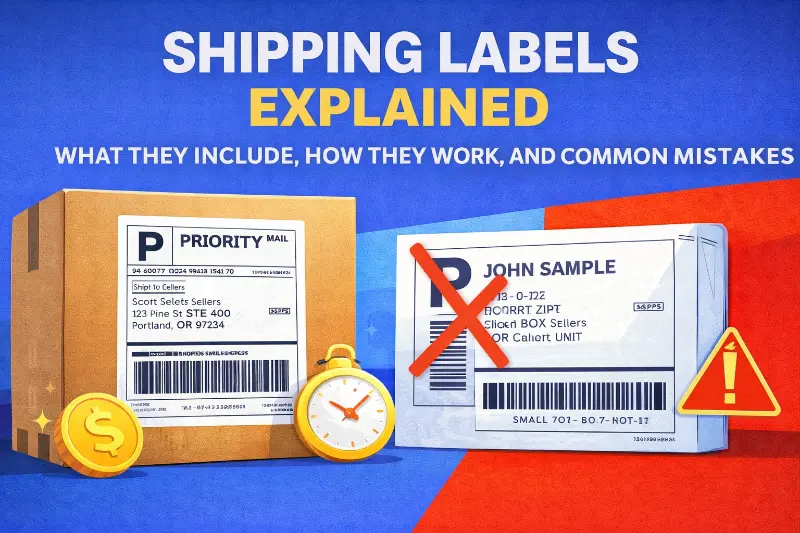
Shipping Labels Explained: What They Include, How They Work, and Common Mistakes

Last updated on February 12, 2026
In this article
 22 minutes
- What shipping labels are and why they matter legally
- Essential components every shipping label must contain
- How carrier sorting systems process label data
- Printing shipping labels: methods and tips for accuracy
- Buying and managing shipping labels efficiently
- Label customization and templates for branding and compliance
- Environmental considerations for shipping labels
- Common shipping label mistakes that cost merchants money
- How outbound labels differ from return labels
- Best practices for preventing label-related issues
- Frequently Asked Questions
Shipping labels are the operational backbone of ecommerce fulfillment, a small piece of paper that determines whether packages reach customers successfully or trigger costly failures. For Shopify brands processing thousands of orders, label errors translate directly into surcharges of $13-$331 per package, delivery delays affecting 70% of customer retention, and annual losses that can reach six figures. In the e-commerce sector, bulk shipping is common and operational efficiency is crucial to save time and reduce costs. Efficiently creating a shipping label—and related documents like the packing slip—is essential for e-commerce businesses to streamline fulfillment. This guide provides the comprehensive technical knowledge and operational best practices needed to optimize label management across the entire shipping lifecycle.
Most businesses can print shipping labels using regular office printers, but thermal printers are recommended for high-volume shipping to improve efficiency and save time.
The stakes are significant: 22% of delivery failures stem from address issues, carrier surcharges now account for 20-40% of parcel delivery spend, and the average cost to rectify a single shipping error runs $35-$70. Understanding how labels function, from barcode symbology to carrier sorting operations, empowers brands to prevent these costly mistakes before packages leave the warehouse.
What shipping labels are and why they matter legally
A shipping label is far more than a destination sticker. It’s a legally binding document that establishes the contractual relationship between shipper and carrier. When you create a label, you’re entering an agreement that obligates you to provide accurate shipping data (addresses, weight, dimensions) while the carrier commits to transporting the package according to the selected service level.
Shipping labels can be generated through carrier websites or third-party software, including services like Pirate Ship or Stamps.com. You can create shipping labels online or manually through your carrier’s online services, but using shipping software solutions can streamline the process.
The FTC’s Mail, Internet, or Telephone Order Merchandise Rule (16 CFR Part 435) governs the legal framework for ecommerce shipping. Sellers must have a reasonable basis to ship within the stated timeframe or within 30 days if no time is specified. Violations carry civil penalties exceeding $40,000 per occurrence, and recent enforcement has included settlements of $9.3 million. This rule applies regardless of whether you use third-party fulfillment. Merchants remain legally responsible for shipping compliance.
Shipping labels create a documented chain of custody through their tracking numbers. Each scan generates a timestamped location record, establishing an audit trail from pickup through delivery. This chain includes GPS tracking at pickup, identity verification at each transfer point, and proof of delivery with timestamps and signatures. For disputes and chargebacks, this documentation becomes critical evidence. Real-time tracking can prevent up to 60% of shipping-related chargebacks.
Labels encode the specific service agreement between shipper and carrier. The service type identifier embedded in USPS Intelligent Mail barcodes indicates mail class and requested services. UPS labels must include the proprietary MaxiCode, postal barcode, current routing code, service icon, and 1Z tracking number. FedEx requires distinct label layouts for Ground versus Express shipments. These elements aren’t optional decorations. They’re contractual terms the carrier uses to determine handling obligations.
Essential components every shipping label must contain
The industry standard 4×6 inch label packs remarkably dense information that enables automated sorting across carrier networks. A standard shipping label size is typically 4″ x 6″ for most carriers, but different carriers may have different size requirements. It is important to print shipping labels at their actual size to ensure barcode readability and compliance with carrier requirements. Understanding each element helps prevent the errors that trigger surcharges and delays.
USPS Publication 28 establishes the foundation for domestic address formatting across all carriers. The required three-line format includes recipient name, street address with secondary unit designator (APT, STE, UNIT), and city/state/ZIP. All uppercase letters are preferred for machine readability, and punctuation should be avoided except for the hyphen in ZIP+4 codes. Directionals like N, S, E, W are critical. Missing directionals frequently misdirect mail to the wrong delivery area.
The ZIP+4 code adds four digits specifying the sector and segment for more precise routing, while the 11-digit Delivery Point Code identifies the exact delivery location. A fully populated 11-digit routing code pushes packages deeper into automation earlier, shaving 1-2 days off average delivery times. Major carriers require delivery addresses in minimum 10-point font and return addresses in minimum 8-point font, using sans-serif typefaces like Arial or Helvetica.
Modern shipping labels incorporate multiple barcode types, each serving specific purposes in the carrier network. The USPS Intelligent Mail Package Barcode (IMpb) uses GS1-128 symbology and encodes the unique Package Identification Code required for commercial pricing. The newer Intelligent Mail Matrix Barcode (IMmb) adds 2D capability for improved scanning on irregular packages and polybags.
UPS uses the MaxiCode, a 2D matrix barcode approximately one inch square containing 884 hexagonal modules around a central bullseye finder pattern. Mode 2 handles domestic shipments with numeric ZIP codes, while Mode 3 processes international shipments with alphanumeric postal codes. The encoded data includes postal code, country code (840 for US), service class, tracking number, SCAC code, and package details.
FedEx labels incorporate PDF417 stacked barcodes for address and recipient data, alongside Code 128 linear barcodes for tracking numbers. The Code 128/GS1-128 format is the most common linear barcode across carriers, encoding all 128 ASCII characters with a modulus 103 weighted checksum for verification.
Each carrier uses distinct tracking number formats that enable automated parsing and verification. USPS uses 20-22 digits starting with 94/93/92/95 for domestic tracking, or 13-character S10/UPU format (e.g., EA 000000009 US) for international. UPS uses 18 characters starting with “1Z” followed by 6 alphanumeric shipper account digits, 2-digit service code, 7-digit package identifier, and check digit. FedEx uses 12-22 digits, all numeric without prefix letters.
The UPS service level codes embedded in positions 9-10 indicate the shipping method: 01 for Next Day Air, 02 for 2nd Day Air, 03 for Ground, 12 for 3 Day Select, and so forth. The service level on a shipping label indicates delivery speed, such as Express, Ground, or Priority Mail. Carriers allow users to choose shipping speed and service level based on cost, such as USPS Ground Advantage or UPS Ground.
Shipping labels must meet the size and formatting requirements of major carriers like USPS, UPS, and FedEx to ensure compatibility and smooth processing.
Let AI Optimize Your Shipping and Boost Profits
Cahoot.ai software selects the best shipping option for every order—saving you time and money automatically. No Human Required.
See AI in ActionHow carrier sorting systems process label data
Understanding carrier operations reveals why label quality matters so much. FedEx’s Memphis SuperHub processes 56,000-72,000 packages per hour using six-sided scanning tunnels that capture barcode information from all angles. UPS Worldport in Louisville handles 416,000 packages per hour through 546 camera tunnels across 155 miles of conveyors. At these speeds, even small label defects create cascading delays.
When packages enter a sorting facility, they pass through tunnel-based barcode readers where multiple cameras capture images from all angles as items move on conveyors. The system extracts destination ZIP code and routing data, categorizes packages by size (standard boxes, “smalls,” irregulars), and directs items via conveyor systems to appropriate staging areas for outbound transport.
A unique shipping label must be created for each package; old labels cannot be reused to ensure accurate tracking and processing. Many businesses use a shipping API to automate the creation of shipping labels, track packages, and integrate with e-commerce systems for efficient sorting and routing.
The Intelligent Mail Barcode routing code hierarchy drives sorting decisions. The 5-digit ZIP determines basic geographic region, ZIP+4 specifies delivery area and block, and the full 11-digit code identifies the individual address. Packages enter the automated network at different depths based on routing code completeness. Those with only 5-digit ZIPs require more manual sorting intervention.
When barcodes can’t be scanned due to damage, wrinkles, glare, or poor print quality, packages divert to exception lanes for manual intervention. Workers rescan with handheld devices, manually enter ID numbers, print replacement labels, and re-induct packages into the sorting process. FedEx creates a “Shipment Exception: Barcode Label Unreadable and Replaced” status for these cases. Each unreadable package requires at least double the processing of automatically sorted items. If 5% of 40,000 packages per hour are rejected, that’s 2,000 packages requiring manual handling.
Tracking updates generate at defined touchpoints rather than continuously. Key events include pickup scan when carrier takes possession, arrival scan at sorting hub unload, departure scan when sorted and loaded for outbound transport, “out for delivery” when placed on delivery vehicle, and delivered when scanned at customer location.
Printing shipping labels: methods and tips for accuracy
Printing shipping labels accurately is essential for ensuring your packages reach their destinations without delays or complications. The method you choose to print shipping labels can impact both the quality of the label and the efficiency of your shipping process. Thermal printers are widely regarded as the gold standard for shipping labels, especially for businesses handling moderate to high shipping volumes. These printers use heat to create crisp, smudge-proof barcodes and text, eliminating the need for ink or toner and producing labels in seconds. For occasional shippers or those with low volume, inkjet or laser printers can suffice, but it’s important to ensure the label format matches carrier requirements and that the tracking number and barcode are clear and scannable.
To streamline the process and minimize errors, use shipping software or online platforms that allow you to create shipping labels with all necessary information pre-filled, including the shipping address, tracking number, and service type. Templates can help maintain consistency and compliance with carrier standards. When applying labels, affix them to a flat, unobstructed surface on the package and use clear tape to cover the label—this protects it from moisture and abrasion while ensuring the barcode remains readable. Avoid placing tape directly over the barcode if it causes glare, as this can interfere with scanning during delivery. By following these best practices, you can ensure your shipping labels work as intended and your packages move smoothly through the carrier’s process.
Buying and managing shipping labels efficiently
Managing the purchase and inventory of shipping labels is a key factor in controlling shipping costs and maintaining operational efficiency. For businesses shipping large volumes, buying shipping labels in bulk can significantly reduce the cost per label and help save money over time. Many shipping platforms and carriers offer volume discounts or access to discounted rates, making it more cost effective to buy shipping labels through these channels rather than at retail rates. Leveraging these savings is especially important for small businesses and ecommerce stores looking to maximize their margins.
To keep your shipping process running smoothly, implement a system to track label inventory and usage. This helps prevent running out of labels during peak shipping periods and allows you to reorder in advance. Shipping software with built-in label management features can automate much of this process, alerting you when supplies are low and even helping you compare rates across carriers to find the best deal for each shipment. By optimizing how you buy and manage shipping labels, you not only save money but also ensure your shipping operations remain uninterrupted and efficient.
ShipStation vs. Cahoot: 21x Faster, Real Results
Get the inside scoop on how a leading merchant switched from ShipStation to Cahoot—and what happened next. See it to believe it!
See the 21x DifferenceLabel customization and templates for branding and compliance
Customizing shipping labels is a powerful way to reinforce your brand and ensure compliance with carrier and regulatory requirements, especially for international shipments. By using custom templates, businesses can add their logo, brand colors, and tailored messaging to every label, creating a professional and cohesive customer experience from the moment the package arrives. Custom templates also allow you to include essential information specific to your business or industry, such as handling instructions or regulatory disclosures for hazardous materials.
When shipping with major carriers like USPS, UPS, or FedEx, it’s crucial that your custom labels adhere to their formatting and data requirements. This is particularly important for international shipments, where compliance with customs documentation and country-specific regulations is mandatory. Many shipping platforms offer customizable templates and compliance tools that make it easy to create shipping labels that meet both branding and regulatory needs. By leveraging these features, you can create shipping labels that not only look professional but also ensure smooth processing with your preferred carrier, whether you’re shipping domestically or internationally.
Environmental considerations for shipping labels
As sustainability becomes a growing priority for businesses and consumers alike, it’s important to consider the environmental impact of your shipping labels. Choosing eco-friendly options, such as labels made from recycled or biodegradable materials, can help reduce your company’s carbon footprint. Direct thermal labels are an excellent choice for environmentally conscious shippers, as they require no ink or toner—just heat—minimizing waste and simplifying the recycling process. These thermal labels are compatible with direct thermal printers, which are both efficient and cost effective for producing high volumes of shipping labels.
Proper disposal of used shipping labels is also essential. Encourage recycling of label backing materials and ensure that any labels containing sensitive information are disposed of securely. By integrating sustainable materials and responsible disposal practices into your shipping operations, you not only reduce environmental impact but also demonstrate your commitment to sustainability to your customers. Making thoughtful choices about the materials and processes you use for shipping labels can help your business operate more responsibly while still meeting all your shipping needs.
Common shipping label mistakes that cost merchants money
Label errors create both direct costs (surcharges, reshipping, postage) and indirect costs (customer service, lost customers). Postage is a key cost component of shipping labels, and purchasing postage at discounted rates through online or software solutions can help save money and avoid paying retail rates at the carrier’s office. The average ecommerce fulfillment error rate runs 1-3%. For a brand shipping 100,000 orders monthly, that translates to 1,000-3,000 errors and potential losses of $60,000-$150,000.
Address formatting errors affect 4.7% of shipping addresses entered at checkout, according to EasyPost data. These errors contribute to the 22% of delivery failures resulting from incorrect or incomplete addresses. Beyond failed deliveries, carriers charge substantial fees for corrections: FedEx charges $22.50 per address correction for Express and Ground shipments, while UPS charges $13.40 per correction (escalating to $91 for Ground with Freight Pricing).
Common address errors include missing apartment or suite numbers, incorrect directionals (N vs S), wrong ZIP codes, and outdated addresses for recipients who’ve moved. Missing secondary unit designators are particularly problematic for multi-unit buildings where packages may be returned or delivered to wrong addresses.
Dimensional weight pricing applies to all major carriers, and inaccuracies trigger billing adjustments. Both UPS and FedEx use a 139 divisor for daily rates (166 for retail), meaning packages are billed for the greater of actual weight or dimensional weight calculated as (Length × Width × Height) ÷ 139. To prevent extra charges, package weight should be measured accurately using a digital scale.
As of August 2025, both UPS and FedEx round every fractional inch UP before calculating dimensional weight. A box measured at 11.1 × 8.5 × 6.2 inches now rounds to 12 × 9 × 7 inches, potentially increasing billed weight by approximately 20%. USPS adds a $1.50 fee for missing or incorrect dimensions on packages exceeding one cubic foot.
Poor barcode quality creates immediate operational problems. Common causes include inadequate printhead maintenance, incorrect burn temperature making bars too thick or thin, creased or folded labels, tape covering barcodes causing glare, and wrong printer settings for DPI or margins. Carriers require specific ANSI barcode grades for reliable scanning, grade C minimum, with 70% recommended at A or B. Most thermal labels are waterproof, oil-proof, and scratch-resistant, which helps maintain barcode quality and label durability during transit.
Carriers apply substantial surcharges for packages exceeding standard parameters. UPS charges $25-$52.75 for additional handling on packages weighing over 50 pounds, with longest side exceeding 48 inches, or second-longest side over 30 inches. Large package surcharges reach $160-$235 per package for cubic volume exceeding 17,280 cubic inches. FedEx oversized surcharges range from $240-$331 per commercial package, with 18.5% increases in recent rate schedules.
Direct thermal labels do not require ink or ribbons and are ideal for short-term use like shipping and logistics, making them a cost-effective and efficient choice for most shipping label needs.
80% of customs delays result from incorrect or missing documentation according to DHL data. Common international errors include missing product descriptions, inaccurate declared values, incorrect HS/tariff codes, missing shipper or consignee details, wrong country of origin, and missing tax identifiers.
As of September 1, 2025, USPS requires six-digit HS codes on all international commercial shipments regardless of mail class, aligning with Universal Postal Union regulations. The EU requires HS codes for all items, with detailed descriptions, as part of ICS2 reform implemented March 2023. Brazil requires recipient Tax ID (CPF or CNPJ) on all labels. Missing information results in return or disposal.
Proper labeling and handling procedures are essential to ensure packages arrive in perfect condition and to avoid costly errors and delays.
How outbound labels differ from return labels
Return labels reverse the standard shipping flow and involve different payment structures, expiration policies, and increasingly popular paperless options through QR codes.
Prepaid return labels charge payment at label creation regardless of use. USPS and some integrations offer this model, which provides fixed costs and avoids certain carrier surcharges. However, merchants pay even for unused labels.
Scan-based (pay-on-use) labels only charge when the carrier scans the label into the system. FedEx and UPS offer this model through direct accounts, enabling merchants to include return labels in all outbound packages without upfront cost. The tradeoff includes potential additional fees and billing complexity. For brands that want to provide easy returns without paying for unused labels, scan-based typically makes more economic sense. 78% of consumers prefer prepaid return labels with cost deducted from refund.
USPS return labels remain valid for up to 365 days (one year) for scan-based returns, the longest validity among major carriers. Unused prepaid labels auto-refund after 28 days without tracking activity. UPS return labels generally don’t expire, though shipments can be voided online within 90 days, with no refunds possible after 180 days. FedEx printed labels typically remain valid for about two weeks, while email labels can last up to two years before printing.
QR code returns work through a streamlined process: customers initiate returns via portal, receive a QR code via email instead of a PDF label, bring the package and code to designated drop-off locations (FedEx Office, UPS Store, Walgreens, participating Post Offices), where staff scans the code from the customer’s phone and prints the label on-site. 67% of shoppers now prefer package-free, label-free returns.
Cut Costs with the Smartest Shipping On the Market
Guranteed Savings on EVERY shipment with Cahoot's AI-powered rate shopping and humanless label generation. Even for your complex orders.
Cut Costs TodayBest practices for preventing label-related issues
Operational excellence in label management requires investment in appropriate technology, rigorous processes, and integration with shipping software that catches errors before labels print. Choosing the right shipping label technology and process depends on the specific needs of your business, such as shipping volume, label durability, and carrier preferences.
For brands shipping 50+ packages monthly, thermal printers are essential. Using a thermal label printer is recommended for frequent shipping as it simplifies the process and saves costs. Direct thermal printing requires no ink, toner, or ribbon. Heat-sensitive labels turn black where heated, producing high-contrast, smudge-proof, water-resistant barcodes in 1-2 seconds per label. Thermal transfer printing uses ribbon for even longer-lasting labels suitable for outdoor or cold storage applications.
The cost differential is substantial: inkjet printing for 600 labels monthly runs approximately $500-600 per year in consumables versus $50-100 for thermal (label rolls only). Popular thermal printer brands include Rollo, MUNBYN, Zebra, and Dymo 4XL. The break-even point typically occurs within two years at moderate shipping volumes.
You can print shipping labels at home if you have the right printing tools and equipment. Place labels on the largest flat surface, preferably the top of packages, centered and parallel to the longest side. Avoid seams, edges, corners, closures, and areas that could bend or tear during handling. Labels must lie flat without wrinkles, bubbles, or folded edges. Any distortion can prevent barcode scanning.
Always remove or completely cover previous barcodes and addresses on reused boxes. Multiple labels on the same package should all go on the same side without overlapping. USPS specifically requires labels placed parallel to the longest side, secured with 2-inch clear packing tape.
CASS-certified (Coding Accuracy Support System) address validation represents the gold standard for preventing address errors. These services match addresses against USPS databases, standardize formatting, add missing components, and verify deliverability. Leading services include Smarty (SmartyStreets) with 250 free lookups monthly, Melissa Data with 38+ years of experience and NCOA change-of-address processing, and EasyPost with validation integrated into shipping APIs.
Key features to implement include real-time API validation at checkout, batch processing for database cleanup, autocomplete for shipping forms, and NCOA processing to catch moved recipients. Address validation typically catches the 4.7% of checkout addresses with errors before they become $22.50 correction fees.
Custom shipping labels can enhance branding and improve operational efficiency for businesses.
Frequently Asked Questions
What is a shipping label and what makes it legally binding?
A shipping label is a legally binding document that establishes the contractual relationship between shipper and carrier. When you create a label, you enter an agreement obligating you to provide accurate shipping data (addresses, weight, dimensions) while the carrier commits to transporting the package according to the selected service level. The label creates a documented chain of custody through tracking numbers, with each scan generating a timestamped location record from pickup through delivery. The FTC’s Mail Order Rule (16 CFR Part 435) governs ecommerce shipping, requiring sellers to ship within stated timeframes or 30 days if unspecified, with violations carrying civil penalties exceeding $40,000 per occurrence.
What are the essential components that must be on every shipping label?
Every shipping label must contain properly formatted sender and recipient addresses (name, street with unit designator, city/state/ZIP in uppercase), multiple barcode types (USPS Intelligent Mail Package Barcode using GS1-128, UPS MaxiCode, or FedEx PDF417), carrier-specific tracking numbers (USPS 20-22 digits starting with 94/93/92/95, UPS 18 characters starting with “1Z”, FedEx 12-22 numeric digits), service level indicators, package weight and dimensions, and routing codes. The standard 4×6 inch label uses minimum 10-point font for delivery addresses and 8-point for return addresses in sans-serif typefaces like Arial or Helvetica.
How do carriers use shipping label data to sort and route packages?
Carriers process packages through automated sorting facilities using tunnel-based barcode readers with multiple cameras capturing images from all angles as items move on conveyors at speeds of 56,000-72,000 packages per hour. The system extracts destination ZIP code and routing data from barcodes, categorizes packages by size, and directs items via conveyor systems to appropriate staging areas. The USPS Intelligent Mail Barcode routing code hierarchy drives sorting: 5-digit ZIP determines geographic region, ZIP+4 specifies delivery area and block, and full 11-digit code identifies the individual address. Packages with complete 11-digit routing codes enter automation earlier, shaving 1-2 days off delivery times.
What are the most common shipping label mistakes and what do they cost?
The most costly label mistakes include address formatting errors (affecting 4.7% of checkout addresses, causing 22% of delivery failures, costing $13.40-$22.50 per correction), dimensional weight discrepancies (triggering $1.50-$331 surcharges, with August 2025 rounding changes increasing billed weight by approximately 20%), barcode print quality failures (causing packages to divert to exception lanes requiring double the processing time), additional handling surcharges ($25-$235 for oversized packages), and missing international customs documentation (causing 80% of customs delays). The average ecommerce error rate of 1-3% translates to $60,000-$150,000 in annual losses for brands shipping 100,000 orders monthly.
How do return shipping labels differ from outbound labels?
Return labels reverse the shipping flow and use different payment structures. Prepaid return labels charge at creation regardless of use (providing fixed costs but charging for unused labels), while scan-based labels only charge when scanned into the carrier system (FedEx/UPS offer this, enabling merchants to include labels in packages without upfront cost). Expiration varies significantly: USPS return labels valid 365 days for scan-based (longest among carriers), UPS labels generally don’t expire (voidable within 90 days), FedEx printed labels valid about two weeks. QR code returns eliminate printer requirements: customers receive QR codes via email, bring packages to drop-off locations where staff scans codes and prints labels on-site. 67% of shoppers now prefer package-free, label-free returns.
What technology and processes prevent shipping label errors?
Preventing label errors requires thermal printers for brands shipping 50+ monthly (producing smudge-proof, water-resistant barcodes in 1-2 seconds, costing $50-100 annually versus $500-600 for inkjet), CASS-certified address validation (catching 4.7% of checkout errors before they become $22.50 correction fees through real-time API validation, batch processing, and NCOA change-of-address checking), proper label placement (largest flat surface, centered, parallel to longest side, avoiding seams/edges/corners), and shipping software integration (eliminating manual data entry through automated label generation, real-time address validation, rate shopping, carrier compliance formatting, and batch processing). High-volume operations should implement quality checkpoints at picking, packing, label generation, and pre-ship inspection stages.
Written By:

Indy Pereira
Indy Pereira helps ecommerce brands optimize their shipping and fulfillment with Cahoot’s technology. With a background in both sales and people operations, she bridges customer needs with strategic solutions that drive growth. Indy works closely with merchants every day and brings real-world insight into what makes logistics efficient and scalable.

Turn Returns Into New Revenue
Related Articles
USPS Click-N-Ship Explained: How It Works, Costs, and When Sellers Should Use It
USPS Click-N-Ship is the postal service’s free online label-printing tool, and for most Shopify sellers shipping more than 50 packages monthly, it’s already time to move beyond it....
USPS Tracking Explained: What Each Status Means and How Sellers Should Respond
The “if it fits, it ships” model offers compelling economics for heavy items traveling cross-country, but costs Shopify brands up to 175% more than alternatives for lig...
USPS Tracking Explained: What Each Status Means and How Sellers Should Respond
USPS tracking messages are wrong 64% of the time, a startling finding from a 2023 USPS Office of Inspector General audit that examined 500 packages.