
Amazon Buy Box 2025 Update: New Rules and Strategies for Sellers
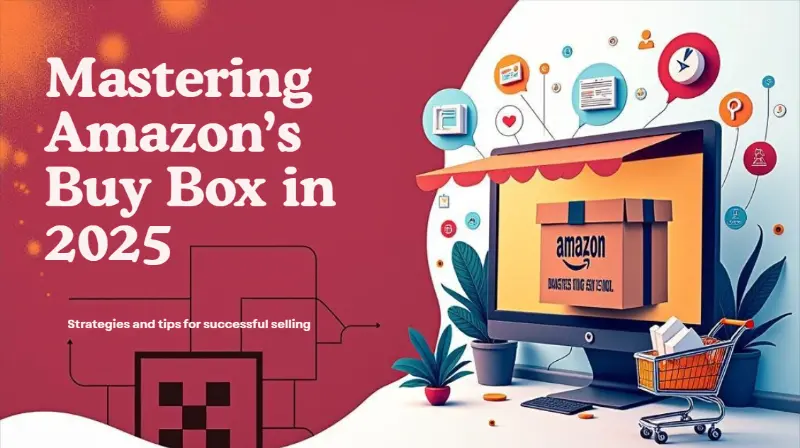
The Amazon Buy Box is the most valuable piece of digital real estate in ecommerce. More than 80% of Amazon sales happen through it, and for mobile purchases, the percentage is even higher. In 2025, winning the Buy Box isn’t just about the lowest price. Amazon’s algorithm weighs dozens of factors, from fulfillment method to seller performance, to determine which seller earns that coveted position.
For ecommerce businesses, understanding the latest Buy Box algorithm changes is no longer optional. Without Buy Box eligible status, sales stall. With it, sellers can boost sales, increase conversion rates, and gain credibility with Amazon shoppers. This guide breaks down what’s changed in 2025, what drives eligibility, and the exact strategies sellers need to master to stay competitive.
Slash Your Fulfillment Costs by Up to 30%
Cut shipping expenses by 30% and boost profit with Cahoot's AI-optimized fulfillment services and modern tech —no overheads and no humans required!
I'm Interested in Saving Time and MoneyWhy the Buy Box Matters More Than Ever
The Buy Box sits on every product detail page, presenting customers with the default “Add to Cart” or “Buy Now” option. For many sellers, it’s the single biggest driver of sales volume.
When your product listing is suppressed from the Buy Box, customers have to click “See All Buying Options” to find you, a step most shoppers won’t take. This is why a suppressed Buy Box can slash sales overnight.
In 2025, Amazon tightened its eligibility rules. Sellers need a professional seller account, consistent on-time shipping, valid tracking rates, and low negative feedback rates. Failing any of these metrics can push a seller out of eligibility, regardless of how competitive their price is.
Key Factors in the Amazon Buy Box Algorithm
Amazon’s Buy Box algorithm is a black box, but seller data and platform updates reveal what matters most. Here are the key factors that determine who wins:
1. Pricing Strategy
The Buy Box isn’t always about the absolute lowest price. Amazon calculates the landed price (product price plus shipping) and considers competitive external price benchmarks. If your price is significantly higher than on other sites, you risk Buy Box suppression. At the same time, pricing wars can erode profit margins, so balancing competitive pricing with sustainable margins is essential.
2. Fulfillment Method
FBA sellers (Fulfilled by Amazon) often have a natural advantage because Amazon controls shipping speed, tracking accuracy, and customer service. However, high-performance FBM sellers who provide fast shipping, accurate delivery dates, and excellent customer service can still compete effectively.
3. Seller Performance Metrics
Metrics like valid tracking rate, on-time delivery, order defect rate, and negative feedback rate directly influence Buy Box eligibility. Sellers with consistently high ratings and responsive customer service outperform those who cut corners.
4. Inventory Availability
Stockouts or inaccurate inventory updates hurt Buy Box performance. Amazon rewards sellers who keep items in stock and update their inventory tab accurately.
5. Customer Experience
From seller response time to packaging quality, customer experience is an increasingly important factor. Amazon prioritizes sellers who can notify customers quickly, resolve issues, and provide reliable delivery.
Looking for a New 3PL? Start with this Free RFP Template
Cut weeks off your selection process. Avoid pitfalls. Get the only 3PL RFP checklist built for ecommerce brands, absolutely free.
Get My Free 3PL RFPWhat Changed in 2025?
Amazon introduced several updates that shifted Buy Box dynamics:
- Greater emphasis on customer feedback: The Buy Box algorithm now more heavily weights customer satisfaction, including positive feedback count and quick resolution of customer interactions.
- Suppressed Buy Box expansion: More listings now face suppressed Buy Boxes if Amazon deems pricing unfair compared to external sites.
- Fulfillment flexibility: Amazon has slightly opened the door for FBM sellers with excellent seller metrics, creating more opportunities for high-volume sellers outside FBA.
- Box rotations across sellers: Instead of a single seller dominating, Amazon rotates Buy Box winners more often when multiple sellers have similar metrics.
For ecommerce businesses, these changes make consistent seller performance and accurate pricing strategies even more critical.
Strategies to Win the Buy Box in 2025
1. Master Competitive Pricing
Use automated repricing tools to stay aligned with Amazon’s Buy Box algorithm. Avoid lowest price point manipulations that risk suppression. Instead, monitor competitive external prices and adjust dynamically.
2. Optimize Fulfillment
FBA remains the easiest route to eligibility, but FBM sellers can win with accurate shipping dates, fast delivery, and valid tracking rates. Offering multiple shipping options also helps.
3. Improve Seller Metrics
Seller performance is a long game. Focus on maintaining low negative feedback rates, improving customer response times, and hitting on-time shipping targets. High-performance sellers gain a competitive edge, even in saturated categories.
4. Manage Inventory Proactively
Ensure inventory availability across your store. Use detailed analytics and predictive tools to track sales volume, forecast demand, and avoid stockouts.
5. Enhance Customer Experience
Proactively engage customers, provide accurate shipping notifications, and resolve complaints quickly. Customer satisfaction and loyalty directly influence your eligibility.
The Risk of Pricing Wars
A common mistake sellers make is entering unsustainable pricing wars. While lowering prices may temporarily win the Buy Box, it often leads to suppressed profit margins and increased risk of account health issues. Instead, sellers should use pricing strategies that balance competitiveness with profitability.
Professional sellers who monitor profit margins alongside Amazon sales volume will have a long-term advantage over those focused only on price points.
Scale Faster with the World’s First Peer-to-Peer Fulfillment Network
Tap into a nationwide network of high-performance partner warehouses — expand capacity, cut shipping costs, and reach customers 1–2 days faster.
Explore Fulfillment NetworkBeyond the Buy Box: Driving Sales in 2025
Winning the Buy Box is critical, but it’s not the only way to increase sales. Amazon’s white box (when the Buy Box is suppressed but Amazon still displays a “See Buying Options” button) can still generate revenue if you have strong product listings, positive customer reviews, and competitive shipping.
Ecommerce businesses should also focus on:
- Improving product listings with SEO optimized content and accurate product descriptions.
- Running marketing campaigns that drive external traffic to Amazon.
- Using detailed analytics to evaluate performance and adjust strategies in real time.
Conclusion
In 2025, the Amazon Buy Box is harder to win but more valuable than ever. Sellers must balance pricing strategies, fulfillment methods, and seller performance metrics while avoiding suppressed Buy Box penalties.
For ecommerce businesses, the path forward is clear: adopt data-driven decisions, focus on customer experience, and implement strategies that drive long-term sales growth. The sellers who thrive will be those who master the Buy Box algorithm without falling into the trap of endless pricing wars.
Frequently Asked Questions
What does it mean to be Buy Box eligible?
Buy Box eligibility means a seller meets Amazon’s minimum standards for performance metrics, shipping reliability, and professional seller account status. Without eligibility, you cannot win the Buy Box.
How does pricing affect the Buy Box?
Amazon considers landed price and competitive external price benchmarks. While the lowest price can help, unsustainably low pricing or mismatched prices across platforms can suppress the Buy Box entirely.
Can FBM sellers win the Buy Box?
Yes. While FBA sellers often have an advantage, FBM sellers with fast shipping, valid tracking, and excellent customer feedback can still win.
Why is my Buy Box suppressed?
Common reasons include unfair pricing compared to other platforms, poor seller performance metrics, or inventory stockouts. Suppressed Buy Box status means customers won’t see your listing as the default purchase option.
How can I improve my chances of winning the Buy Box?
Maintain strong seller metrics, use automated pricing tools, ensure inventory availability, and provide excellent customer service. Combining these strategies with a competitive fulfillment method gives you the best chance to win.
Written By:

Jeremy Stewart
Jeremy Stewart leads customer success at Cahoot, helping merchants achieve high-performance logistics through smart technology and process optimization. With a background in both ecommerce operations and client services, Jeremy ensures that every merchant using Cahoot gets measurable results—whether they’re scaling from one warehouse to many or managing complex returns.

Turn Returns Into New Revenue
Related Articles
HTS Code Explained: What It Is, Why It Matters, and How Ecommerce Brands Use It
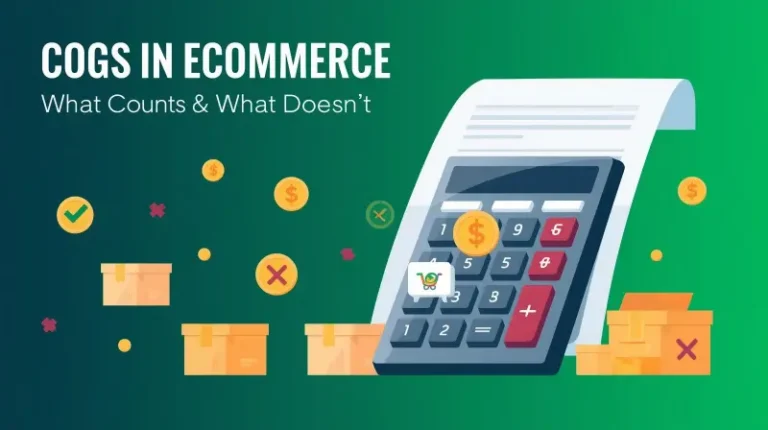
Cost of Goods Sold (COGS) represents the direct costs attributable to producing the goods a company sells during an accounting period.
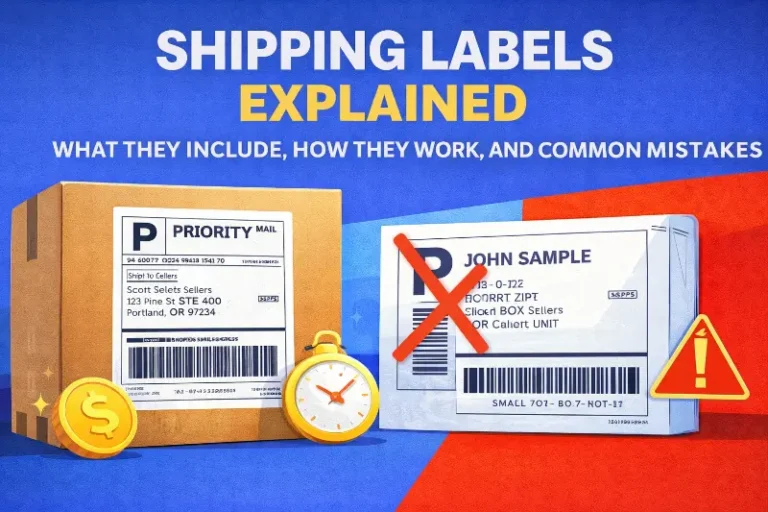
Shipping Labels Explained: What They Include, How They Work, and Common Mistakes
Shipping labels are the operational backbone of ecommerce fulfillment, a small piece of paper that determines whether packages reach customers successfully or trigger costly failur...
USPS Click-N-Ship Explained: How It Works, Costs, and When Sellers Should Use It
USPS Click-N-Ship is the postal service’s free online label-printing tool, and for most Shopify sellers shipping more than 50 packages monthly, it’s already time to move beyond it....
AI Tools for Ecommerce: Choosing the Right Tech to Stay Competitive
In this article
 6 minutes
- Why AI in Ecommerce Is No Longer Optional
- The Power of Data in Ecommerce
- Key Areas Where AI Tools Drive Impact
- Evaluating the Right AI Tools for Ecommerce
- Adoption Challenges: Data Quality and Trust
- The Future: Generative AI in Ecommerce
- Why Adoption Matters More Than Experimentation
- Conclusion
- Frequently Asked Questions
Why AI in Ecommerce Is No Longer Optional
AI has become the hidden engine driving the ecommerce industry. From automated inventory management to personalized recommendations, AI tools for ecommerce are reshaping how online businesses operate. Walmart, Amazon, and Shopify have already made AI a core part of their strategies, which means independent ecommerce businesses need to adopt the right AI technology, or risk falling behind.
AI tools are no longer a futuristic add-on; they are essential for analyzing customer data, predicting demand, improving customer satisfaction, and staying competitive in a market dominated by giants. Sellers who fail to implement AI-powered solutions will find themselves reacting to market trends rather than shaping them.
Slash Your Fulfillment Costs by Up to 30%
Cut shipping expenses by 30% and boost profit with Cahoot's AI-optimized fulfillment services and modern tech —no overheads and no humans required!
I'm Interested in Saving Time and MoneyThe Power of Data in Ecommerce
Ecommerce runs on customer data: purchase history, browsing behavior, customer interactions, and even customer feedback. AI tools allow retailers to analyze this data at scale, transforming raw information into valuable insights. These insights power predictive analytics and personalized recommendations that drive customer engagement and loyalty.
For example, using natural language processing, an AI system can analyze customer reviews and social media posts to identify product issues before they spiral into bad ratings. Competitor pricing can also be tracked in real time, helping retailers adjust pricing strategies dynamically.
Key Areas Where AI Tools Drive Impact
Inventory Management
Poor inventory management leads to either excess costs or missed sales. AI-powered inventory management tools use historical sales data and market trends to forecast demand, ensuring retailers avoid both overstocking and stockouts. These systems adapt to consumer demand patterns and can even factor in seasonality and marketing campaigns.
Marketing Strategies
AI marketing tools automate content creation, generate SEO optimized product descriptions, and evaluate messaging performance. For ecommerce businesses competing with retailers that have entire AI-driven marketing departments, tools that improve campaign targeting and analyze customer behavior are essential.
AI also powers personalized marketing. By analyzing transaction patterns and purchase history, businesses can create tailored email marketing campaigns, targeted promotions, and personalized shopping experiences that boost conversion rates.
Customer Experience
Customer experience is now a key differentiator. AI-powered chatbots and virtual assistants deliver real-time customer service, reducing reliance on human customer service agents while still providing seamless support. Personalized shopping experiences powered by AI keep customers engaged and increase satisfaction.
For instance, AI tools can analyze customer preferences and browsing behavior to make real-time product recommendations. Retail websites that fail to offer this level of personalization risk losing customers to competitors who can.
Supply Chain Optimization
Supply chain analytics powered by AI improves operational efficiency across the retail value chain. From supply chain management to store operations, AI tools help forecast demand, optimize logistics, and lower costs. For ecommerce platforms managing complex supply chains, these solutions ensure better supply chain management and keep customers happy with faster, more reliable deliveries.
Looking for a New 3PL? Start with this Free RFP Template
Cut weeks off your selection process. Avoid pitfalls. Get the only 3PL RFP checklist built for ecommerce brands, absolutely free.
Get My Free 3PL RFPEvaluating the Right AI Tools for Ecommerce
Not every tool labeled “AI” provides value. Ecommerce businesses must evaluate AI tools carefully. Factors to consider:
- Seamless integration with existing ecommerce platforms
- User-friendly interface for non-technical teams
- Detailed analytics to drive data-driven decisions
- Proven track record with leading retailers
- Ability to ensure data quality and protect customer data
Retailers should test AI algorithms against real customer behavior data before fully implementing them. Evaluating AI tools also means comparing ROI across customer retention, sales growth, and operational efficiency.
Adoption Challenges: Data Quality and Trust
AI adoption isn’t without friction. The data retailers rely on often comes from multiple sources, sales data, purchase patterns, social media platforms, and customer feedback. Ensuring data quality is critical. If the data is incomplete or biased, predictive analytics and machine learning algorithms won’t provide accurate insights.
Customer trust is another challenge. Consumers want personalized shopping experiences, but they don’t want to feel surveilled. Retail businesses must balance the use of customer insights with transparent policies around data usage.
The Future: Generative AI in Ecommerce
Generative AI is emerging as the next wave. Gen AI solutions are now capable of writing product descriptions, generating marketing messages, and even designing personalized promotions. Ecommerce platforms that leverage generative AI in content creation and marketing campaigns will have an advantage in producing large volumes of high-quality, SEO optimized content quickly.
Retail companies that adopt these tools now will be positioned to remain competitive as generative AI reshapes the ecommerce industry.
Why Adoption Matters More Than Experimentation
AI tools are only valuable if they’re implemented strategically. Too many ecommerce businesses experiment with pilots but fail to integrate AI deeply into their operations. Leading retailers like Amazon and Walmart aren’t just using AI for marketing, they’re embedding AI across store operations, supply chains, and customer engagement.
Independent ecommerce sellers need to follow suit. Using AI-powered tools for ecommerce isn’t about chasing hype; it’s about survival in a marketplace where data-driven decision making, predictive analytics, and customer-centric strategies are now table stakes.
Scale Faster with the World’s First Peer-to-Peer Fulfillment Network
Tap into a nationwide network of high-performance partner warehouses — expand capacity, cut shipping costs, and reach customers 1–2 days faster.
Explore Fulfillment NetworkConclusion
The ecommerce sector is being redefined by artificial intelligence. Sellers who embrace AI technologies, from predictive analytics and automated inventory management to AI-powered marketing and generative AI, will stay ahead of consumer demand and competitor pricing pressures. Those who hesitate risk irrelevance.
Adopting the right AI tools for ecommerce allows retailers to gain valuable insights, improve customer satisfaction, and remain competitive against giants like Walmart, Amazon, and Shopify. In the future retail landscape, AI won’t just optimize ecommerce operations, it will decide who survives.
Frequently Asked Questions
What are the best AI tools for ecommerce businesses?
The best AI tools for ecommerce include AI-powered chatbots, predictive analytics platforms, AI marketing tools, and automated inventory management solutions. These tools improve customer satisfaction, boost sales, and optimize retail operations.
How can AI improve customer satisfaction in ecommerce?
AI improves customer satisfaction by analyzing customer interactions, purchase history, and browsing behavior to deliver personalized shopping experiences, real-time customer service, and targeted promotions that meet customer preferences.
How does AI impact inventory management in ecommerce?
AI-powered inventory management tools analyze historical sales data and forecast future customer demand. This ensures ecommerce businesses avoid stockouts, reduce excess inventory, and adapt quickly to market trends.
What role does generative AI play in ecommerce marketing?
Generative AI helps ecommerce companies create product descriptions, social media posts, email marketing campaigns, and other marketing materials at scale. These tools allow retailers to optimize marketing strategies and remain competitive.
Why should ecommerce businesses adopt AI tools now?
Adopting AI tools now ensures ecommerce businesses remain competitive as the retail industry embraces artificial intelligence. Early adoption allows retailers to gain valuable insights, improve customer retention, and build sustainable growth strategies before competitors dominate.
Written By:
Jeremy Stewart
Jeremy Stewart leads customer success at Cahoot, helping merchants achieve high-performance logistics through smart technology and process optimization. With a background in both ecommerce operations and client services, Jeremy ensures that every merchant using Cahoot gets measurable results—whether they’re scaling from one warehouse to many or managing complex returns.
Turn Returns Into New Revenue
Related Articles
Moving from Amazon 1P to 3P: What It Actually Takes to Succeed
The decision to move from Amazon Vendor Central (1P) to Seller Central (3P) usually follows months of frustration with pricing control loss, erratic purchase orders, and margin com...
Why Amazon 1P Feels Out of Control — and Why That’s Not Your Fault
When your Amazon Vendor Central account starts generating problems faster than your team can fix them, the instinct is to treat each issue as a separate operational failure.
Amazon AWD vs FBA: What’s the Difference and Which One Should You Use?
Amazon Warehousing and Distribution (AWD) and Fulfillment by Amazon (FBA) serve fundamentally different purposes, and using them correctly can slash storage costs by up to 80% duri...
Amazon DSP Program Success: How to Start and Grow Your Delivery Business

In this article
12 minutes
- The Appeal of Running Your Own Amazon Delivery Business
- Getting Started: Costs, Requirements, and Application Process
- What Amazon Provides: Support and Tools for DSP Owners
- The Reality Check: Day-to-Day Operations and Challenges
- Tips for Success as a DSP Owner
- Conclusion: Is the Amazon DSP Path Right for You?
- Frequently Asked Questions
The Appeal of Running Your Own Amazon Delivery Business
I remember when I first heard about the Amazon DSP program (Delivery Service Partner program). The idea was instantly intriguing: start your own delivery business, deliver Amazon packages, and get Amazon’s backing in terms of volume and support. For aspiring entrepreneurs, especially those eyeing the logistics industry, it sounded almost too good to be true. You get to tap into Amazon’s vast shipping demand and logistics tools, but still effectively run your own business. No need to build a customer base from scratch; Amazon is your customer, feeding you packages to deliver. Over 4,400 small businesses have already signed up as DSPs since the program launched in 2018, creating 390,000 driving jobs and generating $58 billion in revenue collectively. Those numbers are huge, and they show Amazon’s delivery network isn’t just UPS trucks and USPS mailmen; it’s thousands of independent owners like us driving the blue Prime vans around town.
Amazon continues to disrupt every sector it touches, and last-mile delivery is no exception. By recruiting small business owners to operate delivery fleets, Amazon has quickly built a logistics operation that rivals UPS and FedEx in parcel volume. (In fact, as of 2024, Amazon was delivering roughly 28% of all US parcels, surpassing FedEx and UPS by volume!) They’ve essentially crowdsourced their own private UPS, and as a result, people like you and me have an opportunity to own a delivery business without needing to court customers or create demand. Amazon provides a giant built-in market.
But let’s cut to the chase: What does it actually take to become an Amazon DSP and run a package delivery business? What are the costs, the requirements, the day-to-day realities? Is it true you can start with as little as $10,000 and make a good profit, as Amazon’s marketing suggests? I’ve done the research and even spoken to a few DSP owners. Here’s what I’ve learned about launching and growing a delivery company under the Amazon DSP umbrella.
Fulfillment Without Lock-In
Rigid delivery programs work until margins tighten. Use a fulfillment model that adapts as volume and costs change.
See How It WorksGetting Started: Costs, Requirements, and Application Process
One of the biggest draws of Amazon’s Delivery Service Partner program is the relatively low startup costs compared to, say, buying a franchise or starting a logistics company from scratch. Amazon advertises that you can start with as little as $10,000 in initial investment. That number is real, but it’s important to understand what it covers. Essentially, Amazon has negotiated deals on things like van leases, insurance, fuel, and uniforms. By taking advantage of those discounts, your upfront outlay to get, for example, 5 vans on the road can be around $10K. (In contrast, starting an independent delivery biz with 5 vehicles could easily cost several times that once you factor in buying/financing vehicles, etc.)
However, you also need to show you have enough liquid assets to sustain the business as it ramps up. Amazon requires proof of around $30,000 in liquid assets available. This is essentially a financial cushion; you might not spend all that, but Amazon wants to ensure you can pay your drivers and other expenses while cash flow builds. It’s a bit like proving you have some savings to handle the first few months of operation. They’ll do a financial assessment as part of the application.
Speaking of the application, Amazon’s process is quite involved (as it should be, since they’re trusting you with their reputation and packages). Here are the key steps and requirements:
- Background and Experience: You’ll need to submit a thorough application, including your work history, education, and any military service. Leadership experience is a big plus; Amazon is looking for people who can coach and motivate a team, handle scheduling, and problem-solve on the fly. Interestingly, logistics experience specifically is not required. Many DSP owners come from totally unrelated fields (banking, hospitality, etc.). But you do need a track record of leading teams or running projects; they want to see that you can manage 40 – 100 employees as your delivery team grows.
- Clean Background and Good Credit: There will be background checks and likely credit checks. Since you’ll be hiring drivers who handle packages, any red flags (e.g., serious criminal history) can disqualify you. Financial responsibility is also key because you’ll be handling payroll and expenses.
- Initial Screening and Interview: After the online application and assessments, promising candidates are invited to an interview. They want to gauge your understanding of the program and commitment. If selected, you don’t immediately get a delivery territory; you get placed into their pool to match with a delivery station location in need of new DSPs. You can express location preferences, but you may have to be flexible or wait for an opening.
- Training: Once accepted, Amazon provides two weeks of hands-on training. This includes a week at Amazon HQ or a regional facility learning the business side, and another week shadowing an existing DSP at a delivery station to learn the ropes. They cover everything from using their route optimization software to managing drivers. Amazon really emphasizes safety and process adherence in this training.
- Business Setup: You’ll establish your company (if you haven’t already), get any necessary licenses, and set up things like a commercial driver hiring pipeline, etc. Amazon assists in some of these areas. For example, they have recruiting tools to help you hire drivers and can even refer candidates. They want you to hit the ground running.
It’s worth noting Amazon also had (as of a couple of years ago) a Diversity Grant initiative: a $1 million fund that offered $10,000 for Black, Latinx, and Native American entrepreneurs towards startup costs. This was their effort to reduce barriers for underrepresented business owners. There was a bit of legal controversy around it (some non-minority applicants challenged it), but Amazon was pushing it as part of diversifying the DSP network. If you qualify, it’s something to look into; essentially, it could cover that initial $10K investment for you.
What Amazon Provides: Support and Tools for DSP Owners
Signing on as a DSP, you’re not buying a traditional franchise, but Amazon does act sort of like a franchisor in terms of setting standards and providing a playbook. Here’s what Amazon brings to the table for Delivery Service Partners:
- A Steady Volume of Packages: This is arguably the biggest perk. Amazon is your client, and they have more packages than they know what to do with. They’ll assign you routes each day for deliveries in your area. You don’t have to go find customers or drum up business; Amazon is essentially guaranteeing demand. If anything, the challenge is hiring enough drivers to handle all the demand, especially during Peak season (holidays).
- Logistics Technology: Amazon equips DSPs with its delivery management tech. This includes the route optimization software (the drivers use an app that maps out their route in the most efficient way, and it’s dynamically updated), scanning devices, GPS trackers in vans, etc. They also give DSP owners access to a central portal that shows all their routes, packages, performance metrics (delivery times, success rates, etc.), basically your business dashboard. It’s a turnkey tech platform many small businesses could never afford to develop on their own. Amazon’s logistics tools are best-in-class, and you get them by default as part of the program.
- Deals on Vehicles and Equipment: Instead of you having to buy vans outright, Amazon has negotiated vehicle lease programs. You lease Amazon-branded vans (the blue Prime vans) at favorable rates. Maintenance is included in many cases. They’ve also arranged bulk pricing on things like the handheld devices drivers use, uniforms, insurance, fuel, and even things like route planning software subscriptions if needed. These special rates on start-up equipment, devices, and insurance help reduce ongoing costs.
- Training and Ongoing Support: As mentioned, initial training is provided. But it doesn’t stop there. They have account managers or business coaches who will check in on your performance and help you succeed. There’s also a built-in support line, sort of like DSP support, for when issues arise (for example, if a van breaks down or you have routing problems, you have an on-demand support hotline). Amazon provides standardized processes for everything, which is helpful when you’re new. They even give you a DSP Toolkit with guides on HR, recruiting, scheduling, and “best practices” from their highest-performing DSPs.
- Payments and Incentives: Amazon pays DSPs per route/stop, etc., based on a contract rate. They also have performance-based incentives. For instance, if you hit certain delivery success metrics or safety milestones, you can earn bonuses or higher payouts. Amazon recently invested an additional $2.1 billion in rate increases and program enhancements to help DSPs with higher wages and vehicle costs. They know that if DSPs aren’t profitable, the whole program fails, so they adjust pay periodically (like a fuel subsidy when gas prices spike, or higher per-package rates in competitive labor markets).
In short, Amazon sets you up with the infrastructure: you have the vans, packages, software, and a playbook. Your job is essentially to hire and manage a team of reliable delivery drivers (called Delivery Associates or DAs) and execute the deliveries efficiently while meeting Amazon’s performance standards.
Slash Your Fulfillment Costs by Up to 30%
Cut shipping expenses by 30% and boost profit with Cahoot's AI-optimized fulfillment services and modern tech —no overheads and no humans required!
I'm Interested in Saving Time and MoneyThe Reality Check: Day-to-Day Operations and Challenges
Running an Amazon DSP business is not an absentee-owner situation. Amazon expects hands-on owners who are deeply involved in day-to-day operations, especially at the start. Many successful DSP owners I’ve spoken with basically lived and breathed the operation in the early months: sorting packages at 6 am, dispatching vans, riding along on routes to learn the ropes, etc. Here’s a taste of the day-to-day and the challenges that come with it:
- Early Mornings and Route Planning: A typical day might start before dawn at the delivery station. Amazon staff will have sorted packages for your routes, but you (and maybe a hired dispatcher) will oversee loading. Each morning, you ensure each driver has their truck loaded with the right bags of packages, their device is working, and they understand their route. This can be a hectic phase; if someone calls in sick last minute, you might jump in to deliver or reassign routes on the fly.
- Managing Drivers: Expect to hire 40 – 100 delivery associates as you grow (a lot of routes run 7 days a week, so you have multiple shifts). Hiring and retention can be some of the toughest parts. The delivery driver role is physically demanding, with lots of walking, carrying boxes, driving all day, and turnover can be high. Some DSP owners report annual turnover rates north of 100% among drivers, meaning you might be constantly recruiting. One anecdote: a DSP owner mentioned they went through 150 – 200 drivers in a year due to turnover. Keeping drivers motivated and maintaining a good culture is crucial. Amazon monitors things like how fast and safely drivers are delivering, so you need to train and emphasize safety (no running to doors, even if you’re behind schedule, etc.).
- Performance Metrics (aka The Scorecard): Amazon tracks your business metrics closely; this is often referred to as your DSP scorecard. Key metrics include your delivery success rate (packages delivered on time without issues), driver safety incidents, complaints, and things like route completion rates. For example, they have targets for on-time delivery rate and valid tracking rate (you must scan every package) that you must meet. Also, keeping a low missed delivery rate and low customer complaints (those “this package was handled poorly” feedback) is important. If your metrics slip, Amazon can issue warnings, require action plans, or, in extreme cases, terminate your DSP contract. So, there’s pressure to perform consistently. It’s not just about finishing the day’s routes; it’s about doing so at a high service level.
- Long Hours and Problem Solving: As an owner, you’ll find yourself tackling unexpected problems. A van gets a flat tire. Who goes to help? (Often, you will, or you have a contingency van ready.) A driver can’t deliver a package because of a gated apartment complex. How can you train them for next time? Inclement weather, holiday volume spikes, and tech glitches with the routing app, a DSP owner has to be a chief firefighter of all such issues. During the Peak holiday season, expect to practically live at the station. It’s not uncommon to work 10-12-hour days during busy periods. Many owners do get to a point where they can delegate day-to-day to a station manager they hire, but initially, expect to hustle.
- Narrow Margins: Amazon sets the delivery rates, and while they aim to make it profitable, your margins per package can be slim after you pay driver wages, fuel, vehicle leases, insurance, etc. Efficient routing and keeping overtime low are key to making money. Some DSP owners mention that profit can be around $75K – $300K annually once scaled up, but results vary widely. If you’re in an area with higher labor costs or if you run into a lot of vehicle damage, it cuts into profit. Conversely, if you operate super efficiently (low turnover, minimal accidents, high stop count per route), you can do well. But this isn’t a get-rich-quick gig; it’s a medium-sized business with real expenses. (I always tell folks: don’t quit your day job expecting to clear six figures in Year 1; build up your operation first.)
- Autonomy vs. Rules: It’s “your” business, but Amazon sets many rules. You have to follow Amazon’s protocols for delivery (from how drivers buckle packages in their vans to how they ring a customer’s doorbell). They also dictate branding, your vans carry Amazon Prime logos, and drivers wear Amazon uniforms. You can implement your own culture and perks for employees, but the overarching guidelines are Amazon’s. Some entrepreneurs chafe at this because you are somewhat limited in making independent decisions (for instance, you can’t decide to deliver for other companies on the side; your contract typically ties you to Amazon packages only). Think of it as being an independent contractor in a very structured system.
All that said, many DSP owners find the work rewarding. A common sentiment: “It’s incredibly challenging, but I love being able to grow something and provide jobs.” For example, a DSP owner named Carlecia (featured on Amazon’s blog) started in 2022 and now employs 120 people across two stations. She talks about the pride of providing livelihoods and giving back to her community through the program. So, there’s a real opportunity to have a positive impact locally while riding on Amazon’s logistics might.
Tips for Success as a DSP Owner
If you’re serious about taking on an Amazon delivery business opportunity, here are some strategies and insights gleaned from those who have done it:
1. Hire Smart, Train Hard: Your drivers are your business. Prioritize hiring people who are reliable and customer-friendly. Use Amazon’s recruiting support, but also get creative, tap local job fairs, refer-a-friend bonuses for your current drivers, etc. Once hired, train them thoroughly on the routes, the scanner device, and Amazon’s expectations (like on-time delivery standards and safety reminders such as not backing up unnecessarily, wearing seatbelts, dog bite prevention, etc.). Well-trained drivers will be more efficient and make fewer mistakes (which keeps your Amazon scorecard healthy).
2. Create a Positive Team Culture: Delivery work is tough. Little things can keep morale up, providing water and snacks for drivers, recognizing top performers, and celebrating hitting milestones (like 100% delivery day or safety streaks). Some DSPs do morning huddles with a quick motivational talk or shout-outs. If you treat drivers as valued team members rather than package-hauling machines, you’ll reduce turnover. Also, be open to their feedback; the folks on the road often have ideas to improve routing or efficiency.
3. Keep an Eye on Efficiency Metrics: Use Amazon’s provided dashboards to monitor your performance goals daily. Watch your route completion times, package consolidation (are vans leaving with under-loaded capacity?), and any “failed delivery” reasons. By analyzing this data, you can spot trends, for example, if one route or driver consistently runs behind, maybe the route is too large or there’s a traffic issue you can reroute around. Small tweaks can save you overtime costs and improve your stops per hour. Amazon loves efficiency, and higher productivity can sometimes lead to Amazon offering you more routes (more routes = more revenue).
4. Safety First (It Pays Off): Amazon is pretty strict about safety, for good reason. Accidents or injuries are bad for everyone. Enforce the safety training points: drivers should take breaks, avoid rushing, and follow all protocols (like using a delivery cart for heavy packages, dog awareness, etc.). Not only will this avoid the nightmare of someone getting hurt, but Amazon’s incentives often reward safe operations. For instance, keeping a low accident rate and high compliance might qualify you for quarterly bonuses or better route assignments. Some DSPs even incorporate a daily quick safety tip in their morning meet-ups to keep it top of mind.
5. Plan for Peak Season Early: The November-December surge (and to a lesser extent, Prime Day or other big sales) will push your operation to its limits. Plan ahead, start recruiting seasonal drivers by late summer, secure extra vans if possible, and maybe have administrative staff or yourself ready to jump in on delivery routes when volume peaks. It’s common for DSP owners to deliver packages themselves during Peak to handle overflow. If you plan well and communicate expectations to your team (yes, there will be long days, yes, everyone works most days in December), you can get through it and even enjoy the challenge. Amazon often pays extra incentives during Peak due to the intensity, so a well-run Peak can significantly boost your annual profit.
6. Network with Other DSPs: Amazon hosts an online forum and occasional meet-ups for DSP owners. Use these to your advantage. Other DSPs aren’t your direct competitors (they operate in their own territories), and they can be gold mines for advice. They’ll share tips on everything from which route optimization tricks work best to how to handle a driver who consistently calls out. I’ve seen DSP owners help each other by loaning vans in a pinch or covering routes if one had a crisis. Being part of the community also keeps you in the loop if Amazon updates policies or makes changes to the program.
Running an Amazon DSP can definitely become a thriving small business if managed well. Amazon’s VP of delivery operations often says they want DSP owners who are “obsessed with customer experience and their people.” That seems to ring true: focus on reliably getting packages to customers on time (making Amazon look good) and focus on keeping your employees happy. That formula, backed by Amazon’s demand and resources, is a path to success in the program.
Looking for a New 3PL? Start with this Free RFP Template
Cut weeks off your selection process. Avoid pitfalls. Get the only 3PL RFP checklist built for ecommerce brands, absolutely free.
Get My Free 3PL RFPConclusion: Is the Amazon DSP Path Right for You?
The Amazon delivery service partner program is an innovative model: Amazon leverages local entrepreneurs to expand its delivery reach, and those entrepreneurs get a shot at business ownership in a booming sector. It’s not a guaranteed money-printing machine (anyone who thinks they’ll just hire a manager and sit back should think again). It requires hustle, resilience, and adaptability. You’re dealing with humans (drivers, customers) and a tech giant’s systems, both can be unpredictable at times! But if you put in the effort, you can build a solid operation with stable revenue.
To sum it up, the DSP program offers a relatively accessible way to own a delivery business for those who have leadership chops and a willingness to work within Amazon’s framework. You don’t need to be a logistics expert or come with a fleet of trucks; Amazon provides the playbook and the packages. Your job is to execute with excellence. Many small business owners have used this program to become employers in their community, create hundreds of jobs, and yes, make a good living in the process. They’ve shown that with grit and smart management, you can successfully run an Amazon delivery business.
Like any business, there are risks: thin margins, high turnover, and the fact that Amazon can change the rules or pricing (their recent changes to the contract rates and the end of the de minimis shipping exemption show the environment can shift). However, Amazon has a vested interest in DSPs succeeding; they need you to deliver their packages. As Amazon keeps growing its ecommerce dominance, the volume of packages isn’t slowing down; if anything, there’s more demand for delivery routes every year. That bodes well for DSPs who run efficient operations.
In the end, whether the DSP program is right for you comes down to your personal goals and management style. If you enjoy hands-on operations, don’t mind rolling up your sleeves (or driving the occasional van yourself), and get satisfaction from meeting targets and growing a team, it could be a great fit. It’s a chance to ride on Amazon’s growth while still being your own boss day-to-day. Just go in with eyes open, realistic expectations, and a strong work ethic. Starting a delivery business through Amazon isn’t easy money, but for many, it’s proving to be good money and a pretty exciting ride in the process.
Frequently Asked Questions
How do I become an Amazon Delivery Service Partner?
Apply through the Amazon DSP program site, show $30K in liquid assets, pass background checks, complete training, and launch with Amazon-provided routes and vans.
How much does it cost to start a DSP business?
Startup costs begin at around $10K with Amazon-negotiated discounts. You’ll also need $30K in liquid assets to cover wages, fuel, and early operating expenses.
Can I make a profit as a DSP owner?
Yes. Profits for scaled DSPs typically range from $75K to $300K annually, depending on fleet size, route efficiency, and meeting Amazon’s performance metrics.
What’s the difference between Amazon DSP and Flex?
DSP is running a delivery business with employees and Amazon vans. Flex is gig work, where drivers use their own cars for smaller deliveries and work as independent contractors.
What support does Amazon provide DSP owners?
Amazon offers training, coaching, routing software, performance dashboards, discounts on vans and insurance, guaranteed package volume, and 24/7 operational support.
Written By:
Jeremy Stewart
Jeremy Stewart leads customer success at Cahoot, helping merchants achieve high-performance logistics through smart technology and process optimization. With a background in both ecommerce operations and client services, Jeremy ensures that every merchant using Cahoot gets measurable results—whether they’re scaling from one warehouse to many or managing complex returns.
Turn Returns Into New Revenue
Related Articles
HTS Code Explained: What It Is, Why It Matters, and How Ecommerce Brands Use It
Cost of Goods Sold (COGS) represents the direct costs attributable to producing the goods a company sells during an accounting period.
Shipping Labels Explained: What They Include, How They Work, and Common Mistakes
Shipping labels are the operational backbone of ecommerce fulfillment, a small piece of paper that determines whether packages reach customers successfully or trigger costly failur...
USPS Click-N-Ship Explained: How It Works, Costs, and When Sellers Should Use It
USPS Click-N-Ship is the postal service’s free online label-printing tool, and for most Shopify sellers shipping more than 50 packages monthly, it’s already time to move beyond it....
Amazon SFP: Profit Math, Pitfalls, and the Smarter Alternative
In this article
7 minutes
- What SFP Actually Demands For The Prime Badge In 2025
- The Hidden SFP Shipping Costs Stack
- SFP vs FBM vs Cahoot: The Margin View
- A Simple Seller Fulfilled Prime Program Decision Tree
- Three Operational Truths Nobody Tells You
- How To Win With Prime Customers, Whether You Choose SFP Or Not
- Frequently Asked Questions
Short answer, yes, Seller Fulfilled Prime can work in 2025. As part of the broader Amazon Prime program, Seller Fulfilled Prime (SFP) is a fulfillment option that allows third-party sellers to fulfill Prime orders directly from their own warehouses. Here’s how Seller Fulfilled Prime works: sellers manage their own inventory and shipping, but still offer customers the Prime badge, fast free delivery, and a premium experience, without using Amazon’s FBA warehouses. This approach can help sellers reach Prime customers, control storage costs, and enhance brand recognition.
Longer answer, it depends on whether you can hit strict speed, coverage, and quality metrics while keeping shipping costs from eating your margin. The 2025 refresh tightened rules again, added weekend coverage checks, and introduced volume floors. Ultimately, the decision to use SFP should be based on your business model and your ability to meet the program’s requirements.
Slash Your Fulfillment Costs by Up to 30%
Cut shipping expenses by 30% and boost profit with Cahoot's AI-optimized fulfillment services and modern tech —no overheads and no humans required!
I'm Interested in Saving Time and MoneyWhat SFP Actually Demands For The Prime Badge In 2025
To join SFP, sellers must have a professional selling account to enroll in Seller Fulfilled Prime. Sellers must pre-qualify, then pass a 30-day seller fulfilled prime trial, also referred to as the prime trial, trial period, or prime trial period. During this phase, sellers must fulfill a certain number of prime trial orders and meet strict performance metrics: at least 93.5% on-time delivery, 99% valid tracking, ≤0.5% seller-initiated cancellations, and a steady baseline of 100 Prime packages per month after enrollment. Sellers must also have a default shipping address in the US to enroll in seller fulfilled prime. Weekend operations are monitored, and Prime offers must cover the contiguous U.S. with competitive two-day delivery speeds where feasible.
Sellers must meet all seller fulfilled prime requirements and prime requirements to maintain eligibility in the program. As part of the enrollment and management process, sellers configure shipping settings in Seller Central to ensure compliance with Prime standards. Successful completion of the trial allows sellers to gain access to Prime customers and the Prime badge, increasing product visibility and sales potential.
Amazon has also announced 2025 program updates (effective late June) impacting SFP and Premium Shipping, including policy clarifications and protections when Amazon sets promises and you ship on time using eligible labels. Great when it applies, but you still own the ops.
The Hidden SFP Shipping Costs Stack
SFP’s trap is simple. You keep inventory in your own warehouse or with a third-party logistics provider, you display the Prime badge, and you own the fulfillment process. Having sufficient fulfillment capacity is crucial for meeting the strict requirements of the Seller Fulfilled Prime program. Amazon sellers and third-party sellers can fulfill orders themselves or partner with third-party logistics providers to handle shipping and storage. Miss a weekend pickup, mis-estimate a lane, or under-optimize cartons, and your Prime orders get expensive fast. Fulfilling orders efficiently is critical for maintaining Prime status and being a successful Prime seller. Enrolled in Seller Fulfilled Prime, sellers can make Seller Fulfilled Prime offers and must ensure they are offering free shipping, which is a key benefit for customers and a requirement for SFP. Maintaining Prime status requires ongoing compliance with program standards.
- Weekend staffing: You must operate at least one weekend day and use shipping services with weekend pickup/delivery coverage.
- Nationwide promise pressure: Standard nationwide shipping for all Prime offers, plus competitive 1–2 day promise exposure in many ZIPs.
- Order-limit throttling: If you don’t maintain volume and speed, Amazon can clamp your daily Prime order limit until you recover. (Commonly cited by program trackers.)
In other words, SFP is feasible when you have multi-node coverage, tight inventory management, and smart routing. Both third-party Amazon sellers and Amazon sellers can choose between FBA, FBM, and the Seller Fulfilled Prime program depending on their business needs. If not, Fulfillment by Amazon (FBA) or FBM + Cahoot may deliver better customer satisfaction and profit.
Looking for a New 3PL? Start with this Free RFP Template
Cut weeks off your selection process. Avoid pitfalls. Get the only 3PL RFP checklist built for ecommerce brands, absolutely free.
Get My Free 3PL RFPSFP vs FBM vs Cahoot: The Margin View
FBM vs FBA gives you control and lower platform fees, but you lose the Prime badge and must maintain reliable delivery standards for your sales channels. FBM operates through the merchant fulfilled network, where sellers handle storage, packing, and shipping themselves, taking on full responsibility for logistics and customer service. FBA buys you Prime eligibility and leverages Amazon’s fulfillment centers, large warehouses where Amazon stores your inventory, manages packing, shipping, and customer service, streamlining the process and boosting sales potential, though storage and handling fees can be painful for slow-moving or oversized SKUs. SFP sits in the middle, delivering the Prime badge with your own ops, but only if you can truly run a Prime-class network. Market watchers note that overall Amazon competition has eased from 2021 highs, which helps conversion if you can deliver fast and free shipping reliably.
Where Cahoot fits: we turn FBM into something closer to SFP economics by routing to the best node and carrier for each order, including weekends, so your on-time delivery and valid tracking rate can match SFP expectations without carrying SFP’s strict nationwide promise liability yourself.
A Simple Seller Fulfilled Prime Program Decision Tree
- Under 2 lb, high-velocity, small parcel, steady volume ≥100 Prime orders/month? Consider SFP, but only with multi-node and weekend ops.
- Oversize, seasonal, or irregular demand? FBA or FBM + Cahoot.
- Multi-channel beyond Amazon (Walmart, Shopify, eBay)? SFP adds complexity with thin payoff; FBM + Cahoot preserves control.
Three Operational Truths Nobody Tells You
1. Weekend promise math is unforgiving. Your shipping template, carrier weekend capabilities, and pickup windows must align. If the template shows Saturday pickup, non-Prime orders in that template often inherit weekend obligations too, and some orders may require same-day shipping to meet Prime and SFP requirements. Plan staffing and cutoffs accordingly.
2. Prime shipping templates are critical for SFP. Setting up a Prime shipping template in Seller Central is essential to qualify for Prime orders and optimize costs. Configuring shipping templates properly enables Prime shipping and ensures you meet required shipping speed and delivery speed metrics for Seller Fulfilled Prime. When fulfilling orders, use shipping labels purchased through Amazon Buy Shipping Services to streamline order fulfillment, shipment tracking, and reliable delivery through Amazon’s trusted network.
3. Nationwide coverage isn’t optional. Even for standard shipping, SFP requires contiguous U.S. coverage. If your single node sits on the coast, your cost to keep 1 and 2-day exposure jumps.
Scale Faster with the World’s First Peer-to-Peer Fulfillment Network
Tap into a nationwide network of high-performance partner warehouses — expand capacity, cut shipping costs, and reach customers 1–2 days faster.
Explore Fulfillment NetworkHow To Win With Prime Customers, Whether You Choose SFP Or Not
- Build weekend operating muscle with clear cutoffs and carrier mix.
- Add nodes or enable peer-to-peer fulfillment to collapse zones.
- Automate cartonization and rate-shop every label.
- Set conservative daily caps so you don’t over-promise on major sales events.
- Optimize your Prime listings to increase visibility, display the Prime badge, and boost conversions.
- Align your operations to reflect Prime customers expectations, ensuring your service levels and delivery quality meet what Prime customers anticipate.
- Leverage SFP to deliver directly to domestic Prime customers from your own warehouse, enhancing brand recognition and customer satisfaction.
- Use Cahoot to meet Prime customers’ expectations without locking into SFP for every SKU.
Frequently Asked Questions
What are the 2025 SFP performance requirements?
Expect 93.5% on-time delivery, 99% valid tracking, ≤0.5 percent seller-initiated cancellations, weekend operations, and steady volume of at least 100 Prime packages per month post-enrollment.
Do I have to ship on weekends for SFP?
Yes. SFP policies require weekend operations, plus carriers that support weekend pickup and delivery. Templates and coverage must match your actual capability.
Is SFP cheaper than FBA?
Depends on your cube, weight, and geography. SFP can be cheaper for compact, fast-moving SKUs when you run multi-node fulfillment. For bulky or slow movers, FBM + Cahoot or selective FBA often wins.
What’s new in the 2025 SFP rules?
Amazon issued program updates and clarified protections when promises are Amazon-set and you ship on time with eligible labels. There are also policy refreshes effective June 29, 2025.
How does Cahoot help with SFP, FBM, and FBA?
We route every order to the fastest, cheapest compliant path, maintain weekend coverage with regional carriers, and provide the inventory management and fulfillment partner capabilities you need to protect metrics and margin.
Written By:
Jeremy Stewart
Jeremy Stewart leads customer success at Cahoot, helping merchants achieve high-performance logistics through smart technology and process optimization. With a background in both ecommerce operations and client services, Jeremy ensures that every merchant using Cahoot gets measurable results—whether they’re scaling from one warehouse to many or managing complex returns.
Turn Returns Into New Revenue
Related Articles
HTS Code Explained: What It Is, Why It Matters, and How Ecommerce Brands Use It
Cost of Goods Sold (COGS) represents the direct costs attributable to producing the goods a company sells during an accounting period.
3PL Returns: How Outsourced Returns Actually Work and Where Brands Lose Money
Most brands outsource returns to a 3PL expecting cost savings, but returns fail when disposition rules, SLAs, and audit controls are undefined.
Fast Delivery Isn’t the Hard Part – Inventory Decisions Are
Fast delivery is no longer a differentiator in ecommerce, it is an expectation.
How to Increase Amazon Product Rankings Before Peak Season 2025

Peak season 2025 is looming, and boosting your Amazon product rankings should be at the top of your agenda. In the ultra-competitive Amazon marketplace, a higher Amazon sales rank can make all the difference between a blockbuster Q4 and being buried on page 5 of the search results. I’m not talking about shallow tricks or quick hacks, but sustainable, semantic-rich ranking gains that stick. Over the years, we’ve all watched Amazon’s search algorithm evolve (hello A9, A10, and now an AI-powered engine nicknamed COSMO in 2025). What worked a couple of years ago, like simple keyword stuffing, just doesn’t cut it anymore. Now it’s about genuinely optimizing for the customer’s search intent and customer satisfaction, while still checking the technical SEO boxes. Here, I’ll break down our recommended strategy for increasing Amazon product rankings ahead of the holiday rush, blending proven best practices with some fresh 2025 perspectives.
Slash Your Fulfillment Costs by Up to 30%
Cut shipping expenses by 30% and boost profit with Cahoot's AI-optimized fulfillment services and modern tech —no overheads and no humans required!
I'm Interested in Saving Time and MoneyOptimize Your Listing Keywords and Content
First things first: keyword research. To rank well, your product has to earn relevance for the right search terms. That means doing the homework on relevant keywords, both the obvious high-volume ones and the long-tail keywords that specific customers use. Dive into Amazon’s own data (the Search Query Performance dashboard in Brand Analytics) to see which search terms are driving impressions and conversions for your products. Those are gold. Sprinkle these valuable keywords strategically in your product title, bullet points, description, and backend keywords (hidden search terms). The key is balance; include important specific keywords, but don’t go overboard and trigger keyword stuffing penalties. As one Amazon expert puts it, Amazon matches your listing to searches by assessing the keywords in titles, bullet points, descriptions, and backend search terms. So, ensuring keyword relevance across these elements is critical for visibility.
Beyond keywords, make your product detail page as compelling as possible. Amazon’s algorithm increasingly uses natural language processing (the new COSMO AI) to assess content quality and search intent alignment. So write for humans first. Use bullet points that highlight key features and benefits, not just specs. Try to answer common customer questions right in the description. If someone is searching “durable kids water bottle BPA free,” your listing better say “BPA-free” and speak to durability in a conversational tone. This not only improves Amazon SEO but also conversion. And conversion (how many shoppers click buy after seeing your page) is a key factor for ranking. Amazon’s older A9 algorithm rewarded relevant keywords, but the newer A10 and COSMO reward behavioral signals, meaning if customers click your listing and actually buy (i.e., a high conversion rate), Amazon takes that as a sign your product was a great match and will rank it higher. So, optimizing the listing isn’t just about appeasing the algorithm; it’s about convincing customers you have what they need.
Don’t forget high-quality images and other media. Ensure your images are high-resolution, zoomable, and show the product from all angles (and in use-case scenarios). Images don’t directly contain keywords (aside from the alt text you can input), but they do impact sales. A set of crisp, informative images and even a video can increase conversion rates, and as mentioned, conversion feeds ranking. I focus on creating visuals that not only look good but also educate the customer (like infographics pointing out key features). The bottom line: optimize product listings with both the search algorithm and the customer in mind. Use keyword optimization to get them in the door, and quality content to keep them there.
Drive Sales Velocity with Pricing and Promotions
Sales drive rank, and rank drives sales; it’s a flywheel. One reliable way to boost your Amazon sales rank is to crank up your sales volume. Sounds obvious, but how to do it? Two words: price and promo. Take a hard look at your pricing strategy ahead of peak season. Is your price competitive for the category? If not, I might consider a strategic price drop or a coupon during the early phase of the holiday season to stimulate more sales. Amazon’s algorithm monitors sales performance and rewards products that show strong sales velocity and momentum. A product that suddenly starts selling faster than its peers can climb in rankings quickly (and conversely, running out of stock or slowing down can tank your rank). So I may suggest sacrificing a bit of margin short-term by setting competitive prices (or offering a lightning deal) to drive volume and increase sales, knowing it can pay off in organic visibility.
Looking for a New 3PL? Start with this Free RFP Template
Cut weeks off your selection process. Avoid pitfalls. Get the only 3PL RFP checklist built for ecommerce brands, absolutely free.
Get My Free 3PL RFPPromotions and Advertising are the other levers. Plan to unleash some Amazon PPC ads (Pay-Per-Click campaigns) to boost visibility for important keywords. Sponsored Products ads can put you on page 1 even before your organic rank is there, and those ad-driven sales indirectly boost your organic rank over time. Use keyword-targeted campaigns for your main keywords to get incremental sales. But do this carefully, focusing on relevant terms so you don’t blow money on clicks that don’t convert. The goal is to improve organic standing, not just pay for sales. Also, leverage deals or Amazon coupons to entice shoppers; those little green badges can improve click-through rate. A higher click-through and conversion rate from such promos signals to Amazon that shoppers are interested. It’s worth noting, Amazon’s A10 algorithm (and presumably COSMO) gives weight to external traffic and overall performance, not just pure PPC. Some of my clients run targeted Google Ads or social media campaigns pointing to their Amazon listings. This can drive a burst of external traffic that, if converting, might give a rank bump (Amazon loves when you bring in new shoppers from outside).
Crucially, avoid any black-hat tricks that could get you penalized. Instead, focus on real customer engagement: maybe an email to your past customers saying “Check out our holiday sale on Amazon” to drive legitimate traffic. By combining smart pricing, promotions, and advertising, you should generate a steady surge in sales. Industry experts note that products with a strong sales history and high conversion rates tend to rank higher, so that’s exactly what you’re trying to cultivate going into peak season.
Prioritize Reviews and Customer Satisfaction
No surprise here: positive reviews play a huge role in Amazon rankings. They are both a direct factor (Amazon knows that products with higher ratings and more reviews tend to convert better) and an indirect one (they improve conversion, which improves rank). Make it a priority to keep the customers searching for your products satisfied at every step, so that you naturally accumulate more positive reviews. How? Start with product quality; nothing kills your rank faster than a swath of bad reviews due to a flimsy product. Perform quality checks like crazy and set realistic expectations in the listing to avoid negative feedback. During peak season, ensure your customer service is on point: fast responses to questions, helpful communication, and if there’s an issue, making it right. Happy customers = happy customers who might leave a good review and are less likely to return the product.
Amazon has cracked down on review shenanigans, so only use legit methods to get reviews. For instance, use Amazon’s “Request a Review” button (or an automated tool to trigger it) for each order, which sends an official email to buyers politely asking for a review. Even a modest 1–2% of buyers leaving reviews is great when volume spikes. More reviews (and recent ones) not only improve rank but also make Amazon shoppers more likely to purchase, feeding the cycle. Keep an eye on the customer reviews you’re getting, both star rating and content. The new Amazon algorithm (COSMO) even analyzes review content for sentiment and to see if the reviews match the product claims. This is next-level stuff: if your listing says “ultra quiet blender” and a bunch of reviews say “this blender is noisy,” I suspect Amazon will ding you in search for over-promising. So use that as feedback to improve the product or copy.
Importantly, customer experience after the sale matters too. Returns, order defects, and late shipments reflect dissatisfaction. Amazon’s algorithm might indirectly penalize listings with a high return rate or poor seller metrics (especially if you’re FBM or SFP). Aim for a smooth ride for customers from click to delivery. In fact, at Cahoot, we’ve seen that fast, reliable fulfillment leads to happier customers and better reviews. If you can offer Prime-like shipping speeds (whether via FBA or a Seller Fulfilled Prime model), customers are delighted, and you reduce negatives. Every bit of inventory management and fulfillment excellence feeds back into positive outcomes like good reviews and low returns.
Scale Faster with the World’s First Peer-to-Peer Fulfillment Network
Tap into a nationwide network of high-performance partner warehouses — expand capacity, cut shipping costs, and reach customers 1–2 days faster.
Explore Fulfillment NetworkManage Inventory and Fulfillment Meticulously
It would be a shame to do all this work to boost rank, only to go out of stock when demand hits. So inventory planning is absolutely part of ranking strategy. An OOS (out-of-stock) product loses its sales momentum and its ranking can plummet, and often takes time to recover even after restock. To avoid that, analyze last year’s sales and current trends to forecast how much stock you’ll need for the season (plus a safety buffer). Make sure to send inventory into FBA well in advance of the rush, so it’s checked in and ready to ship when orders pour in. If Amazon has restock limits for your SKUs, consider using a backup like a multi-channel fulfillment partner or 3PL to hold overflow inventory and drip-feed Amazon as needed, or even fulfill some FBM (Fulfilled by Merchant) orders if your FBA sells out. The key is never saying “Currently unavailable” during the peak! That’s a fast-track to losing the rank gains you fought so hard for.
Fulfillment speed and reliability also count toward customer happiness and indirectly affect ranking. If you fulfill via FBA, you’re generally good. Prime shipping gives you a conversion edge. If you’re doing FBM or Seller Fulfilled Prime, ensure you meet those shipment and delivery promises. Late deliveries can hurt seller metrics, and while Amazon’s search algorithm mostly focuses on product performance, extreme lateness or cancellations could impact your Buy Box and indirectly your visibility. Consider leaning on Cahoot’s network of warehouses to achieve 1–2 day delivery across the country for non-FBA orders, which helps you compete with FBA sellers in terms of shipping. It’s something many Amazon sellers overlook; fast shipping can improve customer satisfaction and thus your product’s success metrics, both FBA and non-FBA.
Another aspect of inventory management is staying on top of your catalog. If you have variations (sizes, colors), keep stock healthy on all the popular variants. Amazon can sometimes rotate the “main” child ASIN that shows up in search based on availability and sales. You don’t want your one variant that’s ranking well to go OOS and be replaced by a less attractive variant in search results. Also, consider whether you need to throttle ads if stock is running low; no point paying for rank only to run dry. In summary, a well-stocked, well-distributed inventory with robust fulfillment processes is the backbone of maintaining a good sales rank during peak season. Inventory is tied to sales performance: no inventory, no sales; and no sales, no rank. So treat inventory planning as part of your SEO work in a sense.
To me, the recipe is clear: optimize like a human (use good keywords and content), deliver great value (through price and service), keep customers happy, and the rankings will follow. It’s many moving parts, but when it all comes together, you set yourself up to dominate Amazon’s search results during the holiday frenzy.
Frequently Asked Questions
What factors most influence how to increase Amazon product rankings?
Keyword relevance, sales volume, sales velocity, conversion rates, customer satisfaction, and positive reviews all play key roles in improving Amazon’s sales rank and search results placement.
How can keyword research improve my Amazon sales rank?
Using keyword research tools to identify relevant keywords and long-tail keywords, then placing them in the product title, bullet points, backend keywords, and product detail page increases keyword relevance and visibility in Amazon’s search algorithm.
Do customer reviews affect Amazon search rankings?
Yes. Positive reviews play a major role in improving conversion rates and customer trust, which increases sales performance. More positive reviews signal to Amazon that your listing matches customer search intent, helping to rank on Amazon for targeted keywords.
What role does pricing play in Amazon SEO?
Competitive pricing helps drive more sales and sales velocity. Combined with keyword optimization, this can improve Amazon’s sales rank in the same category, especially during peak season when shoppers compare offers closely.
Why is inventory management important for improving Amazon rankings?
Consistent inventory management prevents stockouts, maintains strong sales history, and ensures customers see fast delivery options. This supports customer satisfaction and protects rankings in Amazon’s search results.
Written By:
Jeremy Stewart
Jeremy Stewart leads customer success at Cahoot, helping merchants achieve high-performance logistics through smart technology and process optimization. With a background in both ecommerce operations and client services, Jeremy ensures that every merchant using Cahoot gets measurable results—whether they’re scaling from one warehouse to many or managing complex returns.
Turn Returns Into New Revenue
Related Articles
HTS Code Explained: What It Is, Why It Matters, and How Ecommerce Brands Use It
Cost of Goods Sold (COGS) represents the direct costs attributable to producing the goods a company sells during an accounting period.
Shipping Labels Explained: What They Include, How They Work, and Common Mistakes
Shipping labels are the operational backbone of ecommerce fulfillment, a small piece of paper that determines whether packages reach customers successfully or trigger costly failur...
USPS Click-N-Ship Explained: How It Works, Costs, and When Sellers Should Use It
USPS Click-N-Ship is the postal service’s free online label-printing tool, and for most Shopify sellers shipping more than 50 packages monthly, it’s already time to move beyond it....
Amazon FBA Ends Prep Services: Alternatives & Seller Strategies
Amazon is pulling the plug on its FBA prep services, and the implications go deeper than a simple policy change. Starting January 1, 2026, Amazon FBA sellers will have to prep and label their inventory themselves (or pay someone else to do it). Amazon Fulfillment by Amazon (FBA) will no longer offer its optional prep services for items headed to its fulfillment centers, ending a program that many sellers quietly depended on. It’s a big shift for anyone used to sending products to Amazon and letting them handle item labeling, poly-bagging, bubble wrapping, and other prep tasks. At first, I was stunned. How convenient it was to have Amazon do those tedious FBA prep steps for a fee. But now Amazon says sellers have “significantly” improved their own packaging capabilities, and the vast majority handle prep themselves. Fair enough, but this move is going to have ripple effects across the entire supply chain and ecommerce business.
Slash Your Fulfillment Costs by Up to 30%
Cut shipping expenses by 30% and boost profit with Cahoot's AI-optimized fulfillment services and modern tech —no overheads and no humans required!
I'm Interested in Saving Time and MoneyWhy Amazon Is Dropping FBA Prep Services
Amazon originally launched its FBA prep service years ago to help sellers meet its stringent packaging requirements. If an item wasn’t properly packaged, say a fragile glass needed extra bubble wrap or a plush toy needed a polybag, Amazon would do it for a per-item fee and make sure it was up to FBA standards. The goal was to protect products during the shipping process and reduce delays or damage. Over time, Amazon trained us on how to meet its stringent requirements for things like suffocation labels and barcodes.
Now, Amazon claims, most sellers (and their suppliers) have gotten the memo. In Amazon’s own words, “We initially introduced prep services to help protect products… Since then, we’ve seen a significant improvement in seller packaging capabilities and a reduced need for our prep services.” They noted that the vast majority of sellers either do prep themselves, use their own manufacturing partners, or rely on third-party service providers like an FBA prep center.
Amazon also has a business incentive here. By eliminating these FBA services, they can streamline operations in their fulfillment network. Every minute a warehouse worker spends poly-bagging or stickering inventory units is a minute not spent shipping orders. Amazon explicitly said this change will let FBA focus on “faster and more efficient fulfillment center operations” and quicker deliveries for customers. In other words, they want to reduce any bottlenecks caused by seller inventory arriving in subpar condition.
I suspect Amazon also wasn’t making much profit on these prep fees, or the hidden fees were discouraging sellers from sending certain items. Plus, Amazon has been pushing programs like Ships in Product Packaging (SIPP) that encourage manufacturers to use ready-to-ship packaging (and even give FBA fee discounts for it) to lower prep needs. All of this aligns with Amazon’s broader goal: make sellers responsible for inventory prep so that inbound shipments check in faster and with less labor on Amazon’s side.
How This Impacts Sellers (Spoiler: It’s Big)
Make no mistake, this is a fulfillment game-changer for FBA sellers. If you’ve been leaning on Amazon’s item labeling services or bubble-wrapping at the fulfillment center, you now need a Plan B. One seller on the Amazon forums said the new policy will “crush them” because they don’t have a warehouse and used Amazon as their prep solution. I feel that pain; not every small seller has a spare garage (or staff) to perform prep on hundreds of units.
Without Amazon’s dedicated support teams handling prep, sellers must ensure proper prep before shipment or risk inventory being rejected. Amazon made it clear: come January 1, 2026, any FBA shipment created after that date must arrive prepped and labeled or it won’t be eligible for reimbursement if items get damaged or lost. They might even outright refuse the inventory at the warehouse if it’s not compliant. That means if you ship in products without a suffocation-warning polybag or missing barcode labels, you could be eating the cost of that inventory. Yikes.
The operational impact is huge on inventory management and timelines. Sellers will have to build in extra time and processes to get products prep-ready. For many sellers, that means working with a third-party prep service or fulfillment partner. It’s spawning a mini-industry of FBA prep companies ready to step in. The silver lining is that doing prep outside Amazon can be more cost-effective at scale—you can shop around for the best rates and avoid Amazon’s one-size-fits-all fees.
Amazon’s own prep fees weren’t cheap; for example, they might charge ~$1.30 per unit to bubble-wrap and label a fragile item. Those costs were often rolled into our overhead as hidden fees, hurting margins. Now, at least, you have control: either invest in in-house prep or negotiate with fulfillment companies that specialize in Amazon compliance.
There’s also an argument that this change encourages better overall inventory management. If we know Amazon won’t fix prep mistakes, you’ll need to be extra careful to prep products right the first time, meaning fewer delays, fewer returns processing headaches from damaged items, and less excess inventory sitting unsellable due to prep issues.
Looking for a New 3PL? Start with this Free RFP Template
Cut weeks off your selection process. Avoid pitfalls. Get the only 3PL RFP checklist built for ecommerce brands, absolutely free.
Get My Free 3PL RFPAdapting to a No-Prep FBA World
So, what are sellers to do? Many Cahoot clients are already treating this as a wake-up call to tighten up their operations. Here’s one possible game plan (and what I’d suggest to any Amazon seller):
- Audit Your Products: Identify SKUs relying on Amazon for prep. Fragile glassware, liquids, items needing polybags or labels are now your responsibility.
- Line Up a Prep Solution: Train your staff or vet a reliable 3PL/FBA prep service that can receive, inspect, label, polybag, and forward inventory.
- Leverage Manufacturers: Work with suppliers to package to Amazon specs during production—this saves time and cost.
- Use the SIPP Program: Eligible items with retail packaging suitable for shipping qualify for FBA fee discounts and skip additional prep.
- Don’t Forget Item Labeling: Ensure every unit has a correct FNSKU or barcode label before it leaves your hands.
A Mindset Shift
FBA is still awesome for scale and Prime eligibility, but this change reminds us not to put all our eggs in one basket. It might be a good time to diversify fulfillment models, maybe stock more units with a multi-channel fulfillment partner or your own warehouse for DTC fulfillment. In fact, at Cahoot, we’ve been helping sellers fulfill from a nationwide network of warehouses for fast direct-to-customer orders. Those same warehouses are FBA prep experts and can act as backup fulfillment for your Amazon store. The end of Amazon’s prep service is a headache, no doubt. But it’s also an opportunity to build a more resilient operation. You’ll save on those Amazon prep fees, gain more control over inventory quality, and possibly even speed up the supply chain.
It’s like graduating from Amazon’s training wheels—a bit wobbly at first, but ultimately empowering. If you start now, come January, you’ll have your shipping plan sorted with everything in proper packaging, ready to roll.
Scale Faster with the World’s First Peer-to-Peer Fulfillment Network
Tap into a nationwide network of high-performance partner warehouses — expand capacity, cut shipping costs, and reach customers 1–2 days faster.
Explore Fulfillment NetworkFrequently Asked Questions
What is an Amazon FBA prep service, and why was it initially introduced?
An Amazon FBA prep service handles packaging, polybagging, bubble wrap, and item labeling services so products are properly packaged for fulfillment by Amazon. Amazon initially introduced prep services to protect products, improve inventory management, and streamline efficient fulfillment center operations for Amazon sellers.
When will Amazon stop offering FBA prep services, and what does it mean for sellers?
Amazon will end prep services on January 1, 2026. Any FBA shipments created after this date must arrive fully compliant with Amazon’s stringent requirements. Amazon FBA sellers must handle proper prep before products are sent to Amazon fulfillment centers to avoid delays or rejections.
What are the best alternatives to Amazon’s FBA prep services?
Amazon sellers can work with a trusted FBA prep center, engage manufacturing partners for their own packaging, or use third-party service providers with a nationwide network to handle labeling services, returns processing, and prep needs in a cost-effective way.
How should inventory management change to handle the loss of FBA prep services?
Sellers should audit the entire inventory for eligible products requiring special packaging, document correct packaging steps for each SKU, and align fulfillment companies or manufacturing partners to ensure products are properly packaged before shipment.
What risks come with not meeting Amazon’s prep requirements?
Non-compliant FBA shipments may be refused or delayed, increasing storage fees, hurting Amazon sales, and risking account health. Using a fulfillment partner or FBA prep center can save time, reduce hidden fees, and ensure the shipping process meets Amazon’s requirements.
Written By:

Indy Pereira
Indy Pereira helps ecommerce brands optimize their shipping and fulfillment with Cahoot’s technology. With a background in both sales and people operations, she bridges customer needs with strategic solutions that drive growth. Indy works closely with merchants every day and brings real-world insight into what makes logistics efficient and scalable.
Turn Returns Into New Revenue
Related Articles
HTS Code Explained: What It Is, Why It Matters, and How Ecommerce Brands Use It
Cost of Goods Sold (COGS) represents the direct costs attributable to producing the goods a company sells during an accounting period.
Shipping Labels Explained: What They Include, How They Work, and Common Mistakes
Shipping labels are the operational backbone of ecommerce fulfillment, a small piece of paper that determines whether packages reach customers successfully or trigger costly failur...
USPS Click-N-Ship Explained: How It Works, Costs, and When Sellers Should Use It
USPS Click-N-Ship is the postal service’s free online label-printing tool, and for most Shopify sellers shipping more than 50 packages monthly, it’s already time to move beyond it....
Amazon’s New Star-Only Review System Is a Seller Nightmare

I’m not saying that Amazon just made it harder on sellers; I’m saying that Amazon just made it WAY harder on sellers. Starting August 4th, they’re letting buyers give star-only seller feedback, with no context, no words, just… a number.
What Changed, and Why It Matters
Amazon’s latest “improvement” to seller feedback rolled out on August 4th. Now, buyers can leave a rating with as little as a single star and zero explanation or context. Optional text, Amazon says. Optional clarity, empathy, or sanity, many sellers say.
While that might sound small, it’s a seismic shift. Sellers rely on detailed feedback to troubleshoot operational issues, improve product listings, and contest unfair complaints. With star-only reviews, you lose that entire playbook. And sellers are furious; loud voices on forums calling it “top 3 worst ideas ever,” noting that without comments, they lose visibility on why customers are unhappy.
Slash Your Fulfillment Costs by Up to 30%
Cut shipping expenses by 30% and boost profit with Cahoot's AI-optimized fulfillment services and modern tech —no overheads and no humans required!
I'm Interested in Saving Time and MoneySellers Are Already Feeling the Fallout
One seller reported in the Amazon seller forum that their ASIN rating dropped from 4.3 to 3.7 within the same day. Same number of reviews. No new written feedback. Nothing to explain what went wrong, or if anything went wrong at all. This is what chaos looks like in Seller Central. I’ve personally fought with Amazon Support about a similar issue, and their response was:
“Amazon calculates a product’s star rating using machine-learned models instead of a simple average. To calculate the overall star rating and percentage breakdown by star, we don’t use a simple average. Instead, our system considers things like how recent a review is and if the reviewer bought the item on Amazon. It also analyzed reviews to verify trustworthiness.”
So, appealing unfair feedback? Nearly impossible now. Amazon support can’t reverse a one-star with no text, because there’s no violation to point to. It’s algorithmic poison; no cause, just effect. And that effect could be losing the Buy Box, tanking conversion rates, or triggering a suspension based on your Order Defect Rate.
Context isn’t fluff. If a buyer leaves one star, but you don’t know why: was it late shipping? FBA mix-up? A broken box? No clue. You can’t fix what you don’t understand.
This Isn’t Just Inconvenient, It’s Dangerous
Amazon claims this change increases review volume. But what it really does is increase noise. Worse, it opens the door to manipulation. Fake reviews generated by AI are harder than ever to detect. Add anonymous star-only ratings, and you’ve got a system ripe for abuse by bots, trolls, or competitors.
Even good buyers can mess it up. They might mean to rate the product but accidentally ding your seller account. Or they get mad about a delayed FBA delivery and blame you. With no explanation, your reputation suffers; silently.
Operational Blind Spots Are Growing
Every business needs feedback to improve. Star-only reviews remove the diagnostic part of the equation. You can’t fix what you can’t see. And with the new limitations on Buyer-Seller Messaging, the result is ecommerce operators flying blind, pouring more money into ads just to recover from a reputation hit they can’t even diagnose.
Imagine paying $3 – $7 per click just to regain trust… because someone left a one-star out of spite, boredom, or by mistake. That’s where we are.
What Sellers (and Cahoot) Can Do About It
- Proactively ask for real reviews. Use your own post-purchase outreach to encourage thoughtful feedback.
- Track your own trends. If you see star drops, cross-reference with ticket volume or specific ASIN complaints. Create your own narrative.
- Flag patterns. If multiple one-stars hit in a short time, document it, even without comments. Push for support escalation.
- Join seller alliances. Explore coalition tools that give sellers more voice, data, and pressure to reverse bad policy.
Looking for a New 3PL? Start with this Free RFP Template
Cut weeks off your selection process. Avoid pitfalls. Get the only 3PL RFP checklist built for ecommerce brands, absolutely free.
Get My Free 3PL RFPFinal Thoughts
Amazon says simplifying feedback will get “more ratings faster.” But what they gloss over is: more meaningless ratings, and for sellers, that meaninglessness could translate into damage you can’t see, can’t appeal, and can’t fix. Cahoot is keeping a vigilant eye on this because when feedback gets dumbed down, sellers get hurt.
Frequently Asked Questions
How does the new Amazon review system affect seller ratings?
Buyers can now leave a star rating without writing a comment, making it harder for sellers to understand or appeal negative feedback. This can directly impact seller metrics like Order Defect Rate and Buy Box eligibility.
Can sellers appeal unfair star-only reviews?
It’s very difficult, since Amazon requires a violation of its policies to remove a review. Without written context, there’s little basis for appeal, even if the rating is clearly inaccurate or malicious.
What can ecommerce sellers do to protect their reputation?
Sellers should proactively gather detailed customer feedback through other channels, track internal support issues, and consider collaborating with platforms like Cahoot to push for better review transparency.
Why did Amazon make this change?
Amazon claims star-only reviews will increase review volume and ease for customers, but many sellers believe it prioritizes quantity over quality, creating more harm than help for legitimate businesses.
Written By:
Jeremy Stewart
Jeremy Stewart leads customer success at Cahoot, helping merchants achieve high-performance logistics through smart technology and process optimization. With a background in both ecommerce operations and client services, Jeremy ensures that every merchant using Cahoot gets measurable results—whether they’re scaling from one warehouse to many or managing complex returns.
Turn Returns Into New Revenue
Related Articles
HTS Code Explained: What It Is, Why It Matters, and How Ecommerce Brands Use It
Cost of Goods Sold (COGS) represents the direct costs attributable to producing the goods a company sells during an accounting period.
Shipping Labels Explained: What They Include, How They Work, and Common Mistakes
Shipping labels are the operational backbone of ecommerce fulfillment, a small piece of paper that determines whether packages reach customers successfully or trigger costly failur...
USPS Click-N-Ship Explained: How It Works, Costs, and When Sellers Should Use It
USPS Click-N-Ship is the postal service’s free online label-printing tool, and for most Shopify sellers shipping more than 50 packages monthly, it’s already time to move beyond it....
Amazon Expands FBA Box Size: What Sellers Need to Know
In this article
4 minutes
The content of this article covers Amazon’s recent FBA box‐size update, the AWD implications, pros and cons of the change, smart questions to ask, seller feedback, Cahoot’s solution, and FAQs—all in one place.
What Really Changed, and Why It Matters
As of June 20, 2025, Amazon raised the maximum allowable carton length for FBA shipments from 25 inches to 36 inches. Width, height, and the 50-pound weight limit remain unchanged. If you’re wondering whether this move is a big deal, the answer is yes, but with caveats.
This change opens the door for smarter packaging strategies. Think: better product bundling, reduced outer box count, and possibly some cost savings on inbound shipping if you optimize correctly. But before you go redesigning every carton, hold up—this doesn’t necessarily extend to AWD (Amazon Warehousing and Distribution), where size restrictions still apply in most cases.
The AWD Confusion Factor
A lot of sellers on Amazon forums and LinkedIn have been asking: “Does this apply to AWD too?” The short answer is: no, not really. AWD still enforces its own packaging criteria, especially around conveyable cartons. One seller summed it up well: “FBA might let me go long now, but AWD’s still playing by the old rulebook.”
The takeaway? Don’t assume this is a one‐size‐fits‐all update. Multichannel sellers and anyone using AWD for upstream storage should keep using separate carton spec templates.
Slash Your Fulfillment Costs by Up to 30%
Cut shipping expenses by 30% and boost profit with Cahoot's AI-optimized fulfillment services and modern tech —no overheads and no humans required!
I'm Interested in Saving Time and MoneyWhy Amazon Made This Move Now
This isn’t random. 2025 has been packed with changes to FBA and AWD capacity policies, fees, and prep requirements. This latest shift comes after Amazon:
- Reduced peak storage limits to ~5 months of forecasted sales
- Rolled out smart storage rate tiers for AWD
- Cracked down on inventory performance metrics
In that context, the 36-inch change looks less like a gift and more like an efficiency nudge. Amazon wants you to ship smarter, not bigger. But if bigger helps you ship smarter, you now have the green light.
The Pros, and the Not-So-Obvious Cons
The Good:
The Gotchas:
Smart Questions to Ask Right Now
- Which of my ASINs can benefit from the 36-inch allowance?
- Are my 3PLs or prep centers even aware of the change?
- Do I need to maintain separate carton rules for FBA vs AWD?
- Is my packaging team trained to avoid dimensional-weight traps?
What Sellers Are Saying
One seller on the forums wrote, “It’s about time… my standard lamps have been costing me extra for repackaging for years.” Another added, “Unless AWD follows suit, this just adds another layer of complexity.”
We’re seeing the same split across LinkedIn: half of the brands are optimistic, the other half are cautious. Everyone wants more flexibility, but not at the cost of downstream penalties or confusion.
Looking for a New 3PL? Start with this Free RFP Template
Cut weeks off your selection process. Avoid pitfalls. Get the only 3PL RFP checklist built for ecommerce brands, absolutely free.
Get My Free 3PL RFPCahoot’s Edge: No Length Caps, No Guesswork
Here’s where we come in. At Cahoot, we don’t impose arbitrary box-length limits. Whether you ship 12 inches or 42 inches, our peer-to-peer fulfillment network accommodates your carton, not the other way around.
And because we operate channel-agnostic, there’s no need to split inventory or set up redundant prep processes just to comply with Amazon’s shifting rules. When Amazon changes the rules, we don’t scramble. Our systems are already built for flexibility.
Final Thought
Amazon’s carton-length change is an opportunity, if you know how to use it. It’s not a magic solution, but for the right SKUs, it can open up serious efficiency. Just make sure your fulfillment strategy isn’t relying on assumptions. Because at Amazon, the rules always change.
Frequently Asked Questions
What’s the new FBA box length limit?
The new maximum is 36 inches in length. Weight (50 lbs max), width, and height restrictions remain the same.
Does this apply to Amazon AWD?
No. AWD still enforces a 25-inch limit for conveyable cartons. Check your spec sheets before making changes.
Will this reduce shipping costs?
It can, especially if you bundle multiple units in one carton. But watch for dimensional weight traps.
Can Cahoot handle boxes over 36 inches?
Yes. Cahoot imposes no size limits on cartons, making it ideal for larger or irregularly shaped products.
Do I need to update my packaging workflows?
Probably. Most sellers will benefit from revisiting their pack plans and checking how their software handles the new dimensions.
Written By:
Indy Pereira
Indy Pereira helps ecommerce brands optimize their shipping and fulfillment with Cahoot’s technology. With a background in both sales and people operations, she bridges customer needs with strategic solutions that drive growth. Indy works closely with merchants every day and brings real-world insight into what makes logistics efficient and scalable.
Turn Returns Into New Revenue
Related Articles
Shipping Labels Explained: What They Include, How They Work, and Common Mistakes
Shipping labels are the operational backbone of ecommerce fulfillment, a small piece of paper that determines whether packages reach customers successfully or trigger costly failur...
USPS Click-N-Ship Explained: How It Works, Costs, and When Sellers Should Use It
USPS Click-N-Ship is the postal service’s free online label-printing tool, and for most Shopify sellers shipping more than 50 packages monthly, it’s already time to move beyond it....
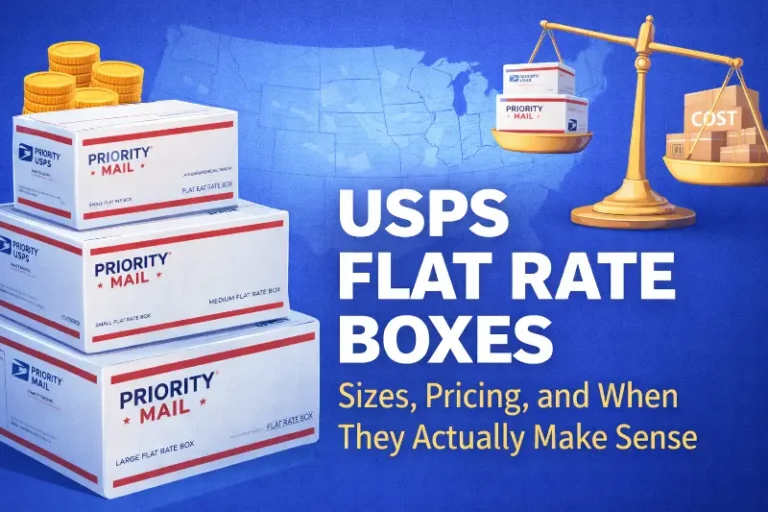
USPS Tracking Explained: What Each Status Means and How Sellers Should Respond
The “if it fits, it ships” model offers compelling economics for heavy items traveling cross-country, but costs Shopify brands up to 175% more than alternatives for lig...
Amazon AWD: Benefits and Disadvantages of the Warehousing and Distribution Bulk Storage Solution
If you’re an Amazon seller using FBA, you’ve probably experienced the stress of storage limits, seasonal fee spikes, or juggling inventory across warehouses. Amazon heard those pain points and introduced a relatively new program called Amazon Warehousing & Distribution (AWD). AWD functions as both a distribution service and a distribution program, streamlining inventory storage, automatic replenishment, and multichannel distribution for sellers by leveraging Amazon’s extensive logistics network. It’s essentially Amazon saying, “Hey seller, let us store your extra stuff cheaply and we’ll feed it into FBA (or even ship it elsewhere) whenever you need.” In theory, it sounds like a dream: low-cost bulk storage with Amazon’s logistics muscle behind it, and many sellers are super excited about the potential of AWD to solve long-standing inventory challenges. But is Amazon’s warehouse-and-distribute service all sunshine and rainbows? As with any solution, there are pros and cons to weigh. Let’s break down exactly what AWD is and the key benefits and disadvantages of using it for your ecommerce business.
What is Amazon AWD?
Amazon Warehousing & Distribution (AWD) is a service Amazon launched to provide low-cost bulk storage and inventory distribution for sellers. Think of it as a stage before FBA. You send a large chunk of inventory to Amazon’s AWD storage facilities (which are more like traditional warehouses, optimized for cost-efficient storage). Sellers send inventory to AWD using their preferred shipping method, such as box loads or palletized loads, and the choice of shipping method can impact transportation fees, which are calculated based on specific parameters. For AWD inbound, sellers can use Amazon Global Logistics or the Partnered Carrier Program to facilitate inbound shipments, often benefiting from cost savings and logistics support. From there, Amazon can automatically replenish your stock into various FBA fulfillment centers as needed, or even fulfill orders for other channels. Using Amazon’s partnered carriers can provide integrated rates and additional cost savings for transportation. In Amazon’s own words, “Amazon Warehousing and Distribution (AWD) is a low-cost bulk storage solution that distributes your inventory to the Amazon store and non-Amazon sales channels.” AWD is fully integrated with FBA; in fact, AWD covers your FBA inbound shipping as part of its service, essentially acting as a backstop to keep your FBA inventory in stock. Amazon’s managed service also offers discounted transportation rates and auto-replenishment, simplifying supply chain operations for sellers.
AWD is part of the broader Amazon fulfillment and Amazon fulfillment network, which streamlines storage, shipping, and inventory replenishment across multiple platforms. Inventory is stored at an Amazon fulfillment center, where Amazon personnel manage inventory storage, oversee warehouse operations, and provide real-time inventory data for sellers. Inventory may be distributed to multiple fulfillment centers, and AWD can split shipments across these centers to improve delivery speed and efficiency. When inventory is moved and replenished, master case handling supports efficient multi-channel distribution and reduces safety stock requirements. Inventory in AWD and FBA is stored differently, with each system optimized for its specific storage and management needs.
Slash Your Fulfillment Costs by Up to 30%
Cut shipping expenses by 30% and boost profit with Cahoot's AI-optimized fulfillment services and modern tech —no overheads and no humans required!
I'm Interested in Saving Time and MoneySo, instead of you renting a 3PL warehouse or stuffing your garage with extra product, Amazon will hold it for you at an AWD center for a monthly fee per cubic foot (which we’ll get into). Storage and transportation fees are calculated based on the cubic feet of inventory stored or moved, and are calculated based on factors like shipping distance, weight, and method. Inventory storage is a key component of AWD, offering low-cost, long-term storage and efficient distribution to various sales channels. When your FBA stock gets low, Amazon’s systems can auto-replenish from your AWD inventory, meaning they’ll move units from the bulk storage to active FBA fulfillment centers, so you (hopefully) never run out of stock on the digital shelf. The process of moving inventory from AWD to FBA involves creating an FBA shipment and following the associated steps for preparation and dispatch. And if you have inventory there and you make a sale on another platform (say your Shopify store), Amazon can ship it from AWD to the customer; this is part of the “distribution to non-Amazon channels” promise, supporting various distribution channels and enabling multi-channel distribution for sellers.
Managing AWD is done through your Seller Central account, where you can use the AWD page to enroll, create shipments, and oversee inventory. You can track shipments and track replenishments directly within Seller Central, ensuring smooth inventory flow and order status updates.
In short, AWD is Amazon acting as your warehouse and distribution hub, not just a fulfillment center for each individual order. It’s like creating a two-tier inventory system: Tier 1 is AWD for cheap long-term storage, Tier 2 is FBA for fast order fulfillment.
With the definition out of the way, let’s dive into the benefits of Amazon AWD, followed by the disadvantages or limitations to consider.
Benefits of Using Amazon AWD
1. Lower Storage Costs (Especially for Long-Term): Storage fees in AWD are significantly cheaper than standard FBA storage fees. Amazon advertises simple pay-as-you-go pricing around $0.42–$0.48 per cubic foot per month for base storage. AWD cost is structured with two tiers: a base rate applies if you provide your own shipping, while integrated rates are available when using Amazon’s partnered carriers like AGL or PCP. That’s roughly half or even a third of what FBA might charge during peak season (Q4 FBA storage for standard items can be $2.40 per cubic foot/month!). Plus, there are no additional costs or hidden fees beyond the basic charges for inventory storage and shipping. No seasonal surcharges; AWD’s rate is steady year-round, and there are no extra fees during the holiday season, unlike some other services. For sellers, this means you can stock up on inventory (for example, buying in bulk or manufacturing larger batches for cost savings) and park the excess in AWD without hemorrhaging money in storage fees. It’s designed for bulk, long-term storage, so it’s ideal if you have, say, six months of inventory but only two months can comfortably sit in FBA before incurring long-term fees. With AWD, you reduce those dreaded aged inventory surcharges because you won’t leave items in FBA for 12+ months, and you keep the overstock in AWD until needed.
2. Automatic FBA Replenishment (Never Go Out of Stock): Perhaps the biggest operational perk is auto-replenishment. Amazon uses a data model to monitor your FBA inventory levels and will proactively transfer stock from AWD into FBA fulfillment centers to meet demand. Even during busy seasons, they claim that inventory in AWD is considered “in stock” and buyable, because they’ll make sure it flows into FBA as needed. This is huge for avoiding stockouts. If you’ve ever had Amazon limit your FBA restock quantities, you know the pain of inventory capped during a surge in sales. With AWD, anything sitting in their bulk storage doesn’t count against your FBA storage limits. They can drip-feed it in as you sell through, effectively giving you elasticity in inventory. Think of AWD as a buffer; you keep selling, Amazon keeps your Prime-ready stock topped up from the reserve. No frantic monitoring of FBA stock and emergency shipments; it’s more “set it and let Amazon manage it” for replenishment. This can also potentially allow you to take advantage of manufacturing economies (producing larger quantities less frequently) without risking long out-of-stock gaps.
3. Simplified Inbound Logistics (Amazon Handles Distribution): When you send a shipment to AWD, Amazon will handle distributing that inventory to various fulfillment centers when the time comes. That means you might avoid the hassle of creating multiple FBA inbound shipments to different FCs or paying extra for Amazon’s Inventory Placement Service. AWD pricing includes FBA inbound placement, so you send it all to one AWD warehouse, and Amazon moves it internally to where it needs to go for fulfillment. This can save on transportation costs and complexity. Amazon likely uses its network of trucks, and possibly its partnered carriers at negotiated rates, to shuttle goods around. For sellers, that’s less micromanagement. It also could mean if you have a product that will eventually need to be in, say, East Coast and West Coast fulfillment centers, you can just send a big pallet to one place (perhaps closer to your supplier or port to minimize your freight cost) and Amazon will later distribute to multiple centers. It’s a more streamlined operation for you.
4. Multi-Channel Fulfillment from One Pool: Because Amazon AWD can also serve non-Amazon channels, you don’t have to split inventory for different sales platforms. For example, without AWD, you might keep some stock in FBA for Amazon sales and other stock in a 3PL or your own warehouse for, say, your website orders or Walmart Marketplace. With AWD, you could, in theory, put all inventory in Amazon’s warehouse and fulfill all orders from there. Amazon explicitly says you can “expand to non-Amazon sales channels quickly and easily” using AWD. So, if you get an order on Shopify, Amazon can pick, pack, and ship it from your AWD inventory to that customer (via their Multi-Channel Fulfillment service). You get a single inventory pool, which reduces the need for “safety stock” in multiple locations. Less safety stock means less total inventory holding, which means less capital tied up, another financial benefit.
5. Fully Integrated with Amazon Systems: Managing AWD is done through Seller Central, like other FBA inventory. This means your inventory tracking, shipments, and reporting are all in one place. There’s no new software to learn. It’s designed to be an extension of FBA, so it’s fairly plug-and-play if you’re already FBA savvy. Also, since Amazon handles it, you trust their expertise: inventory is stored in Amazon’s own distribution centers, presumably with good security and handling. Some sellers also feel more comfortable having Amazon in charge end-to-end (fewer third-party dependencies). Additionally, Amazon offers some nice perks like no long-term storage fees in AWD (as of now) and the ability to remove or dispose of inventory from AWD if needed (should you decide to recall stock or whatever, though removal fees would apply). Essentially, AWD is Amazon becoming your 3PL, but with deeper ties into FBA than any external 3PL could have.
Those are some pretty compelling benefits: cost savings, smoother operations, and potentially sales growth from always being in stock and reaching more channels. But nothing comes without trade-offs. Let’s examine the flip side.
Looking for a New 3PL? Start with this Free RFP Template
Cut weeks off your selection process. Avoid pitfalls. Get the only 3PL RFP checklist built for ecommerce brands, absolutely free.
Get My Free 3PL RFPDisadvantages and Limitations of Amazon AWD
1. Additional Fees and Fulfillment Costs: While storage is cheap, AWD isn’t completely free of costs. You pay handling fees, for example, there’s an inbound processing fee and an outbound processing fee per box or pallet, and a transportation fee per cubic foot to move inventory around. These are not exorbitant, but they add up. Moreover, when Amazon fulfills an order from AWD (say, an off-Amazon order), the per-unit fulfillment fee is exorbitantly higher than FBA’s fee for the same order. Why? FBA’s fulfillment fee is optimized for when inventory is already in the fulfillment center, ready to ship. If something is sitting in AWD and needs to go straight to a customer, Amazon might treat it differently and you might end up paying the multi-channel fulfillment (MCF) fee, which can eat into margins, especially on low-cost products. In essence, you save on storage but could pay more when it comes time to ship units out to customers from non-Amazon channels. For Amazon marketplace orders, inventory ideally will be transferred to FBA first (where normal FBA fees apply). But if that transfer doesn’t keep up perfectly and Amazon ever directly fulfills from AWD stock, it might cost more. So, sellers need to analyze the total cost: storage + inbound/outbound + transport + eventual fulfillment = is it still a win vs. storing myself or using a 3PL?
2. Less Control and Flexibility: When you hand over a large chunk of inventory to Amazon’s AWD, you’re essentially putting your goods completely in Amazon’s hands even before they’re needed for FBA. This comes with some risk. If Amazon has an error, damage, or loss in the AWD warehouse, you’d expect reimbursement (like FBA), but it’s another potential point of issue. More importantly, if something goes wrong with your Amazon selling account (suspension, etc.), your inventory is deep in Amazon’s system. While you can create removal orders from FBA normally, note that you cannot move inventory from FBA back into AWD, and vice versa; you’d have to remove to yourself, then to AWD if you wanted to reposition. Amazon even states that AWD facilities store items differently (bulk) and are not individually accessible like FBA. So, flexibility is reduced. If you suddenly need inventory back (say you want to send to a physical store or switch 3PLs), pulling from AWD might be slower or more cumbersome than from your own storage. There could also be processing lags, e.g., how fast do they check in shipments to AWD? If it’s anything like FBA, you can expect delays. And how quickly do they move stock from AWD to FBA when signaled? It should be smooth, but you’re on Amazon’s schedule. Essentially, you sacrifice direct control over your inventory’s movement.
3. Product Eligibility Constraints: As of now, AWD only accepts standard-size products, not oversized items. If you sell large or heavy products (like furniture, large appliances, etc.), AWD might not be available for those. This immediately limits who can benefit. Also, certain categories might be excluded or limited (for example, I suspect dangerous goods/hazmat items are not allowed in AWD, similar to how many 3PLs or Amazon’s own policies work). If you have items that require special storage conditions (climate control, etc.), Amazon might not support that either. So some sellers will find they can’t put all their catalog into AWD even if they wanted to. You’d have to maintain your own storage for those exceptions, which complicates your logistics if you hoped to consolidate everything with Amazon. Additionally, Amazon is still expanding this program; it might not have warehouses in every country you sell in. Initially, I recall AWD was focused on the US. If you sell in the EU or other regions, a similar service might not exist yet, or you’d have to use separate regional AWD programs. So it’s not a universal solution globally at this time.
4. Limited Value-Added Services (Prep, Kitting, etc.): Traditional 3PLs often offer services like labeling, poly bagging, kitting bundles, quality inspections, and so on. AWD, however, doesn’t offer as many additional services as FBA or a typical 3PL. For instance, if your products arrive needing FNSKU labels or other prep, Amazon expects those to be done beforehand (just like sending to FBA, you must prep according to their requirements). They won’t, for example, kit two SKUs into a bundle for you at AWD or do custom packaging inserts. FBA at least has some prep services (for a fee) like labeling or polybagging; AWD does not have any such option. So, AWD is fairly bare-bones: storage and moving boxes. If your supply chain relied on a warehouse doing last-minute assembly or swaps, you can’t do that in Amazon’s bulk storage. AWD also does not provide customer service; its focus is strictly on storage and distribution, not on handling consumer interactions or support. So, sellers with more complex needs might still need a 3PL for those services, diminishing the benefit of AWD.
5. Potential Delays in Fulfillment vs. Direct FBA: While auto-replenishment is great, there’s a question: what if you get a sudden spike in sales? Can Amazon move stock from AWD to FBA fast enough to not miss sales? They claim inventory in AWD is considered in stock when auto-replenish is on. It suggests Amazon might actually allow the item to be purchased even if only in AWD, and then they’ll transfer it and ship it. If that’s the case, maybe no delay (customer wouldn’t know). But if they don’t do that, a spike could mean you sell out at FBA, and while waiting for AWD transfer, you’re effectively out of stock for Prime sales for a day or two. Also, removing stock from AWD to send elsewhere isn’t instantaneous. If you suddenly have a wholesale order and need 1000 units back, a removal order from AWD might take some time to process and ship back to you, to then forward on to the buyer.
6. Commitment and Forecasting: Using AWD requires you to decide to send a larger chunk of inventory in. If you mis-forecast and send way too much of a dud product, now it’s sitting in Amazon’s warehouse, incurring storage fees (albeit low ones, but still). With FBA alone, you might have sent in less and could keep the bulk at your place for free (or for cheaper storage if you have space). So if a product doesn’t sell as expected, AWD could become a semi-long-term holding cost. Granted, it’s cheaper than FBA long-term fees, but it’s something to monitor. You don’t want AWD to become a dumping ground for bad inventory just because storage is cheap; that can still add up and hurt profits. Eventually, Amazon could also implement its own version of long-term fees if people abuse it as an indefinite storage solution. Right now, no additional holiday fees are great, but note: they have announced some fee changes for 2025 and beyond (rumor has it base rates might increase or they’ll push “smart storage” contracts). For instance, sources mention that as of late 2025, Amazon plans to raise AWD storage fees somewhat (perhaps to encourage faster turn or to cover costs). So keep an eye on Amazon announcements, the economics of AWD might shift over time as Amazon fine-tunes the service and pricing.
7. “All Eggs in One Basket” Syndrome: This is more of a philosophical drawback. Relying on Amazon for yet another aspect of your business increases your dependency on them. If there’s an AWS outage (not unheard of) or a strike or restriction at Amazon warehouses, both your FBA and AWD inventory could be affected. Some sellers prefer a diversified approach: maybe Amazon handles FBA, but they keep some stock in a separate warehouse to sell on other channels or as a backup. By moving all inventory to Amazon-run facilities, you trust their uptime and policies entirely. For instance, if Amazon suddenly changes a policy about what can be stored or raises fees unexpectedly, you have to scramble. With your own or third-party storage, you might have a bit more flexibility to pivot. It’s something to consider, although Amazon generally is reliable, any single point of failure in the supply chain can be a business risk.
AWD vs. Other Solutions: Compared to Amazon FBA, AWD is designed primarily for bulk storage and inventory distribution, not for direct order fulfillment or value-added services. Amazon FBA, on the other hand, handles the entire fulfillment process, including picking, packing, shipping, and even some customer service for orders. AWD does not provide customer service or direct fulfillment to customers; it is best used as a storage and distribution hub to support FBA or other channels. This distinction is important for sellers evaluating which solution best fits their needs.
Scale Faster with the World’s First Peer-to-Peer Fulfillment Network
Tap into a nationwide network of high-performance partner warehouses — expand capacity, cut shipping costs, and reach customers 1–2 days faster.
Explore Fulfillment NetworkHow Cahoot Solves Amazon AWD’s Limitations
While Amazon Warehousing and Distribution (AWD) offers clear advantages for sellers deeply embedded in the FBA ecosystem, its limitations are real, especially when it comes to multi-channel flexibility, visibility, and cost control. That’s where Cahoot comes in.
Cahoot’s peer-to-peer fulfillment network gives merchants more control over inventory placement without being locked into one fulfillment model. Unlike AWD, where you may not know where your inventory will land (or how it’s handled), Cahoot provides predictable warehouse-level transparency and tools to strategically distribute inventory based on demand signals across all your channels, not just Amazon.
Cahoot is also designed for multi-channel commerce from day one. Whether you’re selling on Shopify, Walmart, eBay, or your own DTC site, Cahoot routes orders intelligently, provides unified inventory visibility, and helps you scale with less complexity. No more separating inventory pools or manually uploading replenishment shipments just to stay compliant.
And when it comes to fees and cost control, Cahoot eliminates the “black box” pricing surprises many sellers face with AWD’s long-term storage and handling charges. With Cahoot, pricing is transparent, fulfillment is fast, and returns are built right in, all on a single connected platform that grows with your business, not just with Amazon.
AWD may be a step forward in bulk storage convenience, but for agile, brand-first sellers looking to scale smarter, Cahoot fills in the gaps, and then some.
Final Thoughts
In summary, Amazon AWD offers a lot of benefits for FBA sellers: cost-effective storage, automated replenishment, and simplified multi-channel logistics. It essentially extends Amazon’s fulfillment network to cover the upstream warehousing piece. This can help you scale, keep products in stock, and possibly save money versus using only FBA or outside warehouses. However, it’s not without disadvantages: you’ll pay some fees and higher fulfillment costs here and there, you give up a measure of control, and it may not accommodate every product or service need.
It’s also not all-or-nothing. You could use AWD for some SKUs or some portion of inventory and not for others. For example, maybe use AWD for your fast-moving ASINs where you constantly need a pipeline of stock into FBA, but for slower sellers or oversized items, you keep those in your own storage or a 3PL warehouse.
One thing is clear: Amazon is pushing towards being a one-stop logistics provider for sellers. From the manufacturing plant (with Amazon Global Logistics and Amazon’s partnered carrier program) all the way to the customer’s doorstep, they want to handle everything. Amazon Global Logistics can bring your containers from China, AWD stores your pallets, then FBA delivers to customers, and even handles customer service. It’s an attractive proposition if the numbers make sense. Many sellers will find it efficient, while others might worry about being too entangled with Amazon.
As with any strategy, consider a trial. Maybe send a small batch to AWD and see how it goes, measure the costs over a few months vs. your current solution. See if stock flow is smooth and if your total cost per unit sold improves. Also, monitor how AWD inventory appears in your dashboard and reporting, so you understand the mechanics.
At Cahoot, we’re all about smart fulfillment strategies (our whole model is about collaborative fulfillment to lower costs and increase speed). We understand the importance of getting products to the right place at the right time affordably. Amazon’s AWD is one intriguing approach to that problem for Amazon-centric businesses. It might not fit everyone, but it’s something FBA sellers should examine as part of their operational toolbox.
In the end, the benefits of Amazon AWD, cheaper bulk storage, seamless replenishment, and multi-channel reach, can be a strong proposition if your business aligns with it. Just go in with eyes open about the limitations, such as product eligibility and the costs of handing Amazon even more control. If used wisely, AWD could help you scale your ecommerce business more efficiently, keep those Prime customers happy with in-stock items, and maybe save a nice chunk of change on storage and logistics. And if it’s not for you, there are always alternatives like traditional 3PLs or networks like Cahoot to achieve similar goals. The key is to ensure your inventory management and distribution strategy support your sales ambitions without draining profit. AWD is one more potential tool in that quest.
Frequently Asked Questions
What is Amazon AWD?
It’s Amazon’s bulk storage and distribution network for FBA inventory.
How does AWD lower costs?
By offering cheaper long-term storage separate from standard FBA centers.
What’s the downside of AWD?
Less control over inventory visibility and slower replenishment speed.
Is AWD good for fast-moving products?
Not really, it’s better for bulk or seasonal stock that doesn’t need quick turnover.
Can AWD help with Q4 and holiday spikes?
Yes, by pre-staging inventory in cheaper bulk facilities ahead of the rush.
Written By:
Jeremy Stewart
Jeremy Stewart leads customer success at Cahoot, helping merchants achieve high-performance logistics through smart technology and process optimization. With a background in both ecommerce operations and client services, Jeremy ensures that every merchant using Cahoot gets measurable results—whether they’re scaling from one warehouse to many or managing complex returns.
Turn Returns Into New Revenue
Related Articles
HTS Code Explained: What It Is, Why It Matters, and How Ecommerce Brands Use It
Cost of Goods Sold (COGS) represents the direct costs attributable to producing the goods a company sells during an accounting period.
Shipping Labels Explained: What They Include, How They Work, and Common Mistakes
Shipping labels are the operational backbone of ecommerce fulfillment, a small piece of paper that determines whether packages reach customers successfully or trigger costly failur...
USPS Click-N-Ship Explained: How It Works, Costs, and When Sellers Should Use It
USPS Click-N-Ship is the postal service’s free online label-printing tool, and for most Shopify sellers shipping more than 50 packages monthly, it’s already time to move beyond it....
Amazon Vine Reviews Are Now Allowed Pre-Launch (July 2025 Update)

In this article
15 minutes
- What Is Amazon Vine (and How Did It Work Before 2025)?
- What Changed in July 2025? (Pre-Launch Reviews are Live!)
- A Boost for Conversion and Ranking
- Who Can Use Vine Now? (It’s Not Just Brand Owners Anymore)
- How Does Pre-Launch Vine Compare to the Past?
- Tips for Sellers: Making the Most of Vine’s New Powers
- Final Thoughts
- Frequently Asked Questions
Imagine launching a brand-new product on Amazon, and on day one, it already has a full page of glowing reviews. Sounds almost too good to be true, right? Well, Amazon just flipped the script for sellers. As of July 1, 2025, the Amazon Vine program got a major upgrade. Vine Voices (Amazon’s invite-only community of top reviewers) can now post product reviews before your listing even goes live. In other words, eligible products can launch with up to 30 real Amazon customer reviews on day one, and these reviews are immediately visible to Amazon customers, giving shoppers instant insight and confidence. This is a huge deal for Amazon sellers looking for an early boost in conversion, ranking, and customer trust.
What Is Amazon Vine (and How Did It Work Before 2025)?
For those not familiar, Amazon Vine is a program where a select group of trusted reviewers, called Vine Voices, receive free products from Amazon sellers or brands in exchange for writing honest, unbiased, and insightful reviews. These Vine members are not paid (aside from the free item) and are chosen based on their reviewer rank and past helpful votes from the Amazon community. Reviewers are invited to join the Vine program based on their review activity and reputation. Once invited, reviewers must accept the invitation to participate in the Vine program. Consistently buying things on Amazon and leaving detailed reviews can increase a customer’s chances of being noticed and eventually invited to the Vine program. The goal is to generate high-quality reviews that help other customers make informed buying decisions. Vine has been around for quite a few years (since the late 2000s), originally as an invite-only club for top reviewers.
In the past, Amazon Vine was available only to 1P vendors, but in recent years, Brand Registered 3P sellers have also been allowed to participate through Seller Central, provided their listings met Amazon’s criteria. But it wasn’t cheap; Amazon used to charge a hefty fee (around $200 per ASIN for many sellers) to participate. You’d create a new listing, enroll it in Vine, and then wait. Vine reviewers would claim the product, get it shipped for free, and then post a review after trying it out. However, those reviews would only appear post-launch (once your listing was live and the Vine member submitted their feedback). This meant new products often spent days or weeks with zero reviews until Vine Voices or early buyers chimed in. Sellers often had to hold off on big marketing pushes (like PPC ads) because a product with no reviews is a tough sell; most shoppers won’t even consider a product if nobody’s vouching for it. In fact, one analysis found that displaying at least five reviews can increase conversion rates by up to 270%, which shows how critical initial reviews are for buyer confidence.
Slash Your Fulfillment Costs by Up to 30%
Cut shipping expenses by 30% and boost profit with Cahoot's AI-optimized fulfillment services and modern tech —no overheads and no humans required!
I'm Interested in Saving Time and MoneyWhat Changed in July 2025? (Pre-Launch Reviews are Live!)
The big news is that Amazon now allows Vine reviews to be posted before a product’s public launch. This means you can have a full roster of reviews ready to go the moment customers first see your listing. Here’s how it works in practice:
- You create your Amazon listing but keep it in a “not yet live” state.
- Enroll that ASIN into the Amazon Vine program through Seller Central (it must be an FBA item in new condition, with fewer than 30 existing reviews, and you need to have a Professional seller account with Brand Registry).
- Specify the quantity of units (typically up to 30) you want to make available for review, and provide products to Vine reviewers by sending these units for them to test.
- Vine reviewers request your product, receive the free product shipment, and start testing it out immediately.
- These Vine members can then write their reviews before the product is available to the general public. Amazon holds those reviews in a queue.
- When you’re ready, you “flip the switch” to make the listing live for sale, and bam! All the Vine reviews that were written pre-launch become visible on your product page from day one.
Pretty cool, right? It’s essentially seeding your new product with social proof right out of the gate. Previously, reviews had to be gathered after launch, which delayed that crucial social proof and made launching a new ASIN feel like pushing a boulder uphill. Now, with Vine pre-launch reviews, Amazon sellers can start with momentum. By providing products and specifying the quantity for Vine, you can receive reviews from Vine members before your product is available to the general public. Imagine launching with 25 – 30 reviews that are labeled as “Vine Voice,” customers immediately see that real people have tried the product and shared their thoughts. This can only help conversions. Amazon itself touts that using Vine can boost sales by up to 30% for new launches (and that stat might climb higher now that the reviews can appear sooner).
A Boost for Conversion and Ranking
From a conversion optimization standpoint, this change is gold. Early reviews mean higher conversion rates because shoppers feel more confident. Instead of being the dreaded “zero-review” product that people skip over, your item has a healthy chunk of feedback. Social proof drives behavior; a shopper is far more likely to buy something that already has, say, 25 reviews and a 4.5-star rating versus a blank slate. There’s even evidence that just having a handful of reviews dramatically increases the likelihood of purchase (remember that five reviews = +270% conversion stat). Now you can potentially have those five (or twenty-five) reviews immediately. Early Vine reviews can also highlight key features, answer questions, and add photos or videos. Many Vine Voices write very detailed reviews, sometimes even uploading unboxing pics or demo videos, which can enrich your product page content. Vine reviewers often post their feedback within a week of receiving the product, helping to build early momentum for your launch. All of this not only convinces customers but also feeds Amazon’s algorithm, products with more engagement (reviews, Q&A, etc.) tend to get a boost in search ranking. It’s like jumping to level 5 while your competitors are starting at level 1.
However, there’s a flip side: Vine reviews are unbiased and not guaranteed to be positive. Vine members are asked to give honest opinions. If your product has flaws or doesn’t meet expectations, Vine Voices will call it out. This is risky if you rush a product that isn’t ready for prime time. The last thing you want is 10 bad reviews at launch because that can tank conversion just as fast. Even a single negative review from a Vine reviewer can significantly impact a seller’s life and business trajectory, affecting both reputation and future sales. So, while it’s tempting to enroll every new item in Vine, smart sellers will make sure the product is solid and the listing details are accurate to set reviewers’ expectations correctly. The Amazon Vine program isn’t about churning out good reviews; it’s about getting accurate and insightful reviews quickly. The hope is they’re positive, but they’ll be honest above all. In our experience, Vine Voices often provide balanced feedback, usually positive if the product delivers value, with constructive criticism if not. They have no reason to “spam” or slant things because their Vine status can be revoked if they abuse the program. (Remember, Vine members are selected by Amazon and want to maintain a good standing. Their reviews are marked with a special badge, and other customers can vote if the review was helpful, so Vine reviewers strive to be fair and thorough, not to mention they’ve been doing this for years. As a trusted source, feedback from Vine reviewers can shape a product’s reputation and influence its success.)
Looking for a New 3PL? Start with this Free RFP Template
Cut weeks off your selection process. Avoid pitfalls. Get the only 3PL RFP checklist built for ecommerce brands, absolutely free.
Get My Free 3PL RFPWho Can Use Vine Now? (It’s Not Just Brand Owners Anymore)
Another notable change is who’s eligible to enroll products in Vine. Historically, only brand owners (sellers with their brand in the Amazon Brand Registry) or vendors could use Vine. But Amazon has quietly expanded access. Now, authorized resellers can also participate in Vine for a brand’s products if they meet certain criteria. Essentially, if you’re a reseller who has been added as an official Brand Representative or Reseller on a brand’s Amazon account (via Brand Registry), and you have a Pro seller account with FBA, you can enroll that brand’s ASINs into Vine. Selling on Amazon is now more accessible for resellers who want to leverage Vine reviews to promote and gather feedback on their products.
This is a pretty big shift. It means brands can partner with their key third-party sellers to share the cost and effort of generating reviews. For example, if you distribute your product to a few authorized sellers, those sellers could volunteer to enroll new ASINs in Vine (spending their resources to give away units) to help kickstart sales for both of you. Amazon’s essentially saying, “We’ll allow more players to help get authentic reviews on new products.” The reviews still attach to the product (ASIN), not to any one seller, so it benefits the whole listing. From a brand perspective, that’s great—less pressure for you to do all the work for every new launch. From the reseller perspective, it’s a way to add value and potentially secure more buy box time if you help a product succeed (plus you’ll likely coordinate with the brand on this). The Amazon site serves as the central platform for coordinating these reviews and selling activities. It’s a win-win as long as everyone’s aligned.
How Does Pre-Launch Vine Compare to the Past?
Let’s put this into perspective. Previously, launching a new product meant you either crossed your fingers for organic reviews (slow and painful), or you enrolled in Vine and waited a few weeks post-launch to accumulate maybe 5 – 20 Vine reviews, or perhaps you used other programs (like Amazon’s Early Reviewer Program, which was discontinued in 2021). It always felt like a race to get that first review. Many sellers felt stuck because a product with zero reviews rarely gets purchased, but to get reviews, you need purchases—a classic chicken-and-egg problem. Vine was one solution, but it wasn’t instant.
Now, Amazon has essentially removed that lag. You can start day one with social proof in place. That’s a huge competitive advantage. It’s almost like having a built-in base of customer testimonials at launch. This drastically changes launch strategies. Sellers can confidently run ads immediately, knowing they have some review credibility. You can drive external traffic without fear that shoppers will bounce when they see “No reviews yet.” It’s also a confidence booster for the seller; launching is less scary when you’re not starting from zero.
From the buyer’s side, shoppers might not even realize the reviews were pre-launch Vine reviews; they’ll just see that green Vine Voice tag and presumably think, “Oh, someone in the Amazon community reviewed this.” Many savvy buyers know the Vine badge means the reviewer got the item for free, but they also recognize that Vine reviews tend to be detailed and genuine, not the one-liner spam reviews you sometimes see. Over the years, Amazon Vine reviews have a reputation for being thorough (often lengthy, with pros and cons listed). Many Vine Voices wrote detailed feedback that contributed to the program’s credibility. Still, some shoppers may wonder about the authenticity of reviews, especially with the prevalence of fake reviews. Amazon has sometimes been unable to fully prevent fake or biased reviews, which is why programs like Vine are important. In theory, that quality should remain high because Amazon still controls who gets to be a Vine Voice.
Scale Faster with the World’s First Peer-to-Peer Fulfillment Network
Tap into a nationwide network of high-performance partner warehouses — expand capacity, cut shipping costs, and reach customers 1–2 days faster.
Explore Fulfillment NetworkTips for Sellers: Making the Most of Vine’s New Powers
If you’re planning to use Vine’s new pre-launch feature, here are a few tips and insights:
- Ensure your product is ready: Don’t treat Vine as a magic bullet for a mediocre product. Vine reviewers will call out issues. You want those first 20 – 30 reviews to be overwhelmingly positive, if possible. Make sure you’ve tested your product, your quality control is on point, and your listing description is accurate (so Vine members aren’t surprised by anything). Using high-quality materials is crucial to avoid negative feedback and ensure durability, which can lead to better reviews and customer satisfaction. The Vine community has been around a long time; they’ve seen it all, and they will notice if something’s off.
- Time your Vine enrollment strategically: Ideally, you want Vine reviews to come in right around your target launch date. Vine reviewers typically post within a couple of weeks of receiving the product (some are quicker). It might make sense to enroll in Vine and ship units maybe 2 – 4 weeks before your intended “go live” date. That way, by the time you make the product available for sale, a chunk of Vine reviews are already written (or will be written soon). You can technically launch as soon as one Vine review is in (even one review is better than zero, sometimes one review can make the difference for that first shopper). But waiting until you have, say, 10+ reviews ready could make a stronger splash.
- Leverage the momentum: Once you launch with Vine reviews, capitalize on it. Ramp up your advertising (since now your ads show a product with a star rating), consider promotions, and monitor your conversion rate. You might find you can charge a premium price if those early reviews are stellar, because the value of social proof is significant. Also, those first reviews can reveal any common questions or minor cons that you can address quickly (either by updating your listing copy or in a future product iteration).
- Stay within Amazon’s rules: Vine is Amazon-sanctioned, but that means you need to stick to the program guidelines. Don’t try to influence Vine reviewers (no reaching out to them to beg for a 5-star rating, a big no-no). Also, you have to eat the cost of those free units and the Vine enrollment fee (if any). The good news is Amazon has made Vine more accessible cost-wise, as of 2025, new Brand Registry sellers get a $200 Vine credit and can enroll up to 2 products for free. Additional enrollments might cost a nominal fee (much less than $200 in many cases). Always check the latest Vine fee structure in Seller Central.
- Monitor the outcomes: Keep an eye on how those Vine reviews perform. Are they getting “helpful” upvotes from other customers? A review with many helpful votes will rise to the top of your review section, becoming the de facto first impression. Vine Voices often write “insightful reviews” that others mark as helpful, which is great. If a Vine review highlights a product improvement, consider commenting on it or actually making that improvement. Showing that you’re attentive to feedback can turn a potentially negative point into a positive for future customers reading the reviews. Be prepared to handle refund requests if Vine reviews reveal significant product issues, as managing refunds promptly can help maintain your seller reputation. If you encounter problematic or inappropriate reviews, remember you can report them to Amazon for review and possible removal.
Final Thoughts
In summary, Amazon’s new Vine update is a game-changer for launching products. It levels the playing field a bit between new entrants and established products. Now, even a brand-new ASIN can look seasoned from day one. It’s not an exaggeration to say this could be one of the most impactful changes to Amazon’s review ecosystem in years. We’re pretty excited about it (as you can probably tell). It aligns with Amazon’s push to help trusted brands and sellers hit the ground running, while still providing accurate and insightful reviews for customers.
As ecommerce operators, we live and die by reviews and customer trust. Seeing Amazon allow pre-launch reviews is like getting a head start in a marathon. You still have to run a good race (i.e., have a good product, good marketing, and all that), but at least you’re not starting 50 yards behind the line with a blindfold on. Take advantage of this if you can. And if you need help strategizing your launch or managing the logistics (after all, once those orders roll in, you’ve got to fulfill them seamlessly, that’s where Cahoot can help on the fulfillment side), don’t hesitate to reach out to experts or partner services.
Happy launching, and may your new products rack up Vine reviews and sales in record time!
Frequently Asked Questions
What’s changed with Amazon Vine in July 2025?
Sellers can now get Vine reviews before a product goes live, giving listings a major head start.
How many reviews can you get before launch?
Up to 30 Vine reviews can be posted pre-launch.
Why do pre-launch reviews matter?
They improve conversion rates, boost search rankings, and create early trust.
Do Vine reviews cost money?
Sellers provide the product for free, but Amazon charges a submission fee per ASIN.
Is Vine worth it for new products?
Yes, especially for higher-priced or competitive items where early momentum is crucial.
Written By:
Jeremy Stewart
Jeremy Stewart leads customer success at Cahoot, helping merchants achieve high-performance logistics through smart technology and process optimization. With a background in both ecommerce operations and client services, Jeremy ensures that every merchant using Cahoot gets measurable results—whether they’re scaling from one warehouse to many or managing complex returns.
Turn Returns Into New Revenue
Related Articles
HTS Code Explained: What It Is, Why It Matters, and How Ecommerce Brands Use It
Cost of Goods Sold (COGS) represents the direct costs attributable to producing the goods a company sells during an accounting period.
Shipping Labels Explained: What They Include, How They Work, and Common Mistakes
Shipping labels are the operational backbone of ecommerce fulfillment, a small piece of paper that determines whether packages reach customers successfully or trigger costly failur...
USPS Click-N-Ship Explained: How It Works, Costs, and When Sellers Should Use It
USPS Click-N-Ship is the postal service’s free online label-printing tool, and for most Shopify sellers shipping more than 50 packages monthly, it’s already time to move beyond it....