
Shipping Labels Explained: What They Include, How They Work, and Common Mistakes
In this article
 22 minutes
- What shipping labels are and why they matter legally
- Essential components every shipping label must contain
- How carrier sorting systems process label data
- Printing shipping labels: methods and tips for accuracy
- Buying and managing shipping labels efficiently
- Label customization and templates for branding and compliance
- Environmental considerations for shipping labels
- Common shipping label mistakes that cost merchants money
- How outbound labels differ from return labels
- Best practices for preventing label-related issues
- Frequently Asked Questions
Shipping labels are the operational backbone of ecommerce fulfillment, a small piece of paper that determines whether packages reach customers successfully or trigger costly failures. For Shopify brands processing thousands of orders, label errors translate directly into surcharges of $13-$331 per package, delivery delays affecting 70% of customer retention, and annual losses that can reach six figures. In the e-commerce sector, bulk shipping is common and operational efficiency is crucial to save time and reduce costs. Efficiently creating a shipping label—and related documents like the packing slip—is essential for e-commerce businesses to streamline fulfillment. This guide provides the comprehensive technical knowledge and operational best practices needed to optimize label management across the entire shipping lifecycle.
Most businesses can print shipping labels using regular office printers, but thermal printers are recommended for high-volume shipping to improve efficiency and save time.
The stakes are significant: 22% of delivery failures stem from address issues, carrier surcharges now account for 20-40% of parcel delivery spend, and the average cost to rectify a single shipping error runs $35-$70. Understanding how labels function, from barcode symbology to carrier sorting operations, empowers brands to prevent these costly mistakes before packages leave the warehouse.
What shipping labels are and why they matter legally
A shipping label is far more than a destination sticker. It’s a legally binding document that establishes the contractual relationship between shipper and carrier. When you create a label, you’re entering an agreement that obligates you to provide accurate shipping data (addresses, weight, dimensions) while the carrier commits to transporting the package according to the selected service level.
Shipping labels can be generated through carrier websites or third-party software, including services like Pirate Ship or Stamps.com. You can create shipping labels online or manually through your carrier’s online services, but using shipping software solutions can streamline the process.
The FTC’s Mail, Internet, or Telephone Order Merchandise Rule (16 CFR Part 435) governs the legal framework for ecommerce shipping. Sellers must have a reasonable basis to ship within the stated timeframe or within 30 days if no time is specified. Violations carry civil penalties exceeding $40,000 per occurrence, and recent enforcement has included settlements of $9.3 million. This rule applies regardless of whether you use third-party fulfillment. Merchants remain legally responsible for shipping compliance.
Shipping labels create a documented chain of custody through their tracking numbers. Each scan generates a timestamped location record, establishing an audit trail from pickup through delivery. This chain includes GPS tracking at pickup, identity verification at each transfer point, and proof of delivery with timestamps and signatures. For disputes and chargebacks, this documentation becomes critical evidence. Real-time tracking can prevent up to 60% of shipping-related chargebacks.
Labels encode the specific service agreement between shipper and carrier. The service type identifier embedded in USPS Intelligent Mail barcodes indicates mail class and requested services. UPS labels must include the proprietary MaxiCode, postal barcode, current routing code, service icon, and 1Z tracking number. FedEx requires distinct label layouts for Ground versus Express shipments. These elements aren’t optional decorations. They’re contractual terms the carrier uses to determine handling obligations.
Essential components every shipping label must contain
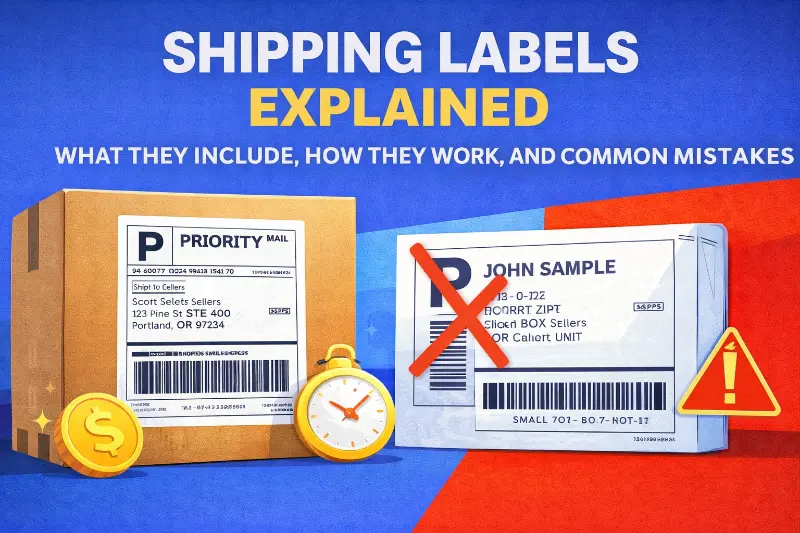
The industry standard 4×6 inch label packs remarkably dense information that enables automated sorting across carrier networks. A standard shipping label size is typically 4″ x 6″ for most carriers, but different carriers may have different size requirements. It is important to print shipping labels at their actual size to ensure barcode readability and compliance with carrier requirements. Understanding each element helps prevent the errors that trigger surcharges and delays.
USPS Publication 28 establishes the foundation for domestic address formatting across all carriers. The required three-line format includes recipient name, street address with secondary unit designator (APT, STE, UNIT), and city/state/ZIP. All uppercase letters are preferred for machine readability, and punctuation should be avoided except for the hyphen in ZIP+4 codes. Directionals like N, S, E, W are critical. Missing directionals frequently misdirect mail to the wrong delivery area.
The ZIP+4 code adds four digits specifying the sector and segment for more precise routing, while the 11-digit Delivery Point Code identifies the exact delivery location. A fully populated 11-digit routing code pushes packages deeper into automation earlier, shaving 1-2 days off average delivery times. Major carriers require delivery addresses in minimum 10-point font and return addresses in minimum 8-point font, using sans-serif typefaces like Arial or Helvetica.
Modern shipping labels incorporate multiple barcode types, each serving specific purposes in the carrier network. The USPS Intelligent Mail Package Barcode (IMpb) uses GS1-128 symbology and encodes the unique Package Identification Code required for commercial pricing. The newer Intelligent Mail Matrix Barcode (IMmb) adds 2D capability for improved scanning on irregular packages and polybags.
UPS uses the MaxiCode, a 2D matrix barcode approximately one inch square containing 884 hexagonal modules around a central bullseye finder pattern. Mode 2 handles domestic shipments with numeric ZIP codes, while Mode 3 processes international shipments with alphanumeric postal codes. The encoded data includes postal code, country code (840 for US), service class, tracking number, SCAC code, and package details.
FedEx labels incorporate PDF417 stacked barcodes for address and recipient data, alongside Code 128 linear barcodes for tracking numbers. The Code 128/GS1-128 format is the most common linear barcode across carriers, encoding all 128 ASCII characters with a modulus 103 weighted checksum for verification.
Each carrier uses distinct tracking number formats that enable automated parsing and verification. USPS uses 20-22 digits starting with 94/93/92/95 for domestic tracking, or 13-character S10/UPU format (e.g., EA 000000009 US) for international. UPS uses 18 characters starting with “1Z” followed by 6 alphanumeric shipper account digits, 2-digit service code, 7-digit package identifier, and check digit. FedEx uses 12-22 digits, all numeric without prefix letters.
The UPS service level codes embedded in positions 9-10 indicate the shipping method: 01 for Next Day Air, 02 for 2nd Day Air, 03 for Ground, 12 for 3 Day Select, and so forth. The service level on a shipping label indicates delivery speed, such as Express, Ground, or Priority Mail. Carriers allow users to choose shipping speed and service level based on cost, such as USPS Ground Advantage or UPS Ground.
Shipping labels must meet the size and formatting requirements of major carriers like USPS, UPS, and FedEx to ensure compatibility and smooth processing.
How carrier sorting systems process label data
Understanding carrier operations reveals why label quality matters so much. FedEx’s Memphis SuperHub processes 56,000-72,000 packages per hour using six-sided scanning tunnels that capture barcode information from all angles. UPS Worldport in Louisville handles 416,000 packages per hour through 546 camera tunnels across 155 miles of conveyors. At these speeds, even small label defects create cascading delays.
When packages enter a sorting facility, they pass through tunnel-based barcode readers where multiple cameras capture images from all angles as items move on conveyors. The system extracts destination ZIP code and routing data, categorizes packages by size (standard boxes, “smalls,” irregulars), and directs items via conveyor systems to appropriate staging areas for outbound transport.
A unique shipping label must be created for each package; old labels cannot be reused to ensure accurate tracking and processing. Many businesses use a shipping API to automate the creation of shipping labels, track packages, and integrate with e-commerce systems for efficient sorting and routing.
The Intelligent Mail Barcode routing code hierarchy drives sorting decisions. The 5-digit ZIP determines basic geographic region, ZIP+4 specifies delivery area and block, and the full 11-digit code identifies the individual address. Packages enter the automated network at different depths based on routing code completeness. Those with only 5-digit ZIPs require more manual sorting intervention.
When barcodes can’t be scanned due to damage, wrinkles, glare, or poor print quality, packages divert to exception lanes for manual intervention. Workers rescan with handheld devices, manually enter ID numbers, print replacement labels, and re-induct packages into the sorting process. FedEx creates a “Shipment Exception: Barcode Label Unreadable and Replaced” status for these cases. Each unreadable package requires at least double the processing of automatically sorted items. If 5% of 40,000 packages per hour are rejected, that’s 2,000 packages requiring manual handling.
Tracking updates generate at defined touchpoints rather than continuously. Key events include pickup scan when carrier takes possession, arrival scan at sorting hub unload, departure scan when sorted and loaded for outbound transport, “out for delivery” when placed on delivery vehicle, and delivered when scanned at customer location.
Printing shipping labels: methods and tips for accuracy
Printing shipping labels accurately is essential for ensuring your packages reach their destinations without delays or complications. The method you choose to print shipping labels can impact both the quality of the label and the efficiency of your shipping process. Thermal printers are widely regarded as the gold standard for shipping labels, especially for businesses handling moderate to high shipping volumes. These printers use heat to create crisp, smudge-proof barcodes and text, eliminating the need for ink or toner and producing labels in seconds. For occasional shippers or those with low volume, inkjet or laser printers can suffice, but it’s important to ensure the label format matches carrier requirements and that the tracking number and barcode are clear and scannable.
To streamline the process and minimize errors, use shipping software or online platforms that allow you to create shipping labels with all necessary information pre-filled, including the shipping address, tracking number, and service type. Templates can help maintain consistency and compliance with carrier standards. When applying labels, affix them to a flat, unobstructed surface on the package and use clear tape to cover the label—this protects it from moisture and abrasion while ensuring the barcode remains readable. Avoid placing tape directly over the barcode if it causes glare, as this can interfere with scanning during delivery. By following these best practices, you can ensure your shipping labels work as intended and your packages move smoothly through the carrier’s process.
Buying and managing shipping labels efficiently
Managing the purchase and inventory of shipping labels is a key factor in controlling shipping costs and maintaining operational efficiency. For businesses shipping large volumes, buying shipping labels in bulk can significantly reduce the cost per label and help save money over time. Many shipping platforms and carriers offer volume discounts or access to discounted rates, making it more cost effective to buy shipping labels through these channels rather than at retail rates. Leveraging these savings is especially important for small businesses and ecommerce stores looking to maximize their margins.
To keep your shipping process running smoothly, implement a system to track label inventory and usage. This helps prevent running out of labels during peak shipping periods and allows you to reorder in advance. Shipping software with built-in label management features can automate much of this process, alerting you when supplies are low and even helping you compare rates across carriers to find the best deal for each shipment. By optimizing how you buy and manage shipping labels, you not only save money but also ensure your shipping operations remain uninterrupted and efficient.
Label customization and templates for branding and compliance
Customizing shipping labels is a powerful way to reinforce your brand and ensure compliance with carrier and regulatory requirements, especially for international shipments. By using custom templates, businesses can add their logo, brand colors, and tailored messaging to every label, creating a professional and cohesive customer experience from the moment the package arrives. Custom templates also allow you to include essential information specific to your business or industry, such as handling instructions or regulatory disclosures for hazardous materials.
When shipping with major carriers like USPS, UPS, or FedEx, it’s crucial that your custom labels adhere to their formatting and data requirements. This is particularly important for international shipments, where compliance with customs documentation and country-specific regulations is mandatory. Many shipping platforms offer customizable templates and compliance tools that make it easy to create shipping labels that meet both branding and regulatory needs. By leveraging these features, you can create shipping labels that not only look professional but also ensure smooth processing with your preferred carrier, whether you’re shipping domestically or internationally.
Environmental considerations for shipping labels
As sustainability becomes a growing priority for businesses and consumers alike, it’s important to consider the environmental impact of your shipping labels. Choosing eco-friendly options, such as labels made from recycled or biodegradable materials, can help reduce your company’s carbon footprint. Direct thermal labels are an excellent choice for environmentally conscious shippers, as they require no ink or toner—just heat—minimizing waste and simplifying the recycling process. These thermal labels are compatible with direct thermal printers, which are both efficient and cost effective for producing high volumes of shipping labels.
Proper disposal of used shipping labels is also essential. Encourage recycling of label backing materials and ensure that any labels containing sensitive information are disposed of securely. By integrating sustainable materials and responsible disposal practices into your shipping operations, you not only reduce environmental impact but also demonstrate your commitment to sustainability to your customers. Making thoughtful choices about the materials and processes you use for shipping labels can help your business operate more responsibly while still meeting all your shipping needs.
Common shipping label mistakes that cost merchants money
Label errors create both direct costs (surcharges, reshipping, postage) and indirect costs (customer service, lost customers). Postage is a key cost component of shipping labels, and purchasing postage at discounted rates through online or software solutions can help save money and avoid paying retail rates at the carrier’s office. The average ecommerce fulfillment error rate runs 1-3%. For a brand shipping 100,000 orders monthly, that translates to 1,000-3,000 errors and potential losses of $60,000-$150,000.
Address formatting errors affect 4.7% of shipping addresses entered at checkout, according to EasyPost data. These errors contribute to the 22% of delivery failures resulting from incorrect or incomplete addresses. Beyond failed deliveries, carriers charge substantial fees for corrections: FedEx charges $22.50 per address correction for Express and Ground shipments, while UPS charges $13.40 per correction (escalating to $91 for Ground with Freight Pricing).
Common address errors include missing apartment or suite numbers, incorrect directionals (N vs S), wrong ZIP codes, and outdated addresses for recipients who’ve moved. Missing secondary unit designators are particularly problematic for multi-unit buildings where packages may be returned or delivered to wrong addresses.
Dimensional weight pricing applies to all major carriers, and inaccuracies trigger billing adjustments. Both UPS and FedEx use a 139 divisor for daily rates (166 for retail), meaning packages are billed for the greater of actual weight or dimensional weight calculated as (Length × Width × Height) ÷ 139. To prevent extra charges, package weight should be measured accurately using a digital scale.
As of August 2025, both UPS and FedEx round every fractional inch UP before calculating dimensional weight. A box measured at 11.1 × 8.5 × 6.2 inches now rounds to 12 × 9 × 7 inches, potentially increasing billed weight by approximately 20%. USPS adds a $1.50 fee for missing or incorrect dimensions on packages exceeding one cubic foot.
Poor barcode quality creates immediate operational problems. Common causes include inadequate printhead maintenance, incorrect burn temperature making bars too thick or thin, creased or folded labels, tape covering barcodes causing glare, and wrong printer settings for DPI or margins. Carriers require specific ANSI barcode grades for reliable scanning, grade C minimum, with 70% recommended at A or B. Most thermal labels are waterproof, oil-proof, and scratch-resistant, which helps maintain barcode quality and label durability during transit.
Carriers apply substantial surcharges for packages exceeding standard parameters. UPS charges $25-$52.75 for additional handling on packages weighing over 50 pounds, with longest side exceeding 48 inches, or second-longest side over 30 inches. Large package surcharges reach $160-$235 per package for cubic volume exceeding 17,280 cubic inches. FedEx oversized surcharges range from $240-$331 per commercial package, with 18.5% increases in recent rate schedules.
Direct thermal labels do not require ink or ribbons and are ideal for short-term use like shipping and logistics, making them a cost-effective and efficient choice for most shipping label needs.
80% of customs delays result from incorrect or missing documentation according to DHL data. Common international errors include missing product descriptions, inaccurate declared values, incorrect HS/tariff codes, missing shipper or consignee details, wrong country of origin, and missing tax identifiers.
As of September 1, 2025, USPS requires six-digit HS codes on all international commercial shipments regardless of mail class, aligning with Universal Postal Union regulations. The EU requires HS codes for all items, with detailed descriptions, as part of ICS2 reform implemented March 2023. Brazil requires recipient Tax ID (CPF or CNPJ) on all labels. Missing information results in return or disposal.
Proper labeling and handling procedures are essential to ensure packages arrive in perfect condition and to avoid costly errors and delays.
How outbound labels differ from return labels
Return labels reverse the standard shipping flow and involve different payment structures, expiration policies, and increasingly popular paperless options through QR codes.
Prepaid return labels charge payment at label creation regardless of use. USPS and some integrations offer this model, which provides fixed costs and avoids certain carrier surcharges. However, merchants pay even for unused labels.
Scan-based (pay-on-use) labels only charge when the carrier scans the label into the system. FedEx and UPS offer this model through direct accounts, enabling merchants to include return labels in all outbound packages without upfront cost. The tradeoff includes potential additional fees and billing complexity. For brands that want to provide easy returns without paying for unused labels, scan-based typically makes more economic sense. 78% of consumers prefer prepaid return labels with cost deducted from refund.
USPS return labels remain valid for up to 365 days (one year) for scan-based returns, the longest validity among major carriers. Unused prepaid labels auto-refund after 28 days without tracking activity. UPS return labels generally don’t expire, though shipments can be voided online within 90 days, with no refunds possible after 180 days. FedEx printed labels typically remain valid for about two weeks, while email labels can last up to two years before printing.
QR code returns work through a streamlined process: customers initiate returns via portal, receive a QR code via email instead of a PDF label, bring the package and code to designated drop-off locations (FedEx Office, UPS Store, Walgreens, participating Post Offices), where staff scans the code from the customer’s phone and prints the label on-site. 67% of shoppers now prefer package-free, label-free returns.
Best practices for preventing label-related issues
Operational excellence in label management requires investment in appropriate technology, rigorous processes, and integration with shipping software that catches errors before labels print. Choosing the right shipping label technology and process depends on the specific needs of your business, such as shipping volume, label durability, and carrier preferences.
For brands shipping 50+ packages monthly, thermal printers are essential. Using a thermal label printer is recommended for frequent shipping as it simplifies the process and saves costs. Direct thermal printing requires no ink, toner, or ribbon. Heat-sensitive labels turn black where heated, producing high-contrast, smudge-proof, water-resistant barcodes in 1-2 seconds per label. Thermal transfer printing uses ribbon for even longer-lasting labels suitable for outdoor or cold storage applications.
The cost differential is substantial: inkjet printing for 600 labels monthly runs approximately $500-600 per year in consumables versus $50-100 for thermal (label rolls only). Popular thermal printer brands include Rollo, MUNBYN, Zebra, and Dymo 4XL. The break-even point typically occurs within two years at moderate shipping volumes.
You can print shipping labels at home if you have the right printing tools and equipment. Place labels on the largest flat surface, preferably the top of packages, centered and parallel to the longest side. Avoid seams, edges, corners, closures, and areas that could bend or tear during handling. Labels must lie flat without wrinkles, bubbles, or folded edges. Any distortion can prevent barcode scanning.
Always remove or completely cover previous barcodes and addresses on reused boxes. Multiple labels on the same package should all go on the same side without overlapping. USPS specifically requires labels placed parallel to the longest side, secured with 2-inch clear packing tape.
CASS-certified (Coding Accuracy Support System) address validation represents the gold standard for preventing address errors. These services match addresses against USPS databases, standardize formatting, add missing components, and verify deliverability. Leading services include Smarty (SmartyStreets) with 250 free lookups monthly, Melissa Data with 38+ years of experience and NCOA change-of-address processing, and EasyPost with validation integrated into shipping APIs.
Key features to implement include real-time API validation at checkout, batch processing for database cleanup, autocomplete for shipping forms, and NCOA processing to catch moved recipients. Address validation typically catches the 4.7% of checkout addresses with errors before they become $22.50 correction fees.
Custom shipping labels can enhance branding and improve operational efficiency for businesses.
Frequently Asked Questions
What is a shipping label and what makes it legally binding?
A shipping label is a legally binding document that establishes the contractual relationship between shipper and carrier. When you create a label, you enter an agreement obligating you to provide accurate shipping data (addresses, weight, dimensions) while the carrier commits to transporting the package according to the selected service level. The label creates a documented chain of custody through tracking numbers, with each scan generating a timestamped location record from pickup through delivery. The FTC’s Mail Order Rule (16 CFR Part 435) governs ecommerce shipping, requiring sellers to ship within stated timeframes or 30 days if unspecified, with violations carrying civil penalties exceeding $40,000 per occurrence.
What are the essential components that must be on every shipping label?
Every shipping label must contain properly formatted sender and recipient addresses (name, street with unit designator, city/state/ZIP in uppercase), multiple barcode types (USPS Intelligent Mail Package Barcode using GS1-128, UPS MaxiCode, or FedEx PDF417), carrier-specific tracking numbers (USPS 20-22 digits starting with 94/93/92/95, UPS 18 characters starting with “1Z”, FedEx 12-22 numeric digits), service level indicators, package weight and dimensions, and routing codes. The standard 4×6 inch label uses minimum 10-point font for delivery addresses and 8-point for return addresses in sans-serif typefaces like Arial or Helvetica.
How do carriers use shipping label data to sort and route packages?
Carriers process packages through automated sorting facilities using tunnel-based barcode readers with multiple cameras capturing images from all angles as items move on conveyors at speeds of 56,000-72,000 packages per hour. The system extracts destination ZIP code and routing data from barcodes, categorizes packages by size, and directs items via conveyor systems to appropriate staging areas. The USPS Intelligent Mail Barcode routing code hierarchy drives sorting: 5-digit ZIP determines geographic region, ZIP+4 specifies delivery area and block, and full 11-digit code identifies the individual address. Packages with complete 11-digit routing codes enter automation earlier, shaving 1-2 days off delivery times.
What are the most common shipping label mistakes and what do they cost?
The most costly label mistakes include address formatting errors (affecting 4.7% of checkout addresses, causing 22% of delivery failures, costing $13.40-$22.50 per correction), dimensional weight discrepancies (triggering $1.50-$331 surcharges, with August 2025 rounding changes increasing billed weight by approximately 20%), barcode print quality failures (causing packages to divert to exception lanes requiring double the processing time), additional handling surcharges ($25-$235 for oversized packages), and missing international customs documentation (causing 80% of customs delays). The average ecommerce error rate of 1-3% translates to $60,000-$150,000 in annual losses for brands shipping 100,000 orders monthly.
How do return shipping labels differ from outbound labels?
Return labels reverse the shipping flow and use different payment structures. Prepaid return labels charge at creation regardless of use (providing fixed costs but charging for unused labels), while scan-based labels only charge when scanned into the carrier system (FedEx/UPS offer this, enabling merchants to include labels in packages without upfront cost). Expiration varies significantly: USPS return labels valid 365 days for scan-based (longest among carriers), UPS labels generally don’t expire (voidable within 90 days), FedEx printed labels valid about two weeks. QR code returns eliminate printer requirements: customers receive QR codes via email, bring packages to drop-off locations where staff scans codes and prints labels on-site. 67% of shoppers now prefer package-free, label-free returns.
What technology and processes prevent shipping label errors?
Preventing label errors requires thermal printers for brands shipping 50+ monthly (producing smudge-proof, water-resistant barcodes in 1-2 seconds, costing $50-100 annually versus $500-600 for inkjet), CASS-certified address validation (catching 4.7% of checkout errors before they become $22.50 correction fees through real-time API validation, batch processing, and NCOA change-of-address checking), proper label placement (largest flat surface, centered, parallel to longest side, avoiding seams/edges/corners), and shipping software integration (eliminating manual data entry through automated label generation, real-time address validation, rate shopping, carrier compliance formatting, and batch processing). High-volume operations should implement quality checkpoints at picking, packing, label generation, and pre-ship inspection stages.
Written By:

Indy Pereira
Indy Pereira helps ecommerce brands optimize their shipping and fulfillment with Cahoot’s technology. With a background in both sales and people operations, she bridges customer needs with strategic solutions that drive growth. Indy works closely with merchants every day and brings real-world insight into what makes logistics efficient and scalable.

Turn Returns Into New Revenue
Related Articles
Walmart Officially Allows Amazon Multi-Channel Fulfillment (MCF)
Big news for multichannel sellers: Walmart now officially allows Amazon Multi-Channel Fulfillment (MCF), Amazon’s service for using its fulfillment network to ship orders from mult...

Why More Automation Didn’t Lower Return Costs
Returns automation does improve returns operations: it cuts manual touches, smooths intake, speeds sorting, and makes workflow execution more consistent.
Shopify Subscription Payment Change: Why It Could Hurt Reactivation
Shopify changed how subscription payment information is handled at cancellation.
USPS Click-N-Ship Explained: How It Works, Costs, and When Sellers Should Use It
In this article
18 minutes
- What Click-N-Ship actually does and how it evolved
- The step-by-step workflow for creating labels
- Available services span domestic and international shipping
- How Click-N-Ship compares with shipping software for ecommerce sellers
- The pricing reality has changed significantly
- The hidden cost equation goes beyond postage rates
- When Click-N-Ship genuinely makes sense for sellers
- Where Click-N-Ship breaks down for growing brands
- A decision framework for choosing shipping tools
- Frequently Asked Questions
USPS Click-N-Ship is the postal service’s free online label-printing tool, and for most Shopify sellers shipping more than 50 packages monthly, it’s already time to move beyond it. While Click-N-Ship underwent a significant upgrade in July 2024 that added commercial pricing and batch capabilities, the platform still lacks the ecommerce integrations, automation, and multi-carrier options that growing brands require. Click-N-Ship is a great option for small businesses, craft sellers, and frequent shippers who want to enjoy convenient online shipping, discounted pricing, and free shipping supplies. The strategic question isn’t whether Click-N-Ship works, it’s whether the time spent on manual workflows costs more than free alternatives like Pirate Ship or paid platforms like ShipStation that deliver the same discounts with far greater efficiency.
This matters because shipping costs typically consume 8-15% of ecommerce revenue, and the gap between retail and commercial USPS rates ranges from 15-40% depending on service and package size. A seller shipping 200 packages monthly at retail rates instead of commercial rates loses roughly $400-800/month in unnecessary postage, before accounting for the labor cost of manual data entry. The tools you choose shape your margins, customers’ satisfaction, customer experience, and operational scalability, including strategies for making free shipping profitable.
What Click-N-Ship actually does and how it evolved
USPS Click-N-Ship allows anyone to create prepaid shipping labels from home with a free USPS.com account, avoiding post office lines entirely. Users must create a free USPS.com account to start using Click-N-Ship. Users enter package details, select services, purchase shipping labels and additional services such as insurance or signature confirmation, pay online, and print the shipping label on standard paper or thermal printers. The service has existed since before 2004, when the Postal Service marketed it as “bringing the Post Office to your desktop.”
The platform underwent its most significant transformation on July 14, 2024, when USPS launched Enhanced Click-N-Ship (CNSv2). This upgrade added commercial pricing for all users (previously restricted to business accounts) along with batch label creation, file upload capabilities, expanded payment options including Apple Pay and Click-to-Pay, and the ability to manage up to 1,000 addresses in an online address book. In February 2025, USPS discontinued the legacy version entirely, migrating all users to the enhanced platform.
These improvements matter, but context is essential: Click-N-Ship generated 32 million labels and nearly $385 million in sales in 2024, demonstrating its scale while highlighting that the average label value was approximately $12, consistent with occasional shippers sending Priority Mail packages rather than high-volume ecommerce operations.
The step-by-step workflow for creating labels
Creating a Click-N-Ship label involves entering your return address, recipient address (with USPS validation), package dimensions and weight, then selecting from available services. The system displays pricing, allows adding extras like insurance or signature confirmation, and processes payment through one of seven accepted methods: credit/debit cards, PayPal, Apple Pay, Click-to-Pay, or USPS Enterprise Payment System for businesses. You can print shipping labels until 11:59 PM CST of the designated shipping date, ensuring you are ready to ship on your preferred schedule. Users are only charged when they complete the purchase or print the label.
Labels generate as 8.5” x 11” PDFs that can be trimmed and taped to packages, or sellers can convert them for 4×6 thermal printing. For those without printers, USPS offers Label Broker (free in-store printing with a QR code) and Label Delivery Service (a $1.65 fee to receive a printed label by mail). After affixing the label, customers can ship a package by dropping it in a USPS collection box or bringing it to a post office for drop off. USPS Click-N-Ship includes delivery confirmation numbers to track the date and time of delivery.
Free package pickup scheduling through USPS.com allows you to schedule pickups up to three months ahead, with carriers collecting parcels during normal mail delivery, a genuine advantage for home-based sellers. If you’re looking to understand more about processes like pick and pack fulfillment, which are essential for efficient shipping operations, you can find more information online. Once you are ready with your labeled package, you can easily drop it off or schedule a pickup for added convenience.
The Enhanced version added a Label Manager for organizing unpurchased labels with bulk editing, a 12-month Shipping History for reprinting and tracking, and a “Ship Again” feature for repeat shipments. These improvements bring Click-N-Ship closer to third-party software functionality, though meaningful gaps remain.
Available services span domestic and international shipping
Click-N-Ship supports Priority Mail Express (1-3 day delivery with money-back guarantee), Priority Mail (2-3 business days with flat rate options), USPS Ground Advantage (2-5 business days), and Parcel Select for larger packages. International options include Priority Mail Express International, Priority Mail International, and First-Class Package International Service to approximately 180 countries.
When preparing your shipment, you can easily create and print a shipping label through USPS Click-N-Ship. Self-adhesive shipping labels are compatible with Click-N-Ship and can be printed easily at home or at the post office. Shipping labels for USPS Click-N-Ship can be printed on standard 8.5″ x 11″ sheets, with two labels per sheet. The adhesive on self-adhesive shipping labels is strong and designed not to fall off in transit, reducing the risk of lost or delayed items. Using self-adhesive labels can also save time and money compared to using regular paper and tape. Properly affixed and clearly addressed shipping labels are essential, as items with unclear addresses or poorly attached labels are often lost or delayed in the mailing process. For written communication or addressing packages, including a clear letter with the correct recipient information helps ensure proper identification and tracking.
Extra services available through Click-N-Ship include insurance up to $5,000 (Priority Mail and Ground Advantage include $100 free coverage), Signature Confirmation, Adult Signature Required, USPS Tracking Plus (10-year tracking history), and delivery instructions. These cover most standard ecommerce shipping needs adequately.
However, several services remain unavailable. Media Mail (critical for book sellers) cannot be purchased through Click-N-Ship and requires post office visits or third-party platforms like Pirate Ship. Certified Mail, Registered Mail, Library Mail, and Bound Printed Matter also require alternative purchasing methods. Notably, Global Express Guaranteed (GXG) was removed from Click-N-Ship in July 2024, forcing international premium shippers to use stamps or permit imprints at the post office.
How Click-N-Ship compares with shipping software for ecommerce sellers
The fundamental distinction between Click-N-Ship and third-party shipping platforms isn’t pricing (Enhanced Click-N-Ship now offers commercial rates comparable to most alternatives). The differences lie in integration, automation, multi-carrier support, and scalability.
Click-N-Ship is perfect for individual sellers, small eBay shops, or Etsy stores who need a straightforward way to print USPS labels without complex integrations. However, it has no native integration with Shopify, WooCommerce, Amazon, eBay, or Etsy. Every order requires manual address entry or file upload. Shipping software platforms connect directly to stores, automatically importing orders, populating shipping details, syncing tracking numbers back to marketplaces, and triggering customer notifications. ShipStation alone offers 300+ integrations spanning ecommerce platforms, marketplaces, ERPs, and accounting systems.
Batch processing illustrates the efficiency gap. Click-N-Ship now supports multi-label creation and file uploads, but the system maxes at 10 domestic labels per credit card transaction and lacks sophisticated bulk editing. ShipStation processes 500 labels simultaneously with automated carrier selection, weight assignment based on SKU, and rules-based service selection. Pirate Ship offers unlimited batch shipping with spreadsheet imports. Cahoot offers multi-carrier shipping software with fully automatic label generation and lowest cost labels for all your orders.
Automation rules represent perhaps the starkest contrast. ShipStation users create if-this-then-that logic: orders over 5 pounds automatically assign to UPS Ground, products containing “fragile” SKUs automatically add insurance, international shipments auto-generate customs documentation. Click-N-Ship offers none of this. Every decision requires human input.
Multi-carrier access matters because USPS isn’t always optimal. For packages over 10 pounds, UPS Ground frequently beats USPS pricing, particularly for longer zones. FedEx may offer better regional coverage or faster options for specific destinations. Click-N-Ship is USPS-only by design. Platforms like ShipStation compare rates across 100+ carriers in real-time, while Pirate Ship offers USPS and UPS comparison. Rate shopping at checkout ensures sellers never overpay on individual shipments.
The pricing reality has changed significantly
The 2024 Enhanced Click-N-Ship update shifted the pricing equation substantially. Users now receive commercial rates automatically, the same tier previously requiring approved postage vendors. For Priority Mail, this means approximately 18-24% off retail rates. Ground Advantage savings range from 15-33% depending on weight and zone.
However, Pirate Ship and select platforms access an even deeper discount tier: USPS Connect eCommerce, introduced in 2022. This tier sits below standard commercial pricing and delivers additional savings of 5-15% on Ground Advantage and Priority Mail. Pirate Ship passes these rates through with zero markup and no monthly fees, making it objectively cheaper than Click-N-Ship for the same services.
Concrete price comparisons illustrate the stakes. A Priority Mail Small Flat Rate Box costs approximately $10.40 retail at the post office, $8.50 with commercial pricing through Click-N-Ship, and potentially lower through Connect eCommerce via Pirate Ship. For Ground Advantage packages under 1 pound, savings range from $2.14-$5.52 compared to retail. Priority Mail Cubic (available only through commercial accounts, not at post office counters) offers up to 40% savings on small, heavy packages, a service Click-N-Ship supports but many sellers don’t realize exists.
For frequent shippers or small businesses printing a lot of shipping labels, these savings add up quickly. Buying and printing labels in a lot not only streamlines the process but also maximizes cost efficiency, especially when handling bulk shipments.
Platform costs vary considerably. Click-N-Ship and Pirate Ship charge $0 monthly with $0 per-label fees. Shippo’s starter tier charges $0.05 per label. ShipStation ranges from $9.99/month (50 shipments) to $399.99/month (unlimited), with per-shipment costs dropping to approximately $0.08 at higher tiers.
The hidden cost equation goes beyond postage rates
Manual workflow costs matter more than subscription fees for growing sellers. Professional data entry benchmarks suggest 2-5 minutes per label for manual Click-N-Ship entry including address typing, rate checking, and printing. Shipping software with auto-imported orders reduces this to 15-30 seconds per label, a 15x efficiency gain by ShipStation’s measurement.
At 100 packages monthly, manual entry consumes approximately 5-8 hours of labor. At minimum wage equivalent of $15/hour, that’s $75-120 in time cost alone, before accounting for the cognitive load of context-switching between order management systems and USPS. Paid platforms eliminate this friction while delivering equal or better rates.
Human error compounds the cost. Manual data entry carries a 1-4% error rate industry-wide. At 1,000 annual shipments, even 1% errors means 10 misrouted packages requiring reshipping, customer service time, and potential refunds. Industry estimates place correction costs at $50-150 per error, translating to $500-1,500 in annual error costs for a modest-volume seller making the common mistake of manual entry at scale. If errors or shipping issues occur, USPS staff can assist by helping resolve claims, tracking lost packages, and providing guidance to ensure problems are addressed quickly.
If a package is misdelivered, contact the local Postmaster as soon as possible to verify delivery details and initiate a search. If the package cannot be located and is insured, a claim can be filed. However, if a package is delivered to the correct address but is missing, it is likely stolen and an insurance claim may not be honored. Some Postmasters will assist in approving claims, but their approval may be overturned by upper management.
When Click-N-Ship genuinely makes sense for sellers
Click-N-Ship remains appropriate for specific profiles. Sellers shipping 1-10 packages weekly (under 50 monthly) without ecommerce platform integration needs find reasonable value in the tool’s zero-cost simplicity. The free package pickup scheduling provides genuine convenience for home-based businesses avoiding post office trips, while those who prefer can easily drop off packages at their local post office for added flexibility. Sellers already using USPS exclusively with predictable Priority Mail shipments face minimal friction.
International shipping for occasional sellers represents another valid use case. Click-N-Ship handles customs documentation reasonably well for Priority Mail International to 180 countries, and small-volume international shippers may not need the sophisticated landed-cost calculators that platforms like Easyship provide.
The “Ship Again” feature creates value for repeat shipments. Sellers regularly sending to the same addresses can replicate past labels quickly. The 12-month shipping history with reprint and refund request capabilities provides adequate record-keeping for low-volume operations.
One-off scenarios outside normal ecommerce operations also fit Click-N-Ship well: sending samples to influencers, shipping returns to suppliers, or handling ad-hoc B2B shipments that don’t flow through standard order management.
Where Click-N-Ship breaks down for growing brands
Several volume thresholds trigger the case for migration. At 50+ packages monthly, the manual entry time cost begins exceeding any conceivable software subscription fee. At 200+ monthly, sellers without automation are losing meaningful competitive ground on fulfillment speed and customer experience. At 500+ monthly, operating without shipping software represents clear operational negligence.
Integration limitations create hard constraints. Sellers on Shopify, WooCommerce, or marketplaces cannot sync orders automatically, requiring copy-paste workflows or file exports that introduce delay and error risk. Tracking numbers must be manually entered back into selling platforms, creating customer service gaps when buyers check order status. Multi-channel sellers face exponentially worse friction managing orders across platforms without unified shipping software.
Rate comparison absence means sellers lack visibility into whether USPS actually represents the best option for each shipment. For packages over 10 pounds or traveling across multiple zones, UPS Ground frequently undercuts USPS pricing, but Click-N-Ship users have no way to know without separately checking carrier websites.
Service gaps matter for specific verticals. Book sellers needing Media Mail cannot use Click-N-Ship at all. Sellers requiring proof of mailing through Certified Mail must visit post offices. The removal of Global Express Guaranteed eliminated the fastest international option for time-sensitive cross-border shipments.
The batch processing ceiling of 10 labels per transaction creates bottlenecks during peak periods. Black Friday sellers manually creating hundreds of labels face hours of repetitive work that software handles in minutes.
When it comes to lost or misdelivered packages, resolving the issue can be unpredictable—sometimes, finding a resolution depends on luck. Even with customer service efforts, the outcome may not always be certain.
A decision framework for choosing shipping tools
The decision matrix hinges on three variables: monthly volume, platform complexity, and carrier diversification needs.
For sellers shipping under 50 packages monthly with single-platform operations using USPS exclusively, Click-N-Ship or Pirate Ship (free, same commercial rates) both work, though Pirate Ship’s Connect eCommerce pricing makes it marginally cheaper while adding basic Shopify/Etsy integration.
At 50-200 packages monthly, free platforms with integrations become essential. Pirate Ship, Shippo’s free tier, or ShippingEasy’s free option for under 50 orders monthly provide commercial rates plus order sync without subscription costs. Shopify’s built-in shipping also warrants consideration here, offering up to 88% carrier discounts within the platform sellers already use.
Crossing 200 packages monthly generally justifies paid software. ShipStation Starter at $29.99/month for 500 shipments costs approximately $0.06 per package, a fraction of the time savings from automation. The ROI becomes obvious: if automation saves 1 minute per label, 200 labels monthly saves 3+ hours, worth far more than $30 at any reasonable labor cost.
At 500+ monthly volume, advanced features like inventory management, multi-warehouse support, branded tracking pages, and API access drive software selection beyond basic shipping needs. ShipStation, Shippo Pro, or direct negotiations with carriers become appropriate.
Frequently Asked Questions
What is USPS Click-N-Ship and how does it work?
USPS Click-N-Ship is a free online tool that allows anyone with a USPS.com account to create prepaid shipping labels from home without visiting the post office. You enter your return address, recipient address, package dimensions and weight, select a service (Priority Mail, Ground Advantage, etc.), and purchase your shipping label online. During the purchase process, you can also buy additional services such as insurance and signature confirmation. All labels created with Click-N-Ship include delivery confirmation numbers for tracking. The Enhanced version launched in July 2024 added commercial pricing for all users (18-24% off retail rates), batch label creation, and 12-month shipping history. Labels print as 8.5” x 11” PDFs or can be converted for 4×6 thermal printing.
What USPS services are available through Click-N-Ship?
Click-N-Ship supports Priority Mail Express (1-3 day), Priority Mail (2-3 day), USPS Ground Advantage (2-5 day), and international services to 180 countries including Priority Mail International and First-Class Package International. Extra services include insurance up to $5,000, Signature Confirmation, and delivery instructions. However, Media Mail, Certified Mail, Registered Mail, Library Mail, and Bound Printed Matter are NOT available through Click-N-Ship and require post office visits or third-party platforms like Pirate Ship.
How does Click-N-Ship compare to shipping software like Pirate Ship or ShipStation?
The fundamental distinction between Click-N-Ship and third-party shipping platforms isn’t pricing (Enhanced Click-N-Ship now offers commercial rates comparable to most alternatives). The differences lie in integration, automation, multi-carrier support, and scalability.
Click-N-Ship is perfect for individual sellers, small eBay shops, or Etsy stores who need a straightforward way to print USPS labels without complex integrations. However, it has no native integration with Shopify, WooCommerce, Amazon, eBay, or Etsy. Every order requires manual address entry or file upload. Shipping software platforms connect directly to stores, automatically importing orders, populating shipping details, syncing tracking numbers back to marketplaces, and triggering customer notifications. ShipStation alone offers 300+ integrations spanning ecommerce platforms, marketplaces, ERPs, and accounting systems.
Batch processing illustrates the efficiency gap. Click-N-Ship now supports multi-label creation and file uploads, but the system maxes at 10 domestic labels per credit card transaction and lacks sophisticated bulk editing. ShipStation processes 500 labels simultaneously with automated carrier selection, weight assignment based on SKU, and rules-based service selection. Pirate Ship offers unlimited batch shipping with spreadsheet imports. Cahoot offers multi-carrier shipping software with fully automatic label generation and lowest cost labels for all your orders.
Automation rules represent perhaps the starkest contrast. ShipStation users create if-this-then-that logic: orders over 5 pounds automatically assign to UPS Ground, products containing “fragile” SKUs automatically add insurance, international shipments auto-generate customs documentation. Click-N-Ship offers none of this. Every decision requires human input.
Multi-carrier access matters because USPS isn’t always optimal. For packages over 10 pounds, UPS Ground frequently beats USPS pricing, particularly for longer zones. FedEx may offer better regional coverage or faster options for specific destinations. Click-N-Ship is USPS-only by design. Platforms like ShipStation compare rates across 100+ carriers in real-time, while Pirate Ship offers USPS and UPS comparison. Rate shopping at checkout ensures sellers never overpay on individual shipments.
At what volume should I upgrade from Click-N-Ship to shipping software?
The migration threshold is 50 packages monthly. Below 50 monthly, Click-N-Ship or free alternatives like Pirate Ship work adequately. At 50-200 monthly, free platforms with integrations (Pirate Ship, Shippo free tier, Shopify Shipping) become essential to avoid manual entry costs that exceed any subscription fee. Manual entry takes 2-5 minutes per label versus 15-30 seconds with automation. At 100 packages monthly, manual workflows consume 5-8 hours of labor costing $75-120, making free integrated alternatives obvious. At 200+ monthly, paid platforms like ShipStation ($29.99+/month) deliver automation ROI that far exceeds subscription costs.
Does Click-N-Ship offer commercial pricing or just retail rates?
As of the July 2024 Enhanced Click-N-Ship upgrade, all users receive commercial pricing automatically (the same tier previously requiring approved postage vendors). This provides approximately 18-24% off retail Priority Mail rates and 15-33% off Ground Advantage depending on weight and zone. However, platforms like Pirate Ship access an even deeper USPS Connect eCommerce tier that saves an additional 5-15% on the same services. A Priority Mail Small Flat Rate Box costs approximately $10.40 retail, $8.50 commercial through Click-N-Ship, and potentially lower through Connect eCommerce via Pirate Ship.
What are the main limitations of Click-N-Ship for ecommerce sellers?
Click-N-Ship’s critical limitations include zero ecommerce platform integration (no Shopify, WooCommerce, Amazon, eBay, or Etsy sync), USPS-only service (no UPS or FedEx rate comparison for packages where other carriers would be cheaper), 10-label batch processing maximum (versus 500+ in ShipStation), no automation rules (every decision requires manual input), unavailable services like Media Mail for book sellers, and 1-4% manual data entry error rates creating $50-150 correction costs per mistake. At 200+ monthly packages, these limitations compound into thousands in unnecessary labor and postage costs annually.
Written By:
Indy Pereira
Indy Pereira helps ecommerce brands optimize their shipping and fulfillment with Cahoot’s technology. With a background in both sales and people operations, she bridges customer needs with strategic solutions that drive growth. Indy works closely with merchants every day and brings real-world insight into what makes logistics efficient and scalable.
Turn Returns Into New Revenue
Related Articles
Walmart Officially Allows Amazon Multi-Channel Fulfillment (MCF)
Big news for multichannel sellers: Walmart now officially allows Amazon Multi-Channel Fulfillment (MCF), Amazon’s service for using its fulfillment network to ship orders from mult...
Why More Automation Didn’t Lower Return Costs
Returns automation does improve returns operations: it cuts manual touches, smooths intake, speeds sorting, and makes workflow execution more consistent.
Shopify Subscription Payment Change: Why It Could Hurt Reactivation
Shopify changed how subscription payment information is handled at cancellation.
USPS Flat Rate Boxes: Sizes, Pricing, and When They Actually Make Sense
In this article
17 minutes
- Introduction to Flat Rate Shipping
- How USPS Flat Rate pricing actually works
- USPS Flat Rate Envelopes
- Commercial pricing unlocks significant savings
- When Flat Rate boxes save money: the density advantage
- Large Box Shipping with Flat Rate
- Five scenarios where Flat Rate costs more than alternatives
- Top Loading Flat Rate Boxes
- The practical decision framework for every shipment
- Shopify integration and operational setup
- Inventory management and packaging strategy
- Common Flat Rate mistakes that erode ecommerce margins
- Frequently Asked Questions
The “if it fits, it ships” model offers compelling economics for heavy items traveling cross-country, but costs Shopify brands up to 175% more than alternatives for lightweight, short-distance shipments. Understanding when Flat Rate pricing actually saves money versus when it drains margins requires analyzing weight thresholds, zone distances, and increasingly competitive alternatives like Priority Mail Cubic. For mid-market ecommerce brands shipping 500+ orders monthly, this decision framework can save $2-8 per package, translating to thousands in annual savings.
Introduction to Flat Rate Shipping
Flat rate shipping is a game-changer for businesses and individuals looking to simplify their shipping process and control costs. With USPS Priority Mail Flat Rate, you pay one flat rate to send packages anywhere in the United States, regardless of the package’s weight (up to 70 lbs) or the distance it needs to travel. This means you don’t have to spend time weighing packages or calculating shipping costs based on zones—just choose the right flat rate box or envelope, pack your items, and you’re ready to ship.
For businesses, this predictability is invaluable. Priority Mail Flat Rate shipping includes fast delivery, tracking, and built-in insurance, making it a cost effective solution for sending packages with peace of mind. Whether you’re shipping across town or across the country, the price stays the same, helping you manage your shipping budget and avoid unexpected costs. USPS Priority Mail Flat Rate is especially attractive for those who want to send packages quickly and reliably, with the added benefit of simplified pricing and easy access to USPS services.
How USPS Flat Rate pricing actually works
USPS Priority Mail Flat Rate charges a single fixed price regardless of weight (up to 70 lbs) or destination zone within the United States. The price depends solely on the packaging type, not distance, not weight. A 2-pound package from New York to New Jersey costs the same as a 50-pound package from Miami to Alaska. USPS Flat Rate pricing allows you to ship packages to any domestic address at a fixed price, regardless of weight (up to 70 lbs) or distance. The expected delivery time for USPS Flat Rate shipping is typically 1-3 business days, and both USPS Flat Rate and standard Priority Mail are delivered in 1-3 business days. USPS Flat Rate boxes offer delivery within 1-3 days and include free tracking.
This zone-independence creates the core value proposition: Flat Rate eliminates the distance penalty that typically makes cross-country shipping prohibitively expensive. Standard Priority Mail calculates cost using weight plus zone (distance), with Zone 8 shipments costing 40-60% more than local Zone 1-2 deliveries. Flat Rate bypasses this calculation entirely. Flat Rate pricing uses one price—the same price—regardless of weight or distance, so you do not need to weigh packages or calculate postage based on weight and distance. USPS Flat Rate shipping is a cost-effective pricing model within Priority Mail, emphasizing the fixed rate structure, the availability of free flat rate boxes, and its suitability for heavy shipments over long distances.
The available Flat Rate options include Flat Rate Envelope (12.5” × 9.5”), Legal Flat Rate Envelope (15” × 9.5”), Padded Flat Rate Envelope (12.5” × 9.5”), Small Flat Rate Box (8-11/16” × 5-7/16” × 1-3/4”), Medium Flat Rate Box in two configurations (top-loading at 11.25” × 8.75” × 6” and side-loading at 14-1/8” × 12” × 3-1/2”), and Large Flat Rate Box (12.25” × 12” × 6”). Note the use of ’12 x’ and ‘x 12’ in box dimensions, such as 14-1/8” × 12” × 3-1/2” and 12.25” × 12” × 6”. All boxes support up to 70 lbs maximum weight. USPS Flat Rate packaging includes standardized boxes and envelopes—referred to as rate boxes and envelopes—that let you ship at one flat rate, simplifying the shipping process. These boxes and envelopes are free and can be ordered online or picked up at most Post Office locations. You can order USPS Flat Rate boxes online from the USPS store or pick them up at any post office location. USPS Flat Rate boxes and envelopes are free and can be picked up at most Post Office locations or ordered online from the USPS store.
Pricing as of 2026 shows significant differences between retail and commercial rates. Flat Rate Envelopes cost $11.95 retail versus $10.30 commercial. Small Flat Rate Boxes cost $12.65 retail versus $11.20 commercial. Medium Flat Rate Boxes cost $22.95 retail versus $19.60 commercial. Large Flat Rate Boxes cost $31.50 retail versus $28.70 commercial. These commercial discounts of 10-15% compound rapidly at scale.
Flat Rate Envelopes are a simple mailing option for documents and small items, but they must not be used with other USPS services such as Media Mail. Priority Mail Express is an expedited shipping service with overnight to 2-day delivery, and it also offers flat rate envelope options.
Critical note: To use USPS Flat Rate pricing, you must use designated Flat Rate packaging; using non-designated packaging, such as your own box, can result in returned parcels or billing corrections. USPS provides these boxes free through usps.com or local Post Office locations.
USPS Flat Rate Envelopes
USPS Flat Rate Envelopes offer a simple, cost effective way to send documents, letters, and small items without worrying about weight or distance. With several envelope options—including the classic Flat Rate Envelope, the Legal Flat Rate Envelope for larger documents, and the Padded Flat Rate Envelope for added protection—customers can choose the best fit for their needs. Each envelope ships for one flat rate, making it easy to budget for shipping costs and avoid surprises at checkout.
These flat rate envelopes are perfect for sending important paperwork, contracts, or small products, and they’re available for purchase both online and at your local post office. The legal flat rate envelope is ideal for oversized documents, while the padded flat rate envelope provides extra cushioning for fragile or delicate items. No matter which option you choose, you’ll benefit from USPS’s reliable service, including tracking and fast delivery, all for a single price regardless of weight or destination. This makes USPS Flat Rate Envelopes a favorite among customers who value convenience, affordability, and peace of mind when shipping.
Commercial pricing unlocks significant savings
Ecommerce sellers should never pay retail rates. Commercial pricing typically saves 10-15% versus retail, with platforms like Pirate Ship offering “Connect eCommerce” rates that push savings even deeper, up to 26% below retail on Flat Rate products.
Access commercial rates through any of these methods: Shopify Shipping provides Commercial Base pricing automatically through Settings, Shipping and Delivery, Carrier accounts. Third-party platforms like Pirate Ship (free, no monthly fees), ShipStation ($9.99-229.99/month), or Shippo (free tier available) offer comparable or better rates with additional automation features.
For the Medium Flat Rate Box, commercial pricing drops the $22.95 retail price to $19.60, saving $3.35 per package. At 500 packages monthly, that’s $1,675 in monthly savings from a single rate optimization.
When Flat Rate boxes save money: the density advantage
Flat Rate excels when shipping heavy items in compact packages traveling long distances. The math becomes compelling for high-density products like auto parts, tools, books, or hardware where actual weight would trigger steep zone-based charges.
Small Flat Rate Box break-even analysis ($11.20 commercial) shows that packages under 2 lbs benefit only for Zones 5-9, while packages over 2 lbs beat standard Priority Mail to all zones. The sweet spot occurs at 3-5 lb items where standard Priority Mail would cost $15-25+ to distant zones.
Medium Flat Rate Box break-even analysis ($19.60 commercial) reveals that 2-3 lb packages benefit only for Zones 7-9, 5-6 lb packages benefit for Zones 5-9, and packages over 11 lbs beat standard Priority Mail to all zones.
Large Flat Rate Box break-even analysis ($28.70 commercial) demonstrates that 5-7 lb packages benefit only for Zones 6-9, 10-13 lb packages benefit for Zones 4-9, and packages over 18 lbs beat standard Priority Mail to all zones.
Concrete example: A 20 lb package from New York to California (Zone 8) costs approximately $63 via commercial Priority Mail weight-based pricing, versus $28.70 via Large Flat Rate, delivering a $34+ savings per package.
Large Box Shipping with Flat Rate
When you need to send large or heavy packages, USPS Priority Mail Flat Rate’s large flat rate box is a smart, cost effective solution. With the ability to ship up to 70 lbs for one flat rate, businesses and individuals can send packages across any distance in the U.S. without worrying about escalating shipping costs. The large flat rate box is perfect for shipping bulky items like electronics, office supplies, or multiple gifts, and it’s especially valuable for businesses looking to save on shipping heavy products.
You can easily order large flat rate boxes online or pick them up at your local post office, making it convenient to keep your shipping operation running smoothly. For customers and businesses alike, the large flat rate box offers predictable pricing, fast Priority Mail delivery, and included tracking and insurance. This means you can send packages with confidence, knowing you’re getting the best value for your shipping dollar—especially when sending heavy or oversized items long distances.
Five scenarios where Flat Rate costs more than alternatives
Lightweight items to nearby zones destroy margins. A 2 lb package to Zone 1-2 costs approximately $9.85 via standard Priority Mail but $19.60 in a Medium Flat Rate Box, nearly double the price. For packages under 3 lbs traveling to Zones 1-4, standard weight-based Priority Mail almost always wins.
Priority Mail Cubic beats Medium and Large Flat Rate by 20-50% for small, heavy packages. This underutilized service calculates cost based on package dimensions (not weight) for packages under 20 lbs that fit within 0.5 cubic feet. A 10 lb item in a 6″ × 6″ × 6″ box (0.125 cubic feet) to Zone 6 costs approximately $10.98 via Cubic versus $19.60 in a Medium Flat Rate, a 44% savings.
USPS Ground Advantage dominates for non-urgent lightweight shipments. For packages under 3 lbs where 2-5 day delivery (versus Priority’s 2-3 days) is acceptable, Ground Advantage rates start around $6.80-$8.70 for 1 lb packages, significantly cheaper than the $11.20 Small Flat Rate minimum.
Items that don’t fit Flat Rate dimensions require custom boxes. If your product dimensions require padding or void fill to prevent movement in a Flat Rate box, you’re paying for wasted space. Standard Priority Mail with right-sized packaging often costs less.
Regional shipping makes zone-based rates competitive. Brands primarily serving customers within 600 miles (Zones 1-4) rarely benefit from Flat Rate’s zone-independence since local weight-based rates are already reasonable.
Top Loading Flat Rate Boxes
Top loading flat rate boxes from USPS Priority Mail Flat Rate are designed for easy packing and extra protection, making them ideal for shipping fragile or awkwardly shaped items. With a top-loading design, these boxes allow you to place items securely from above, reducing the risk of damage during transit. USPS offers several top loading flat rate boxes, including the Medium Flat Rate Box – Top Loading and the Large Flat Rate Box, both of which are available online or at your local post office.
These flat rate boxes combine the convenience of flat rate shipping with the added benefits of fast delivery, tracking, and insurance. They’re a cost effective choice for customers who want to send packages safely and efficiently, without worrying about weight or distance. Whether you’re shipping electronics, glassware, or other delicate items, top loading flat rate boxes provide the protection and peace of mind you need, all for one flat rate. With USPS Priority Mail, you can send packages confidently, knowing your items will arrive quickly and securely.
The practical decision framework for every shipment
Calculate whether to use Flat Rate or alternatives using this sequential logic.
Step 1: Check weight and dimensions. If package weighs under 20 lbs AND fits within 0.5 cubic feet (864 cubic inches), Priority Mail Cubic is likely cheapest. Calculate cubic feet: (L × W × H) ÷ 1,728.
Step 2: Determine destination zone. Use USPS zone calculator with origin and destination ZIP codes. Zones 1-4 favor weight-based pricing; Zones 5-9 favor Flat Rate for heavier items.
Step 3: Apply weight thresholds. For Zones 5-9: Small Flat Rate wins over 2 lbs; Medium Flat Rate wins over 6-8 lbs; Large Flat Rate wins over 10-13 lbs. For all zones: add approximately 5 lbs to each threshold.
Step 4: Consider delivery speed requirements. If customers can accept 2-5 day delivery instead of Priority’s 2-3 days, compare Ground Advantage rates, especially for items under 5 lbs.
Step 5: Use rate shopping tools. Pirate Ship’s free calculator shows Commercial and Cubic rates side-by-side. Shippo’s cubic tier calculator helps determine exact pricing. Never rely on intuition for shipments over $15.
Shopify integration and operational setup
Configure USPS Flat Rate packaging in Shopify through Settings, Shipping and Delivery, Packages, Add package, Carrier packaging, then select USPS options. Shopify offers 16 different Flat Rate packaging types that integrate with calculated shipping rates.
For commercial pricing access, Shopify Shipping provides automatic discounts up to 88% off USPS retail. Connect your USPS account through Settings, Shipping and Delivery, Carrier accounts. If you’re looking to enhance your operations even further, consider ecommerce order fulfillment services to enable fast, affordable shipping and offer free shipping to your Shopify customers. Advanced Shopify and Shopify Plus plans enable real-time carrier-calculated rates at checkout.
Recommended tech stack by volume: For 100-500 orders/month, use Pirate Ship (free) for label printing plus basic Shopify Shipping for checkout rates. For 500-2,000 orders/month, use ShipStation ($59-159/month) for automation rules, bulk printing, and multi-channel management. For 2,000+ orders/month, consider enterprise ShipStation, direct carrier negotiations, or 3PL partnerships.
Inventory management and packaging strategy
Stock these USPS supplies for optimal rate flexibility: Flat Rate Envelopes (all types), Small Flat Rate Boxes, plus non-Flat Rate Priority Mail boxes for Cubic pricing. The Priority Mail Shoe Box (7.5″ × 5.125″ × 14.375″) and Box 1095 (15.25″ × 12.375″ × 3″) work well for Cubic tiers without committing to Flat Rate pricing.
Order free supplies at store.usps.com. Boxes ship free via Ground Advantage in 2-5 business days. For faster delivery, pay for Priority Mail shipping on supply orders. Local Post Offices can fulfill orders of 1-5 boxes within 1-2 business days.
Avoid overstocking Medium and Large Flat Rate boxes. These are the most frequently misused options. Many brands default to these boxes when Cubic or weight-based alternatives would save $5-17 per shipment.
Common Flat Rate mistakes that erode ecommerce margins
Using Flat Rate for all Priority shipments represents a critical error. Medium and Large Flat Rate boxes cost up to 175% more than Priority Mail Cubic for many shipments. A 6″ × 6″ × 6″ package (0.125 cubic feet) weighing 8 lbs to Zone 6 costs $10.98 via Cubic versus $19.60 in Medium Flat Rate, an $8.62 penalty per package.
Inaccurate product weights in Shopify prevent rate calculators from optimizing shipping method selection. Verify “This is a physical product” is checked and weights are entered for every SKU.
Ignoring dimensional weight for non-Flat Rate shipments creates unexpected costs. Packages exceeding 1 cubic foot (1,728 cubic inches) get charged dimensional weight (L × W × H ÷ 166) rather than actual weight. A 12″ × 12″ × 12″ box has a dimensional weight of 10.4 lbs regardless of actual contents.
Paying retail rates leaves money on the table. Every ecommerce brand should access commercial pricing to reduce shipping costs. The 10-26% savings compound rapidly. Pirate Ship offers the deepest USPS discounts with zero monthly fees.
Not auditing shipping invoices misses refund opportunities. USPS offers refunds for guaranteed delivery failures. Brands shipping 500+ packages monthly should audit bills quarterly and claim eligible refunds through carrier or platform support.
Frequently Asked Questions
What are USPS Flat Rate Boxes and how does the pricing work?
USPS Flat Rate Boxes charge a single fixed price regardless of weight (up to 70 lbs) or destination zone within the United States. The price depends solely on the packaging type you choose. A 2-pound package from New York to New Jersey costs the same as a 50-pound package from Miami to Alaska using the same box type. Commercial pricing (available through Shopify Shipping or platforms like Pirate Ship) saves 10-26% versus retail rates. You must use official USPS-produced Flat Rate packaging and cannot substitute your own boxes of equivalent dimensions.
What are the available Flat Rate box sizes and their prices?
As of 2026, USPS offers several Flat Rate options: Flat Rate Envelope ($10.30 commercial), Small Flat Rate Box at 8-11/16″ × 5-7/16″ × 1-3/4″ ($11.20 commercial), Medium Flat Rate Box in two configurations at 11.25″ × 8.75″ × 6″ or 14-1/8″ × 12″ × 3-1/2″ ($19.60 commercial), and Large Flat Rate Box at 12.25″ × 12″ × 6″ ($28.70 commercial). All support up to 70 lbs maximum weight. USPS provides these boxes free through usps.com or local Post Office locations.
When do Flat Rate boxes actually save money versus standard Priority Mail?
Flat Rate boxes save money when shipping heavy items to distant zones. Small Flat Rate ($11.20) beats standard Priority Mail for packages over 2 lbs to all zones. Medium Flat Rate ($19.60) wins for packages over 11 lbs to all zones, or 5-6 lbs to Zones 5-9. Large Flat Rate ($28.70) wins for packages over 18 lbs to all zones. The sweet spot is high-density products (tools, books, auto parts) weighing 5-20+ lbs traveling to Zones 5-9 where weight-based rates would cost $25-63.
When do Flat Rate boxes cost MORE than alternatives?
Flat Rate boxes cost more for lightweight packages to nearby zones and when Priority Mail Cubic pricing applies. A 2 lb package to Zone 1-2 costs $9.85 via standard Priority Mail but $19.60 in Medium Flat Rate (double the cost). For packages under 20 lbs fitting within 0.5 cubic feet, Priority Mail Cubic often beats Flat Rate by 20-50%. For example, a 10 lb item in a 6″ × 6″ × 6″ box to Zone 6 costs $10.98 via Cubic versus $19.60 in Medium Flat Rate. Ground Advantage dominates for non-urgent shipments under 3 lbs at $6.80-$8.70.
How do I decide between Flat Rate and weight-based shipping for each order?
Use this framework: First, check if your package weighs under 20 lbs AND fits within 0.5 cubic feet (calculate: L × W × H ÷ 1,728). If yes, Priority Mail Cubic is likely cheapest. Second, determine destination zone using USPS zone calculator. Zones 1-4 favor weight-based pricing; Zones 5-9 favor Flat Rate for heavier items. Third, apply weight thresholds (Small Flat Rate wins over 2 lbs for distant zones; Medium wins over 6-8 lbs; Large wins over 10-13 lbs). Fourth, use rate shopping tools like Pirate Ship’s free calculator to compare actual costs rather than relying on intuition.
What are the most common Flat Rate mistakes ecommerce brands make?
The biggest mistake is using Medium or Large Flat Rate boxes for all Priority shipments when Cubic pricing would save 20-50%. A 6″ × 6″ × 6″ package weighing 8 lbs costs $10.98 via Cubic versus $19.60 in Medium Flat Rate, an $8.62 penalty per package. Other mistakes include paying retail rates instead of accessing 10-26% commercial discounts through Shopify Shipping or Pirate Ship, entering inaccurate product weights in Shopify preventing proper rate calculations, ignoring dimensional weight charges for packages over 1 cubic foot, and not auditing shipping invoices quarterly to claim eligible refunds for service failures.
Written By:
Indy Pereira
Indy Pereira helps ecommerce brands optimize their shipping and fulfillment with Cahoot’s technology. With a background in both sales and people operations, she bridges customer needs with strategic solutions that drive growth. Indy works closely with merchants every day and brings real-world insight into what makes logistics efficient and scalable.
Turn Returns Into New Revenue
Related Articles
Walmart Officially Allows Amazon Multi-Channel Fulfillment (MCF)
Big news for multichannel sellers: Walmart now officially allows Amazon Multi-Channel Fulfillment (MCF), Amazon’s service for using its fulfillment network to ship orders from mult...
Why More Automation Didn’t Lower Return Costs
Returns automation does improve returns operations: it cuts manual touches, smooths intake, speeds sorting, and makes workflow execution more consistent.
Shopify Subscription Payment Change: Why It Could Hurt Reactivation
Shopify changed how subscription payment information is handled at cancellation.
USPS Tracking Explained: What Each Status Means and How Sellers Should Respond
In this article
21 minutes
- USPS tracking operates on scans, not GPS
- Package preparation and its impact on tracking accuracy
- What each tracking status actually means
- Why scans go missing and tracking stalls
- Service-level expectations and when to escalate
- The operational cost of tracking confusion
- Building a proactive communication system
- Setting expectations at checkout prevents problems
- Refund policies that balance risk and retention
- Training support teams to interpret USPS tracking
- Reducing WISMO through automation and self-service
- Frequently Asked Questions
USPS tracking messages are wrong 64% of the time, a startling finding from a 2023 USPS Office of Inspector General audit that examined 500 packages. For ecommerce brands, this tracking unreliability creates a cascade of operational challenges: confused customers flooding support queues, premature refunds eating into margins, and damaged brand trust. Understanding how USPS tracking actually works, and its limitations, is essential for any Shopify merchant shipping with the postal service.
This guide breaks down the technical realities of USPS tracking, decodes every status message, and provides actionable frameworks for reducing customer anxiety while protecting your bottom line. The stakes are real: WISMO (“where is my order”) inquiries account for 18% of all support tickets on average, and each human-handled response costs approximately $12.40.
USPS tracking operates on scans, not GPS
Many customers assume their package is being tracked in real-time like an Uber driver. It’s not. USPS tracking is a barcode scanning system that records events only when packages physically pass through scan points. Each scan represents a stage in the package’s journey, providing a snapshot of its progress from shipment to delivery. The tracking number generates estimated movements between scans, which explains why “In Transit to Next Facility” can display for days without representing actual movement.
Packages get scanned at specific checkpoints: acceptance (retail counter or carrier pickup), origin processing facility, Regional Processing and Distribution Centers (RPDCs), destination processing facility, arrival at local post office, out for delivery, and final delivery. At each facility, packages are processed, and this is recorded as a tracking status. USPS uses many package tracking status scans to inform customers about their package’s journey. Between these points, your package essentially goes dark. The system displays anticipated movement rather than confirmed location, a key detail the OIG found causes most tracking confusion. USPS tracking statuses and USPS tracking updates provide insight into the package’s journey and are updated at each scan, helping customers and businesses understand where their package is in the process.
Carriers use Mobile Delivery Devices (MDDs) with cellular connectivity to transmit scan data, but GPS is used primarily for verifying carrier location at delivery, not for tracking packages during transit. When no scans occur within 24 hours, USPS automatically generates placeholder messages like “In Transit to Next Facility” to indicate the package is presumably moving through the network.
For added convenience, USPS offers Informed Delivery, a digital service that allows users to preview incoming mail and manage packages from a single dashboard. Informed Delivery allows customers to see images of their incoming mail and track packages all in one place.
Package preparation and its impact on tracking accuracy
Proper package preparation is the foundation of reliable USPS tracking and successful delivery. Every step, from printing the shipping label to dropping off the package at your local post office, directly affects how accurately your package’s journey is recorded and updated in the USPS network.
Start by ensuring your USPS shipping label is clear, legible, and includes all required details: the recipient’s full address, your return address, accurate package weight, and the correct service selection—whether you’re using Priority Mail, Priority Mail Express, or another USPS option. Always use a valid USPS tracking number generated through the USPS website or a trusted shipping software provider. This not only enables you and your customers to track packages on the USPS tracking page or via the USPS mobile app, but also helps prevent issues like insufficient address or undeliverable mail.
Printing shipping labels directly from the USPS website or an approved platform reduces the risk of barcode errors or missing information, which are common causes of tracking stalls and delivery delays. A properly formatted label ensures your package is scanned at every key point in the USPS network, providing timely tracking updates and accurate delivery status notifications.
If a package goes missing or tracking shows no updates, you can quickly take action by submitting a Missing Mail Search request through the USPS website or by contacting your local post office for assistance. Having a correct tracking number and complete shipping label information makes it much easier for USPS to locate your package and resolve any issues.
Attention to detail at the preparation stage also minimizes the need for signature confirmation or address corrections, both of which can slow down delivery and require extra steps from the recipient. By following best practices for package preparation and leveraging USPS tools like the tracking page and mobile app, you help ensure your packages move smoothly through the system and reach their destination on time.
In short, investing a few extra minutes to verify your shipping label, tracking number, and address details pays off with fewer delivery problems, more accurate tracking updates, and a better experience for both senders and recipients. Whether you’re shipping with Priority Mail, Priority Mail Express, or any USPS service, proper preparation is the key to successful, stress-free shipping.
What each tracking status actually means
Understanding the precise meaning behind each status helps support teams triage inquiries and set accurate customer expectations. Common USPS tracking statuses provide essential information about a USPS package’s journey, helping customers and support teams understand where the package is and what actions may be needed at each stage of the shipping process.
Pre-shipment and acceptance statuses mark the beginning of a package’s journey. “Shipping Label Created, USPS Awaiting Item” means a label exists but USPS has no physical possession (contact the shipper, not USPS). The USPS tracking number can be found on the USPS label, which is typically located on your shipping receipt, the package itself, or in your email notification. “Shipment Received, Package Acceptance Pending” indicates a pallet of packages arrived at a facility but individual scanning hasn’t begun. “USPS in Possession of Item” confirms actual acceptance and the start of processing. Crucially, packages can sit at “Label Created” for days even after physical drop-off if the seller didn’t get an acceptance scan. Always request acceptance scans to protect against INR (item not received) claims.
Transit statuses generate the most customer confusion. “In Transit” and “In Transit to Next Facility” are often placeholder messages indicating no scan has occurred in the past 24 hours. The OIG audit found 163 of 500 packages showed “Out for Delivery” when they were still sitting at the post office. The “Out for Delivery” status indicates that the package has been prepared for delivery and will be delivered that day. “Arrived at USPS Regional Facility” and “Departed USPS Regional Facility” indicate passage through the 60-65 RPDCs that form the backbone of the modernized USPS network. These scans are generally reliable but don’t reveal exactly when the package will reach its final destination.
Delivery and exception statuses require specific customer actions. “Out for Delivery” means the package is on a carrier’s vehicle, but not all deliveries happen via the regular mail carrier, so arrival times vary. The “Delivered” status means the package has been delivered with a recorded date, time, and delivery location. The delivery location is specified in the tracking details, showing where the USPS package was left. If a secure location is not available at the delivery address, USPS may not leave the package and will require alternative arrangements or a pickup at the post office. A “Delivery Attempt” status appears when the carrier tries to deliver the package but is unable to complete the delivery due to reasons such as no access, no authorized recipient, or other obstacles. In this case, customers should follow the instructions in the notice left by USPS to schedule redelivery or pick up the package at their local post office. “Notice Left (No Authorized Recipient Available)” requires a signature; importantly, USPS does not automatically reattempt delivery. Customers must schedule redelivery or pick up at the post office. “Available for Pickup” indicates a package cannot be delivered and redelivery cannot be scheduled; the customer must visit their local post office. USPS holds packages for 15 days before returning them to sender. The “Return to Sender” status means the package is being returned to the sender for various reasons, such as an incorrect address.
To confirm delivery, customers can use USPS tracking data to verify the status, date, time, and delivery location of their USPS package. If a package shows as “Delivered” but is not found, customers are advised to wait 24 hours before contacting USPS.
Why scans go missing and tracking stalls
The 64% inaccuracy rate from the OIG audit stems from multiple causes. Unreadable barcodes (whether damaged, poorly printed, or smudged) prevent scanning entirely. One Shopify seller reported losing $14,000 in inventory when a $20 printer ribbon created unreadable barcodes on 500 orders. Carrier non-compliance contributes significantly; workload pressures during peak periods lead to skipped scans, particularly on rural routes with long distances between stops.
Packages are processed at each USPS facility, and this processing is recorded as a tracking status, such as “Processed at USPS Facility” or “Processed Through Facility.” However, USPS’s programming logic compounds the problem. The system reports anticipated package movement rather than confirmed location, meaning tracking messages describe where the package should be rather than where it actually is. Additionally, 497 of 500 packages in the OIG audit displayed at least one intentionally nondescriptive facility name (like “Arrived at USPS Facility”) for security reasons, offering customers no meaningful geographic information.
Sometimes, a shipping partner—a third-party carrier or collaborator—handles the package before USPS takes over. This can affect scan accuracy and cause missing or delayed tracking updates, as the initial scans may not be recorded in the USPS system until the package is officially received.
The difference between a delayed package and delayed tracking is critical for customer communications. During the 2024 holiday season, one mid-market brand experienced 4,200+ WISMO tickets in a single day. The common thread was tracking numbers that hadn’t updated in 48 hours, even though most packages eventually arrived. Peak season 2024 data shows USPS handled 45% more packages per day than competitors while achieving only 90.4% on-time performance, compared to UPS at 96.5%.
Service-level expectations and when to escalate
Different USPS service levels have distinct delivery windows, which should inform both customer expectations and escalation timing.
Priority Mail Express offers 1-3 day delivery with a money-back guarantee, the only USPS product with this protection. Claims must be filed within 30 days of mailing. Priority Mail targets 2-3 business days with $100 included insurance, though no guaranteed refund for delays. USPS Ground Advantage, the service many Shopify brands use, promises 2-5 business days with $100 insurance, but weekend and holiday delivery is excluded. First-Class Mail ranges from 1-5 days depending on distance, with local delivery typically under 2 days and longer distances taking 3-5 days.
For escalation timing, USPS recommends waiting 7 business days after submitting an online help request before filing a Missing Mail Search Request. However, seller experience suggests earlier intervention often accelerates resolution. A practical framework: Days 1-2 without update is normal (tell customers to wait), Days 3-4 without update requires close monitoring if past estimated delivery, Days 5-7 without update warrants filing a USPS Help Request Form, Day 7+ means submitting a Missing Mail Search Request, and 2-3 weeks post-ship triggers filing an insurance claim if applicable.
If you need to update to a new delivery address or change delivery details, you should submit a service request through USPS. Some services, such as changing your address or extending a hold, may require you to pay additional fees. If you did not make a request for a package to be held at the Post Office, you should submit a service request to your local Post Office.
For “delivered but not received” situations, USPS captures GPS coordinates for every delivery scan. The post office can look up exact coordinates (within a 6-foot radius) where the package was scanned, which can confirm misdelivery to a neighbor or wrong address.
The operational cost of tracking confusion
Tracking-related support isn’t just an annoyance, it carries quantifiable costs that compound during peak periods.
Direct support costs hit the P&L immediately. Each human-handled WISMO ticket costs approximately $12.40 to resolve, compared to $0.18-$0.40 for automated responses. With shoppers checking tracking an average of 4.6 times per order and 69% of consumers citing real-time tracking as a top purchase factor, the support queue fills fast when tracking stalls. One DTC operator moving 10,000 units weekly described holiday tracking glitches as a “systemic failure threatening brand reputation.”
Premature refund costs multiply losses. eBay sellers report being pressured to refund before filing insurance claims, only to have both original and replacement shipments eventually arrive. Ground Advantage includes only $100 insurance; Priority Mail insurance through third-party labels often covers even less. Sellers who refund after 7 days of tracking silence frequently see the original package arrive days later. Now they’ve shipped twice and collected once.
Customer lifetime value erosion represents the largest hidden cost. 44% of US consumers stopped shopping with a company after one poor customer service experience. Conversely, repeat customers generate 300% more revenue than first-time buyers. In most cases, replacing a lost $30 item retains a customer worth hundreds in future orders, making patience the more profitable strategy when tracking stalls.
Building a proactive communication system
The most effective strategy for reducing tracking-related support is reaching customers before they reach you. Proactive notifications can reduce WISMO tickets by 50-90% according to platform data from Malomo and WISMOlabs.
Trigger-based communications should fire at critical moments. Send shipment notifications immediately upon label creation. If no origin scan appears after 48 hours, proactively alert the customer that their package is en route but tracking may be delayed. When “In Transit, Arriving Late” appears, message within 30 minutes explaining the situation and providing a revised estimate. Industry experts call this “the 30-minute rule”: if there’s a delay, customers should hear from you before anxiety peaks.
Customers can sign up for email or text notifications to receive updates about their package’s status. USPS tracking updates and USPS tracking statuses are available through email, text, and the USPS Mobile App. The USPS Mobile App allows users to track packages and sign up for text and email alerts. USPS provides text tracking updates, allowing customers to receive the latest tracking information by sending a text message with their tracking number. USPS offers automatic tracking updates via email, which can be set up by entering the tracking number on the USPS Tracking page. Users can receive tracking updates via text message by sending their tracking number to 28777 (2USPS).
Branded tracking pages keep customers on your domain rather than redirecting to usps.com where they encounter confusing statuses without context. These pages let you frame tracking updates with your brand voice, explain what statuses mean, and even cross-sell related products while customers obsessively check delivery progress. Given that tracking pages often see more visits than brand homepages, this real estate matters.
SMS for time-sensitive updates achieves 98% open rates compared to 20-30% for email. Reserve SMS for “out for delivery” notifications, significant delays, and delivery exceptions. Don’t overuse this channel for routine transit updates.
Setting expectations at checkout prevents problems
The best WISMO ticket is the one never created. Clear expectation-setting at checkout and in order confirmation dramatically reduces confusion.
Display estimated delivery date ranges at checkout, not just shipping method names. “USPS Ground Advantage: Arrives January 31 – February 4” beats “Ground Shipping: $4.99.” Include processing time separately: “Orders placed by 2pm ET ship same day; otherwise ship next business day” so customers understand the full timeline. Remind customers to enter every detail of their address, including any such number (like suite, apartment, or unit numbers), to ensure successful delivery. Learn more about expedited shipping options to speed up delivery.
Your shipping policy page should explicitly acknowledge USPS tracking limitations: “Tracking may not update for 24-48 hours after shipment. ‘In Transit’ status is normal and indicates your package is moving through the postal network. USPS does not guarantee delivery dates except for Priority Mail Express.” Also, note that delivery issues can occur if the package is left in or near the mailbox, especially if the mailbox is too small for the item, and that secure delivery locations are important. For customers in a gated community, inform them that USPS may require an access code or special permission to complete delivery.
Order confirmation emails should set expectations that tracking will become active “once the carrier scans your package, typically within 24-48 hours of handoff.” Link directly to your branded tracking page, not the carrier’s site, and include customer service contact information prominently.
Refund policies that balance risk and retention
Refund timing should balance customer satisfaction against the reality that most “stuck” packages eventually arrive, but some companies offer instant refunds to enhance the returns experience.
For packages showing “Label created, never shipped” with no acceptance scan after 5 business days, reship or refund (something went wrong at fulfillment). For packages “In transit, no update” after 7-10 business days, file a USPS trace and offer the customer a choice of continuing to wait, getting a replacement shipped, or receiving a refund. For “Delivered, customer says not received,” ask the customer to check with neighbors, household members, and building management, then wait 48 hours before reshipping or refunding. Packages marked delivered often appear in mailrooms or were grabbed by family members.
The FTC Mail Order Rule requires shipping within the promised time or within 30 days if no promise was made. For delays exceeding 30 days, you must get explicit customer consent to continue waiting or issue a refund. Most USPS delays resolve well before this threshold, but awareness protects against compliance issues.
Consider signature confirmation for orders over $100 to protect against friendly fraud. 32% of fraud claims use “order not received” despite delivery confirmation. For orders $250+, signature confirmation is required for USPS insurance claims regardless.
Training support teams to interpret USPS tracking
Support agents need specific training on USPS tracking nuances rather than generic carrier knowledge.
Normal delays requiring patience include no scans for 24-48 hours during transit, “In Transit to Next Facility” placeholder messages, single “Arriving Late” notifications during weather events, and 3-5 days of “In Transit” status for cross-country shipments. These warrant reassurance, not escalation.
Red flags requiring action include packages stuck on “Label Created” beyond 72 hours without acceptance scan (check with fulfillment), no scans for 5+ business days during transit (file USPS trace), tracking showing the package at the same facility for 5+ days (escalate), “Returned to Sender” without attempted delivery (immediate customer contact), and packages bouncing between the same facilities repeatedly (misrouting issue). If a package shows as delivered but is missing, agents should advise customers to check with neighbors and local USPS offices, and initiate a missing mail search if necessary.
When verifying shipments or investigating delivery issues, remind agents that USPS tracking numbers can be found on shipping receipts, sales receipts, or the USPS tracking label. The receipt serves as proof of shipment and is essential for tracking and resolving delivery issues.
Create an escalation decision matrix document that agents can reference. Include specific scripts for common scenarios and empower agents to make refund/reship decisions within defined thresholds rather than requiring supervisor approval for every case.
Reducing WISMO through automation and self-service
A properly configured helpdesk dramatically reduces the cost of tracking inquiries.
Self-service order lookup in your chat widget lets customers check status without creating a ticket. Gorgias’s Self-Service Portal, for example, enabled ALOHAS to handle 56% of chat tickets without human interaction. Knowledge base articles explaining “Where is my order?” with embedded order lookup tools deflect tickets before they’re created.
Automated WISMO responses using intent detection can auto-reply to “shipping/status” inquiries with personalized tracking information pulled from Shopify order data, then auto-close the ticket. This handles the majority of routine “where’s my package” questions at $0.40 or less per inquiry.
Post-purchase platforms like Malomo, AfterShip, or Wonderment (now part of Loop) provide the infrastructure for branded tracking pages, Klaviyo/Attentive integration for automated notifications, stalled shipment alerts, and carrier analytics to identify patterns. For mid-market Shopify brands, these platforms typically cost $99-200/month and deliver ROI through ticket reduction alone. Learn more about Shopify order fulfillment options to further streamline your ecommerce operations.
Frequently Asked Questions
How does USPS tracking actually work?
USPS tracking is a barcode scanning system that records events only when packages physically pass through scan points, not GPS-based real-time tracking. Packages get scanned at specific checkpoints (acceptance, processing facilities, local post office, delivery), and the system displays anticipated movement between scans rather than confirmed location. When no scans occur within 24 hours, USPS automatically generates placeholder messages like “In Transit to Next Facility.” A 2023 USPS Office of Inspector General audit found tracking messages were inaccurate 64% of the time because the system reports where packages should be, not where they actually are.
What does “In Transit to Next Facility” mean and how long is normal?
“In Transit to Next Facility” is typically a placeholder message indicating no scan has occurred in the past 24 hours. It doesn’t necessarily mean the package is actively moving. This status can display for 3-5 days on cross-country shipments without indicating a problem. The message appears because USPS’s system generates anticipated movement rather than waiting for actual scan confirmations. If this status persists for 5+ business days without any scan updates, it’s worth filing a USPS Help Request Form to investigate potential delays or misrouting.
When should I escalate a USPS tracking issue versus telling customers to wait?
Use this framework: Days 1-2 without tracking updates is normal (reassure customers), Days 3-4 without updates requires monitoring if past estimated delivery date, Days 5-7 without updates warrants filing a USPS Help Request Form, Day 7+ means submitting a Missing Mail Search Request, and 2-3 weeks post-ship triggers filing an insurance claim if applicable. For “Label Created” status with no acceptance scan after 5 business days, the issue is likely at fulfillment, not with USPS. For “Delivered but not received” situations, ask customers to check with neighbors and wait 48 hours before reshipping, as packages often appear in mailrooms or with household members.
What does “USPS Awaiting Item” mean and what should I do?
“Shipping Label Created, USPS Awaiting Item” means a shipping label exists in the system but USPS has no physical possession of the package. This is a pre-shipment status. The package may still be at the seller’s warehouse, dropped off but not yet scanned at acceptance, or the label was created but the item was never actually shipped. If this status persists for 72+ hours, contact the seller (not USPS) to verify the package was actually handed off. Sellers should always request acceptance scans when dropping packages to protect against “item not received” claims.
How much do WISMO tickets cost and how can I reduce them?
Each human-handled “where is my order” ticket costs approximately $12.40 to resolve, compared to $0.18-$0.40 for automated responses. WISMO inquiries account for 18% of all ecommerce support tickets on average. You can reduce them by 50-90% through proactive notifications (shipment confirmations, delay alerts within 30 minutes of status changes), branded tracking pages that explain status meanings in your brand voice, self-service order lookup tools in chat widgets, automated responses using intent detection that pull tracking data from Shopify, and clear expectation-setting at checkout (delivery date ranges, processing times, tracking delay warnings). Learn more about order fulfillment costs and strategies to optimize your shipping expenses.
What is USPS’s refund policy for late or lost packages?
Only Priority Mail Express offers a money-back guarantee for late delivery (claims must be filed within 30 days). Priority Mail, Ground Advantage, and First-Class Mail have no guaranteed delivery dates and no refunds for delays. For lost packages, Ground Advantage and Priority Mail include $100 insurance, but you must file a claim. For orders over $250, signature confirmation is required to file insurance claims. The FTC Mail Order Rule requires shipping within the promised time or within 30 days if no promise was made. If delays exceed 30 days, you must get customer consent to continue waiting or issue a refund.
Written By:
Indy Pereira
Indy Pereira helps ecommerce brands optimize their shipping and fulfillment with Cahoot’s technology. With a background in both sales and people operations, she bridges customer needs with strategic solutions that drive growth. Indy works closely with merchants every day and brings real-world insight into what makes logistics efficient and scalable.
Turn Returns Into New Revenue
Related Articles
Walmart Officially Allows Amazon Multi-Channel Fulfillment (MCF)
Big news for multichannel sellers: Walmart now officially allows Amazon Multi-Channel Fulfillment (MCF), Amazon’s service for using its fulfillment network to ship orders from mult...
Why More Automation Didn’t Lower Return Costs
Returns automation does improve returns operations: it cuts manual touches, smooths intake, speeds sorting, and makes workflow execution more consistent.
Shopify Subscription Payment Change: Why It Could Hurt Reactivation
Shopify changed how subscription payment information is handled at cancellation.
Fast Delivery Isn’t the Hard Part – Inventory Decisions Are

In this article
19 minutes
- Why Fast Fulfillment Strategy is Essential: Carrier Optimization Cannot Overcome Inventory Constraints
- The hidden economics of multi-warehouse fulfillment
- When expedited shipping becomes a symptom of structural failure
- Calculating true delivery cost beyond carrier rates
- Predictive logistics transforms inventory positioning
- Operational cascades from inventory misplacement
- Decision frameworks for inventory management and network design
- The importance of customer satisfaction in fulfillment strategy
- Creating a competitive advantage through inventory placement
- Practical implementation for operations leaders
- Peak season exposes inventory placement decisions
- Frequently Asked Questions
Fast delivery is no longer a differentiator in ecommerce, it is an expectation. Same-day and next-day promises are now table stakes, driven by regional carrier expansion, AI-assisted routing, and increasingly dense fulfillment networks. Industry discussions, including recent coverage in Inbound Logistics, have rightly reframed expedited shipping as a systems problem rather than a pricing one.
What those conversations often stop short of explaining is why so many brands still fail to execute fast fulfillment consistently. The issue is rarely the carrier. It is almost always the inventory decision that came before the order was ever placed.
Where you store inventory, not which carrier you choose, determines whether fast delivery is economically viable. Strategic inventory positioning achieves 71% faster delivery compared to single-location fulfillment, while brands trying to “buy speed” through expedited shipping often pay 3-5x ground rates to compensate for poor placement decisions. The math is unforgiving: a package traveling from Los Angeles to Boston cannot reach customers in two days via ground shipping regardless of carrier, but the same order fulfilled from a Pennsylvania warehouse arrives in Zone 2 transit times at a fraction of the cost.
Why Fast Fulfillment Strategy is Essential: Carrier Optimization Cannot Overcome Inventory Constraints
Shipping costs are fundamentally determined by distance-based pricing zones, not carrier selection. A 35-pound FedEx Ground package costs approximately $20.93 in Zone 2 (local) versus $25.74 in Zone 3, a 23% increase for just one zone jump. At Zones 6-8, costs can exceed the baseline by 80-120%. Carrier optimization provides 10-15% savings within a given zone; proper inventory placement can eliminate 2-3 zones entirely.
The coverage math illustrates this principle clearly. A single centrally-located warehouse (Kansas or Kentucky) reaches 60-70% of the US population within two-day ground shipping. Adding a second strategic location (Knoxville, Tennessee plus Salt Lake City, Utah, for example) extends that coverage to 96% of US addresses. A three-warehouse configuration (coasts plus central hub) reaches 98% or more. Commonwealth Inc. research suggests that same-day delivery requires 15-25 facilities across major markets, next-day needs 5-7, and two-day coverage requires just 3-5 strategically positioned locations.
Real time inventory tracking and accurate monitoring of inventory levels are essential for optimizing inventory placement and preventing stockouts or overstocking. Warehouse management systems (WMS) provide real-time visibility into stock levels across all warehouses and fulfillment centers, while an Order Management System (OMS) ensures a single source of truth by updating inventory levels instantly after every sale. This real-time visibility supports strategic decisions for a fast fulfillment strategy.
J&J Global Fulfilment’s CCO Claudine Mosseri observes that most businesses fundamentally misunderstand their actual customer distribution: “Most businesses have no idea how their customers are distributed across shipping zones. They think they serve customers ‘nationwide’ but when we analyze their actual ZIP codes, we often find the majority of orders going to just three or four zones. That changes everything about their optimal fulfillment strategy.”
The hidden economics of multi-warehouse fulfillment
The case for distributed inventory appears straightforward: ShipBob merchants report 13% overall shipping cost savings from distributed inventory, and cookware brand Our Place achieved $1.5 million in annual freight savings by expanding from two to four warehouses while cutting delivery times from 5-6 days to 2.5 days. These headline numbers, however, obscure substantial hidden costs that can reverse the economics for smaller operations.
Storage costs alone can increase dramatically when splitting inventory. A single warehouse storing 1,000 cubic feet at $0.75 per cubic foot costs $750 monthly. The same inventory split across two warehouses at 750 cubic feet each (with higher per-unit rates of $0.85) costs $1,275, representing 70% higher storage expense. Safety stock multiplication compounds this: a slow-moving item requiring one pallet in a single warehouse may need three pallets across three locations, tripling carrying charges for that SKU.
Additional hidden costs include inbound freight duplication (multiple container shipments instead of consolidated receiving), inventory transfer expenses when demand shifts require rebalancing, technology upgrades for multi-location warehouse management systems, and sales tax nexus obligations in each state where inventory resides. Implementing real time inventory tracking and real-time visibility in inventory management helps prevent overstocking or stockouts, optimizing capital invested in inventory and reducing hidden costs. Many 3PLs also charge minimum monthly fees per warehouse location, averaging $195-$337 as of 2024.
The break-even threshold is higher than commonly advertised. Red Stag Fulfillment estimates a minimum of $5 million GMV or 50-100+ daily orders before multi-warehouse economics become favorable. Below this volume, distributed fulfillment often creates “higher inventory costs, increased inbound shipping expenses, and reduced efficiency.”
When expedited shipping becomes a symptom of structural failure
Paying premium shipping rates to compensate for inventory placement failures represents a false economy that compounds over time. OnTrac research reveals that 88% of retailers still display vague delivery ranges like “4-6 business days” at checkout, while 84% of consumers used expedited shipping in the past six months. The disconnect suggests widespread reliance on speed premiums rather than network optimization.
The diagnostic signs of poor inventory placement are measurable: high percentage of Zone 6-8 shipments, frequent air shipping to maintain delivery promises, and stockouts requiring emergency expedited transfers between warehouses. One illustrative calculation: if 20% of orders require expedited shipping at an $8 per-order premium, annual costs reach $16,000 for a 10,000-order business. That may sound manageable until compared against the $30,000-$100,000+ annual overhead of operating a second warehouse that could eliminate much of that expedited volume.
The breaking point indicators include warehouse capacity at 80%+ for three or more consecutive months, delivery performance slipping despite team effort, expedited shipping consuming more than 15% of the shipping budget, and Zone 7-8 shipments representing over 30% of orders. At these thresholds, paying for speed rather than building infrastructure becomes unsustainable. Focusing solely on speed can result in sacrificing accuracy, leading to incorrect shipments that cause costly errors, returns, and customer dissatisfaction. Slow fulfillment also leads to customer dissatisfaction and lost sales, highlighting the need for quality control to ensure order accuracy while optimizing for speed.
Calculating true delivery cost beyond carrier rates
The complete cost formula extends far beyond published shipping rates: True Delivery Cost = Direct Shipping + Hidden Costs + Opportunity Costs + Infrastructure Costs. Direct costs include base carrier rates, fuel surcharges (20-30% of total), residential delivery surcharges, dimensional weight adjustments, and peak season surcharges that add 15-30% during holidays.
Hidden costs prove particularly consequential. Online returns average 20-30% versus 9% for in-store purchases, with returns processing adding 30% to initial delivery emissions. Fast shipping increases CO₂ emissions by up to 15%, while transportation costs jump 68% for expedited service. Shipping and returns account for 37% of total greenhouse gas emissions in online shopping, an increasingly material concern for brands and investors.
Operational complexity creates additional hidden costs when managing multiple locations. Multi-warehouse WMS and order management system upgrades typically cost $5,000-$8,000+ annually. Inventory allocation errors lead to cross-warehouse transfers. Split shipments (multiple packages to the same customer) occur in 40% of ecommerce orders and cost 25-30% more than consolidated fulfillment due to duplicate handling and freight charges.
To streamline operations and improve order processing, integrating warehouse management systems, barcode scanners, or AI-driven automation can minimize human errors and significantly boost speed and accuracy. Streamlining order processing through automation—such as automating order entry, invoicing, and tracking—and leveraging barcode scanners for picking and packing not only speeds up the fulfillment process but also reduces costly mistakes.
Healthy benchmarks provide useful reference points: fulfillment should represent 8-12% of revenue, with percentages above 15% indicating inefficiency. Shipping typically comprises 40-70% of total fulfillment costs. Average US cost per package reached $9.08 in 2024, while 3PL fulfillment ranges from $4-10 per order versus $7-15 for in-house small business operations.
Predictive logistics transforms inventory positioning
Geographic-level demand forecasting has evolved from competitive advantage to operational necessity. Modern forecasting employs hierarchical architectures analyzing demand at SKU, location, regional, category, and channel levels simultaneously. The critical variables extend beyond historical sales to include geodemographics (communities surrounding each location have distinct shopping patterns), regional seasonality, local competitive dynamics, and weather patterns.
Amazon’s 2013 anticipatory shipping patent (US8615473B2) established the conceptual framework now becoming industry standard: inventory proactively pushed toward geographical areas based on predicted demand, with final destination assignment occurring en route. The patent model incorporates historical buying patterns, wish lists, shopping cart activity, and even cursor hover time to forecast regional demand.
Leading platforms operationalize these concepts at scale. Blue Yonder’s cognitive demand planning incorporates hundreds of variables including economic data like CPI, inflation, GDP, interest rates, and fuel prices. Manhattan Associates’ fulfillment optimization simulation engine models alternative strategies balancing cost, speed, service level, and margin, achieving up to 50% reduction in split shipments. Walmart’s route optimization technology avoided 94 million pounds of CO₂ by eliminating 30 million unnecessary miles.
The ROI data supports investment: AI implementations demonstrate 20-30% average inventory reduction and 65% reduction in lost sales due to out-of-stock situations. One multinational food company achieved $70 million in value within six weeks of AI deployment. A multi-location retailer operating 12 regional warehouses reduced total network inventory by 18% while improving fill rates from 89% to 96%.
With the rapid growth of e-commerce, scalable and efficient order fulfillment strategies are essential to support increasing sales volumes and business expansion. Developing a fast fulfillment strategy in 2026 requires predictive operations, distributed networks, and unified technology ecosystems, enabling growth by supporting scalability and operational efficiency.
Operational cascades from inventory misplacement
When inventory sits in the wrong location, costs compound through multiple channels simultaneously. The average fulfillment or shipping error costs $35-58.50 per incident excluding customer service time. Split shipments (an almost inevitable consequence of distributed inventory without intelligent routing) increase costs by 25-30% through duplicate handling and freight charges while confusing customers and eroding brand trust.
Fulfillment errors and delays can significantly damage brand reputation and erode customer trust, leading to a negative customer experience. Effective order fulfillment helps businesses manage demand, streamline logistics, and minimize inefficiencies, all of which are crucial for maintaining a positive customer experience and protecting brand reputation.
The compounding pattern follows a predictable trajectory: immediate higher per-order shipping costs and customer confusion; short-term increased “where is my order” inquiries and customer service costs; medium-term lost repeat purchases and negative reviews; long-term eroded market share and reduced customer lifetime value. Baymard research shows 49% of customers cite unexpected shipping costs as their primary reason for cart abandonment, while PwC found 41% of luxury shoppers would switch brands after a single poor delivery experience.
Stockout dynamics differ significantly between concentrated and distributed inventory. Concentrated inventory creates catastrophic single-point-of-failure risk, where any disruption leaves no backup options. Distributed inventory ensures that stockouts in one region don’t impact operations elsewhere, though it requires sophisticated demand forecasting to avoid the opposite problem: popular SKUs running out in one location while sitting overstocked in another. One brand using three fulfillment centers “encountered issues: popular SKUs would run out in one location and sit overstocked in another, causing lost sales until stock was rebalanced.” They ultimately reverted to two warehouses.
Decision frameworks for inventory management and network design
The signals indicating readiness for distributed fulfillment are measurable: shipping costs rising as a percentage of revenue, high concentration of orders shipping to Zones 5-8, frequent express shipping to maintain delivery promises, single warehouse bottlenecking during volume spikes, customer complaints about delivery times increasing, and competitors offering faster delivery in key markets.
The decision matrix balances multiple factors. Single-warehouse strategies favor businesses with fewer than 100 daily orders, under $5 million annual GMV, customer geography concentrated in 2-3 regions, unique or differentiated products where customers will wait, high SKU counts that would multiply carrying costs, and low margins that cannot absorb overhead. Multi-warehouse strategies favor the inverse: 100+ daily orders, $5 million+ GMV, truly nationwide dispersed customers, commodity products where speed provides competitive advantage, low SKU counts, and high margins.
ABC-XYZ inventory segmentation provides a practical allocation framework. “A” items (the top 20% of SKUs generating 80% of revenue) should be placed in multiple fulfillment centers nearest customers. “B” items warrant centralized or limited distribution. “C” items (slow-movers) belong in single locations and may be candidates for discontinuation. The XYZ overlay addresses demand predictability: predictable demand (X) allows confident distribution, variable demand (Y) requires safety stock buffers, and unpredictable demand (Z) should remain centralized to reduce risk of stockouts or overstock situations. To meet demand across multiple sales channels, businesses must align their inventory and fulfillment processes by integrating sales channels and developing a comprehensive order fulfillment strategy. A successful order fulfillment strategy optimizes every aspect of the product fulfillment process, ensuring efficient operations and customer satisfaction.
The importance of customer satisfaction in fulfillment strategy
Customer satisfaction is at the heart of every successful e-commerce business, and a robust fulfillment strategy is essential to consistently meet customer expectations. In today’s competitive landscape, customers expect fast, reliable, and transparent order fulfillment. When the fulfillment process is streamlined—delivering orders accurately and on time—customers are more likely to be delighted with their experience, leading to higher rates of repeat purchases and positive word-of-mouth.
A well-designed order fulfillment process goes beyond simply shipping products; it encompasses every touchpoint, from the moment a customer places an order to the final delivery. Offering multiple shipping options allows customers to choose the speed and cost that best fits their needs, while real-time tracking and proactive updates provide peace of mind and build trust. Ensuring accuracy in picking, packing, and shipping not only reduces costly errors but also enhances the overall delivery experience.
Prioritizing customer satisfaction within your fulfillment strategy is a critical role for any e-commerce business aiming for long-term success. Satisfied customers are more likely to return, recommend your brand, and become loyal advocates. By focusing on fulfillment processes that consistently meet or exceed customer expectations, businesses can drive growth, strengthen their reputation, and secure a competitive position in the market.
Creating a competitive advantage through inventory placement
Strategic inventory placement is a powerful lever for gaining a competitive advantage in e-commerce fulfillment. By analyzing sales data and leveraging demand forecasts, businesses can identify their top-performing products and position them optimally within their warehouse or across multiple distribution centers. This targeted approach reduces picking and packing times, lowers labor costs, and accelerates delivery speed—key factors in improving customer satisfaction and reducing shipping costs.
Modern inventory management systems and warehouse management systems enable real-time tracking of stock levels, allowing businesses to dynamically adjust inventory placement as demand shifts. This agility ensures that high-demand items are always close to the customers who want them, minimizing delays and enhancing fulfillment speed. For many businesses, partnering with third-party logistics providers or utilizing specialized fulfillment centers can further streamline fulfillment operations, reduce operational costs, and elevate service quality.
Optimizing inventory placement not only improves the efficiency of the fulfillment process but also supports a more responsive and scalable fulfillment strategy. By reducing operational and labor costs, increasing delivery speed, and ensuring products are always available where they’re needed most, businesses can achieve a true competitive edge. In a market where customers expect fast, reliable service, smart inventory placement is essential for meeting demand, improving customer satisfaction, and driving sustained business growth.
Practical implementation for operations leaders
An effective inventory placement audit begins with mapping customer concentration by ZIP code, identifying where the majority of orders actually originate. Many brands discover that 60-70% of orders concentrate in major coastal metros despite assumptions of nationwide distribution. Current zone distribution analysis reveals what percentage of orders ship in lower-cost Zones 1-4 versus expensive Zones 5-8. Cost-per-zone and transit time calculations establish the baseline for improvement.
SKU-level analysis applies the Pareto principle: 80% of sales come from 20% of SKUs. These “A” SKUs merit multi-location distribution investment, while slow-movers should remain centralized. Reorder quantity calculation (Average Daily Units Sold × Average Lead Time) combined with demand variability analysis determines appropriate safety stock levels for each location.
To further improve efficiency and reduce costs, it is essential to optimize warehouse layout and warehouse operations. Optimizing warehouse layout reduces picking and packing times, while streamlining fulfillment processes can lower costs and increase efficiency across the operation.
Common implementation mistakes include selecting fulfillment partners based solely on cost without evaluating SLAs and technology capabilities, expanding warehouses without unified WMS integration, starting peak season planning too late (November instead of Q1), underinvesting in demand forecasting, and assuming in-house fulfillment saves money without calculating true total costs including overhead.
The successful transformation pattern from case studies follows a consistent sequence: Our Place expanded from 2 to 4 fulfillment centers and cut delivery times from 5-6 days to 2.5 days while saving $1.5 million annually. Semaine Health scaled from single location to 4 centers, reducing transit time from 5.2 to 3.6 days while saving $2+ per order. Ample Foods added a second center and increased 2-day ground coverage from 32% to 65% of customers while achieving 13% bottom-line savings.
Peak season exposes inventory placement decisions
The peak season stress test reveals whether inventory placement decisions were strategic or reactive. Order volumes spike 300-500% during peak periods, and fulfillment systems either scale gracefully or collapse entirely. The preparation timeline demands attention: optimal planning begins in January for Q4 execution, with late summer representing the latest viable start date. Waiting until November to plan for holiday fulfillment means you’re already too late.
Peak season performance benchmarks set by leading 3PLs in 2025 include 99.975% order accuracy, 87% same-day fulfillment, and 99.9% next-day shipping. Return rates peaked at 17.7% during Christmas and Boxing Week 2024, with over $122 billion in returns processed by the first week of January 2025, creating substantial reverse logistics pressure that compounds placement mistakes. During these periods, last mile delivery becomes critical, as shipping speed and reliability directly impact customer satisfaction. Clear communication with customers about delivery times and shipping costs is essential to reduce uncertainty and build trust. Maintaining relationships with multiple carriers ensures redundancy and flexibility in shipping, helping brands adapt quickly to disruptions and meet delivery promises during peak demand.
The micro-seasonality within Q4 requires granular inventory positioning: October demands Halloween items peaking in final two weeks while early gift-buying begins; November explodes with Black Friday deal-seekers and thoughtful gift selection; December brings urgent purchases with specific delivery deadlines; post-holiday creates returns surge. Each phase stresses inventory placement differently, rewarding brands that pre-positioned inventory based on predictive demand signals rather than reacting to orders as they arrive.
Frequently Asked Questions
Why does inventory placement matter more than carrier selection for fast delivery?
Inventory placement determines the fundamental distance packages must travel, which directly controls both transit time and shipping costs. A package traveling from Los Angeles to Boston cannot reach customers in two days via ground shipping regardless of which carrier you use. However, the same order fulfilled from a Pennsylvania warehouse arrives in Zone 2 transit times at a fraction of the cost. Carrier optimization provides 10-15% savings within a given zone, but proper inventory placement can eliminate 2-3 zones entirely, resulting in 71% faster delivery and dramatically lower costs.
What is the minimum order volume needed to justify multiple fulfillment locations?
Red Stag Fulfillment estimates a minimum of $5 million annual GMV or 50-100+ daily orders before multi-warehouse economics become favorable. Below this threshold, the hidden costs of distributed fulfillment (higher storage rates, safety stock multiplication, inbound freight duplication, technology upgrades, and inventory transfer expenses) typically outweigh the shipping savings. A single warehouse storing 1,000 cubic feet costs $750 monthly, while splitting that inventory across two warehouses can cost $1,275 (70% higher) due to higher per-unit rates and duplicated overhead.
How do I know if my business needs distributed fulfillment or if I’m overpaying for expedited shipping?
Warning signs include expedited shipping consuming more than 15% of your shipping budget, Zone 7-8 shipments representing over 30% of orders, warehouse capacity at 80%+ for three or more consecutive months, and delivery performance slipping despite operational improvements. Calculate the cost: if 20% of your orders require expedited shipping at an $8 premium, that’s $16,000 annually for a 10,000-order business. Compare this against the $30,000-$100,000+ cost of operating a second warehouse. If you’re consistently paying expedited rates to compensate for poor placement, distributed fulfillment likely makes economic sense.
What is ABC-XYZ inventory segmentation and how does it guide warehouse placement decisions?
ABC-XYZ segmentation combines sales velocity with demand predictability to determine optimal inventory placement. “A” items are your top 20% of SKUs generating 80% of revenue and should be placed in multiple fulfillment centers nearest customers. “B” items warrant centralized or limited distribution. “C” items (slow-movers) belong in single locations. The XYZ overlay adds demand predictability: predictable demand (X) allows confident distribution across locations, variable demand (Y) requires safety stock buffers, and unpredictable demand (Z) should remain centralized to reduce risk of stockouts or overstock situations.
How does predictive logistics and AI-powered demand forecasting improve inventory placement?
Geographic-level demand forecasting analyzes patterns at SKU, location, regional, category, and channel levels simultaneously, incorporating geodemographics, regional seasonality, local competition, and weather patterns. Amazon’s anticipatory shipping patent established the framework: inventory is proactively pushed toward geographical areas based on predicted demand. Modern AI implementations demonstrate 20-30% average inventory reduction and 65% reduction in lost sales due to stockouts. One multi-location retailer reduced total network inventory by 18% while improving fill rates from 89% to 96% using predictive placement.
When should I start planning inventory placement for peak season?
Optimal peak season planning begins in January for Q4 execution, with late summer representing the latest viable start date. Order volumes spike 300-500% during peak periods, and waiting until November means you’re already too late. The micro-seasonality within Q4 requires granular positioning: October for Halloween and early gift-buying, November for Black Friday, December for urgent deliveries, and post-holiday for returns processing. Return rates peaked at 17.7% during Christmas 2024 with over $122 billion processed in early January, creating reverse logistics pressure that compounds poor placement decisions made months earlier.
Written By:

Rinaldi Juwono
Rinaldi Juwono leads content and SEO strategy at Cahoot, crafting data-driven insights that help ecommerce brands navigate logistics challenges. He works closely with the product, sales, and operations teams to translate Cahoot’s innovations into actionable strategies merchants can use to grow smarter and leaner.
Turn Returns Into New Revenue
Related Articles
Walmart Officially Allows Amazon Multi-Channel Fulfillment (MCF)
Big news for multichannel sellers: Walmart now officially allows Amazon Multi-Channel Fulfillment (MCF), Amazon’s service for using its fulfillment network to ship orders from mult...
Why More Automation Didn’t Lower Return Costs
Returns automation does improve returns operations: it cuts manual touches, smooths intake, speeds sorting, and makes workflow execution more consistent.
Shopify Subscription Payment Change: Why It Could Hurt Reactivation
Shopify changed how subscription payment information is handled at cancellation.
Shipped vs Delivered: What’s the Difference and Why It Matters in Ecommerce
In this article
19 minutes
- Shipped means the carrier took possession, not that delivery started
- Delivered means the carrier marked their job complete, not that the customer received it
- The journey between shipped and delivered contains multiple status checkpoints
- Customer confusion stems from misaligned expectations about timing and responsibility
- Operational implications affect support volume, returns, and customer satisfaction
- Strategic approaches treat status updates as signals requiring operational response
- Frequently Asked Questions
“Shipped” and “delivered” are carrier status updates, not customer truth. Most customer support tickets and delivery frustration happen when brands treat these scan events as definitive outcomes instead of probabilistic signals in the shipping process. ‘Shipped’ and ‘delivered’ have different meanings in the logistics process, each representing a distinct stage in the journey of a package. A package marked “shipped” simply means a carrier scanned a barcode confirming they took possession of it. A package marked “delivered” means a carrier scanned a barcode indicating they completed their final delivery attempt. Neither status guarantees the customer actually has the product in hand, and the gap between these two events creates the majority of post-purchase anxiety and operational complexity for ecommerce brands.
For mid-market Shopify brands processing hundreds or thousands of orders monthly, understanding this distinction directly impacts customer support volume, return rates, and operational efficiency. Customers often assume ‘shipped’ and ‘delivered’ are interchangeable terms, which leads to misunderstandings about order status and timeline expectations. Industry data shows that delivery-related inquiries account for 30-40% of all customer support tickets, with the majority stemming from confusion about what order fulfillment “shipped” and “delivered” actually mean versus what customers expect them to mean.
Shipped means the carrier took possession, not that delivery started
When a package status changes to “shipped,” it indicates that a carrier has scanned the tracking barcode and accepted responsibility for the shipment. Shipping refers to the process of sending items from the seller to the customer, including packaging, dispatch, and transit. This scan typically happens at one of several points: when the carrier picks up packages from the warehouse or fulfillment center, when packages arrive at the carrier’s first sorting facility, or when packages are loaded onto a delivery vehicle for the first leg of transit.
The shipping process begins much earlier than this scan event. It starts when warehouse staff pick items from inventory, pack them into shipping containers, apply shipping labels with tracking numbers, and stage packages for carrier pickup. The shipping process can start even before payment is finalized, as it includes planning based on delivery date options. Often, the process begins at the supplier’s warehouse, and if the supplier’s warehouse is local to the customer, the shipping process is more straightforward. From an operational perspective, orders transition to “fulfilled” status when labels are created, but customers don’t receive shipping notifications until the carrier’s first scan confirms physical possession. Many e-commerce businesses dispatch orders within four business days after shoppers place their orders.
This creates the first source of confusion. Customers receiving a “shipped” notification often assume their package is actively moving toward them. In reality, packages frequently sit at carrier facilities for 12-48 hours between the initial “shipped” scan and meaningful transit progress. Weekend and holiday timing compounds this gap, as packages picked up Friday afternoon may not show movement until Monday or Tuesday. The shipping date, which is when the product leaves the supplier’s warehouse, is important to distinguish from the delivery date, as it helps set accurate customer expectations.
The shipped status also doesn’t indicate which delivery method is being used or where the package currently sits in the carrier network. There are various shipping methods, such as air freight, cargo ships, trains, and trucks, each affecting delivery speed and costs. Air freight is often used for fast international shipments. Shipping small items is typically handled by the local postal service and post office, while larger items may require freight carriers. A package shipped via ground service might take 5-7 business days to reach its destination, while expedited service could deliver in 1-2 days. Shipping charges can vary depending on the method chosen. Both show identical “shipped” status immediately after carrier acceptance, creating misaligned expectations when customers don’t understand the selected shipping method. The shipping timeline, or the expected period from order dispatch to delivery, is usually communicated to customers to help manage these expectations.
For ecommerce operations, the shipped scan serves as confirmation that liability transferred from the brand to the carrier. Before this scan, lost or damaged packages remain the seller’s responsibility. After the scan, claims must go through carrier insurance or reimbursement processes. This legal and financial distinction matters more to operations teams than customers, who simply want to know when their order will arrive. The process involved in shipping includes everything from the moment shoppers place their order, through order processing, packaging, carrier pickup, and handoff to the local postal service or post office for final delivery.
Delivered means the carrier marked their job complete, not that the customer received it
When tracking shows “delivered,” it means a carrier scanned the package as successfully delivered to the specified address. Delivery refers to the process of transferring the package from the carrier to the recipient, including the estimated shipment date, actual arrival date, and any associated delivery charges. This scan happens when the delivery driver completes what they consider a successful delivery attempt: leaving the package at the customer’s doorstep, handing it to someone at the address, placing it in a mailbox or parcel locker, or completing delivery to a building’s mail room or front desk.
The delivered scan does not verify that the intended recipient actually received the package. It confirms only that the carrier followed their delivery protocol for that address type. For residential deliveries, this typically means leaving the package at the front door, side entrance, or garage. For apartment buildings, delivery might mean the lobby, mailroom, or package room. For businesses, it could mean reception, loading dock, or mail room. The delivery company is responsible for the final leg of the journey, ensuring the package reaches the customer’s home.
This gap between “delivered per carrier protocol” and “received by customer” creates the second major source of confusion and support tickets. Common scenarios where delivered status doesn’t match customer reality include packages left at incorrect addresses due to driver error, packages stolen after delivery (porch piracy), packages delivered to building common areas where the customer doesn’t check, packages marked delivered but actually still on the truck (premature scanning), and packages delivered to neighbors when the primary address isn’t accessible.
Industry research indicates that 1.7 million packages are stolen or lost daily in the United States, with theft occurring after the delivered scan in the majority of cases. From the carrier’s perspective, these shipments completed successfully. From the customer’s perspective, they never received their order. This creates a liability and resolution gap that falls on the ecommerce brand to manage.
The delivered scan also doesn’t account for delivery quality. Packages thrown over fences, left in rain without protection, or placed where they’re easily visible to thieves all receive the same “delivered” status as carefully placed, protected deliveries. Delivery service options, such as white glove delivery for major appliances, can help ensure a higher quality experience. Examples of major appliances include refrigerators, washing machines, and stoves, which often require specialized delivery service. Some deliveries, especially for large items, require installation upon arrival. Carriers optimize for scan completion rates and deliveries per hour, not for delivery experience quality.
For operations teams, delivered status triggers automated systems: order completion emails, review request campaigns, potential reorder marketing, and closure of the order in fulfillment systems. When customers haven’t actually received packages marked delivered, these automated touchpoints generate negative brand experiences and support ticket escalations. Delivery charges can vary based on distance and service level. Delivery is the final stage in the supply chain when a shipped item arrives at its final destination.
The journey between shipped and delivered contains multiple status checkpoints
Between the initial shipped scan and final delivered scan, packages move through a series of carrier facilities and status updates. The delivery process starts at a local warehouse or distribution center where the final delivery is scheduled. Understanding these intermediate stages helps operations teams set accurate customer expectations and diagnose delivery issues.
In transit status appears when packages move between carrier facilities. This indicates active movement through the logistics network but provides limited specificity about location or progress. Packages might show “in transit” for 2-3 days while moving across the country, or for 6-8 hours while moving between local facilities.
Out for delivery means the package loaded onto a delivery vehicle and is scheduled for delivery that day. At this point, the package is en route to the recipient, indicating it is in the final phase of the delivery process. This status typically appears early morning when drivers load trucks, though actual delivery might happen anytime during the driver’s route (often 8am to 8pm). Customers seeing this status often expect delivery within hours, but afternoon and evening deliveries are common.
Delivery attempted indicates the driver tried to deliver but couldn’t complete delivery for some reason: no one available to sign for signature-required packages, access issues at gated communities or locked buildings, or address problems preventing the driver from locating the delivery point. After delivery attempts, packages typically return to local facilities for redelivery the next business day.
Exception or delay statuses signal problems: weather disruptions, transportation issues, incorrect address information, or damaged package labels. These statuses often lack specificity about the actual problem or when resolution might occur, creating customer anxiety and support inquiries.
Arriving late notifications appear when carriers detect packages won’t meet original delivery estimates. These preemptive updates help manage expectations but often arrive too late to prevent customer concern, particularly for time-sensitive orders like gifts or event-related purchases.
Each status transition represents a physical scan event by carrier personnel or automated scanning systems. The last scan event represents the final stage of the delivery process, marking the completion of the package’s journey to its destination. Scan reliability varies by facility, shift, and carrier workload. During peak seasons, scan compliance can drop, leading to packages that move through the network without status updates, creating the appearance that shipments stalled when they’re actually progressing normally.
Providing clear delivery tracking information to customers is essential, as it helps them understand the shipping and delivery process and improves transparency about when their order will arrive.
Customer confusion stems from misaligned expectations about timing and responsibility
The most common customer misunderstanding treats “shipped” as synonymous with “on the way to me right now.” Customers expect immediate transit progress after shipping notifications, not recognizing that first-mile pickup, sorting, and network injection can take 1-3 days before meaningful movement occurs. This expectation gap generates “where is my order” tickets within 24-48 hours of shipping notifications. Providing clear communication and tracking can make the process simpler for customers and help reduce confusion about shipping and delivery terms.
The second major confusion point occurs when delivered status doesn’t match physical receipt. Customers checking tracking see “delivered” but don’t have packages, leading to immediate support contacts. Operations teams must then diagnose whether the issue is theft, misdelivery, delivery to alternate location (neighbor, building office), or premature scanning where the package will arrive later that day.
Estimated delivery dates compound confusion when they’re treated as guarantees rather than projections. Carriers provide delivery windows based on service level and distance, but weather, volume surges, and operational disruptions regularly push deliveries beyond estimates. Accurate delivery times are crucial for managing customer expectations and preventing misunderstandings. Customers viewing estimates as commitments create support volume when actual delivery falls on the later end of projected windows.
The responsibility boundary between carrier and seller creates additional friction. Customers reasonably believe they purchased from the brand, not from the carrier, and expect the brand to resolve delivery issues regardless of where fault lies. From an operations perspective, issues after the carrier’s first scan fall under carrier responsibility, requiring brands to file claims, request investigations, or seek reimbursement rather than simply reshipping. Providing two dates—the shipping date and the delivery date—can improve clarity and help set realistic expectations for customers. The delivery date is especially important as it represents the final step in the shipping process and is often communicated after the item has been dispatched.
Carrier communication quality varies significantly. Some carriers provide detailed tracking with facility-level updates and realistic delivery windows. Others offer minimal information with vague status descriptions. Brands using multiple carriers create inconsistent customer experiences where tracking quality depends on which carrier handled the shipment, a variable customers don’t control or understand.
Operational implications affect support volume, returns, and customer satisfaction
Customer support teams spend disproportionate time on delivery-related inquiries despite having limited ability to influence carrier performance. Support ticket analysis across ecommerce brands shows 30-40% of contacts relate to shipping and delivery, with common inquiries including “where is my package” after shipped notifications, “tracking says delivered but I don’t have it” scenarios, “why hasn’t my package moved in 3 days” during transit gaps, and “will my package arrive by [date]” for time-sensitive orders. In e-commerce, especially for an e commerce business, efficient shipping and delivery processes are crucial for maintaining customer satisfaction and operational efficiency.
Each inquiry requires support time to investigate tracking, contact carriers, and manage customer expectations, often without ability to actually accelerate delivery. Brands typically implement policies for delivery issues: immediate replacement shipment for packages showing no movement for 7-10 days, replacement or refund for packages marked delivered but not received after 48-72 hours, carrier claims for lost or damaged shipments when tracking confirms issues, and proactive refunds or replacements for packages showing repeated delivery exceptions. The supply chain plays a vital role in managing these shipping and delivery processes, ensuring goods move efficiently from warehouses to customers. Shipping and delivery processes can involve complex logistics, especially for cross-border shipments, which can further complicate support and resolution.
These policies create cost exposure. Reshipping products for carrier failures, processing refunds for delivered-but-not-received packages, and writing off lost inventory when carrier claims don’t cover full value all flow to the brand’s P&L. High-volume brands can see delivery-related costs (replacements, refunds, support labor) reach 2-5% of revenue, with higher percentages during peak seasons when carrier performance degrades. In fulfillment models like drop shipping, where sellers do not hold inventory and rely on third-party suppliers to ship directly to customers, delivery timelines and control can be affected, sometimes leading to a negative customer experience due to limited oversight and potential quality issues.
Returns and exchanges also intersect with shipped versus delivered confusion. Customers who receive damaged products or wrong items often check tracking to understand when the issue might have occurred. “Delivered” status provides no information about package condition, leading customers to assume delivery damage rather than warehouse picking errors or packing problems. This misattribution can lead to carrier claims for issues that originated before shipping.
Customer lifetime value takes hits from poor delivery experiences even when the brand executed perfectly. Research consistently shows that delivery experience significantly influences repeat purchase likelihood and brand perception. Customers experiencing delivery problems often reduce purchase frequency or switch to competitors offering more reliable delivery options, even when delivery failure wasn’t the original brand’s fault.
Proactive communication reduces support volume but requires operational investment. Brands implementing order tracking pages, SMS delivery notifications, and proactive delay alerts see 15-25% reductions in delivery-related tickets. However, these systems require integration with carrier APIs, real-time data synchronization, and thoughtful customer communication design to avoid creating more confusion through excessive notifications.
Strategic approaches treat status updates as signals requiring operational response
Operations leaders at high-performing ecommerce brands shift from reactive delivery problem management to proactive delivery experience design. This starts with carrier performance monitoring: tracking delivery success rates, average transit times by service level and destination zone, exception rates and common exception types, and scan reliability throughout the carrier network. In the context of shipping vs delivery, it’s important to clarify that shipping refers to the process of moving a package from the seller to the carrier, while delivery is the final handover to the customer.
This data informs carrier selection and service level decisions. Brands shipping to similar destination zones repeatedly can analyze which carriers consistently deliver faster or more reliably to those areas. Service level choices (ground versus expedited) can be optimized by calculating whether faster delivery costs justify reduced support tickets and higher customer satisfaction scores. The difference between shipping and delivery is crucial here: shipping is the stage where the package leaves the seller and enters the carrier’s network, while delivery is the stage where the package reaches the customer’s address. For brands looking to streamline these processes, national fulfillment services can play a key role in improving efficiency and reducing costs.
Address validation and delivery instruction capture at checkout prevent many delivery issues. Implementing address verification services that flag incorrect addresses, collecting delivery preferences (safe place to leave packages, gate codes, access instructions), and offering alternative delivery locations (package lockers, retail pickup points) give customers control over delivery outcomes.
Post-delivery verification provides certainty about delivery completion. Photo confirmation of delivered packages (many carriers now offer this), signature requirements for high-value items, and delivery confirmation emails with specific delivery location details reduce “delivered but not received” disputes. However, these features often cost extra or slow delivery, requiring cost-benefit analysis.
Strategic inventory positioning reduces transit time and delivery uncertainty. Brands using distributed fulfillment networks (multiple warehouse locations) can ship from facilities closer to customers, reducing average transit times from 4-6 days to 1-3 days. Shorter transit windows mean fewer days where packages can encounter problems and less time for customer anxiety to build.
Customer communication frameworks acknowledge uncertainty rather than creating false precision. Instead of promising specific delivery dates, communicate delivery windows. Instead of treating shipped status as definitive progress, explain that initial processing takes 1-2 days. Instead of deflecting delivery problems to carriers, own the customer relationship and resolve issues regardless of technical responsibility. This customer-centric approach builds trust even when delivery experiences fall short. Historically, these terms originally referred to different parts of the logistics process, with ‘shipping’ describing the dispatching of goods and ‘delivery’ referring to the final distribution to the recipient.
Frequently Asked Questions
What does “shipped” actually mean when I see it in order tracking?
“Shipped” means a carrier has scanned your package’s tracking barcode and taken possession of it from the warehouse or fulfillment center. This is the carrier’s confirmation that they have your package and accepted responsibility for delivery. However, shipped status doesn’t mean the package is actively moving toward you yet. Packages often sit at carrier facilities for 12-48 hours after the initial shipped scan while being sorted and routed through the logistics network. The shipped status also doesn’t indicate which shipping method was used or when delivery will occur.
What does “delivered” mean and why might I not have received my package?
“Delivered” means a carrier scanned the package as successfully delivered to your address according to their delivery protocol. This typically means leaving the package at your doorstep, handing it to someone at the address, or placing it in a mailbox or building mail room. However, delivered status doesn’t verify that you personally received the package. Common situations where tracking shows delivered but you don’t have the package include theft after delivery, delivery to the wrong address, delivery to neighbors or building common areas, premature scanning where the package arrives later that day, or placement in locations you don’t regularly check.
How long does it typically take between “shipped” and “delivered” status?
Transit time between shipped and delivered depends on the shipping method and distance. Ground shipping typically takes 3-7 business days, expedited shipping takes 1-3 business days, and overnight shipping delivers the next business day. However, the first 1-2 days after shipped status often show little tracking progress as packages move through initial carrier sorting facilities. Weekend and holiday timing can extend these windows by 2-3 days since most carriers don’t deliver on Sundays or holidays. Peak seasons like November and December often add 1-2 days to normal transit times due to increased package volume.
What should I do if tracking says delivered but I don’t have my package?
First, check all possible delivery locations including side doors, garages, mailboxes, and building mail rooms or package rooms. Ask neighbors if they accepted delivery on your behalf. Wait 24-48 hours as premature scanning sometimes occurs where tracking updates before actual delivery. Contact the carrier directly to request delivery confirmation details including specific delivery location and time. If these steps don’t locate the package, contact the seller to report a delivered-but-not-received issue. Most ecommerce brands will replace or refund orders when tracking shows delivered but customers confirm non-receipt, typically after a 48-72 hour investigation window.
Why does my package tracking show “in transit” for days without updates?
Packages showing prolonged “in transit” status without updates usually indicate one of several situations. The package is moving between carrier facilities without intermediate scans, particularly common on long-distance shipments. Scan compliance issues mean facility workers didn’t scan packages at expected checkpoints. Weather or transportation disruptions delayed movement but carriers haven’t updated status to reflect delays. Weekend or holiday timing creates gaps since tracking doesn’t update during non-business days. Peak season volume overwhelms carrier scanning systems. If tracking shows no updates for 5-7 days, contact the carrier or seller for investigation as the package may be lost or misrouted.
Who is responsible when delivery problems occur?
Responsibility depends on when and where the problem occurs. Before the carrier’s first scan (shipped status), the seller is responsible for lost or damaged packages. After shipped status, carriers hold legal responsibility for lost, damaged, or delayed packages according to their service agreements. However, from a customer perspective, you purchased from the seller, not the carrier. Most reputable ecommerce brands will resolve delivery issues regardless of technical responsibility by reshipping products, processing refunds, or filing carrier claims on your behalf. Contact the seller first for fastest resolution rather than trying to navigate carrier claim processes directly.
Written By:
Indy Pereira
Indy Pereira helps ecommerce brands optimize their shipping and fulfillment with Cahoot’s technology. With a background in both sales and people operations, she bridges customer needs with strategic solutions that drive growth. Indy works closely with merchants every day and brings real-world insight into what makes logistics efficient and scalable.
Turn Returns Into New Revenue
Related Articles
Walmart Officially Allows Amazon Multi-Channel Fulfillment (MCF)
Big news for multichannel sellers: Walmart now officially allows Amazon Multi-Channel Fulfillment (MCF), Amazon’s service for using its fulfillment network to ship orders from mult...
Why More Automation Didn’t Lower Return Costs
Returns automation does improve returns operations: it cuts manual touches, smooths intake, speeds sorting, and makes workflow execution more consistent.
Shopify Subscription Payment Change: Why It Could Hurt Reactivation
Shopify changed how subscription payment information is handled at cancellation.
Ecommerce Fulfillment Is Becoming a Demand Accelerator in 2026
In this article
23 minutes
- Introduction to Ecommerce Fulfillment
- Ecommerce Fulfillment Models
- Delivery speed now directly determines customer satisfaction and whether customers buy
- Marketplace algorithms now treat fulfillment as a ranking signal
- Geographic inventory management and placement constrain or enable growth
- Stock-outs trigger algorithmic penalties that compound lost sales
- AI shopping agents evaluate fulfillment as primary selection criteria
- Speed and reliability standards have become non-negotiable table stakes
- Distributed fulfillment networks require sophisticated orchestration technology
- Ecommerce Fulfillment Provider Selection
- Outsourcing Fulfillment and Costs
- Operational consequences of fulfillment operations failures compound rapidly
- Frequently Asked Questions
The era when fulfillment was merely an operational expense is over. In 2026, fulfillment performance directly shapes marketplace visibility, conversion rates, and customer lifetime value, functioning as either a demand accelerator or a demand suppressor. Data shows that 2-day or faster delivery options correlate with a 10.5% conversion rate uplift and an 8.9% increase in repeat purchases, while slow shipping causes 21-23% of all cart abandonments. With AI shopping agents now processing over 50 million shopping queries daily and evaluating delivery speed as a primary ranking criterion, fulfillment reliability has transformed from a back-office function into the decisive factor separating growing brands from those losing ground.
Ecommerce fulfillment refers to the entire supply chain process involved in delivering online orders to customers. Ecommerce fulfillment is the process of getting orders to customers who make purchases online.
This structural shift means ecommerce operators can no longer treat logistics as separate from demand generation. As Digital Commerce 360 declared in their 2026 trends analysis: “The battlefront has moved away from the front end and marketing promises to inventory and data flow. The trend shows it is less about getting customers but more about how you can fulfil the promises.” For mid-market to enterprise operators, understanding this evolution and acting on it has become essential for competitive survival.
Introduction to Ecommerce Fulfillment
Ecommerce fulfillment is the backbone of any successful online business, shaping both customer satisfaction and long-term loyalty. The ecommerce fulfillment process encompasses every step from receiving and storing inventory, to picking, packing, and shipping orders directly to customers’ doors. As online shopping continues to accelerate, the efficiency and reliability of your fulfillment process can make or break the customer experience.
A well-optimized ecommerce fulfillment process ensures that orders are shipped accurately and on time, directly impacting customer satisfaction and repeat business. Effective inventory management is essential, allowing businesses to maintain the right stock levels, avoid costly stockouts, and streamline the entire fulfillment process. Whether you’re managing fulfillment in-house or working with a fulfillment partner, choosing the right approach is critical for scaling your online business.
There are several ecommerce fulfillment models available, each with its own advantages and challenges. Understanding these models—and how they align with your business goals—will help you develop a fulfillment strategy that supports growth, controls costs, and consistently meets customer expectations. In this guide, we’ll explore the key models, the importance of inventory management, and how to select the right fulfillment partner to support your business as it evolves.
Ecommerce Fulfillment Models
Ecommerce brands have a range of fulfillment models to choose from, each designed to support different sales channels and business needs. The most common approaches include in-house fulfillment, outsourced fulfillment through third-party logistics (3PL) providers, hybrid models, and dropshipping.
In-house fulfillment gives brands direct control over the pick, pack, and ship process, making it easier to maintain quality and customize the customer experience. However, as order volumes grow or sales channels diversify, managing fulfillment internally can become complex and resource-intensive.
Outsourced fulfillment, often managed by specialized 3PLs, allows ecommerce brands to leverage external expertise and infrastructure. This model is especially effective for businesses selling across multiple sales channels, as fulfillment providers can efficiently pick, pack, and ship orders from strategically located warehouses.
Hybrid models combine elements of both in-house and outsourced fulfillment, enabling brands to retain control over certain products or regions while scaling with external partners elsewhere. Dropshipping, meanwhile, allows brands to sell products without holding inventory, with suppliers handling the shipping process directly to customers.
Choosing the right fulfillment model depends on your business size, product mix, and growth ambitions. The ability to efficiently pick, pack, and ship across all your sales channels is essential for delivering a seamless customer experience and supporting business expansion.
Delivery speed now directly determines customer satisfaction and whether customers buy
The relationship between fulfillment performance and conversion has become mathematically predictable. Research from Jitsu and Coresight found that retailers offering 2-day or faster delivery see conversion rates climb 10.5% compared to standard shipping options. The impact compounds: companies implementing same-day delivery report 66% conversion rate improvements, a 77% increase in net-new sales, and 78% improvement in repeat purchases.
Amazon’s dominance illustrates this dynamic. The platform maintains conversion rates of 10-13%, roughly five times the global ecommerce average of 1.65-3%, with Prime members converting at even higher rates due to fast, reliable shipping and frictionless checkout. This performance gap creates pressure across the entire market: 63% of consumers now expect two-day delivery as standard, with 86% defining “fast delivery” as two days or less.
Cart abandonment data reveals the cost of falling short. Baymard Institute’s 2025 analysis of 50 studies found global cart abandonment averaging 70.22%, with 21% directly citing slow delivery and 39% abandoning over extra costs including shipping fees. Capital One Shopping research found that 43% of shoppers have abandoned a cart or retailer entirely due to slow shipping speeds, and 63% choose a different retailer for future purchases when shipping exceeds two days.
The customer lifetime value impact proves even more significant. Shoppers receiving their first order within two days demonstrate 40% higher CLV over 12 months, while Bain & Company research shows that a 5% increase in customer retention can boost profits by 25-95%. Fast and accurate fulfillment is crucial for customer satisfaction and encourages repeat purchases. Efficient, reliable fulfillment helps build customer trust and brand loyalty. Fast fulfillment doesn’t just close sales, it builds the foundation for repeat business by helping meet customer expectations and fostering customer loyalty.
Marketplace algorithms now treat fulfillment as a ranking signal
Fulfillment metrics have become core inputs to the algorithms determining product visibility on major marketplaces. On Amazon, where over 82% of sales flow through the Buy Box, delivery speed now “trumps fulfillment type” according to recent algorithm analysis, meaning even merchant-fulfilled sellers can win if regional delivery matches or exceeds FBA performance. Products with FBA enrollment rank 3-7 positions higher on average than equivalent merchant-fulfilled listings and convert 1.5-2x better. Fulfillment by Amazon FBA is an ecommerce fulfillment service that gives you access to Amazon’s vast logistics network. With FBA, products are sent directly to Amazon fulfillment centers, where Amazon handles storage, packing, shipping, and customer service, enabling fast Prime shipping and improved ranking potential.
Amazon’s performance thresholds enforce this reality with severe consequences. Sellers must maintain Order Defect Rates below 1%, Late Shipment Rates below 4%, Valid Tracking Rates above 95%, and On-Time Delivery Rates above 90% to avoid account suspension. Premium shipping eligibility requires even tighter tolerances: On-Time Delivery above 93.5%, Cancel Rate below 0.5%, and Valid Tracking at 99%.
Walmart’s marketplace has implemented similar structures, with sellers using Walmart Fulfillment Services seeing a 50% GMV lift on items tagged “Walmart Fulfilled” with “2-Day Shipping” badges. The platform now requires On-Time Delivery Rates above 90%, Valid Tracking Rates above 99%, and will introduce a 2% Negative Feedback Rate threshold in early 2026. Non-compliant sellers face listing suppression, suspension, or termination, with termination appeals explicitly not accepted.
The buy box calculation extends beyond speed to include pricing within 5% of the lowest offer, consistent inventory availability, geographic proximity to customers, and performance history. Sellers experiencing stockouts face immediate Buy Box loss, potential search result suppression, and for products with three or more stockouts in 90 days, extended ranking suppression that can take 3-4 weeks to recover.
Geographic inventory management and placement constrain or enable growth
Where inventory sits determines what delivery promises are possible, which directly impacts conversion and marketplace visibility. A fulfillment warehouse plays a crucial role in managing and storing inventory, ensuring efficient order processing and integration with ecommerce platforms. Maintaining well-organized store inventory and optimal inventory levels across multiple locations is essential for fast, reliable ecommerce fulfillment. An inventory management system helps track and manage inventory across fulfillment warehouses, providing real-time visibility and preventing stockouts or overstocking. The process of receiving inventory involves inspecting, counting, and logging products into a Warehouse Management System (WMS), which supports accurate inventory control and streamlined operations. Analysis from ShipBob shows that distributing inventory across multiple fulfillment centers reduces shipping times by 71%, while strategic placement enables 45% more in-region orders and average shipping cost savings of 6.25% per order.
The mathematics of shipping zones explain this relationship. A 5-pound FedEx Ground package costs $11.98 in Zone 2 but $18.42 in Zone 8, a 54% increase. Transit times range from 1-2 days for Zones 1-2 to 5-6+ days for Zones 7-8. For businesses shipping 1,000 packages monthly, the difference between serving customers in Zones 2-3 versus 7-8 can exceed $100,000 annually in additional shipping costs alone.
The conversion impact proves equally stark. Case studies document the consequences: Our Place reduced delivery times from 5-6 days to 2.5 days by expanding from two to four fulfillment centers, saving $1.5 million in freight costs while improving 98% of parcels to Zones 1-6. Aroma360 cut EU delivery from 25 days (shipping from Miami) to 3 days using UK-based fulfillment, an 88% reduction that transformed European market viability.
Network design research indicates that three strategically positioned warehouses can enable 98% of U.S. customers to receive 2-day ground shipping nationwide. Optimal locations include Ohio (central access, high-volume throughput), Texas/Atlanta (southern coverage reaching both coasts), California (West Coast and import operations), and Pennsylvania/New Jersey (Northeast density). For businesses with sufficient volume, zone skipping (consolidating shipments destined for the same region into truckloads that bypass multiple sorting facilities) delivers 30-50% shipping cost reductions on applicable routes.
Stock-outs trigger algorithmic penalties that compound lost sales
The immediate revenue loss from inventory unavailability represents only a fraction of the total cost. Marketplace algorithms actively penalize inconsistent availability, creating compounding effects that persist long after stock returns. To avoid these issues, it is essential to manage inventory effectively across all fulfillment centers, using technology and warehouse management systems to monitor and optimize stock levels.
On Amazon, a 7-day stockout reduces organic ranking by 30-50%, with recovery requiring 3-4 weeks of consistent inventory. Products experiencing three or more stockouts in 90 days face extended ranking suppression that demands higher CPC bids and promotional spending to regain visibility. Survey data from 240 sellers found that Amazon stockouts resulted in an average of $18,000 in lost revenue per incident, accounting for ranking drops, missed Buy Box time, and slow recovery.
Inventory management is critical to growing an ecommerce business and involves tracking and controlling stock levels to meet demand. The Inventory Performance Index (IPI) creates additional pressure. Amazon’s current minimum threshold of 400 (on a 0-1,000 scale) triggers immediate storage restrictions and capacity limits when breached. As of April 2025, long-term storage fees now apply at 271 days (reduced from 365), while holding 26+ weeks of inventory triggers Storage Utilization Surcharges of up to $10 per cubic foot on excess inventory.
Pattern’s “Ecommerce Equation” framework (Revenue = Traffic × Conversion × Price × Availability) captures this dynamic. As their analysis states: “You can fully optimize your traffic, conversion, and price, but without having product available to sell, you can’t grow revenue for your brand.” Availability isn’t merely a sub-component of conversion; it’s a standalone revenue lever that can zero out all other optimization efforts.
AI shopping agents evaluate fulfillment as primary selection criteria
The rise of AI-mediated commerce introduces a new set of buyers who evaluate fulfillment programmatically. ChatGPT now processes over 50 million shopping-related queries daily from 800+ million weekly users, with OpenAI’s November 2025 launch of Shopping Research and Instant Checkout enabling direct purchases within the interface. Perplexity’s Buy with Pro offers one-click checkout with memory-driven personalization. Google’s AI Mode in Search, powered by Gemini 2.5 and a Shopping Graph of 50+ billion product listings refreshed 2 billion times hourly, can complete purchases via agentic checkout with user confirmation.
These agents evaluate products differently than human browsers. BCG research confirms that AI agents “prioritize price, user ratings, delivery speed, and real-time inventory over brand familiarity or loyalty.” When two sellers offer similar products, the agent selects based on shipping speed, reviews, and availability, even if title, image, and structured data are otherwise identical. According to Mastercard’s analysis, agents “evaluate shipping times, return policies and other logistical details” as core selection criteria. AI agents also process online orders by analyzing fulfillment options and selecting the most efficient provider to ensure timely delivery.
An efficient supply chain is critical for meeting the criteria set by AI agents, as it impacts delivery speed, inventory accuracy, and overall customer satisfaction. Automation and multi-carrier software are essential for efficient ecommerce fulfillment, especially in meeting customer demands.
This shift reduces merchant control over the customer journey. Retailers face what BCG describes as “loss of direct traffic, reduced insight into customer behavior and weakened brand loyalty as agents compare products based on a narrow set of criteria.” AI agents may break up multi-item purchases across retailers to optimize price per item, making cross-selling and upselling significantly harder.
The technical requirements for AI visibility are becoming clear. OpenAI’s product feed specification requires merchants to provide shipping methods, costs, and estimated delivery times; seller identification and policy links; return windows; and aggregated review statistics. Machine-readable schema markup for shipping details, return policies, and real-time inventory status determines whether AI agents can even evaluate a listing. Products with missing GTINs or stale availability data may be skipped entirely.
McKinsey projects the U.S. B2C retail market could see up to $1 trillion in orchestrated revenue from agentic commerce by 2030, with global projections reaching $3-5 trillion. While current adoption remains modest (ChatGPT referrals accounted for just 0.82% of ecommerce sessions over Thanksgiving weekend), the trajectory is clear. Businesses with subscription models stand to benefit particularly, given agents’ ability to manage replenishable recurring purchases autonomously.
Speed and reliability standards have become non-negotiable table stakes
Same-day delivery has crossed from competitive advantage to consumer expectation. The global same-day delivery market reached $14.7 billion in 2025, growing at 20.8% annually toward projected values of $66-83 billion by 2033. Consumer surveys show 80% now expect retailers to offer same-day options, 67% of U.S. consumers expect same-day delivery availability, and 28% have abandoned purchases specifically because they needed items sooner than the provided delivery estimate.
The operational requirements to meet these expectations are precise. Amazon requires On-Time Delivery Rates above 90% (increased from prior thresholds in September 2024), Valid Tracking Rates above 95%, and Order Defect Rates below 1%. Walmart demands On-Time Delivery above 90%, Valid Tracking above 99%, Cancellation Rates below 2%, and Refund Rates below 6%. Target Plus requires shipping within 24 hours of order placement with delivery within 5 days, and no dropshipping allowed. Shipping delays are a key challenge in ecommerce fulfillment, often caused by errors in order processing, picking, packing, and managing high order volumes, which can hinder delivery times and customer satisfaction.
Industry benchmarks for order accuracy set the bar even higher. Best-in-class operations target 99.5-99.9% accuracy rates, with the WERC benchmark median at 99.6%. Inventory accuracy standards similarly require 99.5%+ for reliable fulfillment, though average retail accuracy without RFID sits at just 65%. The gap between leaders and laggards creates real competitive separation.
Returns processing has emerged as an equally critical standard. Research shows 72% of online customers expect refund credits within 5 days, and 88% would limit or stop shopping with merchants that take longer. With 24.5% of online sales returned (versus 8.9% in physical stores) at a cost of approximately $100 per ecommerce order, returns processing speed directly impacts both customer retention and operational costs. Returns management is an integral part of the ecommerce fulfillment process, involving the handling of returned items and issuing refunds or exchanges.
Distributed fulfillment networks require sophisticated orchestration technology
Building a multi-node fulfillment network demands more than additional warehouse space. Effective distributed fulfillment requires Distributed Order Management (DOM) systems capable of intelligent routing based on customer proximity, real-time inventory availability across all nodes, shipping cost optimization, service level requirements, and carrier performance data.
The technology stack encompasses Order Management Systems (OMS) for central processing, Warehouse Management Systems (WMS) for per-node operations, Transportation Management Systems (TMS) for carrier selection and rate shopping, and the DOM layer for orchestration. A warehouse management system plays a critical role in managing inventory, streamlining warehouse operations, and improving scalability for businesses operating their own warehouses or using hybrid fulfillment models. Order processing is a key component of distributed fulfillment, involving the steps of receiving, reviewing, and preparing customer orders to ensure timely and accurate shipments. A fulfillment solution provides a comprehensive system for managing fulfillment activities such as inventory management, order processing, and shipping, and can integrate with various ecommerce platforms and channels to streamline operations and support growth. These systems collectively manage ecommerce fulfillment operations, which include receiving inventory, storing and packing products, shipping orders, and handling customer service and returns. Leading DOM vendors include Fluent Commerce, SAP Order Management, Manhattan Associates, and ecommerce-focused options like ShipBob and Extensiv. Integration requirements span ecommerce platforms (Shopify, BigCommerce, Magento), marketplaces (Amazon, Walmart, TikTok Shop), ERP systems (NetSuite, SAP), carrier APIs, and returns platforms.
The ROI from proper orchestration is substantial. Freedom Australia reduced order cancellation rates by 85% using DOM capabilities, increasing stock availability 10x for online business. Zone skipping implementations deliver 30-50% shipping cost reductions on applicable routes, with ShipBob documenting savings of $3,000 on 2,000-package shipments from Philadelphia to Minneapolis.
However, the complexity costs deserve honest assessment. Multi-warehouse operations increase total safety stock requirements, raise inbound freight costs to multiple locations, create duplicate storage and handling fees, and demand significant technology and integration investment. Analysis of mid-sized sellers (1,000 orders/month) found that using two warehouses saved only 10% on shipping but added approximately 25% more total cost, around $48,000 annually in overhead. The calculus only works at sufficient volume.
Ecommerce Fulfillment Provider Selection
Selecting the right fulfillment partner is a pivotal decision for any ecommerce business aiming to scale efficiently. The ideal fulfillment partner should align with your current needs and future growth plans, offering the flexibility and service levels required to support your evolving fulfillment strategy.
Key considerations include the size and complexity of your business, the range of fulfillment services offered, technology integration capabilities, and the provider’s geographic reach. A robust fulfillment partner should offer advanced inventory management systems, real-time order tracking, and seamless integration with your ecommerce platforms and sales channels.
When evaluating potential partners, ask targeted questions about their experience with similar businesses, their ability to handle seasonal spikes, and their approach to customer service and returns. Assess whether their fulfillment operations can scale with your business and if their technology stack supports your order management and reporting needs.
Timing is also crucial—many brands wait too long to outsource, resulting in operational bottlenecks and missed growth opportunities. By proactively seeking the right fulfillment partner, you can streamline your fulfillment process, reduce operational headaches, and focus on growing your online business.
Outsourcing Fulfillment and Costs
Outsourcing fulfillment operations to a third-party logistics provider (3PL) can be a strategic move for ecommerce brands looking to accelerate business growth and expand into new markets. A professional 3PL brings expertise, technology, and a network of fulfillment centers to efficiently manage the entire order fulfillment process, from inventory storage to shipping orders.
However, it’s essential to understand the full scope of ecommerce fulfillment costs before making the leap. Typical expenses include storage fees for inventory, pick and pack charges for each order, shipping costs based on destination and package size, and additional service fees for value-added services like branded packaging or returns management. Some providers may also charge setup or integration fees, so it’s important to review contracts carefully.
While outsourcing can reduce operational costs and free up resources for core business activities, brands should evaluate the total cost of fulfillment—including hidden fees and the impact on customer experience. The right fulfillment partner will offer transparent pricing, scalable solutions, and the operational excellence needed to support your business growth without sacrificing quality service or customer satisfaction.
Operational consequences of fulfillment operations failures compound rapidly
Poor fulfillment performance triggers cascading effects that extend far beyond immediate order problems. Failed deliveries cost an average of $17.78 per attempt and account for 8-20% of shipments depending on geography. Late delivery correlates with a 1.1% increase in returns for every day late. And 69% of consumers blame the brand, not the carrier, for poor delivery experiences.
Customer lifetime value takes direct hits. Research shows 58% of consumers will stop doing business after a bad service experience, 32% leave after a single negative interaction, and lost customers now cost an average of $29 each, up from $9 a decade ago. Repeat customers spend 67% more than first-time buyers and are 60% less likely to churn than dissatisfied customers. Every fulfillment failure potentially eliminates that future value.
The competitive context makes these failures particularly costly. Industry-wide average delivery time improved 27% year-over-year to 3.7 days in late 2024, meaning the threshold for acceptable performance keeps rising. Amazon has normalized 2-day shipping and now pushes same-day and 1-day as the new standard. Carriers implemented 5.9% rate increases in 2024 with additional surcharges for peak seasons, rural areas, and oversized packages. Operators falling behind face both margin pressure and market share erosion. Inefficiencies in fulfilling orders can drive up your fulfillment cost, directly impacting your bottom line through inefficient, day-to-day execution. Comparing fulfillment costs and optimizing the process of fulfilling orders is essential to remain competitive and profitable.
During peak season, these challenges intensify. Holiday 2024 saw on-time performance drop to approximately 84%, return rates surge from 17.6% to 20.4%, and up to 7% of packages reported damaged or lost. Brands utilizing two or more last-mile partners experienced 27% fewer delivery failures, suggesting that carrier diversification has become a necessary resilience strategy.
Frequently Asked Questions
How does delivery speed affect conversion rates?
Retailers offering 2-day or faster delivery see conversion rates increase by 10.5% compared to standard shipping. When a customer places an order, it initiates the ecommerce fulfillment process, which consists of several distinct steps: receiving, storing, picking, packing, shipping, and returns processing. Efficient management and quick processing of customer orders are crucial for meeting delivery speed expectations. Same-day delivery implementations report 66% conversion improvements, 77% increases in net-new sales, and 78% improvement in repeat purchases. Cart abandonment data shows 21% of abandoned carts cite slow delivery as the reason, while 43% of shoppers abandon retailers entirely due to slow shipping. The impact on customer lifetime value is equally significant, with customers receiving first orders within two days showing 40% higher CLV over 12 months.
What marketplace performance metrics determine seller visibility and Buy Box eligibility?
Amazon requires Order Defect Rates below 1%, Late Shipment Rates below 4%, Valid Tracking Rates above 95%, and On-Time Delivery Rates above 90% to avoid suspension. Premium shipping eligibility requires On-Time Delivery above 93.5%, Cancel Rate below 0.5%, and Valid Tracking at 99%. Walmart demands On-Time Delivery above 90%, Valid Tracking above 99%, Cancellation Rates below 2%, and Refund Rates below 6%.
Ecommerce logistics play a crucial role in meeting these strict marketplace performance metrics, as they ensure smooth order processing and timely delivery. Efficient logistics provide a significant competitive edge in ecommerce.
Products with FBA enrollment rank 3-7 positions higher and convert 1.5-2x better than merchant-fulfilled equivalents, though delivery speed now matters more than fulfillment type.
How do stockouts impact marketplace rankings and revenue?
A 7-day Amazon stockout reduces organic ranking by 30-50%, with recovery requiring 3-4 weeks of consistent inventory. Timely ship inventory processes are crucial to prevent stockouts and maintain sales momentum. Products with three or more stockouts in 90 days face extended ranking suppression requiring higher CPC bids to regain visibility. Survey data shows average revenue loss of $18,000 per stockout incident when accounting for ranking drops, missed Buy Box time, and slow recovery. Accurate fulfillment is associated with higher customer lifetime value and reduces costly returns. Sellers also risk falling below Amazon’s IPI threshold of 400, triggering storage restrictions and capacity limits.
What are the cost and conversion benefits of distributed fulfillment networks?
Distributing inventory across multiple fulfillment centers reduces shipping times by 71%, enables 45% more in-region orders, and saves an average of 6.25% per order on shipping costs. A 5-pound package costs $11.98 in Zone 2 versus $18.42 in Zone 8, meaning geographic placement can save businesses shipping 1,000 packages monthly over $100,000 annually. Case studies show Our Place saved $1.5 million in freight costs while improving 98% of parcels to Zones 1-6 by expanding from two to four fulfillment centers. However, ecommerce fulfillment cost in distributed networks depends on several factors, including order volume, product size, storage requirements, and value-added services. Smaller operations may find the overhead (25% higher total costs) outweighs the 10% shipping savings.
How do AI shopping agents evaluate fulfillment when making purchase decisions?
AI agents prioritize price, user ratings, delivery speed, and real-time inventory over brand familiarity or loyalty. When two sellers offer similar products, agents select based on shipping speed, reviews, and availability. In an ecommerce store, AI agents evaluate fulfillment options by analyzing available shipping methods, costs, and estimated delivery times to ensure a seamless order processing workflow. Customers increasingly expect same-day or next-day shipping as a baseline requirement. OpenAI’s product feed specification requires merchants to provide shipping methods, costs, estimated delivery times, return windows, and aggregated review statistics. Products with missing GTINs or stale availability data may be skipped entirely. Machine-readable schema markup for shipping details, return policies, and real-time inventory status determines whether AI agents can evaluate a listing.
What technology stack is required for an effective ecommerce fulfillment process in multi-warehouse fulfillment?
Effective distributed fulfillment requires Distributed Order Management (DOM) systems for intelligent routing, Order Management Systems (OMS) for central processing, Warehouse Management Systems (WMS) for per-node operations, and Transportation Management Systems (TMS) for carrier selection. Leading DOM vendors include Fluent Commerce, SAP Order Management, Manhattan Associates, ShipBob, and Extensiv. Integration requirements span ecommerce platforms (Shopify, BigCommerce, Magento), marketplaces (Amazon, Walmart, TikTok Shop), ERP systems (NetSuite, SAP), carrier APIs, and returns platforms. A good fulfillment partner can provide access to advanced technology and infrastructure that may be too costly for a business to develop in-house. With a dedicated account manager, businesses receive hands-on support in managing fulfillment technology, ensuring smooth integration and ongoing optimization. The technology investment becomes cost-effective only at sufficient order volumes.
Written By:
Rinaldi Juwono
Rinaldi Juwono leads content and SEO strategy at Cahoot, crafting data-driven insights that help ecommerce brands navigate logistics challenges. He works closely with the product, sales, and operations teams to translate Cahoot’s innovations into actionable strategies merchants can use to grow smarter and leaner.
Turn Returns Into New Revenue
Related Articles
Walmart Officially Allows Amazon Multi-Channel Fulfillment (MCF)
Big news for multichannel sellers: Walmart now officially allows Amazon Multi-Channel Fulfillment (MCF), Amazon’s service for using its fulfillment network to ship orders from mult...
Why More Automation Didn’t Lower Return Costs
Returns automation does improve returns operations: it cuts manual touches, smooths intake, speeds sorting, and makes workflow execution more consistent.
Shopify Subscription Payment Change: Why It Could Hurt Reactivation
Shopify changed how subscription payment information is handled at cancellation.
OpenAI ACP vs Google UCP: What’s the Difference?

AI commerce protocols are not all trying to solve the same problem. OpenAI ACP vs Google UCP is a useful comparison because it separates decision-making from transaction execution. As agentic commerce evolves, new protocols are emerging to address the unique challenges of AI-driven ecommerce, and there is a growing need for an open standard to ensure interoperability between agents, systems, and services. If you run ecommerce operations, that distinction matters more than the branding, because it determines where your systems will need to integrate and what you can expect to control.
The confusion happens because both protocols sit under the umbrella of agentic commerce, and both are described as enabling AI agents to buy things. But they operate at different layers of the commerce lifecycle. ACP focuses on enabling an AI assistant to act as the shopping interface and coordinate purchasing decisions with merchants. UCP focuses on creating a common language for checkout flows so consumer surfaces can execute transactions reliably across many retailers, payment providers, and business backends. There are real differences between ACP and UCP in terms of their underlying philosophies, ecosystems, and control mechanisms, which can significantly impact which protocol best aligns with a merchant’s strategy. Once you see the layering, the “protocol wars” framing becomes less useful. These are not mutually exclusive building blocks. They can coexist in the same shopping journey.
Despite their architectural differences, both protocols share the same goal: enabling secure, tokenized payments efficiently and reliably within agent-driven retail environments.
What is OpenAI’s Agentic Commerce Protocol (ACP)?
OpenAI’s ACP, or OpenAI’s Agentic Commerce Protocol, is a protocol shaped around the idea that an AI assistant can guide a user through product discovery, selection, and delegated purchase actions. OpenAI’s ACP is an open, cross-platform protocol released under the Apache 2.0 license, allowing businesses to implement the specification for any AI assistant or payment processor. Launched in September 2025, ACP powers ‘ChatGPT Instant Checkout’, enabling seamless transactions directly within ChatGPT. ACP is primarily concerned with enabling AI agents to do three things cleanly:
- Retrieve structured product data so the agent can recommend items without guessing
- Confirm user intent and finalize what is being purchased
- Send an order and payment authorization to the merchant in a way that is secure and bounded
Merchants using ACP must support high-quality, structured product data, product feeds, endpoints, and webhooks to enable agent-initiated checkout and agentic payments. ACP is designed for broad adoption, independent of any single user interface, platform, or distribution surface.
The key concept is the agent as the interface. ACP assumes the user is inside an AI assistant experience, and the assistant is actively participating in the buyer journey. That includes conversational discovery, comparisons, and narrowing options. In that world, the protocol is a way to translate the agent’s “decision” into an executable order that a merchant can fulfill.
For merchants, ACP is essentially a way to accept orders that originate from an AI agent while preserving the merchant’s core responsibilities: pricing, inventory truth, order management, fulfillment, returns, and post-purchase support. ACP is not a marketplace model where the agent becomes the seller. It is a protocol for agent mediated ordering.
What is Google’s Universal Commerce Protocol (UCP)?
Universal Commerce Protocol is Google’s answer to the challenge of standardizing checkout and transaction execution across many consumer surfaces and merchant systems. UCP is primarily concerned with making the act of completing checkout less bespoke across the commerce ecosystem.
UCP is implemented within Google-owned surfaces, including Search AI Mode, the Gemini App, and Google Shopping. Google AI Mode plays a key role in enhancing product discoverability and visibility in these AI-powered environments. UCP is built on Merchant Center feeds and schemas, making it structured data-first and optimized for AI-enhanced discovery inside Google surfaces.
In practical terms, UCP is designed to create a common language between:
- Consumer surfaces such as search, shopping, and AI mode experiences
- Merchants and their business logic systems
- Payment providers and payment authorization flows
- Order management and status updates
UCP is compatible with existing protocols, including Google’s own Agent Payments Protocol (AP2), and was announced in January 2026. Merchants can customize their UCP integration and declare which payment methods they support, benefiting from reduced checkout friction. The model context protocol is also part of this open standard approach, enabling seamless shopping experiences across Google’s platforms.
Launch partners such as Lowe’s, Michaels, Poshmark, and Reebok have been early collaborators in deploying Google’s AI shopping assistants, helping to integrate UCP within Google Search and related surfaces.
The key concept is interoperability. UCP is not primarily about an agent making taste-based recommendations. It is about reliably completing checkout across different retailers and reducing integration complexity. It sits closer to the transaction layer than the preference formation layer.
For operators, UCP reads like a standardization effort that tries to make “complete checkout” and “complete transactions” consistent across platforms, rather than forcing every merchant to build a custom integration for every surface.
ACP is centered on the decision layer
When people say ACP is designed for AI agents making purchasing decisions, they are usually pointing to the workflow ACP prioritizes:
- The user expresses intent in an AI assistant
- The AI assistant discovers products using structured product data and user intent
- The AI assistant helps the user choose and confirms the purchase
- The AI assistant triggers a delegated payment and transmits an order to the merchant
ACP preserves merchant control over pricing, inventory, and fulfillment throughout this process, allowing merchants to maintain autonomy over their operations.
In other words, ACP optimizes the handoff from “the agent decided this is what you want” to “the merchant can now fulfill it.” It is closer to commerce discovery and conversational discovery than to generic payment rails. Structured product data is crucial here, as AI agents prioritize it over traditional SEO factors when making recommendations. Merchants should optimize their product data for agent consumption to improve visibility in AI-driven shopping. Agentic commerce opens new ways to connect with high-intent shoppers.
UCP is centered on the execution layer
When people say UCP focuses on standardizing checkout, they are usually pointing to the workflow UCP prioritizes:
- A consumer surface identifies a high intent shopper
- The surface needs to execute checkout with minimal friction
- The surface needs a consistent way to communicate with merchants and payment methods
- The merchant needs to execute order creation and update status through a standardized interface
UCP operates within a walled garden – a controlled, closed ecosystem tightly integrated with Google-owned platforms. Aggregator platforms may benefit from UCP’s omnichannel integration and the ability to leverage Google Shopping data.
In other words, UCP optimizes the handoff from “the user is ready to buy” to “the transaction is executed correctly across different merchants.” It is closer to the transaction data layer than to preference formation.
A simple mental model: who is the product interface?
A useful way to compare OpenAI ACP vs Google UCP is to ask: who owns the shopping interface at the moment of selection?
- With ACP, the AI assistant is explicitly the shopping interface. The user is talking to an agent. The agent is selecting products to show and guiding the decision. High-quality product feeds are essential for accurate product selection by AI agents.
- With UCP, the consumer surface is the shopping interface. The surface may have AI assistants embedded, but the core emphasis is that the surface can execute a purchase across many merchants consistently.
This is why the protocols can coexist. The agent can be where the user decides, and a standardized transaction protocol can be how the purchase is executed. Merchants need to prepare for both ACP and UCP, as they represent different demand channels in agentic commerce.
Discovery and consideration
ACP is more directly tied to discovery because it assumes the agent is helping the user discover products. That pulls in requirements around structured product data, product schema, and merchant feeds. Merchants should monitor product visibility, not just brand mentions, to understand their performance in AI shopping. It’s important for merchants to track product visibility across AI shopping surfaces, as the brands that win in agentic commerce will be those visible to AI agents during the discovery phase.
UCP can participate in discovery, but its clearer value is enabling commerce surfaces to transact. UCP is often discussed alongside consumer surfaces like search and shopping where high intent shoppers are already in motion.
Checkout and payment authorization
UCP is explicitly concerned with checkout execution and payment authorization across platforms and payment providers. If you think about the complexity of payment methods, fraud controls, tax calculations, and multi-item carts, this is where standardization offers real leverage.
ACP also deals with payment authorization, but typically through a delegated payments approach that keeps the user in control while letting the agent complete checkout. ACP’s payment posture is designed to be secure and bounded to the user’s intent.
Order management and post purchase support
UCP tends to extend naturally into order management, status updates, and post purchase support because a consistent transaction protocol often needs a consistent way to handle order state.
ACP can still support post purchase, but its defining feature is the agent driven decision and purchase initiation. The merchant still owns fulfillment and customer experience after the order is placed.
Transport and interoperability: how ACP and UCP connect with existing systems
When it comes to enabling agentic commerce at scale, the way protocols connect with existing systems – known as transport and interoperability – can make or break adoption. Both the universal commerce protocol (UCP) and agentic commerce protocol (ACP) are designed to let AI agents interact with merchants, products, and payments, but they take different technical paths to get there.
OpenAI’s Agentic Commerce Protocol (ACP) keeps things simple by relying exclusively on REST APIs for communication. This approach is familiar to most digital commerce teams and makes it straightforward to plug ACP into existing ecommerce stacks. For merchants and developers, this means less time spent wrestling with new integration patterns and more focus on providing clean product data and supporting agentic commerce. However, the REST-only approach can be limiting for organizations with more complex or modern architectures that might prefer gRPC or GraphQL for efficiency or flexibility.
Google’s Universal Commerce Protocol (UCP), on the other hand, is built for maximum adaptability. UCP supports multiple transport methods – including REST, gRPC, and GraphQL – so it can fit into a wider range of merchant and platform environments. This flexibility is especially valuable for larger retailers or platforms with diverse technical resources and legacy systems. The trade-off is that supporting multiple protocols can add complexity to implementation and ongoing maintenance, especially for teams less familiar with these technologies.
On the interoperability front, both protocols are designed to create a common language for commerce. ACP’s delegated payments system enables secure, tokenized transactions initiated by AI assistants, while UCP’s Agent Payments Protocol standardizes payment authorization and security across Google Pay, payment networks, and merchant systems. This ensures that, whether a user is checking out via an AI assistant or through Google Shopping, payment flows remain secure and consistent.
Structured data is another cornerstone of both protocols. ACP leans on product schema and structured product data to help AI agents understand and recommend products accurately, supporting robust commerce discovery and user intent matching. UCP leverages Google Merchant Center feeds, allowing merchants to provide detailed, up-to-date product information that powers Google Search, Google Shopping, and AI mode experiences. This structured approach is critical for AI shopping, as it ensures that product discovery and instant checkout are based on reliable, real-time data.
The visibility layer – how AI agents and surfaces discover and interact with merchants – also differs. ACP’s open web model allows AI assistants to discover products and merchants across the entire web, supporting a broad, decentralized approach to commerce discovery. In contrast, UCP’s integration with Google Search, Merchant Center, and the Gemini app creates a more curated, structured experience, where merchants can control how their products appear across Google’s AI surfaces and shopping journeys.
Ultimately, both the agentic commerce protocol and universal commerce protocol are designed to support the full commerce lifecycle, from product discovery to payment authorization and post-purchase support. The choice between them often comes down to your technical environment and strategic priorities: ACP offers simplicity and a direct path for AI assistants to interact with merchants, while UCP provides flexibility and deep integration with Google’s commerce ecosystem.
For merchants and developers, the key is to ensure your systems are ready to provide structured data, support secure payment flows, and integrate with the visibility layers that matter most for your audience. By understanding the transport and interoperability differences between ACP and UCP, you can make informed decisions about how to support agentic commerce and stay ahead in the evolving world of digital commerce.
Practical implications for ecommerce operators
If you are deciding where to invest attention, separate the integration problem from the operating problem.
Your product data becomes more critical, regardless of protocol
Both protocols depend on the merchant’s ability to provide accurate product data. In the AI shopping context, poor product data becomes a decision-quality problem, not just a listing quality problem. That includes:
- Consistent attributes and variation handling so the agent does not confuse options
- Accurate pricing, promotions, and availability
- Clear fulfillment promises and return policies
Shopify merchants, in particular, face unique analytics and attribution challenges when preparing for protocol pluralism and supporting high-quality product feeds. Addressing these challenges is essential to ensure accurate representation and performance tracking across multiple AI shopping protocols.
If your catalog is messy, the agent layer will make messy decisions. If your catalog is clean, agents and surfaces can represent you accurately.
Your fulfillment and post purchase execution still determines retention
Neither protocol fulfills orders for you. Operations leaders should treat these protocols as additional order sources, not as operational outsourcing. Your differentiation surface remains execution:
- Availability and inventory accuracy
- Fulfillment speed and reliability
- Exception handling and customer service throughput
- Returns, refunds, and post purchase trust
If agentic commerce increases the number of orders that happen without a user visiting your site, you will have fewer opportunities to correct misunderstandings. That raises the operational importance of accurate product data and predictable fulfillment.
Your channel mix may shift, but the constraints stay familiar
ACP aligns with the rise of AI assistants as a new discovery channel. For example, when a shopper asks an AI assistant to recommend running shoes, the AI can query product data and facilitate a direct purchase, making it crucial for merchants to optimize for this emerging channel. Merchants must also support product feeds and agent-initiated checkout for OpenAI’s ACP implementation, ensuring seamless order processing.
UCP aligns with large consumer surfaces reducing friction at checkout. If platforms can complete checkout without sending users through fragile handoffs, UCP style workflows change how you should think about conversion rate optimization.
In both cases, the core operator question is the same: can your stack accept orders cleanly and can your operations deliver the promise consistently.
Consider how you will measure performance without overclaiming visibility
Operators often ask what transaction data they receive and what visibility layer they lose. That depends more on the surface than the protocol. Protocols standardize how systems talk. They do not guarantee you will receive rich behavioral context. If the decision happened inside an AI assistant, you may not get the full shopping journey transcript. If the decision happened inside a platform surface, you may get aggregated signals rather than individual level pathing.
That is not a reason to avoid the channel. It is a reason to get comfortable measuring what you can reliably measure: order outcomes, return rates, cancellation drivers, and service performance.
ACP and UCP are not mutually exclusive
This is the most important clarification for reference use.
ACP and UCP can operate in different layers of the same journey:
- A user can discover and decide through an AI assistant using an ACP style interaction.
- The eventual checkout and transaction execution can still benefit from standardized execution patterns that look like UCP.
- A merchant can support both without treating them as a binary choice, because they address different moments in the commerce lifecycle.
In practice, you should expect multiple protocols in the ecosystem. That does not imply fragmentation is fatal. It implies you should design your commerce systems to be modular. A protocol is just a contract for how systems communicate. If your order management and checkout architecture is brittle, every new interface is painful. If it is modular, adding new order sources becomes manageable.
A grounded operator way to decide what matters
The best way to evaluate OpenAI ACP vs Google UCP is to start from your operating reality.
If your business depends on commerce discovery and customer acquisition, ACP matters because it represents the agent layer where discovery and selection happen. It is a new distribution surface for demand.
If your business depends on converting high intent shoppers efficiently, UCP matters because it targets checkout execution across platforms. It is a mechanism for reducing friction at the transaction point.
For most mid-market operators, the correct answer is not “pick one.” The correct answer is:
- Make your product data, inventory truth, and order handling robust enough to plug into both
- Treat each protocol as a potential order source, and focus on operational readiness
- Stay neutral and factual about what each protocol claims to do, and avoid assuming maturity until your partners confirm it for your exact stack
That is how operators avoid getting distracted by branding and stay focused on where AI actually intersects with commerce execution.
Frequently Asked Questions
What is OpenAI ACP?
OpenAI ACP is a protocol designed to let an AI assistant coordinate product discovery and a delegated purchase flow so an AI agent can place an order with a merchant on the user’s behalf.
What is Google UCP?
Google UCP is a protocol designed to standardize checkout and transaction execution across consumer surfaces, merchants, and payment providers using a common commerce language.
What is the main difference between OpenAI ACP vs Google UCP?
ACP is primarily oriented around the agent layer that helps users decide what to buy and then initiates a purchase. UCP is primarily oriented around standardizing how checkout is executed across platforms and merchants.
Do ACP and UCP solve the same problem?
They overlap in enabling AI driven commerce, but they solve different problems. ACP focuses on agent mediated buying decisions and order initiation. UCP focuses on transaction execution standardization and interoperability.
Are ACP and UCP mutually exclusive?
No. ACP and UCP are not mutually exclusive because they can operate in different layers of the same shopping journey, with an agent handling decision-making and a standardized protocol handling checkout execution.
What do ecommerce operators need to change to support these protocols?
Operators should focus on accurate structured product data, inventory truth, reliable order management integration, and fulfillment execution that can meet the promises represented by AI assistants and commerce surfaces.
Do these protocols replace a merchant’s existing checkout and OMS?
No. They are communication standards that connect external surfaces and agents to merchant systems. Merchants still own pricing, inventory, order processing, fulfillment, returns, and post purchase support.
Written By:
Rinaldi Juwono
Rinaldi Juwono leads content and SEO strategy at Cahoot, crafting data-driven insights that help ecommerce brands navigate logistics challenges. He works closely with the product, sales, and operations teams to translate Cahoot’s innovations into actionable strategies merchants can use to grow smarter and leaner.
Turn Returns Into New Revenue
Related Articles
Walmart Officially Allows Amazon Multi-Channel Fulfillment (MCF)
Big news for multichannel sellers: Walmart now officially allows Amazon Multi-Channel Fulfillment (MCF), Amazon’s service for using its fulfillment network to ship orders from mult...
Why More Automation Didn’t Lower Return Costs
Returns automation does improve returns operations: it cuts manual touches, smooths intake, speeds sorting, and makes workflow execution more consistent.
Shopify Subscription Payment Change: Why It Could Hurt Reactivation
Shopify changed how subscription payment information is handled at cancellation.
What Is Rithum? A Practical Guide for Ecommerce Operators
In this article
21 minutes
- The merger created a connected commerce ecosystem, not just another software tool
- Core modules orchestrate data and orders, not physical goods
- Operational workflows reveal what brands actually do with the platform
- Rithum is orchestration software, not a logistics operation
- More channels means exponentially more fulfillment complexity
- The platform makes sense at specific complexity thresholds
- Implementation requires months, not weeks, of committed resources
- Product Listings Management: Controlling Your Catalog Across Channels
- Inventory Management: Keeping Stock Synced and Sales Flowing
- Private Marketplaces: Expanding Beyond Public Channels
- Delivery Performance: Meeting Customer Expectations at Scale
- Integration with Other Platforms: Connecting Your Commerce Stack
- Insights and Analytics: Turning Data into Actionable Strategy
- Frequently Asked Questions
Rithum is the commerce operations platform created to solve a fundamental scaling problem: brands and retailers drowning in the complexity of managing dozens of marketplace connections, each with unique requirements for product data, order processing, and compliance. Rithum was formed when two industry pioneers, CommerceHub and ChannelAdvisor, joined forces—following CommerceHub’s acquisition of ChannelAdvisor in November 2022 and the combined company’s rebrand as Rithum in December 2023—along with acquired technologies DSCO and Cadeera. The platform now connects 40,000+ companies processing $50 billion in annual GMV across 420+ marketplaces and retail channels.
Rithum’s bold vision is to build the world’s most connected commerce ecosystem, empowering brands and retailers to operate seamlessly at scale. This vision drives the company’s strategy to innovate and transform global commerce operations.
For operators considering enterprise commerce platforms, understanding what Rithum actually does (and critically, what it doesn’t do) separates informed decisions from expensive mistakes.
The merger created a connected commerce ecosystem, not just another software tool
The strategic logic behind Rithum begins with understanding its parent companies. CommerceHub, founded in 1997 in New York, built its business helping major retailers like Home Depot, QVC, and Nordstrom manage dropship supplier networks without holding inventory. ChannelAdvisor, founded in 2001 in North Carolina, took the opposite approach, helping brands like Samsung, Crocs, and Under Armour sell across marketplaces and manage digital advertising. In November 2022, the two companies joined forces when CommerceHub purchased ChannelAdvisor for $23.10 per share in a take-private transaction. This merger created a powerful connection between their systems and networks, integrating their complementary viewpoints.
The combined entity solves the problem IDC analyst Heather Hershey identified: “Leaders from brands and retailers need a partner that is thinking holistically across different partnership models in the connected commerce ecosystem.” DSCO, acquired in 2020, added distributed inventory visibility and B2B networking capabilities. Cadeera, acquired alongside the 2023 rebrand, brought multi-modal AI for product onboarding automation and channel mapping. The result positions Rithum as a platform covering the entire ecommerce lifecycle from product listing through fulfillment coordination, though that description requires significant caveats.
Core modules orchestrate data and orders, not physical goods
The platform operates through interconnected modules serving distinct functions. Marketplace listings management centralizes product catalog distribution to 420+ channels, with data transformation engines adapting content to each platform’s unique specifications. Amazon requires different attribute structures than Walmart or TikTok Shop. The Magic Mapper AI tool auto-categorizes products to marketplace taxonomies, reducing manual mapping work. Rithum uses AI through RithumIQ to automate product categorization and provide pricing recommendations, helping brands and retailers optimize products for each channel. Error detection systems flag broken or non-compliant listings with suggested fixes. Rithum’s AI engine accelerates growth, boosts margins, and simplifies operations.
Inventory management synchronizes stock levels in real-time across all connected channels. When a product sells on Amazon, quantities decrement everywhere (Walmart, eBay, Target Plus, and retailer dropship connections) within minutes. The platform supports up to 600,000 inventory items per account, with quantity buffers, safety stock settings, and automatic bundle management that adjusts availability across components and assembled products. Critical limitation: Rithum doesn’t hold inventory. It provides visibility into inventory you store elsewhere (warehouses, 3PLs, FBA) but requires external feeds from WMS or ERP systems.
Order management and routing provides centralized visibility across marketplaces, DTC sites, and wholesale channels. Smart routing rules evaluate fulfillment options (geographic proximity, cost optimization, inventory availability, supplier performance) and direct orders to optimal locations. The system integrates with Amazon FBA/MCF, Walmart Fulfillment Services, and third-party warehouses. For retailers operating dropship programs, this module routes orders to appropriate suppliers and monitors SLA compliance.
The delivery suite (primarily retailer-facing) handles shipping label management, delivery date prediction, and rate shopping across carrier contracts. Retail media advertising management consolidates campaign execution across Amazon, Walmart, and other retail media networks with automated bidding strategies. Analytics and reporting consolidates performance metrics across all channels into customizable dashboards with product-level profitability tracking. Rithum also helps users manage paid search and shopping ads, including automated bidding strategies and connecting ad spend to sales. Rithum improves fulfillment costs while providing customers with accurate shipping and delivery timeframes.
Analytics and reporting consolidates performance metrics across all channels into customizable dashboards with product-level profitability tracking. Rithum also helps users manage paid search and shopping ads, including automated bidding strategies and connecting ad spend to sales. Rithum simplifies complexity with insights to improve supplier performance and protect customer experience.
Rithum’s user experience and dashboard are designed for simplicity and user-friendliness. The platform does not require an additional app for setup or operation, making it easy for users to get started and manage their workflows efficiently.
Let AI Optimize Your Shipping and Boost Profits
Cahoot.ai software selects the best shipping option for every order—saving you time and money automatically. Learn more about Amazon Buy Shipping integration and how it enables error-free order fulfillment. No Human Required.
Operational workflows reveal what brands actually do with the platform
DSW migrated its dropship operations to Rithum in 2019 after outgrowing a previous solution. The footwear retailer integrated 152 connections and 250 brands, maintaining approximately 100% fill rate while monitoring click-to-porch delivery speed through visibility tools. Their Senior Manager of Fulfillment Operations noted that rapid and easy supplier onboarding made them a strong partner in the growth of their network. This illustrates the core retailer use case: expanding product assortment without holding inventory.
Boardriders (Quiksilver, Billabong, ROXY) added 50 new sales channels in one year using the platform’s automated marketplace onboarding. The action sports company fixed channel fragmentation issues and managed fulfillment routing across expanded distribution. Superdry moved from spreadsheet-based marketplace management to centralized operations, enabling faster launches across 21 international websites serving 100+ countries.
For brands expanding to new marketplaces, the typical workflow involves uploading product catalogs via data feed or API, applying transformation tools to adapt content for each destination’s requirements, launching listings, and managing real-time inventory synchronization. Rithum allows you to expand into new sales channels and manage product listings centrally across 420+ marketplaces. When orders arrive, they flow through the centralized dashboard with routing rules directing them to designated fulfillment locations. A Forrester study found this approach saves approximately 600 technical labor hours per marketplace per year, reducing daily feed management from 5+ hours to largely automated operation.
With Rithum, users can expect convenient and efficient control over their marketplace operations, making it easier to manage multiple channels and streamline workflows.
Dropship program workflows follow a structured sequence: suppliers upload inventory to Rithum, updates sync automatically to connected retailers, orders match SKUs to suppliers and export based on defined schedules, and the system monitors SLA performance while validating tracking codes. Suppliers onboard in days rather than weeks using centralized portals with built-in templates. Forrester documented a 66% reduction in supplier onboarding time for retailers using the platform.
Rithum is orchestration software, not a logistics operation
The critical boundary every operator must understand: Rithum does not pick, pack, or ship orders. It does not operate warehouses, store inventory, negotiate carrier rates, or manage carrier relationships. These functions require entirely separate infrastructure. Speed Commerce’s analysis states the distinction clearly: “CommerceHub specializes in streamlining dropshipping and marketplace operations, connecting retailers and suppliers for efficient order fulfillment, a focus that is different from the warehousing and physical distribution services offered by 3PLs.”
Operators using Rithum remain responsible for physical order fulfillment execution (picking, packing, shipping), warehouse operations or 3PL partnerships, carrier account management and shipping relationships, customer service for order inquiries, returns processing and reverse logistics, and maintaining inventory accuracy in source systems.
According to Rithum’s service terms, customers must handle buyer customer service and perform all work necessary to appropriately integrate with Rithum’s API. The platform expects inventory feed updates at minimum weekly (real-time recommended) with one-to-one SKU/inventory number relationships.
This means a complete tech stack typically includes an ERP system (Rithum offers managed integrations with SAP, NetSuite, Microsoft Dynamics 365, Sage Intacct, Acumatica), a WMS or 3PL partnership, shipping software (ShipStation, ShipWise), carrier accounts (FedEx, UPS, USPS), and ecommerce platform connections (Shopify, BigCommerce, Magento). Official 3PL partners include DCL Logistics, Speed Commerce, Fulfyld, and Bleckmann Logistics, indicating the expectation that fulfillment happens through external partners.
More channels means exponentially more fulfillment complexity
Adding retail channels through Rithum doesn’t simplify fulfillment. It compounds complexity. Research shows 22% of ecommerce decision makers cite logistical challenges as the main barrier to marketplace expansion. Each marketplace has unique fulfillment requirements: different shipping timeframes, packaging standards, labeling rules, and compliance penalties.
Retailer SLA requirements illustrate the challenge. Nordstrom requires 98% of orders fulfilled before defined due dates. Stage Stores specifies 48 business hours for fulfillment lead-time. EDI compliance violations (late or inaccurate ASNs, incorrect labeling, shipping errors) trigger chargebacks ranging from hundreds to tens of thousands of dollars per violation. The most common chargeback cause: problems with EDI 856 Advance Ship Notices.
Inventory accuracy requirements intensify at scale. Stockouts and overstocking cost U.S. retailers $1.75 trillion annually according to industry data. Real-time synchronization across channels is essential. Overselling leads to cancellations, chargebacks, and damaged seller scorecards. Multi-location fulfillment adds coordination complexity, particularly for multi-unit orders sourced from different warehouses. Strategic warehouse placement becomes critical for meeting delivery SLAs without excessive shipping costs.
This is precisely why Rithum is powering the orchestration layer of commerce operations, ensuring seamless coordination of order routing and data flow. Rithum dynamically routes orders to the best fulfillment centers to maximize margins, helping brands and retailers meet complex requirements efficiently. By powering the future of commerce operations, Rithum enables businesses to adapt and thrive as fulfillment demands evolve. Execution happens elsewhere. Operators who don’t already have fulfillment infrastructure (either owned warehouses with WMS systems or 3PL partnerships) face significant additional buildout before Rithum becomes useful.
ShipStation vs. Cahoot: 21x Faster, Real Results
Get the inside scoop on how a leading merchant switched from ShipStation to Cahoot—and what happened next. See it to believe it!
The platform makes sense at specific complexity thresholds
Rithum is typically appropriate for mid-market to enterprise operations. Users report monthly costs of $2,000+ after initial periods, with GMV percentage fees, per-channel integration charges, and EDI transaction fees adding to base costs. The pricing model uses progressive GMV/ad spend tiering that resets monthly or annually. Two-year contract lock-ins are commonly reported.
Complexity indicators suggesting Rithum may be appropriate: selling across 5+ major marketplaces requiring centralized listing management, operating dropship or 3P commerce programs requiring supplier-retailer coordination, managing retail media advertising across multiple platforms, pursuing international expansion across diverse marketplaces, facing EDI requirements from major retailers (Home Depot, Lowe’s, Target, Kroger), or needing intelligent order routing across multiple fulfillment locations. Rithum helps brands and retailers list, market, and optimize their products across various commerce channels through its retailers list functionality, enhancing sales, fulfillment, and delivery capabilities. Additionally, Rithum enables retailers to launch curated third-party marketplaces while maintaining control over sales.
Rithum is likely overkill for single-channel Amazon or Shopify sellers, operations with under 1,000 SKUs, businesses generating under $1M annually, dropshippers with simple operations, or companies needing only basic inventory synchronization. For these scenarios, direct marketplace tools (Seller Central, Seller Hub) or lighter multichannel platforms (Linnworks at ~$449/month, SellerActive for SKU-heavy operations, Sellercloud at $1,199/month with included WMS functionality) offer more appropriate starting points.
The competitive landscape includes Feedonomics (feed management without order/inventory modules, owned by BigCommerce), ChannelEngine (1,300+ channels with stronger European focus), Productsup (global localization), and Sellercloud (full backend with WMS at lower cost but steeper learning curve). Feedonomics receives higher ratings for support and ease of setup; Sellercloud offers more included infrastructure for budget-conscious operations.
Implementation requires months, not weeks, of committed resources
Official implementation follows five phases: solution overview and account creation, account configuration and API integration, content enhancement and data optimization, training and soft launch, then full product rollout and ongoing management. Rithum’s approach to commerce technology and implementation is rooted in innovation, aiming to advance retail operations through cutting-edge solutions. Reported timelines range from weeks for basic setups to 6-9 months for complex implementations. One competitor claims customers launch 30,000 SKUs on TikTok in under a week versus months on Rithum, highlighting the tradeoff between platform comprehensiveness and speed.
Rithum recently launched the 2026 Commerce Readiness Index, a benchmark report for retail executives, further demonstrating its commitment to providing innovative resources for the industry.
Customer responsibilities before implementation begins include providing acceptable inventory feeds in required formats (CSV with headers, one SKU per item), establishing seller accounts on target marketplaces, staffing launch teams familiar with each platform’s requirements, completing API integration work, and designating a single point of contact for decisions. Image URLs must be hosted and accessible; product data requires Global Trade Identification Numbers (UPCs, EANs) for most marketplaces.
Common post-implementation challenges reported by users include product delistings due to platform bugs (takes weeks to fix), integrations that only work 90% of the time, billing on cancelled orders counted toward GMV-based fees, and slow support response on unresolved tickets. The platform’s rigidity (adapting workflows to Rithum rather than customizing Rithum to existing workflows) frustrates operators expecting flexibility.
Success factors from experienced users emphasize clean, well-structured product data before implementation, realistic timeline and cost expectations, internal champions with ecommerce/technical expertise, backup plans for capabilities Rithum doesn’t provide (shipping software, WMS, customer service), and budget buffers for unexpected costs including EDI transaction fees that add up quickly.
Product Listings Management: Controlling Your Catalog Across Channels
Managing product listings across a growing number of major commerce channels can quickly become overwhelming for brands and retailers. Rithum’s product listings management solution puts you back in control, allowing you to seamlessly manage, optimize, and expand your catalog across marketplaces, social platforms, and ecommerce websites—all from a single, unified dashboard. By leveraging the power of the Rithum network, you can ensure your products are accurately represented, easily discoverable, and consistently updated wherever your customers shop.
This end-to-end solution empowers brands and retailers to redefine commerce operations by automating the adaptation of product data to each channel’s unique requirements. Whether you’re launching new SKUs or updating existing listings, Rithum streamlines the process, helping you maintain a seamless commerce experience and unlock infinite possibilities for growth. With built-in tools for bulk editing, error detection, and AI-driven optimization, you can drive scalable business results while supporting cost-effective fulfillment and sustainable growth.
By maintaining control over your product listings and expanding your reach to new channels, Rithum enables you to tap into new markets, connect with more customers, and ensure your brand stands out in a crowded digital landscape. The result is a more agile, responsive, and profitable commerce operation—ready to meet the demands of today’s connected consumers.
Inventory Management: Keeping Stock Synced and Sales Flowing
In the fast-paced world of commerce, inventory accuracy is non-negotiable. Rithum’s inventory management solution is designed to keep your stock levels perfectly synced across every channel, ensuring that sales keep flowing and customers always find what they’re looking for. By integrating with the Rithum network, brands and retailers gain access to a connected commerce ecosystem that delivers real-time visibility into inventory, no matter how many warehouses, 3PLs, or fulfillment partners you use.
This advanced solution streamlines order fulfillment by automatically updating stock levels as sales occur, reducing the risk of overselling or stockouts. With Rithum, you can focus on driving your business forward, confident that your inventory data is accurate and up-to-date across all platforms. The platform’s robust integration capabilities mean you can connect your existing systems and processes, unlocking new levels of innovation and operational efficiency.
Rithum’s mission and vision center on empowering limitless growth for brands and retailers. By providing the tools to manage inventory with precision and agility, Rithum helps you achieve sustainable growth, improve customer satisfaction, and stay ahead in a rapidly evolving market. With enhanced visibility and control, your business is positioned to capitalize on every opportunity the connected commerce ecosystem has to offer.
Private Marketplaces: Expanding Beyond Public Channels
For brands and retailers looking to go beyond traditional public marketplaces, Rithum’s private marketplaces solution offers a powerful way to create curated, exclusive shopping experiences. By leveraging the Rithum network, you can connect directly with suppliers and partners to build a private marketplace tailored to your unique business goals and customer needs.
This approach allows you to tap into new sales channels, expand your reach, and increase revenue—all while maintaining full control over your brand, product assortment, and customer experience. With Rithum, creating a private marketplace is easy and efficient, enabling seamless commerce that delights customers and strengthens supplier relationships.
Private marketplaces also support sustainable growth by allowing you to curate offerings, manage access, and ensure quality, all within a secure and scalable environment. Whether you’re looking to offer exclusive products, launch a B2B portal, or create a specialized retail experience, Rithum empowers brands and retailers to unlock infinite possibilities and drive long-term success—while maintaining the flexibility to adapt as your business evolves.
Delivery Performance: Meeting Customer Expectations at Scale
In the era of instant gratification, delivery performance can make or break the customer experience. Rithum’s delivery performance solution is designed to help retailers and brands meet—and exceed—customer expectations for speed, reliability, and convenience. By integrating with the Rithum network, you gain access to a wide range of delivery options, including cost-effective fulfillment and sustainable shipping solutions that scale with your business.
Rithum empowers you to optimize delivery operations, monitor performance in real time, and quickly adapt to changing market demands. This ensures that your customers receive their orders on time, every time, fostering loyalty and driving repeat business. With seamless commerce at the core, Rithum helps you maintain high standards of service while expanding your reach and unlocking infinite possibilities for growth.
By leveraging advanced analytics and automation, you can identify bottlenecks, improve delivery speed, and reduce costs—all while maintaining control over your operations. Rithum’s delivery performance tools are built to empower brands and retailers to drive scalable growth, enhance customer satisfaction, and stay competitive in a rapidly evolving commerce landscape.
Cut Costs with the Smartest Shipping On the Market
Guaranteed Savings on EVERY shipment with Cahoot’s AI-powered rate shopping and humanless label generation. Even for your complex orders.
Integration with Other Platforms: Connecting Your Commerce Stack
A truly connected commerce ecosystem requires seamless integration across all your platforms and channels. Rithum’s integration solution enables retailers and brands to connect their entire commerce stack—including ecommerce platforms, major marketplaces, and social media channels—through the Rithum network. This unified approach streamlines commerce operations, improves performance, and empowers your business to innovate and grow.
With Rithum, integrating with other platforms is easy and efficient, allowing you to create a seamless commerce experience for your customers. Whether you’re looking to expand into new markets, launch on additional channels, or connect with new partners, Rithum provides the tools and flexibility to make it happen. The platform’s robust integration capabilities ensure that your data flows smoothly between systems, unlocking infinite possibilities for operational efficiency and business growth.
By empowering your commerce operations with Rithum, you gain the visibility, control, and agility needed to achieve your mission and vision of limitless growth and innovation. To learn more about how Rithum can help you connect, integrate, and expand your business, visit www.rithum.com and discover the future of seamless, connected commerce.
Insights and Analytics: Turning Data into Actionable Strategy
In today’s fast-moving commerce landscape, data is the key to unlocking infinite possibilities and driving sustainable growth. Rithum’s connected commerce ecosystem empowers brands, retailers, and suppliers to redefine commerce operations by transforming raw data into actionable strategy. With end-to-end solutions and the expansive Rithum network, businesses gain the speed, visibility, and control needed to thrive across all major commerce channels.
Rithum’s advanced analytics and reporting tools provide deep visibility into every aspect of your commerce operations. Real-time insights reveal customer behavior, emerging market trends, and performance across marketplaces, enabling you to make informed decisions with confidence. Personalized recommendations help you optimize product listings and marketing campaigns, ensuring your products stand out and perform at their best on every channel.
Seamless integration with the world’s leading marketplaces and commerce platforms means you can create, manage, and optimize your product catalog from a single, unified dashboard. This not only streamlines operations but also empowers fast, cost-effective fulfillment and helps maintain a consistent brand experience—no matter where you sell.
By joining forces with Rithum, you tap into a network built by industry pioneers, designed to power the future of commerce. Our mission is to empower brands and retailers to drive scalable growth, innovate with confidence, and stay ahead in a limitless, ever-evolving market. Whether you’re looking to expand your reach, improve performance, or gain deeper insights into your business, Rithum provides the tools and expertise to help you succeed.
Stay connected with the latest trends, insights, and best practices by following our page and accessing our library of informative posts, features, and software tutorials. For deeper industry knowledge, watch our expert-led video where we explain key insights about product visibility and AI shopping platforms. Discover how the Rithum network can help you unlock infinite possibilities and achieve your business goals. Visit www.rithum.com today to learn more, download our latest report on the future of commerce, and join a community dedicated to empowering fast, seamless, and sustainable growth in the world of connected commerce.
Frequently Asked Questions
What exactly is Rithum?
Rithum is a commerce operations platform that connects brands and retailers to 420+ marketplaces and retail channels. It manages product listings, synchronizes inventory across channels, routes orders to fulfillment locations, and provides analytics. Rithum’s vision centers on enabling seamless commerce, creating an integrated and highly connected ecosystem for smooth, efficient, and scalable retail operations across multiple channels. The platform was formed in December 2023 from the merger of CommerceHub and ChannelAdvisor, along with acquired technologies DSCO and Cadeera. It processes $50 billion in annual GMV for 40,000+ companies but does not handle physical fulfillment.
Rithum also offers smart home technology, including a sleek, wall-mounted touchscreen device that acts as a central hub for controlling lighting, audio, and climate. The Rithum Switch is a smart home control panel that combines lighting, audio, and climate control into one intuitive touchscreen interface.
Does Rithum fulfill orders or handle warehousing?
No. Rithum is orchestration software, not a logistics operation. It does not pick, pack, ship orders, operate warehouses, store inventory, or manage carrier relationships. All physical fulfillment happens through your own warehouses, 3PL partners, or services like Amazon FBA. Rithum routes orders to these locations and ensures data flows correctly, but execution responsibility sits entirely with your fulfillment partners.
How much does Rithum cost?
Users report monthly costs starting at $2,000+ with additional fees based on GMV percentage, per-channel integrations, and EDI transactions. The pricing model uses progressive tiering that resets monthly or annually. Two-year contract commitments are commonly reported. Actual costs vary significantly based on GMV volume, number of connected channels, and specific features used. Budget above the baseline for transaction fees and integration charges.
When does a business actually need Rithum versus simpler tools?
Rithum makes sense for operations selling across 5+ major marketplaces, managing dropship or supplier programs, running retail media campaigns across multiple platforms, facing EDI requirements from major retailers, or needing intelligent order routing across multiple fulfillment locations. It’s typically overkill for single-channel sellers, operations under 1,000 SKUs, businesses under $1M annually, or companies needing only basic inventory sync. Lighter alternatives like Linnworks, SellerActive, or direct marketplace tools serve these simpler scenarios better.
How long does Rithum implementation take?
Implementation timelines range from weeks for basic setups to 6-9 months for complex deployments depending on number of channels, integration complexity, and product catalog size. The process requires clean product data, API integration work, marketplace seller accounts, dedicated internal resources, and realistic timeline expectations. Common delays include data formatting issues, integration troubleshooting, and marketplace-specific compliance requirements.
What’s the difference between Rithum and competitors like Feedonomics or ChannelEngine?
Feedonomics focuses primarily on feed management and product data optimization without order management or inventory modules. ChannelEngine offers 1,300+ channel connections with stronger European marketplace coverage. Sellercloud includes WMS functionality at lower cost but has a steeper learning curve. Rithum’s advantage lies in its comprehensive suite covering listings, inventory, orders, advertising, and analytics in one platform, plus its network of retailer connections from the CommerceHub legacy. The tradeoff is higher cost and longer implementation versus more focused alternatives.
Written By:
Indy Pereira
Indy Pereira helps ecommerce brands optimize their shipping and fulfillment with Cahoot’s technology. With a background in both sales and people operations, she bridges customer needs with strategic solutions that drive growth. Indy works closely with merchants every day and brings real-world insight into what makes logistics efficient and scalable.
Turn Returns Into New Revenue
Related Articles
Walmart Officially Allows Amazon Multi-Channel Fulfillment (MCF)
Big news for multichannel sellers: Walmart now officially allows Amazon Multi-Channel Fulfillment (MCF), Amazon’s service for using its fulfillment network to ship orders from mult...
Why More Automation Didn’t Lower Return Costs
Returns automation does improve returns operations: it cuts manual touches, smooths intake, speeds sorting, and makes workflow execution more consistent.
Shopify Subscription Payment Change: Why It Could Hurt Reactivation
Shopify changed how subscription payment information is handled at cancellation.
How Rithum Fulfillment Works (And How to Choose the Right 3PL)
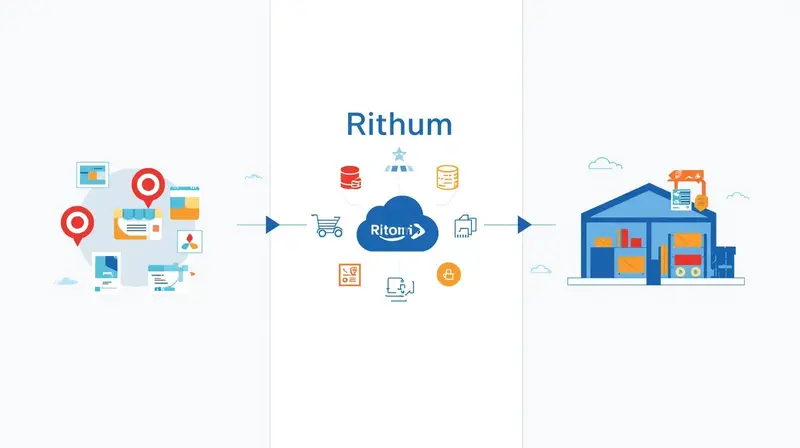
In this article
15 minutes
- How Rithum evolved from two competing platforms into commerce middleware
- The order lifecycle from retailer purchase to customer delivery
- Retailer SLAs demand near-perfect execution with significant financial penalties
- Why sellers struggle after Rithum implementation
- What qualified 3PLs need to handle Rithum-connected orders
- Integration architecture connects WMS to retail channels
- Selecting the right fulfillment partner determines retail dropship success
- Frequently Asked Questions
Rithum is the middleware providing the orchestration and data routing needed for seamless order fulfillment, routing orders between retailers like Target Plus, Nordstrom, and Walmart to your fulfillment operation. However, it won’t pick, pack, or ship a single product—those physical actions are handled by your 3PL, in-house warehouse, or Amazon’s Multi-Channel Fulfillment service. By accurately managing inventory levels and order quantities, sellers can feel confident in the reliability of their integrated ecommerce solution, knowing that Rithum orchestrates the entire order fulfillment process.
This distinction matters because retailers like Walmart require 99% on-time shipping with $5-per-order penalties for violations, while Nordstrom cancels orders entirely if shipment doesn’t occur within one business day. When inventory sync fails or carrier performance drops, Rithum’s orchestration capabilities become irrelevant. Rithum maintains real-time inventory levels across all connected channels to prevent overselling and automatically syncs your Amazon inventory quantities with your channels. Your 3PL relationship determines whether you meet these unforgiving standards or face suspension from programs that took months to join. Rithum uses machine learning to provide accurate delivery dates at the time of purchase, accounting for variables like carrier performance, but successful implementation also depends on having the needed information, configuration, and support in place.
How Rithum evolved from two competing platforms into commerce middleware
Rithum emerged in December 2023 when CommerceHub and ChannelAdvisor unified under a single brand following CommerceHub’s $23.10 per share acquisition of ChannelAdvisor in November 2022. The combined company also absorbed DSCO, a distributed inventory platform acquired in 2020, and Cadeera, an AI company. This consolidation brought together CommerceHub’s enterprise retailer integration strengths (primarily EDI-based connections with major retailers) and ChannelAdvisor’s marketplace listing and advertising platform serving 40,000+ companies globally.
The platform now operates three core systems under the Rithum umbrella. OrderStream from the CommerceHub legacy handles enterprise dropship and retailer integration through EDI and SFTP connections. DSCO provides a modern API-first architecture supporting dropship, marketplace, and buy-online-pickup-in-store workflows. The original ChannelAdvisor platform manages multichannel marketplace listings and digital marketing across 420+ marketplace integrations, allowing users to list products across multiple marketplaces and efficiently manage their catalog.
What unifies these components is their function as translation and routing software sitting between sellers and retail channels. Rithum normalizes purchase orders, inventory feeds, and shipment confirmations across different file formats and retailer-specific requirements. When Home Depot sends an EDI 850 purchase order or Nordstrom expects an ASN within 24 hours of shipment, Rithum handles format compliance and data routing, but the warehouse operations remain entirely your responsibility. To learn more about how these integrations work together, visit the dedicated Rithum fulfillment page or documentation.
If you want to learn more about the unified Rithum platform and how to list your products efficiently, visit this page for additional resources and support.
The order lifecycle from retailer purchase to customer delivery
Understanding exactly how orders flow through Rithum reveals where seller responsibility begins and ends. When a customer orders from Target.com or Nordstrom.com, the retailer generates a purchase order transmitted to Rithum’s network. Rithum validates the order against product catalog and inventory data, then routes it to your designated fulfillment endpoint based on pre-configured business rules. Rithum provides an Order Summary page to help users manage their open orders. You can click on the Order Summary page to quickly see the status of all your open orders, which are categorized based on their current state in the order fulfillment lifecycle. Rithum provides real-time visibility into the entire order lifecycle from pick and pack to final delivery.
Your 3PL receives the order via SFTP, API, or EDI connection, typically as an EDI 940 warehouse shipping order. The 3PL acknowledges receipt, picks and packs the product, generates a shipping label, and ships with the carrier. Critically, shipment confirmation data (tracking number, carrier, service level, and ship date) must flow back through Rithum to the retailer via an EDI 856 advance shipment notice, often required same-day for retailers like Nordstrom.
The business rules you configure in Rithum determine routing logic. Orders can route based on warehouse proximity to customers, inventory availability at specific locations, carrier service levels required to meet delivery promises, or cost optimization. You can set quantity buffers to hide listings when stock falls below thresholds and establish priority-based distribution center selection. But these rules only work if your inventory data is accurate and your 3PL can execute within the required timeframes. Depending on your retailer’s business rules, you may be able to partially ship an order when you have enough stock on hand to fulfill some items. You may need to split the items into separate packages, known as a split shipment, when preparing an order for shipment.
You must review your new orders and determine how you plan to ship the items before you can ship your orders or create packing slips.
Sellers configure fulfillment endpoints for internal warehouses, Amazon FBA/MCF, Walmart Fulfillment Services, third-party 3PLs, or dropship supplier networks. Rithum’s recent RithumIQ AI engine claims 96% accuracy in delivery promise forecasting and up to 10% shipping cost savings through machine learning-based routing, but these benefits require accurate underlying data from fulfillment partners. Rithum provides predictive delivery dates at checkout, achieving up to 96% accuracy.
Retailer SLAs demand near-perfect execution with significant financial penalties
Each major retailer connected through Rithum enforces distinct compliance requirements with meaningful consequences for violations. These requirements explain why 3PL selection matters so critically. Missing a single metric can trigger chargebacks, payment denials, or program suspension. Managing order quantities accurately is essential to meet retailer requirements and avoid backorders or inventory discrepancies.
Walmart’s Drop Ship Vendor program sets the most stringent bar: 99% on-time shipping, ≤0.1% backorder rate, and line-level order acknowledgment within four business hours. Orders received before the local warehouse cutoff (typically noon) must ship the same day. Chargebacks include $5 per purchase order for late shipments and $5 per unit for rejected or backordered items. Two or more ignored order alerts trigger a suspension warning, with minimum seven-day suspensions for non-response.
Nordstrom requires shipment within one business day of order receipt. Failure means Nordstrom cancels the order and you receive no payment. The advance shipment notice must transmit the same day as physical shipment. Nordstrom supplies shipping labels through their UPS account, and using the wrong carrier account means no payment. Monthly scorecards track performance across timeliness, compliance, and fulfillment accuracy, with $10 fees per non-compliant invoice.
Managing multiple retailer SLAs can be complex, but Rithum pulls orders from all sales channels into a single platform, providing a unified view of every order. Automation in Rithum helps to eliminate manual errors, achieving up to 40% reduction in errors.
Target Plus requires fulfillment within 24 business hours with a maximum five-business-day transit time. Sellers must use Target-branded packing slips, maintain $5 million commercial general liability insurance, and accommodate all carrier service levels. Amazon and Walmart fulfillment services are explicitly prohibited, requiring US-based fulfillment from your own operation or 3PL.
Best Buy’s Supplier Direct Fulfillment expects shipment within two business days with monthly SLA targets: 99% adjusted fill rate, 95% shipped-on-time rate, 99% timely ship notices, and 95% timely inventory advice. Performance reviews occur weekly at the warehouse level, and orders unfulfilled within 30 calendar days are automatically cancelled.
Macy’s Vendor Direct Fulfillment also requires shipment within two business days, but critically mandates that sellers cancel orders if product won’t ship within that window, regardless of reason. Out-of-stock items must be cancelled and communicated within one business day.
Why sellers struggle after Rithum implementation
Industry analysis reveals consistent patterns of post-implementation difficulty rooted in platform limitations, inventory synchronization failures, and the inherent complexity of multi-retailer dropship operations. According to a 2025 Threecolts analysis, brands commonly wait months before going live while being billed, with setup involving endless back-and-forth, rigid templates, and a one-size-fits-all workflow.
Inventory accuracy problems compound exponentially with scale. Unlike owned inventory with direct warehouse visibility, retail dropship requires suppliers to accurately report real-time availability across multiple locations. A Rithum and eTail industry report found 40% of companies cite inventory coordination across platforms as their top challenge, with 33% citing marketplace data integration as their second-biggest issue. When a store shows 100 units available but the supplier has zero, the seller faces refunds, angry customers, and potential account suspension. Errors add up to $8,000 to $15,000 in lost profit annually from preventable mistakes.
Multi-location fulfillment complexity creates routing failures where orders route to distant warehouses while closer facilities have stock, or split shipments divide orders across multiple locations unnecessarily. Without proper systems, gaining visibility across multiple warehouses requires calling or emailing each warehouse, waiting for responses, and manually aggregating information. By the time you have the answer, it’s already outdated. A nationwide network can resolve these challenges by increasing efficiency and visibility.
Platform rigidity forces businesses into workflows that don’t adapt to their needs. Custom rules for inventory allocation or specific sequences require additional payment and long waits, with results often partial fixes or compromises that never fully solve the underlying need. However, businesses can expand product assortments without carrying inventory through Rithum. Rithum also allows businesses to test new product categories through dropshipping or private marketplaces without the risk of owning inventory. Adding new channels becomes especially painful. Each marketplace has unique requirements, forcing teams to map attributes manually, reformat catalogs, and wait on slow updates. For successful integration, the needed steps include providing all required information, configuring system connections, and ensuring ongoing support to address marketplace-specific requirements.
Integration failures between Rithum and WMS/ERP systems create disconnects where orders don’t fulfill on time, inventory shows as available when it’s not, and tracking information doesn’t reach customers. Traditional integrations require 60 to 90 days of custom development, with each new client bringing unique tech stacks, data models, and business rules.
What qualified 3PLs need to handle Rithum-connected orders
Selecting a 3PL for retail dropship through Rithum requires specific capabilities that many fulfillment providers lack. The core requirement is certified EDI compliance supporting essential transactions. The required EDI transactions can be listed as follows: EDI 850 (purchase orders), 855 (acknowledgments), 856 (advance ship notices), 810 (invoices), 940 (warehouse shipping orders), and 945 (warehouse shipping confirmations).
Multi-warehouse networks provide geographic coverage enabling one-to-two-day delivery to 96%+ of the US population, with automated order routing based on inventory availability, customer proximity, and SLA requirements. When items are unavailable at one location, orders automatically route to alternative facilities. This redundancy proves critical when individual warehouse disruptions would otherwise cause SLA violations.
Real-time inventory synchronization must flow bidirectionally from WMS to Rithum to prevent overselling, and from sales channels back through the system to maintain accurate availability and quantities across 420+ connected marketplaces. The National Retail Federation reports inventory distortion costs retailers billions annually, making immediate sync of every order, receipt, transfer, and adjustment essential to ensure correct quantities are reflected at all times.
Carrier diversification protects against single-carrier disruptions while enabling rate shopping for cost optimization. Required capabilities include integration with UPS, FedEx, USPS, DHL, and regional carriers, plus support for retailer-supplied shipping labels where programs like Nordstrom provide their own UPS account credentials.
Technical integration typically occurs through SFTP file automation (every Rithum account includes unique SFTP credentials), AS2 protocol for secure data exchange, or REST APIs with webhooks for real-time connectivity. File formats use specific extensions: .neworders for incoming orders, .confirm for acknowledgments, .inventory for stock updates, and .shipment for tracking confirmations.
ChannelAdvisor provides launch services to assist customers with setting up their ChannelAdvisor Fulfillment Services account. The ChannelAdvisor Launch Team is responsible for establishing the necessary calls with customers during the setup process, and customers will have access to the Launch Team via email for the duration of the services period. The number of calls with the ChannelAdvisor Launch Team will not exceed three per Fulfillment Endpoint.
Integration architecture connects WMS to retail channels
Rithum’s integration architecture supports multiple data exchange methods depending on retailer requirements and seller technical capabilities. API-based connections use REST architecture with JSON format, requiring Content-Type, API-Key, Timestamp, and Authorization headers with HMAC signature or access token authentication. Webhooks enable real-time event-driven data push for immediate updates.
EDI connections remain essential for major retailers who require specific document formats. The workflow proceeds from retailer purchase order (EDI 850) through supplier acknowledgment (EDI 855) to warehouse shipping instruction (EDI 940), warehouse confirmation (EDI 945), advance ship notice (EDI 856), and invoice (EDI 810). Each retailer may require different EDI formats, which Rithum translates through its Universal Connection Hub that normalizes supply chain communications across different file formats.
WMS integration connects through pre-built connectors from providers like Extensiv, Shipedge, Logiwa, and Deposco, or through integration platforms like Cleo, TrueCommerce, and SPS Commerce. Pre-built integrations can deploy in under one hour with documentation available on the integration documentation page. To learn more about setup options, click on the integration documentation page for detailed guidance.
SKU mapping across channels requires maintaining a master database with external identifier mappings. A single product may have different SKUs per channel or retailer, requiring one-to-many mapping relationships. Rithum’s Shadow SKU functionality enables channel-specific presentation while maintaining internal inventory consistency. Poor SKU mapping drives 10%+ error rates that cascade into fulfillment failures.
To learn more about Rithum’s integration architecture, visit the dedicated resource page for additional information.
Selecting the right fulfillment partner determines retail dropship success
The fundamental truth of Rithum-connected retail dropship is that platform capabilities become irrelevant without execution excellence at the fulfillment level. Sellers choosing 3PLs should feel confident in their fulfillment partner’s ability to meet retailer requirements. Sellers should verify specific capabilities: certified Rithum or CommerceHub integration through EDI or API, multi-warehouse network with intelligent order routing, real-time inventory synchronization with sub-15-minute update frequency, and multi-carrier relationships enabling rate shopping across UPS, FedEx, USPS, and regional carriers.
Critical performance metrics to require contractually include 99.5%+ order accuracy (with some 3PLs guaranteeing 99.9%), same-day fulfillment for orders received by cutoff, inventory accuracy matching physical counts to recorded inventory, and OTIF (on-time, in-full) rates meeting or exceeding retailer thresholds. Rithum computes SLA performance based on retailer-provided delivery dates and notifies suppliers of each order that misses requirements, but that notification arrives too late if your 3PL already failed.
Top 3PLs with demonstrated retail dropship expertise are providing comprehensive support for ecommerce businesses by managing the entire order fulfillment process. This includes providers like a2b Fulfillment (specializing in Amazon FBM/SFP and Walmart DSV), ShipBob (distributed inventory with 2-day express shipping), Red Stag Fulfillment (zero shrinkage guarantee with 99.9% accuracy), and DCL Logistics (40+ years of fulfillment SLA expertise). Integration platform partners like Extensiv 3PL Warehouse Manager, Pipe17, and ConnectPointz provide pre-built CommerceHub/Rithum connectors that accelerate deployment.
Frequently Asked Questions
Is Rithum a 3PL or fulfillment provider?
No. Rithum is order orchestration and retail connectivity software that routes orders between retailers and your fulfillment operation. It does not warehouse inventory, pick and pack orders, or ship products. All physical fulfillment happens through your chosen 3PL, in-house warehouse, or fulfillment service like Amazon MCF. Rithum handles order translation, inventory sync, and retailer integration, but execution responsibility sits entirely with your fulfillment partner.
How does Rithum connect to retailers like Target Plus and Nordstrom?
Rithum maintains pre-built integrations with 420+ retail channels through EDI connections, API partnerships, and SFTP file exchanges. When a customer purchases on Target.com or Nordstrom.com, the retailer sends a purchase order to Rithum in their required format (typically EDI 850). Rithum normalizes this data and routes it to your designated fulfillment endpoint based on business rules you configure. Your 3PL then fulfills the order and sends shipment confirmation back through Rithum to the retailer.
What happens if my 3PL misses a retailer SLA deadline?
Consequences vary by retailer but typically include financial penalties and potential program suspension. Walmart charges $5 per order for late shipments and $5 per unit for backorders. Nordstrom cancels orders and you receive no payment if shipment doesn’t occur within one business day. Best Buy tracks weekly performance at the warehouse level with monthly scorecards. Repeated violations can result in account suspension from retail programs, which often take months to rejoin.
Can I use Amazon FBA or Walmart fulfillment services for Rithum orders?
It depends on the retailer. Target Plus explicitly prohibits using Amazon or Walmart fulfillment services, requiring US-based fulfillment from your own operation or a third-party 3PL. Other retailers may allow it if the fulfillment partner can meet their specific SLA requirements and technical integration needs. Check individual retailer program terms before configuring fulfillment endpoints, as violations can result in immediate suspension.
Why do multi-warehouse 3PLs reduce order cancellation risk?
Multi-warehouse networks provide inventory redundancy and geographic distribution. When one location is out of stock or experiences disruptions, orders automatically route to alternative facilities that have inventory. This prevents the order cancellations that occur when single-warehouse operations run out of stock or face localized issues like weather delays, labor shortages, or carrier disruptions. Geographic distribution also enables faster delivery times, helping meet strict retailer transit requirements.
How long does it take to integrate a 3PL with Rithum?
Integration timelines vary by technical approach. Pre-built EDI or API connectors from certified 3PL partners can deploy in under one hour with proper documentation. Custom API integrations typically require two to six weeks for development, testing, and certification. Traditional EDI connections need careful setup and retailer-specific testing before production go-live, often requiring 60 to 90 days for full deployment across multiple retail channels. Choose 3PLs with existing Rithum or CommerceHub certifications to minimize implementation time.
Written By:
Indy Pereira
Indy Pereira helps ecommerce brands optimize their shipping and fulfillment with Cahoot’s technology. With a background in both sales and people operations, she bridges customer needs with strategic solutions that drive growth. Indy works closely with merchants every day and brings real-world insight into what makes logistics efficient and scalable.
Turn Returns Into New Revenue
Related Articles
Walmart Officially Allows Amazon Multi-Channel Fulfillment (MCF)
Big news for multichannel sellers: Walmart now officially allows Amazon Multi-Channel Fulfillment (MCF), Amazon’s service for using its fulfillment network to ship orders from mult...
Why Small Ecommerce Brands Are Winning with AI (While Enterprises Struggle)
Conventional wisdom says large companies should dominate AI adoption.
Top 12 Shipping Strategies For Making Free Shipping Profitable
For ecommerce sellers, shipping is more than just getting a package from point A to point B — it’s the invisible backbone, quietly shaping customer satisfaction, operational costs,...