
How Businesses Ship So Cheap: The Reality Behind Commercial Shipping Rates
In this article
 23 minutes
- Introduction to Shipping
- Retail rates versus commercial pricing is real but overestimated
- Negotiated discounts matter far less than merchants assume
- Service-level overspend destroys margins silently
- Zone reduction through inventory placement is the biggest lever
- Cartonization and dimensional efficiency eliminate waste
- Returns and reshipment costs are silent margin killers
- Rate-focused versus decision-focused shipping in practice
- Choosing the Right Shipping Carriers
- International Shipping
- USPS Shipping Options
- Software and systems make operational decisions scalable
- Conclusion
- Frequently Asked Questions
When small ecommerce merchants compare their shipping costs to what large brands appear to pay, the gap feels insurmountable. A package that costs $15 at retail rates seems to ship for $4 or $5 for major retailers. The assumption is that big businesses have access to secret carrier contracts that smaller merchants cannot obtain. While it may look like large brands simply get cheaper shipping rates, the real advantage is not just discounted rates or pre-negotiated discounts. The real advantage is software-driven decision-making that eliminates waste at every step: shorter distances through inventory placement, tighter packaging that avoids dimensional weight penalties, ground service instead of unnecessary air, and operational excellence that prevents returns and reshipments. These advantages are accessible to mid-market merchants, but only if they stop chasing rate discounts and start managing the operational levers that actually control cost.
Introduction to Shipping
Shipping is more than just getting products from point A to point B—it’s a fundamental part of running a successful business. As e-commerce continues to grow, shipping costs have become a major factor in determining a company’s profitability. Every dollar spent on shipping expenses directly impacts your bottom line, making it essential to understand and manage these costs effectively.
Key concepts like flat rate shipping, average shipping cost, and shipping discounts play a crucial role in shaping your shipping strategy. Flat rate shipping offers predictable pricing, which can help you control costs and simplify the checkout process for customers. Knowing your average shipping cost per order allows you to set accurate product prices and maintain healthy profit margins. Taking advantage of shipping discounts—whether through carrier programs or shipping software—can further reduce shipping costs and give your business a competitive edge.
Ultimately, a well-planned shipping strategy not only helps reduce shipping costs but also enhances customer satisfaction by offering reliable, affordable delivery options. By understanding the basics of shipping expenses and the tools available to manage them, businesses can create a shipping process that supports growth and keeps customers coming back.
Retail rates versus commercial pricing is real but overestimated
The difference between walking into a post office and shipping through a commercial carrier account is real. The retail price refers to the published list rates intended for consumers mailing individual packages. In contrast, commercial accounts access discounted rates, which are base rates offered to businesses with carrier accounts. These discounted shipping rates can range from roughly 20% to 40% below the retail price depending on carrier and service level, with ground services typically receiving smaller discounts than air.
For a 5-pound package shipped 1,000 miles, retail pricing might be $18 to $22. The same shipment on a commercial account drops to $12 to $15 thanks to discounted rates. This is meaningful, but it is also the baseline. Every ecommerce business with a Shopify store and a carrier integration (UPS, FedEx, or USPS through Stamps.com or similar) already has access to discounted shipping rates through these platforms. However, the final price a business pays includes not just the base rate but also surcharges, which can diminish the impact of discounted shipping rates.
The gap between what a small merchant pays and what a large brand pays is not primarily explained by negotiated rate cards. It is explained by operational decisions that happen before the package ever reaches a carrier.
Negotiated discounts matter far less than merchants assume
Volume-based negotiated discounts do exist. A merchant shipping 10,000 packages per month can negotiate 5% to 15% off commercial base rates depending on mix, weight, and zones. A merchant shipping 100,000 packages per month might push that to 20% to 30% off. However, many shipping platforms now offer pre-negotiated discounts and pre-negotiated rates, allowing merchants to access lower costs and cost savings without having to negotiate directly with carriers. These pre-negotiated rates are available regardless of shipping volume and can help businesses save money on shipping expenses. But these discounts apply to the base rate before surcharges, and surcharges now represent 35% to 50% of the final invoice. Fuel surcharges, residential delivery fees, delivery area surcharges, address correction fees, and dimensional weight adjustments are not typically discounted, meaning a 20% discount on base rates translates to roughly 10% to 12% on total spend.
More importantly, negotiated discounts evaporate quickly when operational inefficiencies dominate. Focusing on operational improvements—such as optimizing packaging, analyzing order history, and strategically placing inventory—leads to greater cost savings and helps businesses save money and lower costs more effectively than relying solely on rate negotiations. A merchant with a 25% rate discount who ships oversized boxes across the country in Zone 7 and 8 will spend more per package than a merchant with standard commercial rates who right-sizes packaging, places inventory regionally, and ships in Zones 2 to 4. The math is not close. A Zone 8 shipment with dimensional weight of 30 pounds costs $35 to $42 even with a 20% discount. A Zone 3 shipment with actual weight of 5 pounds costs $8 to $11 at standard commercial rates.
This is why businesses that appear to ship cheaply are not primarily benefiting from carrier contracts. They are benefiting from systems that ensure most shipments are short-distance, ground service, right-sized packages. Those operational wins compound across thousands of orders in ways that rate discounts cannot match.
Service-level overspend destroys margins silently
One of the most common silent cost drivers is service-level misalignment. Merchants should balance cost with shipping speed instead of defaulting to 2-Day Air or Next Day Air for every shipment because they believe customers expect fast shipping. While fast shipping options like UPS® 2nd Day Air and USPS Priority Mail Express are available for quick delivery, they significantly increase costs and should be used strategically. Ground service from a well-placed warehouse reaches 85% of the U.S. within two to three business days. Air service is only necessary for the remaining 15% of distant customers or for time-sensitive orders.
The cost difference is dramatic. A 5-pound package shipped ground 800 miles costs approximately $10 to $13. The same package via 2-Day Air costs $22 to $28. Next Day Air costs $35 to $45. Merchants who use air service by default are spending an extra $12 to $32 per package when ground would have delivered within the same customer expectation window.
Large brands solve this through automated service-level selection. Their warehouse management systems calculate the furthest shipping zone a package can reach via ground and still meet the promised delivery date. Only packages that cannot meet that window are upgraded to air. This single decision can reduce average shipping cost per order by 30% to 50% for brands that were previously using air service broadly.
Small and mid-market merchants often lack this automation. They either manually select service levels (which leads to inconsistent, overly conservative choices) or they set a blanket policy (usually defaulting to faster, more expensive options to be safe). Offering free shipping can support the customer experience, but margins depend on aligning service levels with delivery promises while also managing rising return rates and shipping costs. The result is systematic overspend. The software to automate service-level selection based on destination, promised delivery date, and carrier transit time maps exists and is accessible through most modern shipping platforms and 3PLs. Implementing it is one of the highest-return operational improvements available.
Zone reduction through inventory placement is the biggest lever
Of all the factors that make businesses appear to ship cheaply, inventory placement is by far the most impactful. Shipping zones are based on distance. Zone 2 covers roughly 50 to 150 miles. Zone 8 is coast to coast. A package to Zone 2 costs 50% to 60% less than the same package to Zone 8, and dimensional weight penalties are identical across zones, meaning zone reduction saves money on every package regardless of size or weight.
A business with one warehouse on the East Coast will ship 60% to 70% of packages to Zones 5 through 8 if their customer base is distributed nationally. A business with three warehouses (West Coast, Central, East Coast) will ship 85% of packages to Zones 2 through 4. The cost impact is profound. At 5,000 orders per month, shifting average zone from 6 to 3 can save $25,000 to $40,000 monthly.
This is why large brands with distributed inventory appear to have impossibly low shipping costs. They are not negotiating better rates on long-distance shipments. They are eliminating long-distance shipments entirely. Their systems route each order to the fulfillment center closest to the customer, ensuring that nearly every package travels less than 500 miles. Using many carriers can further optimize shipping zones, since merchants can compare region-specific options and improve reliability by choosing the best fit for each shipping scenario.
For mid-market merchants, distributed inventory and the right warehousing services provider or order fulfillment service designed for ecommerce companies become economically viable at 50 to 100 orders per day or roughly $3 million to $5 million in annual revenue. Below that threshold, the fixed costs of operating multiple warehouse locations (duplicate safety stock, split inventory management, technology integration) can outweigh the savings. While multiple warehouses can increase operational costs, the savings from reduced shipping distances and zone optimization often outweigh these expenses for businesses above a certain volume. But above that threshold, the math strongly favors two to three fulfillment locations over a single centralized warehouse.
Merchants who cannot yet justify multiple warehouses can still optimize single-warehouse location. A centrally located warehouse (Kansas, Missouri, Tennessee, or similar) minimizes average distance to customers compared to a coastal location. This is a lesser version of the same principle, and it still delivers meaningful savings.
Cartonization and dimensional efficiency eliminate waste
Dimensional weight pricing means carriers charge for space, not just weight. To calculate dimensional weight, measure the package’s length, width, and height in inches, multiply these dimensions together, and then divide by the carrier’s DIM factor (139 for UPS and FedEx, 166 for USPS). If the calculated dimensional weight exceeds the actual weight, the higher number determines the price. These dimensional weight charges make box size especially important for bulky but light shipments.
Businesses that appear to ship cheaply have solved the packaging optimization problem. This involves two components: cartonization (selecting the right box size for each order) and material efficiency (eliminating excess void fill and overly large protective packaging). Minimizing packaging cost is a key strategy for reducing overall shipping expenses.
Cartonization is the process of matching box dimensions to order contents. A merchant with 10 box sizes can fit most orders into a box that minimizes dimensional weight while still protecting the product. A merchant with three box sizes (small, medium, large) will consistently use boxes that are too big, inflating dimensional weight. Software-based cartonization tools analyze order contents (dimensions and weight of each SKU) and recommend the optimal box from available inventory in real time. This is standard in large fulfillment operations and increasingly available through 3PL partners for mid-market brands that leverage ecommerce fulfillment software with smart inventory placement.
The savings are not trivial. A 3-pound order in an 18x14x8 inch box calculates to 14 pounds of dimensional weight. The same order in a 12x10x6 inch box calculates to 5 pounds. At commercial rates, that is the difference between $11 and $8 per shipment, a 27% cost reduction achieved purely through packaging choice.
Material efficiency also matters. Excess void fill (bubble wrap, air pillows, packing peanuts) increases box size, which increases dimensional weight. Brands that use poly mailers for soft goods instead of boxes eliminate dimensional weight entirely on those orders, as mailers typically fall under the dimensional weight threshold. Rigid mailers for books and documents accomplish the same goal. USPS Priority Mail Cubic is often cheaper for small, dense packages. These decisions happen during fulfillment, not during rate negotiation, and they compound across thousands of shipments. Businesses can also take advantage of free packaging supplies offered by carriers to further reduce costs. USPS flat-rate boxes can ship items up to 70 lbs, which helps when weight is high but box size is controlled.
Using a postage scale to accurately measure package weight is essential so you avoid rating errors, additional fees, and surcharges by getting precise shipping charges every time.
Returns and reshipment costs are silent margin killers
The average ecommerce return rate is 20.4%, and returns are a hidden shipping cost multiplier. Every return incurs an outbound shipment cost and a return shipment cost, but only one of those shipments generated revenue. This effectively doubles the transportation cost on 20% of orders.
Return processing costs go beyond shipping. The full cost of processing a return includes the return label ($8 to $12), inspection and receiving labor ($5 to $8), restocking ($2 to $4), and customer service overhead ($2 to $5), totaling $17 to $29 per return. Only 48% of returned products are resold at full price, meaning inventory depreciation adds another 10% to 40% of the product’s value on top of processing costs.
Businesses that appear to ship cheaply have invested in return rate reduction and in crafting an effective e-commerce returns program. This means better product photography, accurate sizing information, detailed product descriptions, and return flow design that encourages exchanges instead of refunds. Effective return management not only reduces costs but also supports customer retention by improving satisfaction and encouraging repeat business. An apparel brand that reduces return rate from 30% to 20% through better size guides and fit recommendations eliminates returns on 1,000 orders annually at $20 to $30 per return, saving $20,000 to $30,000 in direct return costs. The shipping budget savings alone (eliminating 1,000 return labels at $10 each) is $10,000.
Additionally, businesses with tight quality control and accurate order fulfillment avoid the reshipment costs that occur when wrong items are sent or products arrive damaged. A 2% error rate on 10,000 monthly orders means 200 reshipments, costing $2,000 to $3,000 monthly in redundant shipping charges. Operational excellence that drives error rates below 0.5% eliminates most of this waste.
Rate-focused versus decision-focused shipping in practice
The distinction between rate-focused and decision-focused shipping becomes clearest through direct comparison. Consider two hypothetical merchants, each shipping 3,000 orders monthly with an average order value of $80 and average product weight of 3 pounds.
Merchant A (rate-focused) negotiates a 15% discount off commercial base rates through volume commitments. They ship from a single warehouse in California. They use three standard box sizes (10x8x6, 14x12x8, and 18x16x10) and default to 2-Day Air service to ensure fast delivery. Their packaging includes substantial void fill for protection. They offer free returns with prepaid labels. Their average shipping cost per order is $16.50, resulting in $49,500 in monthly shipping spend.
Merchant B (decision-focused) uses standard commercial rates without volume discounts. They ship from two warehouses (California and Pennsylvania). They use eight box sizes selected through cartonization software and poly mailers for 30% of orders. Their warehouse management system selects ground service unless air is required to meet the promised delivery date, resulting in 82% ground usage. They use minimal void fill and right-sized packaging. They encourage exchanges over refunds and charge return shipping for buyer’s remorse returns. Their average shipping cost per order is $8.20, resulting in $24,600 in monthly shipping spend.
Merchant B spends $24,900 less per month on shipping despite having no negotiated discounts. The savings come from inventory placement ($12,000 monthly), service-level optimization ($8,000 monthly), packaging efficiency ($3,000 monthly), and return reduction ($1,900 monthly). Over a year, Merchant B saves $298,800 compared to Merchant A, an amount that no carrier negotiation could replicate.
Small business owners can adopt similar decision-focused strategies—such as using right-sized packaging, optimizing service levels, and strategically placing inventory—to help small businesses save money on shipping, even without large-scale negotiated discounts, especially when paired with marketing strategies that make free shipping profitable.
This example is not hypothetical in principle. It reflects the actual operational patterns that separate businesses that ship efficiently from those that ship expensively while assuming the problem is carrier pricing, including how they structure free shipping to remain profitable.
Choosing the Right Shipping Carriers
Selecting the right shipping carriers is a critical step in keeping shipping costs low and ensuring your products reach customers quickly and reliably. With a variety of shipping carriers to choose from—including major carriers like usps ups fedex and DHL, as well as regional carriers—businesses have more options than ever to find the most cost effective shipping solution.
To find the best fit, businesses should compare shipping rates across carriers because they use varying pricing structures. USPS is often the cheapest shipping for packages under 15 pounds. UPS Ground Saver often becomes the cheapest option for packages over 15 pounds. Major carriers offer a range of shipping services, from ground shipping for everyday deliveries to express delivery for urgent orders and international shipping for global customers. Regional carriers can be especially valuable for shorter shipping distances, often providing significant savings and faster delivery within specific areas.
When evaluating carriers, it’s important to look beyond just the base shipping rates. Additional expenses such as fuel surcharges, packaging costs, and extra fees for residential or remote deliveries can add up quickly. By understanding the full picture—including how each carrier handles shipping zones and surcharges—you can make informed decisions that reduce shipping costs and improve your shipping operations.
Merchants should compare shipping rates regularly to maintain competitive pricing and reduce your shipping costs, while leveraging multi-carrier shipping software to compare rates in real time and reviewing shipping data to unlock significant savings. The right mix of carriers and services will depend on your shipping volume, product types, and customer locations, but a thoughtful approach can lead to more cost effective shipping and better customer satisfaction.
International Shipping
Expanding your business internationally opens up new markets, but businesses have a few options for international shipping depending on budget and delivery requirements. International shipping costs can be significantly higher than domestic rates, so it’s essential to develop a shipping strategy that keeps expenses in check while ensuring reliable delivery.
Choosing the right international shipping service is key. Flat rate shipping options are one way to keep international shipping costs more predictable. Options like USPS Priority Mail Express, FedEx International Economy, and DHL Express each offer different delivery speeds, coverage areas, and pricing structures. Using flat rate boxes and poly mailers can help minimize packaging costs and avoid unexpected shipping fees, especially for lightweight or compact items.
Accurately calculating dimensional weight is crucial for international shipments, as carriers often charge based on the greater of actual weight or dimensional weight. Using shipping software can simplify this process by giving you access competitive rates, helping you compare international services, print shipping labels, and stay compliant with international shipping regulations. Review tracking capabilities alongside price when choosing international delivery services. Staying up to date on customs requirements and documentation will also help you avoid delays and extra costs.
By optimizing your packaging materials, leveraging cost effective shipping services, and using technology to streamline your shipping operations, you can reduce international shipping costs and offer competitive rates to customers around the world.
USPS Shipping Options
The United States Postal Service (USPS) provides a variety of shipping options that can help businesses reduce shipping costs and improve customer satisfaction, especially for Shopify merchants who complement USPS services with specialized Shopify fulfillment services offering fast nationwide shipping. Understanding the strengths of each USPS service allows you to choose the most cost effective option for every order.
USPS First Class Mail is ideal for lightweight parcels, offering affordable rates and reliable delivery for packages up to 16 ounces. For heavier or time-sensitive shipments, USPS Priority Mail provides fast delivery and includes tracking and insurance at no extra cost, and Priority Mail Flat Rate can be a useful option for heavier items that fit standardized packaging. If you’re shipping books, CDs, or other media items, USPS Media Mail offers significant savings, making it a great choice for eligible products.
One of the advantages of using USPS is access to free shipping supplies, such as flat rate boxes and envelopes, which can further reduce your packaging costs. By selecting the right USPS service and taking advantage of free shipping supplies, businesses can keep shipping expenses low while maintaining high levels of customer satisfaction.
Software and systems make operational decisions scalable
The common thread across all of these operational advantages is that they require real-time decision-making at scale. A human cannot manually select the optimal box for every order, calculate the cheapest carrier and service level for every destination, or route each order to the closest warehouse. These decisions require software.
Modern warehouse management systems, order management platforms, and shipping software automate these choices. They integrate with inventory systems to know which warehouse holds which products. They access carrier rate tables to compare shipping rates across carriers and service levels in real time to identify the cheapest shipping method for each order. They apply cartonization algorithms to recommend packaging. They flag high-risk orders for quality checks to prevent reshipment costs.
For mid-market merchants, this ecommerce shipping software is accessible through three paths, whether they choose general multi-carrier platforms, specialized ecommerce fulfillment software built around a peer-to-peer network, or compare options like Veeqo versus more advanced fulfillment-focused solutions. First, many 3PL providers include these capabilities in their warehouse management systems as part of their service, so merchants should understand how to choose the best 3PL for their Shopify store and how 3PL cost structures work for ecommerce fulfillment. Second, standalone shipping platforms and multi-carrier shipping software support business shipping by automating labels, rate shopping, and routing for merchants fulfilling in-house. Third, modern ecommerce platforms like Shopify are increasingly building shipping optimization into their native fulfillment tools, helping merchants save time while choosing the cheapest way to ship based on destination and service level, especially when supported by a solid Shopify order fulfillment strategy.
The cost of this software is not trivial, but it is small relative to the savings it enables. A $500 to $2,000 monthly software cost that saves $10,000 to $30,000 monthly in shipping spend is a clear positive return. The businesses that appear to ship cheaply have made these investments. The businesses struggling with high shipping costs typically have not.
Conclusion
Reducing shipping costs is an ongoing process that requires a strategic approach to every aspect of your shipping operations. By carefully selecting shipping carriers, using cost effective packaging materials, and negotiating for better rates, businesses can significantly reduce shipping expenses and unlock significant savings.
Understanding international shipping options, leveraging shipping software, and staying current with shipping regulations are also essential for streamlining your shipping process and keeping costs under control. Calculating dimensional weight accurately, accounting for fuel surcharges, and factoring in packaging costs will help you find the most cost effective shipping solutions for your business.
For small businesses, these strategies can lead to improved profit margins, faster delivery speed, and higher customer satisfaction and retention. By making smart shipping decisions and continuously optimizing your shipping strategy, you can reduce shipping costs, offer competitive rates—even free shipping—and position your business for long-term success.
Frequently Asked Questions
Do large businesses really get secret carrier rates that small businesses cannot access?
No. Large businesses do receive volume-based negotiated discounts of 20% to 30% off commercial base rates, but these are not secret and are accessible to mid-market merchants shipping 10,000+ packages monthly. However, these discounts apply only to base rates before surcharges. Since surcharges now represent 35% to 50% of the final invoice, a 20% base rate discount translates to only 10% to 12% total savings. More importantly, businesses that appear to ship cheaply achieve their advantage through operational decisions (inventory placement, packaging optimization, service-level selection) that save more than negotiated discounts ever could.
What is the biggest operational factor that makes businesses ship cheaply?
Inventory placement is the single largest operational lever. Shipping zones are based on distance, and a package to Zone 2 (50-150 miles) costs 50% to 60% less than the same package to Zone 8 (coast to coast). A business with three warehouses (West Coast, Central, East Coast) ships 85% of packages to Zones 2-4, while a business with one coastal warehouse ships 60%-70% to Zones 5-8. At 5,000 orders monthly, shifting average zone from 6 to 3 saves $25,000 to $40,000 per month. This advantage is accessible to mid-market merchants at 50-100+ orders daily or $3-$5 million+ annual revenue.
How much does packaging optimization actually save on shipping costs?
The cheapest way depends on package weight, dimensions, and packaging choice, not just published rates, because packaging optimization eliminates dimensional weight waste and can reduce shipping costs 20% to 40% on affected shipments. A 3-pound order in an 18x14x8 inch box calculates to 14 pounds of dimensional weight at commercial rates ($11 per shipment). The same order in a 12x10x6 inch box calculates to 5 pounds ($8 per shipment), a 27% savings. Software-based cartonization tools that match box size to order contents and poly mailers for soft goods eliminate this waste. For merchants shipping 3,000 orders monthly, proper packaging saves $6,000 to $12,000 per month.
Why do some businesses default to air service when ground is cheaper?
Businesses default to air service (2-Day or Next Day Air) because they lack automated service-level selection and overestimate customer delivery expectations. However, ground service from a well-placed warehouse reaches 85% of the U.S. within 2-3 business days. Air service costs 40% to 60% more per package: a 5-pound package costs $10-$13 ground versus $22-$28 for 2-Day Air versus $35-$45 for Next Day Air. Automated warehouse management systems calculate whether ground meets the promised delivery date and only upgrade to air when necessary, reducing average shipping cost 30% to 50% for merchants who were using air broadly.
How do returns affect the true cost of shipping?
Returns double the transportation cost on affected orders because both outbound and return shipments cost money but only one generates revenue. At an average ecommerce return rate of 20.4%, processing a return costs $17-$29 including return label ($8-$12), inspection ($5-$8), restocking ($2-$4), customer service ($2-$5), and, on higher-value returns or outbound orders, shipping insurance to limit losses from damage or theft. Only 48% of returned products resell at full price, adding 10%-40% inventory depreciation. Reducing return rate from 30% to 20% through better product information eliminates 1,000 annual returns at $20-$30 each, saving $20,000-$30,000 in direct costs plus $10,000 in return shipping labels.
Can small businesses access the same shipping advantages as large brands?
Yes, but small businesses can access similar advantages once their shipping needs are clear enough to match tools, carriers, and warehouse strategy to order volume, though some gains only appear above certain thresholds. Commercial pricing (20%-40% off retail rates) is accessible immediately through carrier accounts and ecommerce platforms. Automated service-level selection and cartonization software is available through 3PLs or shipping platforms at $500-$2,000 monthly. Distributed inventory becomes economically viable at 50-100 orders daily or $3-$5 million annual revenue. Below these thresholds, merchants can still optimize single warehouse location (central U.S. instead of coastal), right-size packaging manually, and reduce returns through better product information. The core advantage is not secret rates but operational decisions that minimize distance, dimensional waste, and service overspend.
What should merchants prioritize: negotiating better rates or improving operations?
Merchants should prioritize operational improvements, even though they can negotiate discounted rates and reduce costs that way; a 20% negotiated discount on base rates translates to only 10%-12% total savings after surcharges, and those savings erode as carriers implement annual 8%-12% effective rate increases. The best shipping discounts still matter only after the underlying shipping process is efficient.
Meanwhile, shifting average shipping zone from 6 to 3 through inventory placement saves 40%-50% per order. Right-sizing packaging saves 20%-40% on dimensionally-charged shipments. Service-level optimization saves 30%-50% versus defaulting to air. Return rate reduction eliminates double shipping costs on 20%+ of orders. These operational wins are larger, more durable, and compound across thousands of shipments in ways rate discounts cannot match.
What software or tools enable businesses to ship more efficiently?
Efficient shipping requires warehouse management systems with automated order routing (to nearest fulfillment center), cartonization algorithms (optimal box selection), and service-level selection (ground versus air based on transit time and delivery promise). Efficient tools help merchants find the cheapest shipping and support offering free shipping without losing control of margins. Multi-carrier shipping software provides real-time rate shopping across carriers. These capabilities are available through: (1) 3PL providers who include these features in their warehouse management systems; (2) Standalone shipping platforms for in-house fulfillment; (3) Native ecommerce platform tools (Shopify, etc.). Typical cost is $500-$2,000 monthly, which saves $10,000-$30,000+ monthly in shipping spend for merchants at scale, delivering clear positive ROI.
Written By:

Indy Pereira
Indy Pereira helps ecommerce brands optimize their shipping and fulfillment with Cahoot’s technology. With a background in both sales and people operations, she bridges customer needs with strategic solutions that drive growth. Indy works closely with merchants every day and brings real-world insight into what makes logistics efficient and scalable.

Turn Returns Into New Revenue
Related Articles
Cahoot vs ShipStation: Exploring ShipStation Alternatives
The Hidden Cost of Holding On to ShipStation If you’re using ShipStation in 2025, you’re not shipping smarter — you’re bleeding margin.
The End of Traditional Ecommerce Returns
PART I — THE PROBLEM Why Returns Didn’t Just Break — They Were Never Built for This Returns are ecommerce’s dirty secret: a billion-dollar bonfire that most brands prefer not to lo...
What Is Zone Skipping in Ecommerce Shipping?
Zone skipping is a shipping strategy that helps ecommerce business owners and high-volume shippers cut parcel costs and speed up delivery by consolidating orders going to the same ...
Shipping Exception vs Delivery Exception: What Each Status Means and What to Do
In this article
20 minutes
- Shipping Exception? Here’s What It Actually Means
- Understanding Delivery Status
- The Most Common Types of Shipment Exceptions
- Why Shipment Exceptions Matter More Than You Think
- Consequences of Shipment Delays
- How to Prevent Shipment Exceptions
- Communicating with Clients
- What to Do When an Exception Happens
- Connect the Dots: Why It All Matters
- Frequently Asked Questions
- 20 Delivery Exceptions and How to Address Them
A shipping exception (or shipment exception) is a broad umbrella term for any unexpected event that disrupts the normal shipping process, while a delivery exception is generally a carrier tracking status indicating that an unexpected issue may prevent or delay delivery. In practice the two terms overlap heavily, and there is no universal industry standard that separates them. Carriers use different vocabularies for similar events, so the detailed tracking reason matters far more than whether the headline says “shipping,” “shipment,” or “delivery” exception.
Despite the name, a delivery exception does not have to happen at the customer’s doorstep. It can occur in a sorting hub, at customs, on a delivery route, or during a final delivery attempt. And an exception status does not automatically mean the package is lost, late, or eligible for an immediate refund or replacement. It is a signal that requires triage.
For ecommerce operators managing many orders across UPS, FedEx, USPS, DHL, and regional carriers, the operational question is not “what is this called?” but “does this shipment need action, and if so, from whom?” This guide walks through the terminology, the carrier-specific language, the most common causes, and a practical action framework for deciding when to monitor, notify, intervene, or resolve, building on our broader guide to carrier shipment exceptions and how to fix them fast.
Shipping Exception vs Delivery Exception Comparison Table
| Attribute | Shipping / Shipment Exception | Delivery Exception |
|---|---|---|
| Basic definition | Umbrella term for any unexpected event that interrupts the normal shipping process | Commonly a carrier tracking status flagging an unexpected issue that may delay or prevent delivery |
| Where it can occur | Anywhere: pre-acceptance, transit, sorting, customs, delivery, return to sender | Anywhere in transit or final delivery, not only at the doorstep |
| Official carrier term? | Used loosely across platforms; UPS uses “Exception” as a status | Used officially by FedEx; other carriers use different phrasing |
| Typical causes | Weather, address errors, label issues, customs, damage, missed scans, capacity delays | Same categories, often surfaced closer to the delivery leg |
| Guarantees a delay? | No. The shipment may still arrive on time. | No. FedEx explicitly states the shipment may still arrive as scheduled. |
| Means the package is lost? | No | No |
| Action always required? | No. It depends on the underlying reason. | No. Some resolve without seller involvement. |
| Example carrier usage | UPS “Exception”; platform-level “shipment exception” alerts | FedEx “delivery exception”; USPS uses “Alert,” “Notice Left,” and similar labels |
| Seller’s first response | Read the detailed reason, check the estimated delivery date, decide whether to monitor or act | Same. Read the reason, check whether recipient action is needed, notify if the promise date is at risk |
Why the Terms Are Often Used Interchangeably
Carrier tracking vocabulary evolved separately at each shipping company, and third-party platforms then layered their own terminology on top. A shipment might trigger a “Delivery Exception” event in a FedEx tracking feed, an “Exception” event in a UPS feed, and a normalized “Shipment Exception” alert in an ecommerce shipping platform, all describing the same underlying incident.
The result is predictable confusion. Customer service teams see the same event labeled three different ways. Customers Google whichever phrase appears in their notification. And sellers reading generic articles online often assume there is a clean, universal distinction. There is not. What matters operationally is the detail behind the label: the specific reason code, the location, the timestamp of the last movement scan, and whether the estimated delivery date changed.
A Shipping or Shipment Exception Can Occur Anywhere in the Process
“Shipping exception,” “shipment exception,” and “shipping exceptions” are functionally synonymous. Both describe any point in the shipping lifecycle where something deviates from the expected path. That includes:
- Pre-acceptance issues, such as a label rejected at drop-off because of a barcode or weight mismatch
- In-transit issues, such as a missort, a hub delay, or a damaged parcel pulled aside for inspection
- Customs holds on international shipments, including random inspections or missing documentation
- Final-mile issues, such as a failed delivery attempt or an inaccessible address
- Return-to-sender processing, which is itself an exception path within the carrier’s normal delivery process
Because the umbrella is so wide, “shipment exception” alerts from a shipping platform are best treated as a queue to triage rather than a list of failures. Shipment exceptions can occur at any point in the package’s journey. Many resolve without any intervention. Others require action within hours to protect the delivery promise. For a deeper look at the underlying status flow, see our guide on shipped versus delivered.
A Delivery Exception Can Happen Before the Final Delivery Attempt
The phrase “delivery exception” is misleading if read literally. It does not only mean “something went wrong at the doorstep.” FedEx defines a delivery exception as an unexpected or unavoidable circumstance that can leave a package temporarily delayed without ending the shipment, and that disruption can appear at any point in transit. A weather delay in a regional hub, a customs hold in a gateway facility, or a routing error hundreds of miles from the recipient can all surface as a delivery exception.
This distinction matters for customer communication. If a customer sees “delivery exception” in a shipping notification and assumes the driver already tried and failed to deliver, they may take unnecessary action, such as trying to reach the local terminal, when delivery exceptions occur at many points before the final stage. Clear, timely notifications from the seller reduce that confusion.
UPS, FedEx, and USPS Use Different Exception Language
Any comparison table that flattens the three largest US carriers into identical terminology is misleading. Each carrier uses its own vocabulary, and forcing them into one framework causes real operational mistakes.
UPS
UPS uses the tracking status “Exception”, which indicates the shipment is still in the UPS network but an unexpected event may change the scheduled delivery date. The detailed reason appears in the shipment’s tracking progress, and it can range from an address correction to a weather delay to a package pulled for inspection. UPS does not use “delivery exception” as its primary status label.
FedEx
FedEx uses “delivery exception” as an official tracking status, and fedex delivery exceptions refer to the same type of temporary disruption in transit. FedEx states directly that a delivery exception means an unexpected or unavoidable circumstance has temporarily disrupted delivery and that the status does not necessarily mean the shipment will arrive late. Reason codes cover incorrect addresses, customs delays, weather, and failed delivery attempts, among others.
USPS
USPS does not use a single universal “delivery exception” label. Instead, it uses specific tracking alerts and delivery statuses that describe the underlying event more directly. Examples include Alert, Notice Left, No Access to Delivery Location, Insufficient Address, Delivery Attempt, Available for Pickup, Weather Delay, and Return to Sender. Because USPS granularity is spread across many statuses, teams monitoring USPS shipments benefit from a normalized view powered by multi-carrier shipping software for ecommerce. Our guide to USPS tracking statuses walks through how to interpret each one.
DHL and regional carriers add another layer of variation, which is why robust order fulfillment integration and ecommerce partners are essential to normalize events across channels. Any exception-management workflow should account for carrier-specific vocabulary rather than assume one label maps cleanly across shipping companies.
A Package Can Have an Exception and Still Arrive on Time
One of the most common mistakes in customer-service response is treating every exception as proof of a delay. Many exception events are logged when a package is briefly rerouted, delayed at a facility for a few hours, or held for a random inspection, and they clear without affecting the estimated delivery date at all.
The most reliable signal is the estimated delivery date itself. If the carrier updates the estimated delivery date, the promise to the customer is at risk. If the estimated date holds and the package is still moving, the exception is often noise. Reading only the headline status and ignoring the date field leads to unnecessary refunds and replacements.
The Most Common Causes of Shipping and Delivery Exceptions
Grouping causes by who controls them makes triage faster. It also clarifies which exceptions are preventable and which are not.
Seller-Controlled Exceptions
- Incorrect or incomplete address accepted at checkout, including a missing apartment number or wrong address
- Invalid customs documentation on international shipments
- Unreadable barcode or damaged shipping label
- Inadequate packaging that leads to damage in transit
- Inaccurate dimensions or weight, triggering reweigh exceptions
- Wrong service selection for the destination or transit window
- Late carrier handoff that pushes the package outside its committed pickup
- Invalid or duplicated tracking data
Seller-side errors in the recipient’s address are especially preventable. A bad address and other address issues are among the most common causes in this group. These are the causes most worth investing in prevention, especially with tools like Amazon Buy Shipping–integrated ecommerce order fulfillment that generate error-free labels by design. For a closer look at label quality and how to prevent barcode and address problems, see our labels guide.
Recipient-Controlled Exceptions
- No authorized recipient available for a signature-required shipment; if nobody is home, the delivery driver typically leaves a door tag
- Inaccessible building or missing gate code
- Business closed during delivery hours
- Refused shipment
- Uncollected parcel held at a pickup location
- Delivery-change request initiated by the recipient after an unsuccessful attempt, requiring the carrier to reattempt delivery
Carrier-Controlled Exceptions
- Missort at a sorting facility
- Missed scan that leaves the package appearing stalled
- Hub delay or capacity constraint
- Vehicle breakdowns and routing errors
- Package damage in transit
- Local delivery disruption on a specific delivery route
Weather, Customs, and External Events
- Severe weather conditions and weather-related delays
- Natural disaster or emergency closure
- Road or airport closure
- Customs or government hold, including random inspections
- Public holiday operational pauses caused by unavoidable circumstances
- Animal interference on rural routes
These external causes are not preventable, but their impact is manageable through proactive customer notification and realistic delivery-date promises, and in some cases a package may be held for pickup at the local post office after an external disruption or missed attempt.
Some Exceptions Need Action; Others Only Need Monitoring
A useful triage framework has four stages: Monitor, Notify, Intervene, and Resolve. Each stage matches a different set of tracking signals.
| Stage | When it applies | Typical action |
|---|---|---|
| Monitor | Package is still scanning, estimated delivery date is intact, cause is weather or minor operational delay | No customer contact yet; watch for further updates |
| Notify | Promised date is at risk, failed delivery attempt occurred, or customer needs to collect the parcel | Send a clear, proactive update to the customer |
| Intervene | Address correction needed, customs documentation missing, pickup deadline approaching, or tracking stalled well beyond normal | Contact the carrier and, if needed, the customer to correct the underlying issue |
| Resolve | Package confirmed lost, returning to sender, damaged beyond use, or need-by date can no longer be met | Reship, refund, or replace based on policy |
Monitor When the Shipment Is Still Moving
A weather exception in a hub that clears within a few hours, with the estimated delivery date unchanged, is a monitoring case. So is a brief customs hold on an international shipment where the estimated date has not moved. Reaching out to the customer at this stage usually creates more anxiety than it resolves.
Notify the Customer When the Promise Date Is at Risk
When the estimated delivery date shifts, a failed delivery attempt is logged, or the package is held for pickup, the customer benefits from a clear delivery exception notice before they check tracking themselves. Proactive notification reduces WISMO tickets, helps avoid a potentially negative experience, and protects customer trust. This is where automated shipment monitoring and modern ecommerce shipping software for warehouse automation pay off, because manual monitoring at scale is unrealistic and clear messaging can also set future delivery expectations.
Intervene When the Carrier or Recipient Needs Information
Some exceptions cannot resolve without input. An “insufficient address” exception may require reviewing and correcting the customer’s delivery details before the carrier can attempt delivery. A customs hold may need updated documentation. A parcel held at a pickup location has a limited window before it returns to sender. Intervention here means contacting the carrier through its business support channel, contacting the customer, or both to resolve the issue.
Resolve the Order When Delivery Is No Longer Viable
Resolution is warranted when the package is confirmed lost, involves one of the truly lost packages a carrier can no longer locate, is returning to sender, is damaged beyond use, or when a time-sensitive order cannot arrive by the customer’s need-by date even if it eventually gets delivered. In that last case, the merchant may need to solve the customer’s problem before the carrier closes its resolution process or officially declares the package lost. For high-value items, shipping insurance and carrier liability coverage shape whether resolution comes out of your margin or a claim payout.
Practical Examples
Weather exception, package still moving. A shipment gets flagged with a weather delay at a regional hub. Twelve hours later, it scans out of the hub and the estimated delivery date is unchanged. Monitor. No customer contact needed unless the date shifts.
Address exception, missing apartment number. The carrier cannot complete delivery because the apartment number is missing from the label. Intervene immediately. Contact the customer to confirm the correct suite, then submit an address correction to the carrier. Every hour of delay increases the risk of return to sender.
Attempted delivery, signature required. A signature-required shipment fails delivery because no authorized recipient is available. Notify the customer with reattempt or pickup instructions and the pickup deadline. If the parcel is not collected in time, it returns to sender and becomes a resolution case.
Missing scan, still within transit window. Tracking has not updated for 36 hours, but the shipment is still within its normal transit window for the origin and destination pair. Monitor for another 24 hours before escalating. A missing scan is not proof of loss.
Time-sensitive order. A shipment for a birthday gift is delayed by a hub exception and will now arrive two days after the customer’s need-by date. Even if the package will eventually deliver, the promise is broken. Reach out to the customer, offer a solution, and decide whether to reship expedited or refund based on policy, and consider leveraging Google Shopping–optimized delivery and shipping fulfillment to meet aggressive promise dates on future orders.
When Should an Ecommerce Seller Contact the Carrier?
There is no single number of days that applies across UPS, FedEx, USPS, DHL, and regional carriers. Each carrier defines its own escalation and claims windows, and those windows differ by service level and destination. As general guidance:
- Contact the carrier when tracking has stalled well beyond the normal transit window for that lane and service
- Contact the carrier when the exception reason requires their action, such as an address correction, hold release, or claim initiation; maintaining a direct line with carrier business support often speeds resolution
- Contact the carrier when a customer-facing deadline is at risk and the current status offers no path to on-time delivery
- Contact the carrier before the deadline to escalate shipment exceptions that may turn into an investigation, which varies by carrier and service
Verify current escalation and claims windows directly with each carrier before setting internal SLAs.
When Should You Reship or Refund the Order?
A carrier investigation and a customer resolution are two different clocks. The carrier is trying to determine what happened to the package. The customer is trying to receive the product they ordered. Waiting for the carrier’s clock to finish before helping the customer usually costs more in trust and repeat purchases than the reshipment itself.
Reasonable triggers for reship or refund include:
- Confirmed loss after the carrier’s investigation window
- Package returning to sender with no viable second attempt
- Damage that renders the item unusable, verified by photo
- Missed need-by date on a clearly time-sensitive order
- Repeated failed delivery attempts with no realistic recovery path
For workflows that involve sending a replacement while a claim is pending, see how return shipping labels work in replacement and return scenarios and how specialized order fulfillment services for ecommerce companies can simplify these processes at scale.
How Ecommerce Brands Can Prevent Avoidable Exceptions
Not every exception is preventable, but many are. Investing in the upstream basics helps reduce exceptions along with the customer-service load that follows.
- Address validation at checkout. Catch incomplete addresses, missing apartment numbers, and formatting errors before the label is printed; address validation reduces delivery exceptions by 30%
- Barcode and label quality. Use high-contrast printing, verify barcode readability, and reprint any label that shows smudging or damage
- Packaging. Right-size boxes, adequate cushioning for fragile items, and reinforced seams reduce damage exceptions
- Accurate weights and dimensions. Reweigh exceptions and billing adjustments are avoidable when scale and dimensioner data are correct
- Service selection. Match transit time to the customer promise, and use the right service for signature, insurance, and international requirements
- Customs documentation. Complete commercial invoices, accurate HS codes, and correct valuations prevent the most common international holds
- Delivery instructions. Allow customers to add access notes at checkout, and pass them cleanly to the carrier
- Carrier performance review. Track exception rates by carrier, lane, and service to improve carrier selection, compare efficient shipping solutions like Veeqo vs. Cahoot, and shift volume based on patterns across major carriers and regional options when a specific combination underperforms
Why Exception Monitoring Should Be Proactive
The economics of exception handling favor early detection. A missing apartment number caught at the first exception scan can be corrected before the package leaves the hub. Caught two days later, it is often already on its way back to the sender. A failed delivery attempt communicated to the customer within an hour usually results in a successful reattempt. Left silent, it drifts toward return-to-sender processing and a refund request, which can erode trust, repeat purchases, and customer satisfaction.
At scale, that requires a normalized view across carriers. Exception vocabulary differs by carrier, but the operational categories, monitor, notify, intervene, resolve, do not. Bringing carrier events into a single tracking system, consolidating updates from each carrier, mapping them to those categories, and triggering the right outreach automatically is what turns exception management from reactive firefighting into a predictable workflow. Advanced ecommerce fulfillment software supports this orchestration, and this is the core of ecommerce shipping software that centralizes carrier tracking data.
Cahoot helps merchants identify carrier exceptions before customers complain, monitor promised delivery dates, track shipments, and use a tracking page to route the shipments that need action to the right person on the right timeline, all while leveraging ecommerce order fulfillment services that outclass traditional 3PLs on speed and cost. The goal is not to eliminate exceptions, which is impossible, but to make sure every exception is handled at the stage where it costs the least to fix and protects the customer experience.
Frequently Asked Questions
What is the difference between a shipping exception and a delivery exception?
A shipping exception is a broad umbrella term for any unexpected event that disrupts the normal shipping process. A delivery exception is commonly a carrier tracking status flagging an unexpected issue that may prevent or delay delivery. The two overlap heavily, no universal industry standard separates them, and the detailed tracking reason matters more than the headline label.
Are shipping exception and shipment exception the same thing?
Yes. Shipping exception and shipment exception are generally synonymous. Logistics teams, shipping platforms, and carrier integrations use both as umbrella terms for the same category of events.
Does a delivery exception mean my package is lost?
No. A delivery exception means an unexpected issue has been logged against the shipment. Most delivery exceptions resolve without the package being lost. It is a signal to check the detailed reason and the estimated delivery date, not a declaration of loss.
Will a delivery exception delay my package?
Not necessarily. FedEx states directly that a delivery exception does not always mean the shipment will arrive late. Many exceptions clear with the estimated delivery date unchanged. The most reliable signal is whether the carrier updates the estimated delivery date.
What does an exception mean on UPS tracking?
UPS uses the status “Exception” to indicate the shipment is still in the UPS network but an unexpected event may change the scheduled delivery date. The detailed reason appears in the shipment’s tracking progress and can range from an address correction to a weather delay.
What does a delivery exception mean on FedEx tracking?
FedEx defines a delivery exception, including fedex delivery exceptions, as an unexpected or unavoidable circumstance that has temporarily disrupted delivery. It covers reasons such as incorrect addresses, customs delays, weather, and failed delivery attempts, and FedEx notes that the shipment may still arrive on time.
Does USPS use the term delivery exception?
USPS does not use a single universal “delivery exception” label. It uses specific tracking alerts and delivery statuses such as Alert, Notice Left, No Access to Delivery Location, Insufficient Address, Delivery Attempt, Available for Pickup, Weather Delay, and Return to Sender, with statuses like Available for Pickup or Notice Left often meaning the package can be collected from the local post office.
What should a seller do when a package has an exception?
Read the detailed reason, check whether the estimated delivery date has shifted, and match the event to a triage stage: Monitor, Notify, Intervene, or Resolve. The correct action depends on the cause, whether the package is still moving, and whether the customer’s promised date is at risk.
How long should I wait before contacting the carrier?
There is no single number that applies across all carriers and services. Contact the carrier when tracking has stalled well beyond the normal transit window for that lane, when the exception requires their action, or when a customer-facing deadline is at risk with no path to on-time delivery. Verify current escalation and claims windows with each carrier.
When should an ecommerce seller reship an order?
Reasonable triggers include confirmed loss after the carrier’s investigation window, a package returning to sender with no viable second attempt, damage that renders the item unusable, and a missed need-by date on a clearly time-sensitive order, but the seller should make that call within its own fulfillment process rather than wait for the carrier to finish. For time-sensitive cases, the merchant often needs to resolve the customer’s problem before the carrier officially closes its own investigation to protect customer satisfaction.
Written By:

Jeremy Stewart
Jeremy Stewart leads customer success at Cahoot, helping merchants achieve high-performance logistics through smart technology and process optimization. With a background in both ecommerce operations and client services, Jeremy ensures that every merchant using Cahoot gets measurable results—whether they’re scaling from one warehouse to many or managing complex returns.
Turn Returns Into New Revenue
Related Blog Posts
UPS Ground Saver vs UPS Ground: Costs, Speed, Limits, and When to Use Each

In this article
17 minutes
- UPS Ground Saver vs UPS Ground: The Short Answer
- UPS Ground Saver vs UPS Ground Comparison Table
- What Is UPS Ground Saver?
- What Is UPS Ground?
- Ground Saver Saves Money by Trading Away Speed and Flexibility
- UPS Ground Offers a Faster and More Capable Standard Service
- USPS May Handle the Final Delivery for Ground Saver
- The $50 Coverage Limit Makes Shipment Value a Deciding Factor
- Package Weight, Size, and Address Eligibility Can Rule Out Ground Saver
- A Cheaper Label Can Create Higher Customer-Service Costs
- When Ecommerce Sellers Should Use UPS Ground Saver
- When Ecommerce Sellers Should Keep UPS Ground
- How to Automate the Decision at Scale
- Frequently Asked Questions
UPS Ground Saver vs UPS Ground: The Short Answer
UPS Ground Saver is the lower-cost economy option for lightweight, low-value, non-urgent residential shipments, with final delivery handled by UPS or the U.S. Postal Service depending on the destination. UPS Ground is the standard ground service run end-to-end through the UPS network, typically with faster transit, fewer restrictions, and a better fit for heavier packages, higher-value orders, commercial addresses, or tighter delivery promises. The two services are not interchangeable, and choosing between them by base rate alone almost always misreads the total cost.
For ecommerce operators deciding how to ship orders efficiently and cost-effectively, the real comparison goes beyond price. Shipment value, package profile, address type, delivery speed, final-mile handling, coverage limits, and service eligibility all affect which option makes sense and how reliably you meet customer expectations. A lightweight, low-value, non-urgent residential parcel is a strong Ground Saver candidate; a $300 electronics order with a tight delivery promise belongs on UPS Ground. At scale, this decision should be automated using order attributes rather than made per-label.
Let AI Optimize Your Shipping and Boost Profits
UPS Ground Saver vs UPS Ground Comparison Table
| Attribute | UPS Ground Saver | UPS Ground |
|---|---|---|
| Typical delivery timing | Comparable to UPS Ground plus approximately 1 to 2 additional business days, Monday through Saturday | 1 to 5 business days depending on origin and destination zone |
| Cost tendency | Generally lower base rate on suitable lightweight residential shipments; not universally cheaper once surcharges and package profile are considered | Higher base rate; often more predictable total cost on heavier, longer-zone, or higher-value shipments |
| Final-mile carrier | UPS or USPS depending on destination | UPS end-to-end |
| Address type | Designed for residential delivery | Residential and commercial |
| PO Boxes | Eligible U.S. PO Boxes supported through USPS final delivery | Not delivered |
| APO, FPO, DPO addresses | Supported through USPS final delivery | Not delivered |
| Origin and destination coverage | Picked up within the 48 contiguous states; delivered to the 48 contiguous states, Alaska, Hawaii, Puerto Rico, U.S. Territories, U.S. PO Boxes, and APO/FPO/DPO addresses; not international | All 50 states and Puerto Rico |
| Maximum weight | Positioned for lighter packages; verify current maximum against your UPS contract and the UPS Ground Saver Terms and Conditions | Up to 150 lbs per package |
| Package size | Narrower size envelope than UPS Ground | Up to 108″ length and up to 165″ length plus girth |
| Tracking | Package-level tracking via UPS tracking number; visibility may continue during USPS final delivery | Package-level tracking via UPS tracking number, end-to-end within the UPS network |
| Included loss or damage coverage | Up to $50 per package, subject to UPS terms and conditions | Standard included coverage per UPS terms; declared value can be increased on eligible shipments |
| Best use case | Lightweight, low-value, non-urgent residential orders; PO Box and military addresses through USPS participation | Heavier or higher-value orders, commercial addresses, tighter delivery promises, and shipments needing broader UPS service capabilities |
| Main risk | Longer transit variability and lower included coverage relative to shipment value | Higher label cost when the shipment does not require the additional speed or capability |
| Contract-specific weight, dimension, and surcharge rules can vary, so confirm your account terms before assigning shipments at scale. |
What Is UPS Ground Saver?
UPS Ground Saver is UPS’s economy ground shipping option, positioned as an economical alternative for businesses that need a lower-cost option than standard UPS Ground for non-urgent packages. It is a contract-only service, so it must be enabled on your UPS account rather than selected ad hoc at a retail counter.
The service was previously called UPS SurePost. UPS rebranded and restructured the product, and Ground Saver has continued to evolve. Under the current model, UPS handles UPS ground transportation, and final delivery is completed by either UPS or the U.S. Postal Service depending on the destination. That last-mile split shapes last mile delivery, makes eligible PO Box and military addresses reachable, and is why Ground Saver behaves differently from a pure UPS-only service.
The intended shipment profile is residential, with a flexible delivery window, and Ground Saver is designed for lightweight packages and less urgent packages. UPS describes typical transit times as comparable to UPS Ground plus approximately one to two additional business days, with delivery generally Monday through Saturday. There is no expedited version, no signature-required option, and no service guarantee comparable to UPS’s time-definite air services, so it is not built for urgent deliveries.
What Is UPS Ground?
UPS Ground is the broader UPS Ground service most sellers already know. It moves entirely within the UPS network from pickup to delivery, covers all 50 states and Puerto Rico, and offers day-definite delivery in one to five business days depending on the zone. It accepts packages up to 150 pounds, up to 108 inches in length, and up to 165 inches in combined length and girth.
Because UPS Ground stays inside a single network, tracking is continuous, exception handling is simpler, and value-added service options are broader. Commercial deliveries, residential deliveries, signature requirements, address changes through UPS My Choice, and higher declared value are all easier to support. That capability is why UPS Ground remains the default for most B2C and B2B shipments where cost and delivery speed both matter.
Ground Saver Saves Money by Trading Away Speed and Flexibility
Ground Saver’s savings come from the combination of an economy service tier and a delivery model that includes USPS participation on certain lanes. For less urgent deliveries, the base rate is often lower than UPS Ground on qualifying lightweight residential parcels, especially when cost matters more than speed. That is where the appeal starts and, for many sellers, where the analysis stops, even though the lower price only makes sense in the right order context.
The problem is that carriers do not price parcels only by base rate. Residential delivery, fuel, delivery area, dimensional weight, additional handling, and peak-season fees can all be layered onto ground shipments. A cheaper label with a heavier surcharge profile can end up producing a similar or higher total cost than UPS Ground on the same package. Any serious comparison has to consider shipping surcharges and total landed shipment cost, not the label price alone.
This is one of several economy shipping levers available to ecommerce sellers, and it is worth testing economy shipping strategically against your actual package mix and lanes rather than assuming savings will materialize evenly.
UPS Ground Offers a Faster and More Capable Standard Service
UPS Ground earns its place when the shipment carries more risk, more value, or a more sensitive delivery promise. The extra cost buys tighter transit, end-to-end UPS handling, broader address coverage, and access to features Ground Saver does not offer.
Keep UPS Ground for orders that meet any of the following conditions:
- The customer expects a tighter delivery window than Ground Saver’s plus-one-to-two-day range comfortably supports.
- Shipment value is meaningfully above the $50 included coverage on Ground Saver.
- The package is heavier or larger than Ground Saver’s eligibility envelope.
- The order requires signature on delivery or another service capability that Ground Saver does not provide.
- The destination is commercial.
- Ground Saver savings are small, and any operational issue would erase them.
USPS May Handle the Final Delivery for Ground Saver
Ground Saver packages travel through UPS ground transportation. On qualifying destinations, UPS hands the parcel to USPS for the final leg of last mile delivery. On others, UPS completes the delivery itself. The mix varies by destination and by ongoing operational changes to the service.
The USPS handoff is what makes eligible U.S. PO Boxes and APO, FPO, and DPO addresses reachable through Ground Saver, which UPS Ground does not serve, and that final-delivery model is especially relevant for qualifying residential addresses. That single capability is often the deciding factor for sellers with military customers or buyers who prefer PO Box delivery, particularly for Amazon sellers who also rely on Amazon Buy Shipping integrated fulfillment workflows.
The tradeoff is operational visibility. Tracking is provided through a UPS tracking number and is designed to keep ups ground saver shipments visible through final delivery, but a carrier handoff introduces more potential points where an update can lag or a scan can be missed. That has direct downstream effects on how your team needs to manage delivery exceptions, since a customer looking at a tracking page that has not updated for a day does not care which carrier is on the road at that moment.
The $50 Coverage Limit Makes Shipment Value a Deciding Factor
UPS Ground Saver includes up to $50 of loss or damage coverage per package, subject to UPS’s terms and conditions. That number is not a placeholder. It is the ceiling for what is included, and it is the single most important service constraint for shipment selection.
Included coverage is not equivalent to conventional insurance, and the terms specific to Ground Saver may differ from other UPS services. What matters practically is this: if the retail value of the shipment exceeds $50 and you do not carry independent parcel insurance or elevated declared value coverage, you are exposed on any loss or damage above that threshold.
That makes Ground Saver structurally unsuited to jewelry, higher-end electronics, luxury apparel, or any product where a replacement will cost more than the coverage limit. Assigning those SKUs to Ground Saver to save a small amount per label is a bet that no shipment will go wrong. Some will, and the ones that do can erase the year’s savings on that lane.
Package Weight, Size, and Address Eligibility Can Rule Out Ground Saver
Ground Saver is designed for a narrower package profile than UPS Ground, so optimizing how you pack orders with efficient smart cartonization tools can directly affect which service each shipment qualifies for. UPS Ground accepts packages up to 150 lbs, 108 inches long, and 165 inches in combined length and girth. Ground Saver is limited to packages under 70 pounds and 60 inches in length and is not intended for heavy or oversized items. The intended profile is packages under 10 pounds and under one cubic foot. Confirm the exact current thresholds in the UPS Ground Saver Terms and Conditions and against your negotiated contract before setting up automated service selection rules.
Address eligibility also filters shipments out. Ground Saver requires an origin within the 48 contiguous states. Destinations include the 48 contiguous states, Alaska, Hawaii, Puerto Rico, U.S. Territories, U.S. PO Boxes, and APO/FPO/DPO addresses. International packages are not supported. Commercial delivery is not the service’s intended use case. Any of these can quietly disqualify shipments your operations team assumed were eligible, which is why your warehousing services and provider choice need to align with your carrier rules and service mix.
A Cheaper Label Can Create Higher Customer-Service Costs
Label cost is not the same as total operational cost. A Ground Saver shipment that saves fifty cents on postage but generates a “where is my order” support ticket, a replacement, or a negative review because the package did not arrive when the customer expected has produced a net loss for the business.
The costs that do not appear on the label include:
- Support tickets and chat inquiries from customers watching a tracking page that has gone quiet during a carrier handoff.
- Labor spent investigating shipment exceptions and coordinating with two carriers instead of one.
- Replacements or refunds on late deliveries when a customer-facing delivery estimate does not match the service you selected, especially if the promised delivery speed set a different expectation.
- Negative reviews and marketplace metrics damage when the delivery experience feels slower or less predictable than the customer expected.
- Lifetime-value erosion from customers who quietly stop reordering.
None of these are unique to Ground Saver, but the service concentrates the risk in a specific segment of orders. A small per-label saving needs a large number of clean shipments to pay for a single mishandled one, especially when you factor in the extra effort required to resolve carrier shipment exceptions quickly.
When Ecommerce Sellers Should Use UPS Ground Saver
Consider assigning an order to Ground Saver when all of the following are true and the tradeoff makes sense for that shipment:
- Shipment value sits comfortably under the $50 included coverage, or you have independent insurance covering the gap so you can maintain control through coverage rules.
- The package is lightweight and within Ground Saver’s eligible size envelope for lightweight packages.
- The destination is a residential address for residential deliveries, a qualifying U.S. PO Box, or an APO, FPO, or DPO address.
- The customer-facing delivery estimate at checkout accommodates the additional one to two business days.
- Signature confirmation is not required.
- The order is not tied to a strict promised delivery date.
- The rate comparison, including surcharges, shows a meaningful net saving over UPS Ground on this specific package and lane.
Example: a low-value household item weighing under two pounds, going to a residential customer with a “delivered in 5 to 8 business days” estimate at checkout. That order does not need the additional speed or coverage of UPS Ground, and the savings are worth taking. Another candidate: a qualifying lightweight shipment going to a PO Box or military address, including those generated from Google Shopping order fulfillment workflows. UPS Ground does not deliver to those addresses at all, so USPS participation through Ground Saver is often the operational reason to use the service.
When Ecommerce Sellers Should Keep UPS Ground
Keep UPS Ground on any order that meets any of the following, especially when slower economy transit is not appropriate for urgent deliveries:
- Merchandise value is materially above $50 and the coverage gap matters.
- The order was sold with a specific or tight delivery promise.
- The package is heavier or larger than the Ground Saver envelope.
- The order requires signature on delivery.
- The destination is a commercial address.
- Ground Saver savings are small once surcharges are included.
- The customer segment is sensitive to tracking gaps, delivery timing, or brand experience.
Sample profile: a $300 electronics order. The label saving from Ground Saver is a rounding error next to the cost of a lost or damaged shipment, a support escalation, or a replacement, so paying more for UPS Ground makes sense when timing sensitivity or replacement risk is high. UPS Ground’s end-to-end handling, broader coverage options, and predictable transit are worth the extra postage.
How to Automate the Decision at Scale
Once an operation moves past a few hundred orders per day, choosing a shipping service manually stops being viable, and many brands turn to specialized order fulfillment services for ecommerce companies to keep decisions consistent. The decision needs to be enforced by rules that look at the actual order rather than the label alone, giving merchants more control over shipping choices at scale. That rule set should also be easy to adjust when carrier rules change.
A workable rate-shop model compares, at minimum, and is usually easiest to execute with multi-carrier shipping software for ecommerce:
- Eligible services for the destination, including PO Box, military-address filters, and other qualifying residential addresses.
- Actual label cost by service, including known surcharges rather than base rate only.
- Package weight and dimensions against each service’s eligibility.
- Order value against included coverage, plus any external insurance policy.
- Residential or commercial classification at the destination.
- The customer-facing delivery estimate shown at checkout, so the selected service does not silently break the promise of when the order is expected to arrive.
- Any customer-selected shipping method paid for at checkout, which typically overrides the rate shop.
That is the layer ecommerce shipping software and ecommerce order fulfillment services that outclass traditional 3PLs are built for, and it helps merchants control how options appear to customers at checkout. Instead of assigning Ground Saver to every order that would fit it on paper, the system evaluates each order against the criteria above and picks the service that produces the best result on total cost and delivery expectation. Cahoot helps merchants automate this kind of service selection so the right orders get the economy service and the wrong ones do not, including qualification rules tied to how shipments are tendered and packages picked.
It is also worth pairing service selection with regular surcharge and contract reviews, especially when you are working to bring overall order fulfillment costs for ecommerce down. Sellers with meaningful UPS volume often benefit from a periodic effort to mitigate UPS and FedEx surcharges alongside service-mix optimization, and understanding the broader factors that drive parcel costs such as zones, fuel, residential delivery, and remote-area fees helps determine which orders truly benefit from an economy tier.
Frequently Asked Questions
Is UPS Ground Saver cheaper than UPS Ground?
Ground Saver is often cheaper on qualifying lightweight residential shipments, but it is not universally cheaper. Surcharges, dimensional weight, and package profile can narrow or reverse the base-rate advantage. Compare actual all-in cost, not published base rates.
How much slower is UPS Ground Saver?
UPS describes Ground Saver transit times as typically comparable to UPS Ground plus approximately one to two additional business days. Actual transit varies by origin, destination, and when the shipment is tendered to UPS. Delivery generally occurs Monday through Saturday.
Does USPS deliver UPS Ground Saver packages?
Sometimes. This handoff is part of the service’s last mile delivery model. UPS Ground Saver packages may be delivered by UPS or by USPS depending on the destination. USPS participation is what allows eligible PO Boxes and military addresses to be served, but USPS does not handle every Ground Saver package.
Does UPS Ground Saver include tracking?
Yes. Ground Saver shipments include package-level tracking through a UPS tracking number, with visibility available while the package is in the UPS network and, where applicable, during USPS final delivery.
What happened to UPS SurePost?
UPS SurePost was renamed UPS Ground Saver. The core positioning as an economy option for less-urgent shipments carried over, but service details, delivery model, coverage, and eligibility have been updated. Do not apply old SurePost rules to Ground Saver without verifying against current UPS documentation.
Can UPS Ground Saver deliver to PO Boxes?
Yes. Eligible U.S. PO Boxes are supported through USPS participation in final delivery. UPS Ground does not deliver to PO Boxes, so Ground Saver is often the practical option for those addresses.
Can UPS Ground Saver deliver to APO, FPO, and DPO addresses?
Yes. APO, FPO, and DPO addresses are supported through USPS final delivery. UPS Ground does not serve those addresses directly.
What is the coverage limit for UPS Ground Saver?
UPS Ground Saver includes up to $50 of loss or damage coverage per package, subject to UPS’s terms and conditions. Shipments worth more than $50 should either move to a different service or carry independent parcel insurance to cover the gap.
Is UPS Ground Saver reliable?
Ground Saver is a production UPS service with package-level tracking and defined transit expectations. It can be reliable for the shipment profile it was designed for. It is less reliable as a general-purpose service, particularly when assigned to heavier, higher-value, or delivery-promise-sensitive orders it was not designed to carry.
Which service is better for ecommerce sellers?
Neither service is universally better. UPS Ground Saver is an economical alternative for lightweight, lower-value, non-urgent residential orders and qualifying PO Box and military-address shipments. UPS Ground fits heavier, higher-value, commercial, or delivery-promise-sensitive orders where delivery speed matters more. The right answer at scale is to automate the selection using order attributes rather than defaulting the entire book of business to either service.
Written By:
Indy Pereira
Indy Pereira helps ecommerce brands optimize their shipping and fulfillment with Cahoot’s technology. With a background in both sales and people operations, she bridges customer needs with strategic solutions that drive growth. Indy works closely with merchants every day and brings real-world insight into what makes logistics efficient and scalable.
Turn Returns Into New Revenue
Related Articles
Cahoot vs ShipStation: Exploring ShipStation Alternatives
The Hidden Cost of Holding On to ShipStation If you’re using ShipStation in 2025, you’re not shipping smarter — you’re bleeding margin.
The End of Traditional Ecommerce Returns
PART I — THE PROBLEM Why Returns Didn’t Just Break — They Were Never Built for This Returns are ecommerce’s dirty secret: a billion-dollar bonfire that most brands prefer not to lo...
What Is Zone Skipping in Ecommerce Shipping?
Zone skipping is a shipping strategy that helps ecommerce business owners and high-volume shippers cut parcel costs and speed up delivery by consolidating orders going to the same ...
USPS Is Moving From 166 to 139 DIM. Bulky Ecommerce Packages Will Feel It
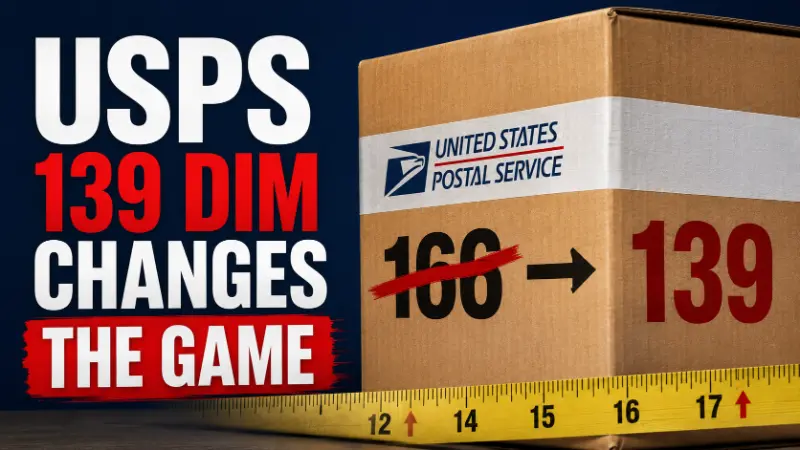
In this article
13 minutes
- What USPS Is Changing on July 12
- Why the DIM Divisor Matters
- How a 47 lb DIM Shipment Can Become 59 lb
- Big Bulky Packages Were Never USPS’s Sweet Spot
- Why UPS and FedEx May Be Better Options for Some Bulky Shippers
- Which Ecommerce Products Are Most Exposed?
- What Ecommerce Brands Should Audit Before July 12
- Packaging Still Matters Even If You Change Carriers
- Carrier Routing Needs to Get Smarter
- The New Fulfillment Reality: Inches Are Margin
- Frequently Asked Questions
A large ecommerce package does not need to get heavier for the shipping invoice to go up.
Starting July 12, USPS is changing how it calculates dimensional weight for several package services. The agency plans to move its DIM divisor from 166 to 139 and round fractional package dimensions up to the next whole inch.
That sounds like carrier math.
For ecommerce brands, it is margin math.
The change affects large, lightweight packages that exceed 1 cubic foot and are subject to dimensional weight pricing. For bulky products, the same item, in the same box, going to the same customer may be billed at a higher weight simply because the pricing formula changed.
This matters most for sellers of low-density products: ride-on toys, pillows, pet beds, backpacks, lamps, baby gear, home decor, lightweight furniture parts, and other items that take up more space than their scale weight suggests.
The practical takeaway is simple: wasted inches are becoming more expensive.
What USPS Is Changing on July 12
USPS is making two major changes to dimensional pricing for several package services.
First, USPS will begin rounding package dimensions up to the next whole inch. A side that measures 12.2 inches will be treated as 13 inches. A side that measures 16.7 inches will be treated as 17 inches.
Second, USPS will change the dimensional weight divisor from 166 to 139.
The affected services include:
- USPS Ground Advantage
- Parcel Select
- Priority Mail
- Priority Mail Express
The change applies to packages over 1 cubic foot that are subject to dimensional weight pricing.
USPS has tightened dimensional pricing before. Cahoot previously covered an earlier USPS dimensional pricing change when the agency moved toward a 166 divisor. This new update goes further by moving from 166 to 139 and adding stricter rounding rules.
Why the DIM Divisor Matters
Dimensional weight is a way for carriers to price packages based on the space they occupy, not just the package weight or the actual scale weight, and carriers bill whichever is higher.
The basic formula is:
Length × width × height ÷ DIM divisor = dimensional weight
A lower divisor creates a higher dimensional weight for the same package.
That is why the move from 166 to 139 matters. The product does not change. The box does not change. But the billed weight can increase because the formula becomes less forgiving.
If you need a deeper primer on how this works, Cahoot’s guide to dimensional weight pricing explains how carriers convert package size into billable weight.
How a 47 lb DIM Shipment Can Become 59 lb
Here is a practical ecommerce example.
Consider a toddler ride-on plastic car, such as a Cozy Coupe-style toy. The product itself is not extremely heavy, but the package is bulky.
Using package dimensions of 29.3 × 16.7 × 15.8 inches, you can figure the cubic volume from length x width x height, or length x width x height / width x height volume math as shown in the rounded example, for roughly 7,731 cubic inches before rounding.
| Scenario | Calculation | DIM Weight |
| Old USPS divisor | 7,731 ÷ 166 = 46.6 | 47 lb |
| New USPS divisor, no rounding | 7,731 ÷ 139 = 55.6 | 56 lb |
| New USPS divisor, with rounding | 30 × 17 × 16 = 8,160 ÷ 139 = 58.7 | 59 lb |
| That is the real impact. |
The same large toy package can move from a 47 lb dimensional weight to a 59 lb dimensional weight.
Nothing about the product changed. Nothing about the customer changed. Nothing about the delivery promise changed.
The package simply gets billed differently, which helps determine dimensional weight when a parcel is large but light.
That 12 lb increase in billed weight is the kind of change that can quietly turn a profitable order into a margin problem, especially for sellers offering free or flat-rate shipping.
Big Bulky Packages Were Never USPS’s Sweet Spot
The obvious 3PL takeaway is that large, bulky items were never USPS’s strongest lane to begin with.
USPS can be excellent for many ecommerce shipments, especially across many domestic services, small residential parcels, lightweight items, and certain nationwide delivery use cases. But large packages create a different network problem.
A large package consumes truck space, sortation space, and delivery vehicle capacity regardless of how little it weighs. Parcel carriers do not only manage pounds. They manage cube.
That is why this change should not be viewed only as a rate update. It is also a network signal, similar to how carriers structure pricing for shipping heavy items to maximize profit.
By moving from 166 DIM to 139 DIM and rounding package dimensions up, USPS is reducing one of the pricing advantages that may have made some bulky shipments look attractive under the old math.
The practical effect is that USPS is making large, lightweight packages less attractive to ship through its network.
That does not mean USPS is the wrong choice for every package. There are still USPS use cases that can make sense, including certain flat-rate shipping scenarios. Cahoot’s guide to USPS flat rate boxes explains when flat-rate packaging can be useful and when it may not be the best fit.
But for big bulky products, the old assumption that USPS is automatically the cheaper option deserves another look.
Why UPS and FedEx May Be Better Options for Some Bulky Shippers
UPS and FedEx are not always the most affordable option for every large package. Their published dimensional rules can also be expensive, and many bulky shipments can trigger additional handling, large package, or oversize surcharges.
But for shippers with meaningful volume, non-USPS carriers may offer more room for negotiation.
Depending on package profile, volume, zone distribution, and contract structure, shippers may be able to negotiate:
- steeper discounts for heavier or larger packages
- better minimum charge terms
- discounts or concessions on additional handling fees
- more favorable treatment for large-package surcharges
- custom incentives based on predictable shipping volume
That matters because the headline DIM factor and dim weight pricing are only one part of the total shipping cost.
For bulky products, the carrier agreement can matter as much as the formula. A shipper with poor UPS or FedEx terms may still find USPS competitive on certain lanes. A shipper with strong negotiated discounts may find that UPS, FedEx, or another carrier produces better landed cost for large-package profiles, especially when they partner with a fulfillment provider that beats traditional 3PLs as outlined in Cahoot vs. ShipMonk fulfillment comparison.
Cahoot has also covered how UPS and FedEx dimensional weight rules have changed over time, which is important context for understanding why USPS is now moving closer to private-carrier practices.
The point is not to abandon USPS across the board.
The point is to stop treating carrier selection as static.
After July 12, bulky-package shippers should rerun the math.
Which Ecommerce Products Are Most Exposed?
The most exposed products are not always the heaviest products.
They are often products with a large package cube and relatively low actual package weight.
Examples include:
- ride-on toys and large plastic toys
- pillows, bedding, and cushions
- pet beds and bulky pet products
- backpacks, bags, and luggage
- lamps and home decor
- baby gear and nursery products
- lightweight furniture parts
- foldable or assembled household products
- oversized subscription boxes
- apparel bundles shipped in oversized cartons
The shared pattern is low density.
The parcel is large and light relative to its actual package weight.
This is why ecommerce furniture and home goods sellers already feel dimensional weight pressure so heavily. Cahoot’s article on how to ship furniture without destroying margins explains why DIM weight, packaging, and fulfillment location can determine whether bulky orders remain profitable.
What Ecommerce Brands Should Audit Before July 12
Before the USPS change takes effect, ecommerce brands should identify where they are most exposed.
Start with SKUs that ship in packages over 1 cubic foot. Then calculate the new billable weight by comparing actual weight and expected DIM under the 139 divisor with rounded dimensions, and consider how packaging rules across different channels, such as Amazon’s expanded FBA box size limits, interact with USPS dimensional changes.
At minimum, shippers should audit:
- SKUs with package dimensions over 1 cubic foot, or 1,728 cubic inches
- actual weight versus dimensional weight
- old billed weight versus new billed weight, including the pound impact at the SKU level
- accurate measurement of package dimensions after you measure every side before rounding up
- USPS services currently used for bulky products
- UPS and FedEx alternatives for the same package profiles
- additional handling or large-package surcharge exposure
- shipping rules inside the OMS, WMS, or shipping platform
- free shipping thresholds and marketplace shipping promises
- SKU-level margin by channel after the new billing math
This is also a good time to revisit broader ground shipping costs. Using multi-carrier shipping software for ecommerce alongside Cahoot’s guide on how to reduce ground shipping costs covers additional ways brands can manage transportation costs without sacrificing delivery speed.
The key is to model the impact at the SKU level.
A blended shipping-cost average can hide the problem. One product may barely change. Another may jump enough to erase the margin on an entire product line.
Packaging Still Matters Even If You Change Carriers
Switching carriers does not fix bad packaging or a poor package shape.
If a product ships in an oversized carton, it will usually be expensive somewhere. UPS, FedEx, USPS, and regional carriers may price that package differently, but none of them want to move wasted air for free.
That is why brands should look at packaging before assuming the answer is only a new carrier contract.
Questions to ask include:
- Are we using the smallest box that safely protects the product? Can we trim fractions of an inch where possible, since USPS rounds up and that extra size can raise postage?
- Are warehouse teams selecting the right carton consistently?
- Do we have too many orders shipping in fallback boxes?
- Are bundles or kits creating unnecessary cube?
- Can the product packaging be redesigned to reduce empty space? For compressible goods, would mailers reduce volume?
- Do our systems recommend cartons based on actual item dimensions?
This is where cartonization becomes more than a warehouse efficiency tool. It becomes a shipping-cost control mechanism, especially when merchants use smart cartonization software to save big on shipping.
Cahoot’s article on cartonization software explains how better box selection can reduce waste, improve packing consistency, and help retailers and 3PLs control fulfillment costs.
When the DIM divisor drops, every unnecessary inch becomes more expensive.
Carrier Routing Needs to Get Smarter
The USPS change also increases the importance of carrier routing.
A shipping rule that worked under the old dimensional pricing model may not work after July 12. A service that used to be the cheapest option for a bulky package may become less competitive once the new billed weight is calculated.
That creates risk for brands relying on static shipping rules.
For example, a seller may have rules that default certain package types to USPS Ground Advantage because it historically performed well. After the divisor change, the better option may be UPS Ground, FedEx Ground, a regional carrier, or a different service depending on distance, zone, package size, promised delivery date, and negotiated discounts.
This is where ecommerce shipping software and multi-carrier logic become more important. Next-generation ecommerce shipping software for warehouse automation and Cahoot’s guide on how to save money with ecommerce shipping software explain how automation, rate shopping, and carrier selection can help brands reduce shipping costs.
But software only works if the inputs are accurate.
If item dimensions, box dimensions, product weights, or shipping rules are outdated, the system may still choose the wrong service.
The July 12 change is a good trigger to clean up the data brands need to choose the right shipping service when they send packages.
The New Fulfillment Reality: Inches Are Margin
For ecommerce brands, the USPS DIM change is not just about one carrier.
It is part of a broader shift in parcel pricing. Carriers are getting more precise about charging for the space packages occupy inside their networks.
That means shipping cost optimization cannot stop at rate negotiation.
Brands need to manage their operations with robust ecommerce fulfillment software for intelligent order routing:
- package dimensions
- carton selection
- DIM weight exposure
- carrier contracts
- surcharge rules
- shipping software logic
- fulfillment location strategy
- SKU-level profitability
The brands that handle this well will not simply look for the cheapest label. They will build fulfillment operations that reduce wasted cube, route orders intelligently, and match each package to the right carrier and service.
That is where distributed fulfillment can also matter. Placing inventory closer to customers can reduce zones, improve delivery promises, and give brands more flexibility in carrier selection. For bulky products, shorter shipping distances can help brands pay less for shipping and preserve margin.
Cahoot helps ecommerce brands reduce fulfillment and shipping costs through distributed fulfillment, intelligent order routing, and multi-carrier optimization, offering ecommerce order fulfillment services that outclass traditional 3PLs. For brands shipping large or bulky products, the goal is not just to move packages. It is to move them through a reliable network that manages large, low-density shipments at the right cost, using peer-to-peer order fulfillment services for ecommerce companies and a peer-to-peer order fulfillment network that beats old 3PLs.
The USPS change makes one thing clear:
Inches are no longer just packaging details. They are billable weight.
Frequently Asked Questions
What is USPS changing about dimensional weight pricing?
Starting July 12, USPS is moving its dimensional weight divisor from 166 to 139 for several package services and rounding fractional package dimensions up to the next whole inch. This can increase billed weight for large, lightweight packages.
Which USPS services are affected by the 139 DIM divisor change?
The change affects USPS Ground Advantage, Parcel Select, Priority Mail, and Priority Mail Express packages over 1 cubic foot when they move through the post office network to Zones 5–9 and are subject to dimensional weight pricing.
Why does moving from 166 DIM to 139 DIM increase billed weight?
Dimensional weight is calculated the way USPS measures one dimension after another in the formula: multiply length, width, and height, then divide by the DIM divisor to determine billed weight; one cubic foot equals 1,728 cubic inches. A lower divisor produces a higher dimensional weight for the same package, which can increase the billed weight.
What types of ecommerce products are most affected?
Large, lightweight products are most exposed. Examples include ride-on toys, pillows, pet beds, backpacks, baby gear, home decor, lightweight furniture parts, and other bulky products with low actual weight relative to package size.
Should ecommerce brands stop using USPS for bulky packages?
Not necessarily. USPS may still make sense for some shipments. But brands shipping bulky products should rerun the math after July 12 and compare USPS against UPS, FedEx, regional carriers, and negotiated carrier agreements.
How can ecommerce brands reduce DIM weight exposure?
Brands can reduce exposure by right-sizing packaging, improving carton selection, auditing package dimensions, using smarter carrier routing, negotiating better carrier terms, and reviewing SKU-level profitability after the new DIM math takes effect.
Written By:
Indy Pereira
Indy Pereira helps ecommerce brands optimize their shipping and fulfillment with Cahoot’s technology. With a background in both sales and people operations, she bridges customer needs with strategic solutions that drive growth. Indy works closely with merchants every day and brings real-world insight into what makes logistics efficient and scalable.
Turn Returns Into New Revenue
Related Articles
Cahoot vs ShipStation: Exploring ShipStation Alternatives
The Hidden Cost of Holding On to ShipStation If you’re using ShipStation in 2025, you’re not shipping smarter — you’re bleeding margin.
The End of Traditional Ecommerce Returns
PART I — THE PROBLEM Why Returns Didn’t Just Break — They Were Never Built for This Returns are ecommerce’s dirty secret: a billion-dollar bonfire that most brands prefer not to lo...
What Is Zone Skipping in Ecommerce Shipping?
Zone skipping is a shipping strategy that helps ecommerce business owners and high-volume shippers cut parcel costs and speed up delivery by consolidating orders going to the same ...
What Is an APO/FPO Address? How Military Shipping Works
In this article
16 minutes
- Introduction to Military Mail
- How Military Mail Actually Works
- Address Format: What Is Required and Why It Matters
- Carrier Limitations: USPS Only
- Item Restrictions by Destination
- Regional Shipping Considerations
- Diplomatic Shipping
- Customs Forms and Documentation
- Common Ecommerce Mistakes With APO/FPO Orders
- Conclusion and Additional Resources
- Frequently Asked Questions
An APO/FPO address is a specialized mailing designation used by the U.S. military to deliver mail and packages to service members stationed at bases, ships, and installations around the world. APO stands for Army Post Office, used by Army and Air Force personnel. FPO stands for Fleet Post Office, used by Navy, Marine Corps, and Coast Guard personnel. A third designation, DPO (Diplomatic Post Office), covers U.S. embassy and diplomatic staff overseas.
APO and FPO are abbreviations used by the U.S. Military Postal Service to deliver mail and packages to military personnel overseas.
For ecommerce brands, these addresses appear in checkout flows more often than most operators expect. Most ecommerce businesses receive orders from customers with an APO or FPO shipping address. The U.S. maintains more than 800 military installations across more than 70 countries, and the service members and families at those locations shop online like everyone else. The difference is that shipping to them involves constraints most fulfillment systems were not built to handle out of the box. When those constraints are not accounted for, packages fail to deliver, customers are left frustrated, and the brand absorbs the operational cost of the breakdown. To avoid these issues, it is essential to comply with USPS rules and use the correct abbreviations and address formatting for APO/FPO addresses.
Introduction to Military Mail
Military mail, often referred to as armed forces mail, is a dedicated postal service that ensures military personnel and their families can reliably send and receive mail no matter where they are stationed in the world. The United States Postal Service (USPS) is the backbone of this system, connecting military bases, ships, and installations across the globe with the same efficiency as domestic mail. For ecommerce businesses, understanding military mail is crucial, as service members stationed overseas shop online just like any other customer.
There are three main types of military addresses: Army Post Office (APO) for Army and Air Force installations, Fleet Post Office (FPO) for Navy and Marine Corps units, and Diplomatic Post Office (DPO) for U.S. diplomatic staff abroad. Each address type is designed to route mail through the appropriate military or diplomatic postal service center, ensuring packages reach their intended recipients efficiently. By leveraging the USPS and these specialized address formats, military mail bridges the gap between the home front and armed forces personnel stationed around the world, making it possible for ecommerce businesses and individuals to support those serving far from home.
How Military Mail Actually Works
The defining feature of APO/FPO addresses is that they are treated as domestic destinations by the United States Postal Service, even when the physical location is overseas. This means postage is calculated at domestic rates regardless of whether the recipient is in Germany, Japan, or the Middle East. APO and FPO addresses enable the USPS to deliver mail to overseas military members through a network of military and diplomatic mail hubs.
Behind that domestic treatment is a logistics chain that is more complex than a standard USPS shipment. When a package is dropped off or picked up for an APO/FPO destination, USPS routes it through one of several military mail processing hubs, typically based in Florida, New York, or California. From those hubs, mail is loaded onto international commercial or military cargo aircraft and flown to the destination region. The Military Postal Service Agency then takes over, transporting packages to the military post office (MPO) on the base. The local MPO sorts and distributes mail to the individual service member’s unit, functioning much like a domestic post office at the final leg. The final destination is the military post office on base, where mail is sorted and delivered to the service member.
This handoff from USPS to the military postal system is the point where the domestic analogy breaks down operationally. Transit times are longer and less predictable than standard domestic delivery. Delivery windows of 7 to 21 business days are typical for Priority Mail. First-Class Mail can take up to 30 days. Tracking visibility drops significantly once a package enters the military postal system. USPS tracking may show a package as “in transit” for an extended period with no further updates until it is delivered.
Address Format: What Is Required and Why It Matters
APO/FPO addresses follow a specific format, and errors in that format are one of the most common causes of failed or significantly delayed deliveries. APO, FPO, AA, AE, and AP are abbreviations used in the address format to ensure accurate military mail delivery. The structure requires:
- Recipient’s full name, including middle name or initial (rank or grade is optional but helpful for routing)
- Unit or PSC (Postal Service Center) number and box number
- APO or FPO designation in place of the city field
- A regional abbreviation in place of the state field: AA (Americas), AE (Europe, Middle East, Africa, Canada), or AP (Pacific)
- A ZIP code, ideally the full ZIP+4 for the most accurate routing
The Department of Defense requests that senders use the service member’s full name and unit designation in the address.
A properly formatted APO address looks like this:
SGT JANE MARIE DOE PSC 1234 BOX 5678 APO AE 09123-5678
A properly formatted FPO address looks like this:
PETTY OFFICER FIRST CLASS JOHN A. SMITH UNIT 100100 BOX 4120 FPO AP 96691
The address format for APO and FPO shipments is the same as for domestic shipments.
Two formatting rules catch many shippers off guard. First, the country field on the shipping label should read “United States,” not the actual physical country where the base is located. Including a foreign country name risks routing the package into the international postal network, which bypasses the military mail system entirely and results in a failed delivery. Second, the actual base name, city, or country should never appear in the address. The ZIP code and APO/FPO designation handle routing. Proper formatting of APO and FPO addresses is crucial for successful delivery, including the recipient’s name, unit and box number, and specific APO/FPO designation with a state code and ZIP code.
Carrier Limitations: USPS Only
The most operationally significant constraint for ecommerce brands is carrier availability. USPS is the only carrier authorized to deliver directly to APO/FPO/DPO addresses. APO and FPO packages must be sent via USPS. UPS and FedEx cannot make final delivery to these destinations due to military security requirements, so you must ship to these addresses using USPS.
This creates an immediate problem for ecommerce operations that default to non-USPS carriers for all domestic shipments. If your fulfillment setup uses UPS or FedEx as the primary carrier and your system does not detect or route APO/FPO addresses to USPS, those orders will not reach the recipient. In some cases, a private carrier may offer a forwarding arrangement where they hand off to USPS partway through transit, but this adds cost and time and is not a reliable substitute for routing correctly from the origin.
For brands using 3PLs or fulfillment centers, the question to ask is whether the fulfillment partner has USPS configured for APO/FPO orders specifically and whether the warehouse management system can identify those addresses and route them correctly without manual intervention, which may prompt some merchants to explore alternatives to traditional 3PL ecommerce fulfillment.
Remember, APO and FPO shipments must be made using the United States Postal Service (USPS).
Item Restrictions by Destination
APO/FPO shipments are subject to the customs laws of the destination country, even though they move through the military mail system rather than the foreign postal system. This means what can be shipped varies depending on where the base is located, especially for international locations. All military mail between the U.S. and international locations is subject to customs inspection in the destination country, and customs documentation is typically required.
USPS maintains a country-by-country restrictions guide that covers prohibited and restricted items. Common categories that create problems include:
- Lithium batteries above 100Wh, which are prohibited entirely
- Aerosols and flammable liquids
- Alcohol and tobacco products
- Perishable food items
- Bulk quantities of certain religious or political materials for bases in the Middle East
- Electronics with GPS or radio transmission capabilities at certain locations
Certain items are prohibited from being shipped to APO/FPO addresses, such as alcohol, hazardous materials, and perishables.
The maximum weight for an APO/FPO package is 70 pounds, with a combined length and girth limit of 130 inches. Packages that exceed these limits will be refused or returned.
Shipping to military addresses involves specific USPS guidelines, including restrictions on hazardous materials, weight and size limits, and potential customs requirements.
For ecommerce brands selling electronics, supplements, or consumables, the item restriction issue is not hypothetical, especially when dealing with USPS hazardous materials shipping requirements. A customer orders a product that ships fine to a domestic address, but that same product is prohibited at their base’s ZIP code. If the brand does not check restrictions before shipping, the package may be destroyed or returned at a significant delay. Communicating clearly about restrictions and building a check into the order flow is not excessive caution. It is standard practice for anyone regularly shipping to military addresses.
Always review USPS guidelines before shipping to ensure compliance with all restrictions.
Regional Shipping Considerations
Shipping to military addresses requires careful attention to regional guidelines and restrictions to ensure packages arrive safely and on time. For example, shipments destined for Armed Forces Europe (AE) must use ZIP codes beginning with 09, while those headed to Armed Forces Pacific (AP) require ZIP codes in the 962–966 range. These regional codes are essential for accurate routing within the military postal system and help avoid unnecessary delays.
Ecommerce businesses should also be aware that each region may have its own set of restrictions based on the destination country. For instance, shipments to military personnel in Europe, Canada, or the Middle East may be subject to specific customs regulations, prohibited items, or additional documentation requirements. Reviewing these guidelines before shipping is critical, as non-compliance can result in returned or confiscated packages. By understanding and adhering to regional shipping considerations, ecommerce businesses can provide reliable service to military customers stationed around the world and reduce the risk of costly carrier shipment exceptions and delays.
Diplomatic Shipping
Diplomatic shipping is a specialized process for sending mail and packages to U.S. diplomatic personnel and embassies worldwide. Diplomatic Post Office (DPO) addresses are used exclusively for this purpose, ensuring secure and efficient delivery through the USPS. Properly formatting a DPO address and complying with postal service regulations are essential steps in the process, as diplomatic shipments often have unique requirements compared to standard military mail.
Ecommerce businesses looking to serve diplomatic staff must pay close attention to customs restrictions, especially for items like electronics or other regulated goods. Leveraging the expertise of logistics partners like ShipBob or national fulfillment providers that operate distributed networks can help navigate the complexities of diplomatic shipping, from address formatting to compliance with international and USPS guidelines, while also improving national fulfillment coverage and delivery speed. By understanding the nuances of sending mail to diplomatic post offices, businesses can confidently expand their reach to diplomatic personnel stationed around the world.
Customs Forms and Documentation
Note: Most packages sent to military addresses require a USPS Customs Form (PS Form 2976 or 2976-A), even though they are considered domestic mail.
Although APO/FPO addresses are priced as domestic mail, customs documentation is required for most packages because the shipment crosses international borders in transit. Packages under 16 ounces sent via First-Class Mail do not require a customs form. For anything heavier, USPS Form PS 2976 or PS 2976-A is required.
The customs form asks for a description of contents, weight, declared value, and the sender’s signature. The description needs to be specific. “Merchandise” or “clothing” is not sufficient. Line-item descriptions like “3 cotton t-shirts, $45” are required. Note that detailed descriptions of all items in a package are required; general terms are not acceptable. Vague or incomplete customs forms are a leading cause of delays on APO/FPO shipments.
For ecommerce operations processing APO/FPO orders at volume, generating customs forms manually for every order is not sustainable, so leveraging robust order fulfillment integrations and ecommerce partners to automate data flow is critical. Integrating USPS APIs or using shipping software that auto-generates the appropriate customs documentation based on address type removes that friction and reduces the error rate.
Common Ecommerce Mistakes With APO/FPO Orders
The predictable failure modes for ecommerce brands handling APO/FPO orders fall into a handful of categories.
Checkout systems that reject the address format. Many ecommerce platforms validate addresses against standard domestic or international patterns. An APO/FPO address with a two-letter regional abbreviation (AE, AP, AA) where a state code normally appears can trigger a validation error and prevent the customer from completing the order. This is a lost sale that the brand never sees in standard analytics because the checkout failure happens before the order is placed.
Carrier routing errors. Orders with APO/FPO addresses that flow through a default UPS or FedEx carrier configuration will either fail or incur a forwarding arrangement with additional cost and unreliable tracking. Without a carrier selection rule that recognizes these addresses and routes them to USPS, every APO/FPO order is at risk. When shipping to military addresses, USPS offers discounted shipping rates for military care packages and provides free Military Care Kits with Priority Mail.
Not including or improperly completing customs forms. Orders shipped without the required documentation are either delayed at the USPS processing hub or returned. Brands that treat APO/FPO orders as purely domestic and skip the customs documentation step will encounter this failure repeatedly.
Overpromising on delivery speed. Customers who select two-day or expedited shipping at checkout and receive a package three weeks later are not satisfied by the explanation that military mail timelines are different. Communicating realistic delivery windows specifically for APO/FPO destinations at the point of purchase manages expectations before the order is placed rather than managing a complaint after it arrives late.
Not verifying item eligibility before shipping. Sending a restricted item to an APO/FPO address results in the package being confiscated or returned. In cases where the item is destroyed at customs, there is no recovery. Checking the product category against USPS restrictions for the destination ZIP code before the shipment leaves the warehouse prevents this outcome and mirrors the diligence required when using Amazon FBA prep services and 3PL partner evaluations.
ShipBob offers solutions for APO/FPO shipping by providing custom shipping rules and real-time tracking, ensuring that businesses and families sending care packages can monitor their shipments, similar to how Amazon Buy Shipping integrations for ecommerce fulfillment centralize labeling and tracking workflows. ShipBob also integrates with major ecommerce platforms to streamline the order fulfillment process for APO/FPO shipments. Businesses can track shipments to APO/FPO addresses through USPS using the tracking number provided at shipment, and can review a log of tracking updates or service changes to stay informed throughout the delivery process.
Conclusion and Additional Resources
Successfully shipping to military and diplomatic addresses requires a thorough understanding of the military postal system, USPS regulations, and the unique needs of armed forces and diplomatic personnel. Ecommerce businesses can benefit from partnering with logistics experts like ShipBob or leveraging specialized order fulfillment services for ecommerce companies to streamline their shipping processes, ensure compliance, and avoid common pitfalls. For more information and helpful tips, the USPS website offers comprehensive guidelines on military mail and diplomatic shipping, while ShipBob’s customer support team is available to provide personalized assistance.
By mastering the essentials of military mail and diplomatic shipping and pairing them with advanced ecommerce order fulfillment services, ecommerce businesses can expand their customer base, improve shipping efficiency, and provide exceptional service to those serving around the world. Following best practices and leveraging expert resources, including strategies to manage FedEx and UPS surcharges for ecommerce shipping, ensures that every package, whether headed to a military base or an embassy, arrives safely and on time while keeping costs under control.
Frequently Asked Questions
What does APO stand for in shipping?
APO stands for Army Post Office. It is a mailing designation used to deliver mail and packages to U.S. Army and Air Force personnel stationed at bases overseas. FPO stands for Fleet Post Office and serves Navy, Marine Corps, and Coast Guard personnel.
Can UPS or FedEx deliver to APO/FPO addresses?
No. Only USPS is authorized to make final delivery to APO/FPO/DPO addresses. Private carriers such as UPS and FedEx cannot deliver directly to military postal addresses due to security requirements.
Is shipping to an APO/FPO address the same price as domestic shipping?
Yes. USPS rates for APO/FPO addresses are the same as domestic rates, regardless of where the base is physically located. A package shipped to a base in Germany costs the same as shipping to a U.S. address at the same weight and service level.
Do APO/FPO shipments require customs forms?
Most do. Packages over 16 ounces require a USPS customs form (PS 2976 or PS 2976-A) with a detailed description of contents, declared value, and the sender’s signature. Even though postage is charged at domestic rates, the package crosses international borders in transit and is subject to destination country customs inspection.
How long does shipping to an APO/FPO address take?
Delivery typically takes 7 to 21 business days via Priority Mail. First-Class Mail can take up to 30 days. Priority Mail Express Military averages 3 to 5 business days. Timelines vary by destination region, base logistics, and seasonal volume.
What items cannot be shipped to APO/FPO addresses?
Common prohibited items include lithium batteries over 100Wh, aerosols, alcohol, tobacco, perishable food, and certain electronics. Restrictions vary by destination ZIP code and destination country. USPS maintains a country-by-country guide that should be checked before shipping any product category that may be regulated.
Written By:
Indy Pereira
Indy Pereira helps ecommerce brands optimize their shipping and fulfillment with Cahoot’s technology. With a background in both sales and people operations, she bridges customer needs with strategic solutions that drive growth. Indy works closely with merchants every day and brings real-world insight into what makes logistics efficient and scalable.
Turn Returns Into New Revenue
Related Articles
Cahoot vs ShipStation: Exploring ShipStation Alternatives
The Hidden Cost of Holding On to ShipStation If you’re using ShipStation in 2025, you’re not shipping smarter — you’re bleeding margin.
The End of Traditional Ecommerce Returns
PART I — THE PROBLEM Why Returns Didn’t Just Break — They Were Never Built for This Returns are ecommerce’s dirty secret: a billion-dollar bonfire that most brands prefer not to lo...
What Is Zone Skipping in Ecommerce Shipping?
Zone skipping is a shipping strategy that helps ecommerce business owners and high-volume shippers cut parcel costs and speed up delivery by consolidating orders going to the same ...
What Regional Parcel Carriers Mean for Ecommerce Shipping Strategy
In this article
16 minutes
- Carrier Diversification Has Become the Default
- Reliability Has Overtaken Price
- The Orchestration Gap
- What Actually Changes When Regional Carriers Expand
- Four Ways Brands Fail to Benefit from More Carrier Options
- The Contrarian View: More Carrier Options Can Make Operations Worse
- What Brands Should Actually Do
- Frequently Asked Questions
Quick answer: Carrier diversification is no longer just a way to negotiate lower parcel rates. It has become customer-experience and resilience infrastructure. In 2026, 55% of surveyed retailers use carriers beyond UPS, FedEx, and USPS, and more than one-third shifted volume away from traditional carriers during the previous year. But signing more contracts is not a strategy by itself. Brands need order-level routing that can choose the right fulfillment node and carrier based on cost, promised delivery date, reliability, package profile, and current capacity—and reroute when performance breaks down.
The pressure is coming from both sides of the P&L. According to the AlixPartners 2026 Home Delivery Survey, 94% of consumers say free shipping affects their purchase decisions, while the expected time for free delivery has compressed from more than 3.5 days to 2.7 days. At the same time, 83% of retailers report higher home-delivery costs and 64% say home delivery is not accretive to profitability compared with an in-store transaction.
That combination changes the role of regional and alternative carriers. They are not simply cheaper substitutes for UPS or FedEx. They are additional paths through the last-mile network—paths that create value only when a brand can select and manage them intelligently.
Carrier Diversification Has Become the Default
The traditional assumption that ecommerce parcel shipping means choosing between UPS and FedEx, with USPS as a lower-cost fallback, no longer reflects the market. The AlixPartners survey found that 55% of retailers now use carriers outside those three networks, and more than one-third actively shifted volume away from traditional carriers in the past year.
The change is even clearer when looking at the complete carrier mix. FreightWaves’ analysis of the survey and parcel-market data reports that more than 90% of surveyed executives operate a mix of last-mile carriers, while 32% use four or more. What was once a negotiating hedge has become the operating model.
Parcel volume is moving accordingly. Alternative carriers—including networks such as OnTrac, Veho, UniUni, Better Trucks, Jitsu, SpeedX, and Gofo—handled 2.6 billion U.S. parcels in 2025, up 13% year over year. Their revenue increased 15.4%, even though the overall U.S. parcel market grew only 0.4%. That contrast matters: alternative carriers are gaining share in a market that is barely expanding overall.
The implication for ecommerce brands is not that every regional carrier should receive volume. It is that a shipping strategy built around one default carrier is becoming less competitive. Brands increasingly need several viable delivery paths so they can use the best-performing option for each order and shift volume when price, capacity, or service conditions change.
Reliability Has Overtaken Price
The most important finding in the AlixPartners survey is not simply that more retailers are diversifying. For the first time in the survey’s history, reliability displaced price as the leading criterion for selecting a primary carrier.
That change follows the customer. Consumers now expect free delivery in an average of 2.7 days, down from more than 3.5 days in prior years, and AlixPartners estimates that more than 20% of demand may be at risk when delivery expectations are not met. Speed created the pressure, but consistent execution determines whether the customer comes back.
More than 85% of consumers say a poor delivery experience reduces their willingness to repurchase from the retailer. Fifty-two percent would boycott a retailer after only one or two botched deliveries. And 84% say previous delivery experiences—including which carrier handled the package—influence where they choose to shop. The customer may blame the carrier first, but the retailer loses the relationship.
Retailers cannot solve this problem by simply buying faster service on every order. Home-delivery costs increased for 83% of surveyed retailers, and 64% say home delivery is not accretive to profitability compared with an in-store transaction. Brands therefore need to improve reliability while controlling an increasingly expensive cost center.
The data also points to a more nuanced answer than “ship everything faster.” More than 80% of consumers would accept slower shipping in exchange for an incentive. A mature carrier strategy should preserve premium speed where it changes the purchase decision, while offering a lower-cost no-rush option to customers who value an incentive more than speed.
The Orchestration Gap
The framing that regional carriers are simply cheaper is too shallow to be useful. A regional carrier can offer attractive economics and strong transit performance within its coverage area. But those benefits disappear when the order originates from the wrong warehouse, the package falls outside the carrier’s ideal profile, or the carrier is selected even though its recent performance in the destination market has deteriorated.
A low label price does not compensate for a missed customer promise. A carrier with competitive rates but inconsistent tracking creates customer-service costs that can erode the savings. Poorly handled delays and failed deliveries can compound the problem, making it important to understand carrier shipment exceptions and how to fix them fast.
The real question is whether a brand’s operational infrastructure can exploit carrier optionality in real time. For every order, the decision needs to consider:
- The fully landed shipping cost, including expected surcharges
- The customer’s promised delivery date and the carrier service capable of meeting it
- Recent on-time performance and exception rates for the origin-destination pair
- The fulfillment location holding inventory and its proximity to the customer
- The package’s weight, dimensions, contents, and carrier eligibility
- Current carrier capacity, service disruptions, and pickup constraints
That is the orchestration gap. A brand can possess several carrier contracts and still route poorly. A resilient multi-carrier network continuously evaluates the viable options and can shift orders away from a carrier, service, or region that is underperforming. The advantage is not having more names on a rate card. It is having more usable paths around failure.
What Actually Changes When Regional Carriers Expand
The expansion of regional carrier coverage changes the menu. It does not change the kitchen.
When regional and alternative carriers add markets, a brand with sufficient customer density in those areas gains another potential delivery path. The value of that path depends on whether the brand can make it available to the right orders without weakening the delivery promise.
To benefit from a regional carrier in a specific market, a brand needs:
- Shipping software that evaluates all eligible carrier services for each order rather than defaulting to a primary carrier
- Inventory positioned close enough to the delivery market for the carrier’s regional strength to be accessible
- Package configurations that do not trigger dimensional-weight penalties, size surcharges, or carrier restrictions that erase the advantage
- Checkout promises grounded in the carrier’s actual transit performance to the destination, not a generic estimate
- Monitoring that detects service degradation and routing logic capable of shifting future orders to another option
Consider a brand that adds a regional carrier contract but ships from one warehouse outside the carrier’s core service area. Its packaging triggers avoidable surcharges, its routing rules still default to a national carrier, and its checkout estimates are disconnected from actual carrier performance. That brand has not created a resilient network. It has added administrative complexity without capturing the economic or service benefit.
This is why inventory placement and carrier selection must work together. A regional carrier cannot create savings if inventory sits outside its useful service area. Likewise, a distributed fulfillment network cannot reach its potential if every order is routed through one default carrier regardless of destination, promise, or performance.
Four Ways Brands Fail to Benefit from More Carrier Options
Choosing the Wrong Carrier Because Decisions Are Manual
Manual carrier selection does not scale, and static rules often optimize for a simplified version of reality. An operations team working from rate sheets or general rules of thumb cannot consistently determine the best carrier for a specific package, destination, fulfillment location, delivery promise, and day.
Real-time ecommerce shipping software for warehouse automation can compare eligible services when the order is ready to ship. But the decision should not stop at the lowest displayed rate. The system also needs to account for surcharges, delivery-date feasibility, recent performance, and operational constraints. Otherwise, a brand may save on the label and lose more through refunds, support contacts, or customer churn.
Shipping from the Wrong Node and Losing the Savings
A regional carrier’s advantage is geographic. A brand with one West Coast warehouse cannot fully exploit a carrier whose strongest service area is in the Southeast. The package still needs an economically viable path from its origin to the customer, regardless of which carrier has attractive rates within the destination region.
Inventory positioning is therefore a prerequisite for carrier optionality. A distributed inventory model allows the brand to route the order from a nearby node and then select the carrier with the best combination of economics and delivery performance for that lane. Without distributed inventory, carrier choice is constrained by wherever the product happens to be stored. The relationship between inventory placement and parcel cost is explored further in Cahoot’s guide to national fulfillment services and network architecture.
Using the Wrong Package and Triggering Avoidable Cost
Carrier diversification does not fix poor packaging. An oversized box can raise the billable weight or trigger handling and size charges, eroding any advantage offered by the selected carrier. This risk has grown as UPS and FedEx dimensional-weight changes increase billable weight for many shipments.
Packaging optimization—the systematic matching of package dimensions to the products in each order—is an operating discipline that improves the economics of the entire carrier mix. It also determines whether a shipment fits a regional carrier’s accepted package profile. The connection between packaging, surcharges, and margin becomes especially important during periods of peak shipping surcharges.
Offering Weak Delivery Promises Because Systems Are Not Integrated
Adding a regional carrier without integrating its transit and performance data into checkout creates a disconnect. The carrier may be able to deliver faster in selected zip codes, but the customer still sees the same generic estimate. Or the brand may display an aggressive promise that the selected carrier cannot reliably meet.
That is especially dangerous when more than 20% of demand may be at risk if delivery expectations are missed. Brands offering expedited shipping options need promise logic that connects inventory availability, node selection, carrier eligibility, cutoff times, and real-world delivery performance.
Rate shopping, delivery promises, inventory positioning, and post-purchase communication cannot operate as isolated systems. They need to share the same view of the order and the network. That coordination is what turns carrier diversification into a customer-experience advantage.
The Contrarian View: More Carrier Options Can Make Operations Worse
More competition is good for shippers at the market level. At the individual brand level, however, more carriers can create more failure points.
Each new carrier may bring a new contract, rate card, pickup process, label integration, tracking feed, claims workflow, billing format, and set of package restrictions. If the brand’s systems cannot normalize those differences, the operations team inherits the complexity manually. The result can be slower fulfillment, inconsistent tracking, missed pickups, billing errors, and confused customer-service teams.
A static multi-carrier setup can also fail during the exact moment diversification is supposed to help. If a carrier experiences a regional disruption but routing rules continue assigning it orders, the brand has more contracts without more resilience. The network becomes resilient only when performance is monitored and orders can be shifted to a viable alternative before failures reach the customer.
That distinction matters: multiple carrier contracts create optionality; orchestration converts optionality into resilience. Brands that cannot integrate, monitor, and govern another carrier should close those gaps before adding one.
What Brands Should Actually Do
The practical response is not to sign contracts with every carrier that reaches a market where the brand has customers. It is to build a measurable multi-carrier operating model.
- Map demand against inventory and carrier coverage. Identify where order density, fulfillment nodes, and regional carrier service areas overlap. A carrier that cannot be used from the available inventory location is not a meaningful option.
- Define the delivery promise before optimizing cost. Determine which services can meet the customer’s promised date, then compare the fully landed cost among those viable options.
- Route at the order level. Evaluate origin, destination, package profile, price, service reliability, cutoff time, and capacity for every shipment rather than assigning one carrier to an entire region or channel.
- Monitor performance by lane and service. Network averages can hide local problems. Track on-time delivery, exceptions, tracking quality, claims, and customer contacts for the specific routes where each carrier receives volume.
- Build rerouting rules before disruption occurs. Set thresholds and fallback services so volume can shift when a carrier, service, or region underperforms.
- Segment speed instead of overspending on every order. Preserve faster service for orders and customers who require it, and test incentivized no-rush delivery for shoppers willing to trade speed for value.
This is where Cahoot’s combination of ecommerce order fulfillment services and intelligent shipping orchestration matters. Inventory placement determines which carrier options are physically and economically available. Automated rate shopping and routing determine which viable option should handle each order. The two decisions must work together.
The winners in the next phase of parcel diversification will not be the brands with the longest carrier lists. They will be the brands whose networks can consistently choose the right path—and change paths before a carrier failure becomes a customer failure.
Frequently Asked Questions
Are regional parcel carriers cheaper than UPS or FedEx?
They can be for the right shipment in the right market, but there is no universal savings percentage. The correct comparison includes the base rate, surcharges, package profile, fulfillment origin, destination, delivery promise, and expected service performance. A lower label price is not a savings if the shipment misses the promise or creates additional support and recovery costs.
What is the difference between regional, alternative, and national parcel carriers?
National carriers such as UPS and FedEx provide broad U.S. coverage and international services. Regional carriers specialize in defined geographic service areas. “Alternative carrier” is a broader category that can include regional parcel networks, crowdsourced or gig-based delivery platforms, and other providers outside UPS, FedEx, and USPS. Some alternative carriers combine several local networks to provide wider coverage.
Why has carrier reliability become more important than price?
Delivery performance now directly affects customer retention. More than 85% of consumers surveyed by AlixPartners say a poor delivery experience reduces their willingness to buy again, and 52% would boycott a retailer after only one or two botched deliveries. With consumers expecting free delivery in 2.7 days, retailers need carriers that can meet the promise consistently—not merely quote the lowest rate.
How does inventory positioning affect whether regional carriers are useful?
A regional carrier’s advantage is geographic. If inventory is stored outside its useful service area, the carrier may not be eligible or economical for the order. Distributed inventory allows the brand to fulfill closer to customer demand and makes more regional carrier options viable.
What should multi-carrier routing evaluate?
Order-level routing should evaluate the fulfillment origin, destination, promised delivery date, package dimensions and weight, carrier eligibility, landed cost, recent service performance, pickup cutoff, capacity, and active disruptions. Rate shopping is one part of the decision, not the entire decision.
What is the difference between having multiple carrier contracts and having a resilient carrier network?
Multiple contracts create options. A resilient network can use those options automatically. It monitors performance, identifies when a carrier or lane is underperforming, and reroutes eligible orders to another service without relying on manual intervention after customers have already been affected.
Is adding more carrier options always a good idea?
No. Each carrier adds integration, operating, billing, and performance-management requirements. A new carrier creates value only when it provides a viable service advantage and the brand can incorporate it into order-level routing, delivery promises, tracking, exception management, and fallback logic.
Written By:

Rinaldi Juwono
Rinaldi Juwono leads content and SEO strategy at Cahoot, crafting data-driven insights that help ecommerce brands navigate logistics challenges. He works closely with the product, sales, and operations teams to translate Cahoot’s innovations into actionable strategies merchants can use to grow smarter and leaner.
Turn Returns Into New Revenue
Related Articles
Cahoot vs ShipStation: Exploring ShipStation Alternatives
The Hidden Cost of Holding On to ShipStation If you’re using ShipStation in 2025, you’re not shipping smarter — you’re bleeding margin.
The End of Traditional Ecommerce Returns
PART I — THE PROBLEM Why Returns Didn’t Just Break — They Were Never Built for This Returns are ecommerce’s dirty secret: a billion-dollar bonfire that most brands prefer not to lo...
What Is Zone Skipping in Ecommerce Shipping?
Zone skipping is a shipping strategy that helps ecommerce business owners and high-volume shippers cut parcel costs and speed up delivery by consolidating orders going to the same ...
What Is Customs Clearance? How It Impacts Ecommerce Shipping

Customs clearance is the process by which a government’s customs authority reviews, approves, and releases shipments crossing international borders. Every commercial package that enters or exits a country must pass through this process before it can reach its final destination. For ecommerce brands shipping internationally, customs clearance is not a background formality that happens automatically. In international shipping, clearing customs is required for all cross-border ecommerce shipments to ensure legal entry or exit of goods. Customs clearance is a necessary procedure before goods can be imported or exported internationally. It is one of the most common sources of delivery delays, unexpected fees, and failed shipments.
Understanding how customs clearance works, what can go wrong, and what documentation controls the outcome is essential for any brand serving international customers. A shipment that clears customs smoothly in one to two business days looks very different from one held for a week pending document review. Shipment delays are a frequent result of customs clearance issues, such as incomplete paperwork or required inspections.
How Customs Clearance Works
When a shipment crosses an international border, customs authorities in the importing country—acting as the government agency responsible for customs procedures and customs processing—review the shipment’s customs documentation, verify that the contents comply with import regulations, assess any applicable customs duties and taxes, and either release the shipment for delivery or hold it pending further information.
The process follows a general sequence across most countries, though specific requirements vary by destination:
The carrier or freight forwarder submits the shipment’s documentation to customs before or upon the package’s arrival at the border. Import customs clearance involves submitting customs documentation, including a completed customs declaration, which is usually filed electronically and must include details such as the nature, quantity, value, origin, and intended use of the goods. Customs officials review the commercial invoice, the customs declaration form, bill of lading, packing list, and any additional permits or certificates required for that product category or country. Successful customs clearance requires all these documents to be completed accurately. Based on the declared contents, value, and country of origin, customs assesses the applicable import duties and taxes using the Harmonized System code assigned to the product. Most shipments that cross international borders are subject to duty and tax assessment by the importing country’s government, and customs charges are calculated based on the HS code, country of origin, type of good, and declared value, including shipping and insurance. Customs duties and taxes can be paid by either the buyer or seller, but in commercial shipping, it is almost always the importer who pays these charges. If duties apply, they must be paid before the shipment is released. Once taxes and duties are paid, shipments are released from customs. Once all fees are settled and documentation is confirmed complete and accurate, the shipment receives clearance and continues to final delivery. When goods arrive in the US, the most common type of customs entry is a consumption entry, which must be filed with US Customs and Border Protection. Pre-arrival clearance paperwork can often be filed electronically to minimize delays.
For low-value shipments with complete and accurate documentation, this process can be completed in one to two business days. For shipments that are flagged for physical inspection, that contain restricted or regulated items, or that have incomplete or inaccurate paperwork, delays of three to seven days or longer are common. These are a major source of carrier shipment exceptions and delays that can disrupt delivery promises and increase support costs. In complex cases, customs or a government agency may request further information, and clearance can take weeks.
The Role of Documentation
Documentation is the single most controllable factor in customs clearance outcomes. Incomplete or inaccurate paperwork is the leading cause of customs delays across all carriers and shipping lanes. The documents most commonly required for international commercial shipments are collectively referred to as shipping documents, which are essential for verifying shipments, assessing duties, and ensuring compliance with trade regulations.
Commercial invoice. This is the foundational customs document. It must include a complete and specific description of every item in the shipment, the declared value of each item, the country of origin, the shipper’s and recipient’s full names and addresses, and the Harmonized System (HS) code for each product. Vague descriptions such as “parts” or “goods” create immediate problems because customs authorities cannot classify what they cannot identify. An invoice that says “cotton crew-neck t-shirt, 100% cotton, $22.00” clears faster than one that says “clothing item.” Attaching a shipping label to the package is also critical for customs clearance and delivery, as it ensures the shipment can be properly identified and processed.
Customs declaration form. This is a formal declaration submitted to the importing country’s customs authority. For parcel shipments, carriers typically generate this from the commercial invoice data. The accuracy of the declaration depends entirely on the accuracy of the data the shipper provides.
Packing list. This itemizes the contents of the shipment at a more detailed level than the commercial invoice, including quantities, weights, and packaging details. Customs officers use the packing list to verify that what is declared matches what is physically present.
Air waybill. For air freight shipments, the air waybill serves as the contract of carriage between the shipper and the airline. It contains details about the shipment, including the sender, recipient, and flight information, and is distinct from other documents like the bill of lading or commercial invoice.
Certificate of origin. For products where trade agreements provide preferential duty rates, or where import regulations require it, a certificate of origin documents where goods were manufactured. The country of origin is not the country the shipment is sent from. It is the country where the product was produced or substantially transformed. Confusing these two produces document errors that delay clearance. The certificate of origin often influences duty rates under trade agreements.
Additional permits or certificates. Products in regulated categories, including food, supplements, electronics, cosmetics, agricultural goods, and medical devices, may require import permits, health certificates, safety certifications, or regulatory approvals specific to the destination country. Missing these permits does not just cause a delay. It can result in the shipment being refused entry or destroyed.
Maintaining accurate documentation is essential, and importers must also keep entry records—including customs entry documents and transportation records—for several years to comply with customs regulations and to be prepared for potential audits or requests from authorities. Failure to provide these records can result in penalties, and many brands rely on ecommerce shipping software for warehouse automation to centralize data and reduce documentation errors.
Duties, Taxes, and Who Pays Them
When customs authorities assess a shipment, a tax assessment is performed as part of the customs clearance process. Taxes and duties—including customs duties—are applied based on the product’s HS code, declared value (including shipping and insurance), country of origin, and the trade relationship between the exporting and importing countries. Customs charges are calculated using these factors, and if the value of goods surpasses a tax bracket, customs will check to see if taxes and duties have been paid.
Import duties are tariffs applied by the destination country’s government to protect domestic industries or generate revenue. Duty rates vary significantly by product category and country. A product that enters one country duty-free may face a 15 percent tariff entering another.
VAT or goods and services tax applies in many countries on top of any customs duty. In the UK, for example, a 20 percent VAT applies to virtually all imported goods regardless of value. In the EU, VAT applies at each country’s standard rate.
Who pays these customs charges depends on the shipping terms agreed between buyer and seller. Under DDU (Delivered Duty Unpaid) terms, the recipient (consignee) is responsible for paying customs duties and taxes upon delivery. Under DDP (Delivered Duty Paid) terms, the seller (shipper) pre-pays all duties and taxes and collects them at checkout. Customs duties and taxes can be paid by either party, but in commercial shipping, it is almost always the importer who pays these charges. For ecommerce brands, the DDU model is operationally simpler on the seller’s side but creates a damaging customer experience: customers receive a notification that they must pay an unexpected amount before their package is released, and many refuse delivery. DDP removes that friction but requires the seller to register for VAT or use a service that handles the collection and remittance.
Once taxes and duties are paid, shipments are released from customs. Additionally, various fees—such as brokerage, storage, or late payment fees—may also apply during the customs clearance process, on top of carrier-specific add-ons like FedEx and UPS surcharges in 2025 that further increase landed costs.
What Causes Delays and What They Cost
The most common causes of customs clearance delays are documentation failures, and they are nearly all preventable. Shipment delays are a frequent consequence of customs clearance issues, impacting both delivery times and customer satisfaction.
Incomplete paperwork—such as incomplete or vague product descriptions on the commercial invoice—is the number one cause of customs holds. Incomplete paperwork is the most common reason for delays in customs clearance, and shipments can be held until all required information is received. When a customs official cannot determine what a product is, what it is made of, or how it will be used, they cannot classify it for duty assessment or verify it against import restrictions. The shipment stops until clarification is provided.
Incorrect or missing HS codes cause misclassification, which can result in incorrect duty assessment, delays while the correct classification is determined, or enforcement action if the misclassification is seen as intentional. Delays in customs clearance can also occur due to missing or incomplete documentation, incorrect HS codes, or insufficient packaging.
Undervalued or inaccurate declared values are flagged by customs systems that compare declared values against reference pricing databases. If the declared value is implausibly low for the product type, customs will either reject it or assess duties based on their own valuation, which may be higher than declared. In some jurisdictions, systematic undervaluation triggers penalties. Inaccurate information in documentation is the leading cause of delays in customs clearance.
Missing permits or certificates for regulated product categories stop a shipment entirely until the documentation is obtained and submitted. Delays can also occur due to delayed duty payments or non-compliance with customs regulations.
Physical inspections add unpredictable time regardless of documentation quality. Customs authorities in any country have the right to physically inspect any shipment, which may involve opening packages for security, verification, or permit compliance purposes. Routine physical inspections typically add one to three business days. Inspections that identify discrepancies or restricted items add significantly more, and may result in seizure. Physical inspections can cause further delays, especially if the documentation is not accurate or complete.
If customs or a government agency requires further information, packages may be held temporarily, resulting in additional delays and potential storage fees. Shipments can be held at customs until all required information is received, which can lead to significant delays.
To minimize delays, it is essential to provide accurate and complete documentation and ensure compliance with all customs requirements from the outset.
Customs clearance can take anywhere from a few hours to several days, depending on various factors including documentation completeness and inspections.
The financial cost of a customs delay accumulates quickly. Storage fees at customs facilities begin within days and grow over time. In the US, importers have 15 days from arrival to clear a shipment; beyond that, goods can be transferred to a general order warehouse at the importer’s expense. Expedited brokerage services to resolve holds carry their own fees. And if a perishable or time-sensitive product is held long enough to lose value, the financial loss extends beyond fees to the product itself.
For ecommerce brands, the customer experience cost compounds the financial one. A customer who ordered a product for delivery in five days and received a customs hold notification on day seven is not distinguishing between “carrier issue” and “seller issue.” It is your brand that owns the experience, which is why many merchants turn to specialized order fulfillment services for ecommerce companies to improve speed and reliability.
The Customs Broker’s Role
Customs brokerage is the service provided by licensed customs brokers, who are professionals or companies that assist individuals and businesses in importing goods and exporting goods across international borders. A customs broker acts as an intermediary between importers or exporters and customs authorities, including US Customs and Border Protection (CBP), border protection agencies, and other relevant authorities. In the US, customs brokers are licensed by Customs and Border Protection and play a key role in ensuring compliance with customs regulations, international trade laws, and documentation requirements.
Customs brokers help simplify the customs clearance process by ensuring the correct customs declaration is submitted and all necessary duties and taxes are paid. Their expertise helps avoid errors and minimize delays, making the process of importing goods more efficient. Complementary tools like ecommerce fulfillment software can further streamline operations by optimizing inventory placement and shipping decisions. Customs brokers also stay updated on ever-changing international shipping regulations to ensure ongoing compliance for shippers and recipients.
For commercial shipments above certain thresholds, a licensed customs broker is required for clearance in the US and many other countries. Brokers prepare and submit entry documentation, communicate with customs officials, pay duties and fees on behalf of importers, and resolve holds by providing additional information.
For ecommerce brands shipping at volume internationally, using a customs broker or working with a freight forwarder that includes brokerage services is standard practice. Attempting to manage customs entry documentation without brokerage expertise at any significant scale produces predictable errors and delays.
Most major carriers, including FedEx, UPS, and DHL, offer integrated brokerage services that are triggered automatically for international commercial shipments. Many ecommerce platforms connect to these carriers through order fulfillment integration and ecommerce partners that synchronize orders, rates, and labels. For brands using these carriers, the brokerage function is largely automated, but the documentation the brand provides at label creation still controls the outcome. The broker can only work with what the shipper provides. If the commercial invoice has vague descriptions, the broker cannot fix what was never there.
Country-Specific Regulations
When shipping internationally, understanding country-specific regulations is essential for a smooth customs clearance process. Every country enforces its own customs regulations, which dictate what goods can be imported, the required documentation, and how duties and taxes are assessed. These rules can vary widely, even for similar products, and are often updated to reflect changes in trade agreements or local laws.
For ecommerce brands exporting goods to multiple markets, staying informed about each destination’s clearance process is critical to avoid delays, unexpected costs, or even shipment refusals. For example, some countries may require additional permits for certain product categories, impose higher duties and taxes on specific goods, or have unique labeling and packaging requirements. Failing to comply with these local regulations can result in fines, confiscation of goods, or lengthy holds at customs.
A knowledgeable customs broker can be invaluable in navigating these complexities. Customs brokers are experts in interpreting and applying country-specific customs regulations, ensuring that all necessary documentation is prepared correctly and that shipments meet the importing country’s requirements. By leveraging their expertise, businesses can minimize the risk of clearance issues and avoid delays that could impact customer satisfaction.
To ensure compliance and streamline the customs clearance process, ecommerce brands should research the import regulations of each target market before exporting goods. This includes understanding applicable duties and taxes, required permits, and any product-specific restrictions. Proactively addressing these requirements—ideally with the support of a customs broker—helps avoid costly mistakes and keeps international shipments moving efficiently through customs.
What Ecommerce Brands Should Do Before Shipping Internationally
Before expanding to a new international market or increasing volume to an existing one, it is essential to plan ahead and understand trade regulations to ensure smooth customs clearance when you ship internationally. Ecommerce brands participating in global trade must ensure compliance with all customs clearance procedures to avoid delays and penalties. Customs clearance involves multiple steps, including verification of documentation and payment of duties.
The preparatory steps that prevent the most clearance problems are, and they become easier to execute consistently when you pair strong processes with scalable ecommerce order fulfillment software and networked order fulfillment services for ecommerce companies:
Classify all products with accurate HS codes for the destination country. The first six digits of an HS code are internationally standardized; digits beyond six are country-specific. Most shipping software platforms support HS code fields at the product level, and populating them before shipping is significantly faster than resolving misclassifications after the fact; solutions that include Amazon Buy Shipping integration for ecommerce order fulfillment can also help generate compliant labels and documentation automatically.
Research the destination country’s import restrictions and prohibited items for your product categories. What ships easily domestically may be regulated or prohibited in the destination market. Sellers leveraging programs like Amazon Buy with Prime for DTC customer experience must pay special attention to these rules, since customers expect Prime-like delivery even when customs adds complexity. Every international ocean freight shipment must meet the customs clearance requirements of each country involved.
Confirm documentation requirements for regulated product categories, including food, supplements, cosmetics, electronics, and children’s products, before the first shipment rather than after the first hold. At the same time, review packaging and dunnage choices—packaging that makes fulfillment easy can reduce damage risks and avoid inspections triggered by poorly protected or leaking goods. Key documents required for customs clearance include a commercial invoice, packing list, bill of lading, and certificate of origin.
Decide on a DDP or DDU model and communicate it explicitly at checkout. A customer who knows at purchase that they may owe local taxes upon delivery is in a fundamentally different position than a customer who discovers it for the first time when a courier calls.
Frequently Asked Questions
What is customs clearance?
Customs clearance is the process by which a country’s customs authority reviews a shipment, verifies it complies with import regulations, assesses any applicable duties and taxes, and releases it for final delivery. This process involves several customs procedures and customs processing steps, including inspections, documentation checks, and potential delays. Clearing customs requires a completed customs declaration, which is usually filed electronically. Every commercial shipment crossing an international border must complete this process.
How long does customs clearance take?
For shipments with complete and accurate documentation, customs processing time can vary, and shipment delays may occur depending on several factors. The duration of customs clearance can range from a few hours to several days, depending on the accuracy of documentation and whether inspections are required. Shipments flagged for inspection or with documentation problems can take three to seven days or longer. Incomplete or inaccurate paperwork is the most common reason for customs clearance delays, so providing accurate paperwork is essential to minimize delays. Complex cases, regulated products, or shipments missing permits can take weeks.
What documents are required for customs clearance?
The core shipping documents for most international shipments are the commercial invoice, customs declaration form, packing list, and bill of lading. For air freight shipments, an air waybill serves as a key document, acting as a contract of carriage and providing shipment details. Collectively, these are referred to as customs documentation, which must include information such as the nature, quantity, value, origin, and intended use of the goods being imported or exported. Depending on the product and destination country, additional documents such as a certificate of origin, import permits, health certificates, or safety certifications may be required.
What causes customs clearance delays?
The most common cause of shipment delays is incomplete paperwork, such as missing or vague product descriptions on the commercial invoice, incorrect or missing HS codes, inaccurate declared values, or missing permits for regulated products. Incomplete paperwork is the most frequent reason for delays in customs clearance, as customs authorities will hold shipments until all required documentation is provided. Physical inspections by customs officials can also cause delays, especially if the documentation is not accurate or complete. Additionally, if customs or a government agency requires further information, shipments may be held temporarily, resulting in additional delays and possible storage fees. Most documentation-related delays are preventable.
What is the difference between DDU and DDP shipping?
DDU (Delivered Duty Unpaid) means the recipient, or consignee, is responsible for paying all taxes and duties, including customs duties and customs charges, upon delivery of the shipment. In this case, customs charges are calculated based on factors such as the value and type of goods, and the recipient must pay these fees before the goods are released by customs.
DDP (Delivered Duty Paid) means the shipper or seller pre-pays all duties and taxes, including customs duties and customs charges, so the customer receives the package without having to pay any additional taxes and duties upon arrival. This arrangement ensures a smoother customs clearance process and a significantly better customer experience for ecommerce B2C shipments.
Do I need a customs broker?
For commercial shipments above certain value thresholds, a licensed customs broker is required in the US and many other countries. A customs broker is a licensed professional or company that provides customs brokerage services, assisting individuals and businesses in importing goods and exporting goods across international borders. Customs brokers act as intermediaries between the importer or exporter and the Customs authorities, facilitating the clearance of goods through customs and ensuring compliance with relevant laws and regulations. Most carriers offer integrated customs brokerage services for international commercial shipments. For high-volume international shippers, working with a dedicated customs broker or freight forwarder that includes brokerage is standard practice.
What happens if a shipment fails customs clearance?
A shipment that fails customs clearance is held at the customs facility pending resolution. Shipments can be held at customs until all required information is received, which can lead to significant shipment delays. If customs procedures are not properly followed or documentation is incomplete, these delays may be prolonged. If the issue is a missing document, the shipment is released once it is provided. If the issue is a prohibited or restricted item, the shipment may be refused entry, returned to the sender, or seized. Storage fees accumulate during any hold period. It is important to maintain accurate entry records, as customs authorities may request them for compliance checks or audits.
Written By:
Indy Pereira
Indy Pereira helps ecommerce brands optimize their shipping and fulfillment with Cahoot’s technology. With a background in both sales and people operations, she bridges customer needs with strategic solutions that drive growth. Indy works closely with merchants every day and brings real-world insight into what makes logistics efficient and scalable.
Turn Returns Into New Revenue
Related Articles
Cahoot vs ShipStation: Exploring ShipStation Alternatives
The Hidden Cost of Holding On to ShipStation If you’re using ShipStation in 2025, you’re not shipping smarter — you’re bleeding margin.
The End of Traditional Ecommerce Returns
PART I — THE PROBLEM Why Returns Didn’t Just Break — They Were Never Built for This Returns are ecommerce’s dirty secret: a billion-dollar bonfire that most brands prefer not to lo...
What Is Zone Skipping in Ecommerce Shipping?
Zone skipping is a shipping strategy that helps ecommerce business owners and high-volume shippers cut parcel costs and speed up delivery by consolidating orders going to the same ...
What Is an EORI Number? Why It Matters for International Shipping
In this article
17 minutes
- Introduction to EORI Numbers
- What an EORI Number Is Used For
- When You Need an EORI Number
- EORI Number Format and Structure
- Ecommerce-Specific Considerations
- Operators Registration and Identification
- Benefits of Having an EORI Number
- What Happens When EORI Data Is Wrong
- How to Obtain an EORI Number
- Checking an EORI Number
- Practical Example: A UK Brand Expanding to EU Markets
- Frequently Asked Questions
An EORI number is a unique identification number assigned to businesses and individuals involved in importing or exporting goods into or out of the European Union or the United Kingdom. It stands for Economic Operators Registration and Identification, and customs authorities use it as a registration and identification number to track, process, and monitor cross-border shipments for compliance purposes. EORI numbers are required not only for trade within the EU and UK, but also when shipping goods to non-EU countries, ensuring compliance with customs regulations for international trade. Without a valid EORI number in the right place on your customs documentation, your goods do not move.
That last point is the one most ecommerce founders and operations teams underestimate. An EORI number is not administrative paperwork that catches up with you eventually. It is a gatekeeper. EORI numbers and VAT numbers are different identification systems: EORI is required for customs clearance in the EU, while VAT numbers are used for sales tax purposes. A missing or incorrect EORI on a commercial invoice can halt a shipment at the border, trigger additional storage fees while the issue is resolved, and disrupt the downstream fulfillment timeline for customers who have already placed orders.
Introduction to EORI Numbers
The Economic Operators Registration and Identification (EORI) number is a unique identifier assigned by customs authorities to economic operators and other persons involved in customs activities within the European Union (EU) customs territory. This registration is a fundamental requirement for any business or individual planning to import or export goods into or out of the EU. The EORI number streamlines customs clearance by allowing customs authorities to efficiently identify and process all customs operations, including export, import, and transit. Issued by the national customs authority of the EU member state where the economic operator is established, the EORI number is essential for operators registration and identification, ensuring that every business or person involved in international trade is properly registered and recognized within the customs system. This unique identifier not only supports compliance but also enhances the efficiency and security of customs procedures across the EU.
What an EORI Number Is Used For
The EORI number serves as your business’s identity in the customs system. Every time a commercial shipment crosses a border involving the EU or UK, customs authorities need to know who is responsible for it. The EORI number links your business to that declaration.
In practice, it appears on customs declarations, commercial invoices, entry summary declarations, and any documentation required for import or export. When customs authorities process a shipment, they use the EORI number to verify that the business is registered, to apply the correct duty rates, and to track trade activity for compliance and statistical purposes. Customs officials rely on the EORI number to quickly verify business details, which helps reduce transit times.
It also plays a role in things that extend beyond a single shipment. If your business applies for customs simplifications, duty relief schemes, or trade agreement preferences, the EORI number is the identifier that ties your business to those arrangements. An EORI number is often a prerequisite for customs simplifications, duty relief schemes, or special authorizations such as Authorized Economic Operator (AEO) status. One valid EORI number covers all customs operations within its territory. It does not expire.
When You Need an EORI Number
The requirement triggers any time a business established in the EU or UK is involved in the commercial import or export of physical goods across a relevant border. EORI numbers are required for businesses trading with EU countries and when they import goods into the EU.
For businesses based in Great Britain (England, Scotland, and Wales), a GB EORI number is required for:
- Importing goods from any country, including EU member states
- Exporting goods to any country
- Moving goods between Great Britain and Northern Ireland
- Filing entry summary declarations for security and safety purposes
For businesses based in an EU member state, an EU EORI number issued by the national customs authority of that member state is required for any import, export, or transit operation within the EU customs territory. That number is valid across all 27 EU member states. EORI numbers are also essential for businesses looking to expand into international markets, as they facilitate customs clearance for cross-border trade.
Post-Brexit, the picture became more complex for businesses trading between the UK and EU. A GB EORI number is not valid for making customs declarations in the EU, and an EU EORI number does not cover GB customs operations. A business regularly shipping in both directions needs both. Additionally, businesses trading with or from Northern Ireland may need an XI EORI number, which covers the specific trade arrangements that apply under the Northern Ireland Protocol.
From January 2025, entry summary declarations are required for all goods imported from the EU into Great Britain, adding another layer of EORI dependency for UK-based importers. Carriers and freight forwarders involved in those movements need their own valid EORI numbers as well.
Businesses or individuals conducting fewer than five customs operations per year within the EU do not need an EORI number, but must apply if they exceed this threshold.
EORI Number Format and Structure
An EORI number is structured to provide clear identification for customs purposes across the EU. It begins with a country code that represents the EU member state or country issuing the number, followed by a unique identification number assigned to the economic operator or person. For example, a German EORI number starts with “DE” and is typically 15 digits long, while a UK EORI number begins with “GB” and consists of 12 digits. This standardized format ensures that customs authorities can quickly identify the country of registration and the specific economic operator involved in customs clearance. The consistent structure of EORI numbers across member states supports smooth customs clearance and efficient processing of shipments, making it easier for businesses to operate across borders within the EU and with the UK. Whether you are dealing with a German EORI number, a UK EORI number, or another member state’s code, the format is designed to facilitate accurate identification and compliance in all customs operations.
Ecommerce-Specific Considerations
For ecommerce businesses, the EORI question is not always straightforward. The rules differ depending on where your business is based and who is acting as the importer of record.
A UK-based ecommerce brand shipping goods to EU customers needs a GB EORI for the export side. Depending on how the business handles EU VAT and customs clearance at the destination, it may also need an EU EORI, particularly if the brand is acting as the importer of record in the destination country or using a fulfillment center based within the EU. When you apply for an EORI number or update your registration, it is essential to provide an accurate business address to customs authorities to ensure compliance and avoid processing issues.
A US-based ecommerce brand shipping directly to UK or EU customers generally does not need to hold its own EORI number, because the carrier or freight forwarder files the customs entry on the business’s behalf. However, in B2B shipments where the US company files its own customs declarations directly, or where the receiving business needs to provide its EORI for entry summary declarations, the requirement can surface. Ecommerce businesses should ensure their EORI application is complete, with all necessary information and documentation, to avoid delays in customs processing.
The practical advice for any ecommerce operation shipping across UK or EU borders is to confirm with your carrier or customs broker which EORI numbers are required for your specific trade lanes before the first shipment, not after the first delay. Ecommerce businesses expanding into new markets may need to apply for an EORI number to comply with customs requirements, and many brands use industry logistics, fulfillment, and supply chain events to stay ahead of evolving cross-border shipping rules.
Operators Registration and Identification
Operators registration and identification is a cornerstone of international trade, enabling customs authorities to efficiently process customs declarations and monitor customs activities. The EORI number plays a central role in this system by providing a unique identifier for every economic operator and person involved in customs operations. When a business registers for an EORI number, it ensures that its customs declarations are properly linked to its identity, supporting compliance with EU customs regulations. The EORI number is often used alongside other identification numbers, such as the VAT number, to give customs authorities a comprehensive view of a business’s trade and customs activities. By completing operators registration and identification, businesses can streamline their international trade processes, reduce the risk of errors or delays, and ensure that their customs activities are fully traceable and compliant with EU requirements.
Benefits of Having an EORI Number
Obtaining an EORI number offers significant advantages for businesses engaged in international trade. With an EORI number, companies can benefit from smooth customs clearance, minimizing the risk of delays, fines, or shipment holds at the border. The EORI number serves as a unique identifier on customs declarations, entry summary declarations, and other essential customs documents, ensuring that all shipments are processed efficiently by customs authorities. Additionally, an EORI number is required to access certain EU customs procedures, such as customs warehousing and inward processing, which can provide cost savings and operational flexibility. By having a valid EORI number, businesses demonstrate compliance with EU customs regulations and position themselves for seamless participation in global trade.
What Happens When EORI Data Is Wrong
This is where the real operational risk sits. Most EORI-related problems are not caused by businesses that have never heard of the requirement. They are caused by businesses that have an EORI number but apply it incorrectly. Customs authorities require accurate and up-to-date EORI information for all customs declarations to ensure smooth clearance processes.
One industry estimate puts the share of customs delays attributable to invalid or incorrect EORI numbers at around 25 percent. The failure modes are consistent:
The EORI number does not match the company name on the declaration. If your EORI is registered under your legal entity name and your commercial invoice shows a trading name or abbreviation, customs authorities flag the mismatch. The shipment stops while the discrepancy is investigated.
The EORI number is missing from the commercial invoice entirely. This is common in ecommerce operations that have a valid EORI on file with their carrier but do not include it in the documentation template used for international shipments. The carrier’s account details are separate from what appears on the commercial invoice accompanying the goods.
The wrong EORI type is used. A GB EORI used on a declaration for EU customs operations is invalid. A business that operates in both the UK and EU but only holds a GB EORI will encounter clearance failures on the EU side of any trade lane.
The EORI number belongs to a business that has since restructured. If a company changes its legal structure, merges, or updates its registered address, the EORI registration may need to be updated or reissued. EORI numbers are generally permanently valid, but they can be invalidated if the business ceases operations or upon request. Shipments filed under an EORI that no longer matches current business details can be flagged or rejected.
In each of these scenarios, the goods sit at the border while the issue is resolved. Storage fees accumulate at the port or airport facility. The customer’s delivery timeline slips. And the operations team is dealing with a customs hold that could have been prevented with a data validation step before the shipment left the origin facility. These types of customs-related holds are just one category within broader carrier shipment exceptions and how to fix them fast. If you need to update, correct, or invalidate your EORI registration, contact the relevant customs authority to request the necessary changes or support.
How to Obtain an EORI Number
The application process is straightforward and free in both the UK and EU. The primary inputs are your business name, registered address, VAT number if applicable, and basic details about your business structure. The application procedure for an EORI number is free of charge.
For UK businesses: Apply for an EORI number online through the HMRC service at gov.uk/eori using your Government Gateway ID. If your business is VAT-registered, your EORI will typically be issued as GB followed by your VAT number and a 000 suffix. If your business is not VAT-registered, HMRC will issue a unique EORI. Many EORI applications are processed immediately or within 1 working day; some may take up to 5 working days if manual checks are required. In some instances, HMRC requires additional verification, which can take up to five working days.
For EU businesses: Apply for an EORI number through the national customs authority of the EU member state where your business is established. Each member state has its own registration portal, but the process follows a common framework set by the European Commission. Obtaining an EORI number typically takes anywhere from a few days to several weeks, depending on the country. The issued number begins with the two-letter country code of the issuing member state, for example DE for Germany or FR for France, followed by a unique numeric identifier.
For businesses that need both: If your trade lanes require both a GB and an EU EORI, apply for each separately through the respective authorities. There is no combined application process.
Before Brexit, the EU recognized the UK EORI number and vice versa, but this is no longer the case.
When you apply for an EORI, you will need to provide all required information and documentation. It is important to submit a complete application to avoid delays in processing.
Once issued, the EORI number should be stored in your order management system, carrier accounts, and customs documentation templates so that it populates automatically on every relevant shipment. The single most preventable source of EORI-related delays is a number that exists on file but does not make it into the documentation. Businesses can request to invalidate or update their EORI number if their business activities change.
EORI number examples:
- Germany: DE123456789000
- France: FR12345678901
- Belgium: BE0123456789
These examples illustrate the typical format for EORI numbers in different EU countries.
To ensure your EORI number is valid and active, always perform an EORI number check using the official online database.
Checking an EORI Number
Verifying the validity of an EORI number is a simple yet crucial step in ensuring smooth customs clearance and compliance with EU regulations. The European Union provides an online EORI validation tool, allowing businesses to check whether an EORI number is valid and up-to-date. This tool can be used to confirm the EORI number of a business partner, supplier, or customer before engaging in customs activities. Ensuring that an EORI number is correct and current helps prevent customs delays, fines, and other complications that can arise from using invalid information. By routinely checking EORI numbers, businesses can support smooth customs clearance, maintain compliance, and avoid unnecessary disruptions in their international trade operations.
Practical Example: A UK Brand Expanding to EU Markets
A UK-based ecommerce brand decides to begin shipping directly to customers in Germany and France. Since these are EU countries, the brand needs to comply with EORI requirements when importing goods into the EU. It holds a GB EORI number from previous UK-domestic and non-EU international trade activity.
For the first EU shipments, the brand’s carrier handles the export customs declaration in the UK using the GB EORI. On the EU import side, the carrier acts as the importer of record and uses its own EU EORI to clear the goods through German and French customs. The shipments move without issue. It’s important to note that EORI number formats differ: for example, a UK EORI starts with ‘GB’ (e.g., GB123456789000), while an EU EORI for the Netherlands would start with ‘NL’ (e.g., NL123456789B01).
Six months later, the brand establishes a fulfillment center in the Netherlands to reduce delivery times across the EU. Now the brand is the importer of record for the inventory entering the EU. The GB EORI is not valid for EU import declarations. Without an EU EORI registered with a Dutch or other EU member state customs authority, the inventory cannot be cleared. The fulfillment center launch is delayed while the EU EORI application is processed.
The lesson is not that the brand made an error. It is that EORI requirements scale with your trade footprint, and the requirement that does not apply today may become mandatory the moment your distribution model changes.
Frequently Asked Questions
What does EORI stand for?
EORI stands for Economic Operators Registration and Identification. It is the system used by customs authorities in the EU and UK to register and identify businesses and individuals involved in international trade.
Do I need an EORI number to ship to the EU?
If your business is based in the UK or EU and is acting as the exporter or importer of record on commercial shipments crossing UK or EU borders, yes. If you are a non-EU, non-UK business shipping to EU or UK customers and your carrier handles customs clearance on your behalf, you typically do not need your own EORI number for standard B2C shipments.
Can I use the same EORI number for both UK and EU trade?
No. A GB EORI number is valid only for UK customs operations. An EU EORI number issued by an EU member state is valid across all 27 EU member states but is not valid for UK customs declarations. Businesses trading in both directions need both numbers.
How long does it take to get an EORI number in the UK?
In most cases, HMRC issues a GB EORI number immediately upon completing the online application. In some instances, additional verification is required, which can take up to five working days.
What happens if my shipment does not have a valid EORI number?
Customs authorities will not process the declaration. The shipment is held at the border pending resolution. Depending on the port or airport facility, storage fees begin accruing while the issue is investigated and corrected. In some cases, goods can be seized or returned at the shipper’s expense if the issue is not resolved within the allowed window.
Does an EORI number expire?
No. EORI numbers do not have an expiration date. However, if your business details change, such as your legal name, address, or structure, you should update your EORI registration with the issuing customs authority to ensure the information on file matches your customs declarations.
EORI numbers are generally permanently valid but can be invalidated if a business ceases operations or upon request.
Written By:
Indy Pereira
Indy Pereira helps ecommerce brands optimize their shipping and fulfillment with Cahoot’s technology. With a background in both sales and people operations, she bridges customer needs with strategic solutions that drive growth. Indy works closely with merchants every day and brings real-world insight into what makes logistics efficient and scalable.
Turn Returns Into New Revenue
Related Articles
Cahoot vs ShipStation: Exploring ShipStation Alternatives
The Hidden Cost of Holding On to ShipStation If you’re using ShipStation in 2025, you’re not shipping smarter — you’re bleeding margin.
The End of Traditional Ecommerce Returns
PART I — THE PROBLEM Why Returns Didn’t Just Break — They Were Never Built for This Returns are ecommerce’s dirty secret: a billion-dollar bonfire that most brands prefer not to lo...
What Is Zone Skipping in Ecommerce Shipping?
Zone skipping is a shipping strategy that helps ecommerce business owners and high-volume shippers cut parcel costs and speed up delivery by consolidating orders going to the same ...
What Is Media Mail? Cost Savings vs Limitations Explained

In this article
16 minutes
- Introduction to Media Mail
- How Media Mail Works
- What Qualifies for Media Mail
- Media Mail Shipping Options
- The Inspection Rule and Its Practical Consequences
- Delivery Speed Tradeoffs for Ecommerce Operations
- First Class Mail Alternative
- Media Mail vs Other USPS Services
- A Practical Example
- How to Use Media Mail Effectively
- Benefits of Media Mail for Businesses
- Frequently Asked Questions
Media Mail is a USPS shipping service designed specifically for sending educational and media-related materials, and it is available as a domestic service only within the United States. This cost-effective USPS shipping service offers substantially reduced postage rates for a defined category of educational and informational materials. For sellers of books, DVDs, vinyl records, and similar items, it can reduce shipping costs enough to meaningfully affect unit economics. Media Mail packages must be clearly labeled as ‘Media Mail’ and must include the sender’s return address for eligibility and inspection.
Media Mail is one of the most affordable USPS services for shipping educational and media-related content.
The cost savings are genuine. So are the constraints. It is important to ensure compliance with USPS Media Mail requirements to avoid delays, additional charges, or package rejection during inspections. Understanding both clearly is what separates a useful cost reduction tool from an operational liability.
Introduction to Media Mail
USPS Media Mail is a cost-effective shipping service provided by the United States Postal Service (USPS) specifically for sending educational materials, sound recordings, and other media-related content. Designed to keep shipping costs low for media mail packages, this service is especially popular among businesses, schools, libraries, and individuals who regularly ship books, CDs, DVDs, and similar items. To qualify for Media Mail, packages must meet strict USPS guidelines—only certain types of educational and media-related materials are eligible, and all items must comply with the official media mail requirements. By ensuring compliance with these rules, shippers can avoid additional fees and take full advantage of this affordable postal service. Whether you’re sending textbooks, printed music, or sound recordings, using Media Mail can help you save money while reliably delivering your media packages across the country.
How Media Mail Works
Media Mail operates as a weight-based postage class, with pricing based solely on the weight of the package, not its size or distance. Rates are calculated per pound, making the savings most significant for heavier shipments. For packages weighing between listed brackets, the rate is calculated using the next highest weight bracket. As of July 2025, Media Mail rates have been adjusted down by approximately 2%. Media Mail prices start at $3.92 for a 1 lb package, and the cost increases as the weight of the package goes up. At retail rates, a 5-pound package ships for roughly $6 to $7. Discounted rates available through next-generation ecommerce shipping software bring those numbers lower still.
What USPS does not offer with Media Mail is speed. Unlike Priority Mail, which provides a delivery commitment, or USPS Ground Advantage, which typically delivers in two to five business days, Media Mail carries no guaranteed delivery window. USPS treats it as a non-urgent service class and prioritizes other mail ahead of it in the sorting and routing process. Transit times range widely, from two to eight business days for most domestic shipments, with longer times possible during peak periods or for coast-to-coast routes, and peak seasons can also introduce additional carrier surcharges that affect overall shipping costs.
Tracking is included at no additional cost and works the same way as tracking on other USPS services. There is no built-in insurance on Media Mail shipments, though sellers can purchase additional insurance separately.
The defining operational characteristic of Media Mail is a right-of-inspection provision that does not apply to other USPS services. USPS postal inspectors are authorized to open any Media Mail package at any point during transit and inspect the contents to verify they match the shipping class. This inspection can happen without prior notice to the sender or recipient. Packages found to contain ineligible items are either returned to the sender or delivered with additional postage charged to the recipient.
What Qualifies for Media Mail
USPS defines eligible Media Mail content by category, focusing on educational media and media-related materials. The definition is specific, and the boundaries matter operationally. Eligibility is limited to certain items—Media Mail is intended for shipping educational and media-related materials only.
Qualifying items include:
- Books with at least 8 pages, provided they contain no advertising other than incidental announcements of other books published by the same publisher
- Printed music and sheet music
- Sound recordings including vinyl records, CDs, and audio tapes
- Video recordings including DVDs and Blu-rays, as long as they are not advertising or promotional materials
- Computer-readable media such as CD-ROMs and flash drives, but only when they contain qualifying educational software or recorded media content
- Printed educational reference charts
- Loose-leaf pages and binders for medical information distributed by or for medical schools
- Scripts prepared solely for use in radio and television production
The restrictions within these categories are where most eligibility errors occur. A book qualifies for Media Mail on its own. A book bundled with a promotional postcard, a product sample, or a non-book item inside the same package does not. The eligibility applies to the package contents as a whole, not to individual components within it.
A DVD qualifies if it contains a film, documentary, or educational content. A DVD included as a promotional insert or marketing gift does not. A USB drive loaded with educational software qualifies. A blank USB drive does not.
What is explicitly excluded:
- Advertising materials of any kind
- Video game discs of any kind
- Calendars
- Greeting cards and note cards
- Magazines and periodicals containing paid advertising
- Personal correspondence or letters
- Any physical merchandise, clothing, food, or consumables
- Any promotional or advertising material
Magazines, comic books, and newspapers do not qualify for Media Mail.
The most common misuse pattern among ecommerce sellers is applying Media Mail to items that seem educational or media-adjacent but do not meet the formal definition. A puzzle marketed as a learning tool is not eligible. An activity kit is not eligible. A DVD included as a bonus with a physical product is not eligible. The eligibility test is based on what the item is, defined by USPS rules, not on how the seller describes it or intends it to be used.
Packages sent via Media Mail must be securely packaged to prevent damage during transit, and leveraging smart cartonization software to right-size packaging can further reduce costs and damage risk.
Media Mail Shipping Options
Media Mail shipping options are designed to accommodate a wide range of package sizes and weights, making it a flexible choice for sending media mail packages up to 70 pounds. Prices start at just $4.63 for a 1-pound package, with rates increasing based on the total weight—making it a truly weight-based service. You can ship Media Mail domestically to any address in the United States, including PO boxes and military destinations (APO/FPO/DPO). To ship Media Mail, simply print shipping labels online or at your local post office, then drop off your package at any USPS location or schedule a convenient pickup. Proper packaging is essential: use sturdy boxes or padded mailers to protect your media during transit and ensure your package arrives in good condition. By following these steps, you can take advantage of affordable media mail shipping for your educational and media-related items.
The Inspection Rule and Its Practical Consequences
The USPS right-of-inspection provision is what gives the eligibility rules real operational weight. Unlike other USPS shipping services, where the contents of a sealed package are not routinely examined, Media Mail packages can legally be opened and inspected by postal inspectors at any stage of the delivery process. USPS routinely inspects Media Mail packages to ensure compliance with content regulations.
For sellers shipping genuinely qualifying items, this is a non-issue. A package of used books will be re-sealed and delivered. For sellers shipping ineligible items at Media Mail rates, the consequences range from embarrassing to costly.
The postage due outcome is particularly damaging from a customer experience perspective. When USPS identifies ineligible contents and chooses to deliver the package anyway, it does so by charging the recipient the difference between the Media Mail rate paid and the rate that should have applied. Failure to follow guidelines can result in extra fees for the recipient. A customer who ordered a product receives a package only after being asked to pay an unexpected amount at the door. They had no knowledge that the seller used an incorrect shipping class, and the financial penalty landed on them without explanation. This produces chargebacks, negative reviews, and support escalations that eliminate any savings from the reduced postage rate and then some, undermining even the best free shipping pricing strategies you may have in place.
Return-to-sender outcomes eliminate the savings entirely and add the cost of reshipment. The seller pays for Media Mail postage, the package travels partway through the network, gets flagged and returned, and the seller then pays again to reship the correct way. The customer’s order is late and the seller has paid double postage on a single shipment.
Repeated misuse can also attract attention from USPS postal inspectors beyond the individual package level, creating compliance exposure that extends well past postage rate differences, similar to the risks outlined in USPS hazmat shipping requirements for hazardous materials.
Delivery Speed Tradeoffs for Ecommerce Operations
The absence of a delivery guarantee on Media Mail creates a specific tension for ecommerce brands managing customer expectations. Media Mail is ideal for shipping non-urgent, media-related content at significantly reduced rates.
Most consumers buying from ecommerce stores have been conditioned by Prime-level delivery timelines. An 8-business-day transit time for a used book is not unreasonable in the context of Media Mail’s design purpose. It is, however, meaningfully different from what a customer may expect if delivery expectations are not set explicitly at checkout.
The practical solution is to display delivery time ranges next to Media Mail rate options rather than listing only the price. Showing “Media Mail: $3.89 | 5 to 8 business days (slower delivery)” alongside “USPS Ground Advantage: $7.25 | 2 to 5 business days” gives customers the information they need to make a deliberate choice based on their priorities. Sellers who present Media Mail this way report fewer post-purchase delivery inquiries than those who surface only the cost.
Media Mail is best positioned for non-urgent shipments where the buyer has chosen the slower delivery option with full awareness. Used book marketplaces, educational material sellers, and music retailers often have customer bases that are comfortable with longer transit times in exchange for lower shipping costs. A seller of new releases or time-sensitive materials should think carefully about whether Media Mail aligns with the expectations their customers arrive with.
Offering both options at checkout is generally better than defaulting to Media Mail without explanation or excluding it entirely for qualifying items. Rate shopping through a multi-carrier shipping platform with tools like Amazon Buy Shipping integration for ecommerce order fulfillment makes this easy to implement without adding manual overhead per order.
First Class Mail Alternative
First Class Mail is another USPS shipping option that can be used for smaller, lighter packages. While First Class Mail typically offers faster delivery times than Media Mail, it comes at a higher cost, especially as package weight increases. Media Mail, by contrast, is a more cost-effective solution for shipping larger or heavier media packages, making it ideal for non-urgent shipments where delivery speed is less critical. When deciding between First Class Mail and Media Mail, consider the weight and size of your package as well as how quickly you need it delivered. For time-sensitive shipments, expedited shipping options such as Priority Mail or express services may be the better choice, but for sending books, CDs, or DVDs where delivery time is flexible, Media Mail can help you keep shipping costs low without sacrificing reliability.
Media Mail vs Other USPS Services
Understanding where Media Mail fits within the broader USPS service menu helps in making rate decisions on qualifying shipments. It is important to compare Media Mail with other services to determine the most suitable and cost-effective USPS shipping service for your needs.
USPS Ground Advantage is the primary alternative for most ecommerce parcel shipments under 70 lbs. It delivers in two to five business days, includes tracking and up to $100 of insurance, and is available to any shipment regardless of content. For qualifying Media Mail items that are lightweight, the rate difference between Ground Advantage and Media Mail may be small enough to make Ground Advantage the better operational choice given its faster delivery and broader content flexibility.
Priority Mail delivers in one to three business days with $100 of included insurance and a money-back guarantee on delivery time. Unlike Priority Mail, which guarantees timing, Media Mail offers no such commitment. For sellers whose customers pay for expedited delivery or whose products are time-sensitive, Priority Mail is the appropriate service.
First-Class Mail handles packages up to 13 ounces and is often the most cost-effective option for very lightweight qualifying items such as a single thin book or a few CDs. For items above 13 ounces, Media Mail becomes competitive on price for qualifying content.
Library Mail is a closely related service with similar eligibility rules and rate structures, available specifically to libraries, schools, and certain nonprofit organizations. Individual ecommerce sellers do not qualify for Library Mail unless they meet those institutional criteria.
When you compare Media Mail to other services, consider factors like delivery speed, insurance, content restrictions, and overall cost to select the best USPS shipping service for your specific shipment, and how they fit into a broader national fulfillment services strategy.
A Practical Example
A used book seller ships an average of 400 packages per month. Average package weight is 1.5 pounds. All shipments are books with no promotional inserts.
At discounted Media Mail rates through a shipping platform, cost per package is approximately $3.25. At discounted USPS Ground Advantage rates, cost per package is approximately $6.80.
Monthly shipping cost at Media Mail rates: $1,300 Monthly shipping cost at Ground Advantage rates: $2,720 Monthly savings: $1,420
Annualized, that is more than $17,000 in shipping cost savings on a single product category, with no tradeoff on delivery reliability because the shipments are genuinely eligible for the service being used.
The same math applied to a seller shipping educational kits that include physical components not eligible for Media Mail would produce savings only until the first round of postage due returns, customer complaints, or costly carrier surcharges reversed the economics.
How to Use Media Mail Effectively
To get the most out of USPS Media Mail, it’s important to understand and follow the service’s requirements. Only items that qualify for Media Mail—such as books, educational charts, and approved media—can be shipped using this service. Packages must not include advertising materials or non-qualifying items, so always check the USPS Media Mail guide to verify eligibility before shipping. Accurately weighing your packages and using the correct shipping labels will help you avoid delays and additional fees. For added convenience and savings, consider using online shipping platforms or USPS-approved software to access discounted rates, automatically generate accurate packing slips and shipping documentation, and streamline your shipping process. By ensuring your shipments meet all requirements, you can avoid compliance issues and make the most of this affordable shipping service.
Benefits of Media Mail for Businesses
For businesses that regularly ship educational materials, sound recordings, or other media-related content, using Media Mail offers significant advantages. The primary benefit is reduced shipping costs, especially for heavier packages, which can translate into substantial savings over time. Media Mail is a reliable domestic service, making it ideal for businesses that need to ship media packages within the United States. By choosing Media Mail, businesses can efficiently deliver books, CDs, DVDs, and other media-related items to customers while keeping shipping expenses under control. This cost-effective service helps businesses maintain competitive pricing, improve customer satisfaction, and streamline their shipping operations. Understanding how to use Media Mail effectively allows businesses to maximize these benefits and make informed decisions about their shipping strategies.
Frequently Asked Questions
What items qualify for USPS Media Mail?
Qualifying items include books with at least 8 pages and no paid advertising, printed sheet music, sound recordings such as vinyl records and CDs, video recordings such as DVDs, computer-readable media containing educational content, printed educational reference charts, and scripts for radio or television production. Items must not contain advertising beyond incidental publisher announcements.
Can USPS open and inspect a Media Mail package?
Yes. USPS postal inspectors have the explicit legal authority to open any Media Mail package and inspect its contents at any point during transit, without prior notice to the sender or recipient. Packages found to contain ineligible items may be returned to the sender or delivered with additional postage charged to the recipient.
How slow is Media Mail compared to other USPS services?
Media Mail has no guaranteed delivery window. Typical transit times range from 2 to 8 business days for most domestic shipments, and longer during peak periods. USPS Ground Advantage typically delivers in 2 to 5 business days and Priority Mail in 1 to 3 business days, both with more consistent timelines.
What happens if I ship an ineligible item using Media Mail?
USPS may deliver the package with additional postage charged to the recipient, or return it to the sender. Either outcome erases the cost savings from the lower rate and typically generates customer service problems. Repeated violations can attract attention from postal inspectors beyond the individual shipment.
Do video games qualify for Media Mail?
No. Video game discs are explicitly excluded from Media Mail eligibility. The service covers educational software on qualifying media formats, but video games do not meet that definition regardless of their content.
Does Media Mail include tracking and insurance?
Media Mail includes USPS tracking at no additional cost. It does not include built-in insurance. Sellers who want insurance coverage on Media Mail shipments can purchase it separately through USPS or a third-party insurer.
Is Media Mail available for international shipments?
No. Media Mail is a domestic USPS service only. International shipments require a separate service such as First-Class Package International or Priority Mail International depending on the destination and package specifications.
How does Media Mail pricing work?
Media Mail rates are weight-based and increase per pound. A 1-pound package ships for under $4 at retail rates, and heavier packages scale up from there at a lower per-pound cost than standard parcel services. Discounted rates through third-party shipping platforms reduce costs further. The rate advantage is most significant for heavier shipments.
Written By:
Indy Pereira
Indy Pereira helps ecommerce brands optimize their shipping and fulfillment with Cahoot’s technology. With a background in both sales and people operations, she bridges customer needs with strategic solutions that drive growth. Indy works closely with merchants every day and brings real-world insight into what makes logistics efficient and scalable.
Turn Returns Into New Revenue
Related Articles
Cahoot vs ShipStation: Exploring ShipStation Alternatives
The Hidden Cost of Holding On to ShipStation If you’re using ShipStation in 2025, you’re not shipping smarter — you’re bleeding margin.
The End of Traditional Ecommerce Returns
PART I — THE PROBLEM Why Returns Didn’t Just Break — They Were Never Built for This Returns are ecommerce’s dirty secret: a billion-dollar bonfire that most brands prefer not to lo...
What Is Zone Skipping in Ecommerce Shipping?
Zone skipping is a shipping strategy that helps ecommerce business owners and high-volume shippers cut parcel costs and speed up delivery by consolidating orders going to the same ...
What Is an Address Format? Complete Guide for Ecommerce Shipping Accuracy
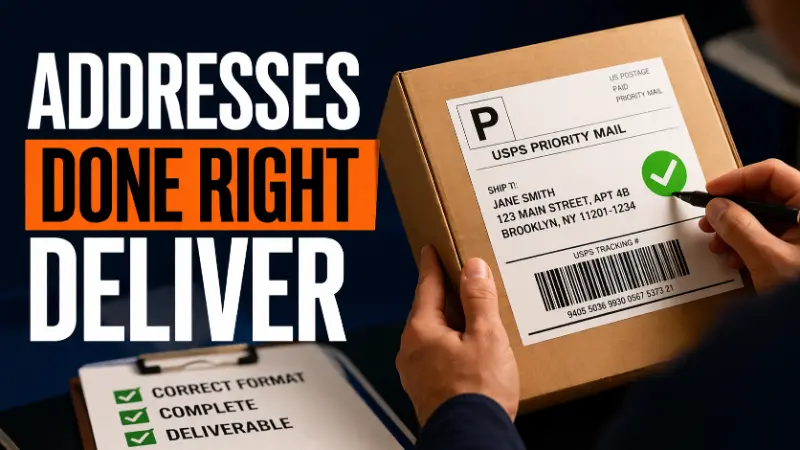
In this article
19 minutes
- Introduction to Address Formats
- Components of an Address
- Address Types
- The Standard US Address Format
- PO Box Addresses and Their Limitations
- How International Address Formats Differ
- Address Formatting Guidelines
- The Real Cost of Address Format Errors
- How Address Validation Works and Why It Matters
- Practical Steps for Ecommerce Operations
- Frequently Asked Questions
An address format is the structured sequence in which address components are arranged so that postal systems, carrier networks, and automated sorting equipment can identify a delivery location and route a shipment to it accurately. There are different formats for addresses in different countries and regions, and these formats must be adapted for different situations. For ecommerce operations, address format is not a background detail. It is a functional requirement that directly determines whether a package reaches the customer, whether the carrier applies correction surcharges, and whether a failed delivery triggers a reshipment, a refund, or a chargeback. Address formatting needs to be adapted to different situations, such as international shipping, business addresses, or residential deliveries.
Poor address formatting costs money in ways that are often invisible at the individual order level but significant at scale. A missing apartment number, an incorrect ZIP code, or a misformatted international address does not just cause a delay. It can delay delivery and impede timely receipt or review of correspondence or packages. It triggers a chain of operational events that consumes time, generates fees, and damages the customer relationship. Formatting addresses accurately is essential to ensuring your mail reaches its intended recipient without delays. Understanding how address format works, and where it breaks down, is foundational to running a reliable fulfillment operation.
Introduction to Address Formats
Address formats are standardized methods for writing addresses that ensure mail and packages are delivered accurately and efficiently. Whether you’re sending mail within your own country or internationally, using the correct address formatting is essential for the postal service or courier to process and deliver your letter or package without delay. Each address must be clear, complete, and easy to read, with all necessary components in the right order. Writing addresses in capital letters and following the correct format helps prevent errors and ensures that the recipient receives their mail on time. Proper punctuation and adherence to postal guidelines are especially important when sending international mail, as different countries may have unique requirements for address structure. By understanding and applying the correct address format, individuals and businesses can avoid delivery issues and improve the reliability of their mail services.
Components of an Address
A standard address is made up of several key components that work together to pinpoint the exact delivery location. The recipient’s name appears first, followed by the street address, which includes the house number, street name, and any additional information such as a building number or direction. If the address is for an apartment or unit within a larger building, the apartment or unit number should be included on the same line as the street address to ensure accurate delivery. The city and postal code help the postal service identify the geographic area, while the country name—written in capital letters on the final line—is crucial for international mail. Some recipients use a post office box (PO Box) or office box instead of a physical street address, especially for business or high-volume mail. Each component, from the unit number to the postal code, plays a vital role in making sure the mail reaches the correct location without confusion or delay.
Address Types
Addresses can be categorized into several types, each serving a specific purpose. Residential addresses are used for personal mail and packages delivered to homes, while business addresses are designated for commercial locations and often include a company name or department. Post office box addresses direct mail to a secure box at a post office, rather than a physical street address, and are commonly used by businesses or individuals who receive large volumes of mail. For international mail, it’s important to include additional information such as the country name and postal code to ensure the address is recognized by the global mailing system. The Universal Postal Union provides guidelines to help standardize address formats across different countries, making it easier for mail to be delivered accurately worldwide. Using the correct address type and format is essential to avoid delivery delays and ensure that mail is delivered to the intended person or business.
The Standard US Address Format
The United States Postal Service defines a standard address format that supports automated optical character recognition (OCR) sorting equipment. Understanding its structure is the starting point for any ecommerce brand shipping domestically. When addressing mail in the US, use the following format to ensure proper delivery and compliance with postal standards.
A complete US address contains four elements arranged on separate lines:
Line 1: Recipient name. The first line should include the recipient’s full name or company name. For business addresses, the company name typically appears on this line, with a department or individual name added on a second line if needed.
Line 2: Street address. This line starts with the street number, followed by the street name, the street type abbreviation (St, Ave, Blvd, Dr), and any directional prefix or suffix (N, S, NW, SE). When an apartment or unit number is part of the address, it appears on this line after the street address, not on a separate line. A correctly formatted example: 4821 N MAPLE AVE APT 3B.
Line 3: City, state, and ZIP code. The third line should include the city name, followed by a two-letter state abbreviation and the ZIP code, preferably in ZIP+4 format for greater accuracy: CHICAGO IL 60614-2301.
USPS recommends all capital letters (block letters) because OCR equipment reads uppercase characters more accurately than mixed case. Mixed case is also acceptable for automated processing, but all caps is the format recommended for maximum machine readability. For clarity, always ensure the address is legible and written in a standard font if printed. Punctuation in the address field creates no functional benefit and can cause issues in some automated systems; USPS address standards omit all punctuation except for the hyphen in the ZIP+4 code.
A complete US residential address example:
JANE SMITH 4821 N MAPLE AVE APT 3B CHICAGO IL 60614-2301
A complete US business address example:
ACME DISTRIBUTION LLC ATTN RECEIVING DEPT 200 INDUSTRIAL PKWY STE 400 AUSTIN TX 78745-1023
Addresses may sometimes be written on one line for online forms, email signatures, or shipping labels. In these cases, separate each component with a comma, for example: JANE SMITH, 4821 N MAPLE AVE APT 3B, CHICAGO IL 60614-2301.
Note: In Australian address conventions, subunits (such as apartment or suite numbers) are separated from the street name by two spaces for clarity and proper delivery.
PO Box Addresses and Their Limitations
A PO Box address directs mail to a box maintained at a post office facility rather than a physical location. PO Boxes are used to receive mail securely at a post office, providing privacy and security for individuals or businesses. Unlike a physical address, which includes street, building, or apartment details necessary for in-person or direct delivery by carriers, a PO Box address cannot be used for delivery by carriers other than USPS. The format for a PO Box address is: the recipient’s name on the first line, followed by ‘PO Box’ and the box number on the second line (e.g.,
John Doe
PO BOX 4892).
The critical operational point for ecommerce brands is that UPS, FedEx, and DHL cannot deliver to PO Box addresses. USPS is the only carrier that delivers to PO Boxes. When a customer provides a PO Box address at checkout and the default carrier in the fulfillment system is UPS or FedEx, one of two things happens: the shipment fails at the carrier level, or the carrier transfers it to USPS for final delivery, often adding transit time and handling inconsistency.
Ecommerce platforms should either prompt customers who enter PO Box addresses to confirm they want USPS-only delivery, or route those orders automatically to USPS in the carrier selection logic. Failure to handle this programmatically generates fulfillment failures on a predictable subset of orders that could be caught before the label is printed.
How International Address Formats Differ
International address formats do not follow a single standard. Each country operates its own postal system with its own conventions for component order, formatting, and required fields. The Universal Postal Union provides guidelines, but national variation is significant. Other countries use different formats for addresses, and these formats must be followed for successful delivery.
Each country has specific postal standards for formatting addresses. International address formats may differ in the ordering of street names and postal codes, and the inclusion of administrative regions or metropolitan areas. For example, in some countries, the postal code is placed before the city, while in the U.S. it follows it. International formats may also place the largest geographical unit first and the recipient last, differing significantly from U.S. formats.
Several structural differences create the most common errors in international shipping:
Component order varies by country. In the US, the street address precedes the city and postal code. In Japan, the format is reversed: postal code, then prefecture, then city, then district, then building number, then street name. Germany places the house number after the street name rather than before it: Hauptstraße 47, not 47 Hauptstraße. Applying US address logic to an international recipient address produces a formatting error that may cause misdelivery or customs delays. In the United Kingdom, addresses often include the recipient’s name, house number or house name, street name, locality, metropolitan area or city/town, and postal code.
Postal codes appear in different positions and formats. In the UK, the postcode follows the city on the same line and has a specific alphanumeric format: LONDON EC1A 1BB. In Canada, the postal code follows the province abbreviation and uses an alphanumeric combination: TORONTO ON M5H 2N2. In Australia, the postcode follows the state abbreviation: SYDNEY NSW 2000. In France, the postal code precedes the city name on the same line: 75001 PARIS. Many countries have different formats for postal codes, such as alphanumeric combinations in Canada or numeric codes in India.
The country name belongs on the final line, written in full, in English and uppercase letters. For international mail processed through USPS and major carriers, the destination country should appear on the last line of the address, spelled out completely without abbreviation. FRANCE is correct. FR is not sufficient for postal processing purposes on an address label.
Non-Latin character sets require transliteration. For destinations in countries that use Cyrillic, Arabic, Chinese, Japanese, or other non-Latin scripts, the address must be written in Roman characters for international processing. Addresses written in native scripts cannot be processed reliably by international postal networks outside the destination country.
International addresses should include the recipient’s name, street address (including house number or house name), city, state or province, postal code, metropolitan area or administrative region if applicable, and country. In international addressing, the order typically follows: recipient name, street address, postal code and city, country.
In some cases, mail can be collected from a local post office, and this may be specified in the address as an alternative delivery location.
A correctly formatted international address for a UK recipient:
OLIVER JAMES 14 BAKER STREET LONDON W1U 7BU UNITED KINGDOM
A correctly formatted international address for a German recipient:
ANNA MÜLLER KANTSTRASSE 12 10625 BERLIN GERMANY
Address Formatting Guidelines
Proper address formatting is essential for efficient mail handling and delivery, and guidelines can vary depending on the country and type of mail. Generally, each component of the address should be placed on a separate line for clarity. The street address, including any apartment or unit number, should appear on the first line, followed by the city, state or province, and postal code on the next line. For international mail, the country name should be written in capital letters on the last line. It’s important to use capital letters throughout the address, minimize punctuation, and use standard abbreviations—such as two-letter state codes in the US—to avoid confusion. Each country’s mailing system may have specific requirements, so it’s important to double-check the correct way to write an address for the destination country. Following these guidelines helps ensure that your mail is processed quickly and reaches the correct recipient without unnecessary delays.
The Real Cost of Address Format Errors
Address errors are not a minor operational inconvenience. They carry direct and measurable financial consequences that compound across order volume and frequently show up as carrier shipment exceptions. Inaccurate addresses can delay delivery and negatively impact customer satisfaction, as correspondence or packages may not reach the intended recipient on time.
Carrier address correction surcharges are applied when a carrier’s systems detect that a label contains an undeliverable or incorrectly formatted address that requires manual correction. As of 2025, UPS charges $20.50 per package for address correction. FedEx applies comparable fees. For an operation shipping 1,000 packages per month with a 2 percent address error rate, that is 20 corrections per month at $20.50 each, totaling $410 monthly in avoidable fees. At 5,000 shipments per month the same error rate generates over $2,000 in monthly surcharges, making it critical to apply broader strategies to mitigate FedEx and UPS surcharges.
Failed deliveries and return shipping costs are the next layer of expense. A package that cannot be delivered because the address is missing an apartment number or contains a nonexistent street address gets returned to the sender. The brand pays outbound shipping, inbound return shipping, and may owe the customer a refund or replacement before the returned package has even arrived back at the warehouse. Cross-border failed deliveries add customs and handling fees on top of the return shipping cost.
Reshipment labor and carrier costs double the shipping cost of any order that fails delivery and needs to be sent again. If the customer also received a refund on the original order, the brand is absorbing the cost of two shipments plus a refund for a single order, and inaccurate documentation like poorly structured packing slips and related shipping paperwork can compound the confusion.
Carrier classification errors affect pricing in a second way. Commercial and residential addresses carry different rate structures with most carriers. A business address billed at the residential rate overpays. A residential address classified as commercial may trigger a correction surcharge. Accurate address type classification depends on correctly formatted addresses that carrier systems can match against their databases.
Accurate addresses are crucial for businesses, as they ensure packages reach the right person on time, which encourages good reviews and repeat customers. Address verification tools help ensure that packages and mail can be sorted properly, getting them to the right place and the right person on time. Implementing front-end data cleaning software allows addresses to be validated and formatted in real time as they are entered into the system, and integrations like Amazon Buy Shipping order fulfillment further reduce labeling errors inside marketplace workflows. Using online address verification tools can help confirm the accuracy of addresses and reduce delivery delays and errors.
How Address Validation Works and Why It Matters
Address validation is the automated process of checking an address entered by a customer against official postal databases to verify that it is deliverable, identify formatting errors, and standardize the format before a label is generated.
For US domestic addresses, USPS operates the Coding Accuracy Support System (CASS), a certification program for address validation providers. CASS-certified validation tools check addresses against the USPS master address database, correct common errors such as misspelled street names, fill in missing directional components, standardize abbreviations, and return the verified address in USPS-compliant format along with the ZIP+4 code, especially when tightly integrated with your broader order fulfillment and carrier integrations.
The practical distinction between validation and standardization matters operationally. Validation confirms that an address exists and is deliverable. Standardization reformats the address to conform to postal conventions. A validation tool might confirm that 4821 Maple Ave is a real deliverable address, correct a missing directional (returning 4821 N Maple Ave), and append the ZIP+4 extension. Without validation, addresses entered by customers in whatever format they happen to use pass into the shipping system uncorrected and unchecked.
Address validation should be implemented at two points: at checkout when the customer enters the shipping address, and again at the label generation stage before the shipment is released to the carrier. Checkout validation allows the customer to correct errors immediately. Label generation validation catches any issues introduced between the order and fulfillment stages, and both are easier to execute consistently when you leverage specialized order fulfillment services for ecommerce companies.
For international addresses, validation is more complex because it requires country-specific databases and formatting logic. Several address validation APIs, including those offered by Google, Loqate, and postal-authority-connected services, cover international address verification with varying levels of coverage and accuracy by country. For high-volume international shippers, integrating international address validation at checkout is a material reduction in failed delivery rate, particularly when combined with efficient pick and pack fulfillment operations.
One practical example of what validation prevents: a customer enters their address as “123 main st apt 4” in a checkout form without capitalizing, without a directional, and with the unit number on a separate line from the street. Without validation, that address flows to the carrier exactly as entered. With validation, the system returns “123 N MAIN ST APT 4” with the correct ZIP+4 and confirms the address is deliverable. The carrier never sees the original customer-entered version.
Practical Steps for Ecommerce Operations
For brands evaluating their address handling, several concrete checks are worth running.
Audit your checkout address fields to confirm they capture all required components: recipient name, street address including unit or apartment number on the same line, city, state, and ZIP for domestic orders, and country on a final separate line for international orders. Missing unit number fields are one of the most frequent causes of apartment delivery failures because customers enter their unit number in a field that does not map to the carrier’s secondary address field.
Confirm that your ecommerce platform or order management system applies address validation or standardization before generating shipping labels. Most major platforms support USPS CASS-certified validation as a native feature or via integration. If your system is not validating at label generation, check what percentage of your carrier billing adjustments are address correction fees. That number tells you the scale of the problem.
For international orders, verify that your checkout form enforces country-specific postal code formats where possible and that country names are transmitted to carrier APIs in their complete form rather than as two-letter abbreviations. Brands that outsource to a third-party logistics (3PL) company should confirm these rules are consistently applied in their provider’s tech stack.
Review carrier billing statements monthly for address correction fees. Patterns in which address components are generating corrections indicate specific formatting gaps in your system configuration that can be fixed once identified.
Frequently Asked Questions
What is the correct format for a US mailing address?
A standard US mailing address consists of the recipient name on the first line, the street address including any apartment or unit number on the second line, and the city, two-letter state abbreviation, and ZIP code on the third line. USPS recommends all capital letters and omitting punctuation. An optional ZIP+4 extension after a hyphen improves delivery accuracy.
Where does the apartment number go in a US address?
The apartment or unit number belongs on the same line as the street address, not on a separate line. For example: 4821 N MAPLE AVE APT 3B. Placing the unit number on a separate line can cause carrier systems to miss it and result in delivery failure in multi-unit buildings.
How does international address format differ from US format?
International address formats vary by country. Common differences include reversed component order (some countries place postal codes before the city, or house numbers after street names), different positions for postal codes on the address line, and the requirement to write the destination country in full on the final line in English. Applying US address logic to international recipients is one of the most common causes of international delivery errors.
What is address validation and why does it matter for ecommerce?
Address validation is the automated process of checking a customer-entered address against official postal databases to verify it is deliverable and standardize its format. It catches errors like misspelled street names, missing directional components, incorrect ZIP codes, and nonexistent addresses before a label is generated. Address validation reduces carrier correction surcharges, failed deliveries, and the operational cost of reshipment.
How much do address correction fees cost?
UPS charges $20.50 per package for address correction as of 2025. FedEx applies comparable fees. For operations shipping at moderate to high volume, even a small percentage of address errors generates significant monthly surcharges. Address validation at checkout and at label generation eliminates most of these fees.
Can UPS or FedEx deliver to a PO Box?
No. UPS and FedEx cannot deliver directly to PO Box addresses. USPS is the only carrier that delivers to PO Boxes. Ecommerce operations should detect PO Box addresses at checkout and route those orders to USPS, or prompt the customer to provide a physical delivery address if the fulfillment system does not support USPS.
What is the most common cause of delivery failure related to address format?
Missing apartment or unit numbers are the most frequent formatting-related cause of delivery failure in multi-unit residential buildings. Without a unit number, the carrier cannot determine which mailbox to use, and the package is returned undelivered. Other common causes include incorrect ZIP codes, misspelled street names, and missing directional components such as N, S, E, or W in directional street addresses.
Written By:
Indy Pereira
Indy Pereira helps ecommerce brands optimize their shipping and fulfillment with Cahoot’s technology. With a background in both sales and people operations, she bridges customer needs with strategic solutions that drive growth. Indy works closely with merchants every day and brings real-world insight into what makes logistics efficient and scalable.
Turn Returns Into New Revenue
Related Articles
Cahoot vs ShipStation: Exploring ShipStation Alternatives
The Hidden Cost of Holding On to ShipStation If you’re using ShipStation in 2025, you’re not shipping smarter — you’re bleeding margin.
The End of Traditional Ecommerce Returns
PART I — THE PROBLEM Why Returns Didn’t Just Break — They Were Never Built for This Returns are ecommerce’s dirty secret: a billion-dollar bonfire that most brands prefer not to lo...
What Is Zone Skipping in Ecommerce Shipping?
Zone skipping is a shipping strategy that helps ecommerce business owners and high-volume shippers cut parcel costs and speed up delivery by consolidating orders going to the same ...