
Next-Gen Warehouse Automation Software for Ecommerce: Fulfillment Efficiency
In this article
 12 minutes
- Understanding Fulfillment Challenges
- Warehouse Efficiency: Supercharge Productivity for Your Team
- Automated Shipping Workflows with Warehouse Management Systems
- Making Large, Complex Orders Easy to Handle
- Optimizing Your Fulfillment Network and Carrier Management
- Summary: Why Next-Gen Shipping Software is a Game Changer
- Frequently Asked Questions
Ecommerce order fulfillment is more than just packing and shipping — it’s about precision, speed, and cost efficiency. Businesses that rely on outdated legacy systems often face delays, high labor costs, and manual errors, making it difficult to meet growing customer expectations.
Enter next‑generation warehouse automation software for ecommerce: designed to optimize every step of the fulfillment process. From intelligent order routing to real‑time tracking and automated cartonization, modern shipping software maximizes warehouse efficiency, reduces costs, and ensures seamless operations. By integrating smart automation, businesses can scale effortlessly while delivering faster and more reliable shipping experiences.
In this article, we’ll explore how shipping software enhances warehouse efficiency, minimizes fulfillment challenges, and empowers merchants to stay ahead in a competitive market.
Understanding Fulfillment Challenges
Fulfillment challenges can significantly impact a business’s ability to deliver products efficiently and effectively. Understanding these challenges is crucial to implementing effective solutions.
Manual Processes and Labor Costs
Manual processes can be a significant drain on resources, leading to increased labor costs, reduced productivity, and a higher risk of errors. Tasks such as manual data entry are not only time‑consuming but also prone to mistakes, which can cause delays and escalate costs. This is where automation solutions, like warehouse management systems (WMS), come into play. By automating repetitive tasks, a WMS can streamline operations, reduce the need for manual labor, and minimize errors. This not only cuts down on labor costs but also frees up your team to focus on more strategic activities that drive business growth.
Disconnected Software Programs and Missing Tracking Info
Disconnected software programs can create a fragmented fulfillment process, leading to missing tracking information and making it difficult to monitor and manage inventory levels, shipping, and delivery. This lack of integration can result in inefficiencies and errors that disrupt the entire supply chain. Implementing a seamless integration between software programs, such as a WMS and shipping software, can significantly improve visibility and control over the fulfillment process, and connected tools can also use RFID technology to track and manage stock with digital data across systems. With integrated systems, you can ensure that all parts of your operation are synchronized, providing real-time updates, more accurate inventory data, stronger inventory control, and comprehensive tracking information. This not only enhances operational efficiency but also improves customer satisfaction by ensuring timely and accurate deliveries.
Warehouse Efficiency: Supercharge Productivity for Your Team
We’ve now discussed how shipping software needs features that help you simplify the complex new world of ecommerce. But Sellers are not just focused on simplifying operations inside their businesses. Pressure from the outside continuously bears down on them – whether it’s rivals on online marketplaces, multiple channels to market and sell on, or demanding customers.
Efficient shipping processes play a necessary role in enhancing productivity by automating tasks such as creating labels, tracking packages, and handling returns, ultimately leading to improved customer satisfaction.
And all this is happening amid a competitive labor market, where staffing has become expensive and challenging. It isn’t enough for an ecommerce shipping software to reduce operational complexity. It must do so with minimal human intervention and resources, allowing you to do more with less. Crucially, the software must unlock productivity gains for today’s small teams, enabling them to focus on high‑value work.
In the previous section, you might’ve seen that legacy software has features that can simplify operational complexity. However, those features are often painful and convoluted to implement by a small team of seasonal or part-time workers. We think there are 3 major areas where shipping software must streamline workflows efficiently:
- Does the software have humanless, autonomous automation across shipping workflows, or does it require constant babysitting?
- In a world with increasing basket sizes, can it unlock time savings for warehouse staff by automating packaging selection?
- Is the product easy for seasonal or part‑time workers to use, without specialized training?
In the coming sections, we’ll examine each of these areas, showing how legacy software drains productivity and how next‑generation shipping software reclaims time, boosts efficiency, and drives growth.
Automated Shipping Workflows with Warehouse Management Systems
Legacy Software – Labor Intensive and Painful
The most important tasks in shipping software are routing orders to fulfillment locations and identifying the cheapest shipping label.
Legacy shipping software uses manual, repetitive steps for printing labels. Typically, after logging in, you must:
- Open an order
- Fix address issues
- Identify which warehouse has the SKU in stock
- Assign a “Ship From” location based on the customer’s address
- Select packaging
- Rate‑shop across carriers and services one at a time
- Pick the cheapest service
- Print the label
- Repeat for the next order
Some of these steps can be automated through crude, hard-coded automation rules but those are time-consuming to configure and can still be inaccurate. A rule is needed for almost every single workflow. Here are some reasons why this process is so elaborate and painful:
- Automations in most legacy software require certain criteria to be defined. When orders meeting these criteria (for example, orders for a certain SKU) enter the system, the rule is triggered to execute certain actions (like assigning a certain carrier or service). But what are all these rules defined for? Their ultimate aim is to find the lowest-priced shipping label on every order. These rules simply trigger certain actions to occur, rather than rate shopping for the cheapest label by comparing carriers and services.
- Even the simple steps need a rule. For example, if you’re delivering to a residential address, then only certain services can be used – like FedEx Home Delivery, for example. A rule needs to be written to ensure this mapping is considered by the system. All this makes it enormously difficult to cut down the number of keystrokes and clicks.
- ShipStation’s ‘Auto-routing’ feature (still in Beta in 2025), only factors in which locations have a product and their distance from the customer before assigning orders to a fulfillment center. It still does not support the comparison of real-time shipping rates for each carrier and service to make a full and final, (accurate), decision.
In our estimation, it would take the average human over 5 hours to print labels for 1,000 orders!
And as we all know, a human is not a computer. When doing a repetitive task for such a long period of time, fatigue and the possibility of errors increase dramatically. It’s also worth asking – why should a human be engaged in such repetitive, low-value work all day long?
Next‑Gen Software – Humanless and Seamless
With next-generation shipping software, the difference is like night and day. The system intelligently compares warehouse locations, carriers, shipping services, inventory levels, and shipping supplies to instantly and automatically generate shipping labels for every single order, and integrating seamlessly with inventory management enhances efficiency and accuracy.
Here’s the sequence of steps to accomplish the same goal using Cahoot (after logging in):
- Verify the address corrections made automatically by the system
- Prints labels in bulk
The system automates many steps that legacy software doesn’t – it spots potential issues with addresses and makes suggestions to fix them, it only considers warehouses that have inventory available, it selects the smallest packaging that an order can fit into and ship safely, and it rate-shops that package weight and dimension across all carriers, services, and warehouses for the cheapest service.
It’ll take the average human just 15 minutes to print labels for 1,000 orders in Cahoot, and most of that time is waiting for the printer to finish its job. We’ve made a video where you can get a glimpse of how this works, and how we stack up against the popular legacy shipping software ShipStation (if you’d like to see a little more about how Cahoot compares to ShipStation, read our comparison here!) You can sit back and relax, knowing that the optimal selection was made for every single order using technology. You can also free up your time to work on other tasks that add more value to the bottom line. If you’re finding it difficult and expensive to hire more people, you can ensure that the people you do have are focused on the problems that matter the most.
You can see it in action, or read our ShipStation comparison to learn more.
Making Large, Complex Orders Easy to Handle
Legacy Software – Left to Humans and Heuristics
Legacy shipping software is mainly focused on one portion of the fulfillment workflow – printing shipping labels. In a world of rising basket sizes, merchants have complexity in other steps of the shipping process, including shipment packaging selection. Optimizing layout and staff allocation in a distribution center can significantly enhance shipping efficiency and reduce costs.
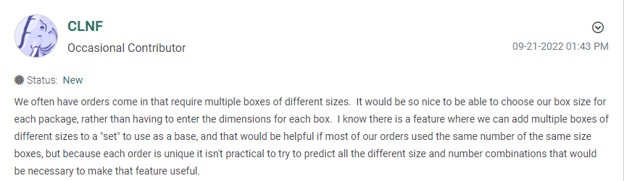
This is a common problem that customers of legacy software like ShipStation face. For complex orders that might require multiple boxes of various sizes, they are forced to enter the box dimensions manually each and every time based on the SKUs in the order. The customers from their community forum below are requesting a pull-down list of the common boxes they use so they can quickly make the selection rather than manually entering dims.
The customer is also highlighting a more important issue – they can add a set of boxes as a “base” in ShipStation. This feature aims to serve as a default that can be applied to most MLMQ orders. However, unless you’re lucky that most of your MLMQ orders consist of the same unique combination of SKUs, such a feature is pointless.
The list of automation rules that need to be written to map SKU combinations to boxes is dizzyingly long and involves having to figure out all the possible SKU permutations; impossible if your product catalog is any more than a couple dozen SKUs.
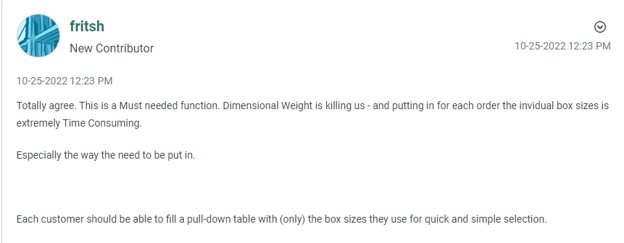
As the classic saying goes, customers are great at highlighting problems, but not identifying solutions. We think this is a big pain point that next-generation software already solves.
Next-Gen Software – Powered by Machine Learning for Warehouse Operations
Cahoot’s next-generation shipping software solves both of these problems. We don’t think the solution is a drop-down list, because you’re just replacing keystrokes with clicks. It’s still human effort and time.
Our software remembers the box selection you make the first time and applies it by default the next time regardless of how many SKUs and units of each are in the order. This ensures you’re freed up from repetitive manual entries and clicks.
We don’t believe the solution to picking the optimal box for every MLMQ order is an arbitrary default or crude automation rule. The Cahoot system uses breakthrough cartonization innovation to intelligently evaluate the space utilization for a group of items across all available boxes in stock and calculates the percent fit (% fit), making sure the most optimal box is automatically selected every time.

This frees your team from data entry and guesswork, letting them focus on higher‑value tasks that grow your business.
Optimizing Your Fulfillment Network and Carrier Management
Optimizing your fulfillment network and carrier management is crucial to ensuring efficient and cost-effective shipping operations.
Fulfillment Network and Carrier Performance Metrics
Monitoring fulfillment network and carrier performance metrics is essential for optimizing shipping operations. Key metrics—on‑time delivery rates, shipping costs, and customer satisfaction—provide insights into your fulfillment efficiency. Implementing a WMS offers real‑time visibility, enabling data‑driven decisions to optimize carriers, reduce costs, and improve delivery reliability.
By understanding challenges and optimizing your network and carriers, businesses can boost warehouse efficiency, cut costs, and elevate customer satisfaction through integrated, automated solutions.
Summary: Why Next‑Gen Shipping Software is a Game Changer
Traditional fulfillment systems struggle with modern ecommerce demands—high labor costs, fragmented software, and manual workflows. Modern warehouse automation systems transform operations, while automated warehouse systems handle physical tasks alongside ecommerce order fulfillment software and outsourced order fulfillment services for ecommerce that automate workflows, optimize packaging, and integrate sales channels.
Features like real-time tracking, AI-powered cartonization, deep integrations such as Amazon Buy Shipping for ecommerce fulfillment, and artificial intelligence-driven decision-making let businesses scale without bottlenecks. Investing in the right software drives down costs, increases accuracy, and delivers a seamless fulfillment experience.
Learn more in our Next Generation Shipping Software Guide, Part 4: “Save Money With Ecommerce Shipping Software: Next‑Gen Solutions”.
Frequently Asked Questions
How does warehouse automation software improve ecommerce fulfillment?
Warehouse automation software streamlines fulfillment by automating order routing, label generation, and inventory tracking. This reduces errors, speeds processing, and optimizes carrier selection for faster, more cost-effective deliveries.
What are the key benefits of using shipping software for warehouse efficiency?
Shipping software enhances warehouse efficiency by automating label printing, integrating with multiple carriers, optimizing order packing, and providing real‑time tracking. These features reduce labor costs, minimize delays, and improve fulfillment accuracy.
Can warehouse automation software integrate with existing ecommerce platforms?
Yes. Most next‑generation warehouse automation solutions integrate seamlessly with platforms like Shopify, Amazon, Walmart, and eBay—synchronizing inventory, orders, and shipping updates in real time.
How does automated cartonization help reduce shipping costs?
Automated cartonization uses AI to select the best box size for each order, reducing dimensional weight fees and wasted space. This optimization lowers shipping costs and improves warehouse space utilization.
How do I choose the right warehouse automation software for my business?
Consider integration capabilities, ease of use, automation features, and scalability. Look for solutions supporting multiple carriers, intelligent order routing, and analytics for continuous optimization.
Written By:

Jeremy Stewart
Jeremy Stewart leads customer success at Cahoot, helping merchants achieve high-performance logistics through smart technology and process optimization. With a background in both ecommerce operations and client services, Jeremy ensures that every merchant using Cahoot gets measurable results—whether they’re scaling from one warehouse to many or managing complex returns.

Turn Returns Into New Revenue

Related Articles

Order Picker Software: How Pick Path Optimization Impacts Warehouse Throughput
Order picker software is a warehouse execution layer that improves how warehouse workers pick orders by directing them through efficient pick paths, batching work, coordinating mul...
What Is Kitting? How It Improves Fulfillment Efficiency
Kitting is a fulfillment process in which individual items or components are pre-assembled into a single packaged unit containing all the components needed for the product or offer...
What Is a Perpetual Inventory System? How It Works in Ecommerce
A perpetual inventory system is an inventory management approach in which stock levels are updated continuously and automatically every time a transaction occurs.
Order Picker Software: How Pick Path Optimization Impacts Warehouse Throughput
In this article
31 minutes
- What order picker software actually does at a functional level
- Manual picking vs. automated picking: foundational differences and implications for software
- Pick path optimization is travel-time reduction at scale
- How software enables batch, zone, and wave picking at scale
- Congestion reduction in multi-picker environments becomes critical as volume scales
- Error-rate reduction has downstream cost impact far exceeding picking labor
- How these operational improvements translate into higher warehouse efficiency, throughput, and lower fulfillment cost
- Customer Satisfaction: The Downstream Impact of Optimized Picking
- Frequently Asked Questions
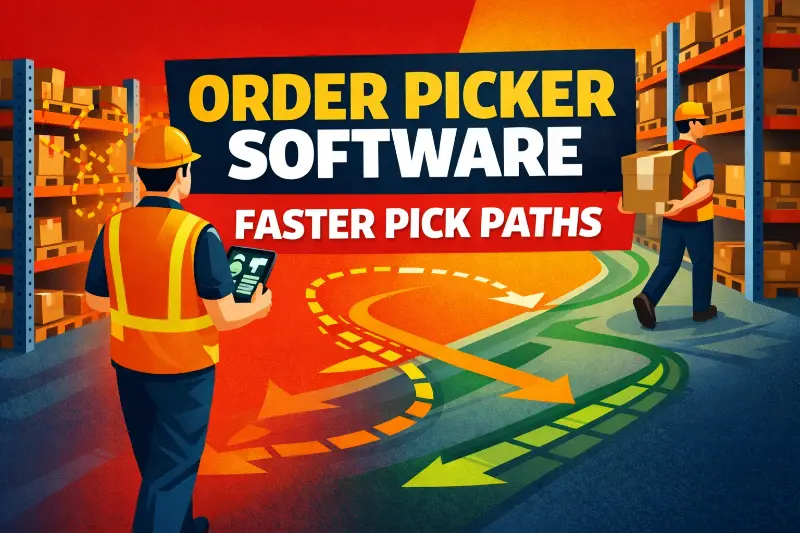
Order picker software is a warehouse execution layer that improves how warehouse workers pick orders by directing them through efficient pick paths, batching work, coordinating multiple pickers to reduce aisle congestion, and validating each pick to cut errors. For ecommerce businesses, especially those scaling online store operations, it matters because fulfillment constraints usually come from labor movement inside the warehouse—not from a lack of scanning or visibility tools alone. For mid-market Shopify brands moving from hundreds to thousands of daily orders, and for warehouse managers and operations leaders facing labor constraints and rising fulfillment costs, that distinction determines whether picker software delivers a small workflow improvement or creates real capacity for growth.
At its core, order picker software sits between a warehouse management system (WMS) and the physical picking process. As a central system, it consolidates data from scanning, order processing, and inventory management to ensure real-time accuracy and streamline operations. Key features such as integration with multiple sales channels and automated order processing are essential for optimizing the order fulfillment process, particularly for marketplaces like Amazon where Buy Shipping-integrated ecommerce fulfillment can reduce labeling errors and shipping costs. The software directs workers through optimized pick paths, consolidates orders into efficient batches, supports picking methods such as batch, zone, and wave picking, coordinates multi-picker workflows to avoid congestion, and validates each pick to reduce errors. This type of warehouse picking software also plays a vital role in streamlining the supply chain for ecommerce businesses by ensuring efficient inventory movement and fulfillment accuracy. The software does not replace warehouse labor. It reorganizes how that labor moves, what sequence it follows, and how multiple workers coordinate in shared space. The result is that the same number of workers, in the same warehouse footprint, can fulfill significantly more orders per shift without working faster or harder. They simply walk less, pick more accurately, and avoid the coordination failures that emerge when multiple pickers compete for the same aisles and inventory locations.
Optimized labor movement, reduced travel time, lower error rates, and higher throughput are the primary benefits of order picker software. These features help maximize efficiency in warehouse operations and underpin modern pick and pack fulfillment processes for ecommerce brands. Integration with WMS, ERP, and multi-channel operations ensures that picking, packing, and shipping are coordinated in real time, with seamless integration enabling unified control, lower fulfillment costs, and better customer satisfaction as order volume grows.
What order picker software actually does at a functional level
Order picker software operates as a task assignment and routing engine. The system receives customer orders often via ERP or ecommerce integrations, converting them into digital, actionable pick lists. Automated order processing and the reduction of manual data entry are key benefits, as the software automates the creation and assignment of pick lists. Integrated order management automates and streamlines the entire process, from syncing across multiple sales channels to optimizing fulfillment workflows and reducing manual errors. When orders arrive from various sales channels, the software works with existing systems to coordinate the entire fulfillment process, analyzing product locations, order contents, and current picker availability before grouping orders, assigning them to pickers, and generating optimized pick paths that minimize travel distance and time. Pickers receive instructions on mobile devices (handheld scanners, tablets, or Voice-Directed Picking devices) that display item locations, quantities, and the specific route to follow through the warehouse. Order picker software often supports mobile devices and integrates with Automated Storage and Retrieval Systems (ASRS) for enhanced automation.
The software validates each pick through barcode scanning or RFID confirmation, ensuring accuracy at each step. When a picker scans an item, the system confirms the correct product was selected, keeps inventory records cleaner through real-time validation, updates inventory in real time, and drives fewer errors. Improved inventory visibility reduces manual stock checks and helps prevent stockouts. Integrating order picking software with ERP and other existing systems provides a holistic view of the supply chain and improves operational efficiency. ERP and CRM synchronization ensures seamless data flow between warehouse operations and customer service. If the wrong item is scanned, the software immediately alerts the picker and prevents the error from progressing downstream. This validation loop is critical because picking errors that make it to packing stations require rework (opening boxes, verifying contents, pulling correct items, repacking, relabeling) that can consume 10 to 15 minutes of labor per error.
Beyond single-picker workflows, the software coordinates multiple pickers simultaneously, especially when it is tightly integrated with major ecommerce platforms, marketplaces, and shipping partners. It tracks which aisles and zones are currently occupied, assigns new pick tasks to avoid congestion, and dynamically reroutes pickers when inventory locations change or when certain areas become bottlenecks. Order picking software improves internal communications within the warehouse team, ensuring efficient coordination as order volume scales. This coordination function becomes essential as order volume scales. A warehouse with five pickers can often operate efficiently through informal coordination (verbal communication, visual awareness). A warehouse with 15 or 20 pickers cannot. Without software managing traffic and task assignment, pickers spend increasing time waiting for access to popular inventory locations, backtracking when items are out of sequence, and resolving conflicts over who picks which orders.
The software also supports different picking methods and can accommodate multiple order picking methods based on order characteristics and warehouse conditions. Cloud-based deployment makes it easier to scale users, locations, and workflows as volume grows. This flexibility is especially important when evaluating warehousing services and providers, since their infrastructure and processes must align with your preferred picking strategies. Order picking software and pack software help manage workflows across various sales channels, optimizing for different scenarios: batch picking for high-volume periods with similar orders, zone picking for large warehouses where specialization reduces training complexity, and wave picking for scheduled shipping cutoffs where all orders must be ready by a specific time.
Manual picking vs. automated picking: foundational differences and implications for software
In the world of warehouse operations, the choice between manual picking and automated picking shapes everything from labor costs to customer satisfaction. These two approaches to the picking process each bring unique strengths and challenges, and the right software can make a significant difference in maximizing warehouse efficiency and accurate order fulfillment.
Manual picking relies on warehouse staff to physically retrieve items from storage locations to fulfill customer orders. Workers use pick lists or digital instructions to navigate the warehouse, locate products, and collect them for packing and shipping. While this method offers flexibility—especially for warehouses or fulfillment centers handling a wide variety of SKUs or fluctuating order volumes—it is inherently prone to human error. Mistakes in picking can lead to inaccurate orders, increased customer support inquiries, and ultimately, diminished customer satisfaction. Manual picking also tends to require more warehouse space, as inventory must be easily accessible for workers, and it can drive up labor costs due to the time spent walking, searching, and correcting errors.
To address these challenges, picking software for manual operations focuses on streamlining the picking and packing process. Features like real time inventory management, optimized pick path routing to help workers follow the most efficient routes, barcode scanning, and voice picking support reducing walking distance while minimizing human errors in manual workflows. When paired with advanced ecommerce shipping software, these tools not only improve order accuracy but also enhance warehouse productivity by enabling staff to retrieve items more efficiently and complete multiple tasks with fewer mistakes.
Automated picking, by contrast, leverages technology such as automated storage and retrieval systems (AS/RS), robotics, and conveyor networks to handle the retrieval of items. Automated picking systems can operate continuously, significantly increasing throughput and reducing reliance on manual labor. By minimizing human intervention, these systems drastically reduce the risk of errors, leading to more accurate order fulfillment and fewer costly returns or shipping errors. Automated solutions also optimize warehouse space, allowing for denser storage and more efficient use of the facility footprint—an important consideration as ecommerce businesses scale.
While the initial setup and investment in automated picking technology can be substantial, the long-term benefits often include significant cost savings, higher warehouse productivity, and validation that helps prevent costly mistakes. Many high-volume brands complement automation with specialized order fulfillment services for ecommerce companies or peer-to-peer ecommerce order fulfillment services to extend fast, affordable delivery nationwide. Automated systems are particularly well-suited for fulfillment centers with predictable demand patterns and high order volumes, where maximizing throughput and minimizing errors are critical to maintaining customer loyalty.
The implications for software are significant. For manual picking, software solutions are designed to support warehouse staff by providing clear instructions, real time inventory updates, and validation tools to minimize errors. For automated picking, software must integrate seamlessly with enterprise resource planning (ERP) systems, manage inventory levels, and support automated replenishment that generates purchase orders based on sales trends to reduce stockouts, similar to how ecommerce fulfillment software orchestrates inventory placement and shipping decisions across a distributed network. This includes optimizing the picking strategy based on current inventory, order priorities, and shipping processes, ensuring that automated systems work in harmony with the broader fulfillment process.
Ultimately, the decision between manual and automated picking depends on the specific needs, order volumes, and growth trajectory of the warehouse or fulfillment center. Smaller operations or those with highly variable orders may find manual picking—enhanced by robust picking software—sufficient for their needs. Larger, high-volume warehouses stand to gain significant value from automated picking, especially when paired with advanced software that can orchestrate complex workflows and maintain accurate, real time inventory management. In both cases, the right software is essential for minimizing errors, controlling labor costs, and improving customer satisfaction through fast, accurate order fulfillment that supports business growth.
Pick path optimization is travel-time reduction at scale
The most direct impact of order picker software is reducing the distance workers travel per order. In a manual picking operation, workers receive a pick list (paper or digital) and walk through the warehouse collecting items in whatever sequence seems logical. This intuitive approach generates inefficient paths because humans naturally optimize for immediate convenience (picking the closest item first) rather than overall route efficiency. Efficient order picking is achieved when software-driven route optimization is used, enabling warehouses to implement strategies like wave picking, zone picking, and automated release processes to enhance productivity and accuracy.
Research on warehouse operations consistently shows that travel time accounts for 50% to 70% of total picking labor time. For a picker completing 100 picks per shift in a 50,000 square foot warehouse, even small reductions in average travel distance per pick compound into meaningful time savings. If software reduces average travel distance per pick by 20% (from 200 feet to 160 feet), that picker saves 4,000 feet of walking per shift, roughly three-quarters of a mile. At an average walking speed of 3 feet per second, that represents 22 minutes of saved time per shift. Across 15 pickers, that is 330 minutes (5.5 hours) of labor capacity recovered daily, equivalent to adding nearly one additional full-time picker without increasing headcount.
Pick path optimization achieves these reductions through algorithmic routing. The software analyzes the warehouse layout, item locations, and the set of items to be picked, then calculates efficient routes through warehouse storage that visit all required locations. For single-order picking, this is a traveling salesman problem. For batch picking (where a picker collects items for multiple orders in one trip), the optimization becomes more complex because the software must also minimize the number of touches per item and ensure picked items fit in the cart or tote so that overall ecommerce order fulfillment becomes a profit driver, not just a cost center.
Digital, hands-free options—such as voice picking—support efficient routes and allow pickers to work faster, increasing the number of orders fulfilled per hour. These features help maximize productivity by enabling pickers to complete more picks in less time, directly improving order fulfillment speed and overall warehouse efficiency.
The software also incorporates warehouse-specific constraints that pure algorithmic optimization would miss. It accounts for aisle direction rules (one-way traffic in narrow aisles), vertical pick zones (high shelves versus floor-level bins requiring different equipment), and temperature zones (frozen, refrigerated, ambient). These constraints ensure the optimized path is not just mathematically shortest but operationally feasible given physical layout and equipment limitations.
How software enables batch, zone, and wave picking at scale
Single order picking is the most prevalent warehouse picking method, where workers fulfill just one order at a time. In warehouse operations, warehouses rely on different picking methods depending on order volume and facility layout, including single order picking, batch picking, zone picking, and wave picking.
Order picker software does not just optimize individual pick paths. It restructures how orders are grouped and sequenced to maximize warehouse throughput.
Batch picking allows a single picker to collect items for multiple orders in one trip through the warehouse. Instead of picking Order 1 completely, returning to the packing station, then picking Order 2 completely, the picker walks the warehouse once and collects items for Orders 1 through 10 simultaneously. This dramatically reduces travel time because the picker visits each warehouse location only once even if items from that location are needed for multiple orders. Batch order picking groups similar orders together, further reducing travel time and streamlining the handoff process to packing with barcode scans. The challenge is that the picker must track which items go to which orders, and this complexity increases error risk. Order picker software manages this by directing the picker to place items in specific totes or bins labeled by order, and by validating each placement through scanning. A related method, cluster picking, consolidates several orders in one pass while keeping them separated for scan validation. Additionally, pack software helps improve order accuracy and warehouse efficiency during the picking and packing process, reducing errors and enhancing overall fulfillment performance, especially when integrated with well-designed packing slips and shipping documentation.
Zone picking divides the warehouse into geographic zones and assigns pickers to specific zones. Each picker becomes an expert in their zone’s layout and inventory, which reduces training time, cuts walking distance in large facilities, and increases pick speed. Orders that require items from multiple zones are passed between pickers (either physically or through handoffs at zone boundaries) until all items are collected. The coordination overhead is significant without software. A manual zone picking operation requires substantial communication and physical handoffs, and orders can get lost or delayed if one zone becomes a bottleneck. Software automates this coordination by tracking order progress through zones, balancing workload across zones, and alerting supervisors when specific zones are falling behind. Pack software helps here as well by improving order accuracy and warehouse efficiency during the picking and packing process.
Wave picking groups orders into scheduled waves (for example, all orders that must ship by 2 PM constitute one wave). All pickers work on the same wave simultaneously, and the wave is complete when all orders in that wave are picked and packed. This approach aligns picking activity with shipping schedules and carrier pickup times. The operational challenge is that wave picking requires precise workload balancing. If one wave is too large, pickers cannot finish before the cutoff time. If waves are too small, warehouse capacity sits idle. Order picker software calculates optimal wave sizes based on historical pick rates, current picker availability, and inventory distribution, then dynamically adjusts wave composition as conditions change. Some operations also combine wave structure with multiple-order methods when order profiles justify it.
The ability to switch between these methodologies based on real-time conditions is where software provides the greatest value. A warehouse might use batch picking during low-volume morning hours (when fewer orders arrive but pickers have time for longer routes), shift to zone picking during high-volume midday periods (when specialized, parallel workflows maximize throughput), and switch to wave picking in the afternoon (to meet carrier cutoff times). Without software, these transitions require manual planning, communication, and coordination. With software, they happen automatically based on predefined rules and current order volume.
Congestion reduction in multi-picker environments becomes critical as volume scales
As warehouse order volume increases, the number of pickers typically increases proportionally. But throughput does not scale linearly with headcount. A warehouse that processes 1,000 orders per day with 10 pickers does not automatically process 2,000 orders per day with 20 pickers, because the pickers begin interfering with each other.
Congestion occurs when multiple pickers need to access the same aisle, shelf, or inventory location simultaneously. One picker must wait while the other completes their pick. This wait time is unproductive labor that does not contribute to order fulfillment. In a small operation with three to five pickers, congestion is minimal because the probability of simultaneous access to the same location is low. In a larger operation with 15 to 20 pickers, congestion becomes a significant drag on throughput.
Order picker software reduces congestion through spatial awareness and dynamic routing. The system tracks the real-time location of all pickers (based on their most recent scan or pick confirmation) and assigns tasks to minimize overlapping routes. If two pickers have tasks in the same aisle, the software delays one assignment until the aisle is clear, or reroutes the second picker to different items first. This coordination happens continuously and automatically, without requiring pickers to communicate or manually adjust their workflows.
The software also identifies and mitigates hotspot congestion. Certain inventory locations (fast-moving SKUs, promotional items, seasonal products) generate disproportionate pick activity. Without intervention, multiple pickers will converge on these hotspots simultaneously, creating queues. Order picker software detects hotspot formation and implements mitigation strategies: assigning a dedicated picker to high-volume locations who stages items for other pickers to collect (reducing the number of workers entering the hotspot), dynamically splitting inventory for popular SKUs across multiple locations (distributing pick activity), or temporarily rerouting pickers to alternative tasks while hotspots clear.
The throughput impact of congestion reduction is non-linear. The first five pickers added to a warehouse generate minimal congestion. The next five pickers introduce noticeable congestion but throughput still increases. Beyond 15 pickers without coordination software, congestion begins to offset productivity gains from additional headcount. At 20+ pickers, congestion can completely neutralize the benefit of adding workers. This is why warehouse managers often report that “adding more pickers doesn’t help anymore” beyond a certain threshold. Order picker software resets that threshold by managing coordination that manual processes cannot handle.
Error-rate reduction has downstream cost impact far exceeding picking labor
Order picker software reduces picking errors through validation and process control, and the financial benefit extends well beyond the picking function itself. When a picker selects the wrong item in a manual operation, the error is often not detected until the packing station (where the packer notices the item does not match the packing slip) or worse, until the customer receives the package and reports the error.
Errors caught at packing require rework: the packer must stop current work, open the box, remove incorrect items, locate and retrieve correct items (either from nearby staging or by sending the picker back into the warehouse), repack the box, print a new shipping label if dimensions or weight changed, and restart the packing process. Order picker software streamlines this by managing the printing and integration of shipping labels, allowing users to validate addresses, compare rates, select shipping services, and print shipping labels efficiently as part of integrated pack workflows, particularly when paired with multi-carrier shipping software for ecommerce. Accurate shipping details are crucial in order processing and fulfillment, as precise shipping information reduces manual data entry, speeds up shipping, and improves overall warehouse efficiency. Sorting and prioritizing orders by shipping method within the software can further streamline fulfillment, reduce errors, and prevent conflicts at the inventory level. This rework consumes 10 to 15 minutes of packing labor per error. In a warehouse packing 1,000 orders daily with a 2% picking error rate, that is 20 errors requiring 200 to 300 minutes of rework labor daily (3.3 to 5 hours), equivalent to losing half a full-time packer to error correction.
Errors that reach the customer generate even higher costs. The warehouse must process a return (receiving, inspecting, restocking), ship a replacement (picking, packing, shipping costs), and absorb customer service overhead (emails, calls, refunds or discounts). Industry benchmarks suggest each customer-facing error costs $15 to $30 in direct costs, not including the impact on customer lifetime value, repeat purchase rates, and broader fulfillment operations. For a brand shipping 30,000 orders monthly with a 2% error rate, that is 600 errors costing $9,000 to $18,000 monthly in direct error-related expenses.
Order picker software reduces error rates from typical manual picking levels (2% to 5%) to validated picking levels (0.2% to 0.5%) through real-time barcode scanning and item verification. The picker must scan each item before placing it in the order tote, and the software confirms the scanned item matches the expected item for that order. Incorrect scans trigger immediate alerts, reducing scanning errors and preventing downstream mistakes. Barcode scanning and RFID integration result in a significant reduction in errors and improved order accuracy. This ten-fold error reduction translates directly into labor savings (less rework at packing), lower return and replacement costs, reduced customer service volume, and improved customer retention.
The error-reduction benefit also enables warehouse operations to shift labor from inspection to production. In manual operations, many warehouses implement quality control checks at packing (packing staff verify picked items match packing slips before sealing boxes) or even dedicated QC stations (a separate worker inspects orders before packing). These inspection steps catch errors but do not prevent them, and they consume labor that could otherwise be used for picking or packing. Order picker software with scan validation makes inspection largely redundant, allowing warehouses to redeploy QC labor to fulfillment activities. Improving order accuracy from 97% to 99% reduces errors by 67%.
Automated replenishment triggers also notify the warehouse team to restock pick bins from bulk storage with the right material handling equipment before they run empty, further preventing errors and supporting efficient process control.
How these operational improvements translate into higher warehouse efficiency, throughput, and lower fulfillment cost
The cumulative effect of travel-time reduction, optimized picking methodology, congestion management, and error reduction is that warehouse throughput increases without proportional increases in labor, space, or equipment across the entire picking and packing cycle. This is the operational leverage that order picker software provides. Additionally, pack software integrates with order picker software to further streamline the packing process for ecommerce businesses, improving order accuracy and efficiency in distribution centers.
A concrete example illustrates the mechanics. Consider a 50,000 square foot warehouse fulfilling 2,000 orders daily with 15 pickers working 8-hour shifts. Each picker completes approximately 133 picks per shift (2,000 orders divided by 15 pickers). At 50% travel time, each picker spends 4 hours walking and 4 hours picking. If order picker software reduces travel time by 20% (from 4 hours to 3.2 hours), each picker gains 48 minutes per shift of productive picking time. With the same 15 pickers, the warehouse can now fulfill 2,300 orders daily (a 15% throughput increase) without hiring additional labor.
The cost impact is equally significant. If fulfillment labor costs $20 per hour fully loaded (wages, benefits, payroll taxes), the warehouse spends $2,400 daily on picking labor (15 pickers x 8 hours x $20). Without software, scaling to 2,300 orders daily would require 17.25 pickers ($2,760 daily labor cost). With software enabling the throughput increase with existing headcount, the warehouse saves $360 daily ($131,400 annually) in labor costs. The software subscription (typically $100 to $300 per user per month, or $18,000 to $54,000 annually for 15 users) delivers positive ROI within the first year and substantial software payback through cost savings alone, before accounting for error reduction, faster training, and improved customer satisfaction. Warehouse management systems (WMS), alongside pick and pack software, further streamline receiving, put-away, picking, packing, and shipping processes while tracking inventory levels and statuses across the entire fulfillment process as operations grow.
Beyond labor cost, throughput improvements enable growing ecommerce brands to delay or avoid warehouse expansion and address broader ecommerce supply chain obstacles and inefficiencies. Order picker software enables businesses to efficiently oversee and coordinate stock across multiple warehouses, which is especially valuable for multi-location ecommerce brands managing complex retail operations with automated fulfillment center selection, real-time inventory tracking, and split inventory management to improve shipping speed and customer satisfaction. Some merchants also supplement internal capacity with off-site bulk storage options such as Amazon AWD bulk storage or Merchant Fulfilled Prime alternatives to FBA to stage inventory cost-effectively upstream of their fulfillment network. A warehouse operating at 80% capacity can typically absorb a 25% volume increase before hitting physical space constraints. Order picker software that unlocks 15% to 20% throughput gains extends the runway before a new facility or expansion becomes necessary, deferring capital expenditure and the operational complexity of multi-facility management. Utilizing the right warehouse management software is essential to streamline operations and support workforce productivity. Performance analytics dashboards can track key performance indicators like pick rate, order cycle time, and accuracy, helping managers optimize operations. Integrating order picker software, pack software, and WMS into broader supply chain management systems is crucial for improving overall logistics efficiency and supporting scalable ecommerce business growth.
Customer Satisfaction: The Downstream Impact of Optimized Picking
Customer satisfaction is the ultimate measure of success in the order fulfillment process, and optimized picking plays a pivotal role in achieving it. By leveraging advanced picking methods such as batch picking and zone picking, warehouses can fulfill customer orders more quickly and accurately, reducing the risk of errors and delays that can erode trust and loyalty.
Real time inventory management and automated order processing are key features of modern warehouse management systems that support efficient picking processes. These tools ensure that inventory levels are always accurate, orders are processed without delay, and warehouse workers have the information they need to pick the right items every time. Staying current on innovations showcased at leading logistics and fulfillment industry events can help operations leaders choose and implement these tools effectively. As a result, labor costs are reduced, and the fulfillment process becomes more streamlined—allowing businesses to handle higher order volumes without sacrificing quality.
Optimized picking not only improves operational efficiency but also has a direct impact on customer satisfaction. When customers receive their orders on time and without errors, they are more likely to return to your online store and recommend your brand to others. By prioritizing customer satisfaction through investment in advanced warehouse management and picking solutions and learning from real-world order fulfillment optimization case studies, ecommerce businesses can enhance their reputation, increase customer retention, and drive sustainable revenue growth.
Frequently Asked Questions
What is order picker software and what does it actually do?
Order picker software is a warehouse execution layer that directs workers through optimized pick paths, consolidates orders into efficient batches, coordinates multi-picker workflows to avoid congestion, and validates each pick to reduce errors. It sits between a warehouse management system (WMS) and the physical picking process. By leveraging automated order processing, the software reduces manual data entry and streamlines the creation of digital pick lists by integrating with ERP and ecommerce systems. The software analyzes product locations, order contents, and picker availability, then generates optimized routes that minimize travel distance. Pickers receive instructions on mobile devices showing item locations, quantities, and specific routes. The system validates picks through barcode scanning, confirms correct item selection, and updates inventory in real time while preventing errors from progressing downstream.
How does pick path optimization reduce travel time and improve picks per hour?
Pick path optimization reduces the distance workers travel per order by calculating algorithmically optimal routes through the warehouse rather than relying on intuitive but inefficient manual routing. Efficient order picking is achieved through optimized routes and digital, hands-free options, allowing pickers to work faster and increase the number of orders fulfilled per hour. Travel time accounts for 50-70% of total picking labor time. A 20% reduction in average travel distance per pick (from 200 feet to 160 feet) saves roughly 4,000 feet of walking per shift per picker, equivalent to 22 minutes of labor capacity recovered. Across 15 pickers, this represents 330 minutes (5.5 hours) of labor capacity daily, equivalent to adding nearly one full-time picker without increasing headcount. The software incorporates warehouse-specific constraints like aisle direction rules, vertical pick zones, and temperature zones to ensure optimized paths are operationally feasible.
What is the difference between batch picking, zone picking, and wave picking?
Single order picking is the most prevalent warehouse picking method, where workers fulfill one order at a time. Other picking methods include batch picking, zone picking, and wave picking, each designed to optimize efficiency and accuracy in different scenarios.
Batch picking allows one picker to collect items for multiple orders in one trip (e.g., Orders 1-10 simultaneously), visiting each location once even if items from that location are needed for multiple orders. Zone picking divides the warehouse into geographic zones with dedicated pickers who become experts in their zone’s layout; orders requiring items from multiple zones are passed between pickers. Wave picking groups orders into scheduled waves (e.g., all orders shipping by 2 PM), with all pickers working the same wave simultaneously to meet carrier cutoffs. Order picker software enables switching between these picking methods based on real-time conditions: batch picking during low-volume periods, zone picking during high-volume periods for parallel workflows, and wave picking to meet shipping deadlines.
How does order picker software reduce congestion in multi-picker warehouse environments?
As picker headcount increases, congestion occurs when multiple pickers need simultaneous access to the same aisle, shelf, or inventory location, creating unproductive wait time. Order picker software tracks real-time location of all pickers (based on recent scans) and assigns tasks to minimize overlapping routes. If two pickers have tasks in the same aisle, the system delays one assignment until the aisle clears or reroutes the second picker to different items first. The software identifies hotspot congestion at fast-moving SKUs and implements mitigation: assigning dedicated pickers to stage items from high-volume locations, splitting popular SKU inventory across multiple locations, or temporarily rerouting pickers to alternative tasks while hotspots clear. This prevents throughput from plateauing as headcount scales.
How much do picking errors actually cost and how does software reduce them?
Picking errors caught at packing require 10-15 minutes of rework labor per error (opening box, removing incorrect items, retrieving correct items, repacking, and managing or printing shipping labels). At 1,000 orders daily with 2% error rate, this is 20 errors requiring 200-300 minutes of rework daily (3.3-5 hours), equivalent to losing half a full-time packer to error correction. Sorting and prioritizing orders by shipping method can further reduce errors and streamline the fulfillment process by ensuring the correct shipping options are applied and preventing inventory conflicts. Errors reaching customers cost $15-30 each in direct costs (return processing, replacement shipping, customer service) plus customer lifetime value impact. For brands shipping 30,000 orders monthly with 2% error rate, this is 600 errors costing $9,000-$18,000 monthly, eroding margins and inflating ecommerce order fulfillment costs. Order picker software reduces error rates from 2-5% (manual) to 0.2-0.5% (validated) through real-time barcode scanning that prevents incorrect picks from progressing. Barcode scanning and RFID integration result in a significant reduction in errors and improved order accuracy.
How does order picker software improve warehouse throughput without adding labor or space?
Order picker software increases throughput through cumulative operational improvements: travel-time reduction (20% reduction creates 48 minutes additional productive picking time per 8-hour shift), optimized picking methodologies (batch/zone/wave), congestion elimination (prevents throughput plateau as headcount scales), and error reduction (eliminates inspection labor), all of which are critical when evaluating Shopify order fulfillment options and strategies. Integrating pack software with order picker software further streamlines the packing process for ecommerce businesses, improving order accuracy and efficiency in distribution centers. These solutions are essential for effective supply chain management, as they automate and optimize logistics operations. Warehouse management systems (WMS) also play a key role by streamlining receiving, put-away, picking, packing, and shipping processes while tracking inventory levels and statuses. Performance analytics dashboards can track key performance indicators like pick rate, order cycle time, and accuracy, helping ecommerce businesses optimize fulfillment. Example: A warehouse fulfilling 2,000 orders daily with 15 pickers at 50% travel time can increase to 2,300 orders daily (15% throughput increase) when software reduces travel time to 40%, without hiring additional labor. This saves $360 daily in labor costs ($131,400 annually) while software subscription costs $18,000-$54,000 annually for 15 users, delivering positive ROI in year one before accounting for error reduction and delayed facility expansion.
What picking methodologies does order picker software support and when should each be used?
Order picker software supports batch picking (one picker collects items for multiple orders in one trip, optimal for high-volume periods with similar orders), zone picking (warehouse divided into zones with dedicated pickers, optimal for large warehouses where specialization reduces training complexity and enables parallel workflows), wave picking (orders grouped into scheduled waves to meet shipping cutoffs, optimal for carrier pickup deadlines), and discrete picking (one picker completes one order, optimal for high-value or complex orders requiring specialized handling). The software switches between methodologies based on order characteristics, warehouse conditions, and real-time volume, enabling automatic transitions without manual planning or coordination.
Automated picking leverages technologies like Goods-to-Person (GTP) and Person-to-Goods (PTG) systems to enhance warehouse efficiency. Goods-to-person systems, often powered by automated storage and retrieval systems (AS/RS) and robotics, bring inventory directly to stationary workers, reducing travel time and increasing productivity in warehouse picking operations. Warehouse automation solutions such as conveyor systems and AS/RS are increasingly used to improve picking efficiency.
Additionally, voice picking technology (pick-by-voice), pick-to-light systems, and augmented reality (AR) solutions provide hands-free, visual, and intuitive guidance, significantly increasing productivity and reducing picking errors. Robotic picking systems utilize advanced AI algorithms for vision and path optimization, enabling them to handle a wide variety of items and further streamline warehouse picking processes.
How quickly does order picker software deliver ROI and what are the key cost savings?
Primary ROI sources include labor cost savings (15-20% throughput increase without adding headcount saves $131,400 annually for a 15-picker warehouse at $20/hour fully loaded labor cost), error reduction (reducing 2% error rate to 0.5% saves $9,000-$18,000 monthly in direct error costs for brands shipping 30,000 orders monthly), eliminated inspection labor (scan validation makes quality control checks redundant, redeploying QC labor to production), and delayed facility expansion (20% throughput gains extend runway before warehouse expansion, deferring capital expenditure). Software subscription typically costs $100-$300 per user per month ($18,000-$54,000 annually for 15 users), delivering positive ROI within first year from labor savings alone before accounting for error reduction, faster training, and improved customer satisfaction.
Written By:

Indy Pereira
Indy Pereira helps ecommerce brands optimize their shipping and fulfillment with Cahoot’s technology. With a background in both sales and people operations, she bridges customer needs with strategic solutions that drive growth. Indy works closely with merchants every day and brings real-world insight into what makes logistics efficient and scalable.
Turn Returns Into New Revenue
Related Articles
Walmart Officially Allows Amazon Multi-Channel Fulfillment (MCF)
Big news for multichannel sellers: Walmart now officially allows Amazon Multi-Channel Fulfillment (MCF), Amazon’s service for using its fulfillment network to ship orders from mult...

Why Small Ecommerce Brands Are Winning with AI (While Enterprises Struggle)
Conventional wisdom says large companies should dominate AI adoption.

Top 12 Shipping Strategies For Making Free Shipping Profitable
For ecommerce sellers, shipping is more than just getting a package from point A to point B — it’s the invisible backbone, quietly shaping customer satisfaction, operational costs,...
What Is Kitting? How It Improves Fulfillment Efficiency
In this article
18 minutes
- Kitting vs Bundling: Why the Difference Matters Operationally
- How the Kitting Process Works in a Warehouse
- Kitting Services: In-House vs Outsourced Solutions
- Pick and Pack Efficiency Gains
- Inventory Management Implications
- Labor Costs and Workforce Optimization in Kitting
- Types of Kitting Applications
- Managing Excess Inventory Through Kitting
- When Kitting Makes Sense and When It Does Not
- Frequently Asked Questions
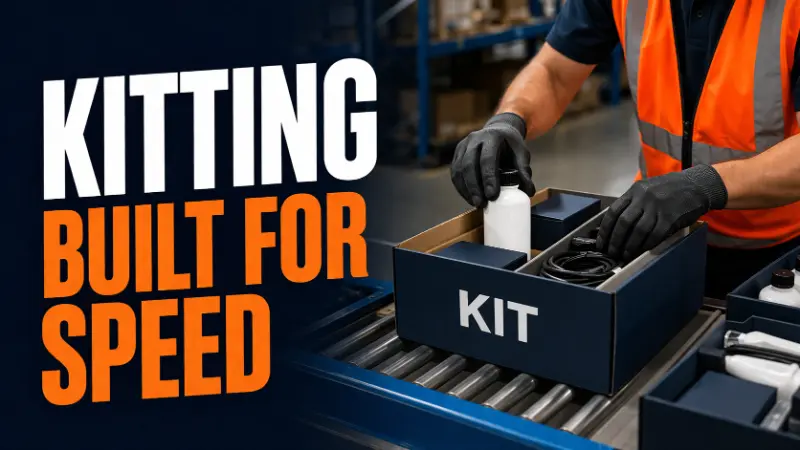
Kitting is a fulfillment process in which individual items or components are pre-assembled into a single packaged unit containing all the components needed for the product or offer before an order is placed. The resulting kit is stored, picked, and shipped as one SKU rather than as multiple separate items. The work of combining those components happens upstream of the order, during a dedicated assembly step, so that when a customer order arrives, the pick-and-pack workflow treats the kit as a single unit. Kitting specifically defines a set of complementary items that can be sold as a new product, while bundling is a broader term applied to any grouping of items.
That distinction, doing the assembly work in advance rather than at the point of pick, is what separates kitting from simple product bundling as a concept. Kitting can enhance the customer experience by providing a complete kit that is ready to ship, while bundling typically requires assembling items after an order is placed. Pre-assembling items that are frequently bought together allows for quicker order fulfillment and improved customer satisfaction. The operational impact on fulfillment speed, error rates, and labor costs depends on whether that upstream assembly step is actually built into the warehouse workflow or whether the bundling is left to be handled per order at the packing station.
Kitting vs Bundling: Why the Difference Matters Operationally
The terms kitting and bundling are used interchangeably in many ecommerce and marketing contexts, but operationally they describe two different approaches.
Bundling refers to a commercial decision to sell multiple products together as a group, often at a combined or discounted price. A bundle can be created at the point of sale as a virtual grouping, where the individual component SKUs are picked separately and assembled during packing, or it can be pre-assembled as a kit. The bundle is the offer. Kitting is the physical process of creating that bundled unit ahead of time.
Kitting refers specifically to the physical assembly of individual components into a single packaged unit before the order is fulfilled. A kit has its own SKU. It is received, stored, and counted in the inventory system as a single unit, distinct from its components. When a customer orders a kit, the warehouse picks one unit rather than three or four individual items. Kitting can help increase average order value by combining popular items with less-trendy products, encouraging customers to purchase more items at once.
The operational consequence of this difference is significant. Consider subscription boxes containing five items. Subscription boxes are a practical application of kitting, where curated products are assembled into a single package for recurring delivery. If the subscription box is sold as a virtual bundle, each order triggers five separate picks across five different warehouse locations, followed by assembly at the packing station. If the subscription box is kitted in advance, each order triggers one pick of a pre-assembled unit. The second approach is faster, generates fewer errors, and scales more cleanly as order volume grows. Kitting is commonly used for curated subscription boxes, promotional offers, or gift sets.
For operations leaders, the question is not whether to call a multi-product offer a kit or a bundle. It is whether the assembly work happens before or during order fulfillment, and which approach produces better outcomes given the order volume, product mix, and warehouse configuration. When customers receive a pre-assembled kit, kitting can create a delightful unboxing experience, as they receive a well-packaged kit that includes all necessary items, enhancing their overall satisfaction with the purchase.
How the Kitting Process Works in a Warehouse
A product kitting workflow involves a distinct set of steps that sit between inbound receiving and the standard pick-and-pack process. Understanding the flow helps operations teams evaluate whether product kitting is structured correctly in their facilities. Establishing a workflow for kitting is essential, as it helps to scale kit assembly and ensures that the process is clear and efficient.
Component procurement and receiving. The individual items that will make up the kit are received into the warehouse system as their own inventory. Each component has a location, a count, and a record in the WMS. At this stage, the components are still managed individually.
Kit assembly scheduling. Based on anticipated order volume, historical sales data, or a forecast tied to a promotional calendar, the warehouse plans a kitting run. This involves determining what the kit will comprise, how many kits to assemble, pulling the required quantities of each component from storage, and staging them at a dedicated kitting or assembly area. Key steps in the kitting process include determining the contents of the kit, deciding who will assemble the kit, assigning a new SKU, organizing the items, and preparing for assembly.
Physical assembly. A kitting team or assembly line works to create kits by combining all required items according to a defined process, which may include inserting items into a specific box configuration, adding insert cards or promotional materials, applying kit-specific labels, and sealing the finished unit. Quality control steps verify that each kit contains the correct components before it is placed into finished kit storage. The kitting process acts as an additional quality check, identifying defective or mismatched parts early. Kitting improves accuracy by reducing errors during assembly or fulfillment and can cut assembly errors by 30–50% by ensuring the correct components are verified before reaching the production line. Kitting also reduces assembly time by up to 30%, leading to higher throughput and shorter work cycles.
Kit storage and inventory management. Completed kitted items and kitted products are assigned their own SKU, counted into the WMS, and stored in a designated location. From this point forward, the kit is managed as a single inventory unit. The WMS also typically tracks a bill of materials relationship between the kit SKU and its component SKUs, allowing the system to understand the inventory implications of assembling or disassembling kits. Kitting increases efficiency by streamlining packing processes and reduces picking and packing time significantly by minimizing travel distance and manual handling.
Order fulfillment. When a customer order arrives for the kit SKU, the streamlined order fulfillment process allows the pick to be a single unit from the kit storage location. The packing step is minimal because the kit is already assembled. The label is applied and the shipment is released. The shipping process is accelerated due to pre-assembled kits, and total touch time per order is dramatically reduced compared to picking and assembling the same components individually.
Kitting Services: In-House vs Outsourced Solutions
When it comes to managing the kitting process, businesses have two primary options: handling kitting services in-house or outsourcing to a third-party logistics (3PL) provider. In-house kitting gives companies direct control over every aspect of the process, from sourcing components to assembling kits within their own warehouse or manufacturing facility. This approach can be ideal for businesses with unique assembly requirements or those needing tight oversight, but it often requires significant investment in specialized equipment, dedicated labor, and ongoing training. Additionally, in-house kitting can put pressure on warehouse space, especially as order volumes grow or product lines expand.
On the other hand, outsourcing kitting services to a 3PL can deliver substantial cost savings and operational efficiencies. 3PL providers typically have access to advanced technology, specialized equipment, and experienced teams that can streamline the kitting process. By leveraging a 3PL’s expertise, companies can reduce labor costs, free up valuable warehouse space, and scale their kitting operations quickly to meet changing demand. Outsourcing also allows businesses to focus on core activities while benefiting from the flexibility and efficiency of a partner dedicated to fulfillment operations. When deciding between in-house and outsourced kitting, companies should carefully weigh factors such as labor costs, available warehouse space, the complexity of their kitting process, and the need for specialized equipment.
Pick and Pack Efficiency Gains
The efficiency benefit of kitting operates through two mechanisms: reduced pick complexity per order and reduced assembly time at the packing station.
In a warehouse where kitting has not been implemented, a five-item bundle requires five discrete picks. The picker navigates to five separate locations in the warehouse, retrieving one unit at each stop. If those five items are stored in different zones or aisles, the travel time between picks accumulates across every order. At 100 orders per day, the inefficiency is manageable. At 1,000 orders per day, the cumulative travel time represents a material labor cost.
When those five items have been pre-assembled into a kit with its own storage location, each order requires a single pick. The picker retrieves one unit from one location. The packing station does not need to assemble anything. Labor per order drops substantially, and throughput capacity increases with the same headcount. Kitting leads to lower labor costs by requiring fewer picking steps per order and standardizing assembly processes, which increases productivity and efficiency.
Kitting also helps businesses save time and money by allowing them to pre-assemble items into bundles that can be shipped together, rather than picking and packing items individually. This optimization not only streamlines order fulfillment but also reduces the need for additional storage, contributing to overall saving money on warehousing costs.
Error rates also decline. Every additional pick step is an opportunity for a picker to select the wrong item, pick the wrong quantity, or skip an item entirely. A five-item bundle assembled per order has five opportunities for pick error before the box is sealed. A kit assembled upstream has those same error opportunities concentrated in the kitting run, where quality control is applied before the unit enters finished goods storage. Post-assembly QC on kits is more systematic and more effective than attempting to verify a multi-item pack at the packing station during high-volume fulfillment.
For operations teams tracking error rates per order, kitting typically produces a measurable reduction in packing errors because the verification step is decoupled from the time pressure of order fulfillment. In summary, kitting contributes to saving money through reduced labor, improved workflow, and more efficient use of warehouse space.
Inventory Management Implications
Kitting introduces a layer of inventory management complexity that requires businesses to manage kitting carefully to maintain accurate inventory records and deliberate configuration in the WMS to handle correctly.
The primary challenge is maintaining accurate visibility into both component inventory and kit inventory simultaneously. When a kitting run converts 500 units each of five components into 500 assembled kits, the component inventory must decrease by 500 units each and the kit inventory must increase by 500 units. If the WMS does not handle this transaction correctly, either through a proper bill of materials relationship or through manual adjustment, the component counts become inaccurate, which creates planning problems for replenishment. To ensure efficiency and accuracy, companies need to implement kitting processes within their inventory management systems or ecommerce fulfillment workflows.
Over-kitting is a specific risk. If a warehouse assembles 1,000 kits based on an optimistic demand forecast and actual orders are 400, 600 kits are sitting in finished kit storage. Those kits tie up the component inventory they contain, which means the components cannot be used for other purposes or sold individually without first disassembling the kits. Disassembly is a labor cost that was not in the original plan.
Under-kitting creates fulfillment gaps. If kit demand exceeds the assembled quantity and the warehouse does not have the time or labor to run an emergency kitting session, orders for the kit SKU cannot ship. The kit will show as out of stock in the inventory system even though all the component parts may be physically present in the warehouse.
Tracking one kit SKU instead of thousands of individual parts simplifies inventory audits and provides better visibility into actual usage.
Managing this balance requires connecting kitting schedules to demand planning. The quantity of kits assembled in any given run should be grounded in a realistic forecast of how many orders will arrive in the period until the next kitting run can be completed.
Efficient kitting strategies have been reported to lead to a 20% reduction in overall inventory costs.
Labor Costs and Workforce Optimization in Kitting
Labor costs are a major factor in the overall efficiency and profitability of the kitting process. By implementing a well-designed kitting process, companies can significantly reduce the time and labor required to fulfill orders, as assembling kits in advance streamlines the fulfillment process and minimizes repetitive picking and packing tasks. This not only lowers labor costs but also allows the kitting team to focus on value-added tasks and manage higher order volumes without increasing headcount.
Optimizing workforce efficiency in kitting involves more than just assembling products—it requires thoughtful planning, effective training, and the use of technology to automate repetitive steps and reduce human error. For example, clear assembly instructions, standardized workflows, and barcode scanning can help the kitting team work faster and with fewer mistakes. Companies that outsource kitting services to a 3PL can also benefit from their expertise in workforce management, as 3PLs are skilled at adjusting labor resources to match demand and leveraging automation to further reduce labor costs. Ultimately, effective labor management in kitting leads to a more agile fulfillment process, lower costs, and higher customer satisfaction.
Types of Kitting Applications
Kitting is applied across several distinct ecommerce and manufacturing contexts, each with its own workflow characteristics.
Subscription box kitting is among the most operationally intensive applications because the kit changes each cycle, requires sourcing a new set of components per period, and must be assembled in volume before the subscription shipment date. Subscription kitting runs are large batch events where the assembly workflow must scale to produce thousands of units within a short window.
Gift set kitting supports seasonal or promotional offerings where multiple complementary products are packaged together for purchase as a set. Gift sets assembled in advance of peak season allow the warehouse to process orders during high-volume periods without the packing station bottleneck of assembling individual gift sets per order.
Promotional or limited-edition kitting bundles a hero product with accessory or companion items to increase average order value. The kit is created for the duration of the promotion and disassembled or revised when the promotion ends.
Manufacturing kitting—also known as material kitting—plays a crucial role in the manufacturing process and production process by supplying production lines with pre-staged sets of raw materials and components required to make specific products. In manufacturing, kitting involves compiling all the raw materials and components needed for a particular assembly job into a single kit, ensuring the production team has everything necessary for efficient workflow. This approach eliminates the need for workers to search for individual components, saving time and reducing errors in picking and assembly. Material kitting helps reduce order picking time, improve inventory organization, and increase the efficiency of the assembly process by grouping individual components required for specific manufacturing tasks into pre-packaged kits.
Warehouse kitting refers to assembling these kits within the warehouse environment, which helps manufacturers simplify and accelerate product assembly while using warehouse space more efficiently. By grouping necessary components together, warehouse kitting streamlines inventory management and facilitates faster order fulfillment. Kitting is commonly used for complex assemblies in industries such as electronics and automotive, where organized packages are needed for just-in-time production.
Kitting is also widely used in various industries, including e-commerce, manufacturing, and retail, to streamline operations and improve customer satisfaction by providing ready-to-ship kits. Integrating kitting into the broader supply chain—whether during manufacturing, warehousing, or fulfillment—optimizes costs and efficiency throughout the entire production and distribution workflow.
Managing Excess Inventory Through Kitting
Kitting is a powerful inventory management technique for ecommerce businesses and online stores looking to address excess inventory and boost sales. By using inventory kitting to bundle slow-moving products with popular or complementary items, companies can create attractive pre-assembled kits that appeal to customers and help clear out excess stock. This approach not only generates revenue from products that might otherwise become dead stock but also increases sales volume by offering unique product combinations.
Pre-assembled kits require less storage space than storing individual components separately, allowing businesses to optimize warehouse space and reduce storage costs. Kitting also helps maintain healthy inventory levels by turning excess inventory into new sales opportunities, improving inventory turnover, and reducing the risk of obsolete stock. For online stores, this strategy can lead to higher customer satisfaction, as customers receive greater value and variety in a single package. By implementing a kitting process focused on managing excess inventory, companies can increase sales, generate revenue from underperforming products, and make better use of their available storage space.
When Kitting Makes Sense and When It Does Not
Kitting enables many benefits for businesses, including increased efficiency and customer satisfaction. Kitting improves efficiency when order volume for the bundled product is high enough that the assembly labor investment is recovered in pick time savings, when the component mix is stable enough that the assembly process does not change frequently, and when the kit has a predictable demand pattern that allows kitting runs to be planned in advance. Kitting can increase average order value by combining multiple items into a single purchase, which customers may perceive as a better deal. Additionally, kitting reduces inventory clutter and improves space utilization by combining items into single kits. Kitting can also decrease the likelihood of errors in order fulfillment, as pre-assembled kits reduce the complexity of picking and packing individual items.
Kitting creates overhead when order volume for a given kit is too low to justify a dedicated assembly run, when the product mix changes frequently and assembled kits must be disassembled before the next configuration is assembled, or when component lead times are inconsistent and kitting runs cannot be planned reliably.
For operations leaders evaluating whether to kit a specific product, the calculation is straightforward: compare the labor cost of pre-assembling a batch of kits against the labor savings from reduced per-order pick and pack time over the anticipated selling period. When the savings exceed the assembly cost, kitting is the right approach. When they do not, per-order assembly is more efficient.
Frequently Asked Questions
What is kitting in fulfillment?
Kitting is the process of pre-assembling multiple individual items or components into a single packaged unit before customer orders arrive. The resulting kit contains all the components needed for the product or offer, ensuring completeness and convenience. It is assigned its own SKU and managed as a single inventory unit, allowing it to be picked and shipped as one item rather than as multiple separate picks.
How is kitting different from bundling?
Bundling is a commercial decision to sell multiple products together. Kitting is the physical process of assembling those products into a pre-packaged unit in advance. A bundle can be assembled per order at the packing station or pre-assembled as a kit. Kitting specifically refers to the pre-assembly approach, which is more efficient at scale.
What are the main benefits of kitting?
There are many benefits to kitting, including cost savings, improved efficiency, and higher customer satisfaction. The primary benefits are reduced pick time per order, lower packing station labor, fewer fulfillment errors, and faster order processing. By converting multiple picks into a single pick, kitting increases throughput without adding headcount. It also concentrates quality control at the assembly stage rather than the packing stage.
What are the risks of kitting?
The main risks are over-kitting, where too many kits are assembled relative to demand and component inventory is tied up in unsold kits, and under-kitting, where assembled kit quantities are exhausted before the next kitting run is complete. Both require accurate demand forecasting and a WMS configured to track the relationship between kit and component inventory correctly.
How does a WMS support kitting?
A warehouse management system supports kitting by helping businesses manage kitting and implement kitting processes efficiently. It maintains a bill of materials relationship between the kit SKU and its component SKUs, automatically adjusts component inventory when kits are assembled or disassembled, tracks finished kit inventory separately from component inventory, and provides visibility into kit demand relative to available kit and component stock.
When should a business use kitting?
Kitting makes operational sense when order volume for a bundled product is high enough that the upfront assembly labor is recovered in per-order pick time savings, when the kit configuration is stable across a selling period, and when demand is predictable enough to plan kitting runs in advance. Kitting enables ecommerce businesses to streamline order fulfillment and improve efficiency by pre-assembling product kits, which results in faster processing, improved customer experience, and more efficient warehouse operations. Low-volume or frequently changing kit configurations are often better handled with per-order assembly at the packing station.
Written By:
Indy Pereira
Indy Pereira helps ecommerce brands optimize their shipping and fulfillment with Cahoot’s technology. With a background in both sales and people operations, she bridges customer needs with strategic solutions that drive growth. Indy works closely with merchants every day and brings real-world insight into what makes logistics efficient and scalable.
Turn Returns Into New Revenue
Related Articles

The Shipping Speed Paradox: Why DTC Brands Are Slowing Down
Everyone’s talking about faster delivery.

Why Cross-Border DTC Brands Are Moving Fulfillment Inside the US
Cross-border ecommerce fulfillment is the process of shipping ecommerce orders across national borders—often from warehouses outside the United States to U.

Shopify Estimated Delivery Date: A Complete Guide for Ecommerce Stores
A Shopify estimated delivery date is the specific arrival date or date range shown on a product page before purchase, so shoppers know when an order is expected to arrive.
What Is a Perpetual Inventory System? How It Works in Ecommerce

In this article
21 minutes
- Introduction to Inventory Management
- How a Perpetual Inventory System Works
- The Accounting Mechanics Behind Perpetual Inventory
- Real-Time Tracking: What It Actually Requires
- Where Perpetual Systems Break Down in Ecommerce
- Implementing a Perpetual Inventory System
- WMS Integration and Why It Matters
- Perpetual vs Periodic: When Periodic Still Has a Role
- Best Practices for Inventory Management
- Future of Inventory Management
- Frequently Asked Questions
A perpetual inventory system is an inventory management approach in which stock levels are updated continuously and automatically every time a transaction occurs. Each sale, purchase, return, or adjustment is recorded in real time, maintaining a running count of what is in stock without requiring a scheduled physical count to know current inventory levels. This system is a type of continuous inventory system that continuously records inventory changes in real time using computerized technology such as barcode scanners, POS systems, and inventory management software, significantly reducing the need for manual inventory checks.
In ecommerce operations, perpetual inventory systems are the standard. Almost every meaningful inventory management platform, warehouse management system, and point of sale integration operates on perpetual principles, providing immediate tracking of sales and inventory levels to help prevent stockouts and overstocking. The issue is not whether a brand is running a perpetual system. The issue is whether the data feeding that system is accurate enough to trust the numbers it produces. Understanding how perpetual inventory works in practice means recognizing its real-time updating, seamless integration with other business processes, and the operational efficiency it brings. A perpetual inventory system offers real-time updates, improved accuracy, and reduces the need for physical inventory checks, making it a comprehensive solution for modern inventory management.
Introduction to Inventory Management
Inventory management is the backbone of any successful business, directly impacting profitability, operational efficiency, and customer satisfaction. At its core, inventory management involves tracking and controlling the movement of goods—from procurement through to sales—to ensure that the right products are available when and where they’re needed. Businesses rely on inventory systems to maintain accurate inventory records, which are essential for making informed decisions and meeting customer demand.
There are two primary types of inventory systems: the periodic inventory system and the perpetual inventory system. A periodic inventory system requires businesses to perform manual physical counts of inventory at set intervals, such as monthly or quarterly. During these intervals, inventory records are updated, and the cost of goods sold (COGS) is calculated based on the beginning inventory, purchases, and ending inventory. This approach can leave businesses with limited visibility between counts, making it harder to respond quickly to changes in demand or identify discrepancies.
In contrast, a perpetual inventory system continuously updates inventory records in real time as transactions occur. Every sale, purchase, or adjustment is automatically recorded, providing an up-to-date view of inventory levels at any moment. This real-time tracking is made possible by perpetual inventory software, which streamlines inventory management and reduces the risk of errors. Accurate tracking of goods sold and COGS not only supports better financial reporting but also enables businesses to optimize their inventory system for efficiency and growth. By leveraging modern inventory software, companies can ensure their inventory management processes are both reliable and scalable.
How a Perpetual Inventory System Works
The mechanics of a perpetual system are straightforward. Every inventory movement triggers an automatic record update. When a purchase order is received and stock is scanned into the warehouse, the inventory count increases. When an order is picked and a shipping label is generated, the count decreases. When a customer return is received and inspected, the count adjusts based on whether the unit is restockable. Each of these events posts simultaneously to the inventory record, giving operations teams a real-time view of current stock levels without waiting for a scheduled physical count. The system records all inventory changes in real time, ensuring that every addition or removal is immediately reflected in the records.
This contrasts with a periodic inventory system, in which stock levels are determined by conducting a physical count at defined intervals, such as monthly, quarterly, or annually. The key differences between perpetual and periodic systems are in how they update inventory records and calculate the cost of goods sold (COGS). Perpetual and periodic systems handle inventory transactions differently: perpetual systems provide real-time updates, while periodic systems require physical counts at designated intervals. Under a periodic system, the cost of goods sold is calculated as a residual: beginning inventory plus purchases minus ending inventory as counted. Between counts, the precise current inventory level is not known from records alone. Shrinkage, damage, and errors accumulate invisibly until the next count reveals the gap.
A perpetual system eliminates that blind period. Inventory records reflect every movement as it occurs, which means the system should, in theory, always show accurate current stock. In a perpetual inventory system, the COGS is recalculated each time inventory is sold or purchased, ensuring accurate financial reporting throughout the year. The system tracks the cost of inventory sold in real time, providing up-to-date financial data. The qualification in that sentence matters significantly in practice.
Perpetual systems also support cycle counting, allowing businesses to count the entire inventory at any time, rather than waiting for a scheduled full count as in periodic systems. Accurate tracking of inventory stock is essential for cost calculation, supply chain management, and production planning.
The Accounting Mechanics Behind Perpetual Inventory
In a perpetual system, each inventory transaction carries accounting implications that are recorded simultaneously with the physical movement. The inventory account is updated in real time as transactions occur, providing immediate visibility into inventory levels and financial metrics. This contrasts with periodic inventory systems, where purchases are recorded in a purchases asset account and inventory balances are updated only at the end of the accounting period.
When purchased inventory is acquired, the inventory asset account increases by the cost of the goods acquired and the accounts payable or cash account adjusts correspondingly. When a sale occurs, two entries are made: one reducing the inventory asset account by the cost of the units sold, and one recording sales revenue. The cost of goods sold expense account increases in real time as units are sold rather than being calculated at period end. Only the cost of goods sold is recorded as inventory is sold; other expenses such as distribution or sales costs are tracked separately and are not included in COGS.
The method used to assign inventory cost to units sold depends on the cost flow assumption the business has adopted. Under the FIFO (first-in, first-out) method, the oldest cost layers are applied to each sale. Under the weighted average cost method, each sale draws on a continuously updated average unit cost based on all purchases to date. Under LIFO (last-in, first-out), the most recently purchased cost layers are consumed first, though LIFO is not permitted under International Financial Reporting Standards and is rarely used in ecommerce contexts. The choice of inventory costing method impacts how inventory cost is recognized and reported in each accounting period, affecting both COGS and ending inventory values.
The weighted average cost method (sometimes called the moving average cost method in perpetual systems) is particularly common in ecommerce because it produces a smoothed cost basis that updates with each purchase receipt, avoiding the tracking complexity of maintaining discrete cost layers per batch. Each time new inventory is received, the average unit cost is recalculated by dividing the total inventory value by the total units on hand.
A key advantage of the perpetual inventory system is its ability to use historical sales data to automatically update reorder points, ensuring optimal inventory levels are maintained and reducing the risk of stockouts or overstocking, especially when paired with advanced ecommerce shipping software for warehouse automation.
For operations leaders, the accounting layer is relevant primarily because it affects how COGS is reported and how inventory is valued on the balance sheet for each accounting period. Discrepancies between the perpetual system’s recorded inventory value and the physical count result become visible as adjustments that hit the income statement. Understanding what drives those adjustments is part of managing inventory accuracy at scale.
Real-Time Tracking: What It Actually Requires
The “real-time” promise of a perpetual inventory system is conditional on accurate and timely data inputs at every point in the supply chain. This is where many ecommerce operations discover a gap between the theoretical capability and the practical reality. Tracking inventory with barcode and RFID technology improves accuracy and helps ensure that recorded inventory matches the actual inventory on hand, especially during audits or when resolving discrepancies.
For perpetual tracking to be accurate, every inventory movement must be captured and recorded correctly at the moment it occurs. In a well-implemented system, this means barcode scanners or RFID readers at receiving docks confirming every unit counted into stock, point of sale or order management systems pushing every sale as it ships, and return processing workflows updating inventory upon receipt and inspection, not days later. Automation in perpetual inventory systems, such as automated scanning, reduces manual labor, lowers operating costs, and minimizes human error compared to manual counting.
In practice, gaps appear throughout. A receiving team that manually checks a delivery against an expected purchase order without scanning every unit individually creates a discrepancy between what was actually received and what the system believes was received. A return processing queue that takes three days to inspect and reclassify returned units means the perpetual system is showing units as unavailable that are sitting in a returns bin and have not been accounted for. An inventory adjustment made informally by a warehouse operator that is never logged produces a count difference that accumulates invisibly until a cycle count or physical inventory reveals it.
Unlike periodic inventory systems, where it is possible to maintain records manually due to less frequent updates, perpetual inventory systems rely on software and automation to keep detailed, real-time records. None of these failures require a system malfunction. They are the predictable result of human process execution at the points where data enters the perpetual system. The system is only as accurate as the people and processes feeding it. Automation in perpetual inventory systems reduces the need for manual counting and reconciliations, which can improve employee efficiency, but perpetual inventory systems can still lead to inaccuracies if not regularly verified with physical counts, as they do not account for loss, breakage, or theft. This is the central operational reality that many brands overestimate when they describe their inventory as “tracked in real time.”
Where Perpetual Systems Break Down in Ecommerce
Ecommerce operations introduce specific conditions that create perpetual system accuracy challenges that traditional retail contexts do not face at the same scale.
Multi-location inventory is the first major complexity point. Businesses operating across multiple locations face significant challenges in synchronizing inventory records, especially when fulfilling orders from multiple warehouses, a mix of in-house and 3PL facilities, or direct from a manufacturing location. A perpetual inventory system offers advantages for these businesses by providing real-time data and real-time inventory data, enabling accurate tracking and management of stock across all sites. When a unit exists in one location’s system but needs to be available for allocation across the network, synchronization failures create the appearance of available stock that cannot actually fulfill an order. Utilizing an inventory management dashboard can help centralize and display real-time inventory data from all locations, streamlining operations and supporting better decision-making.
Perpetual systems are generally best for larger businesses, high-volume sellers, or those dealing with high-value items, and are particularly beneficial for businesses with high inventory turnover and complex supply chains that are often the focus of major logistics and fulfillment industry events. In these environments, real-time data from perpetual systems improves inventory accuracy, supports demand forecasting, and optimizes supply chain processes.
Returns volume is disproportionately high in ecommerce relative to physical retail, and rising ecommerce return rates make returns processing one of the most common sources of perpetual system inaccuracy. A returned unit that is received by the warehouse but sits uninspected and unprocessed for 48 to 72 hours is simultaneously reducing available inventory in the system (because it has not been cleared back into sellable stock) and consuming physical space. If the unit is found to be damaged and must be written off, that adjustment has to be explicitly entered to prevent the system from carrying phantom inventory, particularly when working with third-party reverse logistics providers such as Happy Returns. Brands with high return rates and delayed processing workflows accumulate compounding discrepancies, making it critical to design an exceptional ecommerce returns program that balances customer experience with operational control.
Vendor-managed and consignment inventory adds another layer because stock that physically exists in the warehouse may be owned by a supplier until a specific event, and marketplaces like Amazon layer on additional complexity through metrics such as the Inventory Performance Index (IPI) score. If the perpetual system treats all physical inventory as owned, the asset account is overstated until the appropriate transactions are posted.
Shrinkage, damage, and theft are facts of warehouse operations, and issues like returns fraud and refund fraud can quietly erode margins if they are not monitored and controlled. A perpetual system records what should be there based on transactions. It does not know what physically disappeared between those transactions. Until a cycle count or physical inventory count reveals the shrinkage, the perpetual record will show inventory that does not exist. This phantom inventory can cause overselling, which is exactly the scenario the perpetual system is supposed to prevent.
Implementing a Perpetual Inventory System
Successfully implementing a perpetual inventory system starts with choosing the right perpetual inventory software tailored to your business’s unique needs. This software should offer robust features for real-time tracking of inventory levels, automatic updates to inventory records, and comprehensive reporting on inventory movements. Once the software is selected, it’s essential to ensure that every inventory item is properly labeled—often using barcodes or RFID tags—to enable accurate tracking throughout the supply chain.
Integrating a point of sale (POS) system is a critical step, as it ensures that every sale is immediately reflected in the inventory records. Staff training is equally important; employees must understand how to use the inventory software and follow established procedures for recording all inventory movements, including receiving, picking, shipping, and returns, which can be further streamlined with returns management software. Clear processes should be in place for handling discrepancies, such as when physical counts do not match the perpetual inventory system’s records.
By implementing a perpetual inventory system, businesses can streamline their inventory management processes, minimize errors, and gain real-time visibility into inventory levels. This enables more accurate demand forecasting, better decision-making, and improved ability to meet customer expectations. Ultimately, a well-executed perpetual inventory system empowers businesses to maintain optimal inventory levels, reduce stockouts and overstock situations, and drive operational efficiency.
WMS Integration and Why It Matters
A warehouse management system is the operational hub that captures inventory movements at the physical level and feeds them to the perpetual inventory record. The quality of the integration between the WMS and the broader inventory or ERP system determines how closely the perpetual record reflects physical reality. The use of barcode scanners and point of sale systems in a perpetual inventory system allows for real-time updates of inventory levels as transactions occur, ensuring data accuracy and operational efficiency.
A well-integrated WMS captures inventory movement at every touch point: inbound receiving with unit-level scanning, putaway location tracking, pick confirmation, pack verification, and outbound shipping confirmation. Each event generates a transaction that updates the perpetual record. When the WMS is fully integrated with the order management system and the inventory platform, these updates are instantaneous and the data flows without manual entry. Integration with inventory management software streamlines processes such as purchase order creation and stock replenishment.
The failure modes in WMS integration are predictable. Integrations that sync on a scheduled batch basis rather than in real time introduce windows during which the WMS and the inventory record are out of sync. An order picked and confirmed in the WMS at 2:00 PM may not update the inventory platform until a batch sync runs at 2:30 PM. During that window, the inventory platform may allocate the same units to another order that is in the process of being confirmed, producing a picking conflict downstream.
API-based real-time integrations between WMS and inventory systems eliminate most of these batch-sync issues but require proper implementation and ongoing maintenance. Integration failures, including API timeouts, mapping errors, and version incompatibilities after system updates, can interrupt the data flow and allow the perpetual record to drift from physical reality without triggering a visible alert. Perpetual inventory systems use sales data and supply chain management to maintain optimal inventory levels and predict future demand. Continuous tracking ensures optimal inventory levels, helping prevent lost sales from shortages and reducing overstock.
For operations leaders selecting or evaluating inventory and WMS platforms, the quality, architecture, and reliability of the integration between these systems is a more consequential decision than almost any feature comparison. Two platforms that work correctly in isolation but exchange data unreliably will produce inaccurate perpetual records regardless of how capable each system is individually.
Perpetual vs Periodic: When Periodic Still Has a Role
The perpetual system’s real-time tracking does not eliminate the need for physical verification. Cycle counts, in which a rotating subset of inventory is counted and reconciled against the perpetual record on a scheduled basis, are the primary tool for validating perpetual accuracy and identifying systematic error sources before they compound. Perpetual inventory systems also use reorder points to automatically trigger restocking alerts and maintain optimal inventory levels, helping prevent stockouts and overstock situations.
A brand that runs a perpetual system and conducts no physical verification is operating on the assumption that the perpetual record is accurate. That assumption may hold during normal operations, but it will fail at the moments when operational stress, system issues, or process breakdowns have introduced unrecorded discrepancies. Discovering a 15 percent phantom inventory rate during peak season when fulfillment capacity is fully committed is a worse outcome than discovering a 5 percent discrepancy during a quarterly cycle count in the off-season.
Perpetual inventory systems provide real-time data and accurate stock levels, enabling businesses to meet anticipated customer demand and tailor inventory management strategies based on anticipated customer demand. This leads to improved customer satisfaction by ensuring the right products are always available and reducing stockouts. However, the initial setup costs for a perpetual inventory system are generally higher due to the need for technology such as software and barcode scanners, and there is a disadvantage in their dependence on technology, which requires significant infrastructure investment. On the other hand, perpetual systems can reduce labor costs by automating many manual processes involved in inventory management.
Periodic inventory methods still have niche applications in very small operations where the transaction volume is low enough that manual tracking is practical, or in highly seasonal businesses where inventory positions are simple enough that a point-in-time count is sufficient. For any ecommerce brand managing more than a few hundred SKUs across a fulfillment network, perpetual is the operational standard. The question is not which system to run but how to ensure the perpetual system is actually accurate.
Best Practices for Inventory Management
Achieving efficient inventory management requires a blend of proven strategies and the right technology. One of the most effective practices is adopting a perpetual inventory system, which provides real-time tracking of inventory levels and ensures that inventory records are always up to date. However, even with advanced systems, it’s important to conduct regular physical inventory counts to verify the accuracy of the perpetual inventory and identify any discrepancies caused by shrinkage, damage, or process errors.
Establishing clear procedures for addressing inventory discrepancies is another best practice. When differences arise between the perpetual inventory system and physical counts, businesses should investigate and resolve the root causes promptly to maintain data integrity. Leveraging inventory management software can further enhance these efforts by automating the tracking of inventory movements, monitoring stock levels, and generating actionable insights through real-time tracking.
By following these best practices—using a perpetual inventory system, performing regular physical inventory checks, and utilizing inventory management software—businesses can optimize their inventory management processes. This leads to more accurate stock levels, reduced carrying costs, and higher customer satisfaction, all of which are essential for long-term success in today’s competitive marketplace.
Future of Inventory Management
The future of inventory management is being shaped by rapid technological advancements that promise to make inventory systems smarter, faster, and more integrated. Artificial intelligence (AI) and machine learning (ML) are enabling businesses to analyze vast amounts of inventory data, improve demand forecasting, and optimize inventory levels with unprecedented accuracy. The Internet of Things (IoT) is making it possible to track inventory movements in real time across the entire supply chain, from warehouses to retail locations.
Cloud-based inventory management software is becoming increasingly popular, allowing businesses to access and manage their inventory data from anywhere, at any time. This flexibility supports multi-location operations and enhances collaboration across teams. Additionally, integrating inventory management with other business systems—such as ERP and CRM platforms—creates a seamless flow of information, enabling more informed decision-making and efficient operations.
As these technologies continue to evolve, the perpetual inventory system will remain a cornerstone of effective inventory management. Businesses that embrace these innovations will benefit from more accurate inventory levels, reduced costs, and the agility to respond quickly to changes in customer demand. By investing in advanced inventory management software and integrating it with other business systems, companies can position themselves for sustained growth and success in an increasingly dynamic marketplace.
Frequently Asked Questions
What is a perpetual inventory system?
A perpetual inventory system is an approach to inventory management in which stock levels are updated continuously and automatically with each transaction. Every sale, purchase, return, and adjustment is recorded in real time, maintaining a running count of current inventory without requiring a scheduled physical count.
How does a perpetual inventory system differ from a periodic system?
In a periodic system, inventory levels are determined by conducting a physical count at scheduled intervals, and cost of goods sold is calculated as a residual at period end. In a perpetual system, every transaction updates the inventory record immediately, and COGS is recorded with each sale. Perpetual systems provide continuous visibility; periodic systems provide a point-in-time snapshot.
Is real-time inventory tracking always accurate in a perpetual system?
Not automatically. A perpetual system is only as accurate as the data being fed into it. Processes that fail to capture every inventory movement at the moment it occurs, including receiving without unit-level scanning, delayed return processing, or unlogged adjustments, create discrepancies between the perpetual record and actual physical inventory.
What is the role of a WMS in a perpetual inventory system?
A warehouse management system captures inventory movements at the physical level and feeds those movements to the perpetual record. A well-integrated WMS updates the inventory system in real time with every receiving scan, pick confirmation, and outbound shipment. The reliability of this integration is one of the most consequential factors in perpetual system accuracy.
Do perpetual inventory systems eliminate the need for physical counts?
No. Physical cycle counts are still necessary to validate perpetual record accuracy and identify discrepancies caused by shrinkage, damage, process errors, or integration failures. Brands that rely solely on the perpetual record without physical verification accumulate undetected inaccuracies that surface as operational problems during high-demand periods.
What cost methods are used in perpetual inventory systems?
The most common cost flow assumptions in perpetual systems are FIFO (first-in, first-out), which applies the oldest cost layers to each sale, and weighted average cost (moving average), which applies a continuously updated average unit cost. LIFO is rarely used in ecommerce contexts. The choice affects how COGS is recorded and how inventory is valued on the balance sheet.
What causes perpetual inventory records to become inaccurate?
Common causes include receiving without unit-level scanning, returns that are not processed and classified promptly, informal adjustments made without system entries, multi-location synchronization failures, shrinkage and damage that is not explicitly recorded, and integration errors between WMS and inventory platforms that interrupt the data flow.
Written By:
Indy Pereira
Indy Pereira helps ecommerce brands optimize their shipping and fulfillment with Cahoot’s technology. With a background in both sales and people operations, she bridges customer needs with strategic solutions that drive growth. Indy works closely with merchants every day and brings real-world insight into what makes logistics efficient and scalable.
Turn Returns Into New Revenue
Related Articles
The Shipping Speed Paradox: Why DTC Brands Are Slowing Down
Everyone’s talking about faster delivery.
Why Cross-Border DTC Brands Are Moving Fulfillment Inside the US
Cross-border ecommerce fulfillment is the process of shipping ecommerce orders across national borders—often from warehouses outside the United States to U.
Shopify Estimated Delivery Date: A Complete Guide for Ecommerce Stores
A Shopify estimated delivery date is the specific arrival date or date range shown on a product page before purchase, so shoppers know when an order is expected to arrive.
What Is Cross Docking? How It Works and When to Use It
In this article
16 minutes
- How Cross Docking Works: Step by Step
- Pre-Distribution vs. Post-Distribution Cross Docking
- The Impact on Inventory Holding Costs
- Supply Chain Efficiency with Cross Docking
- When Cross Docking Makes Sense vs. Traditional Warehousing
- The Real Coordination Risk in Cross Docking
- Cross Docking in Ecommerce Contexts
- Frequently Asked Questions
Cross docking is a logistics strategy where inbound shipments are unloaded at a facility, sorted, and immediately reloaded onto outbound vehicles with little or no time spent in storage. The goods cross from one dock door to another, hence the name, and the facility functions as a transfer point rather than a storage location.
The advantages of cross docking include increased supply chain efficiency, cost and time savings, and streamlined operations.
For operations teams and ecommerce brands evaluating their distribution network, the cross docking system is worth understanding not just as a definition but as a structural choice with real tradeoffs, often discussed at major logistics and fulfillment industry events. As a logistics strategy, it streamlines the movement of goods through centralized handling. It reduces inventory holding costs and accelerates delivery when conditions support it. When those conditions are not met, the absence of a storage buffer makes the entire network brittle.
Cross-docking typically requires less space and fewer resources for storage compared to traditional warehousing.
Additionally, cross-docking reduces the risk of product damage by minimizing manual handling compared to traditional warehousing operations.
How Cross Docking Works: Step by Step
A cross docking operation follows a compressed sequence where timing and coordination matter more than in traditional warehousing.
Inbound arrival. Trucks, containers, or other transport vehicles arrive at the cross docking terminal from suppliers, manufacturers, or upstream distribution centers. The physical layout of the facility is designed to handle simultaneous inbound and outbound activity, with separate inbound docks for receiving goods and a dedicated shipping dock for dispatching outbound shipments. This design helps prevent cross-traffic and streamlines the flow of goods.
Unloading and verification. Goods are unloaded at the receiving dock and immediately checked for accuracy and condition. This step involves scanning, labeling, and confirming quantities against the purchase order or advance shipping notice. In food and pharmaceutical supply chains, this is also where temperature compliance and shelf life are assessed. The verification step has to be fast, but it cannot be skipped. Errors caught here cost minutes. Errors that pass through undetected cost far more downstream.
Sorting and allocation. Items are sorted by destination. In pre-distribution cross docking, the destination of each item is already known before the truck arrives. Labels or documentation from the supplier designate where each unit is going, and the receiving team simply routes accordingly. In post-distribution cross docking, allocation decisions are made at the facility after arrival, which requires real-time demand data and routing logic to work correctly.
Staging and consolidation. Sorted goods move to staging areas near the outbound dock doors. Where multiple suppliers are contributing to the same outbound route, consolidation happens here. Shipments headed to the same retail outlet, distribution center, or region are grouped into outbound loads. By consolidating shipments, cross docking enables the use of fewer vehicles for outbound transport, reducing transportation costs and improving efficiency. This is where cross docking delivers one of its most significant cost advantages: outbound vehicles leave with full or near-full loads rather than partially loaded trucks making fragmented deliveries.
Outbound loading and departure. Consolidated shipments are loaded onto outbound vehicles and dispatched as part of outbound transport to their next destination. In a true cross docking operation, this entire sequence from inbound arrival to outbound departure completes within hours. Some operations target a maximum dwell time of under four hours. Others operate on a continuous flow basis where inbound and outbound vehicles are synchronized so goods essentially never stop moving.
This process enables a seamless inbound to outbound transfer of goods, with efficient management of incoming and outgoing vehicles through strategic dock placement and facility layout. The primary difference between cross-docking and traditional warehousing is the length of time products are stored in the facility—cross docking minimizes or eliminates storage time, while traditional warehousing involves longer-term storage.
Pre-Distribution vs. Post-Distribution Cross Docking
The distinction between these two approaches has meaningful operational implications.
In pre-distribution cross docking, the supplier or manufacturer assigns final destinations before the goods ship. When the truck arrives at the cross dock facility, the routing work is already done. This approach works best when demand is stable and predictable, and when the supplier relationship is tight enough to support coordinated labeling and documentation. It minimizes decision-making time at the facility and supports the fastest possible throughput.
In post-distribution cross docking, goods arrive at the facility without pre-assigned destinations. The allocation decision is made on-site, based on current inventory levels, store demand, or order data. This approach offers more flexibility but demands more from the facility’s technology and staff. Without a warehouse management system feeding real-time routing instructions, post-distribution cross docking quickly becomes a coordination problem.
Most ecommerce operations that adopt cross docking gravitate toward pre-distribution models because they offer more predictability, which is especially important for Amazon-focused 3PL shipping companies. Post-distribution is more common in large retail supply chains where demand signals are continuously updated and the technology infrastructure exists to act on them in real time.
The Impact on Inventory Holding Costs
The most straightforward financial case for cross docking is the reduction in inventory carrying costs and reducing inventory costs. When goods do not sit in storage, you are not paying for the space, labor, insurance, or capital tied up in that inventory.
Inventory holding costs in traditional warehousing typically run between 20 and 30 percent of inventory value annually, depending on the product category and the cost of warehouse space in your market. For high-velocity, predictable products, those holding costs add up without generating any operational value. The goods are simply waiting, leading to higher storage costs. Cross docking benefits include reducing storage costs, especially in industries like food, retail, automotive, chemicals, and pharmaceuticals, by minimizing storage time and enhancing efficiency.
Cross docking eliminates most of that wait time. Goods that transit a cross dock facility within hours rather than sitting in racked storage for days or weeks generate dramatically lower carrying costs per unit. For operations managing large volumes of consistent, fast-moving products, this difference has a material impact on gross margins. Cross docking benefits also include improved product handling by reducing the need for manual handling, which minimizes the risk of damage.
There is also an indirect benefit in capital efficiency. Inventory held in storage is capital that is not available for other uses. Faster throughput means faster inventory turns, which means the same working capital supports more revenue over a given period. Additionally, cross docking allows companies to optimize shipments, ensuring full truckloads and reducing environmental impact through fewer emissions, while careful management of carrier shipment exceptions prevents delays from undermining those gains.
Supply Chain Efficiency with Cross Docking
Cross docking is a powerful logistics strategy that can dramatically enhance supply chain efficiency for businesses of all sizes. By enabling the direct transfer of goods from inbound delivery vehicles to outbound vehicles with little or no storage time, cross docking reduces the need for traditional warehousing and associated warehousing services and the associated storage costs, labor costs, and inventory carrying costs. This streamlined approach allows companies to move products quickly and efficiently from suppliers to their final destination, supporting rapid delivery and better inventory management when combined with robust ecommerce fulfillment software.
One of the key ways cross docking boosts supply chain efficiency is by minimizing storage time and handling. Instead of goods sitting idle in a warehouse, they are sorted and consolidated at a cross docking facility and then shipped directly to retail stores, distribution centers, or customers. This direct transfer reduces operational costs and helps businesses respond swiftly to changes in demand, making it especially valuable for products with steady demand or short shelf lives.
There are several types of cross docking that support different supply chain needs. Pre-distribution cross docking involves sorting and allocating goods to their final destination before they arrive at the cross docking terminal, which is ideal for high-volume, predictable shipments and supports efficient inventory management. Post-distribution cross docking, on the other hand, allows allocation decisions to be made after goods arrive at the facility, providing flexibility for businesses that need to adapt to real-time demand fluctuations. Continuous cross docking takes efficiency a step further by maintaining a constant flow of goods through the cross dock warehouse, ensuring that products spend minimal time in the facility and are quickly loaded onto outbound vehicles.
The physical layout of a cross docking facility is designed to maximize efficiency, with multiple dock doors for simultaneous inbound and outbound shipments, ample staging areas for sorting, and optimized workflows that minimize handling. By reducing the number of touchpoints and storage time, cross docking reduces inventory costs, lowers the risk of product damage or obsolescence, and frees up capital that would otherwise be tied up in excess inventory.
Cross docking offers significant cost savings by reducing the need for warehouse storage and the labor required for inventory handling. It also helps businesses reduce transportation costs by consolidating shipments and ensuring outbound vehicles leave fully loaded, especially when leveraging innovative peer-to-peer order fulfillment services. This not only improves supply chain efficiency but also supports timely delivery and higher customer satisfaction—key factors in today’s competitive market for sellers using tools like Amazon Buy Shipping-integrated fulfillment.
In summary, cross docking is a logistics strategy that enables businesses to streamline their supply chain operations, reduce operational and inventory costs, and achieve faster, more reliable delivery. Whether using pre-distribution, post-distribution, or continuous cross docking, companies can leverage this approach to gain a competitive edge, optimize warehouse space, and meet evolving customer expectations with greater agility and efficiency.
When Cross Docking Makes Sense vs. Traditional Warehousing
Cross docking is not a universal improvement over traditional warehousing. It is a deliberate tradeoff that works well in specific conditions and creates fragility in others.
Cross docking performs best when:
- Demand is high-volume and predictable. Cross docking eliminates the buffer stock that absorbs demand variability. If you cannot forecast with confidence, the absence of safety stock becomes a liability rather than a cost saving.
- Products have short shelf lives or time-sensitivity. Perishable goods, seasonal items, and trend-sensitive products with a short shelf life all benefit from the faster throughput that cross docking enables. Reducing storage time preserves product quality and extends the effective selling window.
- Inbound shipments are already sorted or pre-labeled. Pre-distribution cross docking runs most efficiently when the supplier has done the allocation work upstream. If every inbound shipment requires extensive sorting at the facility, the labor savings from eliminating storage may be partially offset by increased handling time at the dock.
- Outbound routes are consolidated and consistent. Cross docking creates the most cost efficiency when outbound loads can be consolidated from multiple suppliers heading to the same destination. Fragmented outbound routes with small drops reduce the consolidation benefit.
- Industries such as department stores, retail, e-commerce, and manufacturing use cross docking to efficiently move goods through the supply chain and reduce costs. In manufacturing, cross docking supports just-in-time workflows by delivering components directly to production lines, reducing storage needs and waste.
You should use cross docking when you have fast-moving, time-sensitive shipments, reliable suppliers, and the ability to consolidate outbound routes. Specialized facilities are often used for efficient goods transfer in these scenarios.
Traditional warehousing is the better choice when:
- Demand is irregular or unpredictable. Safety stock exists specifically to absorb variability. Removing it in favor of cross docking eliminates your operational buffer and exposes the network to stockouts when demand spikes or supplier deliveries run late.
- Products have long shelf lives and slow velocity. The holding cost savings from cross docking are most significant for high-turn products. For slow-moving inventory, the coordination overhead of cross docking may not justify the cost reduction.
- Your supplier base is unreliable or fragmented. Cross docking depends on inbound shipments arriving on schedule. A supplier network with inconsistent lead times and frequent delays will regularly create situations where outbound vehicles are ready and waiting, but the inbound freight has not arrived.
- Traditional warehousing focuses on storage and inventory management, catering to longer-term stockholding needs.
It is important to note that a high initial investment is necessary to design and implement a functional cross-docking terminal, requiring specialized infrastructure.
The Real Coordination Risk in Cross Docking
Cross docking is sometimes described as a “lean” approach to distribution, and that framing is accurate in both the positive and negative sense of the word. Lean systems are efficient when operating as designed and fragile when a variable falls out of alignment.
The fundamental operational risk is timing. Cross docking requires inbound and outbound vehicles to be synchronized. Outbound trucks cannot load if inbound freight has not arrived. Inbound freight cannot unload efficiently if outbound capacity is not ready. When either side of that equation is disrupted, goods pile up in the staging area, and the cross dock facility starts behaving like an unplanned warehouse with none of the infrastructure for organized storage.
Demand forecasting errors compound this problem. Because cross docking operates with minimal buffer stock, any significant deviation between forecasted and actual demand has no inventory cushion to absorb it. An unexpected demand surge at a retail destination cannot be satisfied by pulling from safety stock at the cross dock. The problem travels upstream to procurement, which is a longer resolution path than simply releasing units from a reserve.
Labor and system dependencies are also concentrated risk points. A cross docking operation relies on warehouse management systems, carrier scheduling platforms, and supplier advance shipping notices functioning accurately in near-real time. A system outage, a missed ASN, or a carrier showing up outside their scheduled window introduces disruption that ripples through the entire flow for the duration of the shift.
For operations leaders evaluating cross docking, the question is not whether the cost savings are real. They are. The question is whether your supply chain has the predictability, supplier reliability, and technology infrastructure to sustain the coordination requirements consistently.
Cross Docking in Ecommerce Contexts
In ecommerce, cross docking appears in several practical scenarios that differ from traditional retail distribution.
One common application is inbound freight consolidation. An ecommerce brand sourcing from multiple suppliers can direct all inbound shipments to a cross docking facility where they are consolidated into optimized outbound loads to fulfillment centers or third-party logistics (3PL) locations. This reduces the number of inbound shipments each fulfillment location has to receive and process, cutting receiving labor costs and improving throughput at the destination.
Another application is commerce cross docking as a logistics strategy for online retailers. Products arriving in bulk from a manufacturer transit a cross dock facility where they are counted, labeled for Amazon or Walmart requirements, repackaged if necessary, and dispatched within 48 to 72 hours. The facility adds value during the brief dwell time rather than simply passing goods through, which is sometimes called a value-added cross dock model.
A third scenario is seasonal or promotional surge management. Rather than holding peak-season inventory in a primary fulfillment location at full storage cost, brands can stage inventory at a cross dock facility closer to the peak window and move it through into fulfillment centers rapidly as demand activates. This compresses the period during which peak inventory is accumulating holding costs at the more expensive fulfillment location.
One of the key benefits of cross docking for ecommerce brands is faster, expedited shipping options. By moving goods quickly from suppliers through cross dock facilities to fulfillment centers, brands can reduce delivery times and better meet customer expectations for rapid order fulfillment.
Overall, cross docking supports supply chain management in ecommerce by optimizing the flow of goods, reducing costs, and improving delivery speed throughout the logistics process, especially when paired with specialized order fulfillment services for ecommerce companies.
Frequently Asked Questions
What is cross docking in simple terms?
Cross docking is a logistics method where goods arrive at a facility, are sorted, and are immediately loaded onto outbound vehicles without being placed into storage. The facility acts as a transfer point rather than a warehouse. The goal is to reduce handling time, eliminate storage costs, and accelerate delivery to the final destination.
What is the difference between pre-distribution and post-distribution cross docking?
In pre-distribution cross docking, the final destination of each item is determined before the goods arrive at the facility, typically by the supplier. In post-distribution cross docking, allocation decisions are made at the cross dock after arrival, based on current demand data. Pre-distribution is faster and simpler to execute. Post-distribution offers more flexibility but requires better technology and real-time data.
What are the biggest risks of cross docking?
The primary risks are timing failures and demand forecasting errors. Cross docking eliminates buffer stock, so any disruption to inbound supply or unexpected demand variability has no inventory cushion to absorb it. Carrier delays, supplier timing failures, and system outages can all cause goods to pile up at the facility and disrupt outbound schedules.
Is cross docking suitable for ecommerce operations?
It depends on the product and demand profile. Cross docking works well for high-velocity, predictable SKUs and products with short shelf lives. It is less suitable for brands with irregular demand, a fragmented supplier base, or limited technology infrastructure to manage real-time coordination between inbound and outbound schedules.
How does cross docking reduce inventory holding costs?
By eliminating or minimizing the time goods spend in storage, cross docking removes the space, labor, insurance, and capital costs associated with holding inventory. Goods that transit a cross dock facility in hours instead of sitting in racked storage for days or weeks generate substantially lower carrying costs per unit, which directly improves margin on high-volume products.
What infrastructure is required to run a cross docking operation?
A cross docking facility needs a physical layout with separate inbound and outbound dock doors, staging areas between them, and sufficient floor space to sort and consolidate goods without creating bottlenecks. On the technology side, a warehouse management system, carrier scheduling integration, and reliable advance shipping notices from suppliers are all necessary to maintain the timing coordination that cross docking depends on.
Written By:
Indy Pereira
Indy Pereira helps ecommerce brands optimize their shipping and fulfillment with Cahoot’s technology. With a background in both sales and people operations, she bridges customer needs with strategic solutions that drive growth. Indy works closely with merchants every day and brings real-world insight into what makes logistics efficient and scalable.
Turn Returns Into New Revenue
Related Articles
Walmart Officially Allows Amazon Multi-Channel Fulfillment (MCF)
Big news for multichannel sellers: Walmart now officially allows Amazon Multi-Channel Fulfillment (MCF), Amazon’s service for using its fulfillment network to ship orders from mult...
Why Small Ecommerce Brands Are Winning with AI (While Enterprises Struggle)
Conventional wisdom says large companies should dominate AI adoption.
Top 12 Shipping Strategies For Making Free Shipping Profitable
For ecommerce sellers, shipping is more than just getting a package from point A to point B — it’s the invisible backbone, quietly shaping customer satisfaction, operational costs,...
How Peer-to-Peer Returns Actually Work Step by Step
In this article
16 minutes
- Introduction to Peer-to-Peer Returns
- The Core Inversion: Forward, Not Backward
- The Full Step-by-Step Flow
- A Visual Comparison: Where the Flow Diverges
- Comparing to Traditional Returns Processes
- What the Routing Engine Actually Controls
- What Stays the Same
- What Changes
- How Fraud Control Works in P2P
- Settlement and Financial Reconciliation
- Eligibility and Partial Adoption
- Integration with Existing Returns Software
- Frequently Asked Questions
Peer-to-peer returns work by changing one decision: where a returned item goes next. Instead of routing every return back to a warehouse for intake, inspection, and reprocessing, a P2P system evaluates eligibility and forwards the item directly to the next buyer who has already purchased or expressed demand for that SKU. The result is a fundamentally different cost structure, not because the physical infrastructure changed, but because the destination logic did.
Much like peer-to-peer lending, which allows individuals to lend and borrow money directly without traditional banks, peer-to-peer returns bypass traditional intermediaries to create a more efficient process for handling returned goods.
This article walks through the full mechanical flow of how peer-to-peer returns operate, what the system evaluates, how settlement works, and where the model fits and where it does not. If you are evaluating P2P as an operational layer or trying to understand how it integrates with your existing stack, this is the technical explanation.
Introduction to Peer-to-Peer Returns
Peer-to-peer returns represent a transformative shift in how ecommerce brands handle the returns process. Instead of routing returned items back to a central warehouse or processing center, peer-to-peer returns enable customers to send their unwanted items directly to the next buyer. This innovative approach leverages advanced technology—such as generative AI—to assess the condition of returned products and instantly relist them for sale, ensuring that items remain in active circulation.
By adopting peer-to-peer returns, ecommerce brands can significantly reduce shipping costs and eliminate unnecessary warehouse overhead. The process not only streamlines operations but also enhances customer satisfaction by making returns faster and more convenient, reinforcing how a well-designed ecommerce returns program can drive loyalty. Peer-to-peer returns minimize the environmental impact associated with traditional ecommerce returns, as fewer shipments and less packaging are required. Ultimately, this peer-driven model empowers brands to create a more efficient, sustainable, and customer-friendly returns process, setting a new standard for the industry.
The Core Inversion: Forward, Not Backward
Traditional returns assume a fixed routing destination. When a customer initiates a return, the item goes back to a warehouse or distribution center. From there, it gets inspected, repackaged, and either restocked, liquidated, or discarded. The flow is inherently backward: outbound to customer, inbound to warehouse, outbound again to secondary buyer.
Peer-to-peer returns invert that logic. The default destination is no longer a warehouse. It is the next buyer. Returned goods move forward through the supply chain, not backward through it. That single change in routing logic is what drives the economic and operational differences between the two models.
This approach is similar to how peer-to-peer (P2P) lending connects individual borrowers directly with individual lenders, bypassing traditional financial institutions. Just as P2P lending eliminates the need for banks or other intermediaries, peer-to-peer returns bypass the warehouse, creating a more direct and efficient process.
This is not a warehouse optimization. It is a routing decision engine layered onto your existing returns infrastructure.
The Full Step-by-Step Flow
Step 1: Customer Initiates the Return
The process begins exactly as it does today. A buyer submits a return request through a branded returns portal, selecting a return reason and confirming item condition. Nothing about this customer-facing experience changes from what shoppers already expect. The portal, the policy enforcement, the communication workflows — all remain intact.
What happens behind that familiar interface is where the architecture diverges.
Step 2: The System Evaluates Eligibility
Before any routing decision is made, the system runs an eligibility assessment against the return request. This is the core of the decision engine. It evaluates several factors, including:
- SKU type: Is this a product category that holds resale value in a peer-forward context? Apparel and footwear pass easily. Fragile glassware or custom-order goods typically do not.
- Condition thresholds: Does the stated and verified condition meet the standard for a “Like New” or “Open Box” designation? Items flagged as defective, missing components, or damaged in transit are routed out of the P2P path.
- Return reason: A size exchange is a different signal than a product defect. Return reason codes inform the eligibility decision. Preference-based returns are strong P2P candidates. Failure-based returns are not.
- Demand signals: Is there an active buyer for this SKU, in this region, at this price point? The system checks current demand against available inventory context. No downstream buyer means no P2P routing.
- Regulatory constraints: Certain product categories face legal or compliance restrictions on resale — cosmetics, medical devices, consumables with tamper-evident requirements. These items are automatically excluded from peer-to-peer paths.
The eligibility evaluation is automated and runs against rule sets that operators configure. It does not require human review for standard cases.
Step 3: A Like New or Open Box SKU Is Created
When an item clears eligibility, the system generates a secondary listing. This listing:
- Appears on the same product detail page as the new-condition item
- Carries a modest discount, typically 10 to 20 percent below the original price
- Is clearly labeled as “Like New” or “Open Box” for full buyer transparency
The secondary listing is not a separate product page on a liquidation channel. It lives alongside the primary listing, visible to buyers in the standard shopping experience. This placement matters: it keeps the brand experience intact and allows price-sensitive buyers to access near-new inventory without migrating to third-party resale platforms.
The condition standard, discount level, and labeling language are configurable by the operator based on category norms and brand positioning.
Step 4: Direct Forwarding Is Triggered
This is where the physical flow diverges from the traditional model. Instead of generating an inbound label addressed to a warehouse, the system generates a forward label addressed to the next buyer.
The returner receives a pre-paid shipping label. The package moves once more — forward to the next customer — rather than backward through the supply chain. There is no warehouse intake. No inbound dock. No receiving queue. No inspection labor. No repackaging.
The item travels from one customer directly to another, with the brand operating as the orchestration layer rather than a physical intermediary.
Step 5: Confirmation and Settlement
Once the forward shipment is in motion, the settlement logic closes the loop.
- Tracking confirms delivery to the next buyer
- The original returner receives a refund, triggered either at time of shipment or upon confirmed delivery, depending on operator configuration
- Inventory records update automatically to reflect the completed transaction
- Financial systems post the refund, the secondary sale, and any applicable adjustments
In some implementations, the returner receives a small cash incentive for proper preparation and condition compliance. This aligns returner behavior with system outcomes, similar to how mutual-rating systems on service platforms encourage accountability from both parties.
The entire settlement flow integrates with the existing ecommerce stack. There is no new financial system required. The logic sits inside the existing order management, inventory, and refund infrastructure.
A Visual Comparison: Where the Flow Diverges
Traditional Returns Lifecycle: Outbound to customer → Return initiated → Inbound to warehouse → Intake and inspection → Repackaging → Restocking, resale, liquidation, or disposal → Outbound to secondary buyer
Peer-to-Peer Returns Lifecycle: Outbound to customer → Return initiated → Eligibility evaluation → Direct forward shipment to next buyer → Settlement confirmed
The traditional flow requires multiple truck trips, warehouse labor at multiple stages, and a delay period during which inventory sits idle and value decays, which compounds the financial and environmental burden already associated with so-called “free” ecommerce returns. The P2P flow requires one additional shipment, forward, with no warehouse step between return initiation and final delivery.
Returns do not need to go back. They need to go forward.
Comparing to Traditional Returns Processes
Traditional returns processes are often cumbersome and resource-intensive. When a customer initiates a return, the item typically travels back to a warehouse, where it undergoes inspection, repackaging, and restocking before it can be resold or disposed of. This reverse logistics chain involves multiple steps, each adding to transportation emissions, return waste, and overall costs. Customers may face delays and frustration as they wait for refunds or exchanges, while ecommerce brands absorb fees related to shipping, labor, and storage.
Peer-to-peer returns offer a cost-effective alternative by allowing returned items to move directly from one customer to another, bypassing the warehouse entirely, and they fit naturally into broader efforts to craft an effective ecommerce returns program. This streamlined approach reduces the number of shipments, effectively cutting transportation emissions and minimizing packaging waste. By keeping unwanted items out of storage and in circulation, ecommerce brands can lower their operational fees and reduce the environmental footprint of their returns process. The result is a more sustainable, efficient, and customer-centric experience—one that benefits both the business and the planet, especially for brands actively investing in eco-friendly returns strategies. Peer-to-peer returns not only simplify the returns process but also help ecommerce brands stand out by offering a faster, greener, and more convenient solution for handling returns.
What the Routing Engine Actually Controls
The key distinction in P2P architecture is that the change is logical, not physical. The carrier infrastructure remains the same. The label generation mechanism remains the same. What changes is the address on the label and the decision logic that produced it.
In a traditional model, destination is a constant: warehouse. In a P2P model, destination is a variable: best available next buyer, and this shift shows up most concretely in how return shipping labels are generated and used.
This means P2P can be layered onto existing carrier relationships, existing WMS integrations, and existing return portal workflows without replacing them. It operates as a routing decision layer, not a separate physical network.
The operator sets the eligibility rules. The system evaluates each return against those rules. Qualifying returns are forwarded. Non-qualifying returns follow the existing reverse logistics path. Both flows run simultaneously within the same operational environment.
What Stays the Same
A common concern when evaluating P2P is operational disruption. In practice, the elements that shape customer experience and compliance remain unchanged:
- The branded returns portal that customers interact with
- Policy enforcement logic, including return windows, condition requirements, and exception handling
- Refund logic and amounts
- Carrier infrastructure and label generation mechanics
- Customer support workflows and escalation paths
Operators do not need to rebuild their post-purchase stack to implement P2P. They need to add routing logic that intercepts eligible returns before they default to warehouse intake.
What Changes
The architectural delta is concentrated in the following areas:
Routing logic: The default destination shifts from warehouse to next buyer for eligible items.
Inventory flow: Returned items re-enter active commerce immediately, without passing through an intake and restock cycle.
Cost structure: Inbound freight, receiving labor, inspection queues, repackaging, and markdown exposure are eliminated for P2P-routed items. Shipping still occurs — but once, forward, not twice in opposing directions.
Fraud exposure: Fewer handoffs mean fewer points where substitution, tampering, or misrepresentation can occur without detection. Refunds tied to delivery confirmation create a closed accountability loop.
Sustainability footprint: One fewer shipment leg, one fewer packaging cycle, and fewer items entering liquidation or disposal channels reduce both emissions and waste.
How Fraud Control Works in P2P
Fraud is not eliminated in a peer-to-peer system, but the attack surface narrows significantly, which is critical given how damaging returns and refund fraud has become for retailers.
Traditional reverse logistics creates fraud exposure at every handoff. When a returned item passes through multiple anonymous warehouse stages before anyone verifies its condition, the opportunity for wardrobing, item swapping, or empty-box abuse persists. More touchpoints means more cracks in verification.
P2P reduces three specific fraud vectors:
- Reduced anonymous handling: Point-to-point shipping eliminates the anonymous warehouse queue where substitution is easiest to execute.
- Refund tied to delivery confirmation: When the refund trigger is confirmed delivery to the next buyer, not simply label generation or warehouse intake, the incentive structure for fraudulent returns changes.
- Fewer time gaps: The window between return initiation and final verification shrinks dramatically, reducing the operational opacity that fraud exploits.
Fraud becomes harder to execute quietly when the chain of custody is shorter and tracked end-to-end.
Settlement and Financial Reconciliation
One of the operational questions that arises with P2P is how financial settlement integrates with existing systems. The answer is that it is designed to fit within the current stack, not replace it.
When a return is routed peer-to-peer:
- The return authorization and refund logic remain within the existing RMS or platform workflow
- The secondary sale is recorded as a new order transaction, with appropriate pricing and discount applied
- Inventory records adjust in real time rather than after a warehouse processing delay
- The refund posts against the original order once the tracking confirmation threshold is met
The result is that P2P returns appear in financial systems as a coordinated pair: a refunded return and a completed secondary sale, with the net impact visible across the P&L rather than buried in reverse logistics cost centers.
For operations teams, this means fewer manual reconciliation steps and faster inventory velocity. For finance teams, it means return-related cost and recovery are visible in the same reporting cycle, not offset by weeks of warehouse processing time.
Eligibility and Partial Adoption
Peer-to-peer is a hybrid orchestration model, not an all-or-nothing switch. Across most ecommerce operations, roughly 30 to 60 percent of returns are viable P2P candidates. The remaining portion continues through traditional reverse logistics paths. That split is not a failure of the model; it is the expected operating state.
The eligibility framework maps naturally to product categories:
High fit:
- Apparel
- Footwear
- Accessories
Medium fit:
- Durable home goods
- Non-fragile consumer items with stable resale value
Low fit:
- Fragile items (glassware, ceramics, fragile electronics)
- Custom or made-to-order goods
- Regulated or perishable products
- Cosmetics and personal care items subject to resale restrictions
The practical implication is that operators should identify their high-fit SKU cohort first. This is where the cost curve bends fastest, because these returns are the most recoverable and carry the largest concentration of avoidable cost. Once the high-fit cohort is routing through P2P, medium-fit SKUs can be evaluated against category-specific condition and demand thresholds.
The warehouse does not disappear in a hybrid model. It becomes a specialized handler for exception cases — defective items, regulated returns, end-of-season inventory with no demand signal — rather than the default endpoint for every return, complementing traditional efforts to optimize reverse logistics operations.
Integration with Existing Returns Software
A common objection is that an existing RMS investment makes P2P redundant. It does not. Returns management systems and peer-to-peer routing solve different problems.
RMS platforms handle the customer-facing workflow: portal UX, policy enforcement, label generation, exchange flows, return reason analytics, and customer communication. They are effective at what they do, as seen in solutions like ZigZag’s global returns management platform.
What RMS platforms do not change is where the item goes after the label is printed. In nearly every case, the default destination remains a warehouse, DC, or carrier-managed reverse logistics hub.
P2P routing is a layer that operates downstream of the RMS decision. It intercepts the label generation step and redirects qualifying returns to the next buyer rather than to the warehouse. The RMS continues to handle policy, UX, and communication. The P2P engine handles destination.
They are complementary, not competitive. Operators who already use Loop, ReturnLogic, Narvar, Return Prime’s returns solution, or similar platforms — including drop-off–heavy models like Happy Returns — can add P2P routing without rebuilding their post-purchase stack.
Frequently Asked Questions
How does a peer-to-peer return differ from a standard ecommerce return in the customer experience?
From the customer’s perspective, a peer-to-peer return begins identically to a standard return: they submit a request through the branded portal, select a reason, and receive a pre-paid label. The difference is that the label is addressed to the next buyer rather than to a warehouse. Customers who are informed about this routing often respond positively, particularly when refund timing is faster and the sustainability benefit is communicated clearly.
What happens to a return that does not qualify for peer-to-peer routing?
Non-qualifying returns are automatically routed through the existing reverse logistics path, whether that is a brand-owned warehouse, a third-party logistics provider, or a carrier-managed returns hub. The P2P eligibility engine only intercepts returns that meet all five eligibility criteria; everything else follows the default flow.
How does the system determine whether a next buyer exists for a returned item?
The eligibility evaluation includes a demand signal check, which assesses whether there is active or near-term buyer demand for that SKU at a modest discount in the relevant geography. If demand exists, P2P routing is triggered. If demand is insufficient or timing is unfavorable, such as an end-of-season SKU with limited remaining sales cycle, the return routes traditionally.
Does peer-to-peer returns require a separate carrier network or logistics infrastructure?
No. P2P routing uses the same carrier infrastructure, label generation mechanics, and tracking systems already in place. The change is in the destination address on the label and the decision logic that produced it, not in the physical network that moves the package.
How does refund timing work in a peer-to-peer returns flow?
Refund timing is configurable by the operator. The most common implementation triggers the refund upon confirmed shipment of the forward package, though some operators tie it to confirmed delivery at the next buyer’s address. Either way, refund speed is typically faster than the traditional model, which often requires warehouse intake and inspection before the refund is authorized.
What share of a typical return volume is realistically eligible for peer-to-peer routing?
Based on the framework in the Returns Bible, approximately 30 to 60 percent of returns across most ecommerce operations are viable P2P candidates. The exact percentage depends on SKU mix, return reasons, product categories, and seasonal demand patterns. High-fit categories like apparel and footwear tend toward the upper end of that range.
How does peer-to-peer returns reduce fraud risk compared to traditional reverse logistics?
The fraud reduction in P2P comes from fewer handoffs and tighter settlement logic. When items do not pass through anonymous warehouse queues, the opportunity for item swapping or condition misrepresentation narrows. When refunds are triggered by confirmed delivery rather than label generation, fraudulent return claims face a harder verification requirement. The attack surface shrinks because the chain of custody is shorter and tracked continuously.
Can peer-to-peer returns be implemented alongside an existing returns management system?
Yes. P2P routing operates as a layer beneath the RMS, intercepting the routing decision after policy enforcement has already occurred. The RMS continues to handle portal UX, policy rules, customer communication, and analytics. The P2P engine handles the destination decision for eligible returns. The two systems are designed to operate in parallel, not as alternatives.
Written By:

Manish Chowdhary
Manish Chowdhary is the founder and CEO of Cahoot, the most comprehensive post-purchase suite for ecommerce brands. A serial entrepreneur and industry thought leader, Manish has decades of experience building technologies that simplify ecommerce logistics—from order fulfillment to returns. His insights help brands stay ahead of market shifts and operational challenges.
Turn Returns Into New Revenue
Related Articles
Walmart Officially Allows Amazon Multi-Channel Fulfillment (MCF)
Big news for multichannel sellers: Walmart now officially allows Amazon Multi-Channel Fulfillment (MCF), Amazon’s service for using its fulfillment network to ship orders from mult...

Why More Automation Didn’t Lower Return Costs
Returns automation does improve returns operations: it cuts manual touches, smooths intake, speeds sorting, and makes workflow execution more consistent.

Shopify Subscription Payment Change: Why It Could Hurt Reactivation
Shopify changed how subscription payment information is handled at cancellation.
Target Vendor Portal Explained: What Brands Actually Have to Manage
In this article
15 minutes
- More than purchase orders and invoices
- Where compliance requirements create financial exposure
- How chargebacks actually happen (and stack up)
- Portal failures are almost always fulfillment failures in disguise
- Integration with Other Systems
- Practical steps that reduce penalties and protect margins
- Frequently Asked Questions
The Target vendor portal is not an admin dashboard. It is a compliance and fulfillment control system where small operational errors cascade into chargebacks, delays, and margin erosion. Target Partners Online is the web portal Target provides to support its vendors and suppliers. Brands that treat it as a place to check orders and submit invoices misunderstand what it actually demands. For any company supplying Target, the portal is where performance is measured, penalties are assessed, and the financial health of the retail partnership is determined in real time.
Known formally as Target Partners Online (accessible at partnersonline.com), the platform houses more than 40 distinct applications spanning purchase orders, shipping logistics, item management, product costing, invoicing, dispute resolution, and supplier performance tracking. Every Target supplier, from a large CPG brand seeking to secure Target as a key retail partner to emerging direct-to-consumer companies entering big-box retail for the first time, operates through this ecosystem daily. As a web portal, it serves as a centralized digital hub for vendor management and business operations, enabling vendors and suppliers to manage retail data, communication, and compliance. Sales teams pull retail sales data. Logistics teams manage routing and shipments. Accounts receivable teams track deductions. The portal touches every function, and compliance failures in any one of them carry direct financial consequences.
More than purchase orders and invoices
The core workflows inside the Target vendor portal reflect the full lifecycle of a retail order, not just the transaction itself. Understanding these workflows is essential because each one contains compliance checkpoints where errors generate chargebacks.
Purchase orders arrive via EDI 850, and Target’s POs can be substantial (500+ line items is not unusual). Vendors must review and acknowledge orders within a defined window, and the original PO quantity matters enormously because Target measures fill rate against that original number, not any revised figure. This means suppliers cannot reduce order quantities through EDI 860 change requests and then claim full compliance.
Advanced Ship Notices (ASNs) are submitted via EDI 856 and must be error-free and received before the shipment’s in-yard date and time. The ASN contains item IDs, quantities shipped, case pack information, SSCC-18 barcodes, bill of lading numbers, carrier details, and expected delivery dates. Target’s distribution centers depend on accurate ASN data for receiving, so inaccuracies do not simply create a paperwork problem. They disrupt the physical flow of goods through the supply chain.
Routing compliance is managed through ShipIQ, which replaced the legacy Vendor Ready to Ship system. ShipIQ automates shipment creation and assigns pickup dates based on product lead time rather than vendor preference. For collect shipments (where Target pays freight), suppliers must release POs in ShipIQ on a specific timeline. For prepaid shipments, appointments are scheduled through Docklink or RyderShare. Pallet heights, stretch wrap specifications, label placement, and GS1-128 carton labels all fall under routing guide requirements.
Invoicing flows through EDI 810 documents, with Electronic Funds Transfer required for all domestic vendors. The portal’s Accounts Receivable Deduction Dashboard gives suppliers visibility into deduction activity and payment trends, while the Synergy dispute portal allows vendors to submit and track chargeback disputes with supporting documentation.
Where compliance requirements create financial exposure
Target’s compliance program, built around its On Time Fill Rate (OTFR) framework, sets performance goals that are almost uniformly 100%, with one exception: fill rate, set at 95%. Every metric below target triggers percentage-based or per-carton penalties that compound quickly across shipments.
On-time shipping carries a 3% of cost-of-goods penalty on all non-compliant items, with a $150 minimum chargeback. This applies whether the vendor ships collect or prepaid, and Target penalizes shipments that arrive both too early and too late. For collect shipments, the vendor must have goods ready for pickup in the assigned window. For prepaid shipments, the Target distribution center must receive goods within the delivery window. Drop trailers receive a grace period of 12 hours before and 4 hours after the scheduled time, while live trailers must arrive within 30 minutes of the appointment.
Fill rate compliance requires shipping at least 95% of items on the original purchase order, measured at the item level. Falling below that threshold triggers a 3% COGS fine on non-compliant items. Because this is measured against the original EDI 850, suppliers who habitually short-ship or rely on PO modifications to mask inventory shortfalls face consistent penalties.
Target’s Perfect Order Program (introduced in May 2025 for domestic suppliers) added three additional compliance layers: ASN Availability, ASN Accuracy, and Physical Barcode Accuracy. Each carries a fine of $0.75 per non-compliant carton with a $100 minimum. ASN Accuracy now measures both item-level attributes (vendor case pack information) and shipment-level data (store ship information). Physical Barcode Accuracy requires that 100% of cartons arriving at Target’s distribution centers carry legible, scannable barcodes that match the retailer’s system records.
How chargebacks actually happen (and stack up)
Chargebacks at Target are not isolated penalties. They are generated by a system that evaluates every shipment against multiple compliance criteria simultaneously, meaning a single problematic shipment can trigger three or more separate chargebacks. A late shipment with an inaccurate ASN and barcode errors produces an on-time violation, an ASN accuracy fine, and a physical barcode penalty, all on the same PO.
The most common chargeback categories include invoice match deductions (carton shortages, cost differences, case pack discrepancies), vendor performance deductions (late shipments, fill rate shortfalls, ASN failures), and freight deductions (unapproved expedited freight, backorder charges, improper consolidator shipments). Third-party audit firms like PRGX and Cotiviti also generate deductions on Target’s behalf.
The financial scale is significant. Industry data indicates that vendor chargebacks can account for 2% to 10% of a manufacturer’s total revenue. A company shipping $80 million annually to Target could face up to $4 million in deductions. Violations remain active for two weeks from the creation date; if unresolved, they convert to chargebacks. Domestic PO disputes must be filed within three months, and import PO disputes within six months. Missing those windows means the losses become permanent.
Portal failures are almost always fulfillment failures in disguise
The most persistent misconception about the Target vendor portal is that compliance problems originate in the portal itself. They rarely do. The portal reports what happened in the physical world. When an ASN is inaccurate, it is almost always because the warehouse shipped different quantities than expected. When a fill rate violation appears, it reflects an inventory problem upstream, not a data entry mistake downstream.
This pattern emerges from the handoff points in a typical supply chain: the vendor’s ERP sends data to the EDI system, which connects to the 3PL’s warehouse management system, which generates the ASN. At each handoff, data can degrade. A warehouse management system that cannot track inventory at every touchpoint will produce inaccurate counts, which flow into inaccurate ASNs, which trigger compliance penalties that look like “portal errors” but are actually warehouse errors. Understanding Target’s supply chain is crucial for vendors to ensure smooth operations and avoid these common pitfalls.
Brands also face what compliance consultants call the three competing sources of truth problem: the retailer’s routing guide documentation, the portal’s automated rules (which determine what the system “sees”), and the operational checklists used by warehouse teams. When these three layers fall out of sync (for example, when a routing guide is updated but the 3PL’s checklist is not), the warehouse executes correctly against outdated instructions while the portal grades against current rules. The chargeback hits, everyone feels they did their job, and yet the penalty stands.
Rushed picking and packing operations, last-minute substitutions, label printer misconfigurations, and staging delays all manifest as portal compliance failures. Treating them as clerical problems leads to repeated violations because the root cause remains unaddressed.
Target’s vendor portal is also essential for operational communication, including updates about distribution center closures, and Target Plus sellers must pair that visibility with a 3PL optimized specifically for Target Plus requirements.
Integration with Other Systems
To truly unlock the power of Target Partners Online, brands and suppliers must look beyond standalone portal usage and embrace integration with their broader business systems. Seamless integration is the key to transforming Target Partners Online from a compliance checkpoint into a central platform for driving sales, optimizing operations, and gaining valuable insights across your entire supply chain.
By connecting Target Partners Online with other tools—such as item cost management systems, product costing platforms, and electronic funds transfer solutions—vendors can automate manual processes, reduce errors, and achieve real-time visibility into critical performance metrics. For example, integrating item cost management tools allows for more accurate product costing and pricing strategies, ensuring that every purchase order is both competitive and profitable. Linking electronic funds transfer systems streamlines payment workflows, minimizing the risk of late deliveries and improving cash flow management, while programs like the Cahoot Fulfillment Partner network can turn underutilized warehouse capacity into revenue-generating fulfillment infrastructure.
Domestic based vendors, private label suppliers, and CPG brands alike benefit from integrating Target Partners Online with their accounts payable team’s software and supply chain management platforms. This connectivity enables teams to track inventory levels, monitor purchase orders, and manage item setup with greater precision. Real-time data flow between systems means that performance metrics are always up to date, especially when supported by robust order fulfillment integrations across ecommerce partners and carriers, empowering teams to identify root causes of issues—such as invalid deductions or inventory discrepancies—before they impact the bottom line.
Leveraging Target’s packaging program and the Vendor Training Hub through integrated processes ensures that your business consistently meets the retailer’s highest standards. These integrations not only support compliance but also provide actionable insights that help vendors track performance, optimize promotional campaigns, and drive sales growth.
Practical steps that reduce penalties and protect margins
Brands that consistently maintain strong supplier performance on Target’s Supplier Performance Management Dashboard tend to share several operational disciplines. The Target vendor portal provides the ability to create visualizations, reports, and alerts, enhancing a user’s capacity to analyze, interpret, and act on retail data efficiently:
- Pre-shipment auditing and documentation. Quality checks on every outbound retail shipment, verifying label accuracy, case pack counts, pallet configurations, and documentation completeness. Photographing and logging every shipment with timestamps creates evidence for disputing erroneous chargebacks.
- EDI automation with real-time synchronization. Moving from batch processing to real-time sync between ERP, WMS, and EDI systems eliminates timing discrepancies. Automated ASN generation tied directly to warehouse management data ensures the ASN matches the physical shipment.
- Converting routing guides into actionable warehouse checklists. Distilling Target’s detailed routing documentation into concise, DC-specific checklists (covering booking steps, label placement, carton count rules, ASN timing, and documentation retention) bridges the gap between retailer requirements and warehouse execution.
- Dedicated compliance ownership. Assigning a specific person or team to monitor Target’s performance metrics weekly, attend vendor trainings, update internal systems when requirements change, and manage the dispute process through Synergy.
- Retail-experienced fulfillment partners. Working with 3PLs that specialize in big-box retail compliance and understand Target’s specific requirements for item setup, routing, labeling, and delivery windows.
Operational tools like Vendor Management and Maintenance (VMM) and Vendor Ready to Ship (VRS) enable vendors to streamline processes and reduce errors.
Beyond these operational investments, the most effective brands build a monthly compliance review cadence: tracking the top chargeback codes by dollar amount and frequency, auditing EDI and ASN timing, reviewing label templates, and updating warehouse teams on any changes to Target’s portal rules or routing guide. Every recurring chargeback should produce a corrective action, a documentation standard, and a training update. Disputing chargebacks without fixing the underlying process guarantees the same penalties will return.
The Vendor Training Hub (VTH) provides access to training and compliance guidelines for suppliers to meet Target’s standards.
Frequently Asked Questions
What is the Target vendor portal and who needs to use it?
The Target vendor portal, formally called Target Partners Online (partnersonline.com), is a web portal and compliance and fulfillment control system used by all Target suppliers. It contains over 40 applications for managing purchase orders, shipping logistics, item management, product costing, invoicing, dispute resolution, and supplier performance tracking. Every Target supplier from large CPG brands to emerging DTC companies entering big-box retail must operate through this platform daily. Sales teams access retail sales data, logistics teams manage routing and shipments, and accounts receivable teams track deductions. The portal is not optional for any vendor relationship with Target.
Access and secure logins are provided to all Target retail vendors, allowing them to share Target data and communicate within a single portal. Authentication services ensure secure user authorization, compliance, and protected data sharing within the web portal.
What are the core workflows vendors must manage in the Target portal?
Core workflows include: (1) Purchase orders via EDI 850 that must be acknowledged within defined windows; (2) Advanced Ship Notices (ASNs) via EDI 856 submitted before shipment in-yard dates with item IDs, quantities, case packs, SSCC-18 barcodes, and carrier details; (3) Routing compliance through ShipIQ (replaced Vendor Ready to Ship) for collect and prepaid shipments with specific pallet, labeling, and appointment requirements; (4) Invoicing via EDI 810 with Electronic Funds Transfer required for domestic vendors; (5) Dispute management through the Synergy portal for chargeback resolution with supporting documentation.
Vendor management is also a key workflow, supported by the Vendor Management and Maintenance (VMM) web-based app, which allows vendors to manage details such as mailing address and bank information.
The Target vendor portal includes tools for analyzing supplier business and provides access to various Target applications and systems, and Target Plus merchants can complement this with specialized Target Plus order fulfillment services to maintain fast, affordable delivery performance.
What are Target’s compliance requirements and how do chargebacks work?
Target’s On Time Fill Rate (OTFR) framework sets performance goals at nearly 100% (except fill rate at 95%). On-time shipping violations trigger 3% of COGS penalties with $150 minimum. Fill rate below 95% of original PO triggers 3% COGS fine on non-compliant items. Target’s Perfect Order Program (May 2025) added ASN Availability, ASN Accuracy, and Physical Barcode Accuracy requirements at $0.75 per non-compliant carton with $100 minimum. A single problematic shipment can trigger multiple simultaneous chargebacks (late delivery + inaccurate ASN + barcode errors all on same PO). Violations convert to chargebacks after two weeks if unresolved.
How much can Target chargebacks cost vendors annually?
Industry data indicates vendor chargebacks can account for 2% to 10% of a manufacturer’s total revenue with Target. A company shipping $80 million annually could face up to $4 million in deductions. Common categories include invoice match deductions (carton shortages, cost differences, case pack discrepancies), vendor performance deductions (late shipments, fill rate shortfalls, ASN failures), and freight deductions (unapproved expedited freight, backorder charges). Third-party audit firms like PRGX and Cotiviti also generate deductions. Domestic PO disputes must be filed within three months, import PO disputes within six months, or losses become permanent.
Why do most Target portal compliance failures actually originate in fulfillment operations?
The portal reports what happened in the physical world, not clerical errors. When an ASN is inaccurate, the warehouse almost always shipped different quantities than expected. Fill rate violations reflect upstream inventory problems, not data entry mistakes. The problem emerges from handoff points: vendor ERP sends data to EDI system, which connects to 3PL warehouse management system, which generates the ASN. At each handoff, data can degrade. Warehouse management systems that cannot track inventory at every touchpoint produce inaccurate counts that flow into inaccurate ASNs, triggering compliance penalties that look like “portal errors” but are actually warehouse errors.
What is the three competing sources of truth problem in Target compliance?
The three competing sources of truth are: (1) Target’s routing guide documentation (official requirements); (2) The portal’s automated rules that determine what the system “sees” and grades; (3) Operational checklists used by warehouse teams to execute shipments. When these three layers fall out of sync (for example, routing guide updates but 3PL checklist is not updated), the warehouse executes correctly against outdated instructions while the portal grades against current rules. The chargeback hits, everyone feels they did their job correctly, yet the penalty stands. This misalignment accounts for many recurring compliance failures.
What operational practices reduce Target chargebacks and protect margins?
Effective practices include: (1) Pre-shipment auditing with quality checks on label accuracy, case pack counts, pallet configurations, and photographic documentation with timestamps for dispute evidence. Manual processes in these steps can be time consuming and drain resources, especially for smaller teams; (2) EDI automation with real-time sync between ERP, WMS, and EDI systems to eliminate timing discrepancies. Automating retail link data-pulling and analysis helps improve efficiency for brands working with Target; (3) Converting routing guides into DC-specific warehouse checklists covering booking, labeling, carton counts, ASN timing; (4) Dedicated compliance ownership with weekly metric monitoring and Synergy dispute management; (5) Retail-experienced 3PL partners specializing in big-box compliance; (6) Monthly compliance review tracking top chargeback codes, auditing EDI/ASN timing, and updating warehouse teams on portal rule changes.
What happens if vendors ignore Target compliance requirements?
Chronic noncompliance carries consequences beyond chargebacks: degraded vendor scorecard ratings, reduced future order volumes, eroded buyer trust, and potential loss of shelf space. The Supplier Performance Management Dashboard tracks shipping reliability, on-time metrics, fill rate, and ASN compliance weekly. Target’s business intelligence platform Greenfield provides over 100 queryable metrics on sales, inventory, and performance. These visibility tools only help if underlying fulfillment operations are sound. Treating compliance as a back-office function rather than a supply chain discipline determines whether a Target retail partnership generates margin or quietly destroys it through accumulating penalties.
Written By:
Indy Pereira
Indy Pereira helps ecommerce brands optimize their shipping and fulfillment with Cahoot’s technology. With a background in both sales and people operations, she bridges customer needs with strategic solutions that drive growth. Indy works closely with merchants every day and brings real-world insight into what makes logistics efficient and scalable.
Turn Returns Into New Revenue
Related Articles
Walmart Officially Allows Amazon Multi-Channel Fulfillment (MCF)
Big news for multichannel sellers: Walmart now officially allows Amazon Multi-Channel Fulfillment (MCF), Amazon’s service for using its fulfillment network to ship orders from mult...
Why More Automation Didn’t Lower Return Costs
Returns automation does improve returns operations: it cuts manual touches, smooths intake, speeds sorting, and makes workflow execution more consistent.
Shopify Subscription Payment Change: Why It Could Hurt Reactivation
Shopify changed how subscription payment information is handled at cancellation.
Why Amazon FBA Hazmat Shipments Often Get Routed Across the Country

In this article
8 minutes
Some sellers believe Amazon only has one hazmat warehouse. That is not true, but the experience of shipping hazmat through FBA can make it feel that way.
If you have ever created a hazmat shipment and been forced to send it to a single facility across the country, you know the frustration. This often happens when products are classified as hazardous products and flagged for special handling. Instead of multiple inbound options, you get one destination. In some cases, the system shows no available fulfillment centers at all. For sellers trying to maintain steady inventory flow, that feels restrictive and confusing.
The real issue is not the number of warehouses. The real issue is how hazmat space is allocated inside them.
Understanding Dangerous Goods Hazmat
Selling on Amazon opens up opportunities, but it also comes with responsibilities—especially when it comes to hazardous materials. Dangerous goods hazmat refers to products that contain hazardous substances, which can pose health, safety, or environmental risks if not handled correctly. These include items like cleaning products, flammable liquids, battery powered devices, pressurized containers, and more.
To help sellers navigate these risks and recent regulatory changes that hold Amazon accountable for unsafe products, Amazon has established the FBA Dangerous Goods Program. This program is designed to ensure that all dangerous goods are handled, stored, and transported safely and in compliance with strict safety regulations. If you want to sell dangerous goods through FBA, you must provide accurate and complete information about your products, including a Safety Data Sheet (SDS) or, in some cases, exemption sheets. The safety data sheet SDS is a critical document that details the composition, hazards, and safe handling procedures for each product.
Proper documentation is not just a formality—it’s a requirement for participating in the dangerous goods program. Amazon uses this information to classify your products, determine the correct storage and transportation methods, and ensure compliance with all relevant regulations. Failing to provide a complete safety data sheet or exemption sheet can delay your hazmat review, prevent your products from being listed, or even result in removal from the FBA program.
By understanding what qualifies as dangerous goods and following the proper procedures for documentation and compliance, sellers can safely and successfully participate in the FBA dangerous goods program. This not only protects your business but also helps Amazon maintain the highest safety standards for customers, employees, and the environment.
What Sellers Are Actually Seeing
Many sellers report that FBA assigns only one hazmat destination at a time. In forum posts, you’ll find examples like, “Why is FBA making me send all my HAZMAT to Dupont WA,” even when the seller is located on the opposite coast.

Other sellers encounter a more severe message: “No fulfillment centers are currently available to receive dangerous goods.” That error effectively shuts down inbound shipments until capacity reopens.
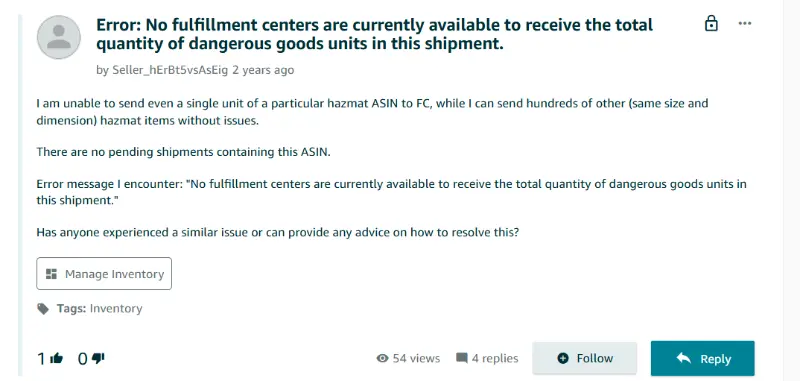
These experiences create the impression that hazmat fulfillment is centralized in one place. In reality, what sellers are running into is limited hazmat capacity, not a single warehouse. FBA inventory for hazardous products is managed across multiple FBA warehouses and FBA facilities, each with its own capacity constraints and specific requirements for storing dangerous goods.
How Hazardous Materials Space Actually Works Inside FBA
Hazmat inventory is typically stored inside regular Amazon fulfillment centers. To safely store hazardous materials, it is essential to follow proper hazmat packaging requirements that comply with regulations and prevent accidents.
Within those fulfillment centers, hazmat products are kept in segregated zones. Those zones are designed to meet safety, compliance, and insurance requirements, which means they cannot be expanded freely or mixed with standard inventory. Unlike standard fulfillment, hazmat storage is subject to strict limits on quantities and packaging to ensure safe handling and regulatory compliance.
A former Amazon operations employee familiar with fulfillment center design confirmed that hazmat is usually co-located with normal inventory, but the dedicated space is limited and tightly controlled. That space must comply with strict safety rules, and it represents a higher operational cost than standard shelving.
When space is limited and expensive, intake has to be managed carefully. Amazon cannot simply accept unlimited quantities of hazmat inventory without risking congestion or compliance issues. Limited quantities are enforced to ensure safe storage and handling within FBA facilities.
Why Hazmat Space Fills Up and Stays Full
Hazmat inventory often turns slower than standard goods. Hazmat items and other hazardous goods are subject to stricter storage and handling requirements, which can impact how quickly they are sold through the platform. Many dangerous goods categories have lower sales velocity or stricter storage requirements, which means units sit longer before selling.
Safety rules also reduce storage density. Products cannot always be stacked or positioned as tightly as non-hazmat inventory, and certain classes of goods must be separated.
Slower turnover means space does not free up quickly. When hazmat zones remain full for longer periods, Amazon must throttle new inbound shipments to avoid overfilling those areas.
That is when sellers start seeing limited destination options or temporary shutdown messages. The system is not broken. It is protecting constrained space, but it can still trigger shipping issues and carrier exceptions that sellers must resolve quickly. The consequence is not just inconvenience. It is reduced distribution flexibility.
The Real Limitation Is Distribution Flexibility
The biggest impact of limited hazmat space is reduced distribution flexibility. With standard inventory, Amazon can spread units across multiple regions to balance coverage.
With hazmat inventory, sellers may only be able to send units to the facility that currently has room. This directly affects how hazmat products are shipped, as inventory may only be shipped to specific fulfillment centers, which can limit nationwide coverage. That facility may be concentrated in one region of the country.
When inventory is concentrated geographically, nationwide coverage becomes harder to achieve cleanly. Replenishment planning becomes less predictable, and sellers lose some control over how inventory is positioned.
You are not placing inventory strategically. You are placing it wherever capacity allows.
Why It Feels Arbitrary
From a seller’s perspective, hazmat routing can feel random. Amazon does not provide visibility into hazmat capacity levels or allocation logic.
Capacity may fluctuate based on internal thresholds, safety reviews, or storage turnover. Because sellers cannot see those constraints, routing decisions appear inconsistent.
That lack of visibility is what fuels the rumor that there is only one hazmat warehouse. In reality, there may be multiple fulfillment centers with hazmat capability, but only a limited number of open slots at any given time.
What Hazmat Reveals About Control
Hazmat inventory exposes what happens when inventory placement is dictated by a single operator’s internal capacity constraints. When space tightens, flexibility narrows.
In FBA, sellers cannot activate alternative nodes, bring their own compliant warehouse online, or redirect routing strategy when hazmat zones fill up. They ship where space exists.
For most sellers, high-velocity products move through the system smoothly. But for regulated or slower-turning inventory, placement flexibility becomes strategic rather than automatic. The key issue is not central coordination. The key issue is whether sellers retain the ability to add nodes, diversify storage, or adjust routing when constraints appear.
Hazmat simply makes that distinction visible.
When inventory placement depends entirely on one operator’s internal capacity, flexibility becomes conditional rather than guaranteed, which is why some sellers explore Merchant Fulfilled Prime alternatives to FBA. For brands that carry regulated or slower-moving SKUs, adding additional fulfillment nodes alongside FBA can reduce exposure to single-network constraints.
FAQ
Does Amazon have only one hazmat warehouse?
No. Hazmat inventory is typically stored in segregated areas inside multiple fulfillment centers. However, available capacity may be limited at any given time, which can result in only one inbound destination appearing.
Why does FBA sometimes show only one hazmat destination?
When hazmat space is constrained, Amazon may direct inbound shipments to the facility with available capacity. Sellers do not choose from multiple options if only one location has open hazmat space.
What does “no fulfillment centers available” mean?
This message usually indicates that hazmat storage zones are temporarily full or restricted. Inbound shipments may resume once space becomes available.
Is it harder to achieve nationwide coverage with hazmat SKUs?
It can be. If hazmat inventory is concentrated in one region due to capacity limits, sellers may not achieve the same geographic distribution as standard inventory.
Written By:

Rinaldi Juwono
Rinaldi Juwono leads content and SEO strategy at Cahoot, crafting data-driven insights that help ecommerce brands navigate logistics challenges. He works closely with the product, sales, and operations teams to translate Cahoot’s innovations into actionable strategies merchants can use to grow smarter and leaner.
Turn Returns Into New Revenue
Related Articles
The Shipping Speed Paradox: Why DTC Brands Are Slowing Down
Everyone’s talking about faster delivery.
Why Cross-Border DTC Brands Are Moving Fulfillment Inside the US
Cross-border ecommerce fulfillment is the process of shipping ecommerce orders across national borders—often from warehouses outside the United States to U.
Shopify Estimated Delivery Date: A Complete Guide for Ecommerce Stores
A Shopify estimated delivery date is the specific arrival date or date range shown on a product page before purchase, so shoppers know when an order is expected to arrive.
Is There Still a Warehouse Shortage? What Ecommerce Brands Are Missing

In this article
24 minutes
- Introduction to Warehouse Shortage Challenges
- Causes of Warehouse Shortages
- From Record Scarcity to 1.8 Billion Square Feet of New Supply
- Regional Markets Tell Two Very Different Stories
- Pandemic-Era Leases Have Become Expensive Traps
- Labor Is the Bottleneck That New Space Cannot Solve
- Why Adding Space Does Not Fix Fulfillment Cost Issues
- The Role of Technology in Warehouses
- How Brands Are Rethinking Warehouse Strategy Without New Leases
- Warehouse Management Best Practices
- Conclusion
- Frequently Asked Questions
The national warehouse crunch that paralyzed ecommerce supply chains from 2020 to 2023 has effectively ended. U.S. industrial vacancy rates climbed to 7.1% by Q4 2025, more than double the all-time low of 3.0% set in early 2022, according to Cushman & Wakefield. But this headline number masks a deeper, more stubborn problem: ecommerce brands aren’t struggling because they can’t find warehouse space, they’re struggling because space was never the real bottleneck. Labor shortages, shipping zone economics, rigid lease structures, and exploding last-mile costs now dominate the fulfillment equation. For brands that signed leases during the pandemic frenzy, the market correction has turned their real estate into an anchor rather than an asset.
Introduction to Warehouse Shortage Challenges
The warehouse industry is navigating a complex landscape marked by persistent warehouse space shortages, ongoing labor shortages, and escalating labor costs. These challenges ripple through the entire supply chain, driving up higher operational costs, causing delayed shipments, and ultimately impacting customer satisfaction for every category, from general merchandise to brands that require specialized food grade warehouse fulfillment. As e-commerce continues to fuel demand for rapid order fulfillment, many warehouses and distribution centers are under constant pressure to expand capacity and improve efficiency. However, the competition for warehouse workers is fierce, with companies offering increasingly competitive pay and benefits to attract and retain talent. Despite high demand, many warehouses struggle to maintain adequate staffing levels, leading to operational bottlenecks and increased costs. Effective inventory management and streamlined warehouse operations have become essential for companies seeking to stay competitive in this dynamic industry. The warehouse market is dynamic and evolving, with trends pointing to a growing need for flexibility and cost-effective solutions. The ability to adapt to these challenges is now a key differentiator for businesses operating in the warehouse and logistics sector.
Causes of Warehouse Shortages
Warehouse shortages stem from a combination of interrelated factors that challenge even the most prepared companies. The surge in e-commerce has dramatically increased demand for warehouse space, as businesses race to store more inventory closer to their customers for faster order fulfillment. However, this demand has outpaced the available supply of suitable facilities, especially in key markets. Labor shortages further complicate the situation, as many warehouses rely on temporary labor to fill gaps, which can lead to unpredictable staffing levels and operational inefficiencies. The struggle to retain staff is intensified by the need to offer competitive pay and benefits, as workers are often lured away by better opportunities elsewhere. To address these challenges, companies are increasingly turning to technology solutions such as automated storage and retrieval systems, which help reduce reliance on manual labor and improve efficiency. Staffing agencies also play a vital role in connecting warehouses with skilled personnel, helping to manage operations more effectively. Ultimately, overcoming warehouse shortages requires a multifaceted approach that balances investment in technology, competitive compensation, and strategic workforce management.
In recent years, developers have focused on constructing large warehouses in response to the eCommerce boom, which has contributed to a scarcity of smaller spaces, particularly in urban and suburban areas. This trend is especially pronounced in suburban areas, where land is more expensive and less available, leading to higher rent costs and lower tenant churn for smaller warehouse spaces. As a result, warehouses under 100,000 square feet now have a vacancy rate of just 3.9%, compared to 10.9% for larger warehouses, highlighting the significant shortage of smaller spaces available to lease. Additionally, the average size of new 3PL warehousing needs indicates a clear trend toward smaller footprints, driven by increased demand and attractive pricing dynamics.
From Record Scarcity to 1.8 Billion Square Feet of New Supply
The pandemic triggered an unprecedented warehouse land grab. E-commerce penetration surged, consumers stockpiled goods, and supply chain disruptions forced companies to hold more safety stock. Industrial vacancy plunged from 4.9% in early 2020 to an all-time low of roughly 3.0% in Q1 2022. Rents spiked 16% year-over-year in that same quarter. Developers responded with staggering construction: approximately 1.8 billion square feet of new industrial space was delivered across the U.S. between 2020 and 2025, more than the entire previous decade combined.
The correction arrived in 2023. A record 612 million square feet was delivered that year, more than 80% of it built speculatively, yet net absorption fell to just 295 million square feet. Over half the space built in 2023 remained available for lease at year-end. By 2024, net absorption dropped further to 170.8 million square feet, the lowest since 2011. Construction starts collapsed in response, with the under-construction pipeline falling 60% from its peak to roughly 270 million square feet by mid-2025.
Rent growth reflects this shift. After years of double-digit increases, annual rent growth slowed to 2.8% in 2024 and just 1.5% by Q4 2025, the weakest pace since early 2020. Roughly 40% of U.S. markets posted year-over-year rent declines in 2025, with the West Coast down 4.5% and the Northeast off 3.8%. One-third of markets still saw cumulative rent increases of more than 50% between 2020 and 2025, however, meaning the affordability damage from the boom years is already baked in for brands renewing leases now.
Regional Markets Tell Two Very Different Stories
The national average obscures a widening gap between oversupplied Sun Belt boom markets and stubbornly tight logistics hubs. Ecommerce brands choosing warehouse locations based on headline vacancy data risk landing in exactly the wrong market for their customer base.
Markets with excess space
Dallas-Fort Worth saw vacancy hit 9.2% to 11.6% after absorbing more than 115 million square feet of new deliveries since 2023. Phoenix is even more challenged, with overall vacancy at 10.7% to 11.8% and mid-sized warehouse availability exceeding 20%, a glut that could take three or more years to normalize. Savannah soared from a record-low 0.8% vacancy in 2022 to 10.8% to 11.7% after nearly 50 million square feet of deliveries. Memphis sits at roughly 12.7%, the highest in the South. Pennsylvania’s Lehigh Valley corridor saw Class A vacancy climb past 11% with negative net absorption.
Markets that remain genuinely tight
Chicago holds steady at roughly 4.7% vacancy in Q4 2025, with only 1.1% of inventory under construction and 64% of that pre-leased. Kansas City posted the lowest vacancy among major U.S. markets at 4.8%. Houston held at a healthy 6.1%. These markets absorb space steadily because they sit at the center of the country’s population and freight networks.
The split that matters most for ecommerce
The most critical structural gap is between big-box and small-bay space. Large-format warehouses of 300,000 or more square feet hit 10.6% vacancy at mid-year 2025 before settling to 9.8%, a clear oversupply. But small-bay space under 100,000 square feet, exactly what most mid-market ecommerce brands need, remains pinched at just 4.4% to 4.8% nationally, near pre-pandemic lows. The space that got built during the boom does not match the space most brands actually want. Finding a 20,000 to 80,000 square foot facility in a dense metro is still a real challenge.
Pandemic-Era Leases Have Become Expensive Traps
The typical U.S. industrial lease runs five to seven years, with the largest distribution deals averaging 8.2 years in 2025 according to CBRE. Annual rent escalations, which hovered at 2% to 3% before the pandemic, surged during 2021 and 2022. The share of leases carrying escalations above 3% jumped from 7.8% in 2019 to 39.6% in 2022. Current long-term deals carry an average escalation of 3.5% per year. Early termination penalties, when available at all, typically run six to twelve months of rent, plus unamortized tenant improvements and broker commissions. Most commercial warehouse leases contain no early termination clause whatsoever.
The math is punishing for brands that signed during the boom. Total occupancy costs increased 42.2% since 2019 according to Newmark, driven by rent, operating expenses up 19.6%, and insurance up 45%. CBRE found that rental rates on expiring five-year contracts are 25% higher on average compared to when they were signed. But for brands that locked in near the 2022 peak, current market rents have already fallen below their contracted rate. U.S. logistics rents dropped 4.5% year-over-year in 2025 according to Prologis, meaning those tenants are now paying above-market prices with years remaining on their leases.
Amazon’s experience is the most dramatic cautionary tale. The company doubled its fulfillment network in 24 months, leasing 370 million square feet by end of 2021, twice its pre-pandemic footprint. The overshoot contributed to $10 billion in excess costs in the first half of 2022 alone. Amazon subsequently tried to shed at least 14 million square feet through subleases and pullbacks. Pandemic-era lease terms on these spaces extend into 2030 and beyond.
Over 37% of all U.S. industrial leases expire by 2027, many signed at rates far below current market levels but others at 2021 and 2022 peaks. This looming wave of renewals will force difficult decisions on ecommerce brands: renew at rates that may not reflect where their customers actually are, or eat termination penalties and relocate, often prompting a search for order fulfillment case studies from leading 3PL providers to de-risk the next move.
Labor Is the Bottleneck That New Space Cannot Solve
Over 370,000 warehouse jobs sat unfilled in early 2025, a 15% increase from a year earlier. A Descartes survey of 1,000 supply chain leaders found 76% face notable labor shortages, with 37% describing conditions as high to extreme. Warehouse operations and transportation suffer the most. The biggest challenge for warehouse operations is the difficulty in hiring and retaining employees due to a highly competitive job market.
Annual turnover in warehousing runs 46% to 49%, roughly 50% higher than the national average for all industries. Amazon’s turnover rate reaches an estimated 150% annually, with 70% of new hires leaving within 90 days. This churn is extraordinarily expensive. High employee turnover is often due to competition for top talent, with employees leaving for better opportunities. The full cost of replacing a single warehouse worker, including separation, vacancy, recruiting, and ongoing training, averages roughly $18,600 per departure according to KPI Solutions. New hires take six to twelve weeks to reach full productivity. Warehouse labor shortages can lead to inefficiencies such as delayed shipments and fulfillment errors. Investing in employee retention strategies, such as competitive wages and ongoing training, is essential to manage labor shortages. Creating safer jobs in warehouses can help improve employee retention and reduce turnover rates.
Competitive pay, recognition, and clear advancement opportunities help transform warehouse and manufacturing roles into long-term careers. Recruiting from diverse backgrounds opens new doors to skilled and dependable talent, supporting talent development and building a more resilient workforce.
Wages have risen sharply but haven’t closed the gap. Amazon’s starting pay climbed to $22 or more per hour in September 2024, with total compensation exceeding $29 per hour. This forced the entire market upward: UPS warehouse workers negotiated starting pay of $21 per hour in their 2023 Teamsters contract, and Target and Walmart distribution centers reportedly match at $22 per hour. Average warehouse staff hourly rates climbed 48% between 2017 and 2024. While higher wages are a common strategy to address the warehouse labor shortage, they are not the sole solution, and hiring remains difficult due to the competitive labor market. Fulfillment costs spike 30% to 40% during peak seasons due to temporary staffing and overtime, with temp agency fill rates reaching only 70% to 80%. Flexible shifts and dynamic staffing pools can help companies manage labor shortages during peak seasons, and utilizing ecommerce order fulfillment services that outclass traditional 3PLs during peak periods can alleviate pressure on warehouse operations.
Deloitte projects the U.S. will need 3.8 million industrial workers over the next decade but faces a potential shortfall of 1.9 million people. Automation offers a partial solution, with 52% of warehouse operators planning investments over the next three years. But high upfront costs and the shortage of skilled technicians to maintain automated storage and retrieval systems mean relief is years away for most mid-market brands. Automation and technology can help warehouses operate with a reduced physical workforce during labor shortages, and investing in automation technologies can improve safety and stabilize labor needs. Investing in robotics, cobots, and predictive analytics reduces repetitive tasks and gives leaders better visibility into labor planning. Implementing robotics and automation technology helps protect warehouse operations by ensuring they can still function, even with a reduced workforce. Modern warehouse management systems can enhance worker morale by providing clear instructions and real-time feedback. Automation can reduce reliance on manual labor while improving inventory control and overall warehouse operations. The global warehouse automation market is projected to grow significantly, indicating a shift towards automated solutions in response to labor shortages. Companies that implement automation report better inventory turnover rates and enhanced customer satisfaction, especially when paired with an order fulfillment service where peer-to-peer beats old 3PLs. Technology and smart automation can reduce repetitive tasks and improve visibility into labor planning.
Modern warehouse management systems guide workers through order processes with clear instructions, touch screens, and real-time feedback, making workers more confident in their roles.
Shortages of qualified warehouse personnel are causing slower loading cycles and reduced efficiency, limiting warehouse capacity. Collaborating with trade schools and workforce programs can help develop future talent for warehouse operations.
Recently, changes in worker availability and preferences have further impacted labor shortages and workplace conditions in the supply chain.
The key operational reality for ecommerce founders is this: you can sign a new warehouse lease tomorrow and still not be able to staff it consistently. The warehouse labor shortage is not a problem that square footage solves.
Why Adding Space Does Not Fix Fulfillment Cost Issues
The most persistent misconception in ecommerce logistics is that warehouse rent drives fulfillment expense. In reality, rent represents just 3% to 6% of total fulfillment cost per order when outbound shipping is included. The dominant cost drivers are labor at 45% to 65% of warehouse operating costs and outbound shipping at 40% to 70% of total fulfillment cost. Last-mile delivery alone accounts for 53% of all shipping costs, averaging $10 per small urban package and up to $50 for large rural deliveries.
Shipping zone economics dwarf any rent savings. A 5-pound package shipped via FedEx Ground costs roughly $11.98 in Zone 2 (under 150 miles) but $18.42 in Zone 8 (over 1,800 miles), a 54% premium. For UPS the gap widens further. A brand shipping 1,000 packages per month primarily to customers in Zones 7 and 8 instead of Zones 2 and 3 faces over $100,000 in additional annual shipping costs. Cross-country shipments cost 40% to 60% more than regional deliveries.
Carrier rate increases compound the problem. UPS and FedEx have implemented 5.9% general rate increases for three consecutive years through 2026, well above the pre-pandemic norm of 3% to 4%. Surcharges for higher zones have jumped even further, and peak-season residential surcharges have climbed over 25%. USPS Parcel Select rates climbed 9.2% in 2024 with further increases planned.
Increased costs for storage and expedited shipping are compressing profit margins, especially for businesses operating with tight margins. Overcrowded warehouses can also lead to lower productivity and increased safety risks.
The implication is direct. A brand operating from a single West Coast warehouse reaches two-day ground delivery for only a sliver of the U.S. population. Adding a second warehouse doesn’t just reduce rent per order, it fundamentally restructures the shipping cost equation. Two strategically located fulfillment centers, for example Knoxville and Salt Lake City, can reach 96% of U.S. households within two days via ground shipping. Four nodes can provide one to two day delivery to 99.97% of the continental U.S. while cutting shipping costs 15% to 25%. That is a real savings number. A lease in a cheap Sun Belt market with 11% vacancy does not produce anything close to that.
The Role of Technology in Warehouses
Technology is rapidly reshaping how warehouses operate, offering powerful tools to optimize logistics operations, streamline inventory management, and reduce labor costs. Automated storage and retrieval systems are becoming standard in many warehouses, minimizing the need for manual labor and significantly improving accuracy and speed in inventory flow. These systems not only enhance productivity but also help mitigate the risks associated with labor shortages and high turnover. Advanced inventory management software enables companies to track stock levels in real time, optimize storage, and ensure efficient order processing. Data analytics and artificial intelligence are increasingly used to forecast demand, identify operational bottlenecks, and inform strategic decisions across the supply chain, including whether to rely on traditional 3PLs or a peer-to-peer fulfillment network versus 3PL. By embracing these technological advancements, companies can achieve greater efficiency, reduce operational costs, and position themselves for sustainable growth in a highly competitive market.
Innovation—through advancements like artificial intelligence, robotics, and shared logistics platforms—serves as a strategic driver for resilience, operational efficiency, and future growth in logistics.
How Brands Are Rethinking Warehouse Strategy Without New Leases
The rise of fractionalized space and spot warehousing is a direct response to the growing demand for flexible, attractively priced alternatives to traditional long-term leases. Flexible warehousing offers significant opportunities for optimization and enables companies to respond quickly to both short-term disruptions and long-term growth opportunities.
Rather than signing new leases, ecommerce brands are increasingly turning to asset-light fulfillment models. For many, this involves shifting from an in-house warehouse to a 3PL. The numbers suggest this is a structural shift, not a temporary workaround.
Third-party logistics networks
3PLs now handle fulfillment for 60% of ecommerce brands at least partially, with 37% fully outsourcing. The U.S. 3PL market reached $308 billion in 2024 and is projected to nearly double by 2033. For brands shipping under 1,000 orders per month, 3PLs typically cost 20% to 40% less than self-fulfillment thanks to negotiated carrier rates and shared infrastructure, and many sellers rely on top Amazon 3PL shipping companies for reliable fulfillment to capture these advantages. Third party logistics providers play a crucial role in managing inventories, distribution, and fulfillment, especially as the industry faces staffing challenges and market fluctuations. The average size of new 3PL warehousing needs indicates a trend toward smaller footprints.
The strategic advantage is not just cost, it is placement. A 3PL network with nodes in Chicago, Dallas, Atlanta, and Los Angeles reaches the entire U.S. population more efficiently than any single owned or leased facility, and brands evaluating partners should consider providers that support Amazon SFP-focused 3PL fulfillment services and follow a structured approach to choose the right 3PL company.
On-demand and flex warehousing
On-demand warehousing is projected to reach $26.2 billion by 2030 at a 15.3% annual growth rate. Platforms in this space operate networks of thousands of warehouse locations and can stand up new distribution capacity in two to four weeks versus three to nine months for traditional lease implementations. Pricing is consumption-based rather than fixed-lease, converting a long-term capital obligation into a variable operating expense. This model is particularly effective for managing peak season demand without the permanent overhead of excess space and is increasingly attractive for brands evaluating alternatives to traditional 3PL ecommerce fulfillment.
Shared and co-warehousing
Shared warehouse concepts provide small to midsize brands with month-to-month space, shared equipment, and fulfillment services at a fraction of dedicated facility costs. Marketplace sellers reduce warehouse fees an estimated 20% to 30% through shared infrastructure. These arrangements also sidestep the warehouse labor shortage problem, since staffing is handled by the operator, not the brand, making them especially compelling when paired with the best 3PL options for small businesses or a top 3PL for Amazon Seller Fulfilled Prime.
Distributed inventory as a competitive strategy
The brands gaining ground are not chasing the cheapest lease in an oversupplied Sun Belt market. They are reframing the question entirely, moving from “where can we find warehouse space?” to “where do our customers live, and how do we reach them in two days at the lowest total cost?” Analyzing order data by zip code and overlaying it against carrier zone maps reveals, in most cases, that the optimal warehouse footprint looks nothing like the single-facility model most brands start with. That analysis costs nothing, and when layered with a clear understanding of 3PL costs for ecommerce fulfillment, it becomes a powerful decision framework. Committing to the wrong lease costs years.
Warehouse Management Best Practices
Effective warehouse management is the cornerstone of a successful warehouse or distribution center. Implementing best practices such as ongoing training for staff ensures that the workforce remains skilled and adaptable to new technologies and processes. Optimizing inventory management is crucial for maintaining accurate stock levels, reducing excess inventory, and improving order accuracy. Leveraging technology to automate routine tasks and streamline operations can lead to significant gains in productivity and efficiency. Retaining staff through competitive pay and comprehensive benefits is essential, as a stable and experienced workforce directly contributes to operational excellence. Additionally, maintaining a safe and healthy work environment, managing equipment maintenance, and controlling transportation costs are all critical components of effective warehouse management, especially for retailers scaling on platforms like Shopify who must follow a guide to choosing the right Shopify order fulfillment option and choose the best 3PL for their store. By focusing on these areas, companies can reduce operational costs, improve lead times, and drive growth, ensuring their warehouses remain agile and responsive to market demands.
Conclusion
In summary, warehouses and distribution centers are facing a host of challenges, from labor shortages and warehouse space constraints to rising labor costs and evolving supply chain demands. To remain competitive, companies must invest in technology, prioritize staff retention, and implement robust inventory management and logistics operations. Adopting best practices and leveraging technological innovations can significantly enhance productivity, efficiency, and growth while keeping operational costs in check. The warehouse industry is in a state of constant evolution, requiring businesses to stay agile and responsive to shifts in market conditions and customer expectations. As e-commerce continues to drive demand for faster and more reliable fulfillment, optimizing warehouse operations and investing in skilled personnel will be key to long-term success. By proactively addressing these challenges, companies can position themselves at the forefront of the industry, ready to capitalize on new opportunities and navigate the complexities of the modern supply chain.
Frequently Asked Questions
Is there still a warehouse shortage in the United States?
No, not in the broad sense. National industrial vacancy reached approximately 7.1% by late 2025, more than double the historic low of 3.0% set in early 2022. Big-box space in markets like Dallas-Fort Worth, Phoenix, and Memphis is in clear oversupply. However, small-bay space under 100,000 square feet remains tight at 4.4% to 4.8% nationally, and several major logistics hubs including Chicago and Kansas City continue to see healthy demand with limited availability.
Why are ecommerce fulfillment costs still rising if warehouse space is more available?
Warehouse rent represents only 3% to 6% of total fulfillment cost per order. The dominant cost drivers are labor, which accounts for 45% to 65% of warehouse operating costs, and outbound shipping, which can represent 40% to 70% of total cost. Both have increased substantially. Carrier general rate increases of 5.9% per year through 2026, combined with surcharge escalation and the warehouse labor shortage, are pushing total fulfillment costs higher regardless of what is happening to lease rates.
What is the real constraint on warehouse operations today?
For most ecommerce brands, labor availability is the primary operational constraint. Over 370,000 warehouse jobs were unfilled in early 2025. Annual turnover runs 46% to 49% industry-wide, driving constant recruiting, training, and productivity losses. The cost of replacing a single warehouse worker averages roughly $18,600. A brand can sign a new lease in a market with plenty of available space and still struggle to staff it reliably.
How does warehouse location affect shipping costs?
Significantly. Carrier pricing is structured around shipping zones based on the distance between the origin warehouse and the delivery destination. A 5-pound package shipped via FedEx Ground from Zone 2 costs roughly 54% less than the same package shipped from Zone 8. A brand with its only warehouse on the West Coast will ship the majority of U.S. orders at Zone 5 through Zone 8 rates, paying substantially more per package than a brand with strategically placed nodes in the central U.S. For most ecommerce brands shipping 500 or more orders per month, this zone cost difference far exceeds any savings achievable through cheaper rent.
What is a shipping zone and why does it matter for order fulfillment?
Shipping zones are geographic bands that major carriers use to calculate delivery costs based on distance from the origin point. Zone 1 is the closest (under 50 miles) and Zone 8 is the farthest (over 1,800 miles). Every carrier, including UPS, FedEx, and USPS, applies higher rates to higher zones. Brands with inventory located far from their customers’ geographic concentration pay more per shipment on every single order, which compounds significantly at scale.
Should ecommerce brands sign warehouse leases in oversupplied markets to save on rent?
Not without running the full fulfillment cost model first. Cheap rent in an oversupplied market like Phoenix or Memphis may look attractive, but if that location results in a higher average shipping zone for your customer base, the shipping cost increase will likely exceed the rent savings by a wide margin. Labor availability in those markets is also not guaranteed to be better. The correct decision framework starts with analyzing where your customers are located, then working backward to the optimal warehouse placement, then evaluating what lease or third-party fulfillment arrangement makes sense in those locations.
What alternatives exist to signing a traditional warehouse lease?
The main alternatives are third-party logistics networks, which handle space and labor under a pay-per-order or storage-plus-fulfillment model; on-demand warehousing platforms, which offer consumption-based space access without multi-year commitments; and shared or co-warehousing arrangements, which provide month-to-month access to shared facilities and staff. Each removes the fixed-cost structure and long-term obligation of a direct lease, while offering faster setup and the ability to shift nodes as demand patterns change, which is especially important for channels like Wayfair that benefit from the best 3PL for Wayfair order fulfillment.
How long is a typical warehouse lease and what does early termination cost?
Most U.S. industrial leases run five to seven years. Large distribution center deals average 8.2 years. Early termination clauses are not standard, and when they do exist they typically require a penalty of six to twelve months of rent plus reimbursement of unamortized tenant improvements. Many leases offer no early exit at all, meaning brands that sign in the wrong location are effectively committed for the full term. This rigidity is one of the primary reasons asset-light fulfillment models have grown so rapidly among mid-market ecommerce brands.
Written By:
Rinaldi Juwono
Rinaldi Juwono leads content and SEO strategy at Cahoot, crafting data-driven insights that help ecommerce brands navigate logistics challenges. He works closely with the product, sales, and operations teams to translate Cahoot’s innovations into actionable strategies merchants can use to grow smarter and leaner.
Turn Returns Into New Revenue
Related Articles
Walmart Officially Allows Amazon Multi-Channel Fulfillment (MCF)
Big news for multichannel sellers: Walmart now officially allows Amazon Multi-Channel Fulfillment (MCF), Amazon’s service for using its fulfillment network to ship orders from mult...
Why More Automation Didn’t Lower Return Costs
Returns automation does improve returns operations: it cuts manual touches, smooths intake, speeds sorting, and makes workflow execution more consistent.
Shopify Subscription Payment Change: Why It Could Hurt Reactivation
Shopify changed how subscription payment information is handled at cancellation.
ShipStation Automation Rules Explained: Where Shipping Automation Breaks Down

Shipping automation rules look like a solved problem until your order mix shifts, your catalog grows, or your carrier contracts change. At that point, rules you wrote six months ago start quietly costing you money or degrading service in ways that are hard to trace. This article explains how ShipStation automation rules work at a functional level, where the logic tends to break under real operating conditions, and what a more adaptive approach to shipping automation actually looks like.
What ShipStation Automation Rules Actually Do
At their core, ShipStation automation rules are conditional logic statements managed within your account settings. To create and manage automation rules, navigate to your account, click the Settings gear icon, select Automation, and choose Automation Rules from the dropdown menu. Each rule follows the same structure: if an order matches specific criteria, then apply a defined action. Automation rules in ShipStation are actions that you want to apply to a set of orders that meet certain criteria, helping save time and improve efficiency.
The criteria side can draw on a wide range of order attributes: weight, dimensions, destination address type (residential vs. commercial), store of origin, product SKU, order tags, customer location, shipping service requested at checkout, and more. When setting up an automation rule, you must define the conditions (criteria) and actions for the rule, and you can set criteria based on order weight, address type, order tags, and other factors. Users must enter specific information into fields to define order criteria, such as weight, address type, or order tags. You can stack multiple criteria within a single rule, requiring that all conditions be met or that any one of them triggers the action.
To create a rule in ShipStation:
- Click ‘Create a Rule’ in the Automation Rules section of your account.
- Enter the rule name.
- Select the field and order criteria (such as weight, address type, or tags).
- Define the actions that should be applied when orders match the criteria.
The rules you can create include those that match specific order criteria, such as weight or destination, and the rule will apply when orders match those criteria.
The action side covers the most operationally significant shipping decisions. Common actions include:
- Assigning a carrier and service level, for example routing all orders under one pound to USPS Ground Advantage instead of USPS Priority Mail
- Setting a package type, such as applying a flat-rate envelope to orders matching specific weight and dimension thresholds
- Setting carrier, service, and package type (service and package type) combinations based on order attributes (set carrier service package)
- Adding or removing order tags to flag orders for manual review, holding, or downstream workflow steps
- Placing orders on hold, which pauses them from progressing to label creation
- Combining or splitting shipments when multiple orders share the same address
- Applying a shipping preset that bundles carrier, service, package type, and special service selections together
Shipping options can be automated based on things like order weight, address type, and tags, and automation rules can help select the cheapest shipping option for each order. Automation rules can automate actions based on specific criteria to streamline the shipping process and can automate almost any shipping-related task for online stores.
Rules execute in a defined sequence and can be ordered by priority, so rule conflicts get resolved by whichever rule has higher precedence in the stack.
This is functional, well-understood logic for routine operations. The problem is not the mechanism. The problem is what happens to that mechanism when the operating environment changes and the rules do not, which is why many ecommerce brands are turning to next-generation ecommerce shipping software for warehouse automation that can adapt to changing conditions without constant manual reconfiguration.
Where Static Rules Break Down
Order weight and dimension drift
Most automation rules that determine carrier and service selection are weight-based. For example, a rule might say: orders under 15 ounces go via USPS Ground Advantage; orders between 15 ounces and 2 pounds go via USPS Priority Mail; orders above 2 pounds go via a regional carrier. Using USPS First Class Mail for shipments under one pound is a common automation rule to save on shipping costs. Automation rules can be set to apply different shipping services for specific weight ranges, such as USPS Ground Advantage for orders under 16 oz and Priority Mail for heavier shipments. Automation rules can apply a specific shipping service based on the weight of the order, and weight-based shipping rules automatically assign carriers based on item weight.
That logic works until your supplier changes packaging, you add a bundle SKU, or a promotional period drives a different order mix than what the original thresholds were built around. Suddenly a meaningful share of orders that qualified as “lightweight” no longer do, and they get routed to Priority Mail at a cost 40% to 60% higher than necessary. No one gets an alert. The rule fires as designed. The bill just grows.
Address type misclassification
Residential and commercial address surcharges are significant cost variables with UPS and FedEx. Address type fields are used within shipstation automation rules to determine whether an address is residential or commercial, and this field can directly impact the shipping rate applied. Some shipping carriers offer different rates based on whether an address is residential or commercial, making accurate classification in the address type field critical. Rules that rely on address type fields often fire on the address classification as entered by the customer or pulled from the store, not on verified carrier data. When a customer enters a business address without the suite number, or enters a home address that was never verified against a carrier database, the surcharge applied at shipping can contradict the rule that was written to prevent it.
The rule creates false confidence. The actual charge on the carrier invoice reflects reality, not what the rule assumed.
Service level overspend as orders scale
A common configuration pattern is to default to a faster or more expensive service level as a fallback when no other rule matches. In these cases, this rule will apply, leading to potential overspend as orders are routed to the default option. The fallback rate is the percentage of orders that route to a catch-all or default rule rather than a specifically defined rule. ShipStation automation rules can be reordered to ensure the most important rules take precedence and reduce the fallback rate.
For a brand doing 200 orders a month, overspending on 15 fallback orders is a rounding error. For a brand doing 5,000 orders a month, that same failure rate in the rule stack might mean 375 orders per month routing to USPS Priority Mail when USPS Ground Advantage or a regional carrier would have delivered on time at a lower cost. At $2 to $4 of avoidable cost per order, that is $750 to $1,500 per month of silent waste that never shows up as a line item anywhere, which makes understanding your ecommerce order fulfillment costs and pricing structure critical when evaluating the true impact of automation decisions.
Rule conflicts and ordering problems
As rule stacks grow, conflicts between rules become more likely. A rule that applies a specific carrier to all orders over 5 pounds may conflict with a rule that applies a different service to all orders destined for a specific state. Depending on rule ordering, one wins and the other becomes irrelevant for that order segment, which may or may not be the intended behavior.
To efficiently manage complex rule sets, ShipStation allows you to create a copy of an existing automation rule. This makes it easy to build a series of similar automation rules by copying and then modifying specific criteria, helping you tailor each rule to different conditions or requirements.
Operators who inherited a rule stack from a predecessor, or who accumulated rules over many months without documentation, often cannot confidently explain what every combination of order attributes will produce at runtime. The rule stack becomes a black box that mostly works, which is exactly the condition that allows silent errors to persist.
Tagging and holds as manual work amplifiers
Tags and holds are genuinely useful when they are well-defined and actively maintained. Automation rules can use order tags as criteria to determine shipping services, and tags like ‘VIP’, ‘Fragile’, or ‘Gift’ can trigger further rules for handling orders based on customer history or item type. You can use tags to create automation rules that apply to specific products or customer orders in ShipStation. For example, if an order includes a specific tag such as ‘Rush’ or ‘Fragile’, a rule can be set so that the order is shipped using a particular method, like upgrading to Priority Mail. Order tagging for priority can assign tags like ‘Rush’ to ensure specific orders are processed first, and tags can be used in automation rules to determine shipping methods based on product types or customer preferences.
A rule that tags all international orders for manual review is helpful when the team has a clear process for what to do with that tag. But as the business changes, some holds become orphaned. Tags accumulate without clear meaning. The team reviews flagged orders as a habit without asking whether the tag still represents a real decision point.
In practice, many ecommerce operations teams using rules-based holds and tagging systems spend meaningful time each week processing flags that exist because no one audited the rule that created them after the underlying condition it was meant to address was resolved.
The Edge Case Problem
Rules are written for the expected. Real orders surface the unexpected.
Common edge cases that create exceptions and rework in rules-based shipping automation include:
- Multi-item orders where individual items qualify for different service rules but the combined weight or dimensions push the shipment into a different category
- Orders containing a mix of in-stock and backordered items where the split shipment logic was not anticipated by the rule set. As a step to handle complex orders, the Auto-Split feature can automatically create separate shipments for orders containing both warehouse-stocked and drop-shipped items.
- Address corrections that happen after a rule has already fired and assigned a service, requiring manual override
- Carrier-specific restrictions that are not encoded into the rule, such as USPS restrictions on certain product categories, service availability gaps by zip code, or size limits that the rule does not check
- PO Box and military address routing that requires USPS but conflicts with a weight-based rule that would otherwise send the order to a regional carrier that cannot serve those addresses
- Saturday or holiday delivery scenarios where the selected service does not actually provide the delivery date the rule was designed to guarantee
As another step to optimize shipping, orders can be routed to the closest warehouse based on the customer’s state or zip code to reduce shipping costs and transit time.
In the context of exception handling, you can automate the addition of a tax identifier number to orders based on destination requirements.
Each of these edge cases requires either a human to catch it in review, an additional rule to handle it, or an automation system capable of evaluating more context than a static rule set can hold. Many of these exceptions mirror broader carrier shipment exceptions and how to fix them fast, where address issues, delivery failures, or customs holds create downstream rework and customer friction. To improve your shipstation automation rules, always test your automation rules with sample orders to identify edge cases and update your rules accordingly.
The more SKUs and order types an operation manages, the higher the edge case rate. Operations leaders running multi-SKU catalogs across multiple sales channels frequently find that their rule stacks require ongoing attention just to maintain baseline performance, let alone improve it.
Why Auditing and Rule Governance Matter
The operational discipline most commonly missing from ecommerce shipping automation is not rule-writing. It is rule review—and the use of multi-carrier shipping software for ecommerce that can automatically validate addresses, compare rates, and reduce the number of brittle, manually maintained rules you rely on.
A rule that was correct when written can become incorrect as the business changes. Carrier rates change. Product weights change. Customer geography shifts. Promotional periods alter the typical order composition. None of these changes automatically invalidate a rule or generate an alert that the rule may now be producing suboptimal outcomes.
Effective rule governance means treating the automation rule stack as a living document, not a one-time configuration. In practice, this involves:
- Reviewing rule performance at defined intervals, at minimum quarterly, against actual shipping cost data
- Tracking the fallback rate, meaning the percentage of orders that route to a catch-all or default rule rather than a specific defined rule, and investigating when that rate rises
- Comparing the carrier and service distribution the rule stack produces against what an optimal routing decision would have produced given actual order attributes and carrier rates at the time
- Documenting the intent behind each rule, not just its logic, so that future changes can be evaluated against whether the original condition still applies
- Assigning ownership of the rule stack to a specific person or team so audits actually happen
When creating a new rule, you can also create a copy of an existing automation rule to make a series of similar rules, which can then be saved and updated as your business needs change. Whenever you make changes to rules, it is important to save and update the rule stack to ensure that each new rule is applied correctly and that your shipping automation remains effective.
Without this governance structure, most rule stacks drift. They become increasingly accurate for the order profile that existed when they were written and increasingly inaccurate for the order profile that exists today.
How More Adaptive Automation Reduces Cost and Errors
Static rules are limited because they encode logic once. The operating environment changes continuously. The gap between those two facts is where cost leaks and service failures live, especially when carriers introduce changes like UPS and FedEx dimensional weight policy updates that instantly alter the real cost of many packages.
More adaptive shipping automation approaches the problem differently. Instead of encoding fixed thresholds that apply regardless of current conditions, adaptive systems evaluate each order against live inputs: current carrier rates, actual delivery performance data by zone and service level, available inventory locations, and SKU-level cost-to-serve targets. Solutions like Cahoot’s ecommerce order fulfillment services that outclass traditional 3PLs pair this kind of cost-aware routing with fast 1–2 day delivery from a distributed network. Shipping automation rules can help adjust shipping settings based on order criteria such as weight and destination, ensuring that actions are only triggered when orders match specific parameters.
The practical difference shows up in a few specific ways.
Service selection based on actual rate cards, not fixed tiers. A static rule assigns USPS Ground Advantage to orders under 15 ounces. An adaptive system checks the actual rate for that specific weight, destination zip, and package dimensions and compares it across available services before selecting the lowest-cost option that meets the delivery commitment. As carrier rates change mid-contract or as dimensional weight calculations shift, the selection adjusts automatically. Adaptive systems can update order information with real-time rates to optimize shipping costs.
Routing decisions that incorporate inventory location. A rule-based system typically assigns a carrier and service based on order attributes alone, without knowing where inventory actually sits. When a brand operates multiple warehouse nodes, the fulfillment location changes the shipping zone and therefore the cost and transit time of any given carrier service. An order that should route to USPS Ground Advantage from a Chicago node might need USPS Priority Mail from a Los Angeles node to hit the same delivery date. Static rules cannot hold that context. Multi-node automation that connects fulfillment location to routing decisions can, as seen in order fulfillment services built for ecommerce companies that leverage distributed inventory to keep transit times short and costs low.
Exception handling without manual review queues. Rather than tagging orders with edge case attributes and routing them to a human, more capable automation systems can evaluate a broader set of conditions at decision time and resolve many exceptions programmatically. The hold queue shrinks because fewer orders need human judgment to proceed, similar to how Cahoot’s Amazon Buy Shipping integration for ecommerce order fulfillment automates label creation and tracking updates to reduce error-prone manual steps.
Ongoing cost-to-serve visibility. Adaptive systems generate audit trails that let operators see, at the order level, why a specific routing decision was made and what it cost relative to alternatives that were considered. This makes both auditing and optimization practical rather than aspirational, particularly when combined with a peer-to-peer order fulfillment service that outperforms legacy 3PLs by enforcing consistent operational standards across a distributed network.
Automation rules can help streamline the shipping process by applying specific actions to orders that match defined criteria, reducing manual intervention and improving efficiency. This kind of automation also makes it easier to adapt when marketplaces tighten expectations, such as Amazon’s new shipping and delivery policies for sellers that demand higher on-time performance and shorter transit commitments.
This is where Cahoot’s approach to shipping automation differs from a rules stack maintained by an operator. Cahoot applies cost-aware routing logic across network nodes, adjusting decisions as carrier rates, inventory positions, and order attributes change, without requiring operators to manually maintain the rules that govern those decisions. The goal is to eliminate the operational overhead of rule governance while keeping the cost and service outcomes that good automation is supposed to produce in the first place.
Frequently Asked Questions
What are ShipStation automation rules?
ShipStation automation rules are conditional logic configurations that automatically apply shipping decisions to orders based on defined criteria. When an order matches the conditions in a rule, ShipStation executes the corresponding action, such as assigning a carrier and service level, adding a tag, setting a package type, or placing the order on hold. Rules can be stacked and prioritized to handle different order scenarios without manual intervention on each order.
What types of actions can ShipStation automation rules perform?
The most common actions include assigning a specific carrier and service such as USPS Ground Advantage or USPS Priority Mail, setting a package type, adding or removing order tags, placing orders on hold for manual review, applying a preset configuration that bundles multiple settings, and combining or splitting shipments that share a destination address.
Why do ShipStation automation rules break down over time?
Static rules are written to reflect the order mix, carrier rates, and product weights that exist at a specific point in time. As any of those inputs change, the rules can produce suboptimal or incorrect routing decisions without generating any visible error. Common causes of rule degradation include changes in product weights or packaging, catalog expansion that introduces SKUs with different shipping profiles, shifts in customer geography that alter the typical destination zone, and carrier rate changes that make a previously correct service selection more expensive than alternatives.
How does automation overspend on shipping service levels?
Overspend typically occurs when a default or fallback rule assigns a faster, more expensive service level to orders that no other rule specifically addressed. At low order volumes this cost is minimal. At scale, even a 5% to 10% fallback rate across thousands of orders per month can produce significant unnecessary spend, particularly when the fallback is USPS Priority Mail for orders that would have arrived on time via USPS Ground Advantage or a regional carrier.
What is a shipping rule fallback rate and why does it matter?
The fallback rate is the percentage of orders that route to a catch-all or default rule rather than a specifically defined rule. A rising fallback rate typically signals that the rule stack has not kept pace with changes in order composition. Monitoring fallback rate as a regular metric helps operators identify when their rule stack needs review before the cost impact accumulates.
What are the most common edge cases that break automation rules?
Common edge cases include multi-item orders where combined weight or dimensions push the shipment into a different category than individual item rules anticipated, orders with backordered items that create split shipment scenarios, PO Box and military addresses that require USPS but conflict with weight-based rules favoring other carriers, address corrections that happen after a rule has already fired, and carrier-specific restrictions on product categories or destination zip codes that the rule set does not check.
How often should shipping automation rules be audited?
At minimum, a rule stack review should happen quarterly. More frequent reviews, monthly or after any significant catalog, carrier contract, or promotional change, reduce the window during which degraded rules can accumulate cost. Audits should compare the carrier and service distribution the rule stack actually produced against what optimal routing would have produced for the same order set, not just check whether rules fired correctly.
What does adaptive shipping automation do differently than static rules?
Adaptive shipping automation evaluates each order against live inputs including current carrier rates, actual delivery performance data, and available inventory locations, rather than fixed thresholds encoded at a point in time. This allows routing decisions to adjust as carrier rates change, as inventory positions shift across warehouse nodes, and as order attributes fall outside the scenarios that static rules were written to handle. The result is lower ongoing cost-to-serve and fewer exceptions requiring manual resolution.
How does multi-node fulfillment change shipping automation requirements?
When inventory is held at multiple warehouse locations, the optimal carrier and service selection for a given order depends on which node will fulfill it, because the shipping zone from that node to the destination address determines both cost and transit time. Static rules that assign a service without knowing fulfillment location can produce accurate-looking decisions that are actually wrong once inventory position is factored in. Automation that connects fulfillment routing to carrier selection can capture the cost savings available from distributing inventory closer to demand concentrations.
Written By:
Rinaldi Juwono
Rinaldi Juwono leads content and SEO strategy at Cahoot, crafting data-driven insights that help ecommerce brands navigate logistics challenges. He works closely with the product, sales, and operations teams to translate Cahoot’s innovations into actionable strategies merchants can use to grow smarter and leaner.
Turn Returns Into New Revenue
Related Articles
Walmart Officially Allows Amazon Multi-Channel Fulfillment (MCF)
Big news for multichannel sellers: Walmart now officially allows Amazon Multi-Channel Fulfillment (MCF), Amazon’s service for using its fulfillment network to ship orders from mult...
Why More Automation Didn’t Lower Return Costs
Returns automation does improve returns operations: it cuts manual touches, smooths intake, speeds sorting, and makes workflow execution more consistent.
Shopify Subscription Payment Change: Why It Could Hurt Reactivation
Shopify changed how subscription payment information is handled at cancellation.